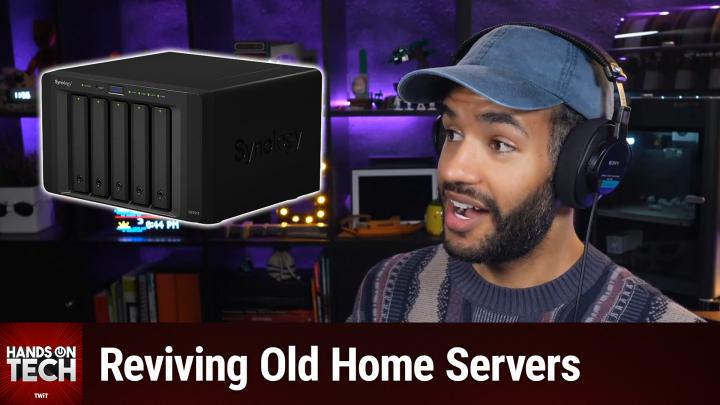
Why You Should Replace Windows Home Server
AI-generated, human-reviewed.
Older Windows Home Server (WHS) versions, including the 2007 original and 2011 edition, are long out of support. No updates or security patches have been provided since 2016 or earlier. Running these now—especially on a fast fiber connection—puts your files and network at risk from permanent, unpatched security flaws, as Mikah Sargent emphasized. Microsoft itself stopped support more than a decade ago and recommended moving to newer software.
Main takeaway: Always wipe the old WHS operating system before reconnecting your server to your network.
The Top Modern Operating Systems for Server Reuse
There are several robust and actively maintained options that are well-suited to aging home server hardware:
TrueNAS
- Best for: Users who want powerful features, maximum data protection, and have at least 8GB of RAM.
- Features: Free, open-source, offers advanced backup, file sharing, and app hosting options. It uses the ZFS file system for superior data integrity.
- Where to get it: truenas.com
Open Media Vault (OMV)
- Best for: Older or low-power servers with limited RAM or upgradability.
- Features: Lightweight, Debian Linux-based, easy to run on modest hardware, supports various backup and sharing protocols.
- Where to get it: openmediavault.org
Unraid
- Best for: Users willing to pay a one-time fee for simplicity, unmatched drive flexibility, and easy app/VM support.
- Features: Allows mixing drives of different sizes, user-friendly web interface, excellent community and plugin support.
- Price: One-time license fee (current prices available at unraid.net)
- Where to get it: unraid.net
Hardware tip: Check your server’s RAM. TrueNAS recommends at least 8GB. If your server can’t be upgraded, Open Media Vault is the safer bet.
How to Turn Your Old Server Into a Backup Solution
- Backup Target: Configure the new OS so Macs and PCs connect over your home network. TrueNAS and OMV work as Time Machine targets for Macs and SMB (Windows file sharing) backup for PCs.
- Follow 3-2-1 Rule: Even with your upgraded home server, always keep three copies of your data, on two different media types, with one offsite (like cloud storage). A home NAS is great for on-site backup, but not enough by itself to stay protected from disasters.
Beyond Backup: Add Media Server Features
After upgrading the OS, your old server can also run popular media apps:
- Plex: Intuitive, widely supported media server solution.
- Jellyfin: Free, open-source alternative for media streaming.
OMV, TrueNAS, and Unraid all support these via plugins or add-on containers.
Where to Find Setup Guides and Community Help
- Official documentation for TrueNAS, Open Media Vault, and Unraid is recommended before you start.
- Helpful online forums: r/homelab and r/homeserver on Reddit for hardware tips and troubleshooting. Provide your server’s exact model for tailored advice.
Key Takeaways
- Never run old Windows Home Server software online—it’s insecure and unsupported.
- Your WHS hardware can be reused with a modern OS for backup or media services.
- Choose your OS based on the server’s specs (especially RAM and upgradability).
- Always pair on-site backup with an offsite/cloud backup for true data safety.
The Bottom Line
On Hands-On Tech, Mikah Sargent highlighted that reusing an old Windows Home Server is a great way to add robust backup or media features to your home—so long as you replace the software with something secure and currently supported. The best options are TrueNAS, Open Media Vault, or Unraid. Before setting it up, check your hardware’s capabilities, follow best practices for data backup, and explore official resources for installation.
For full details and step-by-step explanations, check out the episode: https://twit.tv/shows/hands-on-tech/episodes/269