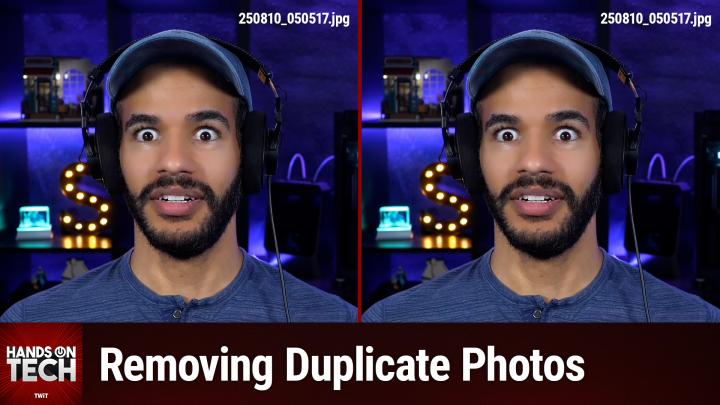
Ways to Automatically De-Duplicate Photos on macOS
AI-created, human-reviewed.
Managing an extensive photo collection on your Mac can quickly become overwhelming, especially when duplicate photos start piling up. If you're facing thousands of duplicate images, like many Mac users, the built-in Photos app solution might leave you clicking through each duplicate manually. Fortunately, there are several powerful third-party applications designed to automate this tedious process and Mikah Sargent goes over those applications on the latest episode of Hands-On Tech.
The Problem with Manual Duplicate Removal
Many Mac users discover the duplicate detection feature in Apple's Photos app, found under Collections > Utilities > Duplicates. While this built-in tool can identify duplicate images, the manual process can be exhausting. As Mikah Sargent explains, "It takes three clicks per photo to merge them. That will require a lot of clicks" when dealing with large numbers of duplicates.
Even using the select-all approach (Command+A to select all duplicates, then merge), the process can be time-consuming for extensive photo libraries. Some users report processing times that could take hours or even days for large collections.
Professional Photo Deduplication Solutions
PhotoSweeper X: Smart Detection for $14.99
PhotoSweeper X stands out as a dedicated photo deduplication tool that integrates directly with your Photos library. Unlike simple filename comparisons, this application uses intelligent detection methods. According to Sargent, "On top of just looking at oh, this has the same file name, it's going to look at the photos and see the metadata and also compare the photos themselves to look for duplicates."
The app offers extensive customization options, allowing users to set specific matching criteria and preview everything before deletion. Built-in safety features help prevent accidental deletion of important photos. Available through the Mac App Store, PhotoSweeper X provides a focused solution specifically designed for photo libraries.
Gemini 2: The Comprehensive Duplicate Finder
For users seeking a more versatile solution, Gemini 2 offers comprehensive duplicate detection beyond just photos. This application, developed by MacPaw, operates on a freemium model with a $20 annual subscription after the initial trial period.
Gemini 2 excels at detecting non-obvious duplicates, such as similar photos taken in rapid succession, where only one might be focused appropriately. As Sargent notes, "If you have photos that are very similar perhaps you took six photos at a time and five of them are blurry, one of them is good it can help you find those as well."
The application includes visual comparison tools and can pause and resume scanning processes, making it ideal for large photo libraries. Beyond photos, Gemini 2 can scan entire Mac systems and even network-attached storage devices for various types of duplicate files.
DupeGuru: The Free Alternative
For budget-conscious users, DupeGuru provides a powerful open-source alternative. This free application can work with Photos libraries and other photo collections, though it requires more technical knowledge to operate effectively.
While DupeGuru offers significant functionality without cost, it comes with a steeper learning curve. The application requires users to understand its interface and processes more thoroughly than paid alternatives. As Sargent points out, the choice often comes down to "what you feel your time is worth in those situations."
Choosing the Right Tool for Your Needs
The selection between these applications often depends on specific requirements and technical comfort levels. For users seeking the simplest photo-focused solution, PhotoSweeper X provides dedicated functionality with user-friendly operation. Those wanting comprehensive duplicate detection across their entire Mac system might prefer Gemini 2's broader capabilities.
Users comfortable with more technical interfaces can achieve excellent results with DupeGuru's free solution, though the learning investment is higher. For detecting literal duplicate files, any of these tools will work effectively, but users seeking to identify similar photos (like multiple shots of the same scene) will benefit from the more sophisticated algorithms in paid applications.
Essential Backup Considerations
Before beginning any duplicate removal process, creating comprehensive backups is crucial. This precaution becomes especially important when dealing with large photo collections containing irreplaceable memories.
Sargent emphasizes this critical step: "Please, please, do a complete backup of your photos library first, if you're using Time Machine, that's a great way to start, but also clone that to an external drive if you can." For collections with thousands of photos, multiple backup copies provide essential protection against accidental deletions.
Getting Started with Photo Deduplication
When beginning the deduplication process, start by assessing your photo library's size and your comfort level with different applications. Users with extensive collections might benefit from trying DupeGuru first to understand the scope of their duplicate problem before investing in paid solutions.
For those preferring immediate results with minimal setup, PhotoSweeper X or Gemini 2 provide more streamlined experiences. Both applications offer trial periods or money-back guarantees, allowing users to test functionality before committing to purchase.
Remember that deduplication tools can save significant storage space and improve photo library organization, making the investment in time or money worthwhile for users managing large photo collections. Whether choosing free or paid solutions, the key is selecting an application that matches your technical comfort level and specific needs.
The goal is transforming an overwhelming duplicate photo problem into a manageable, organized photo library that preserves your memories while eliminating unnecessary clutter.
Get even more tips and tutorials from Mikah Sargent every Sunday on Hands-On Tech.