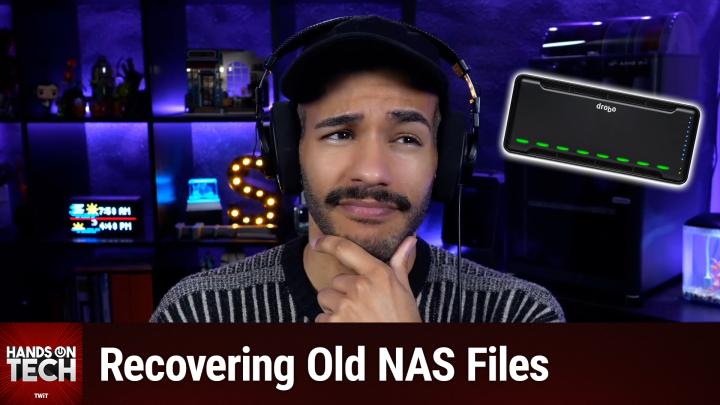
Recovering Your Data from a Dead Drobo Drive
AI-generated, human-reviewed.
If you’re struggling to retrieve your files from a Drobo drive that won’t boot, especially now that Drobo is out of business, there are actionable steps you can take. On Hands-On Tech, Mikah Sargent walked through proven ways to troubleshoot Drobo recovery and what alternatives users have when facing proprietary Beyond RAID formats.
Quick Summary
The biggest challenge with recovering files from a Drobo device is its use of Beyond RAID, a proprietary technology incompatible with standard recovery tools. With Drobo no longer providing support, access to your data hinges on a few key troubleshooting steps and, if needed, specialist solutions.
Troubleshooting Your Drobo: First Steps
Here’s what Mikah Sargent recommends trying before considering expensive recovery services:
- Check the Power Supply: Drobo power bricks are notorious for failing, even after years in storage. Compare the voltage and amperage on your unit, and look for replacements on iFixit or eBay.
- Swap Data Cables: Old USB, Thunderbolt, or FireWire cables (depending on your model) might be the culprit. Try a new, high-quality cable—even if you need to return it after testing.
- Let It Boot—Patiently: If the Drobo powers up, leave it on for hours or even days. Rebuilding databases after long storage can take much longer than expected.
- Check Drive Order: Make sure all drives are in their original slots. Drobo units often require the drives to be in the correct sequence to access your data.
What If Basic Troubleshooting Fails?
If your Drobo still refuses to boot, or if you need to recover files without a working unit, these are your primary alternatives:
- Software Solutions: Some users have had limited success with UFS Explorer and R-Studio, which claim partial Drobo support. Results are inconsistent, especially if your files are spread across multiple drives in expanded storage mode. Worth a try—both have trial versions.
- Professional Data Recovery: Companies like DriveSavers and Ontrack offer dedicated Drobo/Beyond RAID recovery. Costs can range from $500 to $2,000 depending on complexity.
- Drobo Community Resources: The Drobo subreddit (r/Drobo) and tech forums sometimes have working old units for sale. Finding a unit of the same generation may allow you to pop in your drives and recover files directly.
Key Takeaways
- DIY Fixes: Replacement power supplies, fresh cables, and double-checking drive order are your cheapest and quickest possible solutions.
- Software Recovery Is Uncertain: UFS Explorer and R-Studio might recover data, but don’t rely on them for critical files.
- Professional Help Is Expensive: Be prepared for a significant investment if you use data recovery services, but the chance of success is much higher.
- Community Matters: Checking Reddit or forum listings for working Drobo hardware can save you money and hassle.
What This Means for You
If you own an old Drobo with irreplaceable files, act quickly. Buy backup components if still available, and consider joining community forums to source spare units. Understand that only Drobo hardware (or in rare cases, costly recovery providers) can reliably read Beyond RAID data—the proprietary format is the main limiting factor.
Drobo Beyond RAID: This refers to Drobo’s method of distributing data across drives, which differs from standard RAID and complicates recovery with off-the-shelf tools.
The Bottom Line
While Drobo's end-of-life status makes recovery more complicated, most users can start the process by methodically troubleshooting the hardware and cables, and by reaching out for community support. Only consider professional recovery as a last resort due to the cost—but know it’s there if needed.
Stay on top of tech support tips and practical guides by subscribing to Hands-On Tech:
https://twit.tv/shows/hands-on-tech/episodes/251