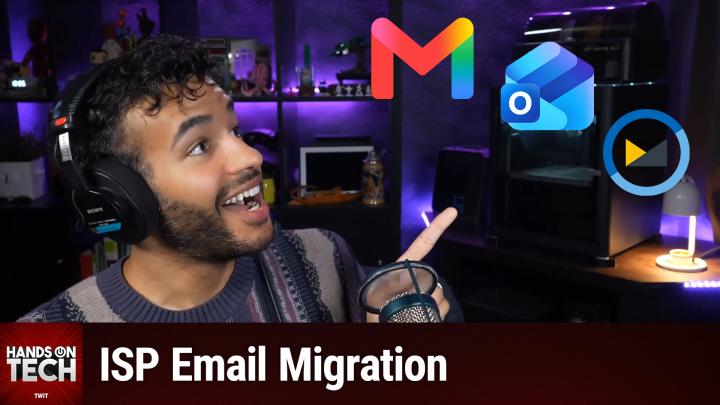
How to Switch from Your ISP Email Without Losing Access
AI-generated, human-reviewed.
Switching away from an old email tied to your internet provider is easier than you think—with the right plan, you won’t lose messages or get locked out of your important accounts.
On Hands-On Tech, Mikah Sargent highlighted how to migrate from ISP-based email, why it matters, what your best options are, and how to ensure a smooth transition. Here’s the straightforward advice you need for a hassle-free switch.
Why Moving Away from ISP Email Matters
Provider-based email accounts (like those ending in @sbcglobal.net or @comcast.net) are tied to your internet contract. If you change providers, you often lose the address—and potentially access to vital services, from your bank and medical portals to online shopping accounts.
Modern, independent email providers offer better security, more features, and the peace of mind that comes from owning your address—no matter which company supplies your internet.
Quick Summary: Steps for a Safe Email Switch
- Don’t cancel your old ISP service yet. First, check if you can keep your email after switching (sometimes for a small monthly fee).
- Pick your new, independent email provider. Choose from free services like Gmail, Outlook.com, iCloud Mail, or privacy-focused options like ProtonMail. Paid choices like Fastmail let you use a custom domain for greater control.
- Set up forwarding and import your old emails. Configure your old ISP account to forward messages to your new address, and import old emails/contacts if your new provider supports it.
- Update critical services first. Change your login email for banking, insurance, healthcare portals, and set your new email for password recovery and two-factor authentication.
- Leave forwarding in place for at least 30 days to catch any services you missed. Monitor for stragglers before closing your old account.
Choosing the Right Email Provider
Mikah Sargent found that most people do well with a mainstream provider:
- Gmail: Universal, high storage, integrates with most services.
- Outlook.com: Ideal for Microsoft 365 users.
- iCloud Mail: Best if you use Apple devices.
- ProtonMail: For privacy-first users; features end-to-end encryption.
- Fastmail: Paid, no ads, lets you use a custom domain, gives more control.
Registering your own custom domain (like yourname.com) gives you the greatest future-proofing, as you can change mail hosts whenever you want but keep the same address.
How to Apply This: The Safe Migration Process
1. Confirm Retention with Your ISP:
Before switching or canceling, call your provider to check if you can keep your old email—avoid raising the topic of leaving to prevent a sales pitch.
2. Set Up Your New Address:
Create your new email. If you want full control, consider registering a domain and connecting it to a provider like Fastmail. Most users are well-served by Gmail or Outlook.
3. Enable Forwarding and Import:
In your old email settings, set up forwarding to your new address so no messages are lost. Use the import tool on your new provider to bring over existing messages and contacts.
4. Update Accounts by Priority:
Start with your recovery email and 2FA settings for essential accounts. Move on to banks, healthcare, and then shopping and entertainment accounts. Prioritize accounts that, if locked, would cause headaches.
5. Monitor and Retire:
Let forwarding run for a minimum of 30 days. Watch for any important emails still coming to your old address—update those accounts as needed. Retire the old email only when you’re certain nothing important remains.
Key Takeaways
- Don’t rush into canceling your ISP or deactivating your old email.
- Choose a reliable email provider that fits your needs; a custom domain offers the most flexibility.
- Forward your messages and import contacts so nothing slips through.
- Update your essential accounts first to avoid getting locked out.
- Keep your old account forwarding for at least a month as you monitor for straggler messages.
The Bottom Line
Switching away from an ISP email account is a manageable process when you go step by step. Start the migration before canceling your old contract, choose a provider that gives you the most control, and change your login emails for important accounts right away. With this approach, you’ll avoid panic, keep your digital life organized, and never have to face this problem again.
Subscribe to Hands-On Tech for more practical tech advice: https://twit.tv/shows/hands-on-tech/episodes/273