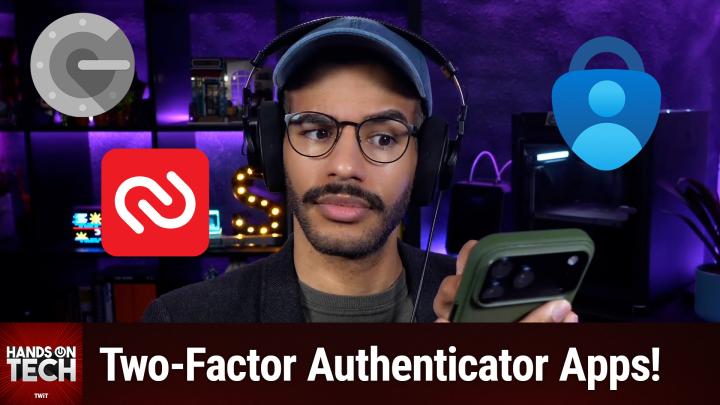
The Best Two-Factor Authentication Apps
AI-generated, human-reviewed.
When it comes to staying secure online, picking the right two-factor authentication (2FA) app is crucial. On Hands-On Tech, Mikah Sargent broke down which authentication apps are most reliable, the trade-offs between using a password manager for 2FA, and how to handle banks that only allow proprietary security apps.
Why Choosing the Right 2FA App Matters
With more cyber threats and data breaches every year, relying only on a password isn’t enough. Two-factor authentication adds another layer, but not all methods are equally secure. Some banks don’t let you use popular third-party apps and instead require their own tools, prompting many users to wonder what’s actually safe—and convenient—today.
Quick Summary: Recommendations for 2025
- Prefer authentication apps over SMS codes for better security.
- Strong choices: Google Authenticator and Microsoft Authenticator stand out for transparency, reliability, and export options.
- Password managers (like 1Password, Bitwarden) offer built-in 2FA code generation for maximum convenience and portability.
- Be wary of Authy and similar apps if you care about exportability and avoiding app lock-in.
- If your bank forces a proprietary app (like Bank of America’s Flagscape Authenticator), it's generally safer than SMS but watch for update and recovery limitations.
Comparing Top Authentication Apps
Google Authenticator & Microsoft Authenticator
These two remain the industry standards for 2FA. Both offer multi-device support and are backed by large, well-resourced companies. Google Authenticator can sync codes across devices when enabled, but users must ensure settings like encryption are active for true security.
Microsoft Authenticator integrates especially well with Microsoft accounts, making login smoother if you’re part of that ecosystem.
Pros:
- Free and widely supported
- Strong security, regular updates
- Codes can be transferred or exported with some work (always save backup codes)
Cons:
- If Google/Microsoft ever discontinue support, data migration could be challenging
Authy
Authy is popular, but Mikah Sargent warns it can be limiting. It uses proprietary code management, which can cause trouble when switching devices. Exporting codes isn’t straightforward, risking lock-in.
Pros:
- Multi-device support and easy notifications
- Some advanced integrations with partner services
Cons:
- Harder to export/back up codes
- Less control over your own data
Duo Mobile
Owned by Cisco, Duo Mobile is often found in corporate environments. It supports prompts for easy authentication and allows exports. Not as mainstream as the others, but still reliable.
Open Source Alternative: Aegis Authenticator
If you use Android and value open-source tools, Aegis Authenticator offers strong security and full control over your codes.
Are Banking Apps a Safe 2FA Option?
Many banks don’t allow third-party authenticators. Instead, they offer their own (like Flagscape Authenticator by Bank of America).
Key Insights from Hands-On Tech:
- These apps often follow the same industry standards for code generation
- They may include extra safeguards (device fingerprinting, app-specific PINs) and tighter fraud detection
- Regulations force banks to meet strict security testing
Drawbacks:
- Single point of failure: If the bank app goes down, you could get locked out of your account
- Less frequent updates and public security review
- No easy export or backup method for device changes
Overall: Using a bank’s authenticator app is safer than SMS codes, but not as flexible as universal apps.
Should You Store 2FA Codes in Your Password Manager?
Password managers like 1Password and Bitwarden now generate 2FA codes inside your vault. This is the most portable and convenient option, letting you back up and move codes easily.
Benefits:
- One app for passwords and 2FA, streamlining access
- Easier device migration and recovery
- Still much more secure than SMS codes
Best Practice: Pairing your 2FA code generator with a strong password manager gives you both security and peace of mind, as noted by Mikah Sargent.
What This Means for You
- Avoid SMS-based codes for anything sensitive—use an app whenever possible
- Choose major, reputable authenticators (Google, Microsoft, open-source like Aegis)
- Use your password manager’s built-in 2FA generator if you prize convenience, unless ultra-strict separation of codes is needed
- If your bank only enables a proprietary app, use it rather than SMS, but make sure to set up app recovery options if available
The Bottom Line
For most people, using a password manager’s built-in 2FA generator is the best blend of security and convenience. For standalone apps, Google Authenticator and Microsoft Authenticator offer broad compatibility and peace of mind. Bank-specific apps are generally safe in place of SMS codes, but be aware of their limitations if you change devices often.
Ready to boost your security? Start using one of these top two-factor authentication tools today.
Subscribe for more tech insights: https://twit.tv/shows/hands-on-tech/episodes/240