Untitled Linux Show 277 Transcript
Please be advised that this transcript is AI-generated and may not be word-for-word. Time codes refer to the approximate times in the ad-free version of the show.
Jonathan Bennett [00:00:00]:
This week we're talking about Genix, the maybe replacement for Linux in Rust, a CacheOS versus Fedora versus Ubuntu shootout. There's the Merlin package manager. System76 has some announcements, and we may be getting a new Raspberry Pi, but not the one we've been waiting for. Hey, check it out to catch the rest. We'll see you there.
Ken McDonald [00:00:26]:
Podcasts you love.
Speaker C [00:00:27]:
From people you trust. This is TWiT.
Jonathan Bennett [00:00:33]:
This is the Untitled Linux Show, episode 277, recorded Saturday, October 31st. Very spooky. Hey folks, it is Saturday and it happens to be October 31st. So welcome to the spooky Untitled Linux Show. Are we going with that? I don't know. It's kind of the theme though so far. I mean, get a load of these guys. Rob in particular is really representing on this fun Halloween.
Ken McDonald [00:01:00]:
Oh, I saw the news has been scary.
Rob Campbell [00:01:02]:
And Ken looks as scary as normal.
Jonathan Bennett [00:01:05]:
Indeed. Anyway, we're here. We're back. It's going to be a lot of fun. We were talking about candy before the show. And I don't know. I'm hoping I get some tea delivered here soon. Oh, there you go.
Jonathan Bennett [00:01:18]:
There's Rob's getup for—
Rob Campbell [00:01:21]:
Alter ego?
Jonathan Bennett [00:01:22]:
Yeah, his alter ego. He took the serum and turned into that thing.
Ken McDonald [00:01:27]:
Jekyll and Hyde?
Jonathan Bennett [00:01:28]:
Yeah, something like that.
Ken McDonald [00:01:29]:
Now we got Hyde.
Jonathan Bennett [00:01:30]:
Now we got Hyde. No, Dr. Jekyll. Now we have Dr. Jekyll again. You got them backwards. Anyway.
Ken McDonald [00:01:37]:
Did I? There was a difference?
Jonathan Bennett [00:01:38]:
Yeah. So we've got some news. We've got some fun stuff going on. One of the first things is kind of wild. And, you know, Rob, last week I was very proud of my OBS local fork that had one patch and then another couple of features on top of it. And I guess somebody heard me talk about that and just decided to go all out and make me look really bad. And what's up with, is it GNIX? GINIX? GINIX? I have no idea how you say this. GNIX?
Rob Campbell [00:02:09]:
I've been calling it GNIX.
Jonathan Bennett [00:02:11]:
Tell us about it. What's going on?
Rob Campbell [00:02:13]:
Some of those others sound a little wonky. So I was going to start the show by saying it might just be time to change the show title. I think it's pretty soon to the, from the Untitled Linux Show to the Untitled Ginnix Show. So
Ken McDonald [00:02:28]:
definitely not the Untilted
Rob Campbell [00:02:30]:
Linux Show. Yeah, you caught my typo. I fixed that in the show notes. Thank you, Ken. So anyway, Gregory Kurtzer, the creator of CentOS and the founder of Rocky Linux, has introduced something called Ginnix, or maybe it's Ginnix or Gynix or something, whatever. I'm calling it Ginnix. And until somebody tells me otherwise, till this Gregory does. But anyway, despite its name, this isn't another Linux distribution.
Rob Campbell [00:02:58]:
It's an entirely new operating system kernel, a whole kernel, and built from scratch in Rust. So who needs to throw a little Rust here on the Linux kernel here and there when you can just make the whole kernel Rust? And the really interesting part, It was developed in just 11 days. Mic drop. Nah, I'm gonna leave my mic there. That's making it best for the show. And obviously that means it was with, you know, I tried to keep this out of the show. I mostly kept it out of the show last week. Jonathan ruined that one.
Rob Campbell [00:03:40]:
But anyway, it was with artificial intelligence virtually doing all the coding. And, you know, I'm sorry I couldn't keep it out of the show this week, unfortunately. Um, yeah, it's, it's, it's touching. AI's touching all my stories. I, I— it can't be helped in our environment. Okay, I, I keep going on these tangents. This is what it is. Let's talk about Ginnix.
Rob Campbell [00:04:04]:
So, Kutzer— Kutzer, I mean, uh, used OpenAI's Codex to build approximately 139,000 lines of code across more than 1,000 commits. How many tokens did that use up? Rather than writing the code himself, he directed the AI, establishing the architecture requirements and testing criteria while the AI handled implementation and debugging. But what makes Ginnix particularly interesting is that it isn't actually Linux, obviously. I mean, you probably got that by now. It's not Linux. It's an independent kernel designed to be compatible with existing Linux software through the Linux Application Binary Interface. That means Linux applications can potentially run on Ginux without any modification at all, even though the Linux kernel isn't even there underneath any of it. Kurtzur has already demonstrated Ginux booting Rocky Linux 10 into systemd's multi-user target.
Rob Campbell [00:05:11]:
The creator of Rocky Linux has built a kernel that can run Rocky Linux without using Linux itself. Of course, before we start replacing our Linux installations with Ginux, there are some significant limitations. Right now, Ginux is primarily a research prototype. I mean, it's about 11 days and it's only running in QEMU. Hardware support is limited, but no reason they can't get there. Linux compatibility is far from complete, and it hasn't undergone the extensive testing, only 11 days, and security review that, you know, would be necessary for production to use. But it is built on Rust. So, you know, those memory bugs aren't there, at least.
Rob Campbell [00:05:56]:
While 11 days sounds incredible, it's important to remember that AI didn't invent the operating system design from scratch. You know, it was working with decades of established concepts, existing specifications, and the direction of someone with extensive operating system experience. Still, this represents something potentially significant. Historically, building a new operating system kernel capable of running existing Linux software or anything would require considerable Considerable investment of engineering time and resources. So now we're seeing an experienced developer use AI to dramatically accelerate that process. Ginux is open source under the Apache 2.0 license. So anyone can examine the code, contribute, or experiment with it. So will Ginux eventually challenge Linux? Hmm.
Rob Campbell [00:06:55]:
Probably not anytime soon, but it really does demonstrate, you know, the speed things can move these days. And it could go somewhere if people really wanted it to.
Jonathan Bennett [00:07:10]:
So I'm thinking about this and looking back on the history of Linux. And Linus bought the PC in January of 1991. And his first post that he was playing around with an operating system was later that year in August of '91. And then the source code, um, I saw the— a few weeks later, September or October of '91, he did the first source code release. And it was, I think, already capable of doing a few useful things by then. And so I'm going to say that those are sort of analogous to what GINX can do right now. And how many days did GINX get developed in?
Rob Campbell [00:08:01]:
11 days.
Ken McDonald [00:08:02]:
11 days.
Jonathan Bennett [00:08:03]:
Yeah. So we're basically swapping days for months here.
Jeff Massie [00:08:10]:
I don't know if I'd say developed. I think something that Rob said, and it was a really good point that should be highlight a little more is that, you know, it's like writing a novel, right? It takes quite a long time to write a novel, but not that long to translate it. It didn't have to come up with a lot of concepts. It just had to translate the code.
Jonathan Bennett [00:08:32]:
Yes, but that actually fits into the analogy because Linux is a Unix-like.
Rob Campbell [00:08:37]:
Yeah, yeah. But it's based on Unix. It did not have the Unix code to rewrite it. True.
Jonathan Bennett [00:08:44]:
It's not like that.
Ken McDonald [00:08:46]:
You'd have the output from Minix to copy.
Rob Campbell [00:08:54]:
Yeah.
Jeff Massie [00:08:55]:
Well, and they follow the POSIX standard. So, I mean, they had a defined set of standards, but you still had to come up with the code to make that standard happen. But once you go to Rust, and I'm not saying, I don't want to downplay this as not being a tremendous achievement, just the timeframe is— it's simpler when you're kind of redoing the path. You know, you don't have to try to redevelop and how do we change this to make this— how are we going to solve this problem? It's like, well, we know how to solve the problem. Now we're going to convert that to a different language.
Jonathan Bennett [00:09:29]:
Yeah. And I mean, that's kind of the point I was getting at, because obviously the thing that— the thing— one of the things that makes it so much easier than doing it by hand is the fact you've got the robot to do it. And it sounds like He probably has an unlimited account. Do you use Codex?
Rob Campbell [00:09:47]:
No, he used OpenAI.
Ken McDonald [00:09:48]:
ChatGPT.
Jonathan Bennett [00:09:49]:
Okay. ChatGPT.
Ken McDonald [00:09:51]:
5.6, not the most recent.
Rob Campbell [00:09:54]:
No, that makes it cheaper.
Ken McDonald [00:09:56]:
Here's the ultimate test. How easy will it be to maintain slash improve?
Rob Campbell [00:10:05]:
As long as you keep— Keep AI, still have those AI tokens.
Jonathan Bennett [00:10:09]:
Keep feeding the machine tokens.
Rob Campbell [00:10:11]:
But yeah, that's something I actually—
Ken McDonald [00:10:13]:
Those quarters run out after a while.
Rob Campbell [00:10:16]:
That's something I actually do myself when I, because I usually use ChatGPT and I normally do not use the latest. I'm usually somewhere, I don't even know, between 5.1 and 5.6, just because when I use the latest, drain my account like that. And I don't have significant— I don't have noticeably worse results in the lower models, at least not for what I do. I don't even see necessarily better results in the newer models. So all I have to say to finish this off is welcome to UGS.
Jeff Massie [00:10:54]:
You know, something else too is with this kernel, being written in Rust, it does open the pathway to say, you know what, we have these modules or drivers or other chunks of the kernel that we go, well, it's written over here. Let's verify the code is good code and efficient and all that. And then it's easier to go back into the main Linux tree. So you could almost use Ginux kind of like a beta test for Rust. Testbed. Yeah. And then you can just take pieces of it over that would easily translate to accelerate the Rust in the Linux, the main Linux kernel.
Jonathan Bennett [00:11:35]:
Yeah, that's actually an intriguing idea.
Rob Campbell [00:11:38]:
We live in interesting times. That's
Jonathan Bennett [00:11:41]:
true.
Ken McDonald [00:11:41]:
Though I'm surprised, Rob, and kind of let down.
Rob Campbell [00:11:46]:
You
Ken McDonald [00:11:46]:
didn't give us the link to the information. the article talking about the human-directed eugenic engineering.
Jonathan Bennett [00:11:56]:
Was that not in there? I remember seeing that when I was digging through.
Ken McDonald [00:11:59]:
It's in the article, but I figured Rob would just give us a link straight to it from the show notes.
Rob Campbell [00:12:05]:
I don't want to overcrowd the show notes when it's all there in a roundabout way.
Ken McDonald [00:12:12]:
So you're making them read the article to find the link to the other one.
Rob Campbell [00:12:16]:
Yeah, or talk to Ken.
Jonathan Bennett [00:12:19]:
All right. So let's move on to the next thing. And it is performance. And it's Jeff talking performance numbers, which is not a huge surprise. But we've got a sort of a shootout here. What's the competition here, Jeff?
Jeff Massie [00:12:37]:
Well, all right. I need to start this one with a disclosure. I run CacheOS on my main machine. So, you know, when Phoronix publishes a benchmark that says CacheOS lost, I have feelings about it, but I'm going to try to be fair anyway. Possibly. Mostly. We'll see. On October 28th, Michael Arable at Phoronix published a head-to-head of 3 fresh releases, CacheOS, Fedora Workstation 45, and Ubuntu 26.10.
Jeff Massie [00:13:12]:
Now, just in case you haven't run into Cache, it's an Arch-based distro. The whole reason it exists is performance. It ships packages compiled for newer CPUs, you know, tunes the kernel, a lot of tweaks just out of the box to make it go faster. And, you know, for the last couple of years, it's been winning these Phoronix comparisons pretty much every time with the caveat when Clear Linux was actually up and going, it would win and then Cache would come in second. But Clear Linux was always kind of a test bed and was never really meant for mainstream use. Well, like on last November on a Framework desktop, CacheOS came out about 7% faster overall than Fedora 43 and about 10% faster than Ubuntu 25.10. And, you know, even the headline was CacheOS continues delivering leading performance. This time the headline does not say that.
Jeff Massie [00:14:15]:
So this test machine was an AMD Ryzen 9 9900X3D2 on an ASRock X870E Taichi board with 32GB of DDR6000 RAM and a Western Digital Black SN8100 NVMe drive. Ubuntu 26.10 and CacheOS were both on Linux 7.3 kernel. Fedora 45 was still on 7.2, but it will get to 7.3 as an update after it releases. For the compiler, Fedora and Cache both were using GCC 16.2, but Ubuntu stayed on the older GCC 15. Here's the results. On the geometric mean, which is, you know, the Overall average across all the tests, Fedora Workstation 45 came out on top. And Larabelle wrote, you know, quote, surprisingly, on a geometric mean basis overall, CacheOS fell to Ubuntu 26.10 and Fedora Workstation 45. Basically, CacheOS finished 3rd out of 3.
Jeff Massie [00:15:25]:
Now, that's a little interesting, you know, but it's not, it's not as simple as, oh, Cache got slow. CacheOS still took the most first-place finishes, about 40% of the individual tests. Well, so how do you win the most races and still lose the average? Well, you lose a few benchmarks really badly, and that's what happened, and mostly in video encoding. In the x265 encoder tests at both 4K and 1080p, Fedora was the fastest. And even Michael called it, he said, another surprising upset for CacheOS. Veevenc and OpenAPV, 2 more video encoders, also ran strangely worse on CacheOS than on Ubuntu and Fedora. I mean, it— and it was pretty decently different. I mean, it wasn't like neck and neck.
Jeff Massie [00:16:24]:
It was like it really kind of got knocked in the dirt. But those are the kinds of losses that drag an average down. But it's not every encoder. So for example, on SVT AV1, the AV1 encoder, which is a lot of what people use, CacheOS was back on top. of all the others. So now storage had its own story. Now, CacheOS defaults to BTRFS and the ClickHouse database tests, it was slower than Fedora, but Fedora also uses BTRFS and it's slower than Ubuntu on ext4. But it's not just ButterFS is slow.
Jeff Massie [00:17:14]:
It's, you know, there's something definitely a little off there for, for Cache. But we will get to some other thoughts on that. But, you know, for example, Fedora used the same file system and it did better than Cache. So something about how Cache was set up, it costs it in that workload. Sure. Now, Ubuntu had some wins of its own. It led most of the Python benchmarks and the Cockroach database tests. And it shared the lead with Cache on the NGINX web server tests.
Jeff Massie [00:17:53]:
And it did that on the older compiler, which Michael Arable also said that that's kind of a surprising result. So I guess good job, Ubuntu there.
Rob Campbell [00:18:05]:
Are you trying to say NGINX there?
Jeff Massie [00:18:10]:
Oh, I guess that, yeah. Something like that. I am not a web guy. I don't know. CacheOS still led in things though, like 7-Zip, JSON parsing, PHP, LZ4 compression, and several Blender renders. Now, I should put in here, there were no graphics or gaming tests at all. And that's normally where CacheOS' strongest category. In the Framework desktop comparison last year, gaming was where CacheOS really pulled the furthest ahead.
Jeff Massie [00:18:42]:
Well, why not this time? Why were they skipped? Well, because Ubuntu 26.10 couldn't do them. With the Radeon RX 9070 GRE in this machine, Ubuntu 26.10 has a known regression Where loading the AMD drivers at boot time makes the display stop working. So Michael had to boot the Ubuntu with no mode set just to get a picture, which leaves you on software rendering. So you can't make a good benchmark on that.
Jonathan Bennett [00:19:15]:
Oh.
Jeff Massie [00:19:16]:
So graphics got cut for everybody. So the category CacheOS usually wins, never happened. And I'm not going to say that was unfair. I'm just saying I noticed. And that's why I always talk about you kind of need to look at these benchmark results because you skim to the bottom and go, oh, winner. Well, what are you doing? And is it really a difference? And you got to take all the variables into account. Now, Larabelle was clear that this is just one machine and that more hardware and more distros are coming over the next few weeks. And, you know, and that's kind of a takeaway too.
Jeff Massie [00:20:01]:
Distro benchmarking swings based on hardware, you know, compiler versions, and what exactly are you testing? You know, one review on one CPU with no graphics isn't a verdict on any of these distros. And like I said, it's actually a good reminder of what the numbers are actually for. You know, if your daily, daily work is encoding video with x265, this is good to know. You know, if you mostly game, this review means absolutely nothing. And if you're just browsing and writing email, any one of these is going to be just fine. So unless you're really hammering on a specific test or really loading your system up really hard all the time. Just pick the one you like using. I will mention Fedora 45 officially releases on Tuesday, November 3rd.
Jeff Massie [00:20:52]:
So congratulations to Fedora on winning, you know, winning a benchmark before it even officially shipped yet. What about me? I'm staying on Cachy because it works. And, you know, I, for those that have been longtime listeners, I didn't switch off Kubuntu until something really broke for me. And You know, I like to game, so that's where Cache does pretty well. But for those that have different workloads, take a look at the link in the show notes for details on every benchmark ran and happy benchmarking.
Jonathan Bennett [00:21:26]:
Yeah, it's interesting with Fedora. It did not pass the go/no-go poll twice. And so it is a couple of weeks later than it was intended. I think I'm running it on something. I don't remember which machine, but I think I've got it running somewhere.
Ken McDonald [00:21:41]:
So Fedora 45 is coming out next week?
Jonathan Bennett [00:21:46]:
Yeah, on the 3rd.
Rob Campbell [00:21:47]:
Hopefully. Maybe.
Jonathan Bennett [00:21:48]:
No, it is now passed. For sure. So,
Rob Campbell [00:21:52]:
you know, out of those, on the desktop, I'd be running Cachy. Maybe not because it's most performing, but because I like it.
Jeff Massie [00:22:01]:
Yeah, and that's why I'm sticking with mine is because, you know, realistically, like I said, if your CPU isn't at 100% or 95% like all the time, you're not running your machine hard enough that you're probably ever going to really see a difference. It's just, and, you know, but it is kind of interesting though too, because I looked at this and this was a geometric mean. So I started like, well, what is the average? What is the— and it's kind of interesting how it gets kind of funky based upon if you say, well, Okay, Kashi is my benchmark that the other 2 go against, or Ubuntu is my benchmark. You can change the results based upon how you parse the data. And it's like, yeah, the geometric mean really is kind of the best way to look at it, to not skew results based on how you hope they look or want them to look.
Jonathan Bennett [00:22:52]:
It brings to mind the old saying about various kinds of lies and then statistics.
Jeff Massie [00:22:58]:
I like the old Joe Isuzu commercial where he is like, you know, 60% of the time statistics lie. And someone said, really? And they go, yeah, 30% of the time.
Rob Campbell [00:23:12]:
I like the one where that goes something, well, what you can say any number, but 80% of statistics are made up
Jonathan Bennett [00:23:21]:
on the spot. Made up on the spot. Yes. Native on-prem.
Ken McDonald [00:23:25]:
100% wrong.
Jonathan Bennett [00:23:28]:
Ah, no, even a blind squirrel finds an acorn every once in a while.
Ken McDonald [00:23:32]:
Okay, 99.9% wrong.
Jeff Massie [00:23:33]:
Well, it's almost like the Star Wars things. It's like, well, these are true from a certain point of view.
Jonathan Bennett [00:23:40]:
All right, we're going to take a break to save us from the terrible dad puns. And we're going to get back and talk about a package manager. So don't go anywhere. We'll be right back. So we do, I teased it before we got back in. Ken has a story about Merlin. Merlin.
Ken McDonald [00:23:58]:
Merlin.
Jonathan Bennett [00:23:59]:
People need to learn how to spell things the right way because otherwise we showrunners have real trouble pronouncing them. But Ken, tell us about this new or newish package manager.
Ken McDonald [00:24:12]:
You mean the one I've got in the corner there? Yeah. And that was interesting. It took a second to pop over. But I started playing around with this after I read Bobby Borisov's article about the latest stable release of Merlin 1.1.0, a Qt-based graphical package manager for openSUSE. The major change for Merlin From Merlin 1.0.0 is the introduction of, as you can see, Protect All and Unprotect All buttons in the repositories view, which allows users to protect all installed packages from a specific repository. According to Bobby, this feature is particularly useful for third-party repositories like Pacman, Videolan, and NVIDIA. which may occasionally have inconsistent dependencies by temporarily— excuse me— protecting these packages. Users can exclude them from updates or distribution upgrades, thereby reducing the likelihood of dependency conflicts.
Ken McDonald [00:25:28]:
Additionally, Merlin includes a reboot notification on its summary page whenever the system requires a restart. It also introduces new secondary filters in the repository view where you can go with installed packages and not installed packages, thereby reducing the likelihood of dependency. Furthermore, the installation summary filter has been renamed status. Now, I have only highlighted some of the changes mentioned in Bobby's article, so I do recommend reading it for more details. And if you do have openSUSE Tumbleweed installed, I recommend checking out Merlin, see if it fits your workflow.
Rob Campbell [00:26:17]:
I hear it's magical.
Jonathan Bennett [00:26:19]:
What's up with the name? And why do they spell it that way?
Rob Campbell [00:26:24]:
To be—
Jonathan Bennett [00:26:27]:
I mean, okay. I understand what— well, copyright, maybe similar problem. If they just spelled it M-E-R-L-I-N, like Merlin is normally spelled, you wouldn't be able to Google it. And this is a problem that a lot of open source projects have when they pick normal, you know, normal names. It's like, good luck ever finding that. Um, but it's still a very odd spelling of it. And I wonder if it refers to something or if that's how Merlin is spelled in another language. I don't know.
Rob Campbell [00:26:57]:
Is it M— how is it spelled?
Jonathan Bennett [00:26:59]:
M-Y-R-L-Y-N.
Rob Campbell [00:27:02]:
So maybe it's like my also. My, uh,
Jonathan Bennett [00:27:09]:
maybe. I don't know.
Jeff Massie [00:27:12]:
Or maybe somebody's just a bad speller.
Ken McDonald [00:27:16]:
And trying to remember if we covered that when it first came back out around the end of 2024.
Jonathan Bennett [00:27:24]:
Not that I remember, but we may have. We do open SUSE stuff from time to time. All right. I
Ken McDonald [00:27:30]:
remember first covering it. Back then.
Jonathan Bennett [00:27:34]:
Yeah, so let's, uh, let's, let's move into the next thing. And that is, what is, what is Euler and what is OpenEuler? Is there an Euler without an OpenEuler or is that just some mathematician's name?
Rob Campbell [00:27:46]:
Well, uh, so you remember when the biggest question in a Linux distribution was what desktop environments are available with it? Um, well, apparently that's old news. Now we're asking how many AI agents come installed with this distribution. That's the big question these days. So this is called OpenEuler, spelled, well, you know, open is O-P-E-N-E-U-L-E-R. So OpenEuler project has been released, or it's released 2 major updates. OpenOiler 24.03 and LTS Service Pack 4 and OpenOiler 26.09. And both are putting artificial intelligence front and center. Like I said, I'm sorry, everything's— AI is touching everything today.
Rob Campbell [00:28:42]:
Please don't stop watching. For those unfamiliar with OpenOiler, it's an enterprise-focused Linux distribution. Backed by organizations such as Huawei, primarily targeting servers, cloud computing, and AI workloads. What's interesting is that AI isn't just another application you install. It's becoming part of how you manage Linux. You know, maybe something like Umachi or the one that I'll be talking about later in the show. The latest long-term support update introduces Witty, an AI-assisted system diagnostic and performance tuning framework. Instead of manually digging through logs, troubleshooting performance problems, administrators can use natural language to have AI agents investigate issues and recommend solutions.
Rob Campbell [00:29:38]:
Witty even supports locally hosted AI models, meaning organizations don't necessarily have to send their system data to external services. Meanwhile, the newer 26.09 release takes things even further. Its DevStation desktop includes Polymind, a self-hosted AI platform supporting agent workflows and the Model Context Protocol, or better known as MCP. But one of the more interesting additions is Agent Sensor. As, you know, as we increasingly give AI agents access to terminals, file systems, and administrative functions, security becomes a serious concern. Agent Sensor monitors what those agents are doing and can block potentially dangerous actions or require human approval before proceeding. Just imagine if OpenAI or Claude did this, you know, they wouldn't be accidentally hacking all these, uh, you know, businesses and municipalities and governments and whatever around the world if they just had something looking at first, hey, whoa, whoa, whoa, hold up. And then, well, and you know, that's something I think, you know, we need to see a lot more of that as it becomes integrated into our systems as well.
Rob Campbell [00:31:04]:
I mean, It's scary enough letting it touch your systems. It's really nice to have a supervisor. I don't know what you want to call it. But now, OpenEuler probably isn't going to replace Ubuntu, Fedora, or Qashqai OS for Jeff, openSUSE or whatever for Ken or Umati or whatever he's on today. I don't know. Anytime soon. But its primary focus remains enterprise infrastructure. I don't know, maybe I could try it out on my servers, but I don't know.
Rob Campbell [00:31:40]:
My servers are pretty just stable where they're at since I moved them to Debian. Or moving to. And I actually get security updates. Anyway. But these releases demonstrate where Linux could be heading. Instead of administrators spending hours investigating problems, We may soon be asking AI agents to diagnose and potentially fix them. I mean, many of us already are using AI for all these things. We just don't necessarily have it on our systems.
Rob Campbell [00:32:08]:
I mean, I'm always like, help me diagnose this. They're like, well, find this log. I'm like, here's this log. What do you see? And yeah, I do that, but I could put her right on there and just say, fix that and walk away. I know Leo does that. But I'm not there yet. I'm not, you know, for as much as I love AI, I'm not there yet having AI just do its thing all by itself on my servers. But anyway, the big question is whether that makes Linux administrators, administration easier, more secure, just if it's going to take our jobs, if it introduces a whole new category of problems, I don't know.
Rob Campbell [00:32:51]:
Either way, AI isn't just something we're running on Linux anymore. It's increasingly becoming something we're using to run Linux itself or something we're using to make Linux, make a distro, make a desktop. I'm sorry, guys. AI is just everywhere. But, you know, maybe, maybe UGS isn't the title for the show. Maybe it's UAS or UAIS, Untitled AI Show. I'm sorry. I'll really try to hold back on these AI stories in the future, but it's just there.
Rob Campbell [00:33:22]:
I'm sorry.
Jonathan Bennett [00:33:23]:
I mean, for those of us that are working in the industry—
Ken McDonald [00:33:26]:
You can call me Al.
Jonathan Bennett [00:33:28]:
For those of us that are working in the industry—
Rob Campbell [00:33:30]:
You can call me Betty.
Jonathan Bennett [00:33:31]:
For those of us that are working in the industry, the AI thing is just, it's so ever-present. I mean, good luck getting away from it. There's a reason we talk about it on the show. Because it's so much of our daily lives. Yeah.
Jeff Massie [00:33:48]:
And a lot of businesses are really pushing it as well.
Jonathan Bennett [00:33:52]:
Yeah.
Ken McDonald [00:33:53]:
I thought that— Until it comes time to copyright it.
Jonathan Bennett [00:33:56]:
It's true. Copyright is a challenge. I remember thinking that the business owners were crazy for going all in on AI. And no, they called that one fairly well, actually, turns out.
Ken McDonald [00:34:10]:
No, a lot of it— How does it affect patents?
Jonathan Bennett [00:34:12]:
Go ahead, Jeff.
Jeff Massie [00:34:13]:
Well, I was gonna say it— a lot of it is behind the scenes, so it's not stuff that you're producing. Like where I work, they really want people to use AI, and it's just to get output faster. So, and I've used it for complex data sorting and plotting and things like that. And, um, so it's, it's not stuff that you necessarily worry about copywriting. I suppose if you were in an industry that your product was produced, you know, like you were a graphical design studio, then you'd have to worry more. But a lot of that— and to your comment on patents, Ken, that really is a lot of times you're using AI to help you come up with your solution, not it comes up with something. Because if it comes up with it, then it's probably already been out there and seen. And then during the shakedown of your patent, it would get found out.
Jonathan Bennett [00:35:11]:
I will say that I imagine AI is going to be very good, and there's probably people already using it for this, to find prior art to invalidate patents. That is something that it would be really killer at.
Rob Campbell [00:35:23]:
Oh, definitely. I think I've thrown a picture of something in there and said, find me this on the internet. I had, I had no problem.
Jonathan Bennett [00:35:29]:
Oh yeah. I
Rob Campbell [00:35:30]:
don't remember why, but I feel like I've done that.
Ken McDonald [00:35:32]:
So let me just try to retranslate what y'all have said. Uh, for intellectual property, stay away from AI. For killing somebody's patent troll, AI is gonna be great.
Jonathan Bennett [00:35:50]:
I mean, you don't have to stay away from AI for intellectual property. You do have to understand that It may get it wrong. So like the thing that I've seen multiple times is, hey, AI, make me, and people will do this. We've talked about people doing this. AI, make me a clean room implementation of X, Y, or Z. And the AI will gladly do that for you. Here's your clean room implementation. And if you go and actually look at the source code, it will have links to the original source code of, here's where we lifted this value from.
Jonathan Bennett [00:36:18]:
It's like, if you have looked at that source code, it is no longer clean room implementation. That is not how that works.
Rob Campbell [00:36:24]:
I think maybe the spot where you maybe have to be the most cautious using it is if you have some kind of product where your code gets out there. Maybe it's something that you can't encrypt, a PHP program. Now, if you're selling it, you have to pretty much give people the code. Or if it's open source and you want a really restrictive license on it for whatever reason, but it's still open, you know, so people can see that code. Then they can easily invalidate and say, nah, this was made by AI. I'm taking this and doing whatever I want with it. Whereas if you're out there and having an open source with like something that's very permissive, like an MIT license, maybe it's like, I mean, basically you almost, your licensing is like, do whatever you want with it.
Jeff Massie [00:37:14]:
Well, and I would say it depends on the, The amount you use, because I'll use AI on the show notes, my show notes, because I'll write it up and then I'll feed it into AI and say, hey, clean this up, clean the grammar up and clean, you know, make it, make it more presentable.
Ken McDonald [00:37:29]:
That's why you sound like a professor.
Rob Campbell [00:37:32]:
That's why you sound so robotic.
Jonathan Bennett [00:37:34]:
Well, I mean, it's glorified spell check at that point.
Jeff Massie [00:37:38]:
Yeah, it's kind of how I use it, but it'll go in there and sometimes it will But you always double-check because it'll mess things up and you go, that's not at all what I was saying, and you got to fix it. But a lot of times it's like, oh yeah, that's a better way to say it than— because I'm reading through the article and I'm just typing all my notes down, and sometimes they get a little circular. Sometimes I say things kind of in a fun, funny, awkward phrasing.
Rob Campbell [00:38:01]:
And yeah, we noticed.
Jeff Massie [00:38:03]:
Well, it's even worse before it—
Ken McDonald [00:38:05]:
Sometimes I lose, uh, the line I'm on and end up going back.
Jeff Massie [00:38:11]:
Yeah, so I, I think, you know, when you're going, hey, create this from brand— from scratch and there's nothing, you've got to be more cautious than when you're saying, hey, just clean this up, you know, put a little polish on it. And, you know, the house is already there, I just need you to paint it versus build me the house, you know.
Jonathan Bennett [00:38:30]:
Yes, yes, absolutely. Uh, Mashed Potato suggests, hey AI, improve my dad jokes.
Jeff Massie [00:38:38]:
Then they wouldn't be dad jokes. You sure that's AI and not L?
Jonathan Bennett [00:38:42]:
Yeah, there could be. You could ask Al. Al might be able to help. All right. Let's talk about some hardware. And Jeff, you've got the review on something interesting from System76. What are they up to? And why are we measuring computers in liters?
Rob Campbell [00:39:00]:
That was weird.
Jeff Massie [00:39:02]:
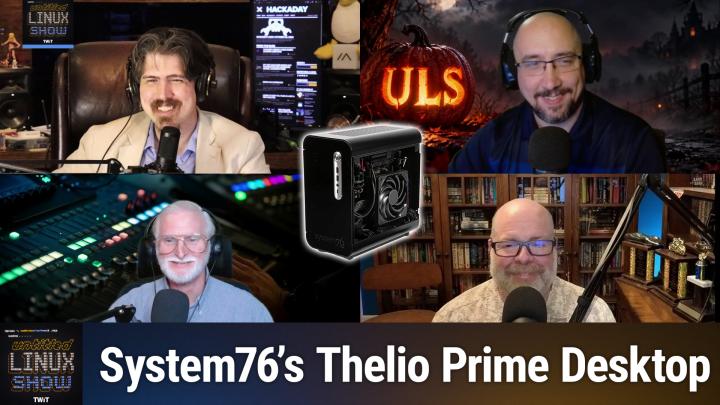
Because we're trying to go to the metric system. That's what— come on, Jonathan. So System76 has a new desktop coming. And this time the news is that it's small, small news. Well, maybe large news, small package. On October 28th, System76 put up a coming soon page for the new Thelio Prime, which it calls the smallest Thelio desktop yet. It launches on November 18th. With a starting price of $1,599.
Jeff Massie [00:39:38]:
You can't order one yet, but you can sign up to be notified. Now, take that price with a grain of salt because you can't configure anything yet. You can't, so that could be the very lowest or they might have specced out something decent. I don't know yet. You know, and in case you don't know, System76, we've talked about them on the show here, but they're a Denver company. Denver is in Denver, Colorado, USA. that's been selling computers with Linux pre-installed since about 2005. They make their own distro, which is Pop!_OS, and their own desktop environment, COSMIC, which you again talked about here on the show.
Jeff Massie [00:40:13]:
And they've written that in Rust, the desktop environment, not Pop!_OS. And the Thelio line is their desktop family. So it's a whole series of different machines you can get. The cases are designed and built in-house in Colorado, and they take the sheet metal, cut it, bend it, powder coat it, and assemble it themselves. So it's, it's a full USA-made system. It's not a rebrand of somebody else's system. The CPU we know is going to be from the Ryzen 9000 series. You know, that's the desktop versions.
Jeff Massie [00:40:49]:
For graphics, you can stick with the Radeon graphics built into the CPU, or you can add a discrete card. AMD and NVIDIA, one of those. I don't know if it's the full line or we don't know yet, but you will have a choice between Team Red and Team Green on GPUs. Memory goes up to 96 gigabytes of DDR5 in 2 sticks. Storage goes up to 8 terabytes across 2 M.2 slots and 1 PCIe Gen 5, and 1 is going to be Gen 4. Which NVMe drive, either one's going to be plenty fast. You can get 2.5 gigabit Ethernet. It's going to have Wi-Fi 6E and Bluetooth 5.2, and it runs off a 600-watt power supply.
Jeff Massie [00:41:38]:
Now I did say small, so the case is 288 millimeters by 149 millimeters by 282 millimeters. Phoronix calls it 11 liters. If you multiply it out, it's probably closer to— it's a little closer to 12 liters. But either way, you know, it's, it's a, it's a big drop from the what they currently have. The current Thelio Prime model you can buy is about 20 liters in size. So not quite the, the new one's not quite half the size, a little, little above half the size of what existing. For comparison, 11 or 12 liters is a little bigger than a shoebox and small enough to sit on a desk without taking the desk over. 'Cause I'm sure you've had some or seen some machines that sit on your desk and that's, it's just a behemoth that's in your way.
Jeff Massie [00:42:38]:
Fitting a desktop CPU and a real graphics card into a box that size is kind of a heat problem. And so what System76's answer to that was 2 separate thermal chambers. The processor gets its own airflow path and the graphics card gets its own. So the hot air from one isn't feeding the other. The rest of the desktop is very Thelio. It's 1.5 millimeter aluminum with smoked glass front and milled stainless steel sides. Side panels are magnetic, so you can pull them off to clean or upgrade it without a screwdriver. The feet are magnetic too, you know, and you can move them to the bottom or the side so the machine can stand up.
Jeff Massie [00:43:17]:
like a tower, or you can lie it flat, you know, down on a low shelf like an, you know, old-school type computer. Uh, on the top panel there's a USB-C port, USB-A port, and a microphone headphone jacks. Uh, the back has more USB ports, um, including a USB-C and 4 USB 2.0 ports, you know, so you can plug everything in. It will have HDMI 2.1 for the built-in graphics. For software, it ships with Pop!_OS 24.04 with COSMIC, or you can also ask for Ubuntu 24.04 instead. Like I said before, $1,599 is the starting price, but they haven't published what the configurations are yet. You can certainly build a small form factor PC with similar parts for less, but what you're paying for is the, you know, in the case is US assembly, a machine that's been tested with Linux before it ships. So you're not worrying about any driver issues.
Jeff Massie [00:44:29]:
And you got System76 support, which they advertise as lifetime support from their own staff. So whether that's worth it, it's up to you. I have had a System76 machine in the past. It was wonderful, loved it. But, you know, that's what you're getting. And, you know, so it's a different setup than like a cheap mini PC from Amazon. Like I said, it's still marked as coming soon. Things could change before November 18th.
Jeff Massie [00:45:06]:
Of course, there's no reviews, benchmarks. We we don't know how much the thermal chambers are actually going to keep the heat down on the CPU and GPUs to let them you know how much unthrottling can they can they give? Are they going to be a little heat constrained? Time time will tell on that. But yeah, if you want to. desktop that comes from a Linux company, take a look at this. Take a look at what's coming on the 18th and take a look at the article linked in the show notes for more details and happy shopping.
Rob Campbell [00:45:43]:
When I first saw this headline, I thought, I was thinking maybe this was like their Raspberry Pi competitor just from the picture before I even read how that it's not quite that small. But yeah, so not quite.
Jeff Massie [00:45:55]:
A little bigger than that.
Jonathan Bennett [00:45:56]:
I mean, there's an argument to be made that small desktops are Raspberry Pi competitors.
Rob Campbell [00:46:01]:
Yeah, but not quite.
Jonathan Bennett [00:46:03]:
Not quite. You're missing out on some, maybe some ports. It definitely could be.
Rob Campbell [00:46:08]:
It definitely could be competing against it as in if somebody is like, I need desktop circuitry, this, this. But I was hoping more for like a really small form factor, you know, another Raspberry Pi, but All with the case and everything.
Ken McDonald [00:46:26]:
Jeff, were you able to find anywhere in the article or in the System76's webpage what the minimum RAM it comes with is for that $1,599?
Jeff Massie [00:46:39]:
No, they haven't specced it out yet. That's one of the unknowns. So I don't know if that's 16 or 32 or—
Ken McDonald [00:46:49]:
For 8?
Rob Campbell [00:46:51]:
Yeah, for that much 8.
Jeff Massie [00:46:52]:
Yeah, it could be. I don't know. That's why I said things could change. So even that starting price could change. Look at it on the 18th, see what the configurator configuration tools gives you.
Ken McDonald [00:47:05]:
No, that starting price is going to change. The minimum amount of RAM is going to fluctuate based on the price of the RAM.
Jeff Massie [00:47:14]:
Yeah, I mean, wait and see. But if you're in the market for a small desktop, here's one coming fairly quickly to at least—
Jonathan Bennett [00:47:25]:
Have we talked about the Raspberry Pi?
Rob Campbell [00:47:28]:
There's some Raspberry Pis over the years.
Jonathan Bennett [00:47:30]:
No, no, there's some Raspberry Pi news. Have we talked about this?
Rob Campbell [00:47:33]:
No, I don't think
Ken McDonald [00:47:33]:
so. From this week? No.
Jonathan Bennett [00:47:35]:
Ah, we're going to talk about this actually, because this is interesting. I'm altering the deal. Pray I do not alter it further. further. There's a Raspberry Pi Zero 3 that is now not announced, but we've got information about it in the Linux kernel. And this is something that they noticed over on Phoronix, actually. In fact, we're going to take a quick break. And when we get back, we're going to talk about this.
Jonathan Bennett [00:48:02]:
And yeah, this will be real interesting. Don't go anywhere. We'll be right back. So this was a Phoronix article that dropped on the 27th. And I don't know who exactly spotted it. I think Michael actually has some tooling that watches the Linux kernel in the mailing list. And he probably has certain keywords that it will send him an email whenever one of these keywords pops up. And the keyword that popped up was the Raspberry Pi.
Jonathan Bennett [00:48:28]:
And in this case, it was the device tree for the Raspberry Pi Zero 3W. And the point is, Pi 4A, which we haven't seen a Raspberry Pi A in a very long time. So the 3W is going to have the BCM2711 in it, which is the Raspberry Pi 4's CPU. And so this is actually really cool news for those of us that may want the horsepower of a Pi 4, which is nothing to sneeze at in sort of the SBC world, the single board computer world. smaller form factor of the Pi Zero. Comes with wireless. And then the other one, so these are, both of these are going to be the same processor. The 4A is rumored to be the 4, but with a few things cut off of it and probably with a little bit less RAM as well.
Jonathan Bennett [00:49:29]:
And, you know, for those of us that want to, there is the actual device tree files to go and to dig through. And so, you know, we've got the— if you follow the links to the Phoronix article, he's got the link to the actual device tree changes, hopefully in GitHub where it's easier to look at rather than having to go through the mailing list. And actually, it looks like it got merged into the Raspberry Pi Linux kernel. I don't know if it's been merged into the upstream Linux kernel yet or even, even sent to it for that matter. That's actually a merge to the official Raspberry Pi Linux kernel tree, right? So this wasn't sent to Torvalds tree. This is in their upstream, their fork, excuse me, of the kernel. But yeah, so we have the 4A and the 03. Interesting times.
Jonathan Bennett [00:50:24]:
The 4A hopefully will be a little bit less expensive, a little bit more affordable. affordable to be able to get people into the Raspberry Pi without having to take a second mortgage out on their house. And then again, like I said, the Zero with more horsepower is definitely something that we have been waiting for. And Keith512 says, I would have thought Jeff Geerling would have said something about this. Well, I mean, it's still sort of a rumor at this point. The other thing to think about, and I have no inside information on this. I know Jeff, but I have no inside information on this. So I cannot tell you this for sure.
Jonathan Bennett [00:50:57]:
But something that will happen is Raspberry Pi and AMD and Intel, everybody does this, right? Hey, and what may have happened, hey, Jeff, well, we would like to send you a Raspberry Pi Zero 3 to look at, but you can't say anything about it until this date. That is a possible explanation, or it's just not something that's in his wheelhouse right now because the last thing that he said about Raspberry Pis is, oh my goodness, they're too expensive. Don't buy them. So. I don't know. But yeah, it's interesting to see. And hopefully soon, hopefully soon we'll get something official about this and get some pricing. And, you know, maybe we'll actually be able to buy these at that price for a little while before it goes up.
Ken McDonald [00:51:34]:
And then maybe the article I posted in Discord will give you some ideas on what you can do with it.
Jonathan Bennett [00:51:44]:
Probably. Yeah. You find Raspberry Pis in a bunch of things. Goodness. Yeah, a whole bunch of devices have Raspberry Pis in them. Places that probably shouldn't, actually.
Rob Campbell [00:51:57]:
I still have some unused older ones, so I'm not in a need at the moment.
Jonathan Bennett [00:52:02]:
I do too.
Ken McDonald [00:52:02]:
Put one in that pumpkin.
Jonathan Bennett [00:52:05]:
There you go. I do too. In fact, my son carried a Raspberry Pi to me yesterday or today. He's like, Dad, I found this. We can use this for this thing. And I looked down at it and I'm like, That has a composite port on it? That's like a Raspberry Pi 1. No, thank you. That one can go back to the antique store where you found it.
Jonathan Bennett [00:52:25]:
Not a whole lot you can do with those.
Rob Campbell [00:52:26]:
I think I have a Raspberry Pi 1 in use. I think it's the only one that's actually doing something right now.
Jeff Massie [00:52:31]:
If you have a TV, they still support composite.
Jonathan Bennett [00:52:34]:
That's true. That is one of the cool things that you can do with those old ones.
Jeff Massie [00:52:38]:
That's the definition of the reason in the US anyway, I don't know the rest of the world, that if you have something labeled a TV, it still has those. To get that label, it has to have the old composite in.
Jonathan Bennett [00:52:49]:
And
Ken McDonald [00:52:50]:
the antenna input.
Jeff Massie [00:52:52]:
Yeah.
Ken McDonald [00:52:55]:
It has to be able to receive over-the-air transmissions.
Jonathan Bennett [00:53:00]:
All right. Ken, we want to talk about FLORP.
Rob Campbell [00:53:04]:
I
Jonathan Bennett [00:53:04]:
assume that's how that's said.
Rob Campbell [00:53:05]:
Is that from Star Trek?
Ken McDonald [00:53:06]:
That's how I'm going to say it is FLORP.
Jonathan Bennett [00:53:08]:
It might be from Star Trek, actually.
Ken McDonald [00:53:12]:
No, it's not from Star Trek that I know of. But this week, Linux TDLR, TLDR, updated its article about the Florp browser. It's a free and open source fork of Firefox. According to Linux TLDR, it offers a Vivaldi-like experience in Chrome with strong performance strong privacy, and many other customizable features. Florp includes built-in features to block ads and known trackers, disables dangerous and deceptive content by default, and sets secure DNS to default protection for you. You can also manually enable inactive tabs to suspend or sleep after a set interval, And display the title for pinned tabs. Florp also offers a range of keyboard shortcuts for specific actions in your browser. Most importantly, it integrates with Firefox Sync to synchronize your browser data, such as bookmarks, cookies, open tabs, and settings.
Ken McDonald [00:54:23]:
Now, I installed Florp on the openSUSE Tumbleweed that I showed Merlin from and ran the same benchmarks Linux TLDR ran. I've posted my results in the show notes where I also include a link to Linux TL;DR's article.
Jonathan Bennett [00:54:41]:
All right. It's out of Japan, right? Yes. Yeah. And based on Firefox. Interesting. And so
Ken McDonald [00:54:49]:
what's—
Jonathan Bennett [00:54:51]:
yeah, go ahead.
Ken McDonald [00:54:52]:
And what's interesting is how open the 8 gigabytes of RAM with I want to say maybe 4 of the cores used on my system set aside for that VM. It got a floor, it had a, for Speedometer, the version 3. Mm-hmm. It had 23 and compared to the Firefox's 9.57. Whereas Jetstream 2 in Floorp had 271.57, again, compared to Firefox's, this is 158, by the way,
Jonathan Bennett [00:55:40]:
252.34. Looks like it's got the built-in options for switching between different user agents. I hate that we still need that sometimes, but there are some websites that are terrible Unless you tell them, yes, I'm running Internet Explorer 9 or whatever it is.
Ken McDonald [00:55:57]:
Why do we have websites still looking for Internet Explorer, period?
Rob Campbell [00:56:05]:
Because they redesigned a long time ago. And
Ken McDonald [00:56:07]:
nobody's updated.
Jonathan Bennett [00:56:09]:
You probably only find those on your corporate internet, but yeah, they do exist in some cases. Yeah, some interesting things here. In, in Floorp. Probably not going to give it a try myself, but yeah, it's neat. It's nice to see this sort of thing that's based on Firefox. We see so many browsers based on Chromium, and it's kind of refreshing to see another that is based on Firefox. So there's that.
Jeff Massie [00:56:40]:
I fully agree.
Jonathan Bennett [00:56:42]:
There is that. All right, Rob, what's going on in Umarchi land?
Rob Campbell [00:56:47]:
All right. So we've had all kinds of Umachi news. Ken keeps bringing it to us. This one's a little bit different. So apparently Umachi isn't just for Linux anymore. A new project called Daemon Archie, I don't know how this guy pronounces it, but it looks like Daemon Archie to me, is bringing the popular Umachi desktop experience to FreeBSD. And the person behind it is someone who knows a thing or two about BSD. Jordan Hubbard, one of the original founders of FreeBSD back in 1993.
Rob Campbell [00:57:30]:
I didn't realize I was just about, well, just about as old as Linux. Decided to build a FreeBSD version of Umachi. After people suggested that FreeBSD should be just as easy to install and visually appealing. I'm still not sure about Umachi being visually appealing out of the box, but you know, you can do some tweaks to it. For those unfamiliar, Umachi is an opinionated pre-configured Arch Linux desktop created by David Heinemeier Hansson, or DHH as many people call him, featuring the Hyperline Wayland compositor. Daemon Archie takes the free desktop experience and replaces Arch Linux underneath with FreeBSD. And an interesting twist, Hubbard used OpenAI's ChatGPT AI tools to help create it, of course. And the initial implementation taking less than 2 hours.
Rob Campbell [00:58:29]:
You know, these are seasoned, Seasoned developers doing this stuff. It's not, it's not just somebody who doesn't know how to code. So anyway, 2 hours excluding additional build validation. The result is a bootable FreeBSD 16.0 current system with an Umachi-style installer and desktop. But this isn't simply swapping out the kernel. Daemon Archie adapts the environment to use FreeBSD's package manager instead of Arch's Pacman. Integrates FreeBSD networking and Bluetooth, and uses PipeWire for audio. It also brings some distinctly FreeBSD features to the desktop.
Rob Campbell [00:59:12]:
Everything runs on ZFS, including boot environments that allow you to roll back updates. You know, unlike Ubuntu these days. Anyway, there are also FreeBSD jails for isolated environments and Beehive for running virtual machines. And unlike installing a complicated desktop configuration manually, Daemon Archie provides an ISO installer that handles most of the setup for you. Very simple, very fast. Of course, this is still an experimental project, as they always are. Hardware compatibility is limited, as I keep saying with all these experimental projects today, strangely enough. And because it uses FreeBSD development branch, I wouldn't recommend replacing your daily driver just yet.
Rob Campbell [01:00:02]:
But what's particularly interesting is what this represents. Umachi has gained attention for making a highly customizable tiling desktop accessible without requiring users to configure everything themselves. Now, that same experience is crossing operating system boundaries. You know, I feel like some of those user experience things is why a lot of people don't go to BSD. Maybe not. I don't know. I've played with it a tiny, tiny bit, but never really much. It seemed very much like Linux.
Rob Campbell [01:00:37]:
Anyway, with AI helping developers port increasingly complex software, perhaps we'll see more Linux desktop environments making their way to BSD. And maybe since Daemon Archie won't have the same stigma or divisive leadership that Umachi has, You know, DHH, people, a lot of people hate Umachi just because of him. You know, maybe since this doesn't have DHH behind it, it won't see all the hate that Umachi has, but it still has, uh, AI behind it and it's very AI focused. So I'm sure I'll still have plenty of hate.
Jonathan Bennett [01:01:17]:
You, uh, did you say the name of it?
Rob Campbell [01:01:19]:
Uh, Daemon Archie.
Jonathan Bennett [01:01:21]:
Daemon Archie, which is, which is a clever play on, on names.
Rob Campbell [01:01:26]:
Yeah.
Ken McDonald [01:01:26]:
And it's fitting for today.
Rob Campbell [01:01:29]:
It is very spooky.
Jonathan Bennett [01:01:31]:
Very spooky. It has potential though, because like there's some cool things in BSD and it is kind of a pain to get started with it. So
Rob Campbell [01:01:41]:
yeah, I'm just because of how easy this will make it, I may have to just play with it again.
Jonathan Bennett [01:01:47]:
Give it a try.
Rob Campbell [01:01:48]:
Sorry, let me stop. I'm going to Linux or BSD. I don't know.
Ken McDonald [01:01:53]:
I wonder if you could put the live USB tool on a Ventoy.
Jonathan Bennett [01:01:58]:
Probably. I mean, Ventoy can boot Windows. Certainly it can do a BSD. Sure.
Jeff Massie [01:02:08]:
I don't think that would be a problem.
Jonathan Bennett [01:02:09]:
Yeah, probably not. All right. Let's take a quick break. And then we got 3 more stories to go. And so don't go anywhere. Some interesting, very Ubuntu news coming up. We'll be right back. Don't go anywhere.
Jonathan Bennett [01:02:28]:
All right, Jeff, what is up with Ubuntu?
Jeff Massie [01:02:32]:
Well, every year at the Ubuntu Summit, somebody asks Canonical the same question. Where's Ubuntu Core desktop? Now, according to the Register, at last year's summit, it was literally the first question to Canonical's VP of Engineering, John Sager. This week, we finally got an answer. It's coming back eventually, probably. Sager posted on the Ubuntu discourse from under the title Accelerating Ubuntu Core Desktop, and Canonical has put together a Dedicated team restarted the build pipelines and says daily images should show up during the Ubuntu 24.0— or sorry, 27.04 cycle, which wraps up next April. So what is Ubuntu Core Desktop? First, you need to know about Ubuntu Core. And it's a version of Ubuntu that Canonical has been shipping for nearly 10 years, but Mostly on things that you don't really think of as computers, IoT devices, embedded boards, robots, things like that. And the thing is, in Ubuntu Core, almost everything is a Snap, not just your apps, but the kernel, the bootloader, background services, all of it.
Jeff Massie [01:03:52]:
And the base system is read-only. And that's what people mean by immutable. You can't accidentally break the core of the system because you can't write to it. Updates swap in a whole new piece, and if an update goes wrong, you roll back to the old one. So for somebody new and/or something very critical that you can't have go wrong, yeah, it's a good, you know, an immutable system might be the way to go. Now Core Desktop is the same idea, but it has a desktop on top of it. So Canonical's pitch is a desktop that's harder to break, easier to recover, and where every piece can update on its own. So Canonical actually showed a developer preview of this back in 2023, and it went quiet.
Jeff Massie [01:04:44]:
The Register points out that in 2023, it was expected in 2024. And in 2024, Canonical gave a good talk about a KDE version and nothing came out. So it's fair to say people kind of went, oh, it's probably not coming then. Now, Seger is honest of why. He admitted the 2023 preview fell short. The problem that it wasn't really modular. The login screen, GNOME, and at first even Firefox were all bundled into one big modified base Snap. And that's kind of the opposite of what they wanted.
Jeff Massie [01:05:21]:
The whole point is the display manager, the desktop, the browser should be separate pieces. So you can update or replace one piece without having to do everything. So the new plan now is to break it apart properly, and that means it doesn't have to even be GNOME. So instead of trying to be everything at once, Canonical's starting with 3 kinds of machines. The first is a browser-centric computer, basically like a Chromebook-style machine. And that's the easy one because Firefox and Chromium Snaps already exist. The second is a developer workstation. Canonical wants you to do your messy development work in an isolated environment using LXD containers and a tool of theirs called Workshop.
Jeff Massie [01:06:10]:
So the base system stays clean. The third is a gaming machine and with graphics drivers and Mesa updating separately from the base system. And plus an improved Steam Snap. Well, now the hard part, and Canonical says this itself, apps. On the Ubuntu Core, Snaps have to be strictly confined. They can only touch what they've been given permission to touch. But a lot of the popular Snaps use what's called classic confinement, which means basically no sandbox, please. Visual Studio Code is a common example.
Jeff Massie [01:06:49]:
Sorry, Visual Studio Code is a common example. Now, Ubuntu Core doesn't support classic Snaps at all right now. So if your app isn't available as a strictly confined Snap, Core desktop can't run it. The Snap Store has over 11,000 packages, but a lot of the important ones fall into that gap of not being supported by the strict confinement? Well, Canonical's working on it from a few directions. One is permissions prompting, like, kind of like you even see on your phone where you load in an app and it asks for access to a folder and you can say yes or no. Another is running apps inside those isolated workshop environments with all the windows showing up on your normal desktop. And, you know, Just, I do want to say with this, if you're happy with Ubuntu the way it is, you can relax. Sagar said today's Ubuntu desktop is staying.
Jeff Massie [01:07:49]:
Canonical's long-term goal is for Core Desktop to become the default. But in the same interview last year, Sagar said it wouldn't happen for 26.04 or even 28.04. And he actually said, you know, it's a, they're looking at it as a 5 to 10 year thing. So take a look at the links in the show notes for a lot more details and happy sandboxing.
Jonathan Bennett [01:08:14]:
Yeah, you know, something that sort of surprised me, probably shouldn't have, but sort of surprised me is that there's a big malware problem in Snaps. And so it's not, it kind of follows on that they are working to lock Snaps down a little bit more in Ubuntu and make it even harder for some malware in a Snap to get out to the outside system.
Jeff Massie [01:08:38]:
And I didn't include it in the story, but they did, Sager did talk about they're not trying to kill Flatpaks either. The system will support Flatpaks.
Rob Campbell [01:08:47]:
The part of your story that really caught me is right near the end there when you said, if you are happy with Ubuntu and I mean, I don't know if there's anybody out there that really is, but that part just surprised me that you even said that. You know, it's not a story I'm bringing up this week, but I did post on my social media. There is like a recent kernel vulnerability. And I'm glad I switched to Debian because Debian had a fix for it. And at last time I looked, there was nothing for Ubuntu yet. Hmm.
Ken McDonald [01:09:22]:
You know, I'm currently running on Ubuntu Studio 26.04.
Rob Campbell [01:09:27]:
Yeah. It doesn't mean I'm happy about it.
Ken McDonald [01:09:30]:
Yes, I do.
Jonathan Bennett [01:09:31]:
Well, there you go.
Jeff Massie [01:09:33]:
My server's still running 26.04 Ubuntu.
Rob Campbell [01:09:37]:
Yeah. Like I told you my story that I had Ubuntu not updating security issues when the supposedly slow-going Debian has them. And here we are again. See my post for that. But that's not a story tonight.
Ken McDonald [01:09:56]:
Which is funny because the other day I just got a notification of security updates on my Ubuntu Studio 20.04.
Jeff Massie [01:10:07]:
Now, I don't know if this matters or not, but when I upgraded my server from 24.04 to 26.04, I had some AI go in and go, hey, Just check everything out, what looks good. And one of the things it did is said, oh, you're not enrolled still in the, was it the security update?
Rob Campbell [01:10:30]:
The Pro?
Jeff Massie [01:10:31]:
Yeah, the Pro. So I had to re-enroll and it did it for me. I had an account. It just had to like re—
Rob Campbell [01:10:39]:
Upgrading it broke it? Broke the connection?
Ken McDonald [01:10:42]:
It seems like it did or it was— Probably didn't recognize that it was the same machine.
Jeff Massie [01:10:49]:
It could be.
Rob Campbell [01:10:50]:
Probably breaking the connection.
Jeff Massie [01:10:51]:
Yeah, but I re-enrolled and then I got some security updates. And I'm getting security updates on 2604 now. I mean, it's rolling in fairly constant.
Rob Campbell [01:11:02]:
I think this kernel one, even the Pro did not have the update available yet. I'd have to look back. I was reading on that.
Jeff Massie [01:11:10]:
And that could be I didn't, dig deep into it. I just know that one of the things is make sure that you are enrolled if you've upgraded, or even if you haven't, double-check that it's not something you have to redo.
Rob Campbell [01:11:24]:
If you're not using your 5 or 6 Pro licenses, but you're using Ubuntu, enroll, because otherwise you're not going to get your security updates, at least not all
Jonathan Bennett [01:11:34]:
of them. You're still bitter over that, aren't you, Rob?
Rob Campbell [01:11:38]:
Security updates should— nobody— everybody should get those security updates. That's like, that's a right, not a privilege. No.
Jonathan Bennett [01:11:47]:
Rob has
Jeff Massie [01:11:49]:
a hot
Jonathan Bennett [01:11:49]:
take. No, that's not how that works.
Ken McDonald [01:11:51]:
Even if you're still running Ubuntu 18.04?
Rob Campbell [01:11:56]:
That was— what?
Ken McDonald [01:11:58]:
Even if you're running Ubuntu 18.04?
Rob Campbell [01:12:01]:
No. Obviously there are limitations, but I was running 26.04. The newest LTS and I didn't get my updates. Security updates within reason at least, but for a new one are a right for open source. Otherwise you shouldn't be using them, which is why I moved.
Ken McDonald [01:12:22]:
Wow. Do you know whether or not Ubuntu ever came out with a security update for that?
Rob Campbell [01:12:26]:
For that one? I don't know.
Jonathan Bennett [01:12:28]:
Maybe you should go back and track back down. All right, Ken, you have thoughts?
Jeff Massie [01:12:31]:
Ken, stop pushing the button.
Jonathan Bennett [01:12:33]:
You have thoughts on Ubuntu too, don't you, Ken?
Ken McDonald [01:12:37]:
Yes, I have lots of thoughts on Ubuntu.
Jonathan Bennett [01:12:40]:
Give us a few of them, a measured list of them, curated.
Ken McDonald [01:12:47]:
Well, let's look into the future a little bit, especially since Jeff only mentioned what happened before Ubuntu 27.04's next release. I thought I might continue this thread, especially with Michael Larabelle and Joey Sneddon, writing about the Tenacious T-Rex. I love that name. Development officially beginning. According to Joy, the Tenacious archive is now open. It actually opened the 30th of October with autosync from Debian to set— being set to pull in a tranche of updated packages since the recent Ubuntu 26.10 release. And yes, Joy, I am borrowing that phrase from you. Now, over the next 6 months, those will be tested, sit, and form the basis of the final stable release.
Ken McDonald [01:13:43]:
Ubuntu 27.04 is scheduled for release on Thursday, the 22nd of April of 2027, with a beta preceding it by 3 weeks. For those of you that have done the math, yes, this does put that On the— that date on, and again, this is no joke, April 1st of '27. According to Michael, we are expected to see more Rust system or infrastructure transition work with plans for NTPD-Rust by default, renewed development of Ubuntu Core desktop for the immutable flavor, And more AI work on the desktop. Joy expects the Tenacious T-Rex, I just love the way that rolls off, to ship with a GNOME 52 desktop. And depending on schedules, the Linux 7.6 kernel, or maybe later. You can also expect the Ubuntu OS installers support for TPM-backed full disk encryption to mature, more work around security-oriented system booting. And packaging to prep the new hardware enablement firmware initiative. As always, you can get more details from Joy's and Michael's articles, and I do have links to them in the show notes.
Ken McDonald [01:15:08]:
And all this Tenacious T-Rex is making me think of Tenacious D, the band, as well.
Jonathan Bennett [01:15:17]:
The most famous fake band ever?
Ken McDonald [01:15:21]:
No, they're not a fake band.
Jonathan Bennett [01:15:23]:
They sort of are, aren't
Jeff Massie [01:15:25]:
they? It's kind of how they bill themselves.
Jonathan Bennett [01:15:28]:
Anyway.
Rob Campbell [01:15:29]:
They got real music. Yeah.
Ken McDonald [01:15:34]:
So after the show, do a search on YouTube for Tenacious D and play some of their songs. After the show.
Jeff Massie [01:15:43]:
You know, the biggest disappointment right now I have with Ubuntu? Is 2704. It's not an LTS and it's named Tenacious T-Rex. Why can't they put some wicked cool names on the LTSs?
Jonathan Bennett [01:16:00]:
No, the LTSs are supposed to be boring.
Jeff Massie [01:16:03]:
Yeah, they sure are. Ooh, look, plain oatmeal again. But
Ken McDonald [01:16:09]:
who wants a dinosaur eating their system?
Jeff Massie [01:16:13]:
Protecting their system. With security updates.
Rob Campbell [01:16:17]:
I, so I did. Yeah. That's why they don't want to keep that around. Anyway, I did do a quick search and I think they did patch one of the CVEs and not the other without Pro. So they're getting there. It's taking a little more time. Slow, slow and go.
Jonathan Bennett [01:16:38]:
Slow and steady wins the race. Is that how that goes?
Rob Campbell [01:16:40]:
So here's Ubuntu for you. Let's throw all this new stuff in there. We're going fast and hard with Rust and this and that. Security updates? Oh, slow down, slow down.
Jonathan Bennett [01:16:51]:
Slow your roll.
Rob Campbell [01:16:52]:
That's kind of backwards.
Jonathan Bennett [01:16:53]:
Yeah.
Ken McDonald [01:16:55]:
Oh, is it slow down or hold on? Can we get that with this? Fit that in real quick with this particular kernel?
Rob Campbell [01:17:04]:
Hold up. Let's see if we can get some money for this.
Jonathan Bennett [01:17:09]:
All right. Well, we've got one final story to talk about. And this one's going to be real brief because I don't have the hardware and we're just getting into this. But we talked about it last week. We asked the question last week, the RTX Spark, will it Linux? And the answer is already out there. Yes. This is a YouTuber that I don't know personally, but I've sort of met him through Jeff Geerling's stuff, Alex Ziskind, and is Talking, got ahold of some of the RTX Spark devices and said, let's throw Linux on them. And apparently it was quite the adventure to actually make it work.
Jonathan Bennett [01:17:48]:
He talked about kernel panics. And I think he ended up having to automate it by pointing a camera at it and running a KVM with it. And then letting, I think, let Claude go loose on it and basically try all the things and see what you can do to get it stable. But from what I can tell, he eventually got it working fairly well. And so the answer now, thankfully, at least to his work, is yes. Yes, it does Linux. You can put Linux on that. So it makes these particular devices a little bit more intriguing, although it sounds like you've got some work to do if you really want it to be good.
Jonathan Bennett [01:18:27]:
So the RTX Spark, yes, you can install Linux.
Ken McDonald [01:18:32]:
You could ask Leo if you could borrow one of his. I got a feeling he'd say no, though.
Jonathan Bennett [01:18:38]:
He'd probably say no.
Rob Campbell [01:18:40]:
He's got the older ones, though, still. He has the older ones.
Jonathan Bennett [01:18:42]:
Well, the older ones do run Linux. And I think the NVIDIA dev kit they send with it is a Linux distro. This is the new version that, you know, made for Windows, ships with Windows 11 special.
Rob Campbell [01:18:56]:
I'm just saying for Ken's comment there, the old, Leo has the older ones that had the more memory. And I think he already has Linux on those for his AI stuff. So he doesn't have these newer ones. So he can't test that.
Jeff Massie [01:19:09]:
Yeah.
Jonathan Bennett [01:19:09]:
And I think that's really what these are made for is running, you know, self-hosted offline AI.
Ken McDonald [01:19:15]:
Why wouldn't they come with Windows? Link you had, Jonathan. What's the difference between an RTX Spark and the DTX Spark?
Rob Campbell [01:19:25]:
Uh, one letter.
Jonathan Bennett [01:19:28]:
I'm not, I'm not sure.
Rob Campbell [01:19:31]:
One's an R, one's a D.
Jeff Massie [01:19:34]:
Probably the hardware.
Ken McDonald [01:19:35]:
No, I got a feeling it's got to do with some of the hardware in it.
Jonathan Bennett [01:19:40]:
Uh, the DGX Spark and the RTX Spark are both based on— so the DGX Spark is the Linux-based one that is for developers and researchers, and then RTX Spark is the Windows 11 computers. So real similar hardware. Yeah. Similar hardware underneath, but the RTX is the one that they put in the laptops made for Windows for everybody to use.
Rob Campbell [01:20:02]:
And half the memory.
Jonathan Bennett [01:20:05]:
I mean, tough times we live in.
Rob Campbell [01:20:08]:
Hey, if somebody's going to pay for it though, take it. Take the money.
Jonathan Bennett [01:20:11]:
Yeah. Absolutely. All right. And yeah, so that was the last update we had. We've got some command line tips. We're actually going to take one more show break and then we're going to come back with some, at least some of these are going to be interesting command line tips. Don't go anywhere. All right, Rob, what is KernWatch? Is this for putting letters in the right places when there are different letters beside each other? We're talking about kerning?
Rob Campbell [01:20:39]:
Kerning? No, we're not kerning. We're not doing that kind of KernWatch today.
Jonathan Bennett [01:20:44]:
We're not that kind of
Ken McDonald [01:20:45]:
thing. Are we talking about the kernel?
Rob Campbell [01:20:48]:
We are. KernWatch is a low-level Linux terminal monitor that focuses specifically on kernel activity and performance tracing. So for those watching, I'm going to just show you. It was easy to install. So it's a dashboard thingy-ma-jobber. So right now I am in the 0, which is the dense tab. You know, right here it says 0. And it's got CPU stuff, your stuff, mem stuff.
Rob Campbell [01:21:18]:
It's a densely packed bunch of things. So if I can go through all these tabs, if I hit 1, let me— sure, 1, there we go. 1 is the overview, kind of the same stuff, timeline, a whole bunch of stuff. Tasks by concern. Got my various things in there. Um, 3 is, is tasks. Pulls that to the top, shows the task on the screen. Um, you know, why we're waiting on something, actions.
Rob Campbell [01:21:56]:
3 is a scheduler, so I'll show you their scheduler. And there's not a whole lot going on in the system, unfortunately. Um, hey, uh, 4 is, uh, Bunch of memory stuff, what's used, what's available, what's page cached, slab, PSI, faults, other stuff, process memory allocation claim, yada yada. 5 is blocks, it's your drives and stuff, block devices. There we go, that's what I was looking for. Set on the screen. 6 is syscalls. And right now it just says no syscalls captured has been collected.
Rob Campbell [01:22:43]:
This tab needs kernel tracing. So I guess I don't have the right things on for that one to work. 7, IRQs. Anyone who's been around long enough to remember actually playing with IRQs on the system, now they're just kind of doing the thing. But go back about 25, 30 years ago. Or so years, and IRQs were really fun back then. You had to set your— you had to put your piece of hardware in there, your card, whatever, and set an IRQ. And yeah, memories.
Rob Campbell [01:23:15]:
CG groups, various things about that. Sets your CG groups, your selected groups, quota runtime throttling actions. Hit 9, that's for Modules, I don't have a whole lot going on there. Module inspectors. Let's see, then it goes into letters B for eBPF stuff. Not much going on there, but if you had anything, programs, program maps. F, I don't know what F is, it doesn't go there. M for your dmesg log.
Rob Campbell [01:23:55]:
Says it has your kernel and trace log and various stuff from dmesg. And D is for diagnose. So various things to help you diagnose issues, cause chain evidence, a bunch of things like that. So a bunch of very kernel-focused stuff that you can dig into. I know I went through that very fast. There's a lot of things on there. And we, Don't have the time to really go deep into every one of them. Let's check it out and, uh, maybe it'll be useful to you.
Jonathan Bennett [01:24:27]:
Yeah, I wonder. I'm very curious about the, the diagnosis thing. Um, that, uh, that could be, that could be interesting. I wonder, like, does this work as a, um, uh, does it work with an MCP? So can you say, hey Claude, here's my, here's my current watch, help me diagnose?
Ken McDonald [01:24:48]:
Or could you just record the incident reports and share it with Claude?
Jonathan Bennett [01:24:53]:
Maybe. I don't know. I'm pretty interested to find out though. All right. Up next, we have Jeff. And one of my favorite tools actually is the one he's about to talk about. What you got for us, Jeff?
Jeff Massie [01:25:06]:
Filelight, which is a KDE app that shows you where your disk space went. It's in the repos of most every distribution. And on a lot of KDE installs, it's already there. You already have it. Now, you can launch it from the application menu like any other app or the command line. You can launch it from the command line, making it a command line tip. So you can type Filelight, a space, and a folder, and it will give you the folder That you, you specify the target and then it opens up and lets you see what's taking the space. Or if you don't give it a folder and you just type Filelight, it opens a menu and then lets you pick a folder.
Jeff Massie [01:25:56]:
What you get is a set of rings, kind of like a target or a sunburst, and the middle is the folder you— that you scanned originally. The first ring around it is everything inside that folder. And each slice of the ring is sized by how much spot— how much space it takes up on the drive. The ring outside of that is what's inside those folders, and so on. So that makes kind of a sunburst-type pattern depending on how deep your folders go. Brightly colored slices are folders, gray slices are files. And so that way your eye goes straight to the big slices. And that's kind of the whole point.
Jeff Massie [01:26:35]:
You, you don't read a lot of numbers. You're not looking for anything complex doing math in your head. You just look for the giant wedge. Uh, hover over the slice and it tells you the name and the size. You can left-click a slice and then the map recenters on that folder so you can drill down. Middle-click a file and it opens in whatever app normally handles it, you know, so like an image file opens in your image viewer and so on. And right-clicks give you the normal kind of file stuff, the file folder type stuff where, you know, you can open in your file manager, open it in console, copy the path, you can delete it, you know, basic functionality that way. A couple things worth knowing in configurations, there's a list of folders not to scan, and that's where things like, you know, /private belong because those aren't real files, then you don't want them in your totals.
Jeff Massie [01:27:34]:
There's an option for whether to scan across file system boundaries, and if that's, if that's off and you scan just slash, your root directory, it won't wander into other drives you might have under it. There's an option to exclude remote file systems like NFS or Samba shares. You know, you, you leave that on, and unless you want to scan your entire NAS over the network, you know, you might want to just leave that off. And you can exclude removable media as well. So there's a lot of options to what you want to see and don't want to see. Um, Filelight, you know, and I do need to say, you know, yeah, it's a command line tip, but it does need a desktop. So if you don't have a desktop, if you have something headless, well, it's not going to work. Take a look at the link in the show notes for how to get it.
Jeff Massie [01:28:35]:
And if for some reason it isn't on your system or in your distribution repositories, you can even, you can get it normal ways. You can get it as a Flatpak. You know, it, So there's a lot of ways you can get this program. So happy scanning.
Rob Campbell [01:28:50]:
You could probably still do it through something like Waypipe if you're headless.
Jeff Massie [01:28:56]:
Yeah, you probably could, but I was—
Rob Campbell [01:28:58]:
Remote desktop or
Jonathan Bennett [01:29:00]:
maybe— If you're headless though or SSH'd, NCDU is going to be the tool to reach for.
Ken McDonald [01:29:04]:
Yeah, that's what I was getting ready for, man.
Rob Campbell [01:29:06]:
Hey, I'm just saying you could. He said you can't. I'm saying you could.
Jonathan Bennett [01:29:10]:
I learned about NCDU here on the show actually, and that's a tool I use a lot. A lot to try to keep up with my disk space. So,
Jeff Massie [01:29:17]:
well, and it seemed like it's kind of one of those, yeah, you could do it, but it's not the— at that point, you're kind of just doing a parlor trick.
Jonathan Bennett [01:29:25]:
Yeah. Filelight is also really useful for this too, if you're on a GUI. All right, Ken, let's talk ebooks.
Ken McDonald [01:29:33]:
All right. Well, first off, let me give you a little background. This is another Calibre command line tool. The command itself is ebook-meta, and it's used to read, write, or export metadata directly from individual ebook files or the standard .opf metadata packets. Now, unlike the CalibreDB command I covered last week, it works on raw files outside of a managed Calibre library structure, making it ideal for standalone scripts, file prep, and quick asset audits. Let me go ahead and bring up the— my command line. Is that big enough for everybody to see, Jonathan?
Jonathan Bennett [01:30:18]:
Yep, that works.
Ken McDonald [01:30:20]:
That's good. Go one more. Did that make any difference? A
Jonathan Bennett [01:30:26]:
little bit, yeah.
Ken McDonald [01:30:27]:
Okay, now as with CalibraDB, you can do a --help. And let me go ahead and add another dash there. And that's going to give you the information. Okay, I think I know what happened. Em dash.
Jonathan Bennett [01:30:50]:
Oh, yeah.
Ken McDonald [01:30:54]:
The copy and paste treated it as an em dash. Yes. With the help, it gave us information about how the usage for ebook metadata. You put the ebook's filename and its options. You can read, write the metadata from 2 ebook files. It gives you a list of the supported formats. I'm not going to take time to read that. We do want to have an end to the show.
Ken McDonald [01:31:25]:
And of course, the various options, which basically goes over the fields that you can set with the metadata, which will vary based on the type of format you're using. I do want to quickly show one of the subcommands and how they look. So let me go ahead and go into My Calibre library. There it is. And you'll see why I waited till now. And anybody like Cory Doctorow's books?
Jonathan Bennett [01:32:12]:
I've enjoyed some of them.
Ken McDonald [01:32:14]:
I'm reading the one right now, The Lost Cause, which is fitting since that's what I'm going to use. And now that we've gone in there, let's go ahead and give you a list of what's in this file. Well, now what I'm going to do is the file that's listed, the Lost Calls Correa Doctorow Original EPUB. And when I ask the ebook metadata to look at that EPUB ebook file, it comes back saying integration status true, title The Lost Columns, authors Corey Doctorow. Not much metadata in that file, but I can also look at the metadata file that I've got here, a metadata.opf. And that's all the information that when I was within Calibre, I had added to my Calibre database for all the data. For those of y'all listening, it gives me the title, title sort, authors, publisher, book publisher, producer. In this case, it says Calibre version 9.15.0.
Ken McDonald [01:33:53]:
And then book tags. And I've had added tags for fiction, science fiction, hard science fiction, languages, timestamp. When it was published, identifiers like the ISBN, Google's identifier, and Goodreads identifier. And then comments where it basically gives a brief synopsis of the book as well as the formats that I have for this, this particular book and Goodreads ID again. Then I've got a custom column that I created for tracking books that I have linked in Goodreads. And this one says yes, and it gives all the formats and device on, which is what I— a field that I use when I have a device connected while I'm looking at ebook. And it always saves a template error value, unknown field on device, because At the time it was saved, there was no device connected.
Jonathan Bennett [01:35:07]:
Whoops.
Ken McDonald [01:35:09]:
But that's eBook Metadata. As I said, it's a great tool for if you want to do some file prep, see what you already have in it and audit your assets real quickly.
Jonathan Bennett [01:35:24]:
Yeah, just a quick note. Sometimes the thing I've read several Query Dr. Oz and I do enjoy his writing. The thing that annoys me about him sometimes is when in his books he hits you over the head with his politics. And so just looking at the description of that one, probably not for me. It seems like that entire book was hitting you over the head with his politics. So, but anyway, nothing against him other than that. All right, I've got a quick command for you.
Jonathan Bennett [01:35:51]:
I'm not gonna demo it because it requires setting up a key, an API key, which I don't, I've not done. I ran out of time to do this. I thought about doing it. It. And I'm not going to do it for you live on the show because that's just a bad idea. But a tool that I've used several times over the years is something called VirusTotal, which is, I think it's hosted by Google. But it is a tool where you can upload a file and it will run a whole bunch of different antivirus tools against it. And it will give you, you know, this number of them thought that maybe this one was dangerous.
Jonathan Bennett [01:36:28]:
You know, this is what it did when we unpacked it. This is what it did when we ran it inside a virtual environment. All of those things. VirusTotal, super useful. There is a command line version of it, vt-cli, and it is completely open source. You can clone it and make it. And again, to actually use it, you've got to have that API key. But it's available on Brew.
Jonathan Bennett [01:36:55]:
It's available through WinGet. You can use Chocolatey. You can just download it and make it, and it works there as well. And it may be available in a few of the distros. I'm not sure. But it looks like a really neat tool to, again, just— do you got a weird file? Upload it to VirusTotal before you trust it and see if anything up there recognizes it, which is really, you know, it's it's useful for doing security research, but also like trying to audit your machine and see if you have something weird on it. Like, I don't know where that file came from. Let's see if it's malicious and if anybody knows what it is.
Jonathan Bennett [01:37:32]:
So there you go. VTCLI, nifty little tool for going hunting.
Rob Campbell [01:37:37]:
I've used the website many times, but is the API free or is there limitations? Like
Ken McDonald [01:37:44]:
a limitation on the number of Requests per second, I believe.
Jonathan Bennett [01:37:48]:
Yeah. So you don't have to have an API key to use the website, but I think they will throttle you. But they do want you to have an API key for the CLI. You can get one for free, but it does have that limitation of you can't just, you know, you can't scan your whole hard drive with it for free, right? That's abusing the system.
Ken McDonald [01:38:07]:
At least not one.
Rob Campbell [01:38:08]:
Or you could just really slowly.
Jonathan Bennett [01:38:09]:
Yeah, yeah. Just really slowly. Indeed. So, okay. Yeah.
Ken McDonald [01:38:15]:
Sleep 5,000.
Jonathan Bennett [01:38:18]:
That would be one way to do it.
Rob Campbell [01:38:21]:
LB, I'll find out next year if I'm secure.
Jonathan Bennett [01:38:24]:
Yeah. Yeah. All right. That is it. That's the show. I'm going to let each of the guys plug whatever they want to. We'll let Rob go first. What you got?
Rob Campbell [01:38:34]:
Happy Halloween, everybody. And at least for those who celebrate. And anyway, I'm just gonna go on with my normal stuff. If you want more of me, I've been posting. I post all the time now. I'm very active on my social medias except for Twitter because I just have it there, but I do not use it because I just like my other places better. So anyway, if you want to get more of me, you can come find me, robertpcampbell.com. That's my website.
Rob Campbell [01:39:03]:
All the information about me is there. And, and once you get there, you scroll down a little bit, you can find a link to my LinkedIn, my, uh, my Twitter. Like I said, I'm not gonna post there, but if you want to connect with me, um, just to say, hey, I'm connected with him on Twitter, whatever, go for it. Uh, Bluesky Mastodon, a place to donate a coffee to me. And if you want to read my book, which many people have already, um, maybe not as many as I like, many of you still need to read this. We got it right here. Trailer Park to Technology Leader. It's on my page.
Rob Campbell [01:39:36]:
You can scroll down to it, find the Amazon link, or just search Amazon for Trailer Park to Technology Leader. So you really better read it now because I've had some life experiences this week that have led me to start to develop my sequel. So I expect to have a sequel sometime. It may take me a bit to develop this, but it's coming at some point. Probably not going to be as thick as this book because this was, this was my life. And the other is just kind of a follow-up to things that— things. We'll just leave it there. So you better, you better read the first one before the next one comes out.
Jonathan Bennett [01:40:24]:
There you go. All right, cool. Thanks, Rob. Ken, you have anything for us?
Ken McDonald [01:40:28]:
Yes, I do. I've got a link in the show notes to an article by Michael Arabelle, where he talks about one of the co-creators of the X protocol praising the design of Wayland when he had to write a Wayland client.
Jonathan Bennett [01:40:49]:
Yeah, I saw that. It's really cool. Neat to see someone from the previous generation talking about the new stuff that's going on now. All right, Jeff.
Jeff Massie [01:40:59]:
Uh, you can find me on social media, but I don't ever post anything. I saved all my best thoughts and comments for here. So this is the best of Jeff right here. Everything else,
Jonathan Bennett [01:41:07]:
yeah,
Jeff Massie [01:41:07]:
it's boring. But I have another poem. 3 AM, darkness, maintenance window closing. Safety net rollback. Have a great week, everybody.
Jonathan Bennett [01:41:25]:
That one's too real, man. All right. Very cool. Appreciate you guys. It has been a lot of fun today. If you want to find more of me, there is, of course, Hackaday. My main thing there is FLOSS Weekly. And we've had a string of bad luck, about 2 or 3, I think 3 guests in a row have canceled for one reason or another.
Jonathan Bennett [01:41:43]:
We're holding out hope for this Tuesday. Got another really interesting one scheduled. And then other than that, just want to say thank you. Thank you to everybody that's here, whether you watch or you listen, get us live or on the download. We sure appreciate it. And we will be back next week on the Untitled Linux Show.