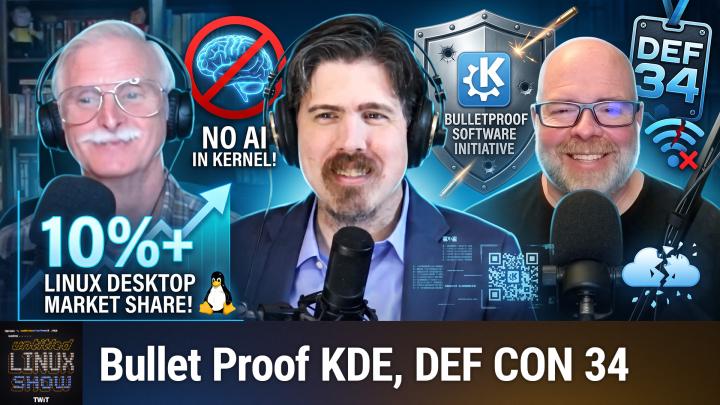
Untitled Linux Show 266 Transcript
Please be advised that this transcript is AI-generated and may not be word-for-word. Time codes refer to the approximate times in the ad-free version of the show.
Jonathan Bennett [00:00:00]:
This week we celebrate 10%. Maybe it's the year of the Linux desktop. I went to DEF CON, but I wasn't the one that caused problems on the flight back, but somebody did. They got in trouble for that. ClamAV has a really important update with some CVEs fixed. And the Linux staging area has been declared a no-AI zone because that's where you hit the gym. All this and more, so stay tuned. Podcasts you love.
Jeff Massie [00:00:28]:
From people you trust.
Ken McDonald [00:00:29]:
This is TuxDigital.
Jonathan Bennett [00:00:31]:
This is Tuxedos is Tuxedos. This is The Untitled Linux Show, episode 266, recorded Saturday, August 15th. Stratification. Hey folks, it is Saturday and you know what that means. It is time for The Untitled Linux Show. We're going to geek out about hardware and software, all things Linux and a whole lot more. We are back after taking a week off for DEF CON. That's where I was at last weekend, but I'm here to for a few more days, off for another conference on Monday, actually.
Jonathan Bennett [00:01:06]:
But I snuck in the show and I've got a couple of co-conspirators with me, Ken and Jeff. Glad to have both of you guys here. They were not off at DEF CON, but they were also indisposed. And so we decided to just take last week off, take a very well-earned break, I would say. But we are back.
Jeff Massie [00:01:24]:
Yeah, perfect storm of everybody had plans.
Jonathan Bennett [00:01:29]:
Yes. Yes. It was, for those that were watching the livestream 2 weeks ago, it's like, oh yeah, I won't be there. Oh yeah, I won't be there either. I won't be there either. And I'm like, oh, I'm going to be at DEF CON.
Ken McDonald [00:01:39]:
This is— Somebody's still not here.
Jonathan Bennett [00:01:41]:
This is real interesting. It's going to be a real interesting week. So we just—
Jeff Massie [00:01:44]:
But you know, realistically, that's like the first time that's happened, like in the, I think in the history of the show.
Ken McDonald [00:01:49]:
4 years?
Jeff Massie [00:01:50]:
I think that's—
Ken McDonald [00:01:50]:
No.
Jonathan Bennett [00:01:51]:
I think that's the first time we have missed an unscheduled Missed a show that otherwise would have been scheduled. I'll put it that way. There's been a couple of times that the network have come to us and said, it's 4th of July, you guys should really take it off so that our editors don't have to edit over 4th of July weekend. We're like, okay, that's fine.
Ken McDonald [00:02:08]:
I think during the first year, there may have been one or two.
Jonathan Bennett [00:02:15]:
Possibly. But in recent history, this is the first one.
Jeff Massie [00:02:20]:
I don't remember any.
Jonathan Bennett [00:02:21]:
DEF CON was a lot of fun. I went there with the Meshtastic guys and I've crunched the data after we've gotten back. And there were 2,440 at last count, 2,448 Meshtastic nodes at DEF CON. So like a sizable percentage of the people at DEF CON were Meshtastic users, which was a lot of fun to see. Worked really well this year. We did a lot of work to make that happen.
Ken McDonald [00:02:45]:
Users or hackers?
Jonathan Bennett [00:02:49]:
Yes. Yes. All right. Let's get into some Linuxy news. And Jeff's actually going to kick us off with some statistics, some interesting statistics though.
Jeff Massie [00:03:01]:
Yes, it is. So Linux just crossed a milestone in North America. Now, according to StatCounter, Linux now makes up 10.65% of desktop computer usage in the region. North America. That's the first time it's ever broken into double digits on StatCounter's numbers. Now, to put that in perspective, back in June, Linux was sitting at just 5.52%. So in one month, it nearly doubled. Now, that's a huge jump.
Jeff Massie [00:03:31]:
And, you know, we— let's dig into that just a little bit. Now, before we get too excited, I do need to mention that StatCounter's June numbers had a large chunk of traffic, about 9. to 4% sitting in a category called unknown. Now, if they could not clearly identify any particular operating system, that's the bucket wound up in. So it's kind of the catch-all. In July, that unknown category shrank right around the same time Linux's share grew. So when we look at that, what probably happened is that some of the unknown traffic was actually Linux traffic all along, and StatCounter just got better at identifying it. Now, that doesn't mean, you know, the excitement is fake.
Jeff Massie [00:04:19]:
It just means the true picture is more complicated than Linux usage doubled overnight. Some of that growth, you know, is likely real, driven by a few different things. You know, one is frustration with Windows. I will let everyone pontificate on their own on the details of that dumpster fire. So I think that's pretty well known. Another factor is gaming. So the Steam Deck runs on Linux, you know, and Valve has spent years improving Proton. So playing games on Linux is no longer the deal breaker it used to be.
Jeff Massie [00:04:56]:
Mostly. Some still don't work, but most do now. You know, anti-cheat not included. Now, there's also a technical wrinkle worth mentioning. Some of the traffic bump could be coming from automation. you know, servers, bots, things like that, Linux could be behind that, you know, the automation and showing up in the web traffic statistics as well.
Jonathan Bennett [00:05:20]:
You mean AI scrapers run on Linux? What?
Jeff Massie [00:05:23]:
I know, right? Who would have thought, you know? So don't take this number as a perfectly clean measurement of real people using Linux. You know, it's a little, Mixed bag, though it should also be mentioned that Cloudflare radar data, when they filter it for desktop HTTP traffic, America in the data. Now the data sources few are different measurements from different data pools, so it's not like they're just oh well we got this you know we're both calculating from the same pool. No, it's different data. Different, you know, and they're, they're also showing an increase. So what's the real takeaway here? You know, Linux theoretically crossed 10% of measured desktop web traffic in North America according to StatCounter and 9.4% according to Cloudflare. Now that, that is a real increase. So maybe the numbers are not exact.
Jeff Massie [00:06:28]:
But the trend keeps going up. So the growth is real. And, you know, I think it is worth celebrating. You know, and this also fits into a bigger pattern we've seen all year. Windows tends to keep dropping. Linux has been slowly climbing pretty much everywhere. So not just North America. Europe has been ahead of North America on this trend for a while now.
Jeff Massie [00:06:51]:
And we've talked about, you know, some of the governments are going Linux. So that's definitely helping. And parts of Asia are moving in the same direction as well. So Linux share globally is increasing. Now, for anybody running Linux at home already, you know, none of these changes are really what you're— nothing, none of this changes what you're doing day per day. But it does matter in the bigger picture because the more desktop market share that Linux has, it means more attention from hardware manufacturers, more games getting written with Proton support in the back of the developers' minds, and more software vendors deciding it's worth their time to ship a Linux version. So every year for a long time, people have joked about, you know, year of the Linux desktop, you know, any this year, next year, it's going to be here, you know, but it never quite arrives. The latest upward trend will not get us over that hurdle.
Jeff Massie [00:07:54]:
You know, it's not the year of the Linux desktop, but it is a real data point and it's trending in the right direction. And it's worth keeping an eye on, especially next month to see if that number holds or does it climb even more. I'm personally hoping for the latter. If you want further details, take a look at the article linked in the show notes for all the goodness and links to The actual blogs where they talk about this and you can dig into the statistics yourself, but, you know, happy reading.
Jonathan Bennett [00:08:24]:
So question for you, Jeff, how many, what would the percentage have to hit for you to consider it to be the year of the Linux desktop?
Jeff Massie [00:08:32]:
I would think we'd have to hit at least something like 30%.
Ken McDonald [00:08:36]:
25 isn't enough?
Jeff Massie [00:08:40]:
Well, you got to go 30 so that way we have at least filtering out some of the bot traffic. No, I don't know. I mean, I don't think it has to be a majority, but I think it has to be a significant enough share that people go, oh, wow. And part of Linux desktop, Year of the Linux Desktop, is also how much does Windows drop? You know, is it truly, you know, we're eating into Windows or, okay, we're just getting flooded with bot traffic. We're not, you know.
Jonathan Bennett [00:09:13]:
Well, so I mean, it is interesting to look at the hatred that people have for Windows right now. I had to, I got to do a Windows install.
Ken McDonald [00:09:24]:
Windows alone?
Jonathan Bennett [00:09:25]:
Well, I'm getting there. Hang on. I got to do a Windows install not terribly long ago. And I was again reminded by how even a Windows Pro, like Windows 11 Pro, you still cannot install it without internet access. And there used to be some workarounds, and Microsoft has closed those workarounds as bugs that they're fixing. And I just, I sat back for a minute. I'm like, curse you, Microsoft. Why would you do— like, it's so anti-consumer behavior, right? And people are taking note of that and getting annoyed.
Jonathan Bennett [00:09:59]:
Not to mention the AI missteps that Microsoft has made. You know, the fact that they made their desktop creepy, which is never what you want. It's not a good selling point. selling strategy. And then Apple has sort of not done anything terribly interesting in the last couple of years. They've just sort of hit a maintenance mode and they're not rolling it, at least not that I've seen. They're not rolling out super cool new stuff. They did Glass.
Jonathan Bennett [00:10:26]:
That was the last big thing I remember Apple doing. And everybody looked at that and went, I can't read it. It's really kind of terrible. So, I mean, I'm not terribly surprised that people are looking at Linux and KDE and GNOME and Pop!_OS and all of those. This looks pretty cool. Maybe I want to run that on my machine.
Ken McDonald [00:10:42]:
Yeah.
Jeff Massie [00:10:43]:
And as it keeps getting better, you know, it installs easier. There's less, you know, you don't have to go into the command line. And then let's not forget Microsoft wanting to put advertisements into the operating system. And they keep trying to push for a subscription model. If they get everybody online, then the next version of Windows can more easily just go, you're going to have to pay a monthly fee for that revenue stream that they want to keep having.
Jonathan Bennett [00:11:12]:
Windows 365. Yeah, totally. I can see it.
Ken McDonald [00:11:18]:
I posted the link to another article by Jack Wallen where he thinks it might be the fact that the Steam Machine may be building it up, especially since Jack, according to Jack, Valve is reportedly selling over 15,000 units per week.
Jeff Massie [00:11:39]:
Yeah, I mean, I mean, that has something to do with it.
Jonathan Bennett [00:11:42]:
Probably more like mindshare than market share though. I mean, 15,000 a week when you compare it to like the number of computers in the world is not that many. But definitely it's getting the idea before people that, hey, there's an alternative you can use.
Jeff Massie [00:11:58]:
And they are the online ones because there's probably a lot of machines that don't get online that much running Linux that just chug away doing something generic in the background that, you know, are not really hitting websites.
Ken McDonald [00:12:14]:
For example, my file server or Plex server is not really hitting many websites.
Jonathan Bennett [00:12:22]:
Well, but I mean, there's Windows machines out there too that are doing the same thing, right? Like there's Right. Windows servers that nobody's on. One other sort of interesting note, I remember the Framework 13 Pro, they had more, so they're doing pre-orders on that. Last I checked, they had more Linux pre-orders than they had Windows pre-orders. Now Framework is sort of a company, you know, it's for geeks, it's for nerds, it's for the people that are gonna be, you know, selecting Linux. But at the same time, I just, They're not necessarily like a Linux-first company. It's not System76. Framework absolutely has a Windows pre-installer they'll be glad to give you.
Jonathan Bennett [00:13:03]:
So yeah, it's interesting. It's interesting to see that it's tipped.
Ken McDonald [00:13:11]:
So are we going to see more Linux on planes?
Jonathan Bennett [00:13:17]:
I hope not. Not at least in the way that this story went. So I've got to say, it wasn't me. But it was people coming back from DEF CON. Yeah, we saw this. In fact, some of the signal groups that I'm in talking about DEF CON pointed this out to us. And if you take nothing else away, take this away. Don't do dumb things on airplanes.
Jonathan Bennett [00:13:41]:
Don't play with your new hacking tools that you got at DEF CON on airplanes. I'm not sure that anyone got arrested as a result of this, but it is a good way to get yourself arrested. So, What happened is that one of the flights from Vegas right after DEF CON, somebody was on board messing with the Wi-Fi. And they did a Wi-Fi deauth attack on the onboard Wi-Fi and then created their own Wi-Fi network and apparently got people to connect to it. And the interesting thing is that the reason I think this caught people's attention is that the pilot sent out an ACARS message. That's the Aircraft Communications Addressing and Reporting System. And he says, we have a bunch of PACS people. We have a bunch of people that were at a cyber conference in Las Vegas.
Jonathan Bennett [00:14:36]:
They were able to jam our Wi-Fi and broadcast their signal. And then a second message said, we have a person on this has created a scam Wi-Fi called Delta Wi-Fi Fast. We believe they're trying to scam the other people. Don't do this. When I first saw this, I immediately thought, oh, someone bought one of the Hak5 Wi-Fi pineapples and are playing around with it. But I sort of pitched that theory in the Hackaday chat, actually. Mike Kershaw is the guy that took over This Week in Security, and he's kind of a Wi-Fi security expert. I don't know if you're familiar with Kershaw, but he's kind of like maybe the Wi-Fi security expert in some ways.
Jonathan Bennett [00:15:18]:
And his take on it was no, probably not. It's probably just some command line tool. But yeah, I've done some more reading about this. And from what I could tell, like, this was not a, the FBI was waiting for this person at the end of the flight. I don't know for sure that anyone has been arrested, but still, don't do this. On an airplane is not the place to mess around with this stuff. Wait until you get home, do it on a network that you control.
Jeff Massie [00:15:49]:
Yeah.
Jonathan Bennett [00:15:49]:
Behave yourselves, guys.
Ken McDonald [00:15:51]:
Especially if you want to live.
Jonathan Bennett [00:15:56]:
I mean, nobody is threatening to kill these guys over it, but jail time is a very real possibility. And that's no fun. You want to stay away from that.
Jeff Massie [00:16:04]:
I think he meant crashing the plane.
Ken McDonald [00:16:07]:
Well, so—
Jeff Massie [00:16:07]:
It should be very isolated.
Ken McDonald [00:16:10]:
Yeah.
Jonathan Bennett [00:16:11]:
I would like to think, and I do, About 70% believe that the Wi-Fi network is well isolated from the rest of the plane controls. I would like to believe that.
Ken McDonald [00:16:23]:
I think the fellow passengers, especially if they're also from the DEF CON, would have been more likely to have been violent than the crash.
Jonathan Bennett [00:16:38]:
Not necessarily. They would be a little bit more likely to realize what's going on and all. fall for it. But yeah, you know, it's just people messing around, right? And like, this is not the place to be messing around. It has been, you know, the airline came out and said, no, no, there was no danger to the plane. And that's probably accurate, right?
Jeff Massie [00:17:02]:
But yeah.
Ken McDonald [00:17:02]:
Danger to fellow travelers, maybe.
Jonathan Bennett [00:17:05]:
A little bit.
Jeff Massie [00:17:05]:
Yeah.
Ken McDonald [00:17:07]:
All right.
Jonathan Bennett [00:17:08]:
We are actually going to take a real quick break and then we're going to jump right back into it. We're going to talk about ClamAV. what's new there. And that is right after this. All right, let's dive back into it. Ken is up next and we're talking ClamAV.
Ken McDonald [00:17:26]:
Yes, we are. But we're not going to clam up about it. This week, Bobby Borsalf wrote about the recently released ClamAV version 1.5.4, which addresses 8 vulnerabilities. They encompass the archive handlers, file parsers, and unpacking components. Archive handler flaws include CVE-2026-2337. This is an out-of-bounds heap write in the zip catalog capacity tracking.
Jeff Massie [00:18:05]:
And CVE-2026-2338.
Ken McDonald [00:18:12]:
which involves incorrect ownership handling during the merging of zip catalog records. Now, several parser-related fixes include one for CVE-2026-2346, which addresses an integer overflow that could cause CLAMAV to crash when processing a malformed hexadecimal string inside a PDF document. And of course, CVE-2026-2348, which fixed XAR parser handling that could request an excessive allocation or exceed scan limits while decompressing a malformed table of contents. Now, the unpacking component fixes include one for CVE-2026-2348, -2339, which addressed an integer overflow in the PE spin unpacker that could allocate an undersized buffer and then write beyond it while rebuilding a PE file. I also want to thank— I'm going to mispronounce some of these— The Automated Vulnerability Discovery Engine. Tianchu Chen of Tencent Xuanwu Lab, Dagulu Rakesh, Yazdan Soltani, Kevin Stubbins— I hope I got that one right— of the GitHub Security Lab team, and Finn Zhu for their contributions in updating ClamAV version 1. 1.5.4. Now, Bobby's article contains more details about the updates to this version, plus the previous version 1.4.
Jonathan Bennett [00:20:09]:
Yeah, it's, it's real interesting that first off, it sounds like some of those were found with AI, AI tooling, which is becoming the norm these days. I was trying to I was trying to figure out. So like a lot of these were handled by Cisco. And what I don't know is if Cisco sort of runs ClamAV these days or if it's just because they use it a lot in their products.
Ken McDonald [00:20:38]:
I think it's a combination of both. They probably run it on their own network and recommend it.
Jonathan Bennett [00:20:45]:
So the official ClamAV GitHub repository is under the Cisco Talos organization. So yes, Cisco owns ClamAV. That, yes, that answers that question.
Ken McDonald [00:20:58]:
Actually, I think we've mentioned that the last time I brought up ClamAV.
Jonathan Bennett [00:21:04]:
Yes, but it's been a while. So I was thinking that, but I wanted to confirm it before I went out and said that.
Jeff Massie [00:21:10]:
So I got a question and I'm sure at least one listener has this question too. In this day and age, is antivirus really kind of antiquated? I mean, if you're updating like you should, shouldn't this—
Ken McDonald [00:21:29]:
For a desktop, maybe.
Jeff Massie [00:21:32]:
Well, okay.
Jonathan Bennett [00:21:33]:
For a server, I would say. I've got some insight into this. I was at DEF CON, and I've talked to people that not only run these tools, but develop these tools. It is, it is a traditional antivirus on a desktop is pretty much useless at this point because your traditional antivirus, they just use, you know, they hash a file and they compare the hash to a known bad list, right? And it's so trivial now to twiddle bits in your malicious file for it to not match that hash. And so what What most endpoint security tools are doing now is they've essentially got a list of things that programs are allowed to do. And if one of those programs tries to do something that's not in the list, that's when it, you know, timeout puts the brakes on, you know, let's stop this and, you know, stop the process, inform the right people, try to prevent, you know, something catastrophic from happening. That's on the desktop. ClamAV hardly ever runs on desktops anymore, though.
Jonathan Bennett [00:22:39]:
What ClamAV actually gets used a lot for is like automated work in like web application, web application firewalls, your like automated email scanning.
Jeff Massie [00:22:56]:
Yeah.
Jonathan Bennett [00:22:56]:
In an email server. And so the idea with ClamAV, and I'm sure, absolutely, I'm sure what Cisco and a lot of these companies are doing is Someone sends an email, they take the email, they take it apart, they run it into ClamAV, and they let ClamAV basically just pull it apart. And they'll have a whole bunch of specialized rules that tie into ClamAV. And so it's this idea of multifaceted security. They want to catch a problem as early as possible. And so if ClamAV says, hey, this file is potentially malicious, they can flag it and not deliver it to the desktop. So all that to say, hardly anybody is running ClamAV on their desktop, but lots of companies are running ClamAV on their security applications, which actually makes it really, really bad that ClamAV has a vulnerability when looking at zip files and some of these other things, because that means all you have to do is send the email. And because the automated security scanner is going to pull it apart and look at it, nobody has to click on the link anymore.
Jonathan Bennett [00:23:58]:
Just sending the email is enough to be able to exploit the security application.
Jeff Massie [00:24:04]:
Okay. Well, that makes a lot of sense then.
Jonathan Bennett [00:24:07]:
Yeah, that's a good question. I think Jeff was playing a little bit of inside baseball there and already knew the answer when he asked the question, but that's all right. He gave us an excuse to dive into it and talk about it.
Jeff Massie [00:24:17]:
Well, you know, I like to, I try to think of what people might want to—
Jonathan Bennett [00:24:21]:
No, absolutely.
Jeff Massie [00:24:22]:
Wait a minute.
Jonathan Bennett [00:24:23]:
I do that on FLOSS all the time. In fact, sometimes I'll warn guests before I'm like, just because I ask a question doesn't mean I don't know the answer.
Ken McDonald [00:24:34]:
Or an answer.
Jonathan Bennett [00:24:35]:
Well, yeah, an answer. Let's talk about Linux. Let's talk about the kernel itself and all of the weird stuff going on in the Linux kernel mailing list.
Ken McDonald [00:24:45]:
When are we ever going to talk about the general Linux?
Jonathan Bennett [00:24:49]:
The general Linux? I didn't know there was a general Linux.
Jeff Massie [00:24:52]:
He's saying like military general.
Jonathan Bennett [00:24:53]:
I know, I get it. I get it. I get the joke.
Jeff Massie [00:24:55]:
I'm just saying, you know, there's a general Linux.
Ken McDonald [00:24:58]:
There's a kernel.
Jonathan Bennett [00:24:58]:
There's a Linux kernel, but no Linux general, no Linux major. I don't know. We have major releases of Linux. Anyway, Jeff, take it away.
Jeff Massie [00:25:09]:
Save us, Terry Butts. I'm going to ignore all that and start the story. So we've talked about AI in the kernel and other projects from, okay, let's have it, you know, speaking about AI, to we don't even want to see it. And everywhere in, but everything in between, you know, and it depends on the project and how many submissions and, you know, there's every project is different. Well, Greg Crowe-Hartman is stepping back a little from the AI submissions. And in fact, he's saying the AI submissions are going to be banned unless they address a real security issue. Now, this is going to get kind of interesting and not what it originally— what you're immediately thinking. So here's what Greg had to say.
Jeff Massie [00:25:56]:
Given the recent onslaught of LLM-generated kernel patches for the driver staging subsystem, I'd like to clarify my position going forward with regards to taking patches made with these tools. First off, driver staging exists primarily as a place for new kernel developers to learn How to get involved in kernel development. It contains loads of low-hanging fruit with regards to code cleanups and API changes. Perfect for new developers to learn the process in a safe and friendly way with no pressure, as no one should be relying on the code in these directories, you know, as proof of the taint_crap flag that gets set if you ever actually load any of this code into your kernel tree. Which, you know, that's— if you're loading that and saying, I can't figure out why something's broken, boy, we need to really help you. Now, we just don't take— that was my editorial on that. We don't just take fix all the coding style issues in this file type of patches that are generated by tools, as that would defeat the whole purpose of driver staging in the first place. We could do that tomorrow if we actually cared.
Jeff Massie [00:27:10]:
about the code in here, but rather we live with these issues because this is where people can start and learn and grow from. So this means that anyone attempting to use an LLM to clean up or fix any code in driver staging is explicitly defeating the whole purpose of it existing in the first place. Because of this, going forward, I'm going to automatically reject any patches generated with LLM for the driver staging subsystem, with the one exception noted below. And yes, it is very obvious when people submit LLM-generated patches. So don't think that just not disclosing the use of them will allow you to get away with anything here. The goal is for people to be able to learn, not to try to trick a maintainer. If anyone is determined to have deliberately tricked us, We'll consider this your warning ahead of time. Now, note, LLMs are very good at finding suspect security issues in kernel code these days, but even with the best of the current and next-generation tools, at least 1/3 of the results they generate are flat-out wrong or harmful.
Jeff Massie [00:28:23]:
So if you think your LLM-found fixed issue in a driver staging file is really valid, it's fine to submit it, But you must have first tested it on the actual hardware for the driver and described how you have done so in order for us to be willing to take the, take the change. This testing process should hopefully weed out the 1/3 wrong reports, but it isn't always the case. So you must be willing to defend your submission and prove that it really is correct in fixing a bug. That the user can actually hit. In other words, driver staging here is a gym, and that is here to learn and grow your skills, with an LLM turning into a reasonable tool to do the heavy lifting for some things. But it should only be done by those that have already properly trained their skills to know what types of lifting can be done and in what way See, this is— and he says, see this great essay by Bruce Schneier for where he explains this in much better detail. And then now Greg provided a link to the essay, and I have included it in the show notes. So, and if you actually look at the essay, which I suggest everybody read it, it's, it's quite a bit of detail, but it Basically goes over the difference of, oh, I've got to move a lot of these heavy objects.
Jeff Massie [00:29:54]:
Oh, I should get a forklift or automate this versus I need to get healthier and I need to go to the gym and actually move weights myself. So that's kind of the crux of the whole argument here, or the point Greg is trying to make. This is where people get into shape. with their coding skills, not, hey, let's just AI everything into perfection. So take a look at the links in the show notes. And I'd love to hear what my co-hosts also have to say.
Jonathan Bennett [00:30:29]:
I really like the gym versus, what was it? Gym versus forklift?
Jeff Massie [00:30:35]:
Yeah.
Ken McDonald [00:30:37]:
Gym versus work.
Jonathan Bennett [00:30:38]:
Yeah, yeah. The idea there being that, like, you, when you, when you have a job of moving things from one side of a warehouse to another, you use the best tool for it, the forklift. But when you're at the gym, it's not because it's your job. It's not because of the weights need to be moved. You're there to strengthen your body. And so I like that a lot as an analogy. And it ties into something that I've wondered about with LLMs, and that is, How do we train the next generation of programmer? Or to put it another way, how do we go from programming interns to skilled programmers if they're just using the LLM and in some cases not even reading the code? I've thought about that with my own son who is now interested in doing electronics and computery stuff. And it's like, well, I'm going to teach him how to do it the old-fashioned way first and then eventually let him Cheat, as it were, and use the LLMs.
Jeff Massie [00:31:36]:
Well, and I think there's still a lot of skill that's needed even with AI because people say, wow, I don't even have to look at that. Well, AI kind of can make some garbage code sometimes. And especially in complex programs, you kind of need somebody that knows what's going on so they can architect— architecture it correctly. Because you can't just throw the whole thing where AI seems to really work good, at least now, Is you take that big project and you break it up into chunks so that it can, AI can swallow each little chunk. Because if you just say, oh, here, make this fancy thing, yeah, you're going to have issues. And you need to understand what's going on to really make a quality end product.
Ken McDonald [00:32:21]:
Absolutely. You've got to be able to, one thing AI, Or at least I haven't seen any examples of it, cannot do is analyzing a problem and break it down into workable subproblems first.
Jonathan Bennett [00:32:42]:
No, I've seen it. I've seen it do that reasonably well in programming. You can, you can give it particularly a task like we need to accomplish this and give it sort of the big overview. And I've seen AI do very well.
Ken McDonald [00:32:54]:
All right.
Jonathan Bennett [00:32:55]:
Well, here's the first step and here's the second step and here's the third step. And so it actually, it can do that in some—
Ken McDonald [00:33:01]:
Limited fashion.
Jonathan Bennett [00:33:03]:
In some realms. And then I've also seen AI, like the latest models will do some of the silliest things. Like I had a, well, so here's one of the examples, right? I needed to print out some brackets and, you know, they've got on this side, they've got screw holes, there are slots. This one is a keyhole style slot. And I had Claude. designed this for me. Um, and oh, I forget the name of the program, but it's the, uh, it lets you do 3D objects as code, essentially. Um, G-code? No, it's like OpenSCAD, OpenCAD, something like that.
Jonathan Bennett [00:33:40]:
Anyway, um, and, uh, the first time it did it, it did it, it did not have the cutout here. There was no pocket. It was just a solid triangle with screw holes in it. And I'm like, Claude, how do I get the screws in? And Claude goes, oh, there's a slot back there. You know, it's a slot back there. The screw, see here, look, let me show you the cross-section. The screw heads fit into it perfectly. Like, how do I access it? That's on the inside of the part.
Jonathan Bennett [00:34:11]:
And I had to ask it like 3 times and it finally went, oh, I should have a pocket so that you can get to it. Yes, I should be able to get to it from the side. Thank you, Claude. Please make that happen. It was hilarious. You know, people talk about that whole, um, LLMs don't have like a physical model of the world, I think is the way they say it. And that in particular, like, really pointed out to me how true that is. It was, it was really fascinating to sort of hit up against that limitation of the model that I was working with.
Jeff Massie [00:34:41]:
Well, and, and, uh, I will say thank you, iLag. Yes, OpenSCAD.
Jonathan Bennett [00:34:47]:
Yes.
Jeff Massie [00:34:48]:
is, is what it is. Um, and yeah, I mean, it— I always tell people, and you know, they say, oh, it's like a junior engineer. It's like, I tell people now, okay, my geek is showing a little bit, D&D and Pathfinder, whatever. It's like when your genie said— when your DM says there's a genie here and you can ask for a wish, how is it going to solve it?
Ken McDonald [00:35:13]:
Mm-hmm.
Jeff Massie [00:35:14]:
to the letter of your request, not the letter of, not your intent. And AI is good at doing, you said do this. Well, I thought you would know. No, it said exactly this. And that's exactly what I did.
Ken McDonald [00:35:34]:
Yeah, true. Thank you. 3 different ways to phrase the same question and give all 3 of them to AI and see If you get the same answer back every time.
Jonathan Bennett [00:35:43]:
Yeah. There was a story here fairly recently about one AI was doing a test and to, you know, it wanted to score, like its instructions were to score as high on the test as possible. And its interpretation was that was, okay, let's hack the test giver and give ourselves an artificially high score. I think that was, was that the Fable model that did that? Like Fable?
Jeff Massie [00:36:09]:
I think, I think it was.
Jonathan Bennett [00:36:11]:
Yeah, it was.
Ken McDonald [00:36:12]:
Yeah.
Jeff Massie [00:36:12]:
And because it says, oh, what's the highest score I can get? Well, if I have the answers, I can get it. Where are the answers? They're over here. Okay, I will get the answers and then I will take the test. So it's, it's not, there's no morality there or anything like that. It's just, oh, here's the simplest Path to the solution.
Jonathan Bennett [00:36:34]:
It was an internal OpenAI model that, yes, literally hacked to get a higher test score.
Ken McDonald [00:36:41]:
Yeah, that's the story. I think that this is different from the big news article that was being covered for the past week or so.
Jonathan Bennett [00:36:52]:
It's probably the same one, if it's the same thing that you're thinking of. Yeah.
Ken McDonald [00:36:57]:
Or an OpenAI Model hacked into Huggy Bear?
Jonathan Bennett [00:37:04]:
Hugging Face. Hugging Face.
Ken McDonald [00:37:08]:
See?
Jonathan Bennett [00:37:09]:
No bears in your mind?
Ken McDonald [00:37:10]:
My memory's going. No bears in your mind?
Jeff Massie [00:37:11]:
I think that's a TV show character from the '70s.
Jonathan Bennett [00:37:17]:
All right.
Ken McDonald [00:37:17]:
Let's— Yeah, BJ and the Bear.
Jonathan Bennett [00:37:20]:
Let's save ourselves and move on from that. We've actually got some KDE news, but we are first going to take a quick break and we'll be right back after this. Well, you know what we need in our lives? Generally speaking, as Linux enthusiasts, we need more bulletproof software. And in this case, we're talking about essentially long-term releases and ongoing maintenance. And apparently the folks at KDE agree because they have put out a press release that Kubuntu, Tech Paladin Software and the KDE e.V., that's the nonprofit. I don't know if that's actually a nonprofit, but it's like, it's the German organization behind KDE. They have announced the Bulletproof KDE Software Initiative. And it's $100,000 that they are tucking away and they are going to continue to work on Plasma 6.6.
Jonathan Bennett [00:38:23]:
As an LTS release, long-term support. And the idea here is that it's going to be at least 3 years supported. There's going to be bug fixes for it for the next 3 years, which, you know, if you want to install KDE on an enterprise system, on a server, even on a business workstation, that 3 years, then you kind of run out of 3 years pretty quick. And so it's interesting to see KDE sort of taking this step towards better maintenance, but also this longer-term support. And I can't help but wonder, like, is there some announcement coming soon that's going to go along with this? And the back of my mind wonders if we're ever going to see a KDE RHEL instead of a GNOME RHEL? And does that 3 years fit within the idea of RHEL support? But anyway, no inside knowledge there, just sort of musing out loud. But good for KDE and Tech Paladin. This is definitely a good step forwards for long-term support and for more stable and more secure Linux machines running KDE. I thought it was really interesting to see.
Ken McDonald [00:39:46]:
And did the— yeah, I'm just looking because I found another article by Liam Squire's hand that touched on it and had a link to the press release that I just posted in the Discord chat. Yeah.
Jeff Massie [00:40:02]:
Kubuntu is really driving forward.
Jonathan Bennett [00:40:06]:
It's good to see. This is apparently specific to Kubuntu for the moment.
Jeff Massie [00:40:11]:
Yeah, I'm, you know, for a while there, they were kind of just floating along and I'm glad to see they're really trying to kick it into high gear.
Ken McDonald [00:40:21]:
What version of KDE are you using, Jeff?
Jeff Massie [00:40:27]:
Whatever the default is. I'm still on Cachy, so I'm on—
Ken McDonald [00:40:34]:
Are you up to 6.7?
Jonathan Bennett [00:40:40]:
6.7.4.
Ken McDonald [00:40:41]:
I'm on 6.6.6. So I'm going to be on— right now, this will be the LTS version for KDE.
Jonathan Bennett [00:40:50]:
Yeah, I'm on 6.6.5, believe it or not. I'm behind the times. I bet if I did a big upgrade, I would get to probably 6.7.
Ken McDonald [00:40:58]:
Wait till after the show, though.
Jonathan Bennett [00:41:00]:
Yeah, probably.
Jeff Massie [00:41:01]:
Stick with me, kids. I'll show you the ropes.
Jonathan Bennett [00:41:05]:
Indeed.
Jeff Massie [00:41:06]:
Yeah, I just, I, I really like 6-7. It's been very solid and it, uh, been, been good to me.
Jonathan Bennett [00:41:15]:
We need, we need Rob here to do the dumb hand motions.
Jeff Massie [00:41:18]:
Oh yeah, I wasn't— I missed that.
Jonathan Bennett [00:41:23]:
I don't miss it.
Ken McDonald [00:41:25]:
Is Katie gonna go with the evens being the, uh, Long-term service or?
Jonathan Bennett [00:41:32]:
I doubt it.
Jeff Massie [00:41:34]:
I was gonna say, I bet you not.
Jonathan Bennett [00:41:37]:
Yeah, it doesn't feel like their release cadence would work well for that. I don't know how many LTSs they're gonna wanna have out at once.
Ken McDonald [00:41:48]:
No more than 2.
Jonathan Bennett [00:41:50]:
You would hope no more than 2. 2 is a lot, actually.
Ken McDonald [00:41:57]:
3 years. So what would you expect them to be at in 3 years from now?
Jeff Massie [00:42:04]:
It wouldn't surprise me there's a 6.9 or 7.0.
Jonathan Bennett [00:42:09]:
You would think 7 by then.
Jeff Massie [00:42:11]:
But I don't know if they're going to go— because I don't think they're going to jump revisions that quick. I mean, they are probably not going to just follow Linux's kernel where, oh, we hit a certain number and then we're going to jump. But KDE's been really pedal to the metal and really innovating and stuff. So I could see they're going to go, you know what, we've got this whole big change we're coming up with.
Ken McDonald [00:42:40]:
So when they went from 5 to 6, was that when they went from Qt 5 to Qt 6?
Jonathan Bennett [00:42:46]:
Yeah, I think so. Yeah.
Ken McDonald [00:42:47]:
I bet that's when they, They'll go to 7 when they go to Qt 7. And that's going to be my prediction.
Jeff Massie [00:42:53]:
That would, that would, that would, yeah, that would be a good call out. I could see that.
Jonathan Bennett [00:42:57]:
Yeah. So something else that happened here recently, there is a This Week in Plasma. And one of the bug fixes is the pointer looks very sharp now at absurdly enormous sizes when you shake it for ages and ages. And for those that don't know, if you, in KDE, I think it's on by default, You shake your mouse back and forth, the cursor starts getting bigger. And what I didn't realize is that if you keep shaking it, it just keeps getting bigger. And apparently you can get it to be like the size of your screen. And it does, it gets real blurry.
Jeff Massie [00:43:30]:
That's a great game of like, how big can I make the cursor?
Jonathan Bennett [00:43:33]:
How big can it go?
Jeff Massie [00:43:35]:
Oh, I love that feature though, because if somebody's going, why would you have that? How many times have you been on a high-resolution screen And you've got a ton of windows open. You're like, wait, where's my cursor at? And then you kind of shake your mouse trying to find it. Well, now you do it. It grows. And then you're like, oh, there it is. And then you stop for a second and it shrinks down. But you have to kind of go back and forth because just moving around the screen, it doesn't grow. So it's pretty smart about when it does it.
Jonathan Bennett [00:44:06]:
Can you see? Yeah, you can see my cursor here.
Jeff Massie [00:44:08]:
Oh yeah.
Jonathan Bennett [00:44:09]:
Here, let's see. Shake it, shake it, shake it, shake it, shake it, shake it. Yeah, it gets really big. Keep going.
Ken McDonald [00:44:17]:
Let's make it bigger. Now, there's also a feature that I've got turned on where I can move into the top left corner of the screen.
Jonathan Bennett [00:44:27]:
And it says your windows. Yeah.
Ken McDonald [00:44:29]:
Yep. All the windows. So I can just move around. And as I move around, it highlights them.
Jeff Massie [00:44:36]:
I turn all the edge stuff off. You know, I always hit it accidentally and it All the gestures and it drives me nuts.
Ken McDonald [00:44:45]:
How many virtual desktops do you run with?
Jeff Massie [00:44:49]:
I just have the one desktop. Virtual desktops are cool.
Jonathan Bennett [00:44:53]:
I really like virtual desktops, but I don't actually use them very much anymore. I used to use them quite a bit.
Ken McDonald [00:44:59]:
I do. Because it means that I can jump quickly from one project to another by just changing the desktop.
Jonathan Bennett [00:45:06]:
Yep.
Jeff Massie [00:45:09]:
Go ahead, Jonathan.
Jonathan Bennett [00:45:10]:
I was gonna say, I get— I understand why. I used to use it a lot, but I just— I've probably— because I've got the either dual monitors or the super big screen, and so I can just do like a, you know, I do a 2x2 layout. So I've got 4 different windows on the one screen and then one on the vertical screen behind me. And so, you know, 5 windows. 5 windows is enough for anybody.
Ken McDonald [00:45:30]:
Yeah.
Jeff Massie [00:45:30]:
Yeah, I was gonna say, I just have the one screen. I usually have, uh, Ultrawides, even at work, I have ultrawides and I put everything on one screen. I use the stratification method, pile up the windows and yeah, pile up the windows and let them go. And then it's all right there. I'm not even going, well, wait, what desktop, what virtual desktop was that? No, it's all right here.
Jonathan Bennett [00:45:56]:
Absolutely. All right. Let's talk about file sending using Unusual means. Ken, what is Decimen and why do we need it?
Ken McDonald [00:46:08]:
Well, let me go ahead and start off by explaining that this week, Bobby Borisov wrote about an open-source web app that moves files between devices without a direct network connection, without pairing, without having a dedicated account or a native app. In other words, you're using light to bridge that air gap. It is called Decimen Optical Transfer. Decimen converts a file into a continuous stream of animated QR codes displayed on one device while a second device points its camera at the screen, captures the codes, and reconstructs the original file. According to Bobby, using it is more than easy. You open the Decimen web app on both devices, Select Send on the first and choose a file. The animated QR stream begins immediately. Then on your receiving device, select Receive, grant camera access, and point it at the sender screen.
Ken McDonald [00:47:13]:
Now the project's documentation recommends using a laptop as a sender, increasing its display brightness, and placing the receiving phone so the QR code fills as much of the camera view as possible. Once enough data is captured and the SHA-256 integrity check succeeds, the reconstructed file becomes available for preview and saving. Now, there's a very interesting technical detail. Instead of dividing the file into a fixed sequence of QR codes that must be scanned in order, Deciman uses Luby transform fountain coding. Have you heard of that before, Jonathan?
Jonathan Bennett [00:48:02]:
Um, I believe I know basically what that is.
Ken McDonald [00:48:05]:
Uh, well, I'm going to cheat by referring to Wikipedia. It says Luby transform codes, or LT codes, are the first class of practical fountain codes that are near Optimal Erasure Correcting codes. Now, Michael Luby invented them in 1998 and published them in 2002. LT codes are rateless because the encoding algorithm can, in principle, produce an infinite number of message packets. In other words, the percentage of package that must be received to decode the message can be arbitrarily small. They are erasure-correcting codes because they can transmit data digitally, digital data reliably, reliably over an erasure channel and use a one-way communication protocol. This means the sender continuously generates encoded frames while the receiver collects whichever distinct frames its camera captures. According to the project, reconstruction typically requires about 115% of the minimum number of frames.
Ken McDonald [00:49:18]:
The order doesn't matter, and missing a frame only takes the— makes the process take longer, not corrupt the file. Now I'm going to recommend reading Bobby's article to learn about an important security limitation that he talks about.
Jonathan Bennett [00:49:37]:
So talking about QR codes made me remember the DEF CON badge, and I cannot find the second AA battery. In their infinite wisdom, they made it run on AA batteries, and I only have one of them, or else I would turn it on and show you the light pattern that I ended up with and the QR code that it uses. Um, it's pretty cool on the back. Probably can't see in the camera, but it's actually got a A tiny little camera, very reminiscent of like the Game Boy camera. And they did that on purpose because DEF CON has like a pretty strict policy about don't take people's pictures without permission. And so they very, very intentionally put a terrible camera on there, just sort of out of principle. But the idea was that you use QR codes to send cryptographic nonces back and forth. And it would then modify your— so there's LED lights along the outside of this, and it would modify your LED patterns.
Jonathan Bennett [00:50:37]:
And so that was kind of the part of the game that everybody played this year was you scan each other's lights and you get new patterns. And of course, us MeshTastic guys, we were all trying to get green lights and fun patterns. I ended up with a really nice one, and I can't find a battery to be able to turn it on and show everybody. Anyway, QR codes, that's what brought all that about.
Ken McDonald [00:50:57]:
You'll find it right in front of you after the show.
Jonathan Bennett [00:50:59]:
Oh, you're probably right. I did look, I looked under my paperwork on my desk here and I don't see it. I don't see a battery there.
Ken McDonald [00:51:06]:
But it was interesting when I was reading up on the, uh, LT, uh, transforms that are LT codes that you actually see it used a lot in cellular communications.
Jonathan Bennett [00:51:19]:
Can you believe that? Yeah. It's kind of the same idea as the old BitTorrent app as well. Not exactly, a little bit different math. But the idea was that, you know, you break it into chunks and if you miss a chunk, you can come back and pick it back up. So.
Ken McDonald [00:51:37]:
Because it keeps cycling through it all. Yeah. And they're not necessarily in sequential order, in a random order.
Jeff Massie [00:51:45]:
Yeah.
Jonathan Bennett [00:51:46]:
Yeah, you can do it in any order, which is part of the point of that, right? So, all right. Let's take a look at what's new in Cache. Jeff, what's going on in Cache OS? We're hearing a lot about Cache OS. It's really sort of becoming a popular distro these days.
Jeff Massie [00:52:03]:
Yeah, it's really taken off. And, you know, this one's going to get people kind of— it's not what you think it's— what you would expect from Cache. So, You know, when I think of rolling releases, I know the first thing that comes to mind, and same for most people, is rock solid. They say cutting edge because they mean cutting through the bugs and instability, right? Okay, before Jonathan cuts me off because he thinks I'm on a chemically induced thought train here and it's going to derail me, you know, let me set the record straight. Yes, CacheOS is working on a server edition. That's right. CacheOS, the rolling release, is working on a server edition. Now, this release, well, I say the release, I mean, it's kind of the, at this point in its schedule, is the first time we see end user code as proof of that direction.
Jeff Massie [00:53:01]:
Now, for anybody unfamiliar, CacheOS is built on top of Arch, which is a, you know, it's basically a rebuilt package stack compiled with CPU-specific optimizations plus a custom kernel tuned for responsiveness. So the pitch of CacheOS or kind of what it is, the theme of it is Arch-like flexibility with better performance out of the box. And it has been gaining, steadily gaining popularity. I mean, it kind of came out of nowhere. And then, well, I mean, it's fairly recent compared to some of the, you know, Debian and some other ones like that that have been around for a long time. Even Arch itself. You know, rolling releases are known for cutting-edge software and they call them bleeding edge because you're probably going to get cut.
Jonathan Bennett [00:53:56]:
Mm-hmm.
Jeff Massie [00:53:56]:
You know, and normally server editions use software which is older. It's been hammered on, tested quite a while. So there's no surprises or bugs to worry about, or they're known and you can stack around the bugs. Now, this is not the first we've heard of a CacheOS Server Edition. We, I think we even brought it up. It was about December, November, December of 2025 when it was first being talked about publicly. Now, I think the question would be, why a Server Edition? Now, from what I'm reading, now, this is what my interpretation, about what I'm finding. It's less about filling all of your big iron boxes with CacheOS Server Edition, but it's where you need some development on a more stable version.
Jeff Massie [00:54:48]:
So maybe you need some latest software and latest kernel, other libraries, but you don't want to go— you got to have some stability because you want to make sure that The issues you're seeing is because of the project you're working on, not because of the operating system itself. They've mentioned NAS, network attached storage, is also a target. So, you know, when they're talking server, they're not talking like the entire server farm. Well, not yet anyway. I'm not saying that couldn't come about. Now, the code we saw is the CLI installer now has experimental Keyword there, experimental support for Server Edition installation profiles. So this is the first real evidence of the Server Edition work showing up. And like I said, it's actual code, not just we're planning to do this, but experimental.
Jeff Massie [00:55:48]:
So, you know, just don't throw that into production just yet. Now, there's also been some very recent Alongside this graphical update, such as Hyperland users getting a new Noctilla option that swaps SDDM for a Noctilla greeter, Cinnamon moves to a display manager called LightDDM-Slick-Greeter, and GNOME gets a program for better network device recovery, and COSMIC gets a new monitoring tool called COSMIC-Monitor. To make things smoother, Shelly, which is the default, now the default graphical package manager, is now on version 3 and it's working better than ever. I personally have been testing this and it's working smooth for me now. It was rewritten from C# to Zig, which allowed it to go native binary. And the whole rewrite and version 3, bottom line, faster with less memory. Now, I have covered Shelly in the past on the command line tips, but, you know, you can, you can, the key point of Shelly is you can keep your system updated, but not only the normal distribution software, but you can have AURs, AppImages, and Flatpaks as well. And it will keep those up to date as, you know, along with everything.
Jeff Massie [00:57:13]:
So you have kind of a one-stop shop. You're not, having to separately update all your different packages. Now, I know AUR right now is kind of a bad word, but before, if you have some AUR software, it will show you what's changed and let you preview everything before you decide whether you want it or not. So it's not just going to blindly dump it in there. And it does all the normal, do you want to upgrade this? Are you, you know, Do you want to remove old packages? So it's the normal updating routines that you're used to. It's just that now it's graphical, so you don't have to go into the command line, though realistically you haven't had to for a while. Like I said, I've been using Shelly some. I've also been using CacheUpdate, which I do like because it has a system tray applet.
Jeff Massie [00:58:06]:
And which that was rewritten in Rust. And it really makes it easy to see if there's an update available. And you just click on the tray icon and the update takes off. So, and again, it's like the normal updaters. It'll ask you what you want to do and at the appropriate places before it does them. And so it's becoming not only becoming more slick, they're adding server code in there or experimental server code. It's It's really coming along. And my personal experience, Cache has been really solid.
Jeff Massie [00:58:38]:
Early on, I had one hiccup, but since then, I have— it's been rock solid for me. No different than Kubuntu or Fedora or, you know, other distros I've run. So, you know, if you're interested, take a look. Look at the article in the show notes for full details on all the updates. I just covered some of them, but You know, have fun playing. Yeah.
Jonathan Bennett [00:59:06]:
So I am actually really intrigued by the idea of a rolling release server because doing— so like I've run RHEL derivatives for a long time and doing upgrades between one version of RHEL and the next is a huge pain. It's usually something breaks, something goes wrong. And so I like the idea of a rolling release. I like the idea of not running, you know, a 5-year-old kernel that's got a whole bunch of of patches on top of it. But the thing that worries me about that is what do you do when part of your rolling release is let's upgrade? I'm just gonna, I'm gonna throw this out as an example, Apache HTTPD, and something changed in the configuration format because your rolling release just took you from, you know, one major Apache version to the next. And so as part of that rolling release, you now have to go in and fiddle with your configuration settings. And if your servers are anything like mine, you haven't touched them in 3 years and they've just worked. And you have to go back and try to remember all over again what the configuration was supposed to do and where all the files are.
Jonathan Bennett [01:00:14]:
So that's the thing that worries me most about the idea of a server doing a rolling server distro is just the churn that that would— result in and the things that you would have to from time to time go in and fiddle with. And that's probably the biggest advantage to something about RHEL is that you could pretty much be confident that you can do those, you know, in-version upgrades and not have to go fiddle with any configuration. It's all going to be the same and you're still going to get the bug fixes.
Jeff Massie [01:00:46]:
Well, and I think that's why I said they're not really targeting the whole server farm. They're not, you know, it's more development and kind of pocket cases of server stuff.
Jonathan Bennett [01:00:55]:
Sure.
Jeff Massie [01:00:55]:
So it's, it's, so yeah, you're, you know, your, your big iron farm or your server that's just going to sit in the corner for years and chug away. Yeah, it's not really where you want to be, but you know, like I said, you're doing development or something, you want to do development on maybe a newer kernel, not that, like you said, the old, old, old kernel that's got patches upon patches on it and You know, you want more recent libraries of your core software.
Jonathan Bennett [01:01:25]:
Yeah, I mean, there are definitely some places where it makes sense. Interesting to see.
Jeff Massie [01:01:30]:
Yeah, so that's— they specifically said they're targeting like development and NAS.
Jonathan Bennett [01:01:36]:
Yeah, that makes sense. All right, my lovely assistant did bring me— here, I'll go ahead and full screen this— did bring me batteries. Let's see, is this going to be bright enough to see? I don't know if it will or not. You can see I've got the nice little light show. Yeah, you can see it a little bit.
Ken McDonald [01:01:51]:
Yeah.
Jonathan Bennett [01:01:52]:
And then the whole idea of this was you would hit, let's see. Yeah, you'd hit a button and you'd get a QR code. I think you can just barely see that there's a QR code there. And then you hit the middle button and it pulls up the camera. And, you know, very, very psychedelic. Like I said, looks a lot there. That's my mouth. It's pointing right at my mouth.
Jonathan Bennett [01:02:13]:
Ah, hello. Very psychedelic, right? But that was the idea is that one person would pull up a QR code, you'd scan it, and then the 2 would swap. So the first QR code was a nonce. And then the second QR code actually carried, and they call it genetic information, right? The whole idea was it's like you're adding the 2 patterns together and seeing what you get as a result. And so that was sort of the DEF CON badge minigame this year.
Ken McDonald [01:02:39]:
And next year they'll be using the QR codes to pass information back and forth.
Jonathan Bennett [01:02:45]:
Well, I mean, they pass information back and forth on this one. Probably not full files. Go ahead, Jeff.
Jeff Massie [01:02:54]:
Oh, I was going to say one correction. That wasn't your assistant. It was your boss.
Jonathan Bennett [01:02:59]:
Yeah, half a dozen one way, 60 the other. Anyway. All right. Let's— we're going to take a real quick break and then we've got a couple more stories to cover. One of which is sort of a nightmare scenario that I want to make sure everybody is aware can happen, could happen to you. Don't go anywhere. We'll talk about it right after this. All right, let's jump into this.
Jonathan Bennett [01:03:25]:
So this isn't exactly a Linux story, although I can guarantee you that Linux is running on the servers that we're going to talk about. This is actually a story about PBS. A PBS channel and its storage provider, its cloud storage provider. And we joke on this show about backup, backup, backup. And we like to say, Kim likes to tell us to even print your backups. Well, maybe they should have. So a PBS affiliate used a data center to store TV shows, videos, other data, 70 years worth of data. Apparently they had about 50 terabytes there.
Jonathan Bennett [01:04:10]:
And this, this particular PBS station out of St. Louis, 9PBS, used open source storage as its cloud provider. And OSS was apparently a customer of Iron Mountain's Denver data centers. And OSS went defunct and closed its doors. And now the PBS station is trying to get its data back because it's literally 70 years of PBS programming that they had stored. And for those that have not looked into— we've talked a few times, like, the old videos that you can find on YouTube of some of these things, like Bell Labs, for example, has a lot of old things that they've archived and made available to everyone. And some of these archives are important for history reasons, if not just the nostalgia of it all. And so this PBS channel, they're trying to get their data back.
Jonathan Bennett [01:05:15]:
They don't want to lose it. That's 50 terabytes of real programming in a lot of cases that they would like to be able to have access to. And unfortunately, the company has gone belly up. And there was for a while some danger, and I suppose there still is, that the hard drives that had the data would just be wiped or recycled or thrown away. The PBS channel has actually— they have got a judge to sign off on essentially an injunction saying, Iron Mountain, you are not allowed to delete that data. And they are now going back and forth trying to get it back. Apparently they have made contact with a former OSS employee who is trying to help them out. If complications arise, such as the data being encrypted, another hearing will be scheduled.
Jonathan Bennett [01:06:12]:
And September 14th is a deadline where they have to have answers. And so, you know, like on one hand, it's the PBS station and it would be extremely useful for like history reasons and cultural reasons to have a backup of all of this stuff. But also, you have to stop and think about this. Like, this is a company that they did not expect for it to ever go bankrupt, and they trusted it with their data, and all of a sudden it's no longer there. And I think it's probably an important and worthwhile thing to ask what companies are we trusting with our extremely important data that may have problems. And I've thought about this a lot, actually. And so we use Google Photos for a lot of our family pictures. I've got an offline download of a bunch of— I need to go and update that, but I've got an offline download of a bunch of those pictures because, I mean, I don't anticipate Google going bankrupt anytime soon, but Google could lose data.
Jonathan Bennett [01:07:13]:
It's happened and will happen again. I've thought about this a lot with just like the amount of YouTube videos that are out there. Some of those YouTube videos are historically and culturally important. And one of these days, YouTube— I mean, like, inevitably, if you run history forward long enough, YouTube will cease to be. And are we going to lose all of those currently digitized videos? And I know there are some people thinking about this and working on doing archiving of the important ones. Um, it's just, it's interesting, a little scary to think about. Um, and you can even run this the other way and look at, like, you know, data from Not quite 100 years ago, you know, we didn't have digitized data quite 100 years ago, but, you know, 70 years ago, they were starting to do— 70 and 80 years ago, they were starting to digitize data. And some of those original data formats, you just can't read, or you've gotta have, like, 3 different people with antique computers to be able to finally bootstrap it into something that you can get to today.
Jonathan Bennett [01:08:17]:
And so, this idea of data archiving and making data That should be public, right? Making this data available to everyone in a way that actually makes sense. It's something I care a lot about, actually. And I found this story to be really, really interesting, sort of in tangent to all of those thoughts and ideas. So here's hoping for PBS 9 that they're able to get their 50 terabytes back. And here's hoping that we'll think about this a little bit harder and make sure we have alternatives and in some cases print the data out, just like Ken says.
Jeff Massie [01:08:54]:
Okay. So just so I have this clear in my mind, you have PBS and they went with OSS for their backups.
Jonathan Bennett [01:09:02]:
Yes.
Jeff Massie [01:09:03]:
Iron Mountain strictly supplied like the building, the power, the space.
Jonathan Bennett [01:09:09]:
I believe Iron Mountain was the data center, yes.
Jeff Massie [01:09:12]:
But the hardware itself was owned by OSS. Yes. Okay. Yes.
Jonathan Bennett [01:09:18]:
And so it sounds like, it sounds like when OSS declared bankruptcy, they just left their servers in place. And so then Iron Mountain has this stack of, you know, probably a couple years old servers with a whole bunch of data on it that they don't have anything to do with. And yeah, of course, they're going to start wiping it and recycling them.
Jeff Massie [01:09:36]:
And ILAG, it's, uh, I don't believe this has anything to do with open source. I think it's just the name is similar.
Jonathan Bennett [01:09:46]:
I imagine that this was a— the people that was running this service were open source enthusiasts, and so they used it in the name. Maybe it's a reference to the military idea of open source. I don't know for sure, but I would assume that they were OSS enthusiasts, and so they just used it as their name. It's kind of a little bit of a black eye for the movement. Go ahead, Ken.
Ken McDonald [01:10:13]:
But this points out that we as a nation, maybe even globally, need to start thinking about how to legally archive a lot of this data that has historical value.
Jonathan Bennett [01:10:28]:
Absolutely. I mean, you can even tie this into things like the Stop Killing Games initiative, where it's some of the exact same questions. You know, it's different because there the problem is not losing the data. The problem is that your games essentially have DRM and they've got to talk to servers. And if the servers go offline, then your games don't exist anymore. But it's fundamentally the same question. It's like, how do you— this thing that's culturally important, this thing that's historically important, how do you maintain it into the future? And, you know, not every company is financially incentivized to do that. They're financially incentivized to make the next big thing that people will pay for.
Jonathan Bennett [01:11:08]:
And I don't fault them for that, but that's also not necessarily the best thing for all of us, right? And it's a sticky problem. It is in this case with these servers being in limbo. It's a sticky problem with all of these MMOs and other video games that have always online requirements. There's been businesses that have built like this. This was sort of what Good Old Games was about originally. It's now GOG.com, Good Old Games. It was originally about, let's make these old video games that everybody used to love and play, let's make them available to buy again so that people don't have to pirate them and we will help make them work on modern systems, right? So, I mean, there is a, you know, you want to talk about the market forces, there is a market for some of this. It's just in some cases it's really tied up and made difficult to make available.
Jeff Massie [01:12:02]:
And some companies just want to sit on stuff.
Jonathan Bennett [01:12:05]:
Yes, unfortunately.
Jeff Massie [01:12:07]:
Because like when you said games, there's a game series I'm thinking of that, and I'm trying to remember the name of it, but it was only on like PlayStation 3 or something like that. You can't get it on PC. You can't. And it's, you know, been out of print for 15 years now or something, whatever.
Jonathan Bennett [01:12:24]:
And in some cases, the company that originally made it doesn't exist anymore. And like, It's not clear who owns the IP. There are literal cases where it's like books and games. It's like, who owns this? Nobody really knows. We would have to have a whole— we would essentially have to go to court to settle this, and it's not worth the money to do it. So it just sits in limbo, and everybody that really loves it pirates it, unfortunately, is where it's at.
Jeff Massie [01:12:50]:
Resistance: Fall of Man, that series.
Jonathan Bennett [01:12:54]:
I'll have to look. I don't remember that one. I'll have to look into that. All right. So up next, the last— oh yeah, Ken. We're going to celebrate Google Chrome. Not everyone celebrates that, but I am pretty excited about it. What's new in Chrome?
Ken McDonald [01:13:15]:
What isn't new in Chrome? Well, Jonathan, since our last episode, Bobby Borisov wrote about Google quietly releasing Chrome for ARM64 Linux systems. You can now install Chrome on the ARM64 version of Debian, Ubuntu, Fedora, and openSUSE. According to Bobby, the download dialog now offers 2 additional options, a 64-bit ARM .deb package and a 64-bit ARM .rpm package. Now, in March, Google said native Chrome builds for ARM64 Linux devices would arrive in the second quarter of 2026, promising the same Chrome features as on other supported platforms, including extension support, Google account synchronization, and integration with its services. The new packages were added only recently, missing Google's deadline. Now, as of yesterday, the company still hasn't posted about their availability on the Chromium blog or the Chrome Releases channel. Bobby confirms the installation works the same as with the existing x86_64 packages. Users download the appropriate deb or RPM file from the official Chrome website and install it through their distribution's package manager.
Ken McDonald [01:14:50]:
The package also adds Google's Chrome Software Repository, allowing browser updates to arrive automatically through apt, DNF, or Zipper. Bobby's article also includes a link to the browser's download page if you do want to download it. And may go into a little bit more detail than I've given.
Jonathan Bennett [01:15:15]:
So I have, I happen to have my Raspberry Pi. Let's see if I can get this to show up on camera. Yeah, there we go. My Raspberry Pi-based laptop. It's the Argon One, I think is the name. It's from Argon40 and it's a CM5 underneath. And I'm going to see if I can get Full-on Chrome for Debian/Ubuntu ARM. Let's see if it works.
Jonathan Bennett [01:15:41]:
Really intrigued. I've sort of been wanting this for a while because I do, I tend to run Chrome everywhere.
Ken McDonald [01:15:47]:
Just because of the ability to have synchronization for your bookmarks and other, and your extensions between the devices, correct?
Jonathan Bennett [01:16:02]:
And is he built into Google Chrome as well?
Jeff Massie [01:16:05]:
And yep, see, that's the problem with Chrome. He should have been on Firefox.
Jonathan Bennett [01:16:11]:
Honestly, I am downloading it. It is coming down pretty quick, so that may be exactly what it is. Uh, 1.8, that really shouldn't kill my connection. I wonder if the laptop is on Wi-Fi or something weird like that.
Jeff Massie [01:16:25]:
The one you're broadcasting from?
Jonathan Bennett [01:16:28]:
Yeah, no, it's not. The Wi-Fi is turned off there and this laptop is getting it off of Wi-Fi. But something weird. That was interesting timing. Yeah. 70% downloaded on the .deb. I'll watch this and get it installed and I'll show off my shiny new Google Chrome install before the end of the episode.
Ken McDonald [01:16:48]:
That can be your ending notes.
Jonathan Bennett [01:16:51]:
Well, I found another one, but, you know, we can talk about this too. All right. Yeah, this is neat. This is neat to see. Good on them for finally doing it. And—
Ken McDonald [01:17:00]:
If nothing else, so that you can watch Netflix on your Raspberry Pi.
Jonathan Bennett [01:17:05]:
Exactly. Exactly. I mean, that's all any of us really want, right?
Ken McDonald [01:17:11]:
Yeah. That way you can hook your Raspberry Pi 5 up to that TV that's all the way across the house and open Chrome and watch Netflix on it.
Jeff Massie [01:17:22]:
I'm really old school. I'm reading forums with text that doesn't move and stuff.
Jonathan Bennett [01:17:34]:
Interestingly, my TV died not too long ago, and I'm actually in the market to replace it, the living room TV.
Ken McDonald [01:17:41]:
So what dumb TV are you going to get?
Jonathan Bennett [01:17:44]:
I wish I could find a dumb TV.
Jeff Massie [01:17:45]:
No, you can't really. Yeah, you get a smart TV and then you plug it into something else like a home theater PC, a Roku, a Google streaming stick or whatever. You plug it into something else. And then I never put network on my smart TVs.
Jonathan Bennett [01:18:01]:
Indeed. Yep, absolutely. Okay, Google Chrome.
Ken McDonald [01:18:09]:
Do you plug an antenna into your smart TV?
Jonathan Bennett [01:18:12]:
I plug an antenna into an Ethernet-connected device in the other room. There we go. On the, on the, let me, let me full screen this. I don't have enough. I don't have enough cord. Hang on. There we go. On the CM5 laptop, sign into Chrome.
Ken McDonald [01:18:28]:
It works.
Jonathan Bennett [01:18:29]:
It's alive.
Ken McDonald [01:18:31]:
Nice.
Jonathan Bennett [01:18:32]:
Yeah. All right. Well, we've got some command line tips. We're going to get to those. We're actually going to take one final break before we jump into those. Don't go anywhere. We'll be Right back after this. All right, Jeff has our first command line tip.
Jonathan Bennett [01:18:50]:
Jeff, what is userdel? What does it let you do? I could guess, but I'll let you cover it.
Jeff Massie [01:18:57]:
Yeah, it's pretty much what you think it is. You know, so today's tip is about userdel, U-S-E-R-D-E-L, and the command you use to remove a user account in Linux. Userdel does 3 things. It removes the user's entry from /etc/passwd. And if you ask it to, it can also delete their home directory and their mail spool. The if you ask it to part matters because the default, userdel only removes the account itself. So if you just run it plain, like sudo userdel George, And, you know, the account George disappears, but George's home directory and all his files stay right where they are. And, you know, it's kind of mentioned that's actually the safer default in a lot of cases.
Jeff Massie [01:19:48]:
You know, maybe you're in a big company and George retired or something, so they're leaving, but you still need some of their files and you want to review things before anything gets deleted. Well, now you're safe. They don't have access to the systems anymore, but you haven't wiped everything out. Now, if you're sure you don't need the data, you can add the -r flag, and that removes the accounts and deletes the home directory for George and clears the mail spool as well. Now, something to note, even with the -r, userdel does not touch files outside the home directory. So if that user owned files somewhere else on the system, Like a shared folder, for example, those files are left behind. Now, once the user's gone, those files will not show a username anymore, and they'll just show a raw numeric ID since the system has nothing left to match that number to a name. But, you know, you can use find and hunt those down and figure out what files that George had all over the system.
Jeff Massie [01:20:56]:
So you can clean them up manually if you need to, or— You know, things like that you can sort through outside the home directory. Uh, one other case is if userdel is refusing to do its job, it's usually because the user is still logged in or has a running process. So there is a -f flag to force it, force it though. So, but force does not mean clean it, so it skips some checks. So But it, you know, it might not kill all the processes or clean up all the files for you. So the better way to do it is just see what's running, stop it, you know, kill it, then use it normally. But take a look at the article in the show notes for a lot more details, switches, things like that, examples how to use userdel and Happy deleting.
Jonathan Bennett [01:21:52]:
Yeah, very cool. Good to know.
Ken McDonald [01:21:54]:
Uh, all right, just a quick question. Yeah, when you delete a user, does that user ID become available to reuse?
Jeff Massie [01:22:07]:
Uh, that I don't know.
Jonathan Bennett [01:22:09]:
Probably. Yeah, it should.
Ken McDonald [01:22:11]:
Which means any orphan files could potentially be picked up by No, it does not.
Jonathan Bennett [01:22:17]:
Because you— there is a mapping between the, uh, the, the user ID and the actual home folder. Um, so I mean, they wouldn't— you wouldn't get it as your home folder. Uh, it would create a new home folder for you. I, I suppose on the file system itself, like the, this, this user owned the thing. Um, it might be— Mm-hmm.
Jeff Massie [01:22:40]:
Okay.
Jonathan Bennett [01:22:41]:
So in that case, yeah, I suppose that could be a thing.
Ken McDonald [01:22:43]:
Anything that's orphaned outside the home directory, especially if you tell the user delete command to remove the user home directory. Yeah, it's not going to touch other, like, network storage or whatnot.
Jonathan Bennett [01:23:02]:
Yeah, you know, that, that is, uh, I've seen that before when you, like, list a file and you, you know, instead of having a username, it just has the number, like 1001 because that user doesn't exist anymore.
Ken McDonald [01:23:15]:
Because I was looking at the link that Jeff provided and it recommends doing some things before you start cleaning up, which is check for the— check if the user exists, the groups that the username may belong to, active processes, and for owned files.
Jonathan Bennett [01:23:38]:
Yeah, the own files is an interesting one. That's worth thinking about. All right, that is not Ken's command line tip though. Ken is going to tell us something about Rclone. What's new there?
Ken McDonald [01:23:49]:
All right, let me go ahead and get you— get my command lined up. But basically, I've introduced the Rclone command way back in episode 15, where I first started off by comparing it to rsync for copying between local and remote systems. Then in episodes 111, 113 through 115, 116, and 118, I covered 6 of, uh, rclone subcommands. So this week I'm introducing another subcommand, rclone listremotes or listremotes. And the first item I'm going to demonstrate is how to get help with it. That's going to be --help. And that gives you a list. Basically, it tells you it lists all the available remotes from your Rclone configuration file, or the remotes matching any optional filter you have.
Ken McDonald [01:24:58]:
What does that mean? That means basically if you just type rclone list remotes, it's going to list all your, uh, remote devices that you have set up. Now by remote, think cloud services. As you can see, uh, let me go ahead and do that again up here so y'all can see it. Is that big enough for everybody to read, by the way?
Jonathan Bennett [01:25:25]:
Yeah, it's not too bad.
Ken McDonald [01:25:27]:
Uh, it's got a list of 4 remotes for me, one called Groovled Google Drive colon, Dropbox colon, Kin G Drive colon, and OneDrive colon. Uh, any guesses on what those might refer to? Basically, they refer to, uh, the Google Drive, Dropbox, or OneDrive that I've got set up that I can use Rclone to copy files to or back from. But, and that's basically it. Now you can use it, as it mentions, with an optional, like say I just wanted to find what remotes have box in it. That would be Dropbox. Or you could do --long, and that would tell you, give you more details information about each remote. As you can see, it says for the Google Drive and Ken G Drive, they're both drives, and then Dropbox is of course the Dropbox application. But that's pretty much how it works.
Ken McDonald [01:26:54]:
Very cool.
Jonathan Bennett [01:26:55]:
So I was surprised that we haven't ever covered this. My command line tip for today is socat. It's sort of the Swiss Army chainsaw of shuffling bits around. You can use it to, to move things around on your local machine. But really what it's useful for is pushing bits across the network. And you can open a channel on one machine and a listener on the other and just stream things between the two. So that can be files, that can be pipes, that can be devices like serial lines, terminals. You can do sockets.
Jonathan Bennett [01:27:30]:
You can do SSL sockets as well. File descriptors, all kinds of things. It is kind of an upper upgrade to Netcat, if you're familiar with that tool. And I've got a link off here to a Red Hat blog post about how to use it. And they have in particular an example, a couple of examples, one doing HTTP over Socat, but the other is using Socat to connect to a remote MySQL server. Very interesting stuff. And again, sort of a Swiss Army chainsaw for shuffling bits around the network. I was surprised we hadn't talked about it.
Jonathan Bennett [01:28:08]:
So, socat, there you go. Add it to your toolbox.
Ken McDonald [01:28:12]:
So you can actually use it to troubleshoot remote connections?
Jonathan Bennett [01:28:19]:
I mean, you could. It could be one of— that could be one of the things that you do with it. All right. That's our command line tips. I'm going to let each of the guys plug something if they want to. Ken, do you have anything for the end of the show?
Ken McDonald [01:28:33]:
Actually, I didn't have that much time this week to pick another article that I wanted to share. So I'm just going to remind everybody, as Jonathan said, backup, backup, and backup.
Jonathan Bennett [01:28:48]:
And don't trust the cloud providers.
Ken McDonald [01:28:51]:
Make sure you've got at least 2 local copies. Maybe put one of them in a Vault that you can't give access to after you die.
Jonathan Bennett [01:29:03]:
Yeah. Yeah. All right, Jeff.
Jeff Massie [01:29:07]:
Just have a— don't have a haiku, but I have a simple poem. Roses are red. My screen is now dead. I should have clicked update later, but I clicked install now instead. Have a great week, everybody.
Jonathan Bennett [01:29:24]:
Oh, been there, done that. All right. Thank you guys. Appreciate it so much.
Ken McDonald [01:29:28]:
And we've seen examples of that on Windows Weekly.
Jonathan Bennett [01:29:31]:
Absolutely.
Jeff Massie [01:29:32]:
All right.
Jonathan Bennett [01:29:32]:
If you want to find more of me, there is Hackaday. That's where FLOSS Weekly lives. Make sure and check that out. We took a week off, a couple of weeks off for FLOSS Weekly around DEF CON as well. But we are planning to get back to that this upcoming week. Yeah, next week we should, I think.
Ken McDonald [01:29:48]:
What week?
Jonathan Bennett [01:29:49]:
What week are we in? I don't know. No, we're taking one more FLOSS Weekly off and then we're getting back to it because I'm going to be off at yet another conference. conference, leaving on Monday. If I leave on Monday, I won't be available to do the recording on Tuesday. That's how that works. Anyway, we've had a lot of fun here today. It's been a great show. A few technical issues, we sorted those out.
Jonathan Bennett [01:30:06]:
Appreciate everybody that's here. Those of you that watch us live, that catch us on the download, those that watch or just listen, we appreciate you all and have a great week. We'll be back next week on the Untitled Linux Show.