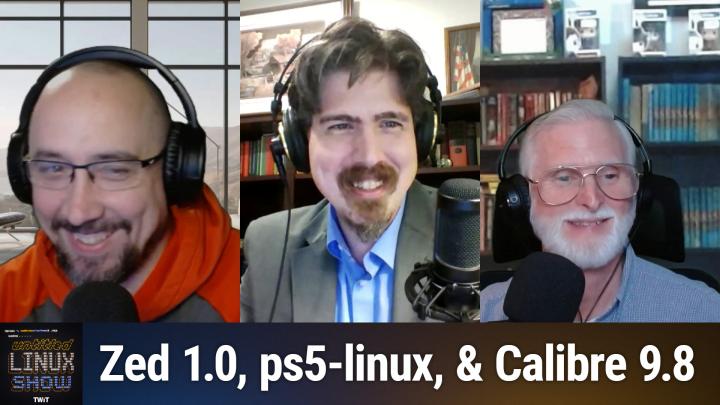
Untitled Linux Show 253 Transcript
Please be advised that this transcript is AI-generated and may not be word-for-word. Time codes refer to the approximate times in the ad-free version of the show.
Jonathan Bennett [00:00:00]:
This week we're talking about Ubuntu and its AI future. We're talking about the Z Auto Editor release. There's copy fail, there's finally HDMI 2.1 support and a lot more. You don't want to miss it, so stay tuned.
Rob Campbell [00:00:16]:
Podcasts you love from people you trust.
Jonathan Bennett [00:00:21]:
This is Twit. This is the Untitled Linux Show, Episode 253, recorded Saturday, May 2. Patch out the fun. Hey, folks, it is Saturday, and you know what that means. It's time to get geeky with Linux, an open source, hardware and some software. It's the Untitled Linux Show. I am coming to you from the bunker, an undisclosed location. No, actually we're just on a very, very short family vacation and so I've borrowed the basement office and it's the second time I've recorded a show here.
Jonathan Bennett [00:00:55]:
It works actually fairly well. But we've got a couple of the normal guys here. Jeff is out, we've got Rob, and we've got Ken, and we've got a bunch of stories to talk about this week. Hey guys, welcome to the show.
Ken McDonald [00:01:09]:
Glad to be back.
Rob Campbell [00:01:11]:
Yes, there's a lot of news this week and I had a little bit of hard time narrowing it down, but I got there just for you guys.
Jonathan Bennett [00:01:17]:
Just for us. Rob, you've got the first story and it is of course about AI. We talked about this a little bit last week, I think, but more here to dive into. So why don't you, why don't you kick us off, tell us what's going on with Ubuntu, and then we'll chat about it.
Rob Campbell [00:01:36]:
Yeah, so I briefly, I briefly mentioned how Canonical is planning to add some AI to Ubuntu, but since then the discussion has heated up and the Linux community has once again gone crazy. 2026 people hate, you know, here today in 2026, people hating most mainstream distros for using systemd and their evil age setting field. And before that was the hate for everyone moving to Wayland because. Well, I suppose because everyone has their own niche side case that didn't work well for them in 2019. Well, now everyone hates Canonical for. Well, I guess people hated Canonical before this because of Snaps and Amazon ads and lots of things. Anyway, now, now they hate Canonical for one more thing, and that is trying to make Ubuntu more like Windows 11 and with their AI copilot. At least that's kind of how some commenters describe it.
Rob Campbell [00:02:43]:
Canonical's VP of Engineering describes it a little differently. John Seeger posted a long explanation how the future of AI in Ubuntu is going to be. So the short version is that Canonical is planning to bring AI features into Ubuntu over the next year. But they are trying very hard to frame this as careful, local and optional as possible. Optional being the keyword. Yet on my socials this week people keep talking about Ubatu forcing AI on them. I don't know what part of optional they can comprehend, but there it is. The first features that are what they call implicit AI.
Rob Campbell [00:03:33]:
These are features where AI improves something that already exists without necessarily feeling like a chat bot bolted onto the desktop. You know, think better speech to text, better, better text speech accessibility improvements, which is something Linux has long struggled with and maybe camera focus and other behind the scenes improvements just just the things that are already there. The second category is explicit AI. That is where things get a little more controversial. Canonical talks about AI, native workflows, agents troubleshooting help, document generation, personal automation and eventually a more context aware operating system. And that seems to be the biggest issue with Linux users because for many people Linux is the escape hatch from Windows 11 copilot recall, cloud accounts, telemetry and every other feature. This top hall feels like it was designed and a boardroom to capture your data instead of something the actual users want. Yet Canonical says their approach is different.
Rob Campbell [00:04:46]:
They say the default bias will be local inference, not sending your data off to, you know, like ChatGPT, Gemini, Claude or some mystery cloud service. They are also planning to use open weight models where licensing lines up with their values. Now I know some are concerned with water Canonicals values anyway and the AI components are expected to come through Snap packages. Okay, I know snaps, that's another issue for some. They could have left that part out. I'm trying to defend these guys and then they have to throw in snaps to the story too and just make it that much more difficult. But that led to another controversy where you know, there will not unfortunately there's not going to be like a giant universal AI kill switch as I think most would like. I mean even AI advocates, fans I don't know like me, it's to be nice to just shut it off Instead Canonical says the features should be removed by removing the snaps that provide them.
Rob Campbell [00:06:00]:
So you just have to uninstall those features by uninstalling the snaps. I don't know, it's not that hard but it might be hard to like narrow it on each one. I'm sure somebody can just come up with a quick and easy app that's going to flip a switch and turn them all off. That can't be that hard to do as long as you keep track of what all the things are. And that seems easy enough. But for Ubuntu 26.10, these features are supposed to start as previews and be strictly opt in. But in later releases the idea is that Ubuntu's setup process, maybe they'll ask which AI data features you want enable, or I don't know, maybe I'll just enable them all. But this is still a major shift.
Rob Campbell [00:06:38]:
Canonical is clearly saying AI will be part of Ubuntu's future, not just a side project, not just a developer tool. They want AI to become part of how Ubatu helps users interact with the system. And honestly, in my opinion, we should just get used to it. I mean, AI is definitely going to be. It's here to stay. It's going to be a huge part of everyone's future and. And you know, nobody ever succeeded fight in the future. You know, you got Farmers who clung to their horse and plow were quickly replaced by farmers using tractors.
Rob Campbell [00:07:12]:
There's a saying I heard once, and I like to repeat this one a lot, so I may say it again in the future there are those who will use AI and those who will be replaced by people who use AI. But anyways, this battle will be up to Canonical to prove that they can stick to the Linux foundational philosophies while bringing Ubuntu into a more AI future that they're envisioning. And Canonical may be taking a more thoughtful approach than Microsoft, but they're walking into a community that does not hand out trust for free. And frankly has had a lot of issues with Canonical over the years and various things. So, you know, if they pull off this vision as they paint it, maybe it'll be enough to bring me back to um, too, I like shiny things.
Jonathan Bennett [00:08:08]:
So one of our, one of our listeners I like had a comment on this and I just thought it was great and hilarious. I says AI available on Linux. I didn't switch to have choices,
Rob Campbell [00:08:24]:
it's just. I did, yeah, I was being sarcastic.
Jonathan Bennett [00:08:30]:
So actually when I saw this story first pop up, one of the things I saw was that Ubuntu is probably going to have a first run dialogue or during the install process it's going to say here's the things we offer, pick the ones that you want. And that seems like a pretty reasonable way to do it to me. I think you're right, Rob that like, we've come to the point to where AI is not going away. It's sort of proved its usefulness for the vast majority of people that have tried it in one way or another. You know, we're not ready to hand over the keys of the kingdom to, to a local AI agent, which maybe that's the problem with openclaw and some of those. But yeah, it's definitely, it's definitely a bubble that's, that will deflate, but is still going to change the world in the same way that the. NET bubble did and all those things. We've talked about that before.
Jonathan Bennett [00:09:24]:
If Canonical wants Ubuntu to be a mainstream Linux distro, then you're going to have to play the AI game. So it makes sense. I think it's something they're going to have to do. And they're at least going into it with their eyes wide open. They know that this is a thing that certain people are going to hate. And so they're getting way ahead of that. Like, you can turn it off, we promise you can turn it off. And you know, that's, that's good so long as they can avoid.
Jonathan Bennett [00:09:49]:
And it sounds like, at least to me, so far they have, they can avoid it being creepy. That's what really got Microsoft on this. Microsoft's recall, the way that it was packaged and sold, just hit people's creep factor. You don't ever want that in an operating system. You don't want your computer to be creepy. That's the fastest way to get people to not use it. So I'm reasonably optimistic for, for Ubuntu's view.
Ken McDonald [00:10:14]:
This I'll have to say ever since Windows 3. One, there's always been a creepy factor in Microsoft.
Rob Campbell [00:10:23]:
You know, I mean, it is to be expected. But I've seen so much outrage online. It just blows my mind that today in 2026, people are like, oh, AI or Ubertu's, you know, just hurting themselves and everyone's gonna jump off. And other people like, well, what else can I use? What's better than Ubuntu now that they're doing this? And it's like the same thing with System D. People just a few weeks ago was like, oh, what? What can I use that doesn't have System D anymore?
Jonathan Bennett [00:10:53]:
It's like, yeah, you know, so I've, I've now been in a process, a large ish project project for a while and I've kind of figured out that you're just going to have a noisy minority, no matter what you do, anytime you change anything or anytime you don't change something, there's going to be some small group of people that are just angry and they're going to let you know about it as loudly as possible. And you just kind of have to learn to live with that.
Ken McDonald [00:11:24]:
When you need to worry is when they become a noisy majority.
Jonathan Bennett [00:11:28]:
Yeah, but it's almost impossible to tell because generally your majority are the ones that are happy and therefore not saying anything about it. So you got to kind of read between, as a project leader, you got to read between the lines, go, okay, do I think this is just the same five people with 10 alt accounts each that are spamming our videos making this particular comment, or are there really 500 people out there, don't check that math. Really 500 people out there that think that this is the case?
Rob Campbell [00:11:55]:
Yeah. It would be the same way if like every distro was going for AI and Ubudu is like, no, we're not putting that in our things. You'd have some people just going crazy about that, Rob.
Ken McDonald [00:12:05]:
They're not.
Rob Campbell [00:12:07]:
So they are eventually just not.
Ken McDonald [00:12:10]:
They're not just, they're not being as open about it.
Rob Campbell [00:12:14]:
They're just taking it all slower, I think.
Jonathan Bennett [00:12:16]:
Yeah, that's so, that's an interesting, that's an interesting comment. And I think there will absolutely be a place for Linux distros that take that stance. Like, I would, I would very much like for there to be a Linux distro that I can install that doesn't do anything with AI. But it doesn't make sense for that to be Ubuntu. That's not what Ubuntu is about. Ubuntu is not a niche Linux distro. Ubuntu is attempting to be the Linux distro for the most, the, the greatest number of people. It is attempting to be a mainstream Linux distro.
Jonathan Bennett [00:12:43]:
And so they've got to, they've got to make decisions that fit that as their kind of their mindset, their vision of what they think mainstream Linux desktop needs to be going forwards. And I think using AI and having some of these agentic features in there in a way that people can actually control is probably what the future is going to look like.
Rob Campbell [00:13:02]:
I saw a comment about somebody moving, wanting to move away from Ubuntu to Fedora 44, which I have no problem with that. But the reason was because Ubuntu is, is backed by a large corporation.
Ken McDonald [00:13:21]:
I mean, technically, who backs Fedora?
Jonathan Bennett [00:13:25]:
Technically, Fedora is an independent organization. It is not technically backed by any large corporation.
Rob Campbell [00:13:32]:
I know there's definitely help fund it.
Jonathan Bennett [00:13:35]:
Yo. Yeah, it's called Red Hat and therefore IBM. So there's a very large corporation. But it's not, you know, it's not huge. It's, it's not, it's the, the tentacles aren't in there quite, quite the same way that, you know, you have, you have tentacles from Canonical inside of Ubuntu because they literally own it.
Rob Campbell [00:13:55]:
But frankly, if you want to talk about all the Ubuntu flavors, they're probably.
Ken McDonald [00:13:58]:
You mean the same people that brought us the IBM PC and PS2s?
Rob Campbell [00:14:03]:
Those are the guys, the, all the Ubuntu flavors like Kubuntu and Xubuntu and all them, they're probably in a very similar realm as the Fedora folks because they're, they're pretty much third parties doing this, who got the blessing and they're able to use the Ubuntu resources in effect.
Ken McDonald [00:14:25]:
I'd like to hear some of those backdoor discussions at some of these offices for enterprise Linux
Jonathan Bennett [00:14:35]:
distributions, I'm sure. So actually, we're actually going to talk about a Rust written code editor here in just a moment, but first we're going to take a quick break and we'll be right back after this. All right, Ken, Tell us about Zed.
Ken McDonald [00:14:54]:
Jonathan this week Bobby Barsoff and Michael Larabel wrote about Zed developers reaching a milestone in the Rust based code editors growth. What am I talking about? Version 1.0. Now, as has previously been mentioned on this podcast, these are the same developers behind the Atom editor. Anybody remember that being one of the most influential open source code editors of the 2000 and tens? Well, according to Bobby and Michael, Z1O builds on what Adam offered alongside standard editor features, the project now includes Git integration, SSH remoting, debugging, language tooling, and built in AI workflows. It also includes several smaller improvements including bookmark support, a new command palette, action to view Git commits, animated GIF support in the Markdown preview, improved fuzzy matching, better SSH session reuse, and support for the Deep Seek V4 Pro and Deep Seek V4 Flash AI models. Zed One release also brings many fixes across Git, vim mode, terminals, dev containers, remote development, Excuse me, Windows path handling, Markdown Preview, Python workspaces and Rob, I hate to say this, but Linux X11 input handling, one breaking change is included. The old Softwrap Colon preferred line length setting has been removed in favor of soft wrap Colon bounded. Now, according to Nathan sobo in his Z.dev blog, 1.0 doesn't mean done.
Ken McDonald [00:17:03]:
It also doesn't mean perfect. It means we've reached a tipping point where the most developers can quickly feel at home in Zed. If you've tried Zed a year or two ago and bounced because something was missing, 1.0 is our invitation to try again. ZED is more capable than it's ever been and still more performant. Now, I personally have been using Zed for editing since it was first ported to Linux back in 2024, and I find it to be similar to Visio Studio code or vscodium, whichever one you endorse. I haven't tried the Git integration or the SSH remoting yet. I'm not even sure if I'll need to try those, but I do like the debugging and language tooling features it has Now. You can always find more details about ZED in Bobby and Michael's articles.
Jonathan Bennett [00:18:02]:
Yeah, so it's pretty interesting to see. I've been trying to get an interview with the Zed guys too. You know, the SSH running it over SSH is actually really, really useful for doing things on a Raspberry PI. So you can do it two ways. You can either have the PI as your local SSH over to the desktop that has all the horsepower, or you can do it from the desktop because you want to compile something over the arm64 device. I actually use not with zed, I've not used ZED yet, but with VS code. I use the SSH stuff quite a bit for those two different scenarios. Super useful.
Ken McDonald [00:18:43]:
But I haven't even created an account with them for some of the other features that does require being able to sign into their servers.
Jonathan Bennett [00:18:54]:
Yeah, it's nice to not have to sign in for your. Your editor. That feels kind of.
Rob Campbell [00:18:59]:
I. I don't think I've ever signed in for any of my editors. But
Jonathan Bennett [00:19:04]:
yeah, I suppose code signed into GitHub for a couple of different reasons. Okay, that's fair.
Ken McDonald [00:19:12]:
But I could see where an enterprise would definitely pick up and subscribe to their business version that they've just launched.
Jonathan Bennett [00:19:21]:
Yeah, yeah, for sure.
Rob Campbell [00:19:22]:
Does that have AI?
Jonathan Bennett [00:19:26]:
You bring the AI, you bring your own AI. Well, there you go. That's one way to do it.
Ken McDonald [00:19:31]:
Bring your own AI. Be O Y A I B Y
Rob Campbell [00:19:36]:
A I
Jonathan Bennett [00:19:40]:
All right, well, so there was something else that happened this week that is super interesting to me and to all of us Linux nerds. And that is copy fail. This was a security story and I, I saw it, but I actually, I, I like Mike Kershaw's write up of it over on Hackaday, describing it both as, like, he says it's because it's a local only vulnerability, but it is, it is a pretty big deal. I went and I read through the, the actual details of this thing and it's. Well, let's just say that I disagree with the write up to where the vulnerability, the actual vulnerability is the actual code flaw. And yeah, it's pretty interesting to see. So this is all about how you cache memory in the kernel. Of course, you know, memory caching, that's one of those things that if you get it right, everything runs faster.
Jonathan Bennett [00:20:44]:
And so they're constantly working to make the, the caching, the memory management as a whole work much better. So what happens is when you open up an encryption, there's essentially an encryption API in the kernel. And so you open up a socket to this to write to it, to be able to have a conversation with the encryption engine and say, hey, I need you to, you know, whether it's encrypt this thing with AES512 or do an AEA action to it. You open this and you start talking to it and you put memory into it. You take memory out of it and it maps things internally to make them happen. To speed it up, to speed things up, the kernel, what the kernel has done is instead of treating each of these conversations as completely separate, it just grabs one big page of memory and maps them all into that. And there are individual, you could think of it as like individual algorithms that you're going to use when you talk to this. You know, again, some of them are just AES, some of them may even be like a SHA hash over something.
Jonathan Bennett [00:22:08]:
Well, one in particular is auth in auth and sensen, I suppose is how you would say this. It's a auth encesn. So it's a wrapper used by ipsec actually for doing extended sequence numbers. And so this is where you have 64 bit sequence numbers. They're split into a high half and a low half. The, the wire format carries the low half. The high half is sort of implicit inside of it. And for doing an HMAC inside of ipsec, these bytes need to get sort of recreated and rearranged.
Jonathan Bennett [00:22:48]:
So when you make this call, and here's the real interesting part, this, in the kernel API, it's doing its calculations and it's got a four by byte sort of intermediary step, it's going to create these four bytes and it needs to use them again to do the next step. So we generate these four bytes intermediary step. And this, this kernel, this kernel module, it just uses what needs scratch memory. It's what sort of what we would, what we would call it, it's just a place to quickly store something. You're going to pick it back up and you know, then keep going. Uses a piece of memory inside of this sort of encryption API region, but beyond the memory that was given to this particular operation. Essentially it writes past the end of its buffer and that's it. That's the core of the problem, is that when you call this particular API call, when IPsec is initialized, it will write past the end zone memory.
Jonathan Bennett [00:23:58]:
And you would think, oh well, that certainly couldn't cause any problems. Well, that piece of code was added in 2011. In 2015 the next thing was added, which wasn't a problem, but it does the next step of making this a vulnerability. And in 2017 there was an optimization where these AEAD operations were done in place. And when you put all, nobody made this connection, but when you put all of those together, what it actually means is this IPsec, which by the way, you can talk to this API just from use as an unprivileged user. What it means is that you can write four bytes over basically any other applications cache pages. You can write over the cached RAM the other application. Well that's kind of a problem, particularly when one of those applications is su, which is a set UID to root binary, which means that when you run it, it runs as root.
Jonathan Bennett [00:25:13]:
Typical thing inside of Linux and Unix. Certain things just have to have root permissions to be able to do things like oh, open up a RAW socket to send pings, for example. It's one of the most common ones. SU does this. Well what the full, the full exploit. It's really pretty interesting. So you open a socket to the encryption service, you get everything ready and then I think you open up SU and then you trigger the write and it actually writes over. Oh no, you, you, you get it ready, you trigger the write several times and it actually writes for the SU binary in cache.
Jonathan Bennett [00:26:00]:
And then the next time that user runs su, it loads the binary back from this same region of cache, which means you've got, you've got injected shellcode. You can just, you can just write memory over the cache and then it will be run. So like it's a very trivial Exploit. You know, there's no return operate, return oriented programming. There's no gadgets. You just, you write the memory and then you execute it. It's rude. It's real bad.
Jonathan Bennett [00:26:29]:
Yeah, there's a, there's a demo. They ran it on Ubuntu 24.04, Amazon's Amazon Linux 2023, RHEL 10.1 and SUSE 16 and looks like it's the exact same exploit. Runs correctly, gets you root access on each of those. It's, it's, it's pretty nasty. It has been, it has been patched. It was actually patched April 1, so it has been out for a bit. There is a CVE assigned to it and that was a week ago the CVE got assigned. So, you know, pretty, pretty aggressive on getting this one out into the public.
Jonathan Bennett [00:27:07]:
But you know, patches are available in any OS that is actively supported. So just go out and grab it. But yeah, it's, it's, it's pretty nasty. And go, go update your, update your kernel.
Ken McDonald [00:27:27]:
Good thing I did those updates yesterday.
Jonathan Bennett [00:27:30]:
Yeah, you should have it, you should have the fix and you can. There's. Let's see up. I think I have the website in the show notes, but I think they do have a, a POC out there, proof of concept where you can actually grab it and try it.
Rob Campbell [00:27:49]:
Yeah, there's something that Mashed Potato posted in the chat about somebody who had problems, accidentally locked himself out using a SU and then used the copy fail to get back in. Saved him five minutes.
Jonathan Bennett [00:28:08]:
The funniest thing about that is that what that user was doing was trying to update the kernel to fix the copy fail vulnerability. Let's see, what do we have next? We're going to take another quick break and then it's back with another Ubuntu story. But this time somebody's getting ddos. We'll be right back. All right, Rob, it's a very Ubuntu day for you today, isn't it?
Rob Campbell [00:28:39]:
You know, I've given them such a hard time all these years that it's just time to focus on them a little more and give them some love, I guess. I don't know if this is love, but. Or what it is.
Jonathan Bennett [00:28:54]:
Real, real.
Ken McDonald [00:28:54]:
Give them some much needed attention.
Rob Campbell [00:28:59]:
I mean, I've given them plenty of attention. Just not always good. But yeah, this week in Ubuntu world there's another story also to talk about. And that is, well, as Jonathan said, they have been experiencing some dos or it's a distributed denial of service Attacks. You know, it makes me wonder if this is related to my previous story at all on UBA 2. You know, maybe A on AI or some hacktivist trying to strike back or. Or some Cali fans trying to give Ubuntu users just one more reason to walk away from Ubuntu. Okay, now to be clear, we don't actually know what the motive is here or even exactly who's behind it, but according to OMG Ubuntu, Canonical's website and services were hit by what Canonical describes as a sustained cross border attack.
Rob Campbell [00:29:59]:
The attack reportedly affected major Ubuntu and Canonical services, including the Ubuntu website, the Snap Store, Launchpad login services, parts of Canonical's own site, Live patch landscape and other related services. So if you're trying to install a snap, well, I guess that's a feature you don't get that Snap. But anyway, check Launchpad, grab something from snapcraft or visit it an Ubuntu service and everything may have just felt broken. It probably wasn't just your Internet because yeah, that's kind of what this did. The good news is, is that this does not mean but to itself was compromised. There is no indication that Ubuntu installs were hacked, infected, directly infected or anything like that. This was about availability. In other words, the services were being knocked offline or made unreachable.
Rob Campbell [00:30:58]:
The, the live patch part is interesting to me because I could picture an attacker finding like a vulnerability in the kernel maybe like Jonathan mentioned, and then while actively trying to exploit that, they could simultaneously block live patches from fixing it via this DDoS, you know, get those things combined together and like block the fix and exploit. I don't know. But fortunately Ubuntu's app repositories were not completely offline. So you still could have done the old. You wouldn't have been protected by the live patch, but you could have done the whole update and reboot the system and all that and get them that way. And that is because the app repositories, because they are mirrored across many different servers and locations, even if the main Ubuntu archive was having issues. The distributed mirror systems themselves help keep package downloads and ISO downloads from being taken out by one centralized failure. So you know, that would probably take one massive DDoS attack to DDoS them all.
Rob Campbell [00:32:17]:
And this is a good reminder why Linux infrastructure is often built this way. Mirrors aren't just a convenience, so you could pick the one that's closest to you. They're also resilience but the outage still highlights how much the Ubuntu ecosystem depends on Canonical hosted services. You know, Snaps, Launchpad authentication, live patch, landscape, web portals, all become visible when they stop working. Canonical did not officially call it a DDoS in the article, but the description of the sustained attack causing widespread 503 errors and in my own experience and the ISP world, you know, this certainly sounds like a large, you know, an availability denial attack. So was this about Ubatu's AI plans, Snaps Canonical being canonical, or just someone trying to cause chaos? We don't know. But for Ubuntu users, the practical story is pretty simple. For some reason, Ubatu was a target here.
Rob Campbell [00:33:21]:
And you know, many Linux users came to Linux because they wanted to get away from the big target. But so who knows what is what, where it's where, how it is. It's. It happened this week and maybe we'll learn more later. Maybe won't.
Jonathan Bennett [00:33:37]:
Well, so I have, I have the scoop on the rumor.
Rob Campbell [00:33:42]:
So later. It is already. It's already later.
Jonathan Bennett [00:33:45]:
So yes, it's already later. There is the Group 313 team that is a pro Iran hack, also known as the Islamic Cyber Resistance in Iraq. I don't know, I don't come up with the names. They have claimed responsibility and apparently they, they wrote on telegram saying the attack on all Ubuntu servers remains ongoing. As a reminder, our communication channels remain open for Ubuntu to contact us so that we may agree. Agree on a ceasefire. There's a little bit of geopolitics leaking into our Linux desktops here apparently. Now keep in mind it is super duper easy for anyone to come along and claim on social media that, oh yeah, that was me, I did that.
Jonathan Bennett [00:34:29]:
I totally did that.
Rob Campbell [00:34:30]:
Yeah.
Jonathan Bennett [00:34:31]:
But it may or may not be these guys.
Rob Campbell [00:34:33]:
I have no idea.
Ken McDonald [00:34:34]:
Find out. They didn't, they weren't the ones. When you come to an arrangement and it doesn't stop.
Rob Campbell [00:34:40]:
Yeah, I mean, and also, I mean like, I have no idea how prevalent that really is to claim attacks in our ears, but it's very prevalent in, in fictional stories. So it happens all the time and things I read.
Jonathan Bennett [00:34:53]:
Yeah, it. No, that, that does happen all the time. It's, it's pretty common for, for people to claim. This is why you always see skepticism when it's like someone announced on Twitter that they were the ones behind it.
Rob Campbell [00:35:03]:
Like I'm sure they did, but I, I know these. The threats of Iranian tax because of the war and all the cyber stuff there have been alerts and notifications sent to companies to be aware of and kind of be vigilant and look out for this kind of stuff that it may happen. So it lines up, I guess.
Jonathan Bennett [00:35:28]:
Yeah, I mean, it, it might be related. I don't. I don't know. I will say that I'm pretty sure that Ubuntu is not going to come to any arrangement with these guys. They're going to tell them to pound sand and just get better servers and, you know, get Cloudflare to help them and all of those things. Yeah, we'll see. We'll see what exactly happens. As of checking right now, the only thing that is currently affected is Launchpad itself.
Jonathan Bennett [00:35:51]:
So, like Launchpad and ppa, Launchpad, everything else is up. And so, yeah, Ubuntu, they're slogging through and making it work in the midst of a DDoS, and it looks like
Ken McDonald [00:36:03]:
it's been going, going down and coming back up and then going down for the last at least four hours.
Jonathan Bennett [00:36:10]:
Yeah, yeah, that makes. That sounds right. That makes sense. As the, as the DDoS, you know, gains and loses members of the. The bot cloud. Yeah. Hey.
Ken McDonald [00:36:23]:
Hey.
Jonathan Bennett [00:36:23]:
The Internet's not working. Restart the router. Thirty minutes later, you rediscover it. Oh, send the exploit back. It's back.
Rob Campbell [00:36:34]:
I wonder if you get like a wave of people rebooting routers all over the world. Up and down.
Jonathan Bennett [00:36:42]:
That's exactly what it is.
Ken McDonald [00:36:44]:
I hope that Joyce Nedden can at least finish putting together his April Linux app release roundup, since according to the article, you've got Linked there. Rob, that's what he. He just how he discovered it. Oh, he was trying to.
Jonathan Bennett [00:37:04]:
Yeah, yeah. All right, let's see now. Do we want to talk?
Rob Campbell [00:37:11]:
I should say. I believe. I believe that is already. I think I saw the April app release article, so I think that's on there. So I think he got that done.
Jonathan Bennett [00:37:21]:
There you go.
Rob Campbell [00:37:22]:
Anyway, proceed.
Jonathan Bennett [00:37:23]:
All right, let's talk about default folders. There is something new. I saw this at first and I thought it was a joke, but no, there's a new default folder in everybody's Linux home driver. Well, will be with a future update at some point. Ken, what's the story here?
Rob Campbell [00:37:39]:
Actually, how are they going to mess
Ken McDonald [00:37:41]:
up our folders this week? Bishik Proxy Prakas and I know I'm mispronouncing that, wrote about a new addition to the default folder sit in the home directory. As everybody knows, we currently have the desktop folder, which I use for storing files and launchers that appear on my desktop. The Documents folder for my text files, spreadsheets, presentation or any other personal documents that I might want to keep together. Printouts of my health record, maybe. And then there's the Downloads folder for automatically receiving files downloaded from the Internet. The Music folder for storing my audio files. Got a lot of albums in it. Picture folders for storing photos and image files.
Ken McDonald [00:38:34]:
That's where I got my avatar that I use when I have to step away. Then of course there's a public folder for storing files you want to share with others. I actually use that for my Plex Media server as well. Template folder, where you can store templates or skeleton files used to create new documents with some of the information already pre filled. And of course a videos folder dedicated to your movies and video clips. Now according to S.B. schick, we have a new addition, Projects. It gives you a place to keep your project files, the kind of files that do not necessarily go in documents, music, pictures and folder and videos, for example, your coding projects, your 3D printing and CAD projects, and so on, so forth.
Ken McDonald [00:39:31]:
Now a Projects folder will provide applications with a predictable place to store project related files. This can also improve interoperability between tools, for example, and I could offer to create repositories and projects. By default, build tools could assume a sensible project workspace, and installation guides or readme instructions could refer to a common location. Instead of telling users to create arbitrary folders like Home Dev, Home code, or Home projects, it can make granting permissions for sandbox applications such as Flatpak apps easier. In fact, 11 years ago the request to include a standard projects directory was submitted by Benji Lures who wrote Currently XDG users do not specify a directory for environments of projects. For software projects, these usually include source code, version control, compiled binaries, test artifacts, and downloaded dependencies. As they are much more than downloads and usually kept indefinitely, they do not fit in there. The benefit of defining a Projects folder would be that when writing a readme or install script for a project, one could automatically download the source to the user defined location, set up the build environment and install from there.
Ken McDonald [00:41:08]:
Now this new standard directory change came with the release of XDG user dirs version 0.20 and has already been implemented by gnome, free desktop and KDE. I even confirmed it is now part of the OpenSUSE Tumbleweeds Home Directory as of its latest update, which I did yesterday. As always, more details can be obtained from Abhishek's article.
Jonathan Bennett [00:41:39]:
Yeah, this is interesting. You know I always Have a SRC folder that I create like almost first thing on every desktop I have. You know, make your src cd space se and then go start cloning stuff off again. GitHub.
Ken McDonald [00:41:55]:
I've got a developing folder that I came up with.
Jonathan Bennett [00:41:59]:
Yeah.
Ken McDonald [00:42:00]:
That I do my developing in for Bash scripts when I'm playing around with some of the Rust programs as I was teaching myself a little bit of it.
Rob Campbell [00:42:11]:
So my hot take on this, I think the home directory is already crowded. There's already way too many folders in there. I don't use. I don't need another one.
Ken McDonald [00:42:22]:
So which ones don't you use?
Rob Campbell [00:42:25]:
Almost everyone. I don't use anyone. I don't put pictures where the photos or whatever where they want documents where they want it on Windows either. So I, I understand the point of having a, a unified place that all, you know, Visual Studio code can expect to put projects in and other development platforms. A unified place. What bugs me is having it that folder created by default, you know, so now all these people who don't do projects, don't do development. They're just on Linux, maybe gaming, doing a few docs. Now they got another folder there.
Rob Campbell [00:43:02]:
You know what, have a standard folder but have it only created when it's needed. Like once something needs to use it, create it at that time. And I say that for all of them. You know, I'm gonna, if, if I, if I have a gui. Okay. Have the desktop. But you know what? Don't put a document there unless I want to use it.
Ken McDonald [00:43:21]:
So in other words, have the application that needs that folder created when it needs it.
Rob Campbell [00:43:26]:
Sure. Have a standard. And then have the, the document or the, the program create it when it needs it. I think it's over. I hate how many folders are in there now when I do a lsr, it's like it's such a mess.
Jonathan Bennett [00:43:42]:
I'm gonna suggest you actually just hide the folders that don't have anything in them.
Rob Campbell [00:43:46]:
Yeah, I know. I could just delete them. I could change my, my, my skel things so that way it doesn't. But you know, talk about. People are saying we're getting forced AI forced on us. No, we're getting forced directories. Getting directories full forced. Okay.
Rob Campbell [00:44:03]:
This is Linux. I'm sorry, these are directories forced on you.
Ken McDonald [00:44:06]:
It's as simple as RMD projects.
Rob Campbell [00:44:12]:
Okay, I got, first I got to correct myself. These are. We're Linux. This is directories, not folders. Folders is Linux. Linux Windows. Okay. Anyway, folders.
Ken McDonald [00:44:21]:
Windows actually I think they're inter. We swap them out all the time. Yeah, we're talking about them.
Rob Campbell [00:44:27]:
They're directories. Anyway. We're having directories forced on us for decades.
Ken McDonald [00:44:36]:
And the worst one is the home directory itself.
Jonathan Bennett [00:44:39]:
It's Rob's fighting the wars that nobody else is fighting.
Ken McDonald [00:44:42]:
Yeah.
Rob Campbell [00:44:42]:
Okay.
Jonathan Bennett [00:44:42]:
You know how come windmills.
Rob Campbell [00:44:45]:
How come root is a user and that's in the root directory? You know, it's slash root, but all the other users are in slash home. Why isn't it slash home, slash root?
Ken McDonald [00:44:56]:
I'm sure root isn't a user.
Jonathan Bennett [00:44:59]:
Root is a user.
Ken McDonald [00:45:00]:
Root is sysadmin. Yeah, Root can do anything.
Jonathan Bennett [00:45:03]:
Reasons why Root goes into a different place.
Rob Campbell [00:45:06]:
It's probably because long time ago root was the only user and they're like, oh, I'm going to create these other users. We can't put them all in the root directory. Let's make a home folder. And then they all went in there.
Jonathan Bennett [00:45:20]:
I will say it's actually pretty useful if you've got like a second drive or a raid, that is your home directory that where all of your users, other users sit. You can still log in as root to fix something that's fairly useful to have it on your main drive and not like a secondary drive with the rest of your users.
Rob Campbell [00:45:40]:
But then if I have my home directory backed up for. For backup purposes, I still lose all my root stuff.
Jonathan Bennett [00:45:48]:
You really shouldn't have anything in your directories.
Ken McDonald [00:45:55]:
The only thing I ever have in root is any file that was created.
Rob Campbell [00:46:01]:
Ken has any file in there. Anyone at all.
Ken McDonald [00:46:04]:
Is that where that's at.ini file.
Jonathan Bennett [00:46:06]:
Oh, okay.
Rob Campbell [00:46:08]:
Now where's. Where's the. Any key at
Ken McDonald [00:46:12]:
that was created in the root directory when I ran some application as root?
Jonathan Bennett [00:46:19]:
Yeah, yeah, don't do that either. Goodness. All right.
Ken McDonald [00:46:25]:
Any arbitrary application.
Jonathan Bennett [00:46:27]:
Yeah, we're going to move on. We're going to stop fighting over folders and directories and whether we should run things as root or not. Because games system you're gaming on. Yes, it's the Steam survey. We've got the next month available and you might remember that we had a record breaking March and April. April was a little, a little down a little bit. So we hit 5.33% was the Linux usage for Steam in March and we are now down to 4.52%. So a little bit under 5% again, quite a drop.
Jonathan Bennett [00:47:11]:
It's a 0.8% drop compared to March. And you know, this was not entirely unexpected. We did kind of think that There was some, there were some things probably at play that were making, making Linux be a little bit overrepresented, although it's not, it did not plummet as much as one thought it might, might. There are a couple of interesting things to look at on here. I will say that as you go through underpowered machines had the biggest drop. And so in particular I saw the list of VRAM video card RAM, the 1 gig and 2 gig percentages both dropped about 30.35%. It was 0.3 7.34. And so, you know, I was going through this looking basically at these, going what numbers add up to this? 0.81%.
Jonathan Bennett [00:48:09]:
So essentially was my thought process and that was, that was one of the ones that looked interesting is that, you know, maybe we were, we lost some of the, for whatever reason we lost some of these machines that were low power machines a decent dip across all of the low primary display resolution machines as well. And yeah, just quite a dip actually in those using English language too, which that one's always interesting to look at because it sort of implies, you know, various countries being overrepresented and underrepresented in this. And so English dropped by 2.3%. Simplified Chinese went up by 0.66%. Japanese went up by half a percent. Korean went up by 1%. So this seems to be a sort of a swing towards representation in Asia versus in the West. Yeah, just sort of interesting to look through all of these.
Jonathan Bennett [00:49:09]:
But for, for those of us that, you know, care about the Linux numbers in particular, again we took, we took a little bit of a hit but still we're doing much better than we were a year ago where we were sitting at 2.27%. So still on the upswing. Just interesting to, interesting to see the numbers and try to read the tea leaves.
Rob Campbell [00:49:31]:
That's.
Ken McDonald [00:49:32]:
Could it be that some of the people shut their computers off and just went out for a couple, for the whole month of April?
Jonathan Bennett [00:49:40]:
I suppose that's possible. Rob, you have any thoughts?
Rob Campbell [00:49:46]:
Not after what Ken said,
Ken McDonald [00:49:51]:
because I'll admit I don't think I fired up Steam once during the month of April.
Jonathan Bennett [00:49:57]:
I, Yeah, I mean, I suppose that's probably that could be part of it. So like if you have a, a region of the world where they take a whole month off or people are more likely to be on vacation or using different machine, it could be a thing but, but I don't know. There's a direct line to, to draw between that idea and this particular outcome.
Rob Campbell [00:50:16]:
All the, all the Most where the countries have all the Linux users they celebrate April Fools Month. So
Jonathan Bennett [00:50:24]:
yeah, that's true, but I don't know that that that plays into this either. Anyway, all right, we're especially since the 5.
Ken McDonald [00:50:32]:
The the 5% that we hit wasn't announced on April 1, was it?
Jonathan Bennett [00:50:37]:
No, I don't think so. I don't think it was. Maybe it was. But anyway, we're going to take another quick break and then we're going to talk about Rob's maybe ideal gaming system. This should be interesting. We'll be right back.
Rob Campbell [00:50:51]:
I think I may have just found my next Linux gaming or at least finally a reason to buy a PlayStation 5. And no, no, it's not because Sony suddenly decided to embrace open source and ship a Steam Deck competitor. But maybe they should, they should consider it. This is because security engineer Andy Nguyen has released a project that can boot Linux on certain PlayStation 5 consoles, turning them into a very unofficial Linux gaming PC. The project is called PS5. Linux can be found on GitHub and it works on the original non slim PS5 models. But there's a big catch. Your console needs to be on older firmware, which seems to often be the case.
Rob Campbell [00:51:44]:
Every time I run into these I can never run them specifically. In this case the supported versions are the 3xx and the 4xx range because this relies on a patched vulnerability. Apparently running what you want on your system is a vulnerability. So if your PS5 has kept up to date like you know most normal human beings do, this probably isn't going to work for you. But guess so. I guess there goes my plans to buy a brand new PS5 unless they aren't updated out of the box.
Jonathan Bennett [00:52:20]:
I don't know.
Ken McDonald [00:52:22]:
Hmm.
Rob Campbell [00:52:22]:
But anyway, when it does work, according to this article, you get quite the Linux gaming box. The PS5 has an 8 core 16 thread, Zen 2 CPU, an Rdna 2 GPU and HDMI output up to 4K at 60Hz. Once Linux is booted, it behaves like a regular X8664 Linux machine. The project supports several distros including UM 2.24.04, Ubuntu 26.04, Arch Linux and Alpine. And yes, Steam runs on it and Andy Nguyen even showed GTA or Grand Theft Auto 5 enhanced running with ray tracing reportedly hitting 60fps at 1440p. So we are well beyond the Linux technically boots and shows a terminal stage here. This is still very much a hack, though it's not a polished consumer ready experience. You have to build a Linux image, boot from usb, use the exploit and then rerun the exploit after every boot.
Rob Campbell [00:53:37]:
Yeah, oof, right there. That part seems rough, but it also does not replace the Sony's internal operating system and internal SSD is left alone, which really that's what I love to do. But you know, there are also hardware limitations like built in. Bluetooth does not currently work under Linux, so you need to use like USB dongle and for wireless dualsense controllers you also need usb, Ethernet or WI fi for networking. And the setup needs a keyboard, mouse and at least a 64 gigabit USB drive. You know I, I believe. Oh maybe that's Xbox. I can't remember one of them.
Rob Campbell [00:54:20]:
I think. Oh, I think PlayStation, one of the older ones actually officially supported Linux being installed on it ran on somehow, I can't remember. Yeah, PS2. Yeah, yeah, they had, they had that one away.
Jonathan Bennett [00:54:33]:
But yeah, eventually they had a nice SDK though. I, I remember anyway, somebody like the US Air Force bought like 500 PS2s and made one of the biggest. It was pretty cool.
Rob Campbell [00:54:44]:
Yeah. So anyway, you know, is this practical? Not really. But is it awesome? Absolutely, absolutely. Just another classic Linux community project where the main reason to do it is because someone said I wonder if we can. And that's really what makes Linux fun. But dollar for dollar feature feature. I think I'll just wait for the upcoming Valve Steam box and probably around the same price ish or so, who knows. It's not announced yet and you know, it's a Linux gaming box specifically built for Linux gaming.
Rob Campbell [00:55:16]:
It's going to be a far better experience. So maybe in the future if I get my hands on the old PS5 I could have some fun. But I don't think I'm going to run out and buy one just for this yet.
Jonathan Bennett [00:55:26]:
Yeah, people are telling us it was the PlayStation 3 that officially supported Linux. And of course I'm going to have to go look because I really thought it was the PS2. I do know. No, no. Linux for PlayStation. PS2. Linux is a kit released by Sony computer entertainment in 2002 that allows the PS2 to run as a personal computer. It was a thing on PS2.
Jonathan Bennett [00:55:51]:
Maybe it was the PS3 that the Air Force bought a bunch of.
Rob Campbell [00:55:55]:
And then I know there have been
Jonathan Bennett [00:55:57]:
this around, this sounded super familiar to me and so I went and I looked and there was also a similar hack for the PlayStation 4 where you could run Linux on it and install Steam and you know, play your, play your Steam games on your PlayStation via Linux. So yeah, time's a flat circle when it comes to this.
Rob Campbell [00:56:17]:
Yeah, I want to do that but it Also again the PlayStation 4, it got patched out I believe so it still requires an older firmware. So they always patch out the fun.
Jonathan Bennett [00:56:29]:
They always patch out the fun fun.
Rob Campbell [00:56:32]:
All kinds of years ago I did
Ken McDonald [00:56:34]:
talking about Sony always patching out the fun.
Rob Campbell [00:56:37]:
All the game console makers, everyone, everyone patches out the fun. I've. I've had Linux working on my Wii years ago and then I updated it and didn't work anymore. I was so sad.
Jonathan Bennett [00:56:50]:
Yeah, well, so you know like you talked about this idea of it's a vulnerability. It is because. Because they're using secure boot and they're actually to break into this and to run Linux you've got to have like. I think it's, it's generally in the built in web browser is where they actually. They crack into it or at least that's what it was with with previous ones. Yeah and it's, it's all about being able to play pirated games. Right. Like that's why, at least that's the reason that Sony gives and Nintendo gives and all these guys give like why you can't run your own os.
Jonathan Bennett [00:57:24]:
Well certainly people would use it to play pirated games. Yes, some people do that. But you know what you going to do?
Rob Campbell [00:57:32]:
I like I know what we're going to do. Get the Steam box.
Jonathan Bennett [00:57:36]:
Yeah, that's true. That's true. All right. Well probably not actually your next gaming system, but if it was Ken, is there a decent ebook manager that he could install on it?
Ken McDonald [00:57:49]:
There's always a decent ebook manager that he could install on any Linux distribution that can even be installed on Windows or Mac. But I'm going to take us Back to episode 246 for a minute because that's when I reported on Caliber updating to version 9.5. Why am I going back that far? Because we haven't talked about it since then. And this week Bobby Borisov and Marcus Nestor wrote about Caliber developer Covid goal releasing version 9.8. So there's a few versions that we've skipped over now. We do now have several new features to include a new in cards based view of full text search results with book covers adding the option to have the height of books be constant per group that was added in version 9.6. Allow grouping results by any field in the Annotations browser and the ebook viewer can handle native pinch to zoom gesture on touchpads the same as the Pinch to zoom on touch screens in version 9.7, according to Bobby. The most significant update in version 9.8 is expanded AI provider support.
Ken McDonald [00:59:09]:
Calibre now works with any local provider offering an OpenAI compatible interface, allowing users greater flexibility when connecting to locally hosted AI services. According to Marcus, it improves the Edit Book feature by allowing you to reset the zoom to 100% by right clicking in the preview panel and improve the content server by allowing you to see book details. By clicking on Book titles covers in the mobile view, you can find more information about all the new features, bug fixes and new news sources in Bobby and Marcus's articles.
Jonathan Bennett [00:59:53]:
So what's the AI integration in Calibre? What does it let you do? Is this like to quickly search through your library of books to find something
Ken McDonald [01:00:04]:
you can do that? You can have it help you with finding a book that contains some information as well?
Rob Campbell [01:00:12]:
What, what if you're reading a book and you don't like the content? Will AI fix that for you and like write it better?
Ken McDonald [01:00:19]:
If you've got the editing tools at Open. Yeah. You could ask it to help you. Yeah, you can actually go in and edit some of the ebooks that you have.
Rob Campbell [01:00:34]:
You say, hey, AI, I don't like this ending. Can you make it better so this happens?
Jonathan Bennett [01:00:39]:
Oh my goodness. Or here you go. I, I like this book by Cory Dr. It was, it was a great idea, but I wish instead of being written by a liberal, it was written by a conservative. Can you rewrite the book as though it was written by a conservative?
Ken McDonald [01:00:55]:
Oh.
Jonathan Bennett [01:00:56]:
Or vice versa. I mean, pick your poison, right? But
Rob Campbell [01:01:01]:
yeah.
Jonathan Bennett [01:01:02]:
Anyway, That's hilarious. I bet you I would not be surprised if there were already people out there doing that. Publishing houses doing that sort of thing. I don't know.
Rob Campbell [01:01:16]:
Write this book in this person's perspective
Jonathan Bennett [01:01:21]:
or this author's voice.
Rob Campbell [01:01:24]:
Yeah, yeah, yeah.
Jonathan Bennett [01:01:26]:
Anyway, I mean, or it's not like we've not had ghostwriters doing that thing for the past 50 years anyways.
Ken McDonald [01:01:34]:
Or you could ask the AI to help you with coming up with a better cover for the book.
Rob Campbell [01:01:39]:
That is the problem is. The problem is Claude's going to ask you a thousand questions and you're just going to give up before you get to the.
Ken McDonald [01:01:46]:
That's why you don't use Claude. You pick another AI.
Jonathan Bennett [01:01:51]:
Yeah, but maybe, maybe the AI will give you a book cover where the hero's hair color actually matches what's in the book as opposed to most book covers where it looks like the, the, the illustrator didn't read the book at all before making the COVID I've never
Rob Campbell [01:02:09]:
noticed that because I don't pay a whole lot of attention to covers. But I know I get this image in my head and then like 12 chapters in, they, they just, they describe their hair com like no, that's not how I had it pictured at all. Not the way they act, not the way they. I don't know.
Jonathan Bennett [01:02:24]:
Yeah, across to me, it's super fun to read through books and get, you know, most of the way through the book, you, you understand what's going on and then actually look at the book cover and it, you know, nine times out of ten it's like this does not match at all. Like you didn't read this book at
Ken McDonald [01:02:37]:
all or, or, or you see a movie or TV adaptation of a book and the actor they choose doesn't match the image you've got of the.
Rob Campbell [01:02:49]:
Yeah, yeah, that.
Ken McDonald [01:02:50]:
Well, main character.
Jonathan Bennett [01:02:51]:
That's almost guaranteed. Anyway. All right, we have, we have a bit of good news to end the show this week, something I'm actually really excited about. And yeah, it's actually quite a win, at least for those of us on Team amd. Almost a Team ati. I am old enough to remember when it was Team ATI instead of Team amd. Anyway, good news coming from Pharonix and we're going to go straight to Phonics for this one because part of the news comes from the Pharonix comments, which is sometimes a place to go to, but today it's actually pretty useful. So the first part of this is that AMD has posted a set for fixed rate link FRL support in their kernel driver and FRL is part of HDMI 2.1.
Jonathan Bennett [01:03:41]:
And later you may remember that AMD had HDMI 2.1 all ready to go and then were not allowed for reasons to put it into the open source driver. The, the HDMI Consortium, I believe is what they're called, said, oh no, no, you can't put that out in the open. For whatever reason, I don't remember the exact details, but AMD was not allowed to do this. Well, AMD now has this patch for FRL, part of the 2.1 HDMI 2.1 specification. So everybody is really happy that we get this. It's going to make our video a little bit better. And specifically what this does, if I remember correctly, is this gets you a little bit more bandwidth out of HDMI. And so if you're doing like 4K at 120Hz, you get to do full color instead of the partial color hack that currently HDMI uses.
Jonathan Bennett [01:04:39]:
So that was, that was cool enough, but people were sort of wondering what happened with the legal troubles. And we've got a comment here in the forenix chat from AGD5F which if you've been around the sort of this, this world for a while, that is a, that is a moniker that will. It rings some bells. It, it tickles your neurons as it will. I forget what this guy's real name is, but he is a, he is an employee of amd. He is a graphics driver developer. He is very well known as someone working on this stuff upstream. And he has the comment that a full implementation, and this is in response to a question about other legal things and he says a full implementation will ultimately be available once the patches are ready and have completed compliant compliance testing.
Jonathan Bennett [01:05:50]:
And the implementation here is we're getting HDMI 2.1 finally on AMD, on Linux. And so yeah, that's, that's been a long time coming. A lot of us have been running it, you know, sort of cheap dongles like either, not, not dvi. Oh, what's the other Digital video. Oh my goodness, I can't come up with the acronym. The other, the other plug. That's not HDMI.
Rob Campbell [01:06:27]:
DisplayPort.
Jonathan Bennett [01:06:27]:
Yes, DisplayPort. Thank you. DP. That's what it did. We've been running DP to HDMI dongles. That's what I've got on my desktop at home. But that's, that's sort of a pain way. I have trouble with that one going to a blank screen.
Jonathan Bennett [01:06:41]:
I've got to use like control F1 and then control F2 to get it to come back and actually recognize my TV again. But yeah, so hopefully in another version or two we'll be able to just run EMI. We'll get HDMI 2.1 and then you can. You have your whole range of things that you want want at the same time. So in my case it's. I want 4K 120Hz, variable refresh rate and the full color Chroma and not the reduced colors that the place where that really gets me is like red text on the black terminal, just almost completely unreadable.
Ken McDonald [01:07:17]:
Basically the same list that any gamer would want.
Jonathan Bennett [01:07:22]:
If you have it, if you have a display that'll do it. Yes, it's the same, the same thing that every gamer wants. Oh and HDR of course too. That's got to work too.
Rob Campbell [01:07:29]:
The, you know, your issues.
Jonathan Bennett [01:07:32]:
Needs. I only need HDMR124K, blah, blah, blah, blah.
Rob Campbell [01:07:37]:
Your, your issues with, you know, DisplayPort to dongle using a, or using a dongle dis display port to hdmi. I mean, using a dongle. Just, just to be clear, I think those kinds of issues are not limited to Linux. I'm pretty sure. Pretty sure. I think it's the dongle issues on Windows too.
Jonathan Bennett [01:07:53]:
Yeah, yeah. I, I just, I hate the fact that I have to use a dongle, but what you gonna do? It was the only way to make the thing work. And even, even at that, I don't think all of them work. It was so, it was so close with HDMI using HD to plug everything in. It was, it was this close, but just couldn't read the red text on the black background. And like you would think, oh well, surely you don't ever do that happens a lot more than you would think, you know, because you're, you're compiling something, it has an error. Well, very helpfully, your error is in red text.
Rob Campbell [01:08:22]:
I can't read that.
Jonathan Bennett [01:08:23]:
We have to copy Terminal and into like Krite or something to be able to read it. It's a pain. Yep.
Rob Campbell [01:08:32]:
Yeah, designers don't always think colors through when they're, you know, designing background foreground colors.
Jonathan Bennett [01:08:41]:
I mean it works great if you're, if your monitor is showing the full color gamut, but if you're doing compressed colors, then it doesn't, you know, if
Rob Campbell [01:08:51]:
you're slightly color impaired like some of us, it doesn't even work great on no matter how good of a monitor you have.
Jonathan Bennett [01:08:57]:
That's true. And there are some guidelines and various tools to make sure that you get that right so that, you know, colorblind or color impaired people can, can still make out what you're trying to, just trying to show. All right, well, we've got some command line tips. We're going to take one final break and we're going to come back and we're start with Rob. We're going to go through our command line tips for the end of the show. We'll be right back after this. All right, Rob, what do you have for us today?
Rob Campbell [01:09:25]:
All right, my tip for this week is 2fan, so I just came across this command line TUI application. It's T o o f a N. What it stands for, what it's supposed to mean, I don't know. But what the app is is it is a typing speed test application. So you can install that various ways. It's in the Arch Users repository. It's there's a script on there, there's a go way to do it. So you just go to the, go to the.
Rob Campbell [01:10:00]:
The GitHub and you can install from there. But anyway, once you do it, you can run it. I ran it a few times. Speaking of color, I was not a fan of the default color because I had a hard time seeing it on the computer. I was testing this on earlier but anyway I ran a couple times. My ranges I got is 48 to 78 words per minute. You know this last time I ran it was 78 and accuracy 99 raw is 78 words per minute. One typo.
Rob Campbell [01:10:30]:
And this was a 30 second time test. So for those watching, you know if, if you go and do the test it basically the default is it just throws up a bunch of random words and you just type it in. And if you do an error, it's going to show a little error. You can fix it or you can just keep going and anyway it's going to go for 30 seconds which I don't, I don't care. I don't want to go all the way through that. But anyway, yeah, and then it's going to give you a, A your, your stats and it's going to keep track of them so you can keep trying to be your personal best. Keep practicing. There are some configuration options.
Rob Campbell [01:11:12]:
So if you hit the question mark here, why don't you do the question mark? Oh yeah, Shift is a question mark. So anyway, if you do the question mark it's going to give you some various things you can do. Control W to tag a words code, change the language. I guess there's different lessons, there's different themes which I changed to a. A color theme that I thought was better a profile. So there's various things you could do. So let's just do control T here.
Jonathan Bennett [01:11:50]:
Would you like a terminal that.
Rob Campbell [01:11:54]:
Anyway that did not work on there. So anyway, yeah, if you want to practice your typing and see how fast you type 2 fan is a 2 to do that with.
Jonathan Bennett [01:12:07]:
Fun. All right. Yeah, I'll have to check that one out. It's very easily installable with go. Although I have somehow my Go install is not quite right because I installed it and I still can't run it. Even go run 2 fan doesn't get it. So I gotta figure out probably it's just not the right environment. But.
Jonathan Bennett [01:12:30]:
Yeah, but it looks cool. I like the typing thing.
Rob Campbell [01:12:34]:
Yeah, I had a little more fun with it than I thought I would and I may try to see how fast I can get my taping speed up. I don't think my fingers are quite as fast as they used to be, but maybe with some practice I can get back up there. I was a little surprised I was still able to do 78 and I. I don't think that was the best I could do.
Jonathan Bennett [01:12:51]:
Yeah, there you go. I have to see if I can go in and beat your record. All right, Ken, what do you have for us?
Ken McDonald [01:13:00]:
Well, this week I'm going to start by asking, have you ever wanted to rerun a long command from a previous session? Finding the command is easy. In fact, I think you're going to touch on how you can go back through your history to find it and possibly piping it through grip to look for a portion of the command. Once you find it, you can type an exclamation mark followed by the number preceding the command. Right, now I'm going to show you a quicker way to get that number in front of that command, along with a few other tricks that I've got. Let me go ahead and bring up my screen here and I may need to expand these a little bit.
Jonathan Bennett [01:13:43]:
Zoom in here.
Ken McDonald [01:13:44]:
See that?
Jonathan Bennett [01:13:45]:
Yeah, that's about right.
Ken McDonald [01:13:49]:
And of course, the zooming I've covered before, it's just Control plus T. Is that good enough there?
Jonathan Bennett [01:13:55]:
Yeah, that should be fine.
Ken McDonald [01:13:57]:
All right, now, first thing I want to do is I need to connect to my server. So I am going to use my mouse to highlight connect function, then Control Shift C and then Control Shift V to paste it down there. That's my actual command is you can use the mouse to highlight and Control Shift C and Control Shift V to paste.
Jonathan Bennett [01:14:33]:
Because Control C does something different than the terminal by default.
Ken McDonald [01:14:38]:
Yes. If I were to do Control C right now, it would exit that function. Now that I'm into connected to that, my remote server, I can go down to a location in there and you can actually go Back to episode 132 to find out how I'm doing this. It's going to be a TV show. I've been going through and editing out some of the extra stuff that's in some of the shows. And I found that I was using this quite a lot, so I thought I'd share it with you.
Jonathan Bennett [01:15:27]:
Yeah, now
Ken McDonald [01:15:30]:
I've got that there. Now what I want to do is copy all the files that are in this folder into copy that directory and those files in that directory into this directory here. So I'm going to do that by using pwd, both of these terminals, and then I can come in highlight Control Shift copy. Now you noticed I've got Kate open. I'm going to use that as a scratch pad and this is why I like copying. Instead of trying to type it out. You just saw how it was from. I just made it simple
Jonathan Bennett [01:16:25]:
typos bound.
Ken McDonald [01:16:28]:
Of course it's live, but that didn't get mistyped.
Jonathan Bennett [01:16:33]:
There you go.
Ken McDonald [01:16:36]:
Then I'm going to use two. Equals.
Jonathan Bennett [01:16:44]:
About using Control Shift C to copy out of the command line is I gain that as a muscle memory and then I try to copy out of other places with that. It usually doesn't work in the browser. It goes so far as to open up the development console.
Ken McDonald [01:17:01]:
Yes. I'll do that on occasion as well. Or you do a Control Shift V when you're trying to paste into cake.
Jonathan Bennett [01:17:11]:
That doesn't work either.
Ken McDonald [01:17:15]:
Now I'm going to use another function. I've got Ms. In my rsync.
Jonathan Bennett [01:17:25]:
Mm.
Ken McDonald [01:17:26]:
So I'm going to copy that.
Jonathan Bennett [01:17:30]:
I like to. Yes, the browser thing. Yes. I think we all do it. It's.
Ken McDonald [01:17:37]:
Now, the nice thing about this is I can add the rsync command dash dash, dry dash run.
Jonathan Bennett [01:17:49]:
Yeah. So it'll tell you what it's going to do before it does it.
Ken McDonald [01:17:53]:
Right. And then in quotes, Mike keeps getting in the way of what I'm typing and. Dollar sign from. R sign.
Jonathan Bennett [01:18:21]:
Yeah. Using the variable replacement there.
Ken McDonald [01:18:24]:
Yep. So since I'm going to use a variable replacement, since I've already ran the loaded my functions in this terminal, I'm going to come over here and use that terminal to. Create that variable. Create that variable. I don't want to do that. So that's where I'm going to do the Control C. Yeah, There you go. That's where the control C comes in handy.
Ken McDonald [01:19:15]:
So when you.
Jonathan Bennett [01:19:15]:
One of the places. One of the many places.
Ken McDonald [01:19:19]:
Then I can run this and with the driver, this command has me verified that I've got everything typed correctly. So you'll see here it's going to do this to this and there's a mistake I've made because it's going to copy all of those files into the parent directory. So what I want to do is I'm going to hit Ctrl C to cancel that and I need to modify the two.
Jonathan Bennett [01:19:59]:
Yeah. You want to go into your season three.
Ken McDonald [01:20:02]:
Yep. So copy that, copy that back over. And now I can just use the up arrow key to go back to this. And. And just double check. Season three is going to there. Yep. In fact, you'll see the command R Sync, that's the command I'm going to run.
Ken McDonald [01:20:32]:
And it has a season three. Now, there is a reason why I haven't add that lash after the season three and from. Does anybody know why?
Rob Campbell [01:20:45]:
Because you like to.
Jonathan Bennett [01:20:47]:
I should.
Ken McDonald [01:20:48]:
Because it determined. Because if I don't do that, then it would create a season three under the season three that it just created.
Jonathan Bennett [01:20:57]:
Yeah, that's true, but.
Ken McDonald [01:21:00]:
But as you look here, the after running it, it says create a directory and it's creating the season three and then it'll copy those. That would take about five minutes, four or five minutes for me to actually copy if I ran it without the dry run. So I'm going to go ahead and let you go ahead and take care of your history command and I'm going to run it because I'm going to be doing some editing after the show.
Rob Campbell [01:21:29]:
Sure.
Jonathan Bennett [01:21:30]:
All right, so I've got a link here that is off to some history tricks and there's one that I think a lot of us know about. I'm going to see if I can share a screen and take a look at this. Sometimes this works.
Ken McDonald [01:21:49]:
Did you want to put yourself full screen first?
Jonathan Bennett [01:21:53]:
No, because it does this when I try to do that. So it doesn't really matter. So you go to edit something and the one that I find myself doing the most is something over in atc, like in meshtasticd for instance, config YAML. I edit this file quite a bit and say chip select is not on zero, it's on one. Of course I. My permissions are actually messed up, so I can't properly show you this. If this were installed correctly, it wouldn't edit this file. It's supposed to be editable by the world.
Jonathan Bennett [01:22:38]:
It's supposed to be editable by admins only. And so, you know, I find myself in this situation a lot where it's like I just ran this command, I need to run it with sudo. You know, I don't want to have to type the whole thing out again. And there's this shortcut that you can do that's just sudo. And of course I can then hit my finger reader and now we're in as to be able to edit the file or whatever. And so you go, wait a second, what's actually going on there? And if you hit up. If I hit up to look at my history, what it's done is it's replaced the exclamation marks with the full text of that previous run. It's like, well, that's that's interesting, isn't it? And the, the link that I've got is actually an explanation of that and a lot of other really interesting tricks that you can do with the, with history replacement.
Jonathan Bennett [01:23:43]:
One of the other interesting ones that I've not been using very much. But say, you know, you, you do. You do Nano, and then you want to do something else to that file. Like, let's say we want to list it and then we could type it out again. Or you can do exclamation mark asterisk, and it will do the same thing, but instead of grabs with double exclamation marks, it'll grab the entire command, which, with exclamation mark asterisk, it just grabs the argument, not the original binary itself, but the arguments that you gave to it. And you can actually, you can even slice that further if you want to. So let's go back and let's run this one. All right, so this is our command that we just ran.
Jonathan Bennett [01:24:44]:
So it's got the initial command and it's got on it. Well, let's say we wanted to once again do an LS L. But if we did this, well, it's going to LS nano, which doesn't exist, and it's also going to LS the. The. The thing that we want. And so that's not exactly what we want it to do. So there is yet another extension. You can go exclamation mark and then a colon and you can tell it which word to grab.
Jonathan Bennett [01:25:21]:
So in this case, two is going to be, I think, the. The file. The file path. Yeah. And so again, it went. And it grabbed just that. And so, interestingly, where we did exclamation mark asterisk, what that actually could is double exclamation mark, colon, asterisk. We're saying grab all of the command parameters and there just happens to be the shortcut exclamation mark asterisk.
Jonathan Bennett [01:25:55]:
So pretty cool stuff. I sort of knew about this. I don't use all of it as much as I would like to. Yeah, it's like Rob says, this is all super cool, but I will never remember all those. So you introduce them one at a time is what you do. And so I have introduced into my muscle memory that double exclamation mark to be able to just grab the last thing and do it again. And I'm going to try to now start introducing the exclamation mark asterisk as. Replace this with the parameters to the last run command.
Jonathan Bennett [01:26:29]:
So anyway, yeah, I grant you that It's a lot to try to remember all at once. And there's even more we did not cover. I did not cover all of them. There's all kinds of great history tips in this article and so go out. But yeah, try to add one or two of them from time.
Rob Campbell [01:26:47]:
I think just adding the double exclamation mark. I mean I've heard that before. I think we've even done that one on the show before. Yeah, it really would be a good one just to get used to doing because it should be an easy one to add in and something especially under the sudo case which would be used a lot.
Ken McDonald [01:27:05]:
And trying to think how far back. I think it was somewhere around the before the 1000s where I'd introduced using the carettes and the. With the history.
Jonathan Bennett [01:27:22]:
Doing carrots. Yeah.
Ken McDonald [01:27:23]:
Doing a replacement.
Jonathan Bennett [01:27:25]:
Yeah. Ilag also points out that you can also do like exclamation mark cat and it will rerun your last cat command or like exclamation mark will rerun your last echo command. And if you don't have one, I'll tell you, not found. So some really cool stuff. There's a lot of utility in the bash history stuff that we forget about.
Rob Campbell [01:27:45]:
You really want to be a Linux super user? Learn all these and you will be. Well, you'll be really cool.
Jonathan Bennett [01:27:52]:
Yeah, you'll be really cool. In Rob's book.
Rob Campbell [01:27:55]:
You'll be cooler than me.
Jonathan Bennett [01:27:58]:
All right, well that's about it for the show. Let's let each of the guys plug what they want to and get the last word in on something and we'll let Rob go first. What do you have for us, sir?
Rob Campbell [01:28:08]:
Hey, just my usual stuff. You want to connect with me, be my friend. You can come find me at robert p.campbell.com and on that page there is a spot to find the buttons for my LinkedIn, my Twitter blue Sky Mastodon and even a spot to donate a copy to me in five dollar increments. Or as I've said many times, if you want to donate to the other folks on the show, you could donate it there and I will get it to them eventually. I have paid Jeff up. We are evened up. I still owe Ken and Jonathan. But yeah, maybe, maybe one of these years I'll be heading that way and I'll get them all caught up.
Jonathan Bennett [01:28:57]:
Long term, very low interest loan to Rob. All right, Ken.
Ken McDonald [01:29:05]:
Well, in the show notes you'll find I've got a link to an interview with Stephen Von Nichols who is one of the pioneers in Linux media. And open source news. I enjoyed watching this. Actually kind of distracted me for about the length of it from working on the show notes last night. That's how good it was.
Jonathan Bennett [01:29:29]:
Yeah, I, I, I enjoy sjvn. You know, we had him on Floss Weekly a few years ago Doc and I interviewed him. It was a lot of fun. He's, he's a cool guy. Been doing, been doing the Linux coverage thing for a very long time. So he had thoughts. All right, yeah, appreciate it guys. Thank you for being here.
Jonathan Bennett [01:29:49]:
If you want to find more of me, I usually have a monitor that I can point to here that has Hackaday on it, but I don't at the moment because again, undisclosed bunker location. You can find some of my stuff over at Hackaday particularly. That's where Floss Weekly lives. And then the other thing that I'm going to be pitching, going to be telling folks I am speaking at the Ubuntu Summit 2604. I will get a link to this in the show notes. It is a remote first summit, so you can register for it and watch it live. There will be some other super interesting talks there, but I'm going to be one of them and so looking forward to that in about a month, I think. 27th and 28th of this month.
Jonathan Bennett [01:30:28]:
So coming up, coming up soon, soon actually that's going to be here before you know it. Other than that, we just thank you, appreciate everybody being here. Whether you catch us alive or on the download, whether you watch or you listen, we're glad you're here and we will see you next time on the Untitled linux Show.