Untitled Linux Show 232 Transcript
Please be advised this transcript is AI-generated and may not be word for word. Time codes refer to the approximate times in the ad-supported version of the show.
onathan Bennett [00:00:00]:
Hey folks, this week we're talking about the kernel. One goes into LTS and the merge window is open. On the next we're going to talk about all the fun stuff that's in there. Then there's some interesting things coming for Fedora and we are gaining steam, at least in the Steam survey. You don't want to miss it, so stay tuned.
Jonathan Bennett [00:00:21]:
Podcasts you love from people you trust. This is TWiT.
Jonathan Bennett [00:00:30]:
This is the Untitled Linux Show episode. Episode 232, recorded Saturday, December 6th. Mobius Strip. Hey folks, it is Saturday and you know what that means. It's time for the Untitled Linux Show. We're gonna get geeky with Linux and Open Source and talk about some hardware and some software. It's gonna be a lot of fun. I am thankfully not doing this by myself.
Jonathan Bennett [00:00:52]:
I am not alone today, but it is a duet of sorts. Mr. Jeff Massey, thanks so much for being here. It's. Glad to be here.
Jeff Massie [00:01:00]:
Oh, love to be here. Love it.
Jonathan Bennett [00:01:03]:
You, you. Your background looks a little different coming to us from a different location.
Jeff Massie [00:01:08]:
I am coming from a different location. So this is my new office. Brazilian koa koa, hardwood floor, painted the walls, did the trim work. Myself.
Jeff Massie [00:01:20]:
I'm probably kind of I. On camera. I'm a little washed out because I was setting it, setting things up and it's not even fully set up yet. I've got more things for back here and so I might sound a little echoey. Not everything's in here. I'm a little washed out because I haven't had a chance to really set the lighting up. This is just kind of. Oh, got to do a show.
Jeff Massie [00:01:43]:
Here we go.
Jonathan Bennett [00:01:45]:
So it'll get better.
Jeff Massie [00:01:47]:
It will get better.
Jonathan Bennett [00:01:47]:
It's one of those deals where you start it at non optimal and it gets better as time goes by.
Jeff Massie [00:01:52]:
Exactly.
Jonathan Bennett [00:01:53]:
Nobody remembers how bad it was to start with. Right.
Jeff Massie [00:01:56]:
As bad as it's going to get. So.
Jonathan Bennett [00:01:59]:
Yep, that's great.
Jeff Massie [00:02:00]:
You can see part of my library over here.
Jonathan Bennett [00:02:03]:
Yeah, I was looking at that. I was trying to see if I could discern any of those, any of those titles. And only a couple of them I can sort of make.
Jeff Massie [00:02:10]:
Yeah, I got some Robin Hob. I got Daniel Suarez, I got Terry Goodkind. P.S. anthony.
Jeff Massie [00:02:20]:
Very good series.
Jeff Massie [00:02:23]:
Highly recommend.
Jeff Massie [00:02:26]:
The Dwarves. Oh, Marcus Hines. There's like four of them. Very good. I loved it. So yeah, I got more. It's mostly horror and fantasies. Kind of my, kind of my thing.
Jonathan Bennett [00:02:40]:
Yeah.
Jeff Massie [00:02:41]:
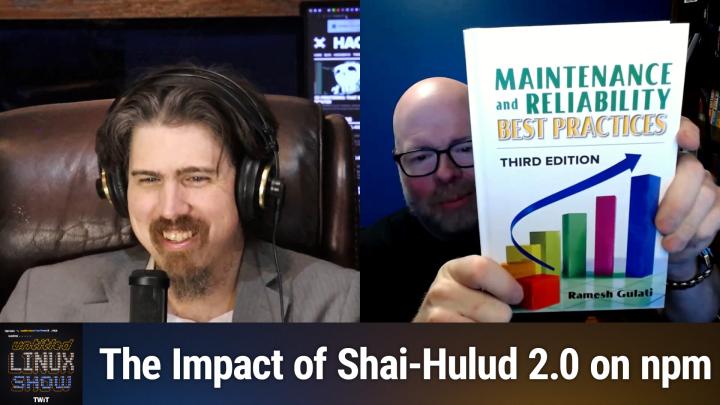
Though, though I do have some, some work type books, you know, like.
Jeff Massie [00:02:50]:
Maintenance and reliability. Best practices, you know.
Jonathan Bennett [00:02:53]:
Oh yeah, Some great light reading there, I'm sure.
Jeff Massie [00:02:55]:
Yeah, the insomnia style reading, you know, when you just can't go to sleep.
Jonathan Bennett [00:03:03]:
Now, you were telling me before we got started that you ran into a technical problem with obs. Was that related to the new Office?
Jeff Massie [00:03:12]:
No, it was related to an update. So I jumped on the 618 kernel because. And that's just a normal update from cache, so I didn't actually request it or do anything like that. It's just part of the regular install or update and it worked okay. And I'm like, oh, this is going to look good. I like this. And then I tried to start the virtual camera and it locked up hard and I tried safe mode. Same thing.
Jeff Massie [00:03:44]:
I mean I.
Jeff Massie [00:03:46]:
It, it really was not happy. So that's also another reason why the perspective is a little different. Because I don't have my normal zoom in from the obs. I'm just whatever Restream does.
Jonathan Bennett [00:03:59]:
Right, right. Well that makes sense.
Jeff Massie [00:04:01]:
That makes sense. Yes.
Jeff Massie [00:04:05]:
Actually we had keys 512 in the Discord just said there's a new version of OBS just released that fixes some crashes and stuff. So it probably look to see if I can get that and probably look to see if, you know, just even a reinstall just to get the kernel module recompiled for the new kernel.
Jonathan Bennett [00:04:26]:
Yeah, I remember it wasn't terribly long ago I was looking at OBS and where they were at with the pipewire virtual camera. That's. Obviously that's coming at some point, but it's not quite, it's not quite there yet. But boy, it's gonna be nice to be able to get away from that old out of tree kernel patch to be able to make the, the, the V4L2 loopback thing work.
Jeff Massie [00:04:52]:
Oh yeah, yeah. That and it's. You know, even back in the day it was always a little clunky. It was kind of, you know, very baling wire, duct tape together to make it work. You know. A wish and a prayer.
Jonathan Bennett [00:05:07]:
Yes. Yeah. Goodness. It, it sort of always has been. It's really nice to see things getting better and less duct tape and baling wire a little, little more well put together.
Jonathan Bennett [00:05:21]:
Oh, all right. Speaking of things being well put together, do we want to dive into how 619 is coming together?
Jeff Massie [00:05:31]:
Why yes. So with the pull request for the 619 kernel happening, I wanted to highlight some of the things which are going to be going into the kernel. Well, I mean, what, what we think should be going in. I mean, this isn't set in stone yet and even though they get pulled in, they can get unpolled if there are any glaring issues. It has happened in the past now, it's not usual, but it has happened. For example, the DRM color pipeline API support has been merged with initial use by the AMD GPU and VMKS drivers. We talked about this last week how it's going to make a standard interface for hdr since HDR is more than just turning on more color bits. There's a lot of different ways HDR can be interpreted.
Jeff Massie [00:06:14]:
You know, color palettes, different color gamuts, brightness, just to name a few. Now I bring this up because there was a thought last week that the code might have been too late to make it in, but looks like Linus accepted it and we can expect to see it in 6.19. There's some initial code going in for XE3P, which is support for Intel's Nova Lake Integrated Graphics and Crescent Island AI accelerator. Now this isn't all the code we're going to have for the XE3P. There's going to be more to come over the following months just to get things fully ready. This is just the initial set of patches going in. AMD GCN 1.0 and 1.1 are not defaulting to AMD GPU kernel driver anymore rather or they are defaulting to the AMD GPU kernel driver rather than the Radeon DRM driver. You could use it before but it was flag experimental and it was an opt in before now.
Jeff Massie [00:07:12]:
So now it's just going to default to the AMD gpu. And for those that don't know, that's kind of the way AMD's now going is just with the AMD GPU, the, their, their proprietary driver or the official open source AMD driver I guess is kind of. It's taking a back seat now. It's going with the commute. They're supporting the community Driven one.
Jeff Massie [00:07:35]:
Novu now has support for larger pages, meaning pages which are larger than current, the kernel's page size and it has compression support.
Jeff Massie [00:07:46]:
You know, as we mentioned previously, you know previously and in like even last week's show, Nvidia is now supporting their Nova open source kernel driver and they're putting in preparations for future GPUs into the code. So this will be Rubin GPU support. Specifically, as was mentioned, as in the case with Intel code, this isn't final. There's going to be more patches coming in the future. A nice little feature being included as well is they're providing clearer error codes for the Nova driver. So 619 isn't going to make Nova ready for the average user yet. But because they're still adding features and working on the code, it still isn't quite up to feature. It's not as feature rich as Novu.
Jeff Massie [00:08:29]:
So it's getting there, but they're not quite there yet. Now, there are many other things I didn't cover, like more rust support, blue screen of death type screens. When the Intel driver has a DRM panic, Intel SR-IOV, that's where you take a single GPU and make it look like several GPUs in a virtual machine and much more. So there was a.
Jeff Massie [00:08:55]:
Lot more that.
Jeff Massie [00:08:57]:
Just on the graphics is getting included in 6.19. So take a look at the article linked in the show notes for even more details of what's graphically going into the 619 kernel. There's a lot.
Jonathan Bennett [00:09:09]:
Yeah. One of the ones is probably to no surprise to anyone, the Color Pipeline API. That one really interests me.
Jonathan Bennett [00:09:18]:
A lot of that is better. It's better support for things like hdr, but it's more to it than that. It's also better support for. I forget the term they use. Color.
Jonathan Bennett [00:09:33]:
I forget the term they use, but it's where you have a profile, color profiles to better optimize what your screen is going to look like to give you more accurate colors. Stuff like that is really interesting too.
Jeff Massie [00:09:47]:
Oh yeah, it kind of has a standard interface now so that you can have all that. And basically so that blue looks the same to me as it does to everybody else in the audience. By using the, you know, based on what display you're using, it knows gamuts and shifts and brightness levels and they can do all sorts of work to make colors more accurate and, and just even better with better defined. And before there wasn't a universal kind of interface. Now it's just saying, okay, here's the standard way we're going to do it.
Jonathan Bennett [00:10:21]:
Yeah. For those that have not tried to do like color matching and printing things that are on your monitor, let's, let's just, you know, you can talk about that one. That color does not look the same to all of us right now. I'm sure it is wildly different.
Jonathan Bennett [00:10:41]:
Ironically, if I move this screen from one monitor to the other, it looks different between the two monitors. The monitor built into my laptop over here, it looks very teal, whereas over here It's a very nice dark blue, wildly different colors.
Jeff Massie [00:10:58]:
And if you want to see the true color, it's a Sherman Williams. Nile Blue.
Jonathan Bennett [00:11:04]:
Nile blue. There you go.
Jeff Massie [00:11:06]:
Nile blue. So if you want to go to the store and look at it, then you'll see what the color actually is.
Jonathan Bennett [00:11:13]:
Yup, yup. Interesting stuff. All right. To tag onto this, there's actually a. There's a KDE blog that talks about some of these things. I figured we can step through together. It is the This Week in Plasma edition from Saturday, December 6th. And you know, they are hard at work on Plasma 6.6.
Jonathan Bennett [00:11:36]:
Doing some various things to it. Some new features coming like the alt click to be able to get properties on desktop items, better printing support, particularly for low ink. And the message is there working with drawing tablet things. Some really interesting things going on in all of that. But there was one in particular bug fixes, of course, things that were crashing. There is one in particular that ties in well what was going on and that is the per DRM plane color pipelines and that is almost directly tied to what the kernel just added. In fact, it is using the DRM Color Pipeline API that we just talked about.
Jonathan Bennett [00:12:23]:
And there are only a few of the like. There's a bunch of different things that are possible in that API and there's only a few of them that are being done here. But if you click through all the way to the point request where Xavier Huggle talks about it, he has a quick description of what it's actually going to do. He says the result of this is that direct scan out and overlay planes work even with non SRGB apps and non SRGB screens. In terms of user visible impact, this means videos play more efficiently and games run a bit faster, especially when HDR night light and color profiles are involved.
Jonathan Bennett [00:13:04]:
So essentially it makes it faster. It's going to give you better frame rates when you're playing an HDR game, is what it boils down to sort of reading between the lines. There is kind of a possibility that it'll do better tone mapping between like HDR and non HDR things because it's moving some of that work off into the kernel. But you know, better performance. Better performance is always good, always a win. And I think that is coming into.
Jonathan Bennett [00:13:38]:
Yeah, 6.6. They expect that to land in 6.6. So it'll be here before you know it.
Jeff Massie [00:13:42]:
Oh yeah, yeah. That's not that far away. I think February, if I remember correctly. I'm going off top of my head.
Jonathan Bennett [00:13:52]:
Here, but I Don't remember exactly what it is. There's one more really interesting bit in this blog post, and that is that the KDE fundraiser just happened. In fact, I believe it's still happening. You may have seen it. If you run kde, you may have gotten a little pop up that says, hey, would you like to donate? And you did see it. Okay. I don't remember seeing it, but I, I'm, I have trained myself to just ignore pop ups. All of the.
Jonathan Bennett [00:14:17]:
None of it. Who needs notifications? I ignore all of them, but my wife is laughing at me. I'm sure in five days of that little pop up, they have raised another €100,000, which, you know, that's 100,000 and change in US money. But that's, that's really impressive that they can do that in just five days of having that up. Yeah, that's been, that's been one of the best things that KDE has ever done. Because they, they, they pretty much everybody pretty much agrees that the way they do it is fine. It's not obtrusive, it's not constantly begging for money. It's once a year.
Jonathan Bennett [00:14:54]:
But it is so effective for them to.
Jonathan Bennett [00:15:00]:
It's so effective to put that thought before people that, oh, there's a cost involved with this software. Like you have to pay people to write the software and maintain it. You got to pay for servers to build it. And, you know, so many software projects, open source projects, really struggle with trying to meet that, trying to meet those needs. And so it's really cool that KDE has this where they can do it.
Jeff Massie [00:15:24]:
Yeah. When it pops up, it's just a little tiny box. And for me, it was in the bottom left corner. It was only there for a second. And it was like when I first booted in. It doesn't constantly come back or anything like that.
Jonathan Bennett [00:15:38]:
It just.
Jonathan Bennett [00:15:40]:
Was the text there. Your PC could be at risk. Click here to upgrade.
Jeff Massie [00:15:46]:
No, they didn't go full Microsoft.
Jonathan Bennett [00:15:52]:
Oh, I was going to be quite that snarky. I was thinking more of, you know, all of, all of those.
Jonathan Bennett [00:15:59]:
The websites where you go to download something and someone has paid for an advertisement on the same website that. The big download here button. And you know, whatever you do, don't click the big one. You want to look for the little download here button.
Jeff Massie [00:16:12]:
Yeah.
Jonathan Bennett [00:16:12]:
Oh, the Internet is a train wreck.
Jeff Massie [00:16:14]:
Oh, yeah, it's, it's a mess.
Jonathan Bennett [00:16:17]:
Yeah. All right, let's see. There's more, there's more kernel stuff going on. There is. It's like A topic, it's a thread. It's almost like that's what the whole show's about.
Jeff Massie [00:16:29]:
Do we, do we need a break?
Jonathan Bennett [00:16:32]:
We do. We do need a break. Ah, thank you, Jeff. All right, we're going to have Jeff talk. Come right back and talk about the kernel that was router for this.
Leo Laporte [00:16:43]:
Hi, I'm Leo Laporte, host of This Week in Tech and many other shows on the TWiT podcast network. Can you believe it? 2026 is around the corner. So this, my friends, is the best time to grow your brand. With TWiT, nobody understands the tech audience better than we do. We love our audience and we know how to effectively message to them. We develop genuine relationships with brands, creating authentic promotions that resonate with our highly engaged community of tech enthusiasts. You know, over 90% of TWiT's audience is involved in their company's tech and IT decision making. Can you believe that? 90%, 88% have actually made a purchase based on a TWiT post read ad.
Leo Laporte [00:17:30]:
No one comes close. We're the best at this. As one TWiT fan said, I've bought from TWiT TV sponsors because I trust Leo and his team's knowledge of the latest in tech. If TWiT supports it, I know I can trust it. You cannot buy trust like that. Well, actually you can. You can buy an ad on TWiT. All our ads are unique.
Leo Laporte [00:17:48]:
They're read live by our expert host, Mikah Sargent.
Jonathan Bennett [00:17:52]:
Me.
Leo Laporte [00:17:52]:
We expected TWiT to work well for us because we were longtime listeners who over the years bought many of the products and services we learned about on various TWiT shows. The combination of the very personal ad reads and the careful selection of products that TWiT largely believes in gives the ads an authenticity, authentic, trusted voice that works really well for our products.
Leo Laporte [00:18:35]:
We love you. And it's been nine years. That's kind of. That's the proof, right? Partnerships with Twit offer valuable benefits, including over delivery of impressions. You get presence on show episode pages. So there's a link right there that our audience can click on. We're in the RSS feed descriptions. I'll link the there too.
Leo Laporte [00:18:54]:
If you want to reach a passionate tech audience through a network that consistently over delivers, please contact us directly. partner@TWiT.tv that's the email address partner@TWiT.tv. Or just go to TWiT.tv/advertise for more information.
Leo Laporte [00:19:30]:
Thanks for listening.
Jeff Massie [00:19:31]:
So since we've Talked about the 619 pull request in the last story, that means 16. 6.18 is out. And it also means that based on the timing, it's going to be the long term support kernel for this year. It's going to be supported until December 27th. Now some of you might recall that the kernel developers made a change on how they do LTS releases and they're no longer giving many many years of support. The idea originally was releases like or distributions like Ubuntu or Red Hat would grab the LTS kernels and it would make support easier for those distributions which have LTS releases because the kernel would be taken care of. Well what really happened was each distribution grabbed their own version of the kernel, not paying any attention to if it was LTS release or not, and then the distribution itself would do the long term support and back porting of patches. Well the kernel developers decided they're not going to put so much energy into these long term versions if people are not going to use them or very few people use them.
Jeff Massie [00:20:33]:
So now the kernel LTS only gets two years of support. Now if you take a look at the article, the first article linked in the show notes, I got two of them in here for more details on the 618 LTS kernel. Now if you take a look at the second link in the show notes, you'll see where 5.4 is now end of life and will no longer be supported. Now see, this is one of the older ones. So 5.4 was released in November of 2019, so it receives six years of support. Greg Crow Hartman said that the 5.4.302 kernel is going to be the last of the 5.4 series. Now as you can see with the dot 302 number, this kernel's had more than 300 maintenance updates. You know that's a lot of work for developers to put in and if people aren't using it, or like I said very few, then there really isn't a reason to keep going.
Jeff Massie [00:21:25]:
Now, while you can upgrade to an older kernel, meaning like a 5.15, it is suggested that people upgrade to the latest kernel as the ones listed are only going to be supported until December 26th. You might as well jump ahead.
Jeff Massie [00:22:06]:
Now Greg did have this to say about the 5.4 kernel, which also should help people if they're on the fence about upgrading. He said, I'm announcing the Release of the 5.4.302 kernel. This is the last 5.4 release. It is now end of life and should not be used anymore.
Jeff Massie [00:22:57]:
So this is a good lesson on running a newer kernel until you're, you know.
Jeff Massie [00:23:05]:
So take a look at the second article linked in the Show Notes for more details and it also has a link to the kernel.org website for more information. But get off 5.4 if you're on it.
Jonathan Bennett [00:23:43]:
Yeah, so.
Jonathan Bennett [00:23:46]:
Keith's 512 just says yikes, that is loads of CVEs and we've talked about this before, but in the kernel context any bug is a CVE that is sort of the line in the sand that Torvalds and the rest of the kernel maintainers have drawn related to this idea that nobody wants to use the long term support kernels and so, well, every, every bug is a CVE. How do you like me now? Yeah, it's hilarious. It's accurate, but also hilarious.
Jeff Massie [00:24:22]:
Well, but if you think, okay, you know, every little bug is a CVE, but out of 1539, they've got listed that they know about. There's got to be a few in there that are going to be critical security issues just from the sheer number of them.
Jonathan Bennett [00:24:39]:
Yeah, for sure. So to really make that discernment, what you'd have to do is look at those and go, okay, how difficult is it to trigger this particular bug? Is this a bug that you can trigger from user space? A lot of these are going to be bugs that you can only trigger from kernel space. And so in that case, are they really CVEs? Not so much.
Jonathan Bennett [00:25:04]:
The ones that you can trigger from user space. You then have to ask, well, like, do you have to be root to trigger this? Okay, is there some specific kernel module that has to be loaded that five people in the whole world run? So, like, there's a lot of filtering you could do of these, but there's just. Nobody's doing that filtering. And so they just sort of. All of the bug fixes become CVEs because nobody's paying for somebody to take the time and go through and figure out which ones are more important.
Jonathan Bennett [00:25:34]:
True.
Jeff Massie [00:25:35]:
And I'm just looking at it from stick, strictly a statistical odds standpoint of.
Jeff Massie [00:25:43]:
1539, there's got, there's got to be at least a handful, you know, say five that are, oh, this is bad.
Jonathan Bennett [00:25:50]:
You know. Yeah, no, sure. I, I mean, I would, I would definitely agree. You want to be on a supported LTS kernel or you want to be on a distro that does a good job of backporting fixes.
Jeff Massie [00:26:01]:
Yeah.
Jonathan Bennett [00:26:02]:
But, yeah, it's not quite as bad as that 1500 CVE as would make you think.
Jeff Massie [00:26:10]:
True. Yeah. And I guess I should have mentioned that too, that it's not.
Jeff Massie [00:26:15]:
There's a lot of CVEs that are.
Jonathan Bennett [00:26:18]:
Shouldn't be easy. They're nothing burgers. Yes, yes, yes. There are a lot of those.
Jonathan Bennett [00:26:24]:
All right. There is something else going on in kernel land, although this one is specific to us that run Fedora. Something fun coming in. Fedora 44. I was telling Jeff before the show started, the machine behind me, my main desktop, it's currently got Fedora 42 booted. I've done the DNF system upgrade, downloaded the 43 packages, and so now it is just waiting for me to do the restart and it'll come up as Fedora 43. So this is a proposal, I've got a story here.
Jonathan Bennett [00:26:55]:
Proposal about in Fedora 44 proposal got accepted, by the way. And so in Fedora 44 they are planning to replace the kernel's frame buffer console fbcon with kmscon, which is a user space console. Now what in the world are we talking about? Well, on your Linux machine, on most of them at least, they're configured this way you can hold control and alt and hit F1 or F2 or F3 and it will go to a different screen. Essentially most of the time that's just going to be a text only login screen. And it's useful for a lot of things. If your display manager hangs for whatever reason, you can sometimes jump over to that.
Jonathan Bennett [00:27:47]:
It's funny, in KDE there is a bug with certain monitors that the monitor will just never wake up. If the computer goes to sleep and you wake the computer up, the monitor doesn't wake up. You can use that because it also changes the display resolution. And that is often enough to get the monitor to wake up. And so I've had to do that myself. It's a big TV behind me. Control alt, F1, F2. Come back to where you were at and things will come back up.
Jonathan Bennett [00:28:13]:
That, that you're swapping to currently.
Jonathan Bennett [00:28:17]:
Is actually running as a kernel module, which is not great from a certain point of view. Now you can also look at that and go, well, that's something you really always want to work. And so maybe it should be a kernel module. It should be something in kernel, the fbcon, the kernel's frame buffer console. Maybe you do want that to be in the kernel.
Jonathan Bennett [00:28:40]:
But the direction that things seem to be moving is that.
Jonathan Bennett [00:28:46]:
We want to use, we want to run that in user space. We want to get away from running that code in the kernel. And so that is something that looks like it's going to happen in Fedora 44. What I really need to do is look at what it would take to do that in Fedora 43 and go ahead and start test driving it. I think that would be actually really interesting to do ahead of time. But the plan is that in Fedora 44 that's going to happen by default and probably will automatically happen. For those of us that do system upgrades from 43 to 44, FlowConnect asks, wouldn't you then just hit the function key in an F1? That is not what I've ever seen. It's always control and alt and then F1 or F2 to be able to get to swap between those virtual terminals.
Jonathan Bennett [00:29:34]:
And I remember back running when I was running X11 instead of Wayland, it was pretty easy to run an X session in one of those. And so you could have like multiple completely different desktops running at the same time and just swap between them, which was a, you know, quite kind of always an interesting thing to do. I'm not sure why you would want to, but the fact that you can is cool. But anyway, change is coming.
Jeff Massie [00:30:01]:
Sometimes it's just about I can not if I should or there's a good reason. It's just look what I can do.
Jonathan Bennett [00:30:09]:
Yeah, that is true. It'll be really fun to see that though because there are some things that the built in console doesn't do. Like for example you can no longer scroll up in that you used to be able to hold Shift and go like page up, page down. Doesn't work anymore because of a CVE actually, surprisingly. But there will also be better font support and some other fun things that will get added for that.
Jeff Massie [00:30:37]:
So yeah, I remember when that happened because I think that was. Was it like a couple years ago? I mean it was a while ago when they, they stopped the scrolling?
Jonathan Bennett [00:30:46]:
I think so, yeah. I don't remember for sure, but I think it has been a while.
Jeff Massie [00:30:49]:
I think, I think we talked about it when it. When it happened.
Jonathan Bennett [00:30:52]:
Yeah, I think so. All right, well, we're going to go from talking about kernel news to talking about video card news and graphics drivers and all of that. Jeff Jarvis will be back with some Nvidia updates right after This Week in Tech.
Leo Laporte [00:31:08]:
Hey everybody, Leo Laporte here and I'm gonna bug you one more time to join Club TWiT. If you're not already a member, I wanna encourage you to support what we do here at TWiT. You know, 25% of our operating costs comes from membership in the club. That's a huge portion and it's growing all the time. That means we can do more, we can have more fun. You get a lot of benefits ad free versions of all the shows. You get access to the club, TWiT discord and special programming like the keynotes from Apple and Google and Microsoft and others that we don't stream otherwise in public. Please join the club.
Leo Laporte [00:31:47]:
If you haven't done it yet, we'd love to have you find out more at TWiT TV Club TWiT. And thank you so much.
Jeff Massie [00:31:55]:
So I have two articles linked in the show notes and they're both talking about the new beta 590 driver from Nvidia. Now this is the first release of their 590 series branch. With this, they're increasing the minimum version number of some of the libraries and programs. So Wayland now needs to be version 1.20 and it also needs glibc 2.27 and if you run an xorg, it needs to be 1.17. Now with this change, there are performance enhancements and bug fixes. Like they fixed a bug that prevented the Power Miser preferred mode dropdown menu in the Nvidia Settings control panel from functioning correctly. On Wayland, they improve the performance of recreating Vulkan swap chains. This helps prevent stuttering when resizing Vulkan application windows.
Jeff Massie [00:32:46]:
They fixed a bug that caused the dots per inch to be incorrectly reported for some monitors, such as the Samsung Odyssey Neo G9. They fixed several problems that prevented Vulkan appliances from working on Venus Virtual IO Virtual gpu. And they fixed a bug that could cause system freezes on preempt underscore RT kernels. That's your real time. Sounds great, right? You know, maybe nothing earth shattering, but you're thinking, oh, okay, they made things a little bit better. Well, there's some bad news with this release and if you look at the supported GPU document, it does not include the 900 series cards which are code name Maxwell and the Thousand series or they call them 10 series cards known as Pascal. If you have these older cards, you're going to need to stay on the 580 series of drivers. Now all hope is not lost though is Nvidia will still support the cards and the 580 series of drivers with security updates and bug fixes for a couple of years or estimated couple of years, I didn't see a solid number, but maybe they have it.
Jeff Massie [00:33:56]:
I just didn't run across it. So just don't plan on new features though. What you have now is what you're going to have unless Nova or Novu catch up and surpass the 580 driver. So take a look at the articles linked in the show notes for more details and links to the change log for the driver release.
Jonathan Bennett [00:34:17]:
Yeah, did you have a second, a second story to cover there?
Jeff Massie [00:34:23]:
No, that they're both just, they're both just talking about the 590. They, they cover a little bit different information, but neither of them, I don't think either of them hit the nine hundred and Thousand series cards are not going to be supported anymore. I. I Found that when I was looking through some other stuff and I'm like, oh, supported GPUs, let's see if anything changed. And like, wait a minute, something changed, something changed and yeah, interesting.
Jonathan Bennett [00:34:47]:
You know the, the preempt RT back years ago.
Jonathan Bennett [00:34:52]:
Over five years ago, I used to run a machine preempt RT because I was doing some audio stuff with. This was before it got officially merged in the kernel. So we were, you know, going out and getting the RT kernel and it had an Nvidia card in it and that thing was very persnickety. It did not like trying to do both of those same things, those two things at the same time. So I'm actually really, I'm really happy to see that there is now some official support for that. Somebody at Nvidia actually cares about running preempt RT with their drivers. Which does make sense if you sort of think about some of the things that, that these cards get used for, particularly the like in their AI use and their vision use.
Jeff Massie [00:35:35]:
Well and you know, and going, going back because I, you know, there's a few comments about, you know, in our, in our discord here about the car, you know, unsupported hardware, you know, it's not like it's going to break. And you know, honestly a 9900 series card, okay, they have a new driver. A lot of times it doesn't have the hardware features to support some of the new, latest, greatest things. So they might say, oh, we're going to take advantage of xyz. But some of those older cards don't have it anyway. So you're not really missing out on a, on a ton of features or a lot of new cool stuff.
Jonathan Bennett [00:36:17]:
The 900 lied cards, Maxwell, that was released in 2014, that's a long time. Like that's forever in computer years. That's a decade ago. That's actually pretty impressive that it was supported until now.
Jeff Massie [00:36:33]:
Yeah. And well, like Keith512 says, I have no issue with my GTX 980 and it'll run on a 580 driver for several more years. It's just if they have, oh, this new 3D render mapping AI pipeline thing, it's not going to show up on your, on your card. Yeah, but, but you probably don't have, like I said, you probably don't have the hardware to support it anyway. So it's, it's not, you know, I don't want people with the older hardware to feel totally dejected and just like, oh my gosh, what, what now? It's like it's gonna run at its current performance level for years longer. Yeah.
Jonathan Bennett [00:37:10]:
And if it finally breaks, if they've stopped supporting it altogether, there's always a nouveau you can run there or actually about the time that it breaks under the official closed source drivers, Nova is probably going to be ready to go and it's going to support some of these.
Jeff Massie [00:37:25]:
Yeah, I would, would not surprise me. Nova gets out this year. They're, they're putting a lot of stuff in it.
Jonathan Bennett [00:37:33]:
And by this year do you mean next year?
Jeff Massie [00:37:36]:
Sorry, next year.
Jonathan Bennett [00:37:37]:
We're running out of this year awful quick, Jeff.
Jeff Massie [00:37:39]:
Yeah, I already ran to the end of this year. I'm already in 26. Yeah.
Jeff Massie [00:37:46]:
And you can run it now. It's just they say it's not for everyday users because it's going to have rough edges. It's basically beta or semi-alpha software so they say there's some features missing and that's why Mikah Sargent last week we talked about the performance.
Jeff Massie [00:38:06]:
It's, they were using Nouveau to load some of that stuff because it could handle it and, and the Nouveau driver wasn't there yet. Yeah, yeah but as we talked about last week and other other Linux YouTubers mentioned that yeah, it's not at the same performance level but from July to November it had a 20% increase in speed. It's making very big.
Jeff Massie [00:38:40]:
Aggressive performance gains. So it's closing the gap at a very good pace.
Jonathan Bennett [00:38:46]:
Yeah, I think you're probably right. I think next year we'll probably see it really come into its own and sort of be usable.
Jeff Massie [00:38:54]:
It's going to be so June, July is my guess.
Jonathan Bennett [00:38:58]:
Yeah, it's going to be so nice to be able to have a Linux machine and just turn it on and it works. Whether it be, you know, AMD or Nvidia or Intel. Like regardless, you know, we're coming close on the point to where the graphics card driver is just not going to be an issue. It was such a huge pain for so long and it's another one of those things like big pain points of Linux that is getting worked out and going away.
Jonathan Bennett [00:39:28]:
Give it too much longer, we're not gonna have anything to complain about. Not sure what to do when that happens.
Jeff Massie [00:39:34]:
Yeah, well, you know, I'm sure there'll be something but you know, I, I know, I know what you mean though because for a long time when I would, when I would load a distribution I would have to go into the kernel options and do like a no mode set and things like that, because Nouveau would come up and I would just get a black screen as soon as it kicked into the actual desktop. And so there was. There was some little no mode sets, and I can't remember what else there was. There was.
Jeff Massie [00:40:05]:
There was some stuff like that you had to set because otherwise it wouldn't work. And then once I loaded the proprietary driver, then things were okay. But it. Yeah, just boot it up and go.
Jonathan Bennett [00:40:18]:
Yeah, yeah. Actually have an interesting question in the chat room actually coming from over at YouTube, Nvidia, does Northbridge? And.
Jonathan Bennett [00:40:31]:
Possibly what's so interesting about that to me is like the whole northbridge southbridge thing doesn't really exist anymore, does it?
Jeff Massie [00:40:39]:
Only partially. We only have. I think it's the south bridge now. The, the north. Yeah, because I. If I'm wrong, I'm sorry. And I have it backwards. But the, the Northbridge, I believe, was the memory controller.
Jeff Massie [00:40:55]:
And some of the things like that, it got moved into the CPUs both for Intel and AMD, so it eliminated the need for the Northbridge. So now there's only the Southbridge, which talks to PCIe devices, your hard drives, things like that.
Jonathan Bennett [00:41:09]:
And in some cases, the things that your Southbridge chipset is doing are getting smaller and smaller. It's sort of going away, too.
Jeff Massie [00:41:19]:
Yeah. And because it's having the motherboard do it. Well, you have to design a separate chip because whenever you, you know, Intel, AMD, whoever you say, oh, I'm going to have this 870e motherboard. Well, it's AMD who designs the chips, because they're the ones that know how to talk to the cpu. Well, if they can pull that into the silicon, not only is it. It's simpler so they don't have to have extra designs. It makes things easier to fabricate because you have less silicon that could have problems. Less solder joints, things like that.
Jeff Massie [00:41:55]:
So the motherboard assembly is easier. I mean, it's still very complicated, but it's. It's one less complicated thing that you have to worry about. And it's faster because all that, especially memory and things like that, it's in the cpu, so it doesn't have to go, okay, I got to externally go through a socket. I've externally got to go down a trace. I've externally got to go into another socket. I externally got to go. Then I go into this, the chip, this Northbridge, say, do the stuff, go out, then hit the memory, then come back.
Jeff Massie [00:42:29]:
You know, it's every, every time you go through a connection Especially a socket, it causes a lot of signal delay. Now you might say, well that's, you know, oh, it's a nanosecond or something. But in CPU speed, that's a big delay. I mean, and then you even have the length of your traces. So if you're running in nanoseconds, I want to say I think it's, I think it's nine inches. Light moves in a, in a nanosecond. And a picosecond is like a thousandth of that. It's, I can't even remember.
Jeff Massie [00:43:08]:
Point, whatever.
Jeff Massie [00:43:10]:
And, and as mentioned in YouTube, joint capacitance. Yeah, the capacitance, the lines, the. And then, and then you have the whole signaling issues when you've got several high speed lines in parallel. They can cross talk. They can. So yeah, the more you can move to the cpu, it just, it just makes more sense. Yeah, I'm sorry, I got, got on a hardware diatribe there, but I work with some people that do very high speed signaling and it, all that stuff matters.
Jonathan Bennett [00:43:41]:
Yes, you work with some people that design the next few generations of high speed signaling. Yes, yes, yes. All right, well, there's something that I have been watching very closely for a couple of months. We haven't really talked about it a whole lot here on this show, but man, it, it has an impact. It's something I think folks need to be aware of, particularly if you dabble with programming and like the NPM Node.js style of programming. And that is that. Well, NPM is kind of a train wreck right now. And so there is a, it's a, it's a worm really.
Jonathan Bennett [00:44:21]:
It's called Shai Hulud. And that, that may not be how you pronounce it. So that is actually a reference to Dune. And so any Dune fans out there, please, you know, don't hate me if I just mispronounce the name of your, your big worm. God. Those are the worms on the planet Arrakis that come up. You know, you, you, you have what's his name writing one of those, you know, partway through the movies. But it's a worm in NPM.
Jonathan Bennett [00:44:50]:
And so the name is kind of a pun there, but what it was doing was actually really, really bad. So in the Node.js ecosystem, something we've known about for a long time is these individual packages. So they're JavaScript packages. You'll install them on your machine. Part of the package is an install script. And so years and years ago, somebody figured out that I can put malicious code into that install script and do something nasty on your machine. So one of the first things that people started doing was what we call typo squatting. And so the word color is a great example of this.
Jonathan Bennett [00:45:34]:
So there would be, you know, there would be a package that has the word color and it would be spelled C O L O R, the American spelling. Well, someone would then have the same name, but spell it C O L O U R. And then this version of it, it would be a new package. They could put whatever they wanted to in it and it would have this bit of malicious code in it. So, you know, whenever somebody downloaded that package, went to install that package on their development machine, it would do something nasty. So you, you know, it would, let's see some of the things it would do first. It would capture environment variables. It would install a little script that watches the copy paste buffer.
Jonathan Bennett [00:46:15]:
This one was always fun. It would watch the copy paste buffer for anything that looked like a bitcoin address. And if it found that, it would replace that bitcoin address with an attacker controlled address to try to siphon off some bitcoin. You know, at some point they started installing ransomware with these. Just all sorts of nasty stuff was happening. Typo squatted these, these typo squatted NPM packages. Well, someone figured out that you could do more than just this. And so whoever is behind this, what they did is they not only.
Jonathan Bennett [00:46:56]:
Some of those other things happen as well, but if it gets installed on a machine through this, it will immediately go look for NPM credentials. And if it finds NPM credentials on the local machine, it then goes out and looks for access, like write access to other NPM packages. And if it finds that, it inserts itself into whatever package it can write to. And so, you know, downloads it, makes the change, uploads it as a new version with its own like startup code in that script file. And so essentially it was a self replicating worm that was replicating through NPM packages.
Jonathan Bennett [00:47:46]:
It's really bad.
Jonathan Bennett [00:47:49]:
So it happened, it happened once a couple of months ago. And you had several hundred.
Jonathan Bennett [00:47:58]:
Packages that got, I don't remember the exact numbers from when it happened several months ago, but there were some ways that, that did not go as well as it could have for the attackers. And so in just like the last two weeks, you had what they call Shaihalud 2.0 and it infected. Oh, I'm looking for the exact number. Multiple hundred.
Jonathan Bennett [00:48:26]:
Packages. I want to say, yeah, 754. That was the number 754 packages got infected.
Jonathan Bennett [00:48:34]:
One of the things it was doing was capturing credentials and uploading it back to the command and control server. Researchers figured out that there were at least 33,000 unique credentials that got captured by this. And after several days, researchers at GetGuardian tested that list and found that about 10% of them were still valid. Which is, you know, that means 3300 valid credentials floating around out there, which is a lot.
Jonathan Bennett [00:49:06]:
It's, it's. Boy, it's really nasty. A really nasty thing.
Jonathan Bennett [00:49:11]:
Something that's interesting about this is NPM. So like this, this is all based around NPM, the Node Package management system, which is also the repository, the NPM repository that is owned by Microsoft. It is now a Microsoft product. So, you know, I guess we should be used to terrible security problems with Microsoft. But I think there's going to have to be a big change coming. And it sort of seems to me that this is an inherent danger with anytime you've got these packages that can get updated and installed right away at runtime. I know that's kind of challenging sometimes to work with the old C and C, the Linux system style packages where you install them off of a repo and you have to wait for a maintainer to hit the button to update them. But it has some advantages.
Jonathan Bennett [00:50:03]:
Turns out, less likely to pwn your machine, I guess. Anyway, npm, it's a train wreck. It's really bad.
Jeff Massie [00:50:14]:
Microsoft train wreck synonyms, right?
Jonathan Bennett [00:50:18]:
Some days. Yep, some days.
Jeff Massie [00:50:22]:
Oh, and as a side note, in one picosecond, light moves point roughly 0.3 of a millimeter.
Jeff Massie [00:50:31]:
Or point. Sorry.
Jeff Massie [00:50:35]:
It was a 0 point. 0 point. 0.3 of a millimeter.
Jeff Massie [00:50:40]:
And some chip timings get down into picoseconds.
Jonathan Bennett [00:50:45]:
So to see if the Internet can tell me really quick.
Jonathan Bennett [00:50:52]:
So in a picosecond, about ten thou. 10,000ths of an inch.
Jeff Massie [00:50:57]:
Yeah.
Jonathan Bennett [00:50:57]:
Is that right?
Jeff Massie [00:50:59]:
10Th or hundredths?
Jonathan Bennett [00:51:01]:
1/100Th. So 10,000ths.
Jeff Massie [00:51:05]:
I think that's 1 85th of an inch, roughly.
Jonathan Bennett [00:51:10]:
That doesn't mean anything to me.
Jeff Massie [00:51:13]:
We use the old style freedom units here.
Jonathan Bennett [00:51:16]:
Fractions, that's no. Okay, let's talk about this for just a second. When you're talking about very small units of an inch, you can go down to about 30 seconds, maybe 64th of an inch. And so if you're doing carpentry, you'll have a tape measure and It'll have like 30 seconds marked on it. Maybe, maybe 64ths. Anything smaller than that, not usable at all. And so here in The States, if somebody wanted to do something that was even more precise than that, they used thousandths, thousandths of an inch. And it gets abbreviated to thou.
Jonathan Bennett [00:51:50]:
And so you'll have, you'll hear machinists talk about. Yeah, I got that part down to two or three thou. You know, they're talking about thousandths of an inch. What they did machining in you, you know this Jeff, you were a machinist in your previous life. He's just pulling my leg. But anyway, so light Travels. Yeah, about 10. About 10,000.
Jonathan Bennett [00:52:09]:
Flow Connect says 12,000 of an inch. Light travel in a picosecond.
Jeff Massie [00:52:14]:
And I can tell you I've only ever measured. Well, okay, in, in the work I've done ten thousandths of an inch and a human hair is about 2,000ths roughly, give or take a little bit, depending on, you know, your hair or whatever. And that's about the smallest sliver of light that I could see anyway is roughly about in that same. So I mean that if you have the two anvils of a micrometer, you come in real close, that's hold it up, you can just barely see light through there. So kind of gives you an idea of just how small and how fast things are moving.
Jonathan Bennett [00:52:53]:
I, I love the videos of Grace Hopper and her collection of nanometer or nanoseconds. The, the nine inch wires.
Jeff Massie [00:53:03]:
The nine, the wires she would hand out.
Jonathan Bennett [00:53:05]:
Yeah, yes, yes, absolutely. And you know, her story there is some general will tell you that he wants something to happen right away and she pulls out the wire like between us and that satellite. There are great many number of these.
Jeff Massie [00:53:22]:
Well, and I always, I always joke with where I work. You know, my first, my first decade or so, I spent a lot of time in the Fab. And the problem there was light was too big. Trying to get it smaller to fit where it, where it needs to go. Now my problem is light is just too darn slow. We need to go faster. You know, it's always a limit. You know, I don't think you're going.
Jonathan Bennett [00:53:45]:
To be able to do anything about that one.
Jeff Massie [00:53:48]:
No, no, unfortunately not.
Jonathan Bennett [00:53:51]:
All right, well.
Jonathan Bennett [00:53:54]:
Here in just a second we're going to talk about some DMA stuff. Direct memory access in 6, 19. And we'll get to that right after this.
Leo Laporte [00:54:03]:
Hi there. Leo Laporte here. I just wanted to let you know about some of the other shows we do on this network you probably already know about. This Week in Tech. Every Sunday, I bring together some of the top journalists in the tech field to talk about the tech stories. It's a wonderful chance for you to keep up on what's going on with tech, plus be entertained by some very bright and fun minds. I hope you'll tune in every Sunday for This Week in Tech. Just go to your favorite podcast client and subscribe to This Week in Tech from the TWiT Network.
Leo Laporte [00:54:34]:
Thank you.
Jeff Massie [00:54:35]:
Nvidia improves block layer, peer to peer DMA and the 619 kernel that's very cool sounding, but let's unpack that a little. The code improvements are in the iouring and block subsystems. So the IOU ring is a structure which was first introduced by Meta and it creates circular buffers. The short version is by having a circular buffer it improves performance because it saves on system calls. I won't go into all the details of it we have in the past on different shows, but that's the high level. That's what you need to know. The block layer is simply an abstraction to let different devices talk to each other, and DMA is direct memory access. Now, there's several fixes in the code, like cleanups of the IOU ring, support for mixed sized SQEs, zero copy received ZC RX updates, and improved ring initializations, among other fixes.
Jeff Massie [00:55:36]:
But more directly related to the article specifically, Leo Romanofsky said the following this patch series improves block layer and NVMe driver support for MMIO memory regions. MMI now this is me. MMIO is multiple input, multiple output, so memory regions that are having multiple ins and outs going into them, particularly for peer to peer DMA transfers that go through the host bridge. Okay, peer to peer direct memory transfer means that two devices on a PCIe bus can transfer data to each other directly rather than having to go through the CPU. For example, a large texture map can be loaded from an NVMe driver to the GPU without needing to be handled by the CPU, which would slow down the process. Basically, you're putting a man in the middle. You know, it's A's talking to B to give the information to C. It's better if you just can go A talks to C.
Jeff Massie [00:56:39]:
The series addresses a critical gap. Now I'm talking Nvidia Again, Leo the series addresses a critical gap where the P2P transfers through the host bridge. Now this is the PCIe P2P DMA map through host bridge. Yeah, we all knew that one, right? We're not properly marked as MMIO memory, leading to potential issues with inappropriate CPU cache synchronization operations on MMIO regions. Incorrect DMA mapping unmapping that doesn't respect MMIO semantics. Missing IOMMU configuration for MMIO memory handling. Now, IOMMU is also input output memory management unit, which is a component in Memory controller that translates device virtual addresses to physical addresses. This work is extracted from larger DMA physical API improvement series and focuses specifically on block layered NVMe requirements for MMIO memory support.
Jeff Massie [00:57:51]:
Okay, what does that mean? Well, basically this code is going to make memory transfers between devices better and faster. It won't allow things like the CPU to be confused by what's going on and make mistakes on what data is actually where. So take a look at the article in the show Notes for links to the different patches which were pulled into the 619 kernel. Now these links are to the mailing list and contain the original author descriptions and the code. So if you're not a coder, it might not mean a ton, but if you're curious and want to see what it looks like, it's all there to really look at. But.
Jeff Massie [00:58:31]:
It'S not going to be for easy reading if you're not very much into coding. But happy reading.
Jonathan Bennett [00:58:38]:
Yeah. The fun thing about the ioring is that you can avoid memory copy. Copying stuff from one place in memory to another is just expensive. And so if you can let your external hardware write directly into memory, then your CPU can do one single pass over it, not copy it anywhere, but just manipulate it and then right back out to whatever piece of hardware you've got. That's where you're really talking about some speed.
Jeff Massie [00:59:04]:
Yep. Yeah. And the reason we call it a ring is because it's circular in nature. So if you filled it up, it's going to start overriding the first thing and it just keeps going in that circle and just keeps filling it in.
Jeff Massie [00:59:22]:
But it does save a lot of overhead. And that's why it was developed by somebody like Meta, because it's somebody that needed to squeeze everything out of their hardware. This was the way they did it.
Jonathan Bennett [00:59:34]:
I'm thinking of jokes here. It's more square shaped actually. And if you. So it's literally just a block of memory and then when you get to the end of it, you jump back to the beginning. And so like if, if you turn it over in the middle, do you get a. What's that, what's that shape called? It only has one. Only has one side.
Jonathan Bennett [00:59:57]:
My brain is so frazzled, I couldn't. I can't tell you.
Jeff Massie [01:00:01]:
I can think of it being an impulse function.
Jonathan Bennett [01:00:04]:
No, no, it's. It's like when you take. You take a sheet of paper or something and you twist it and then put it back together. Oh, it's like the Infinity Ring or whatever. I can't remember what it's called.
Jeff Massie [01:00:16]:
Yeah, you can twist it and type on both sides of a Mobius strip.
Jonathan Bennett [01:00:20]:
Mobius strip. Thank you. Thank you.
Jeff Massie [01:00:22]:
Metal Slurry.
Jonathan Bennett [01:00:24]:
Our hero. Hero for the moment. You got it. And so anyway, I was trying to make this joke about the IOU ring. If you twist it in the middle, do you get a Mobius strip? I killed that one. Not in a good way. It would have been hilarious, though.
Jonathan Bennett [01:00:42]:
Stick with Linux.
Jeff Massie [01:00:44]:
Yeah, or the PI R squared. PI R. Not squared. PI R. Round cake. R squared.
Jonathan Bennett [01:00:50]:
Yeah.
Jonathan Bennett [01:00:53]:
All right, let's see, what do we have next? I think we're ready for my last story. And that is. It's two things put together that kind of struck my interest over the week. One is Flowblade, which is another video editor, and they are working hard to bring Flowblade to GTK4. And when they come to GTK4, they're probably going to become Wayland Only, which means that you cannot run Flowblade on your old X11 machines. You know, we have X Wayland to be able to put X.
Jonathan Bennett [01:01:28]:
X applications on Wayland. I don't think there's a Wayland 11. Is that what you would call it? To put wayland applications on x11 only. So Flowblade is coming, coming to Wayland Only, which is super interesting. It's also got a couple of other fun things in there, I believe.
Jonathan Bennett [01:01:52]:
This is something that Rob likes to make pronunciations about.
Jonathan Bennett [01:02:32]:
In fact, I think if you come back for our holiday special episode, he has some things to say about it then. So keep this in mind. We are growing. We grew 0.15%, which doesn't sound like a lot, until you realize that only happened in a month, like 30. 30 days. You know, extrapolate that out. It's not going to be too long before we rule the world. But Linux is up to 3.2% now and with things coming like the new Steam hardware.
Jonathan Bennett [01:03:02]:
The frame and the new Steam machine, the desktop cube.
Jonathan Bennett [01:03:08]:
It's always cool to see, very fun to see more and more people on Linux is 2020 actually.
Jonathan Bennett [01:03:19]:
This may be something that we'll only know in retrospect. Was 2025 the year of the Linux desktop? I don't know, maybe it has been.
Jeff Massie [01:03:29]:
It could have definitely started. I mean Microsoft is doing everything they can to go hey let's get everybody to switch to Linux.
Jonathan Bennett [01:03:36]:
Yeah, we don't want those regular plebeians on Windows.
Jeff Massie [01:03:41]:
Yeah, I don't know if they want anybody on Windows. Yeah for sure I saw a stat now take it on the Internet big grain of salt but Windows proper is only worth like 10% of their out their profit margin. The cloud is just the juggernaut and it's just. But it kind of related to what you're saying. I saw something now it kind of got poo pooed but there's probably a little bit of merit to it that somebody said they were estimating that like 11% of.
Jeff Massie [01:04:13]:
Now they were doing stuff like counting some Chrome stuff, they were counting some Android stuff which you know you could argue whether or not that is Linux or not because it's, it's not quite. It's got its roots in Linux but it's not the same thing because you're kind of walled in somewhat. But they were also attributing a lot of the unknown to Linux.
Jonathan Bennett [01:04:44]:
Now I saw article and they that yeah that actually makes a lot of sense because it's like what do you think somebody is doing browsing the Internet in temple OS or FreeBSD or Solaris? Yeah, yeah.
Jeff Massie [01:04:58]:
Now some of them they said probably could also just be Windows users that were running like a lot of the anti tracking type stuff and blocking a lot of stuff but you got to figure at least a percentage of that is going to be Linux. So I mean we it, it's and it's for anybody that doesn't know counting the actual here's the percentage of people on Linux versus you know, Mac versus Windows it's all kind of just a guess because you just never really, you know how do you count it? You know it's it yeah different metrics but it's None. None are perfect.
Jonathan Bennett [01:05:37]:
Yeah. So like you could think of it this way. You know, the, the percentage of people running Linux that listen to this show is going to be probably pretty high. The percentage of people running Linux that listen to Windows weekly, likely a bit lower. You know, a place like Slashdot or Hackaday, their, their Linux percentages are going to be really, really high. Seven forums is going to be really low. So, you know, it's, it's all relative. I will say that for me, the year of the Linux desktop was like back in 2006 or 2007.
Jonathan Bennett [01:06:10]:
That happened a long time ago in my life.
Jeff Massie [01:06:14]:
Yeah, I started out a long time ago as well.
Jonathan Bennett [01:06:19]:
I just. No, I mean, when I finally kicked my Windows install and decided I didn't need it anymore, it was several years before that happened. I started running a Linux installation, but I was in the middle of college and.
Jonathan Bennett [01:06:35]:
My laptop had problems. It did not like running Windows actually. I had to like every six months I had to do a Windows reinstall back in Windows XP days just to keep the thing trying to run decent again. And I remember one time I did that and went to the C drive to do something and there was that dumb warning, warning, important files here. You may mess up your computer. I was like, man, I am. I was offended by it. Like, I can't believe that you would tell people this.
Jonathan Bennett [01:07:01]:
Wiped it off my computer and went, Linux only. Like, I know what I'm doing.
Jeff Massie [01:07:06]:
That's pretty close the time I, I did it as well because, and I'll be honest, I mean, all right, it sounds like a cliche. It was, it was Ubuntu that got me over because I first ran into it. I had somebody I knew said, oh, would you install Linux for me? And I said, okay. And I brought my snacks and my water because I was used to, okay, I'm gonna have to manually edit Lylos and you know, the x86 because this was, you know, I messed pre x11 or x free and whatever it was, you know, go in and edit sound cards and edit graphics and you know, and then like, oh, try this. And I'm like, oh, okay. And it installed and it worked. And I'm like, oh, well, let's. And they were dual booting.
Jeff Massie [01:07:52]:
And I'm like, well, let's get you on so we can read your Windows drive. And I'm like, okay, this is gonna probably be long. And then it was like, oh, here, do this and do this. And it was like, oh, it works. And I'm like, Man, I haven't gone through half of my drink or a third of my drink and I haven't eaten really any of my snacks yet. Like, wow, this. My afternoon suddenly cleared right up.
Jonathan Bennett [01:08:13]:
Yeah, yep, it was. There was a. I'm not sure that it's even Ubuntu in particular because like you had the first releases of Fedora were at about that same time too. And I think it was just sort of the ecosystem had matured to the point to where you. You could just do an install and it would work. Maybe, maybe Ubuntu and Fedora were some of the first ones to really tap into that and make it that easy.
Jeff Massie [01:08:37]:
Well, I'd never even heard of it before somebody handed me a disk and said, here you go. Here, would you install this on my computer? Okay. I'd been running like Caldera before that.
Jonathan Bennett [01:08:48]:
Yep.
Jonathan Bennett [01:08:50]:
Yeah, used to be fun. See, I missed out on that. My first install of Linux was Fedora Core. Like Fedora Core two or three, somewhere four, somewhere in there. One of the real back when it was Fedora Core and not just Fedora, but all of the stuff before that where it was pain and suffering and to do a Linux, if you finished the Linux install, you would actually really done something. I missed out on that I'm just young enough or I was just outside of the scene enough, I guess, that I don't actually have those memories. I just know people that do well.
Jeff Massie [01:09:26]:
And some of it too is you had early on it was like, oh, I got Linux running, this is great. Now what do I do with was true. It was like, oh, we didn't have really good web browser, didn't have a lot of stuff. It was kind of.
Jeff Massie [01:09:42]:
Okay, I got it going. But unless you had an actual use case for it, it's kind of like, oh, half the fun was just installing and debugging. I mean, I remember compiling KDE 2.0 and installing it.
Jonathan Bennett [01:09:55]:
I do remember sort of what you mentioned there. Like, you did the install, you got up and booting, but then it's like you've got seven different things that don't work yet and you've got to go through, okay, how do I get my wireless drivers working? How do I get my sound card working? How do I get GPU acceleration? That was another one that sometimes took some work.
Jonathan Bennett [01:10:17]:
Usually your USB ports just came up and worked, but not always.
Jonathan Bennett [01:10:23]:
Yeah, I'm trying to think of some of the other bits of hardware like webcam. Webcam sometimes took some work, but ironically.
Jeff Massie [01:10:31]:
Things like printers, for example, or scanners that. Because I remember this. When Windows 98 died or when stuff died from Windows 98, they went to XP. Oh, the drivers, it's. That won't work. Whatever Linux is like, oh, sure, I'll run. Saved a lot of some old hardware for me because it was like had an old Windows 98 printer and scanner and they worked fine under Linux.
Jonathan Bennett [01:11:00]:
Yeah.
Jonathan Bennett [01:11:03]:
The one that I'm thinking of is when it went from Windows XP to would have been XP to Vista, there were people that would buy a new computer and try to run XP on it and there came a point to where they just sorry that nobody backported those drivers. Doesn't work anymore.
Jeff Massie [01:11:21]:
I did okay with Vista, but I also had new hardware and I went with the 64 bit version. So I didn't have any legacy at the time trying to support. So for me it was. As much as people hated it, I'm like, that seemed to be okay.
Jonathan Bennett [01:11:37]:
Yeah. Well, you're also, you're not quite as ideologically against change and new things. So you have that going for you too.
Jeff Massie [01:11:47]:
Yeah, but not with Windows 11. The Duplo Preschool interface just drives me nuts.
Jonathan Bennett [01:11:56]:
You survived windows vista, but 11 is where you draw the line.
Jeff Massie [01:12:01]:
Well, I, I like now. Okay, maybe I'm old school. I want to put all the information I can on the screen. I want smaller buttons. I want, you know, I don't want all this dead space in there. I want, you know, I got screen. Let's use it and put stuff in it. Not there's a button on the left and a button on the right and just dead air in the mid, in the middle and.
Jonathan Bennett [01:12:26]:
Yeah, yep, I get it. I do, I do. All right, let's get into some command line tips. Unless you have something else.
Jeff Massie [01:12:33]:
Well, I was just going to say I've got a window right in front of me here too. So I can yell at the clouds and you know, I can.
Jonathan Bennett [01:12:39]:
There you go. All right, command line tips. Let's get into them actually, right after this.
Leo Laporte [01:12:45]:
Hey, everybody, it's Leo Laporte. Are you trying to keep up with the world of Microsoft? It's moving fast, but we have two of the best experts in the world, Paul Thurrott and Richard Campbell. They join me every Wednesday to talk about the latest from Microsoft on Windows Weekly. It's not a lot more than just Windows. I hope you'll listen to the show every Wednesday.
Jonathan Bennett [01:13:04]:
Easy enough.
Leo Laporte [01:13:05]:
Just subscribe in your favorite podcast client to Windows Weekly or visit our website at TWiT.tv. WW Microsoft's moving fast, but there's a way to stay ahead. That's Windows Weekly every Wednesday on TWiT.
Jonathan Bennett [01:13:18]:
All right, Jeff, I see you've got a tip here. SCX is it. I clicked away. Yeah, scx. I didn't remember it right. What in the world is that?
Jeff Massie [01:13:28]:
Well, this is a little bit different but the Linux. So the Linux kernel's extensible scheduler class known as schedule ext or SCX enables the implementation of custom CPU schedulers using BPF, which is Berkeley Packet Filter programs. This allows for dynamic loading and unloading of scheduling policies at runtime without requiring a kernel reboot or recompilation. Basically how threads are scheduled can be changed on the fly. One way you, if you want to do that is with the command SCX. Now the high level benefits of SCX are, you know, ease of experimentation and exploration. You know, you can enable rapid integration of new scheduling policies. So you can just play around all you want.
Jeff Massie [01:14:20]:
Customization, building application specific schedulers which implement policies that are not applicable to general purpose schedulers and rapid scheduler deployments. You know, non disruptive swap outs of scheduling policies in production environments. Now I want everybody to know about this, but I'm not going to go into the use of it because it would take a while and it's beyond the length of what a command line tip should be. But if you take a look at the show notes and go to the GitHub page, they have a wealth of documentation from an overview document of why they did this project and how it works at a high level to install instructions for basically all the major distributions. They have usage examples, they've got documentation for deeper examples, different schedulers. If you want to start getting into your own, you know, maybe want to play with, you know, I can, I can do better. Okay, well you know, they go into that. So there it's kind of almost a whole library of information on how to change your schedulers in Linux.
Jeff Massie [01:15:22]:
But yeah, SCX is the easy way to get those operations going on the fly of schedule changes.
Jonathan Bennett [01:15:31]:
Yeah, cool.
Jeff Massie [01:15:32]:
Yeah, have fun playing with the scheduler.
Jonathan Bennett [01:15:35]:
That's really cool that you can make the scheduler a user space program. That's very cool.
Jeff Massie [01:15:41]:
Oh yeah.
Jeff Massie [01:15:43]:
Like I said, there's detailed.
Jeff Massie [01:15:48]:
Instructions on how you use it. So it's not just a oh, here's a switch and it really can get into the nitty gritty.
Jonathan Bennett [01:15:58]:
Yeah, absolutely. All right, I have a tip. It's not a command line tip, but this is something actually that's been driving me nuts for about a week and I finally figured out what was going on. Something that I make use of a lot is Yaquake. That is a. Do you remember playing Quake and you could hit the tilde and you would get the dropdown menu where it wasn't even a menu, it was a terminal console. Drop down console. Yeah, the console will drop down.
Jonathan Bennett [01:16:27]:
I am absolutely addicted to having some sort of Quake style drop down command line on my Linux machines. I install it everywhere and you Quake Y, A K U A K E is the one that I usually go for these days. It's part of KDE, which is why it's spelled with a K instead of a Q.
Jonathan Bennett [01:16:57]:
Machine behind me, Fedora 42 did the upgrade to KDE, the latest one that's on there, which I think they went ahead and bumped to six, five I think. Anyway, Yaquake stopped working and I fiddled around with it a bit and I discovered that if I went down to the KDE, the K button, the start menu clicked on that and then hit F12, you Quake would drop down.
Jonathan Bennett [01:17:52]:
But if I had anything else selected, no, you Quake. And so I finally the other day I got tired of my dumb little workaround and went to Googling to try to figure out where what was going on and finally came across the bug report.
Jonathan Bennett [01:18:10]:
So this is a new feature in KDE, focus stealing prevention. And when focus stealing prevention is set to medium or high, you Quake no longer properly gets launched. And as far as I can tell.
Jonathan Bennett [01:18:30]:
But under Windows Behavior and under Focus, there's actually an option there for Focus Stealing prevention. I'd set that all the way to low to get you Quake to behave correctly.
Jonathan Bennett [01:19:18]:
But anyway, if you are on KDE and you two use your Quake and it's driving you nuts because it's not working, that's the place.
Jeff Massie [01:19:45]:
I had no idea that even existed.
Jonathan Bennett [01:19:48]:
The Focus Stealing Prevention. Yeah, it's fairly new. It's only been in the last couple of versions definitely since KDE 6, so. But you know, it makes sense like it is a problem sometimes. So.
Jonathan Bennett [01:20:05]:
All right. Well that was fun. Do you have anything you want to plug or any last words to get in, Jeff?
Jeff Massie [01:20:12]:
Not really. So it's just going to be Poetry Corner.
Jonathan Bennett [01:20:15]:
Haha. He did have time for it. Good deal.
Jeff Massie [01:20:18]:
I've got some queued up.
Jeff Massie [01:20:21]:
The user didn't like how his office was set. He felt rearrangement would be best upon completion. To his dismay, the computer would not respond in any way. Frantically he called the help desk, submitted an emergency request. The deployed tech knew just what to expect. Into the receptacle the power cable was set. Have a great week everybody.
Jeff Massie [01:20:45]:
That's awesome.
Jonathan Bennett [01:20:46]:
So did you tell had we started the show? You told on yourself. You told me a story about your monitor cable. Oh, I think that was before the show started.
Jeff Massie [01:20:57]:
That was before the show started.
Jonathan Bennett [01:20:59]:
Life imitates art.
Jeff Massie [01:21:02]:
It kind of does. I thought that was appropriate. So yes, what happened for people that want to know is I.
Jeff Massie [01:21:09]:
Like said starting out rearrange, brand new office, put everything in, I'm hooking. I don't even have everything fully hooked up yet. Well, I could not get the monitor to come on and I tried my laptop, my main machine and it's like it when it's going through a kvm. So I'm like nothing was working. And then I took the monitor cable out of the KVM so it's just the cable going right to the monitor. Plugged it in my computer in the gpu. Didn't work. Put it into the integrated graphics.
Jeff Massie [01:21:39]:
Didn't work. And I thought, man, is there something wrong with this cable? And I took it and I looked at it. Well, it's an optical DisplayPort cable. It is directional. And I had it in backwards, so I had to unplug and go, oh, let me put the source where the source and the display to the display. Everything magically worked. That is.
Jonathan Bennett [01:22:03]:
That is great. It's so similar to the poem.
Jeff Massie [01:22:06]:
Yes. Yeah. That's why I kind of was like, okay, this is kind of telling on myself, I guess, a little bit. You know, we all make those goofy mistakes.
Leo Laporte [01:22:14]:
Yep.
Jonathan Bennett [01:22:14]:
I don't know that I could have told you that optical. First off, I'm not sure I could have told you that optical DisplayPort cables existed. I know they do for some things. I didn't know DisplayPort was one of them. And I couldn't have told you that they were directional. So today I learned. Yeah.
Jeff Massie [01:22:29]:
Well, I got them from level one techs. They suggested these cables because I've had problems with my DisplayPort. Sometimes it's just.
Jeff Massie [01:22:38]:
So I'm running a high resolution monitor 5K by 2K, and my video card and my laptop dock are both DisplayPort 1.4. So it's kind of right on the edge. But the signaling of the optical cables.
Jeff Massie [01:22:55]:
Makes it work just fine. Well, also, on the cables, if you look at the end, it'll say source or display. So it tells you that it's directional. But it was like, I totally forgot about it because I plugged them in quite a while ago. I unplugged them, moved everything in, plugged them back in, and ironically, out of three cables I plugged in, two of them were correct, just not the one going to the monitor.
Jonathan Bennett [01:23:19]:
Murphy's law.
Jeff Massie [01:23:20]:
Murphy's law. Well, I came out on top. I figured I beat, you know, bad.
Jonathan Bennett [01:23:25]:
Indeed.
Jeff Massie [01:23:26]:
To quote Meatloaf.
Jonathan Bennett [01:23:28]:
Yes. But Murphy's law is that one of them will eventually go wrong. Well, true.
Jeff Massie [01:23:36]:
And it picked the one that just totally killed all output. So I didn't even have that. Well, this computer works, but this one doesn't. What's going on? No, nothing works.
Jonathan Bennett [01:23:47]:
What fun. All right, well, thank you, man, for being here. I do very much appreciate it. It's been a blast. Been a lot of fun.
Jeff Massie [01:23:53]:
Oh, always. I love being here. I love the interaction from the audience and just always look forward to it.
Jonathan Bennett [01:23:59]:
Yep, absolutely. All right. If you want to find more of me. There's, of course, hackaday you can check out. That is the home these days of Floss Weekly. And we have a lot of fun there. This past week, we really got geeky with some Linux stuff. We talked about SIMD, single instruction, multiple data, which that's, you know, the AVX512 stuff.
Jonathan Bennett [01:24:18]:
And all of that was a lot of fun. So if you're interested, go and check that out. Other than that, just to want to say thank you. Appreciate those of us that are, those of you that are here, that listen, that watch. Appreciate those that get us live and on the download. And we will be back next week on another Untitled Linux Show.