Untitled Linux Show 217 Transcript
Please be advised this transcript is AI-generated and may not be word for word. Time codes refer to the approximate times in the ad-supported version of the show.
00:00 - Jonathan Bennett (Host)
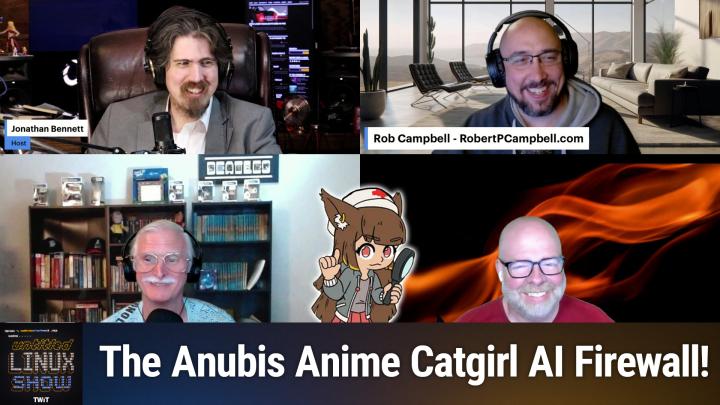
This week we're talking about more Apple SOC stuff landing in the Upstream kernel. There's the Thundermail update, there's anime cat girls in the kernel, for some reason. There's OpenSUSE news, there's FFmpeg news, there's Kdenlive news and lots more. You don't want to miss it, so stay tuned. Podcasts you love From people you trust. This is Twit.
00:29
This is the Untitled Linux Show, episode 217, recorded Saturday, august the 23rd. Can you export that to EPUB? Hey folks, it's Saturday and you know what that means. It's time for the Untitled Linux Show. We're going to get geeky with some hardware, software, the Linux kernel, all kinds of fun stuff. It's going to be great. It is not just me. We've got the whole gang here, rob, ken and Jeff, and we are going to dive into some Linux stuff, and Rob is continuing his track record of representing.
01:03 - Ken McDonald (Co-host)
Talking to Apple.
01:04 - Jonathan Bennett (Host)
Well, I was going to say representing the other guys. If there's a Microsoft story or an Apple story to cover, he seems to be the one to do it, which is fine, I guess. What's up with Apple?
01:17 - Rob Campbell (Co-host)
I was going to say I didn't know what you were talking about, because I was going to be like there's no drama in this story.
01:23 - Jeff Massie (Co-host)
I mean.
01:25 - Rob Campbell (Co-host)
It does reference Drama in a tiny, tiny, tiny way, but if it's got Rob, it's got drama.
01:33
So you know, and the drama here is, you know, even though we have reported on some key members leaving Asahi Linux a few months ago Okay, that was the drama part, that's it Such as Hector Martin and Asahi Lina it appears the project has been able to continue on without them. So as of this week we are seeing a number of improvements in the works for Linux on Apple Silicon. So the 6.17 kernel merge window kind of just wrapped up and passed them by. They missed that by just a little bit. So Asahi is working on updates for the 6.18 kernel, starting with DT patches. That almost could have made it a 6.1 if it just was a little quicker, but it's all right, just was a little quicker, but it's alright. They didn't want to push it in like some of the other dramatic, you know, kernel patcher people did. So these DT patches add a lot of things Like the system management controller nodes for, or SMC for, the Apple M1 and M2 SoCs, including the new PMU GPIO controller and reboot sub nodes allowing Modern Max to actually reboot under Linux and the mainline kernel. So Sven Peter also noted those Apple SMC nodes are also needed for later, enabling the power GPIO line for the Wi-Fi board. That could be important too.
03:16
Next up in the list is code support for handling laptop lid events, power buttons. Apple sensor monitoring support To. James Calagros posted patches to the kernel mailing list this week enabling the RTC for getting and setting system clock that's a real-time clock, I believe the HWmon for monitoring various hardware metrics like thermals and power and HID or HID sub-devices of the Apple System Management Controller. James worked on these patches with Sven and apparently Hector Martin. Not sure if this is Hector Martin still helping out with the project or if this is just work that he had been involved in before he left. He hasn't been gone too long. I think it's been a couple, two, three months. Finally, usb 3 support on the Apple M1, m2 devices is being added. This is something that Asahi has already had for a few months in their own code but in their continued efforts to upstream their work into their kernel, which is glad to see that this part isn't dying with Asahi. So in that continued work a series of patches have been posted to the Linux kernel mailing list. So it's good to see Asahi Linux work is continuing on and to see names of well what apparently you know this James guy. I had heard of him before I looked him up. He's been there since 2020.
05:02
So apparently, some longtime asahi developers are, you know, making their way more into the public light now that some of the uh key stars you know the people that we saw. You know, before we saw hector martin, asahi, lena well, we saw their uh avatar because they were a uh, what is that called? A the come on, john, what's that called? You're talking about vtubers. Vtuber, there you go. A vtuber, yeah, so so anyway, I'm going off track here. What was I talking about? I think it was so. Yes, so you know those. Those two were the limelight of everything they're doing vtubing long videos of how they got things working and you know, they were kind of the uh, they were kind of the pr team, the almost the marketing. Yes, I mean, they did a lot of work also, but they were the ones showing us how they're doing and how cool it is. It's good to know we still have people on the team working, maybe a little quieter these days to get things done. And asahi indeed.
06:06 - Jonathan Bennett (Host)
Yeah, it's good to see all this continue to go um there definitely was concerns.
06:13 - Rob Campbell (Co-host)
But you know, sven peter uh said he pretty much would take over some of the a lot of stuff that hector was doing. So then we got james and you know, I've never really looked into it, but I don't know who else is on the team.
06:28 - Jonathan Bennett (Host)
Heck, for all I know there's like 20 of them just hanging out there, I'm sure there are several and so like there's a group of people that really like the Mac hardware and so that's going to attract, like, developers that want to use a Mac, want to run Linux on it, and then developers that want to want to use a mac, want to run linux on it, and then you know, inevitably something is going to be broken right and so you just they're, they are the scratching their own itch to get in there and fix it and try to push it upstream yeah, I'm not gonna lie, I like, I like the macbook hardware too.
06:55 - Rob Campbell (Co-host)
It's, it's slick, it's sleek, there we go.
06:59 - Jeff Massie (Co-host)
That's the word I'm looking for yeah, I, I've.
07:01 - Jonathan Bennett (Host)
I've considered we talked about this show. I've considered going and finding like an M1 or M2, because I'm sure you can get them secondhand now reasonably cheap, yeah, right, or?
07:11 - Ken McDonald (Co-host)
cheaper than the MSRP.
07:14 - Jonathan Bennett (Host)
Yeah, I would hope so. It would not be worth it.
07:16 - Rob Campbell (Co-host)
I saw an ad on Reddit, I think, just today Walmart has M1s for $599. That's still a little expensive. That's what I thought. I was hoping for half of that, it didn't quite pique my interest yet. I mean, it piqued my interest, but it got my interest. It didn't pique it though.
07:34 - Jonathan Bennett (Host)
That is not the same word, pique. By the way, pique, your interest is P-I-Q-U-E, I think.
07:47 - Rob Campbell (Co-host)
And piquing is P-i-q-u-e, I think, and peaking is p-e-a-k.
07:48 - Jonathan Bennett (Host)
Yeah, but you know two different words. There's a thing called a play on words. Oh see, I didn't think you were doing it on purpose. I'm still not sure you were doing it on purpose and there's also a thing called play on linux there is um, but that's not what we're going to talk about next.
08:01
We're going to talk about anime cat girls. Next, what? Yes, you probably have seen them. When you click on an LKML link, you have probably seen the anime cat girl pop up and say making sure you're not a bot. You guys have seen this, right? Oh, yeah, I just noticed it. Yes, now that you've seen it, you can't unsee it. Um, yeah, it's stuff like uh, sadly. So it'll say um, making sure you're not a bot. There'll be the little picture of an, an animated female with cat ears, and usually it'll go away after a few seconds. And if you're like me, you've seen that and I wonder what's up with that and never really looked into it.
08:47
Well, this week, actually for my security article over at Hackaday, I looked into it and I also sort of followed along where Tavis Ormandy looked into it. And what's happening here is this is a. It's sort of a web firewall that what it's doing is it is checking for. Are you a real web browser or is this someone's scraping tool? Right, essentially, it's looking for AI bots, ai scraping bots. It does a couple of different things to try to make this determination. One is it looks at your user agent string and if you've got something like a Mozilla user agent string, then it goes oh, this is probably a web browser and if not, it figures that you're a bot. But one of the other things it does is it makes you do hashes. So in JavaScript in your browser, you have to calculate a. It gives you a challenge string. You have to calculate an additional string to append to the end of it such that when you run a SHA-256 hash of the whole thing, the first X number of bits at the very beginning are zero. And that is part of its process to try to keep AI scrapers out of these open source projects.
10:14
And this hit Tavis Armody, because he was accessing things like LKM the Linux kernel mailing list, lkml from not a desktop web browser. He didn't say exactly what it was using, but it would have been something like maybe a text-based web browser Pine Pines is that what that one's called? I can't remember now, but you know there's a couple of those. Or he may have another tool built on curl just to do this in particular. And because he didn't have JavaScript running, it blocked him and he got the pop-up that said Sadly, you must enable JavaScript to get past this challenge. And so he found that kind of weird and went looking for a workaround, found a workaround by processing this kernel response offline. And then he started doing the math Like how effective is this really against someone that really wanted to scrape these websites? And, um, it it not very effective.
11:13
Um, he sort of did this, this experiment, where he said, okay, let's go look at the number of stars that this, the anubis that's the name of the project the number of stars that anubisis has on GitHub, and we'll just sort of assume that each one of those stars is a website that it protects. You figure that they're all set up with the defaults. And then, okay, say we wanted to break the challenge, we wanted to calculate the challenge string for all of these websites. How much would it cost right challenge string for all of these websites? How much would it cost, right, like what is the? If we were to rent a VPS virtual private server and actually do this calculation, what would it cost to do all of them? And six minutes.
11:58
It took about six minutes to do all of them on this server that he rented and he says it's such a small amount of work, it's literally below the threshold to get billed, for it literally costs nothing to break Anubis for every one of these websites. And then he says think about this, the people that you're trying to keep out are the ones that already have loads and loads of GPU cards that can do these SHA-256 hashes. They have whole data centers filled with nothing but SHA-256 generators. And then he links to a complaint where someone says the Anubis challenges are very slow on old smartphones. They can take up to 30 seconds on some of this really old hardware.
12:40
And so he basically just makes the case that this is interesting as an art project but for actual security it is completely useless. I have to agree. Actually, I think that is almost the. You can't much argue with the math of it. So it's interesting. The Anubis thing. It's fascinating. It's sort of an art project more than it is real security. I call it security theater in my security column because it makes you feel better about it, but it doesn't actually help anything. But that is why you see anime cat curls when you're trying to get to the kernel.
13:22 - Ken McDonald (Co-host)
So this is just an obscure security feature because it's obscured? Yeah, it's obscurity.
13:30 - Jeff Massie (Co-host)
Well, I just thought it was more, you know, just putting a delay in there. So if somebody was really hammering the site, you know, I didn't realize it was doing a calculation. I just thought it was like, oh, it's got a few second delay in there.
13:46 - Jonathan Bennett (Host)
No, it's actually calculating SHA-256 hashes, and the thing is, if you have the SHA-256 hash calculated already, you don't have to sit there so you can access the site. If you have the right cookie, you can access the site without ever seeing that, and so that's why the whole thing is, if someone is willing to just do the calculation, they don't have to go through that screen at all. That's kind of. That's kind of the point, the type of making that. It's like it's completely worthless for its stated purpose, right, like.
14:15 - Jeff Massie (Co-host)
Well, like I said, I didn't realize it was doing all that, I just thought it was somebody was just throwing a delay in there and oh, okay, whatever.
14:22 - Ken McDonald (Co-host)
Is there anything that AI is good at?
14:28 - Rob Campbell (Co-host)
Yes, maybe what they really wanted to do is just save on bandwidth and minimize the people they're automatically downloading and make it a little difficult on them.
14:38 - Jonathan Bennett (Host)
Well, yes, they were trying to. Well, I guess you mean Stevie Tavis, and the like.
14:43 - Rob Campbell (Co-host)
I'm not just saying malicious people, I'm just saying people who maybe want to go on and download all the kernels for no reason at all no, I think so.
14:51 - Jonathan Bennett (Host)
At least, the stated goal of anubis is that they are fighting against people that are scraping these things to feed ai they. They consider it to be a a lousy thing to do.
15:04 - Ken McDonald (Co-host)
So if somebody wrote a batch file using curl and just the link for every one of those items they wanted to download and ran that, how would it affect this effect doing that?
15:18 - Jonathan Bennett (Host)
You can't do it. You can't do it with curl, you have to follow. Well, you have to follow Tavis' steps to calculate the cookie, and then you can just respond. You add it as a. I don't remember if it's a form field or a cookie, but anyway there's a command line flag that you can use to add that inside of curl to then be able to get the download. So, still doable, we can talk about what ai can be useful for, but I think first we're going to talk about uh open susa and uh ken. Is there something in ai related in open susa or is uh? Is this always?
16:00 - Ken McDonald (Co-host)
is nothing ai related in these articles by Bobby Borosoff that he wrote about Douglas DeMeo's, and I do apologize if I mispronounce that, but Douglas wrote a blog post talking about retiring the current OpenSUSE-Welcome window. Opensuse-welcome window Y'all may have seen that occasionally when I brought up my VM because I never unchecked the box to say don't show on the next one. But OpenSUSE's release team have decided to tweak and refine existing solutions like GNOME Tour for GNOME and Plasma Welcome for KDE's Plasma, by making a new controller and OpenSUSE-Welcome-Launcher to coordinate them and provide desktop-specific content. According to Douglas, the rollout of this new greeter will be done in multiple phases. This new greeter will be done in multiple phases. They'll initially start with the launcher. We'll call the well-known legacy OpenSUSE welcome, but without the checkbox show on next boot. That's the one I never check, that I always leave checked so I can see it every time I log into my VM. And then in the next phase, the launcher triggers OpenSUSE-branded GNOME Tour and Plasma Welcome, while keeping OpenSUSE-Welcome as a fallback, that's if it is still installed.
17:37
Now in the last phase, the legacy Qt 5-base greeter will eventually be decommissioned. There should be an agreed fallback on desktop sessions without the dedicated greeter. This last phase explains one reason why OpenSUSE is phasing out the OpenSUSE welcome window. It is considered legacy and is one of the last Qt 5 dependent applications. This should help phase out some remaining Qt 5 components across the distribution. Now, since I have condensed the information provided by both Douglas and Bobby, I do recommend following the link in the show notes if you do want even more details. So why are they Go?
18:27 - Jonathan Bennett (Host)
ahead Jeff.
18:32 - Ken McDonald (Co-host)
I think we're waiting on Jeff.
18:34 - Jeff Massie (Co-host)
I can't hear the word ahoy without thinking of the old Commodore magazine.
18:40 - Jonathan Bennett (Host)
Yeah, I'm trying to figure out why they want to get rid of QT5. Is that because Qt 5 is?
18:45 - Ken McDonald (Co-host)
Isn't most of KDE 6 being based off of Qt 6?
18:50 - Jeff Massie (Co-host)
I think that's probably it. Yeah, Qt 5 is basically getting KDE 5. Yeah.
18:59 - Rob Campbell (Co-host)
I remember when it was new Yep.
19:04 - Ken McDonald (Co-host)
I remember when Qt was new. Yup, I remember when Qt was new.
19:08 - Jonathan Bennett (Host)
Yeah, so what they're moving to? Is it going to be Qt-based the new welcome window? You probably said this and I was reading something else at the time.
19:20 - Ken McDonald (Co-host)
No, that's going to call if you have Gnome as your desktop, it's going to use Gn, GNOME's term, but it's going to be customized for OpenSUSE.
19:29 - Jonathan Bennett (Host)
Right, it uses the ones already built into the desktop environments. Yeah, that makes sense. They'll get updates for free.
19:41 - Ken McDonald (Co-host)
Very cool. They just have to tweak every time it's updated.
19:46 - Jonathan Bennett (Host)
Yeah a little bit, all right. Well, speaking of updates, there was another pretty big update for those of us that do video editing on Linux, at least the slice of us that use KDE's, kdenlive, and Jeff has the story here, and then I'm going to tag on to it because I've got some inside inside scoop. But, jeff, take it away and tell us what is new.
20:09 - Jeff Massie (Co-host)
So there's a new release of Caden live that came out Monday August 18th and it's 25.08.0. The official announcement points out there are over 300 commits and they've fixed more than 15 crashes. Now, this release was based around making the editing experience more pleasant. There's no new huge features. This is a polished release. They tweak some things but it's not going to be like whoa, look what they added. This is smoothing the rough edges. On the interface side of things. There's a redesign of the audio mixer.
20:43
They made some of the changes so the levels and thresholds are much easier to see. There was some code cleanup and with that they were able to fix the high DPI display fractional scaling issues. The tideler got some love in the form of an improved SVG and image support with the ability to move and resize items. They also added the center resize with shift plus drag and rename the pattern tab to the templates and move the templates drop down to under it. They added a time code widget with the ability to drag to seek in the tideler and they fixed some issues when resizing images. They would. When resizing images. They fixed issues. When resizing images. It would also move them. So it's not going to move them anymore. Fixed the titler selection on create resized object, fixed an issue where the titlers panel width was consuming half the screen and save and restore panel width on reopening. They fixed the thumbnail not updating in the timeline after you made a change.
21:45
Subtitles and speech to text also were hit by making the subtitle edit widget resizable to adapt to lower resolutions. They fixed crash dropping media files on subtitle tracks. They fixed a layer name width, so you won't have issues there anymore. Name width, so you won't have issues there anymore. Fixed subtitles showing up on the top layer rather than appearing on lower layers on project loading and even the whisper function disabled translation when the turbo mode is selected and they fixed Vosk STT producing bad subtitles.
22:26
Now, as you can see here, there's a lot of polish going into this release. I won't cover them all, but I will say video processing also received updates on rendering and coding, decoding and transcoding. Their monitors has improvements for making sure the monitor tool is always the correct size and location to make sure what it displays is correctly updated, along with being in front and behind the proper things there. There was an issue there where it could either go too far back or too far forward based on what you were doing. Markers and guides, along with the scope tool, were changed. So there was there was a whole bunch in there, like I said, over 300.
23:03
Take a look at the release announcement in the show notes. That's what the link in the show notes is the official release announcement and there's a lot of A to B type of images which I can't do justice on here, where they say, okay, you know, like, for example, the audio mix. So here's what the old one looks like, here's what the new one looks like, things like that. So definitely take a look and see the changes. And they do mention in the release how they're going to have a Caden Live Sprint which will be in Berlin, germany, and start on the 4th of September and can continue for a few days after that.
23:39
They mentioned in there the 7th, but I don't know if that's the official end or they talk about having a guest speaker and things like that. But they also said there are going to be more details on the event coming out soon. So keep an eye on that. And finally, they also have a link to places where you can help out. So, even if you can't program, you know they need documentation, they need other support people. So don't think, if you can't program, you can't help. So if you can help and if you so desire, it'd be a good way to give back to the open source community.
24:12 - Jonathan Bennett (Host)
Absolutely so. I had an interview with Ferid Ablaur, one of the not one of the programmers, but one of the artists that actually use it and is sort of part of the project as a result and he kind of cued me in on a couple of interesting things that's going on here soon. Some of this actually landed in this release. One is they've started plumbing in 10-bit support to be able to do HDR video editing there in Kdenlive and they're also looking at trying to do GPU accelerated timeline view and they've got a little bit of that in there with the nv inc stuff landing. Uh.
24:53
And then there's some other really interesting things that they they sort of know that they want to do, like changing the way that um video um effects are keyed right now. That's a bit awkward trying to mess with the way. So if you, if you need to change a video effect the way it works over time, it's it's very awkward to do, it's very fiddly, and they know that and they're going to try to fix that. Um. So some some interesting things that are starting to land that are coming probably in the next couple of releases, if you want to check that out.
25:23 - Rob Campbell (Co-host)
I've also dropped the link to the floss weekly episode in the show notes one of uh, my favorite video editors, I believe, also had an update this week too. That is shot cut, but I have not looked into any of the details so I don't know what they have. Probably ai, everyone has ai, I don't know indeed, everyone has ai I'll go for my favorite video editor a little later.
25:53 - Jonathan Bennett (Host)
Ah, I'm trying to remember if Shotcut is one of the ones that I like. There's like three sort of leading open source video editors right now Shotcut, kdenlive and there's one more, davinci. I don't think that one's open source DaVinci.
26:09 - Rob Campbell (Co-host)
Resolve.
26:10 - Ken McDonald (Co-host)
Oh, sure, is it OpenCut one more and she um, I don't think that one's open source dimension.
26:16 - Jonathan Bennett (Host)
Oh sure, uh, it's an open cut uh, I don't know.
26:22 - Rob Campbell (Co-host)
I'm sure somebody in the audience will know, yeah, there is an open cut, but I don't know that's the one I'm thinking of, no, anyway.
26:27 - Jonathan Bennett (Host)
Um, there's one of them that when I try to do an import of like an hour of video, the timeline just slows to a crawl, and it is not usable. Kdenlive does very well with it, though. It's one of the reasons why I stick with it.
26:41 - Ken McDonald (Co-host)
Have you tried using Blender as a video editor yet?
26:44 - Jonathan Bennett (Host)
I've not. I know it has some support for that, but I don't think really the non-linear editing like I do is quite what it's meant for. Have you ever heard of FlowBlade. I have, yeah, I have heard of FlowBlade. I've not used it, but I am aware that it exists.
27:08 - Jeff Massie (Co-host)
I looked up and there was like 12 of them for Linux. They said Right, the two already mentioned are the ones that popped into my head of that I you know a little more household name.
27:20 - Ken McDonald (Co-host)
Shotcut Kdenlive OpenShot AVDMux I've vaguely heard about. I haven't played with it. I'll have to play with Flowblade and Lightworks.
27:33 - Jonathan Bennett (Host)
Avid MUX is not a non-linear video editor. It is a video processing tool. It does not have a timeline. I'll put it this way you can do manipulations, but it does not have a timeline to actually do video editing. Um, anyway, so I've. We're talking about open source editors, not necessarily video editors. There is another one to consider and rob. That's library office. I saw a headline this week about library office, how they are abandoning something. Is this part of your notes?
28:12 - Rob Campbell (Co-host)
um, you'll have to tack that on, because I'm not quite sure what you're talking about there.
28:16 - Jonathan Bennett (Host)
I'll if you don't, if you don't mention it, I'll be glad to do it.
28:18 - Rob Campbell (Co-host)
Tell us what you've got about library office and the next release so I know lately I've been giving a lot of love to uh only office on the show. But you know, library office is here and with its 25.8 half-year release they're doing what they can to keep up with some of the great improvements. So the first things people are likely to notice is everything is much faster, from application startup to scrolling large documents and file readings. I don't know, maybe, maybe they dropped something there. That's why it's faster. I I really don't know what jonathan is into that. Next thing on my list is benchmarks ran by the document foundation show that well, I mean, this is more an expansion on that first part, but it shows that that Writer and Calc you know, the word processor and the spreadsheet tool open files 30% faster than before. And as for opening files, significant gains have been made in handling Microsoft Office files with the release. With this release, you know example, the docx, xlsx and the pptx documents are now processed with greater accuracy. Libreoffice 25.8 now adds support for exporting PDF 2.0 files with AES-256 encryption, which is a requirement for 2.0, and combines PDF and PDF-slash-A versions into one drop-down menu. In addition, there's a PDF export UI rearranged with form section combined, new structure elements, slash-em, slash-strong, slash-title, added an AF relationship for embedded files. In hybrid mode, embedded ODF documents are marked as a source. So a number of other changes, also too numerous to mention them, but a few of them here are a spell check is now better in multi-language, now better supports multi-language in spreadsheets, and there is enhanced support for screen readers and an improved keyboard navigation. So some good accessibility features here.
30:47
Calc also has 19 new functions. So you know the basic one likes like equals, sum and then you sum up stuff. Well, obviously it's had that for a long time, but there are 19 new ones that more obscure. I kind of looked through them. There's nothing I ever use, but you know, maybe you want to use them. There's toolbar changes, a new script forge, library service and, like I said, a lot more.
31:15
But the biggest thing coming to LibreOffice that Jonathan is going to love is AI. Oh, yay, all right. So this isn't actually part of the 25.8 release, but a plug-in that has been made available this week, or I guess they call them extensions. So a new extension for LibreOffice allows you to generate images right inside of a writer and impress without any subscription fees or account signups with the use of stable diffusion.
31:53
So Igor Tamara, he's a pretty new to labor office development, but he built this extension in only two weeks using the. He used the GIMP plugin as the foundation and then he adapted it to work with LibreOffice, so just took that and went from there. You know, you guys think he used any AI to do this, maybe a little, maybe a little vibe coding. So the use case to use this it's pretty simple, apparently you type the image you want, tweak some settings, pick a model and, through the online group of volunteers lending their GPU power for free, known as the AI horde boom, you have an image. So a lot of cool stuff. Labor office is moving forward and personally I love of cool stuff. Labor office is moving forward and you know personally, I love the stuff Interesting.
32:56 - Jonathan Bennett (Host)
Yeah, okay, so the thing that they are leaving behind is Windows 32-bit support and, with that, support for Windows 7, windows 8, and Windows 8.1.
33:14 - Rob Campbell (Co-host)
I mean that's unfortunate for some Windows users still using old version of Windows. I know they exist.
33:24 - Jonathan Bennett (Host)
Yep, they sure do. It's probably time to leave it in the past, though. Install Linux on that old box.
33:29 - Rob Campbell (Co-host)
Yeah, I don't have anything else to say, so.
33:32 - Ken McDonald (Co-host)
I guess you wouldn't be using the AI to generate a document and convert it to an EPUB.
33:39 - Rob Campbell (Co-host)
Probably not. That is not part of that yet. Just images for that. No, I do like it.
33:47 - Ken McDonald (Co-host)
Go ahead, Jeff.
33:48 - Jeff Massie (Co-host)
I was going to say I looked at some of the functions in Calc. There are some useful functions in there. So if you're kind of the person that would be programming a lot of stuff in like, for example, you're using VLOOKUPs and you're doing a lot of data manipulation in Excel type things, so the Calc functions are going to support a lot of that kind of stuff. So it's not a. If you're balancing your checkbook, it won't be of any use. But when you're picking and choosing data and you're kind of using your spreadsheets, sort of like a database too, that's they'll be they'll be helpful.
34:23 - Rob Campbell (Co-host)
Yeah, it wasn't VLOOKUP. Vlookup itself wasn't one of those, was it? No? Just things that support it better.
34:32 - Jeff Massie (Co-host)
Yeah, I'm using that as a level of instruction. So if you're like I'm in excel and I don't know what that is, yeah, then it's not for you.
34:37 - Ken McDonald (Co-host)
Yeah, it's not for you it's.
34:41 - Jeff Massie (Co-host)
It's for the kind of heavier duty coders in spreadsheet I've heard of the lookup.
34:48 - Jonathan Bennett (Host)
I don't remember what it does, but I've heard of VLOOKUP.
34:50 - Ken McDonald (Co-host)
I don't remember what it does, but I've heard of it. It looks up vertically through a database and finds a related item in the and here. I was thinking if you had an LED keyboard.
35:02 - Jonathan Bennett (Host)
It made your V key flash.
35:05 - Rob Campbell (Co-host)
For the most part I'm just an equal some kind of guy and don't use a whole lot of other ones, but sometimes I do. I don't know them by heart. I look them up. I've used VLOOKUP to create some more complicated spreadsheets, but I don't have them down by heart. I always have to look. It's like how do I do this again? Yeah, yeah.
35:23 - Jeff Massie (Co-host)
I live in Excel, so I do a lot of this kind of stuff. Hey, kind of stuff. Hey, you guys are talking about rust programming and doing that. I'm like I don't know what's going. But when something like this, I'm like oh yeah, I know what's going on.
35:34 - Ken McDonald (Co-host)
Hey, I'm in there a lot too, but that doesn't mean that doesn't necessarily mean you have to know the uh, all the functions I have used several of the uh obscure functions for doing a lot of database manipulation with excel, excel in the past and library office calc essentially you say that because vlookup, now that I go and read about it it's basically select where, select this column where that column is equal to.
36:01 - Jonathan Bennett (Host)
Yeah, it's essentially the same thing as you would do in a database.
36:04 - Jeff Massie (Co-host)
Okay, yes, I know, I get it yeah, except the really tricky part is when you're like I got to add all these values that correspond to this other other column or other row label and there's multiples. So I can't just use like VLOOKUP, because I have to match several because VLOOKUP finds the first one but there's other functions for that too. I'll leave that for the listener to go figure out how to figure out what they are and how to use multiple patterns in At some point.
36:34 - Jonathan Bennett (Host)
Jeff, you should just be using a database and some Python code. Yeah, that takes too, long.
36:43 - Rob Campbell (Co-host)
He prefers a little VB script in Excel.
36:47 - Jeff Massie (Co-host)
Hey.
36:47 - Rob Campbell (Co-host)
I'm not a.
36:48 - Jeff Massie (Co-host)
Python in spreadsheets. I've done that, libreoffice has supported it for a long time and Office supports it now.
36:55 - Ken McDonald (Co-host)
Yeah, there is a database program that comes with LibreOffice.
37:02 - Jonathan Bennett (Host)
Yeah, libreoffice Base, I think they call it. I've never fiddled with it. I know it's an alternative to Microsoft Access, I think. Access, yeah yeah, which is another's an alternative to Microsoft access access, I think access, yeah, yeah, which is another thing I'd rather never see again.
37:14 - Rob Campbell (Co-host)
Ah, true, true, any access like. There came a point in my life where if I came across an access database and someone else wasn't using that, export it to a spreadsheet.
37:25 - Jeff Massie (Co-host)
Yep, yep Should be done with it and and we're still using spreadsheets because there's a lot of data manipulation, a lot of math and stuff and statistical analysis and whatnot.
37:36 - Ken McDonald (Co-host)
What's really interesting is taking that and importing the outputs from those calculations into a document and then exporting that document to an EPUB.
37:53 - Jonathan Bennett (Host)
What is?
37:54 - Rob Campbell (Co-host)
it with Ken and his epubs?
37:54 - Jonathan Bennett (Host)
oh, because he wants to have that in the epub so he can read it in caliber yeah, but we've got a story before we get to caliber, there's something in chrome he wants to skip that. We're not going to skip it. We're going to talk about chrome next, because there's a really big deal something I've been covering for a very long time that we've talked about, but it is now landed and it looks like it's on the schedule for Chrome 141, which, sometime around the end of next month, the end of September, it's going to be out, which means that you can probably beta drive it before then. You may be able to get it in the Canary builds already, and that is that there is now support landed in Chromium and Chrome for the Color Management V1, the Wayland HDR protocol, so Chrome is finally catching up to Firefox. It's been in Firefox for a while now.
38:48
I've been enjoying it in Firefox for a while now. The Firefox it's been in Firefox for a while now. I've been enjoying it in Firefox for a while now, but I discovered just earlier today that, about three days ago, they finally pulled it, and we talked about this when the code was written about a month ago. It was unclear then, though, what the schedule was to making it live in the releases, and it is now on the schedule and, again, end of September is when we should be able to get this. So if you're running something like oh KDE 6.4 and you're running Chrome 141, you will be able to get your HDR fix if you have a monitor that can actually do it. I finally I talked Jeff into getting one of those. Jeff, you're going to be on the beta tester team for this right.
39:32 - Jeff Massie (Co-host)
Yeah, I'm running HDR right now. Yeah, yeah.
39:36 - Rob Campbell (Co-host)
Yeah, I can tell you, look different.
39:39 - Jeff Massie (Co-host)
More vibrant and colorful.
39:41 - Jonathan Bennett (Host)
I'm proud of how that works, Rob. Have you gone into Firefox and played around with, you know, pulling up HDR YouTube videos?
39:49 - Jeff Massie (Co-host)
I haven't yet. Oh okay, I'm just pretty new on the monitor and still working on it and it's it's one of those. It's not like a thousand nit monitor, right so but it's definitely brighter and the colors pop more.
40:02 - Rob Campbell (Co-host)
And it's it's my first oled too so it's like oh, that's, that would be, that's expensive. That was an expensive monitor, wasn't it? But can you export that to an EPUB?
40:14 - Jeff Massie (Co-host)
I can, but it would take a lot of pages to print out. I got a 5K by 2K monitor 45 inch.
40:23 - Jonathan Bennett (Host)
All right. All right, ken, we finally are ready for your EPUB story. What's going on with Caliber, or Calibri, however you want to say it?
40:31 - Ken McDonald (Co-host)
for your EPUB story. What's going on with Calibre, or Calibri however you want to say it? Well, this week we'll be covering a lot of improvements, since I last talked about Calibre version 8.4, which was way back on episode 202. This week, bobby Borosov and Marius Nestor wrote about Calibre version 8.9 being released. Now it brings 20 new features compared to 8.4.
40:54
I am amazed at the new features COVID comes up with based on requests from all of us users. According to Bobby, one of the most notable changes is in the annotations browser, which now displays a color swatch in the results list. Marius writes about Calibre 8.9 adding a submenu to the right-click menu of the Fetch News button that shows recently downloaded news sources. Other features added after version 8.4 include adding support for the latest Tolino firmware, rewriting the back end used to run the Piper speech models so they no longer need an external binary, and the welcome wizard changes the default output format to AZW3. For Kindles it used to use the Mobi format. It added an option to the Kobi driver to change how the Kobi display series numbers using the template. The best source for all the new features and bug fixes is the link to Calibre. What's New that I have linked in the show notes and I do recommend reading Bobby's and Mario's articles to see what else they consider important. Mm-hmm, you said firmware Bobby's and Mario's articles to see what else they consider important. Hmm.
42:12 - Jonathan Bennett (Host)
Now you said firmware. What firmware is that a reference to?
42:18 - Ken McDonald (Co-host)
On the Kobo ebook readers.
42:22 - Jonathan Bennett (Host)
Hmm, I'm trying to remember what those are Similar to.
42:28 - Ken McDonald (Co-host)
Kindle Right. Or the Nook ebook readers. It's the firmware on them. The Toledo is actually one of the Kobo ebooks reader. Did you say versions or models?
42:47 - Jonathan Bennett (Host)
Yeah, version model. Either way works. Yeah, very cool. I just I was not familiar with that particular reader. I get that in my world there's only kindle, because that's I don't have any ebook readers at all, and it's the only one that I'm familiar with and that's the kindle app no, the kindle reader, just because that's the one that the market knows so much about. It's the one that's out there, so that's the one I'm familiar with.
43:13 - Rob Campbell (Co-host)
There was a time the nook was right up. There is like which one's gonna win out?
43:16 - Ken McDonald (Co-host)
and well, yeah, we know yeah still got a nook that powers up. It's just the touch screen that doesn't always respond to what you want it to do. Yeah, which makes it hard to open books, I can imagine. Yeah.
43:32 - Jonathan Bennett (Host)
You've got to hook a mouse up to it.
43:34 - Jeff Massie (Co-host)
Yeah, it just seemed like the Nook faded away. I don't remember any major issues the e-book reader itself.
43:42 - Ken McDonald (Co-host)
Did I still use the Nook app on my phone?
43:48 - Rob Campbell (Co-host)
Yeah, I think it was more of where the books came from, because the Nook was. Barnes Noble and the Kindle was Amazon, and Amazon was just way more widely available.
44:02 - Ken McDonald (Co-host)
There's also. Widely known Well. Noah Pointer says he quite likes his Kobo Libra color. I haven't used any of those. I've been shopping around because I'd like to find a good color e-ink reader for some of the digital comics I've got downloaded through Humble Bundle.
44:23 - Jonathan Bennett (Host)
Yeah yeah. I've only recently gotten some e-ink devices and I've never messed around with the color e-ink. It's impressive, like all that they've been able to do with that. It looks like, by the way, that Nook tablets are still a thing and they're still pretty reasonably priced.
44:46 - Rob Campbell (Co-host)
They're Android-based tablets running the Nook app. I kind of thought I've seen them at the store, though.
44:51 - Ken McDonald (Co-host)
Oh, I'm sure you can still see them in Barnes and Noble yeah, that's what I mean at the store, the physical when you're talking about the colored comics.
45:01 - Jeff Massie (Co-host)
I did a command line tip, probably a couple years ago, on a reader for comic books for Linux have you installed your comic book reader in CacheOS yet? I have not. This is going to be a two-parter.
45:20 - Jonathan Bennett (Host)
Well then, take it away with part one, sir.
45:23 - Jeff Massie (Co-host)
Okay, so like I said, this is going to be a two-part story. Now the second part is my journey installing CacheOS on a laptop, and this first one. I just thought we'd get a little deeper into what CacheOS really is. It's a little bit of its history background, that kind of stuff. You know. We've been talking about it a lot for the past few weeks, you know, especially since Clear Linux has shut down. It's basically now the performance front runner. It was always number two whenever Michael Larable at Pharonix would do any benchmarking, clear was always the Clear winner and Cashi was always second and it kind of left. It was the gap between Clear's large lead and the rest of the pack. You know, the Ubuntus, the Fedoras, the you know they were kind of all pretty close. Kashi was the one that was a little kind of ahead, you know, noticeably ahead, and so I thought it was time we just dug in a little deeper. Now the link in the show notes is from a recent article in FossForcecom where they basically dug into it for us Now.
46:35
Cacheos is a pretty recent addition to the Linux Roundup. Versus some of the old names like Slackware and Debian, it was first released in 2021 by Peter Jung and Wladyslaw Nipologodin, sorry about that, and it's based out of Germany. The name Cache OS originated from the Cache scheduler, a CPU scheduler patch meant to improve desktop responsive responsiveness. That was developed by Jung. He later grew interested in creating an optimized Linux distribution for the x86 64-v3 systems. Now notice I said 64 in there. There isn't a 32-bit version, and the v3 means that the really old hardware is not going to run CacheOS, even if it is 64-bit. They also need to support the v3 instruction set. I won't go deep into this as we've covered this in past shows, but the version numbering of CPUs is based on a core agreed upon well, mostly agreed upon set of instructions which each version level supports. In this case, v3 is Intel Haswell, which was released in 2013 and most would know it as the 4770 chips or newer are supported. The AMD side, it would be the Excavator chips or newer, and it was released in 2015,. So that'd be like the Athlon X64 845 or better. Minimum hardware is going to include three gigabytes of RAM, though 8 gigabytes is recommended and the same with storage. 30 gigabytes is the minimum, but 50 is the recommended. There also needs to be an internet connection. This is not set up to be an offline distribution Cache.
48:25
Os is based on Arch and, just like Arch, it's a rolling release. So when you install, you're getting a snapshot of the OS, because that you know the, the ISO that you download, and then, when you get on the line, that's where you get it up to date, and the fundamentals kind of we touched on before, is it's optimized performance while maintaining simplicity. The default deck, now the default desktop, is KDE. Now, this could be a little confusing for people that are new. There's 15 other desktops, such as GNOME, xfce, i3, wayfair, lxqt, openbox, cinnamon, cosmic, ukui, lxde, mate, budgie, qtile, hyperland and Sway. So those are all open. So when you're installing and you have an option of what to install desktop-wise, they all show up. You just pick the one you want.
49:24
Right now, casio S is the number one spot on DistroWatch, which, as we say, take that with a big grain of salt. It, it, it does say, though, that it's probably pretty popular, since it's been number one for a while. So at least people are clicking on it, people are looking at it doesn't mean it's the most installed, it just means that it's got a lot of interest. At least it's catching eyes. Uh, like I said before, in benchmarking. It's really fast and only ever lost out to clear, which is now no more so. Cache is going to be your performance leader. Take a look at the article in the show notes for more details and part two. I will go into my experience putting Cache OS on a modern laptop.
50:07 - Jonathan Bennett (Host)
yeah, very interested in that. It's a it's. It's an interesting thing to see what Cashew has done, and I don't know if it's going to become a leading distro, but I think some of its best ideas will, of course, get gobbled up by the other distros, and so you know you'll see it in Ubuntu or Fedora or one of those in the coming years.
50:32 - Jeff Massie (Co-host)
So yeah, interesting stuff, and Ubuntu we've kind of talked about in the past is kind of playing around with. They were looking. Well, fedora was too. Making V3 processors is the only you know that level, and up there was talk of getting rid of 32-bit. All together there's, I mean. So they're a little more mainstream where cashies kind of went forward and said no, we we're putting the pedal to the metal and we're not supporting the old stuff, we're not trying to be a, a broad for everything kind of distribution they're.
51:08 - Rob Campbell (Co-host)
They're like okay, you gotta, you gotta be this high to ride, you know yeah, you know, jeff, nobody sold me on switching to a new distribution for a while. Um well, somebody did buy me on switching to a new distribution for a little while, but nobody sold me on it and I think you might be I. I I'm really kind of intrigued and interested to give this a shot.
51:32 - Ken McDonald (Co-host)
Rob, I'd have to ask Would you go with the default shell, or would you choose fish or ZSH?
51:41 - Rob Campbell (Co-host)
Default.
51:43 - Jonathan Bennett (Host)
Yep, yep, it's really the only one there, the only one there is for us old folks.
51:48 - Rob Campbell (Co-host)
You know I am, I'm interested. I've heard a lot of good things about fish. I'm interested in giving it a shot someday, but I I'm probably not interested in actually using that as my daily driver uh, you'll have to change it up then, because it defaults to fish.
52:05 - Jeff Massie (Co-host)
That's what I'm running right now, and I didn't.
52:07 - Rob Campbell (Co-host)
I didn't choose, it's just where it well, maybe I'll give it a shot then the article is wrong because it said it would default to bash yeah, it's wrong, it it's, or maybe maybe they changed it.
52:18 - Jeff Massie (Co-host)
But right now mine, mine went straight to fish, but it still supports kind of what you know. It's a little more colorful and I think, unless you're really into the, into the terminal, a lot, really doing some heavy lifting, I don't think you're really going to notice a difference other than like, oh, it's got some colors.
52:37 - Ken McDonald (Co-host)
What default email application does it go with?
52:43 - Jeff Massie (Co-host)
Whatever you want to load in.
52:45 - Jonathan Bennett (Host)
See, I was going to ask Rob if he had considered changing his default male host to maybe a, uh, thunder male, because that's the story that he has about Thunderbird and their new professional services coming up yeah, it's definitely on my radar and I will say as much as Steve Gibson and, uh, leo, hate the name.
53:07 - Jeff Massie (Co-host)
I think Thunder male is just. I don't care what they say.
53:11 - Rob Campbell (Co-host)
I kind of like it. I like it better than Thunderbird yeah.
53:15 - Ken McDonald (Co-host)
Thundermail and Lightningbird. There's the combination.
53:20 - Rob Campbell (Co-host)
Take it away, rob. So yeah, so some time ago we shared the announcement that Thundermail Thundermail, a mail service from Thunderbird, and then Thunderbird Pro, backed by a suite of enhanced features, both brought to us by Thunderbird, and I hoped it would eventually compete with Office 365. So this is what we brought to you, I don't know, several few months ago, a while, and I've hoped for it to compete with 365. So this is what we brought to you, I know, several few months ago, a while, and you know, I've hoped for it to compete with 365. I still don't have any answers as to how it might compete with Office 365. But there are more details starting to emerge, more things in the know. So here's what we know so far, some of the new details. So Mozilla Technologies says for users who opt in, the goal is for these services to be smoothly integrated into the Thunderbird app, providing a natural extension of the familiar experience they already enjoy, enhanced with additional capabilities they may be looking for, enhanced with additional capabilities they may be looking for. And the mail service plans to fully support IMAP, jmap and SMTP. So IMAP, smtp those are common, you can use those in any mail client in the world. Jmap JMAP was new to me. I had not heard about it so I had to look that up. So JMAP is JSON Meta Application Protocol. So it's a set of open Internet standards designed for handling email. It was developed as an alternative to traditional email protocols like IMAP, smtp, as well as preparatory email APIs such as Google's Gmail, microsoft's Mappy used by Outlook. So you know, with these things it sounds like maybe it's kind of targeting. You know Office 365. You know if I'm getting the right vibe correctly here. So you know, maybe it's their hopes along with me. So, to continue on, the included domains will be at Thundermailcom and at TBpro, but custom domains will also be supported. So you know, if this service product makes sense, but custom domains will also be supported. So if this service product makes sense and I move over to them, I've got my own custom domains I'll be bringing along.
56:01
For those wondering, thundermail servers will be located in Germany and from a privacy perspective, I think they're pretty, pretty well known for that. Maybe not the, not the, not the number one privacy country, but I think they're pretty good at that. From what I've heard, I don't hear much. So so you know it's, it's a good start, but I'd kind of like to maybe see some more options in the future. I don't know, I'm fine with Germany, but I feel like some other people might like other options.
56:33
So another thing Thunderbird appointment will be a service integration into Thunderbird enabling users to create, plan and link to events like Zoom calls, in-person meetings, etc. When composing emails, no need to zip between different tabs or open emails. Mzla or mozilla is uh investigating open standards like vpole, to allow distributed teams to edit and plan schedules. You know something that typical calendar standards, like iCal, doesn't support today, but with something like this, you know it's more like Gmail or Office 365 comparable where you can have shared calendars, I presume, and both edit them as a distributed team, as they say. Additional features in the pipeline are Thunderbird Assist. Here you go, jonathan. Thunderbird Assist to add optional AI capabilities to Thunderbird, but at least the plan is to only be with Thunderbird Pro and it's optional, jonathan, I know you don't have to get it. I don't know what, what kind of AI capabilities it's, it's. It's definitely early days, I think. At least now much is out there what it's gonna do. So the big question is we are all waiting for is when is it coming and how much does it cost?
58:14
that is the question sorry, but I don't have that answer to that big question, but there is a waiting list you could sign up for today, and I'm not sure if I signed up before, when I first heard this announcement, but if I did or if I didn't, I signed up again today. So, uh, I'm definitely on that waiting list, maybe twice, I don't know. I'm gonna be there, though. At least you know I'm gonna be there if everything makes sense, if the cost makes sense and whatever the service offering turns out to be.
58:48 - Ken McDonald (Co-host)
Especially if it's only the cost of a cup of coffee.
58:52 - Jonathan Bennett (Host)
It's good to have alternatives. Right that Google Workspace is not the only thing that you can go to for sort of professional support.
59:00 - Ken McDonald (Co-host)
Now I'm wondering if Thunderbird Appointments is the continuation of what was originally called the Lightning Project.
59:09 - Jonathan Bennett (Host)
Not familiar with that. I don't know what that is.
59:14 - Ken McDonald (Co-host)
Let me give you a link. It was software that Mozilla came out with for basically doing a calendar that actually got permanently integrated into Thunderbird around 2020.
59:29 - Jonathan Bennett (Host)
Yeah, I was not familiar with that particular name. But yeah, I use the calendar stuff a little bit um, they're inside of Thunderbird.
59:46 - Jeff Massie (Co-host)
So I and you mentioned the servers in Germany. I can. I can see two things going there. One is I saw a map of like data security. I didn't dig into it so I don't know how good it was, but Germany was one of the higher rated countries for having good data security and with several countries in Europe saying, hey, we're going to get rid of Microsoft, well, ok, we need an Exchange style email, something more professional and getting away from. They want to go. Open source Makes sense. Hey, let's put it in Europe, where a lot of people are going to want that faster time. Getting away from. You know they want to go. Open source makes sense, you know. Hey, let's put it in Europe, where a lot of people are gonna want that faster time.
01:00:22 - Rob Campbell (Co-host)
And if it really catches on in other locations, you know, like in Asia or North America, then well, okay, we can add servers there too you know, with this service, you know you bring up, we bring up the Gmail, the G suite, I guess, or Google Work Spaces or whatever it is, or Office 365, you know one one key difference between those two services is that Gmail, g suite, whatever it's, it's all cloud based. They don't actually have a physical outlook like applications for the desktop, which is, I think, one thing that Office 365 users really like I think a lot of them tend to really like having that Outlook all tied together. Everything just syncs together. And this, if it turns out right, is that because they got the cloud, the email servers, but they also have the email client that you can install and, even better, that Microsoft doesn't even have is you can install it on Linux. You can install it anyway, linux, mac, windows.
01:01:30 - Ken McDonald (Co-host)
I guess you could say that's future-proofing their clients Sure.
01:01:38 - Rob Campbell (Co-host)
It gives you something that nobody else has.
01:01:41 - Jeff Massie (Co-host)
I'm one that I like an email program and even Outlook. I like the classic version because I got keyboard shortcuts. I can do so much more. I need to be able to tear through email at a furious rate, so I need keyboard shortcuts. I can't wait for a web page to kind of load it kind of. You know, that's I just, I gotta just. You know I'm pumping through them, so I yeah, yep, yep, and any Fisher Price style email client is just not going to cut it. That's what I call new Outlook Fisher, yeah, yeah yeah, no, that's pretty accurate.
01:02:18 - Jonathan Bennett (Host)
That's what I call new outlook fisher, yeah, yeah, yeah, no, that's pretty accurate, all right. Well, speaking of get through, getting through things fast, I came across a very, uh, very up-to-date, uh, pharonix article about something that has just been posted to the linux kernel mailing list and that is a kernel swap code overhaul. So this is a kairos song of tencent who is doing patches for the swap table, the colonel's swap cash, and, uh, this was actually an idea that we first heard during a talk he gave um back, uh, back a while ago, uh and uh, it's a part of the BPF, like one of the times, I think one of the times that they got together, you know, something like the Plumbers Conference or what have you. But it integrates swap cache, swap maps and swap allocator right in the kernel and it does a redesign of that code to, of course, make it more future-proof but also do lower memory usage and higher performance. Well, that has landed. The first version of this patch has landed, and apparently it results in somewhere between a 5 to 20 percent performance uplift in throughput or RPS or build time in the various benchmarks that they ran, which that's quite a bit, and so you know it's interesting that people are saying, oh well, I don't use swapping at all, I'd have swapping turned off. This won't help me at all.
01:03:52
And there are some interesting places where swap is used, even though you don't think it's being used.
01:03:57
You may not have a swap partition but you may still have some swap happening using something like um, part of your memory being used for lzma, like a compressed memory, and so it'll swap memory in between ramp, between your compressed and your uncompressed RAM.
01:04:17
Or you get some other things where you may have really fast NVMe and so you want to set that up for some swap space and so a very interesting sort of hopefully it'll make it to the kernel, hopefully this will actually survive and make it in. But 6% to 7% just in the in-memory database of Redis Valke, that's quite a bit. That is definitely up around the point to where you can tell it's a difference. And then, of course, for some of these big companies that do this all day, every day, that's going to be a huge difference for them. But yeah, it's good to see these various portions of the kernel finally getting you know someone looking at it and going, okay, let's get rid of all the technical debt. Let's actually fix the things that we know about. Let's make this thing better and so good, good for them, good for good for Kairosong of 10 cent for doing the work on this, and hopefully it'll land in a kernel version coming soon.
01:05:15 - Jeff Massie (Co-host)
That would be very cool, and you don't. You can also have a swap file. That's one of the things that they recommend for speed up is you have a swap file that's on the same partition as your OS. Right, right, right.
01:05:26 - Rob Campbell (Co-host)
I think the swap file is probably more common these days than a lot of distros.
01:05:31 - Ken McDonald (Co-host)
No, it's the default with Ubuntu now.
01:05:34 - Jeff Massie (Co-host)
Yeah, it's kind of the way that the separate partition is the old way to do it and it's less used, and it had to do with when I remember looking into it, jumping to a different partition took a little longer, I mean, you know, a few nanoseconds longer.
01:05:50 - Ken McDonald (Co-host)
That one microsecond.
01:05:52 - Jonathan Bennett (Host)
I mean depends on how many times you're doing that. The kernel does things very, very quickly and so it does a lot of them sometimes, and you know, one microsecond here and a microsecond there, it does eventually add up.
01:06:05 - Jeff Massie (Co-host)
Yeah, having it already on the drive you're on, sped it up a little bit.
01:06:10 - Ken McDonald (Co-host)
Yeah, I believe that. The question I have then is how does that affect your SSD's aging when you're using a lot of swapping?
01:06:21 - Jonathan Bennett (Host)
I mean, modern SSDs have built into them now wear leveling, where they sort of detect that, oh, this is probably, these blocks are probably swap, and so we're going to, instead of writing on this block every time, we're going to write on this block and then automatically remap it over here and automatically remap it over here, and so your swap just gets spread out across the entire drive. Jeff, how did I do?
01:06:44 - Jeff Massie (Co-host)
Yeah, that's pretty good, it's it. Uh, there's where leveling, there's a bunch of stuff that goes on and the thing is a lot of hard drives. They're slow enough it's hard to hit the data lifetime of them, where ssds are a lot faster, so you have much more of a possibility of hitting that. But usually ssds are rated in terabytes per day for lifetime, so it's realistically you're going to get so many years out of it. I I throw swap on ssds for I don't know how probably a decade now, and it's not been a problem.
01:07:19 - Jonathan Bennett (Host)
I remember when they first came out. It was a problem when I first got an ssd. When I first first put an ssd in a customer's laptop, uh, it was a problem.
01:07:28
Then, yeah, back when they were like 500 gigabytes, maybe not even that I think it was 100 gigabyte uh, gigabyte SSD that I put in somebody's laptop. Then I had to go and update. They had to update the firmware on the SSD because it was causing blue screens inside of Windows. That was a fun time. How do you get firmware updated on your drive? They had some crazy hack way to do it.
01:07:55 - Jeff Massie (Co-host)
It was great. Yeah, they've got wear leveling, they've got different methods to change things. Uh, the technology's gotten better. Uh, there's. There's a lot of things that you know there's. There's air, better error correction now, so if you lose a bit, it's not as big a deal as it used to be. So there's many things that the drives now are so much more reliable.
01:08:35
I've heard of I think it was a while ago I came across a how-to article on how to set up ZRAM to use as a temporary folder and or a swap file. If you just throw in a lot of RAM, you don't really need a swap file.
01:08:41 - Jonathan Bennett (Host)
So ZRAM I mentioned that briefly. Zram is compressed RAM blocks. That's where you're not storing just the raw bits inside RAM but you're actually running them through a compression utility built into the kernel. And yeah, there are some really interesting things that you can do with that. You might want to use it if you're doing audio-video conversion to be able to get that sped up.
01:09:07 - Ken McDonald (Co-host)
And then you'd want to use my favorite tool for converting. What tool is that, ken? Ffmpeg? There have been a lot of improvements and, rob, you'll be glad to hear that one of the improvements is that Whisper Filter is finally here in the latest version of FFmpeg.
01:09:30
Bobby Barasov, michael Larabelle and Marius Nestor all wrote about FFmpeg version 8.0, codenamed Huffman, being released yesterday, and I do mean yesterday, the 22nd of August. This release is one of the FFmpeg project's largest releases to date. According to Bobby, one of the headline additions is a new whisper filter. I just mentioned expanding FFmpeg's toolset for audio processing. According to Marius, ffmpeg 8.0 now enables TLS peer certificate verification by default. According to Michael, it now depends on the NetWide Assembler or NASM instead of YASM, and I'll let y'all figure out what YASM is. On the security and maintenance front, this release drops support for the older OpenSSL versions below 1.1.0 and deprecates OpenMax encoders.
01:10:40
Ffmpeg version 8.0 also added a new class of decoders and encoders based on pure Vulkan compute, implementing compute shaders and working on any implementation of Vulkan 1.3. Enabling Vulkan decoding is sufficient to use these new decoders, since they use the same hardware acceleration. You'll probably see that, commonly referred to as HWACCEL, there's both an API and commands. The release notes talk about the project modernizing its infrastructure. The mailing list servers have been fully upgraded and they have recently started to accept contributions via a new forge available on codeffmpegorg running I hope I'm pronouncing this correctly Forge Joe instance. I am looking forward to playing with these new features once FFmpeg version 8.0 is available in Tumbleweed and Ubuntu Studio. I got a feeling Tumbleweed is going to get it first. Now there is a lot more covered in the articles by Bobby, michael and Marius, so I do recommend following the links in the show notes to get all the details.
01:12:03 - Jonathan Bennett (Host)
Yeah, whisper support is pretty cool. One thing, one question I've got, and I think the answer is, unfortunately, that you cannot do this yet, but can you use this to get a transcript where it tells you which which speaker is which? Like, if we were to run this, this show, through it, would it have? Speaker one said this. Speaker two said this.
01:12:24 - Ken McDonald (Co-host)
That's a good question. You probably have to provide some way to identify each speaker, some way for it to differentiate between the voices.
01:12:39 - Jonathan Bennett (Host)
A quick Google shows that WhisperX is a version of Whisper that can do this.
01:12:44 - Rob Campbell (Co-host)
Huh. So the answer is yes, you can.
01:12:47 - Ken McDonald (Co-host)
Yeah, but if you do want to get some more information, I've just posted a link in the Discord about how Whisper and FFmpeg from the FFmpeg-users list where they're discussing using it. Yep, very cool. It does mean installing the model that you use separately, mm-hmm.
01:13:18 - Jonathan Bennett (Host)
Yeah, that makes sense. I wonder how big those models are. This is something I Actually let me Medium-sized but yay big.
01:13:30 - Ken McDonald (Co-host)
Model size from tiny base, small, medium and large. Tiny is 75 megabits on a disk. It's not too bad. The large is 2.9 gigabytes.
01:13:41 - Jonathan Bennett (Host)
That's actually still not terrible for AI models Not terrible at all. All right, so let's turn now to Jeff and get part two of the CacheOS story. You did more than just dive into it and read about it, you actually installed it somewhere.
01:14:02 - Rob Campbell (Co-host)
I did. I got to ask before, before you start this. Could you just not find enough?
01:14:05 - Jeff Massie (Co-host)
stories like. I'll just put this one into two. I, I didn't have enough. You took all the good ones, rob.
01:14:11
No, this this was a bit of a little bit of an adventure and this is probably a lesson why some people might be turned off from Linux. So I was able to get past all this, but it wasn't quite as good. You know, grandma's going to have more of a problem Now. If I had used a USB with only cache EOS on it and I said just take over everything, it probably would be a different story for the most part. Um, but it it was a little bit of an adventure. So, all right, first I went into windows and I turned off bitlocker because I knew I was going to have to resize the partition, so I needed it unencrypted. I don't know, maybe I didn't didn't, but I didn't know if BitLocker was going to hurt or not. So I just turned off BitLocker and that took a couple minutes. And then it said, okay, yep, it's all encrypted, You're good to go.
01:15:07
Then I went into okay, Ventoy, it's got a UEFI, you know? Okay, put it in. I was using Ventoy for this. I had my cache EOS ISO on there. I didn't like it, Okay. So now I need to go in and let me, let me turn off secure boot. It said it was UEFI, but it didn't like it for some reason. So I turned off secure boot. Now it comes up and oh, there's my cache EOS in the in the list you know I can select that. Starts to load. Bam crashes, says no init found. I'm like what the heck? Well, after some searching and Googling, whatnot, when you're in Ventoy and you want to install cache EOS, you need to hit in the main menu screen where you choose which ISO you want. You have to hit control R, which drops you into grub two mode. Now you still have a graphical user interface. It still looks basically the same, other than it says it's in grub two mode.
01:16:14
Okay, so now I get in there and it boots right up and I get it connected to the internet, you know, and I'm like, oh, okay, let me install it. And it said there's no, no candidate to no, no drive to install it on. I'm like what the heck? So I open up you know, G parted and K parted they cannot see any other drive other than the USB. Well, after some more searching, I found that it says some people said well, you need to turn off fast boot in BIOS, which I did. Didn't help. Then I turned off.
01:16:56
There's a fast boot in Windows and they said people would say, well, sometimes it would leave the drive in a mounted state so other operating systems could not see it because of how Windows left it to speed things up. So I did that. The command it was PowerShell space, admin space, dash, power config, slash H off, so that's supposed to turn all that off Did not help. I still could not see the internal drive. Now I could boot to Windows just fine. So the BIOS would be like oh okay, let me boot right into it, but Cache EOS couldn't see it. The BIOS would be like oh okay, let me boot right into it, but CacheOS couldn't see it.
01:17:39
After more searching I found that Intel RST, which is a high-speed communications instead of ACHI drive communications, it's RST. You need to turn that off. Well, in it's an, it's a asus laptop modern. I just bought it, you know, a couple months ago. There's no way to turn it off directly. If you searching through the bios, you might have to disable vmd, which is RAID and enterprise drive management, which they're using it in this. But it's everything I found, said yeah, this is not for a regular laptop, you know, or consumer system, it's for more enterprise configurations. So I turned that off, Then I was able to boot. I have a question for you.
01:18:40 - Jonathan Bennett (Host)
Yes, have you tried booting back into Windows, since you turned that off? Then I was able to boot. I have a question for you. Yes, have you tried booting back?
01:18:44 - Jeff Massie (Co-host)
into windows since you turned that off. I'm not there yet. Okay, you, you, you're way ahead of me. All right, continue on, yep, yep.
01:18:49
So then it went into cache EOS and I'm like, oh, okay, let's see how this goes. So I didn't even. Normally I partition the drive and set up, you know. Okay, here's my OS partition, here's my home partition, all you know, I do all that stuff. Well, they had one resized to fit. I'd never seen this.
01:19:08
So I'm like, oh, this is a cachey feature. You just click on the partition and you graphically drag it to make however big you want your Linux partition to be. And I'm like, let's do that. That sounds cool. Because I mean, at worst, it's you know, I can either reload Windows or I just totally load Linux on, everything you know. But I wanted the dual boot. Let's see if we can make this work.
01:19:30
So I tried, it booted, went right into cacheOS. It was like, beautiful, it worked good. Had my fish shell, when I wanted to update, I type update and it just, it's the same as the pseudo space, app, space, you know, update kind of thing. It just went oh, update, okay, done. I mean, it asked for my super user password but made it simple.
01:19:58
Okay, now let me go to Windows. It couldn't load Windows. I'm like what the heck is going on? So then I thought, oh, did it totally trash Windows? And then, well, let me turn that VMD back on and try booting. Turn that VMD back on and try booting.
01:20:22
Now it boots into Windows with that on on the RST, but not into cache EOS, because cache EOS can't see the drive. So what you have to do now this is kind of where I'm at. So both operating systems work depending on this type of drive communication. I need to reboot it again into Windows Safe mode so then it will take care of not needing RST. It can boot into the ACHI normal hard drive communications. That haven't got there quite yet. But because this took a lot longer than just a few minutes to describe it, there was a lot of searching and boot and let me try this and boot, and you know, back and forth, but that's everything I found. That's the uh. That's the solution, because when you're in safe mode, then it'll. It can, it can fix itself and boot into the correct, into the older style or uh, more universally known uh drive communication.
01:21:22 - Rob Campbell (Co-host)
Yeah, I your windows tip of the day.
01:21:25 - Jonathan Bennett (Host)
Yeah, I, I asked that about windows because I've I've fought with the intel rapid storage technology things before and I've gotten windows into unbootable states and spent hours and hours trying to fix it and in some cases you just have to give up. I had one machine that uh. No, I still have one machine sitting over there in the corner waiting for me to do a windows install on it that it's going to need, you know, the, uh, the, the correct driver slipstream bin as a part of the windows install process to get it to do anything, because otherwise it just doesn't see it rapid storage technology, not rubbish storage technology, I I mean whichever works for you.
01:21:59
Yeah.
01:22:02 - Jeff Massie (Co-host)
I'm kind of more on the latter than the former right now, but I'm kind of surprised Linux doesn't talk. But I mean I guess it can't even see the drive Somehow it's connected into, like the BIOS can see the difference. But past that it's like Windows has it locked down with the RST.
01:22:27 - Ken McDonald (Co-host)
Do you happen to remember if the secure boot turned on or off in your BIOS?
01:22:33 - Jeff Massie (Co-host)
No, I turned the secure boot off. Okay, I had to because Ventoy wouldn't fully boot, even though it ventoy was uefi.
01:22:42 - Ken McDonald (Co-host)
it complained about the keys and didn't uh and just I just have to ask this was it the latest version of ventoy uh?
01:22:54 - Jonathan Bennett (Host)
I'd have to look. I don't remember. That is something I have run into before is uh I? I have my famous story of having to boot into Windows on my laptop to get Linux to work again, and that was because I put a new version of Fedora on Ventoy and not updated Ventoy to go with it.
01:23:13 - Ken McDonald (Co-host)
The reason I ask is the version of Ventoy I've been using recently. The reason I ask is the version of Venturi I've been using recently. Actually, after I select the ISO to load, it goes to another screen where it prompts me to run it as normal. Use the WIM boot or GRUB2 boot.
01:23:30 - Jonathan Bennett (Host)
Oh yeah.
01:23:33 - Jeff Massie (Co-host)
Sometimes it'll give you that option. Yeah, I didn't have that. I want to say I thought I just put one on there.
01:23:38 - Jonathan Bennett (Host)
It was pretty recent, but they removed that feature and now it's hidden behind a keyboard shortcut, or he's on one of the versions where he did remove it and they added it back in a later version.
01:23:54
I have no idea. All right, well, let's get to some command line tips. Now that we've gone through the cache os drama and, uh, complained about windows and intel, you know as we do around here, uh, rob's gonna kick us off with the command line tips and you're gonna talk about gnome I am, I gotta bring back my love of uh gnome to everybody.
01:24:17 - Rob Campbell (Co-host)
So over the years I've brought various uh gnome extensions to, to, to to the show and share them. And you know I, I'm pretty sure I've said, you know, I, I like gnome, but I think vanilla gnome is a little bit useless. You kind of need extensions really to make it. Uh GNOME is a little bit useless. You kind of need extensions really to make it customizable to fit your need. But you know, I've never really showed about. You know the ways or how to get GNOME extensions. So the way I like to do it there's a couple, but the way I like to do it is you just open your web browser to extensionsgnomeorg and you can look at all the extensions there and once you set it up you can install the extensions right from that page. So here for those watching I have not done the integration yet At the top you can see it says says click here to install the browser extension.
01:25:19
So if you do that you can install that browser extension. Um, and then if I refresh, it's going to, uh, it's gonna. It's gonna allow me to use a web browser there. It's going to allow me to use a web browser there. Well, actually it's not going to yet, because if I close this, open the backup and go to extensions. Search for GNOME extensions. Now it says no such native application orggnome Chrome shell. So there's a couple ways to fix that. You could just Now it says no such native application orggnomechromegnomeshell. So there's a couple ways to fix that. You could just install the Chrome extension.
01:26:07
But what I do is this is where I run, where I install gnome-shell-extension. So it's as simple as doing a sudo apt install gnome extension. So once you do that, then you have a couple ways to manage your extensions. One if you open it up and do, uh, new extensions, then you'll see that, uh, that you know that little pop-up's not there and you know I can search through, pick what I want. Let's just say I want this first one here. All I gotta do is turn it on and it's going to install it.
01:26:49
Now, another way to manage it if you go to extensions, because what you also did is you install the extensions program app, whatever you do that, and it's going to open up a little extension manager so I can disable all extensions. I've only installed one extension on this one on this desktop so far and it's on. I can just turn it off. There are system extensions which are, since this is Ubuntu, these are ones that I guess Ubin2 installed. But if you don't like the ones that Ubin2 installed or you want to enable some other ones, you can turn them off. Turn them on and and manage your extensions right from there. So that's how you can install and manage your GNOME extensions, and I'm going to start a little series here and show you some of my other favorite GNOME extensions and how they work in the upcoming weeks.
01:27:44 - Jonathan Bennett (Host)
Very cool. There are some fun GNOME extensions that I've played with on this laptop, Some of them I really like. All right, Ken, let's talk about Wireplumber some more Sure. So you need to unmute yourself unless you've crashed Wire Plumber Not yet. I'm working on it. That's probably to come.
01:28:06 - Ken McDonald (Co-host)
Had to get back to the Stream Deck page that had the mute button. Oh yes, but yes, we're going to be talking about Wire Plumber. This week I'm going to demonstrate using Wire Plumber's command WPCTL to control your volume. So here I am in the command line. I've got the sound systems settings up so you can see a visual indication, since we won't be able to demonstrate with audio. But let me go ahead and give you a quick overview. The commands are going to be WPCTL get volume. If you put a dash H beside that, that explains how to use it. And you just want to put the ID of the device you want to get volume from. You just want to put the ID of the device you want to get volume from. For those of you all listening, I've also got the status of my wire plumber system and it's showing that my sync is a built-in audio analog stereo ID number 50. So I just type that ID in and it gives me that the volume is 1.
01:29:24
Okay, now how do you set the volume? You're going to use wpctl set-volume. Again, we're going to use the dash 8 to get help on how to use the command. Obviously, you're going to need the ID of the device. So that's going to be 50 again.
01:29:46
One of the ways you can do that is by typing in the volume percentage you want to set it to. You can either do it as a say, for example, 50%, and again, for those of y'all listening, my sound system shows the line out being changed to 50%. You can also just type in 0.25. And that sets it again to increase it to 75%, or 0.25 minus or 24 actually decreased it down to 51%.
01:30:56
Now what's really handy and I can see using this in a script is how you can mute your device. It's going to be wpctl sit-mute and you can just toggle the mute, or you can put a 1 or a 0 after the ID for the device that you're wanting to mute. So let's do here. We're going to do ID 50, again for my line out with 1. And for those of y'all listening, my sound system shows that I muted the device. Or I can do a zero. Now, as I mentioned, you can toggle it by just typing toggle and for those of y'all listening, I just did the WPCTL sit-mute 50 toggle twice and the sound system settings showed that the line out did get muted, and then back on.
01:32:25 - Jonathan Bennett (Host)
Very cool.
01:32:27 - Ken McDonald (Co-host)
And that is I can see how this could be used, say, for example, with forcing your audio to not be muted in your boot up script. Sometime after you've gotten up to your GUI, tell it to set the mute to zero, just to force the audio out.
01:32:53 - Rob Campbell (Co-host)
Yep, you know what you need. You need to include some AI in there. They'll automatically unmute you when your mouth is moving.
01:33:02 - Jonathan Bennett (Host)
That's hilarious.
01:33:04 - Ken McDonald (Co-host)
Are you sure you want that Rob?
01:33:06 - Rob Campbell (Co-host)
No, probably not. Alright, now.
01:33:10 - Jonathan Bennett (Host)
Jeff, what are you doing to your monitor again?
01:33:15 - Jeff Massie (Co-host)
Yeah, thanks, rob. So this is for when I've got an OLED monitor and brand new to me and I want it in power save quite a bit because I don't want to burn images in if I'm not actually using the monitor. Well, kde has an issue, and probably NVIDIA in there too. Being the lone team green user on the board here, I found that sometimes if the computer sits for quite a while, the monitor goes into power save but it won't come back awake. So it's in that you know kind of sleep mode that monitors get into, or just a black screen, but it's still on. It's not totally powered off, but it's in the low power mode normally. You know you wiggle your mouse or something, hit the keyboard and it pops right up, wakes up and away you go. Well, it wouldn't do that, and after doing a little searching I found that that's something that's been around for at least a year in kde, mostly with nvidia systems.
01:34:19
But a workaround that I wound up finding and it works great for me and this is going to be super simple is you drop to the console this is your control alt and hit like F3. And if you wait a moment, you'll see the console come up. You don't even have to log in, you just saw it. Okay, your monitors awake and, for whatever reason they say, you got to hit Ctrl Alt F2. It'll bring up a pointer and it's always a mine, it's always a pointer with a black screen and then you hit Ctrl Alt F1. That brings you back to your normal graphics window and now everything's woke up and it's working great. So if you have a problem with your monitor not waking up, control Alt F3, f2, f1. And you give it a few seconds between each one and it'll bring you back without no need to reboot your machine or anything like that.
01:35:23 - Rob Campbell (Co-host)
And I think the specific control alt F may depend on your distro. I think I've seen distros that have like F6 is where your desktop is and stuff like that. Yeah, 6 or F7,.
01:35:33 - Jonathan Bennett (Host)
Yeah, I've seen this problem before too and I have one monitor, the conventional monitor that I've got turned. It'll come right up when you go off of PowerSave. It's the OLED, that is not. I always sort of assumed that it's because I'm having to use a display port to HDMI adapter to be able to get HDMI 2.1 support. There's reasons, Anyway. So my fix for that actually it's sort of a similar workaround, but instead of going to the console, I will just pull up the display manager on the working monitor and change the refresh rates on the monitor. That's not working and that will usually do it, so I'll bump it from 120 hertz down to 100 hertz, let the monitor come up and then you can move it back and it'll be happy that way. Oh, okay, I can see that. Yeah, I've only got one monitor.
01:36:20 - Jeff Massie (Co-host)
Though monitor come up and then you can move it back and it will. Uh, it'll be happy that way. Oh, okay, I can see that. Yeah, I've only got one monitor, though, so but there's no. There's no, uh, hdmi converter in there. I'm display port all the way through, but I am going through a kvm switch that could be part of it, so maybe, maybe that's got something. It wasn't a big deal. My old monitor, which is a, a regular LCD, but the OLED, it seems like it's. Now I am running the beta software, so I'm running backports, so I'm running some pretty cutting-edge software. So I don't know whether I had an update in there that caused this or if it just happened to be the monitor. The OLED doesn't like the. It takes longer to wake up, or something.
01:36:59 - Jonathan Bennett (Host)
Yeah, that's very possible. It's the OLED. Yeah, interesting stuff. All right, so last week I asked a question of the hive mind here and I did get an answer, and I'm going to try to demonstrate exactly what we were talking about. Yeah, here we go.
01:37:20 - Ken McDonald (Co-host)
So before you get started, jonathan, could you do control plus a couple of times what we were talking about? Yeah, here we go.
01:37:24 - Jonathan Bennett (Host)
So, before you get started, jonathan, yes, could you do control plus a couple of times, oh, to make the text bigger.
01:37:30 - Ken McDonald (Co-host)
Yes, please, my eyesight's not that good.
01:37:33 - Jonathan Bennett (Host)
Yeah, all right, so this will probably work for us. Thank you for that. Okay, yeah, that's great. So the entire question, entire question, was when you run LS, you get other programs in the terminal, you get colors. But when you then run something like a LS and then you pipe it through grep or cat, uh, you get black and white right. And there are times where it's really really nice to be able to have the colors and so say, we wanted to search for that nano pb. We do an ls and then grep for nano in the names and you get this it drains all of the colors and then it does a highlight on the thing you searched for, right, which, okay, that's useful sometimes, but not necessarily what you want.
01:38:32
And so I asked the hive mind and we sort of went on this adventure and I've messed with this some this week to figure out what you do to fix this. And there is a command it's actually part of the expect command, but it is a it's packages, its own binary, it's unbuffer, and essentially this takes the output. It gives the tool its own like pseudo tty, so it sort of emulates that it's spitting out directly to a terminal and then it captures that output and then lets you pipe it around. And so use unbuffer. And I thought okay, fine, unbuffer, ls, you can pipe that through cat. This would be a great place to check it. Surely this will give me colors, right? No, it does not, it's okay. Well, why does it not? Well, it's because this is not an exact science and every command works a little bit differently on how, like they detect. Am I outputting to a buffer? Am I outputting directly to a TTY? You know, should I have color or not? So with the, with the LS command, what you want to do is explicitly call out the dash. Dash, color equals auto, and then you can pipe it around and you get your colors back All right. So that is a useful one to know, and I will go ahead and show you the command that I was working with. It's a platform IO command.
01:39:54
I was running the tests, and the annoying thing about this is, if you don't use grep, and here I've got a dash v to invert and I if if a line has skipped in it, I don't care. I don't want to see that, um, but at the same time, it's very, very nice to get the colors in here. And so, based on this unbuffer command and a couple other things, I was able finally to get my colors back and you'll see, after things build, we'll get errors and the error messages will be in red again, which is really all I wanted. This is all I wanted in life. I did not want to have to scroll back up through about 100 lines of skipped tests and I wanted to be able to get my error messages back in color, and of course, this will take a bit. There we go Error messages in color. Something's not working, I can go fix it, and I don't have to scroll up through 100 skipped commands. Everything is right on the command line once again.
01:40:49 - Rob Campbell (Co-host)
Good job, Hivemind.
01:40:51 - Jonathan Bennett (Host)
Thank you to the Hivemind for helping me figure that out. It's extremely helpful.
01:40:56 - Ken McDonald (Co-host)
I noticed that there's a dash P that's used, I guess, for when you're running pipe. It's basically used when you're using an unbuffer in a pipe. That recommends to use the dash P flag.
01:41:15 - Jonathan Bennett (Host)
Yeah, I'm trying to remember what exactly that does. I think that forces line buffering.
01:41:25 - Ken McDonald (Co-host)
I think it's where you've got a pipe process, where you're doing the process, piping it to whatever process that you want to unbuffer and then piping that into a third process.
01:41:40 - Jonathan Bennett (Host)
Right.
01:41:41 - Ken McDonald (Co-host)
From the example they give.
01:41:43 - Jonathan Bennett (Host)
Yeah, I just I don't remember exactly what the dash P. Okay, dash P is for pipeline mode, where Unbuffer reads from standard in and passes it to the command in the rest of the arguments. Okay, there you go, pipeline mode. All right, now we know. And now you know how to get your colors where they're supposed to be even if you're using Unix-style command piping, the more you know.
01:42:12 - Ken McDonald (Co-host)
And you know what One bug comes with this program. What's that? The man page is longer than the program. Sometimes that's the way it works, according to the man page anyways. That's funny.
01:42:25 - Jonathan Bennett (Host)
All right, so that is the show. I'm going to let each of the guys plug whatever they want to Get some closing thoughts in. If they have anything, get the last word. Rob gets to go first.
01:42:37 - Rob Campbell (Co-host)
All right, everybody. If you want more of me, you can come Find me at robertpcampbellcom. On there. That's my webpage. You'll find links to my places. You can connect at my LinkedIn, my Twitter, my Blue Sky, my Mastodon, really appreciate me. You can click on this little coffee cup and donate me a cup of coffee, or, or, or more than one, you know however many you want. Or, if you really appreciate Jeff, um, I paid him in advance for a couple, so you can donate a couple of him, so he doesn't owe me anymore. You know, you guys know how horrible it is to owe somebody. I hate owing people. I don't want to owe people anything. Jeff doesn't either. So right there, you can help him out.
01:43:26 - Jonathan Bennett (Host)
Absolutely All right, ken. Don't forget to unmute yourself.
01:43:33 - Ken McDonald (Co-host)
Do what, but actually mine is on the spur of the moment. I'm going to recommend to everybody checking out a book Exploring Expect a TCL-based toolkit for automating interactive programs by Don Liebes and published by O'Reilly and Associates.
01:43:56 - Jonathan Bennett (Host)
Oh, very cool. Expect is another one of those Swiss army chainsaws where you can do a lot with it, but it is um not trivial to understand your first time around. I've done a little bit of expect scripting and, yeah, it's challenging, can be all right, it's a, it's a language into its unto itself.
01:44:19
I, I think, I think it just about would be yeah, you, you use expect, like, if you're going to, if you need a program to automatically I think it was originally like telnet style stuff, but you like, you need to be able to interact with a telnet port and so you need to be able to receive things and then send, uh, send commands, send text at the right time. You would use expect to do that, and so essentially it'll say I expect to see these bytes come across the line. When I see these bytes, then send this back and yeah, it can get pretty detailed as far as what all it supports.
01:44:53 - Rob Campbell (Co-host)
That sounds like a little too much to expect.
01:44:57 - Ken McDonald (Co-host)
But I'm sorry, jeff, sounds like a future command line tip. Yeah, okay, I don't really have anything today, but I'm sorry, jeff sounds like a future command line tip.
01:45:01 - Jeff Massie (Co-host)
Yeah, okay, I don't really have anything today, so, poetry corner. Did you restart it or clear your cash and cookies, did you really, though? Thanks everybody, have a great week, did you?
01:45:21 - Jonathan Bennett (Host)
though that's not a poem.
01:45:22 - Rob Campbell (Co-host)
That's just tech support.
01:45:24 - Jonathan Bennett (Host)
It's tech support in iambic pentameter, so it is a poem, all right, excellent.
01:45:31
Thank you guys for being here If you want to find more of me. There's, of course, hackaday, and we covered we talked about in the show the two things I do at Hackaday that are really appropriate here and that we talked about in the show, the two things I do at Hackaday that are really appropriate here, and that is Floss Weekly, which we record on Tuesday and we put the article up on Wednesdays, and then Friday mornings we have the security column, and again we referenced both of those in the show today. We appreciate everybody that's here and appreciate the Twit for being the home of this show, and if you want to support Twit, you should check out Club twit. It's not much more than the price of a cup of coffee per month and it gets you ad free, access to ad free shows and behind the scenes looks, access to the discord, all kinds of other stuff Definitely worth taking a look at. We appreciate everybody that's here. Those will get us live and on the download and we'll be back next week on the untitled Linux show.
01:46:20 - Leo (Announcement)
No matter how much spare time you have, twittv has the perfect tech news format for your schedule. Stay up to date with everything happening in tech and get tech news your way with twittv. Start your week with this Week in Tech for an in-depth, comprehensive dive into the top stories every week and for a midweek boost, Tech News Weekly brings you concise, quick updates with the journalists breaking the news. Whether you need just the nuts and bolts or want the full analysis, stay informed with TWITTV's perfect pairing of tech news programs.