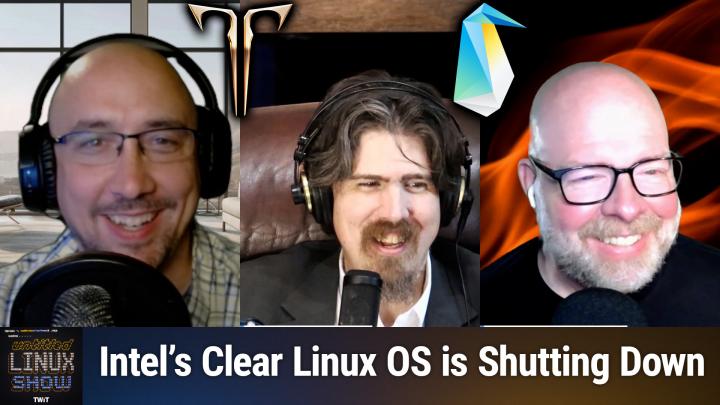
Untitled Linux Show 212 Transcript
Please be advised this transcript is AI-generated and may not be word for word. Time codes refer to the approximate times in the ad-supported version of the show.
00:00 - Jonathan Bennett (Host)
This week we're talking about a sneaky encryption bypass in Linux, init RAM, fs, and then Debian is about to release a big update. Amd has announced more things. With Rock M, we're celebrating Slackware's 32nd anniversary and mourning the passage of Clear Linux. It's a lot going on and you don't want to miss it, so stay tuned.
00:23 - Leo (Announcement)
Podcasts you love From people you trust.
00:27 - Jonathan Bennett (Host)
this is twit this is the untitled linux show, episode 212, recorded saturday, july the 19th hippification. Hey folks, it is saturday and you all know what that means. It is time for the untitled linux show. We're gonna geek out over software and hardware probably some gaming thrown in there for good measure. Linux news, the Linux desktop stuff, all the Linux desktop stuff, because 2025 is the year of something related to the Linux desktop, maybe the desktop itself. We'll keep our fingers crossed. It is not just me, though. We've got a couple of wonderful co-hosts today. We've got rob and jeff and uh, welcome guys to the show. We've got some fun stuff to cover appreciate the kind introduction yeah, yeah, looking looking forward to a great show indeed.
01:17
Now the first thing is an encryption bypass rob. What is up with this is an encryption bypass.
01:26 - Rob Campbell (Co-host)
Rob, what is up with this? Yeah, let's get the dirty stuff out of the way. So a new security vulnerability has been found this month. I say this month because it actually has. It was like July 3rd or something when this was posted by a security researcher and it was published on insinuatorcom by Alexander Mock, m-o-c-h, I don't know. The vulnerability affects many current Linux systems, but not all of them. For example, it affects Ubuntu 25.04. So that that's you, jeff. Fedora 42, that's you, jonathan. But does not affect OpenSUSE Tumbleweed. So if Ken were here, he'd be okay.
02:12
So attackers with physical access to a Linux system can access a debug shell simply by entering the wrong decryption password several times in a row and gain access to debug shell, for example Ubuntu. They can hit escape and at the password prompt, punch in a few keys, key combos and, bam, debug shell appears. So once in this low level debug shell, attackers are able to compromise even encrypted systems by modifying systems in a RAM FS. So the initial RAM file system, which is a temporary file system, run during boot to prepare the operating system. And you know, once they get in there, you know the next time someone boots up the system enters the correct password. Whatever malicious code that the attacker wanted to put on there, it's going to run. If they set it up to run, it'll run with full elevated privileges and everything, and from there it can do pretty much anything. An attacker programs the code to do, you know, steal passwords, put in some remote code, access, really, whatever, whatever they dream of. All they need to do is get this access. So that's the hard part, because this can't be compromised remotely. So it isn't the most catastrophic vulnerability in the world.
03:47
And you know, as we often say at least I often say once someone physically has your system, it's pretty much just a matter of time. Anyway it's owned. You know, once someone has physical access, they're going to get in. You know, these things just make it harder for them to get in. They're going to get in. You know these things just make it harder for them to get in.
04:15
So you know, really the key thing here to think about, remember, is physical security is very important in some ways, Just as important as like cybersecurity. I mean maybe not just as because you've got a whole world of people attacking you remotely when you're kind of limited locally, but it's important. So for those of you if you want to protect your system, all you need to do is just tweak your system kernel parameters to ensure that the computer will reboot after a failed password attempt instead of, you know, providing that debug shell. So you know there's. It's not even really a bug, you know from what what I read, it's just more of an oversight, I guess is kind of how they put it. So, but it is a vulnerability, it's something someone can take advantage of.
05:05 - Jonathan Bennett (Host)
So if you're worried about that, yeah, so it looks like I'm going to the article itself, and it looks like one of the things that they suggest that you can do and I wonder how many distros do this by default is to consider encrypting the boot partition itself with the LUKS, the Linux user. I forget what luks stands for, it's the, it's the linux encryption stuff. Um, but yeah, this is really clever. The to define the initram fs itself is not signed, and then you could, if you can get to it, you can do some nasty stuff with it. Uh, I have had to use I, I think the same debug shell that it is talking about, and so yeah, I know, shut it off.
05:51
Yeah, you want to be careful about shutting it off. If this is talking about the debug shell that I'm thinking of, one of the other things is you can't do anything with it if you don't have a root password. So maybe it's not the same one. Maybe this is before the shell that I've interacted with. I've got a couple of encrypted laptops. I need to actually try this. You know I've not installed the updates for this. I need to try this and see if I can get into some debug shell and figure out exactly where they're talking about. I would do it with this laptop, but it's kind of important right now I can't just take a break and so go do security research yeah or or, like wizardling says.
06:27 - Rob Campbell (Co-host)
Another way to protect your uh, your device is uh, set traps around your pc human size flypaper or flypaper.
06:37 - Jonathan Bennett (Host)
that's great. Uh, yep, okay, yeah, no interesting stuff. Um, this is something that I've, I've done. One aspect of this, like I said, I've got the encrypted laptops. Something that really fascinates me that I've never gone through and set up and I'm curious if this also has the same weakness is the idea of doing encrypted servers, and when someone first asked me about that, I was like there's really no way to do an encrypted server. Well, there is. What you do is you have the TPM, give the OS the decryption key during boot, and there are some distros that support doing that.
07:11
I've never set it up. Probably need to for a couple of different people, but it's not something I've done. Yeah, I'm very interested in this and watching what they do, what the Linux community and devs do to try to fix it. There is something else that another community is doing and that is AMD is doing some interesting stuff with Rock M and Jeff. I saw this story this week and I have no idea what it's talking about, so I'm glad that you picked it up. So take it away and inform us, educate us on what is going on with AMD and Rock M.
07:46 - Jeff Massie (Co-host)
Yeah, a little geekier story here, but it's been a few months since we last talked about AMD's software to rival NVIDIA's CUDA. Now these are programs, slash languages, which are for science and engineering computation. Cuda is NVIDIA's offering and it's been the frontrunner for a long time because of NVIDIA's market share. But because it's proprietary, a person's also locked into the language and thusly locked into the hardware. You know they have a tight ecosystem. You know if you want to change to AMD, that was hard. Well, this is where RockM comes in, which is an open source toolkit to allow easy computational transitions. M comes in, which is an open source toolkit to allow easy computational transitions and with the knowledge someone isn't locked into a single hardware vendor, so you could go to Intel, for example, and NVIDIA is still in their wall. You have more freedom with Rock M and as an update to the AMD Rock M toolkit, they're releasing RockM-LS. Now this is in the early stages so the developers can get feedback on errors and things they need to change. But you might be wondering what is LS? So the developer said the early access release of RockM LS enables you to experiment with accelerating your life science. There's LS workloads such as digital pathology, automated medical image analysis, feature extractions and enhancements in large TIFF files on AMD indistinct GPUs. So they said join us for exploring this tantalizing glimpse into the future capabilities of RockMLS, setting the stage for the next evolution in a life science computing.
09:40
Now not only did RockMLS come out at least evaluation they also introduced HIP-CIM. Hip-cim is an open source GPU accelerated software library which enables computer vision and image processing operations for multi-dimensional image datasets processing operations for multi-dimensional image data sets so it can enhance tasks such as color conversion, feature extractions, filters, morphology segmentation, transformations for n-dimensional images. Hip-cim maintains API compatibility with NVIDIA's CUCIM library, so it's kind of its NVIDIA counterpart and they have a lot of compatibility, so you aren't locked into a certain green walled garden and thus enabling integration and transition of existing workloads to AMD GPUs without the need for and I love this word AMD uses in their documentation HIPification, meaning you don't have to just decide you're going AMD and rewrite everything to HIP. It's API compatible, so what you're running now will transfer. So that's where that word comes from, meaning you don't have to go through and rewrite it to HIP.
11:14
I do want to note that when you're looking in data science and engineering, the data isn't always linear. It can have several dimensions depending on the complexity of what you're looking at. So meaning there are special tools needed for this advanced analysis. So when you hear more than like three dimensions, you're thinking, why is how is this? Don't think spatial three dimensions, think of like complex analysis type mathematics. So it's more. They say dimensions, but it's more abstract than the height, width, depth that we think of.
11:50
Take a look at the article linked in the show notes and see if this is something you would want to get early access of and try it out on the workloads that you deal with. So any life science people out there, this could help you. The article also has a link to the AMD blog inside that which goes into even more detail and gives more information on the documentation, the specifics on how to get into the early access. You know programming it. There's a ton of information if you want to get in there. It's, it's all there. So take a look at the article. Um, and if anybody's in life science and is going to try this, I would love to hear a real world uh uh evaluation of how that, how it uh, how they're doing yeah, this, this is.
12:35 - Jonathan Bennett (Host)
This is interesting. Amd is trying to push into all of these different places where nvidia sort of reigned supreme for so long, um, and this into the, the research area here, um, you know, there's like, on one hand, there's an obvious business case for this um, but I, I'm I kind of wonder, like the, the life science realm, how big can it be? You know, I immediately think of this as being just sort of the academic world, and is it really worth it? I guess you would have like pharmaceutical companies might be making use of this sort of thing.
13:13 - Jeff Massie (Co-host)
So a little bit more than just academics, microbiology type things. There's a lot. The field is pretty wide. I didn't know how wide until my daughter is getting her uh phd and that's right. In biology, yeah, molecular biology and it, there's a lot to it. So there's there's many, many facets and the the modeling for each science. Uh, I guess I mean, if you're doing fluid modeling, it's different than a biological modeling or meteorology, or, you know, there's specific things based on your workload. So that's why they have these specialized engines.
14:02 - Jonathan Bennett (Host)
I wonder if this will make it possible to do things like folding at home using AMD hardware in the future.
14:12 - Jeff Massie (Co-host)
Very, very possibly. Actually, one of the developers is. So I think, if you're newer, I do folding at home and that's one of the reasons I have NVIDIA on cards, because NVIDIA does so much more. But they actually have one of the developers on the forums I'm on and they're making strides and they're actually working to have a Rock M implementation of folding at home that is on par with the CUDA Implementation.
14:47 - Rob Campbell (Co-host)
I did not know that was a requirement of those folding at home and I suppose the SETI stuff and yeah, well, I mean, a lot of them are built on top of CUDA, so yeah, I didn't know that, I didn't know much about it. I knew, I knew, I knew it was a thing and it's helped. The data and, well said, he finds stars and, fully at home, hopefully finds cures.
15:11 - Jonathan Bennett (Host)
Yeah, that's the idea.
15:13 - Jeff Massie (Co-host)
All right. Yes, sir. Well, I was going to say, and it just keeps making strides all the time. So we'll keep checking back and once they hit somewhat parity parody I'll let everybody know. Here it'll probably be a story we'll do, and just because it's kind of one of my sort of hobbies to get into folding at home that'll be the story of when you switch to amd.
15:37
Yeah possibly, I look forward to it. I well kind of site. Quick side note here there's rumors that the next amd hardware coming out could be pretty powerful, the next gen stuff. But but you know, you hear a lot of that all the time too and I was gonna say I think we hear that rumor about every three months.
15:58 - Jonathan Bennett (Host)
Yeah well, we'll see. But the last generation was not terrible it. It was actually pretty decent.
16:03 - Jeff Massie (Co-host)
All right. I just watched a Jay's Two Cents video that he was talking to micro center people and hands down. The AMD cards are going out the door faster than the NVIDIA stuff. I can believe it, I can definitely believe it.
16:18 - Jonathan Bennett (Host)
Okay, well, let's talk about something else that is going out the door. That, unfortunately, is not one of our co-hosts. No, for the intel fans among us, that is, unfortunately, clear linux. We got a couple of links to the show notes. One is the first one, the top one. The top link is to the clear linux community forums, and this is arjan arjan, one of the clear linux devs, apparently someone with admin there, making the statement that after years of innovation and community collaboration, they are ending support for clear linux os. So for those that used it, it's a sad day. Now there is a surprising detail here and that is effective immediately. Intel will no longer provide security patches, updates or maintenance for Clear Linux OS, and the Clear Linux OS GitHub repository will be archived in read-only mode. It goes on to say so. If you're currently using ClearOS, we strongly recommend planning your migration to another actively maintained Linux distro as soon as possible.
17:33
And I thought Red Hat was bad when they pulled this with CentOS. So it's not terribly surprising for those that have been paying attention to Intel and the problems there. Terribly surprising for those that have been paying attention to Intel and the problems there. And, in fact, the second link that I have attached to this is the Pharonix article. Michael Larabelle over at Pharonix sort of has his finger on the pulse of some of this. He gets some insider information, I do believe, and he has been documenting where a couple of prominent Linux engineers have left. Intel are no longer there, and so this is sort of not surprising that, as Intel is restructuring and trying to trim down to be able to become profitable again, they're having to look for some of these places to be able to cut down on what they're doing.
18:19
It is unfortunate, though, that it was a surprise announcement and they are immediately ending support. So if you've got a server deployment that was running Intel's Clear Linux, your hair is kind of on fire right now. I mean, this is the bad deal. You have no more security updates coming. So, yeah, it's not great. It's not terribly surprising. It's not great. It's not terribly surprising, but it's not great. One of the real interesting things to watch is going to be where are people going to go, the ones that were actually running on Clear Linux? Where are they going to jump to OpenSUSE, tumbleweed, red Hat, one of the Red Hat derivatives? We'll see. Maybe we'll get some stats on that.
19:05 - Jeff Massie (Co-host)
I'm thinking maybe CacheOS? Yeah, that's a possibility. But to be fair those who don't know Clear Linux was always kind of an experimental distribution. It wasn't a general purpose, it was tuned for more enterprise work and I don't know if it was widely adopted for server use outside of kind of niche.
19:28 - Jonathan Bennett (Host)
Yeah, it was. It was sort of Intel's playground to try out new things and see what it would do. But I know that it was one of the distros that would always it would always have interesting results and benchmarks and a lot of times they were interesting because they were faster results not always, but yeah, it was sort of that, that playground for Intel try things out.
19:48 - Rob Campbell (Co-host)
So it's very niche but it's. It's kind of nice to be there because it often outperformed, even on AMD. I wonder how hard it would be. I don't know. I mean, obviously it's open source, but I wonder how, how hard it would be. I don't know. I mean, obviously it's open source, but I wonder how readily available the source is for someone. If they wanted to fork it now, forking it, they probably, you know, no one, no one's been able to match their uh performance, at least in the places where where they had the great performance. So if somebody forked it, it would probably be only for the sake of keeping security updates and keeping it going for people, because I'd imagine if someone else took it on, they may not achieve the same performance results in the future on their own.
20:36 - Jonathan Bennett (Host)
Yeah, it would be. Two things would happen right. Two things would happen right. So, like, as time goes by, you would. The performance delta would change because you wouldn't have the Intel engineers there continuing to push the envelope. Yeah, I think it would also be a challenge to keep up with it on, like the security and updates front. If it was not a pretty large group of people working on it, I almost think you would have to have another. Okay, hear me out, hear me out, hear me out. Amd should fork it that would be awesome Opaque Linux.
21:18
If you're listening. If you're listening, lisa Sue, amd should fork clear Linux and carry on the banner. Crystal clear Linux, there you go. Crystalux switch, call it crystal clear.
21:30 - Jeff Massie (Co-host)
That's well my understanding too. There wasn't. That wasn't necessarily a ton of software that they'd written for it, it was more like compile time switches.
21:39 - Jonathan Bennett (Host)
It was, you know, optimizations, tuning, that kind of stuff for yeah, I think I think probably some experimental patches were landing there, um, because one of the articles I saw about it it talked about those things eventually making it upstream and over into other um, other distros.
21:55 - Jeff Massie (Co-host)
But yeah, I think you're right, I think a lot of it was just tuning yeah, well, I mean, and they would, they would adopt patches early, but it was, it was stuff that was kind of already out there in the community, like Like, it wasn't a ton of secret sauce, it was if you so desired, you could do it yourself. And that's where, you know, fedora and Ubuntu this last year have been. Hey, we should, you know, raise the level of our compiler optimizations. Let's do a bunch of this. You know they were kind of looking at tuning like that, because clear linux always would win the benchmarks, but it was not user you needed to be more of an advanced user.
22:35 - Rob Campbell (Co-host)
You kind of know what you're doing to was was clear, based on anything. I mean, I read the performance reports but I never um, I never tried it out myself. I'm assuming Red Hat based, I'm going to guess, but maybe not the AI says that it is not a fork of another Linux.
22:51 - Jonathan Bennett (Host)
It is an independent Linux distro. I don't know if that's true or not.
22:58 - Rob Campbell (Co-host)
Yeah, I mean it could be a wording issue there. I mean fork.
23:03 - Jonathan Bennett (Host)
Okay, from the clearlinuxorg FAQ. The robot got it right. Is it a derivative of another Linux distribution? No, Clear Linux OS is a new Linux distribution. It is not a fork and does not have a parent Linux distro.
23:18 - Rob Campbell (Co-host)
But does it have like, does it use package management from another one and does it have a file directory structure that matches another one? What I'm really getting to is I wonder how hard it would be for somebody to find a comparable Linux and have a migration path where maybe you just change the sources over update, Maybe just change the sources over update, and so, as of 2020, it used swap the SWU FD.
23:50 - Jonathan Bennett (Host)
Oh wow, so that?
23:51 - Rob Campbell (Co-host)
is unique. Yes, yeah, time to break out the ISOs and do a fresh install.
23:58 - Jonathan Bennett (Host)
Yes, I don't know. Maybe give it a week or so and see if somebody comes along. Somebody reputable comes along and forks it.
24:05 - Rob Campbell (Co-host)
I mean, yeah, no one forks it. I suppose somebody could, you know, grab a package manager and you know, compile it for and say, all right, install this, change the sources, and that'll be close enough. And now you're running whatever. Yeah.
24:20 - Jonathan Bennett (Host)
Yeah, not quite the same.
24:23 - Rob Campbell (Co-host)
Probably time to wipe and reload yes, all right.
24:26 - Jonathan Bennett (Host)
Uh, so that was in yes, yeah.
24:28 - Jeff Massie (Co-host)
Well, I was gonna say I just put a um, posted the show notes, the distro watch page, to clear linux, so it'll tell you all the program versions, what it was based on, all everything so so can we not download it anymore?
24:43 - Rob Campbell (Co-host)
then I can't like quick try it to find out at the end um, I mean so they did not.
24:48 - Jonathan Bennett (Host)
They did not yank their uh github page, they just are putting it in uh stasis, as it were I better get that iso real quick here. Yeah, start downloading. Now I am. If rob starts sounding robotic, it's because he's downloading clear linux. Yeah, it looks like on clear linuxorg it's still there. They've not pulled, they've not yanked it and completely not scrubbed it off the internet.
25:15 - Rob Campbell (Co-host)
It looks like they still have their downloads page open. Yeah, a lot of different ones to choose from. I don't know what to choose, though I need to get them all over overwhelmed, overwhelmed by choice.
25:24 - Jeff Massie (Co-host)
Well, and the, if anybody, the distro watch page that I put in there. It's got, like the user forums, mailing lists, the mirrors, all the information you'd ever want, oh indeed yeah, absolutely.
25:41 - Jonathan Bennett (Host)
Um, yeah, all right. So that is clear linux that is obviously tuned for intel and, to a lesser extent, amd. On x86 64, rob is going to tear himself away from looking at clear linux and he's going to tell us about, uh, linux distros for another architecture.
26:00 - Rob Campbell (Co-host)
I'm busy here and trying to get an ISO. Can't let me. No, we can't. We got a show to do. All right, I'll get this part done so I can get back to my ISO here. This is important stuff.
26:13
So some good news and some bad news about Linux on RISC-V, specifically with Ubuntu. But they're kind of the leaders when it comes to Linux on RISC-V, kind of been pushing the way. So if you are running Ubuntu on one of the older RV20 RISC-V boards and I say older, you'll find out If you run one of them you're going to be stuck on Ubuntu 24.04 forever, which, according to Marius Nestor, is 90% of the RISC-V devices out there, because Ubuntu 25.10 will only support the RVA 23 profile or newer. This even includes many recent boards. So I did cross-reference this between a few articles. But this may sound bad. Many recent boards. So I did cross references between a few articles. But, uh, you know this may sound bad and sure it it. It kind of sucks for those of us with the RVA 20 boards. You know I got one I haven't even touched yet, and I know Jonathan has at least one, um, but you know, like, like, like his kind of point out, some of these were really primarily intended for use in development and embedded systems and, you know, with specific task scenarios, it's. You know it's not going to work well as a general purpose desktop PC. You know the RV20 boards Though it can, obviously with limitations but it's but it wasn't ever really quite there for consumers.
27:47
So you know, stepping back a little bit, in October of 2024, risc-v International announced the ratification of the RV23 board. So that's not even a year old yet. So the profile standard, which promises to further accelerate RISC-V software ecosystem by providing a platform target that ensures compatibility across RISC-V implementations. So yet today, even though it's been almost a year, according to Joey Sneddon, rva23 capable devices aren't even on sale yet. So I'm not quite sure where Marius Nestor got the 90% number from. Seems like 100 to me, but I don't know. Most of them, pretty much most of us. But you know, anyway, once they're available, this is going to surpass even the fastest, most priciest RVA20 boards on the market today. So you know, raising that profile requirement, it's going to raise the bar on what users can expect. And Ubuntu wants to meet this bar and provide a fully functional desktop session on RISC-V. So the RVA23 profile standard includes a hypervisor extension to enable virtualization for enterprise workloads, a vector extension that will accelerate math intensive workloads. It's going to include AI, you know, machine language, cryptography and compression and decompression.
29:23
With this change, ubuntu will be able to provide a full desktop experience, supporting applications like firefox and thunderbird apparently I don't think they're supported today is what my understanding is which are, and these are still being used in the default web browser and then email client for the upcoming ubuntu release.
29:45
So they're going to be able to have them on risk 5 a full, a full desktop experience like, like the rest of their ubuntu distros or ubuntu releases. So ubuntu 25.10, uh will. It's also going to have the ability to detect if you are running RVA 20 or 23 architecture and block those devices that aren't supported from upgrading. I'm sure someone's going to find a way around that and keep their systems updated. I don't know, probably, but you're still not going to be able to run those things that aren't supported on there, like Firefox and I don't know, maybe you should compile yourself. I don't know, but most of these RISC-V devices are still just, you know, using them for toys anyway. So maybe soon it'll be time to really get serious about RISC-V on our desktop or our laptop or in the framework laptops or wherever. Maybe pretty soon it's going to be a serious device for us and not just little embedded systems or fun development tools.
31:00 - Jonathan Bennett (Host)
Yeah. So I have a couple of thoughts here. One, the question about whether it's 90% of these don't support it or if the thing's not out at all yet. What makes Brisk 5 interesting is that it is sort of intentionally a small group of instructions and then they sort of encourage vendors to add instructions to the architecture. And I suspect what has happened is you've got vendors have added sort of a common set of instructions that then has gone on to be the RVA23. And so some of these boards I'm sure already have the vector extensions and maybe the ability to run hypervisors. Yeah, they're not officially RVA23.
31:41 - Rob Campbell (Co-host)
They're not officially RVA23. Rva 20s that have more features, that basically make them they've got enough of it to be able to run.
31:48 - Jonathan Bennett (Host)
Yeah, um, but this has been, this has been a problem with risk 5. This has been. One of the things that has held it back as an architecture is that it's been so flexible that the desk, the distro makers, have not been able to really turn the knobs on the compilation and do better tuning, and all of that because they've been supporting all of the boards that are out there that they can support. So you know it's coming. Give it another couple of years and it sounds like we'll have a bunch of way better, way more useful RISC-V boards, not to say that you can't do something not to say you
32:24 - Jeff Massie (Co-host)
can't do interesting stuff with the boards that are out there, uh, but as like desktop or laptop boards, it's coming jeff, I wonder if that has something to do with uh global foundries wanting to purchase risk five we talked about last week that's true, I mean they might be putting a little more oomph behind it just to say, hey, now we're going to have an operating system. Hey, these are going to be more useful we're.
32:51 - Rob Campbell (Co-host)
You know, they're planning their roadmap ahead sure it was ratified almost a year ago, I mean like nine months or something yeah, it's interesting timing, though, um all that.
33:03 - Jeff Massie (Co-host)
When you said the statistics, I thought of the old Joe Isuzu commercial where he's like you know, 30% of statistics are wrong. And somebody said, really, and he goes, yeah, half the time.
33:14 - Rob Campbell (Co-host)
Yeah, I, there's one that I've liked. It's I've heard like uh, I mean you could make whatever number you want, but uh, you know, 75% of statistics are made up.
33:26 - Jonathan Bennett (Host)
Made up on the spot. Yes, I like that one. Use that one quite a bit. All right, jeff, somebody's got a birthday.
33:30 - Jeff Massie (Co-host)
Yeah, let's have a little happy news. You know something, something pretty pretty joyous. So july 16th this year was the 32nd birthday of slackware linux. It's one of the oldies but goodies in the Linux world. It started back in 92 with Patrick Volkerding I hope I said that right when he became the BDFL, or Benevolent Dictator for Life. Like a lot of Linux world, it came about because of a need where custom software had to be written. In this case, patrick was a student getting his Bachelor of Science in Computer Science and needed an interpreter. Linux is where he could find that requirement. But when using SLS, which was Linux from soft landing systems, he found a lot of bugs and kept having to write code to fix those issues. Like any good developer, he took all those fixes, merged them together and gave them to his friends so they could enjoy a less buggy experience as well and they didn't have to write their own bug fixes. Well, these bundled bug fixes quickly gained in popularity and soon became Slackware, where it was then available to the general public. Officially, slackware 1.0 came out on July 16th 1993.
34:50
And you know, slackware is the oldest Linux. Is Slackware the oldest Linux distribution? No, but it is the oldest one that's still maintained. So anything older is not fully maintained anymore. Slackware is the longest surviving that we have.
35:07
A lot of what we take for granted today started with Slackware, such as making a user-friendly install by having a menuing system. Package management also started, you know, basically to make things easier for the users. Now it has been refined a lot over the years, but this is kind of where some of this stuff started. So while a lot of Linux distributions have a philosophy, they're based on. Slackware started with theirs being simple, solid. The saying for the distribution still is still simple, still solid, still Slackware. Now something that sets Slackware apart from others is the release cycle. There's no target date. When it's ready, then the next version is released. There's no artificial deadlines, nothing, you know schedule. They've got to hit. When it's done, it is done.
36:02
The article in the show notes does go on to say that Slackware might not be for everyone because they try and keep it Unix-like and not Windows-like. So they've never tried to be like Windows to attract Windows users. They wanted to stay more like the old Unix, like think, more AIX, you know the heavy IRIX, the more heavy-duty Solaris, the heavy-duty Unix distributions, not to say it's not very approachable. But this is not the distribution, probably for mom. But if you played around with Linux a little bit, oh yeah, give Slackware a try.
36:40
It does have a high user satisfaction rate and it must be because if it's still growing strong after over three decades, there's something there. People love this and are dedicated to this. Now there are a lot of details I left out for the sake of brevity, which they're in the article, in the show notes. So take a look for a much deeper dive into Slackware. There's a lot more backgrounds and stories and yeah, it was just we'd have a three-hour show here. So take a look at the article and happy birthday Slackware, and here's to many more to come.
37:22 - Jonathan Bennett (Host)
So I have a question for you. You've kind of you've kind of done a dive into this burping for this Is Slackware still alive? And I made sort of an offhanded comment in one of the shows I did because you go to the Slackware page and the last blog post is from 2022.
37:38 - Rob Campbell (Co-host)
You go and you look up Slackware 15 and it was released back in february of 2022 it's the next version is released when it's ready yeah, I thought when I looked this up it was much earlier than that yeah, so I I really think the only reason you brought this up is you want more coffees donated, since the last time we did get coffees donated for mentioning Slackware, yeah.
38:11 - Jeff Massie (Co-host)
It's got an active status and the current release is 7-19-2025. Yeah, at least by DistroWatch.
38:22 - Jonathan Bennett (Host)
Yeah, so they're still on 15.0, but they are updating packages and that one is apparently running the kernel 5.15.187. So they picked one of the long-term support kernels. And then they do also have their development branch, the Slackware-Current, and it's running a 6.12.25 kernel.
38:43 - Jeff Massie (Co-host)
So, yes, it is actually still alive, and it shows a lot of the most recent packages. But if you're a qt user you know you like kde. They are behind on kde. Xfde is more up to date.
39:00 - Jonathan Bennett (Host)
It's it's the cutting edge that may be the first time someone has ever called xfce cutting edge well cutting edge for xfce, because they're still very x11 based indeed yeah, so slackware was my first distro that I ever used, like 26 years ago about.
39:25 - Rob Campbell (Co-host)
So also, I really I wanted to bring this up, even though people who listen regularly already know this, because I I said this last time, but you you totally skimmed over some of the important stuff here. This was a minnesota project. You said he went to college. You did not mention that he went to min State University, moorhead, which is my state where I am.
39:49 - Jonathan Bennett (Host)
So yeah, showing a little pride.
39:53 - Jeff Massie (Co-host)
Well, I wanted to have an open, active discussion. So I thought, well, yeah, rob's going to jump in here.
39:58 - Rob Campbell (Co-host)
So I just did it for the show Fulkerding, patrick Fulkerding. I just did it for the show Patrick Fulkerding, patrick Fulkerding Fulkerding is a Minnesota.
40:09 - Jonathan Bennett (Host)
Yeah, he's from Minnesota. Well.
40:11 - Rob Campbell (Co-host)
I don't know if he's I can't remember now if he's from Minnesota, but he went to college here, so it's enough to claim him huh. And which is right. At the same time, he developed this, so essentially he developed Slackware in Minnesota.
40:24 - Jonathan Bennett (Host)
In.
40:24 - Rob Campbell (Co-host)
Minnesota. Well, there you go, it's a Minnesota project.
40:27 - Jonathan Bennett (Host)
All right. Well, if you folks are looking for something on the other side of the coin, you don't want a release from 2022 and you want something that's running Wayland, that's a little bit more up to date, well, there are plenty of distros to try, but there's a new toy coming for us and that is in the form of Google Chrome and all of the other Chromiums finally catching up to Firefox and going to start serving HDR under Wayland. So I've got a link here to the Pharonix coverage and then there's a link there to the Chromium code review and I have not spent a whole lot of time looking at Chromium code so I don't necessarily know how to read all of this. But there is a patch set out there now for doing HDR in Chromium and the note says that it does work. And the note says that it does work. The author says I verified HDR video playback is working on KDE Plasma 6.4.2. And a Wayland Color Manager V1 feature flag is added and enabled by default, interestingly. So for those of us that are sort of on the HDR bandwagon in Linux, chrome is finally catching up, and I say that because I have myself finally updated to a more modern version of KDE and HDR inside of Firefox actually works really well these days. I find it very sort of amusing and interesting that Firefox beat Chrome to the punch on this and it's been neat, but it will also be a good thing for Google Chrome and Chromium all the Chromiums to finally catch up and have HDR support on Linux, on KDE, kde in particular. I think GNOME is also right there with it as far as supporting this particular. I think gnome is also right there with it.
42:29
Uh, as far as supporting this, um, I, I have now this, this crazy idea and that you guys may know uh, can you run edge in linux? Has somebody made that? Yes, yes, yeah, that's right, you use it. Yes, I knew there was something wrong with you. That's right. I remember that now. You said that before you use it, so it'll work in Edge. We'll have HDR in Edge on Linux before you know it. What a day that'll be. That's something Amazing. Yeah, what's the world coming to? I don't know. I use Firefox.
43:01 - Jeff Massie (Co-host)
I'll be last to know.
43:02 - Rob Campbell (Co-host)
You don't know how to use Firefox. I don't know how to use.
43:04 - Jonathan Bennett (Host)
Firefox.
43:04 - Rob Campbell (Co-host)
I'll be last to know you don't know how to use Firefox. What I mean if you have an HDR monitor?
43:06 - Jonathan Bennett (Host)
That's what I use.
43:07 - Jeff Massie (Co-host)
I don't use Chrome. Firefox works right now. Oh, it's got HDR now. Oh yeah, Were you not listening? I said that, oh, I missed that one.
43:16 - Rob Campbell (Co-host)
Do you have an HDR monitor?
43:18 - Jeff Massie (Co-host)
Jeff, I don't, I don't, so I haven't been paying a ton of attention to. Hdr stuff, just because I don't have a monitor.
43:26 - Rob Campbell (Co-host)
Yeah, I do. I finally bought one earlier Well, sometime this spring. So I do have a HDR monitor.
43:32 - Jonathan Bennett (Host)
Have you actually made it work with Linux?
43:34 - Rob Campbell (Co-host)
I haven't really tried. I didn't really buy it for the HDR stuff.
43:40 - Jeff Massie (Co-host)
I bought it because it's big. Yeah, I got a nice ultra wide right now. Yeah, it's big. And uh, yeah, see, I got a nice ultra wide right now and I, you know, I it's, yeah, it's a few years old but it, yeah, still looks great, I really hate to, I don't want to.
43:51 - Jonathan Bennett (Host)
I would tell you trying to get like hdr and some of the other things that you would want on an ultra wide, it's going to be expensive. Yeah, the the sweet spot for for not paying, you know, multiple thousands of dollars right now is to just get an OLED TV, because if it's a monitor and it's got good HDR and FreeSync and all of that, because it's a computer monitor, they double the price for it.
44:17 - Rob Campbell (Co-host)
I thought I saw ultra-wide HDRs under $1,000. Still double what mine cost.
44:24 - Jonathan Bennett (Host)
But when I, when I was looking, when I went looking, I could not find the, the combination of specs I was looking for. I could not find. Oh wait, no I was.
44:34 - Rob Campbell (Co-host)
I don't know. Actually I don't know about ultra wide. Now that I think about it, it wasn't ultra. What I was looking at. I was debating on curved or flat, that's what it? Was I think you know, maybe I saw ultra. I can't remember now that was.
44:44 - Jeff Massie (Co-host)
That was months ago I like my curb monitor, but it to me I. I like curb monitors, I don't like curve tvs. Because a monitor is just a single user, so you can base that arc yeah, I mean you're, yeah, you're sitting closer to it.
44:59 - Rob Campbell (Co-host)
It doesn't make nearly as much sense for tvs well, well, when you have no friends lots of times, tv is also a single user.
45:07 - Jeff Massie (Co-host)
We wouldn't know about that, hey. But we're a community here, we're all friends here.
45:12 - Rob Campbell (Co-host)
Are you going to come watch TV?
45:13 - Jeff Massie (Co-host)
with me, though. I'm sitting here trying to think what if you come over?
45:16 - Jonathan Bennett (Host)
once in a while, I'm sitting here trying to think when was the last time someone actually came into my house that was not my family. It's been a long. Oh no, I remember we didn't watch any tv together, though it wasn't that long ago besides my kids friends and a side note, if you're thinking, oh tv, I don't know someone to be.
45:34 - Jeff Massie (Co-host)
The difference between a monitor and tv these days is a little analog box that lets you plug in old analog ntsc signals.
45:42 - Jonathan Bennett (Host)
There's potentially one other difference and people need to be aware of this HDMI input versus DisplayPort.
45:50 - Rob Campbell (Co-host)
A lot of TVs have DisplayPort, though.
45:53 - Jonathan Bennett (Host)
That's true, but you want to check because, particularly if you're running AMD, the HDMI consortium are boogers and have refused to allow AMD, with the open source driver, to send the what is HDMI 1.3, 2.1? I forget that. I forget the actual, the actual specification. But so you can't run, for example, uh, 120 hertz, free sync, hdmr, hdr 4k all at the same time. Something has to give and uh, yeah, it's, it's not. Uh, it's not great.
46:36
I this is one of the few things that I really dislike about uh, my tv monitor behind. So to be able to get all of it to work at the same time and I'm not sure I even have all of it, but to be able to get it to work, I'm actually running a DisplayPort to HDMI dongle, which would be okay, except about 30% of the time when the computer wakes up, the TV does not, and so I have to go in and like, twiddle a setting, set my refresh rate from 120 hertz to 100 hertz, wait for the TV to wake up and then set it back, and then it'll work. And it's because that little dongle gets confused it drives me nuts.
47:11 - Rob Campbell (Co-host)
Yeah, I've seen dongles mess up things like that.
47:14 - Jonathan Bennett (Host)
So if you're going to get a TV to use with your Linux desktop, especially if you have AMD DisplayPort, look for the DisplayPort. All right, rob has an idea for something else that we should be looking for, or making sure to not look for what's going on.
47:32 - Rob Campbell (Co-host)
So it's a good thing that only office is starting to get really good, because I think it's finally time to ditch libre office, as they have gone completely. Bitcoin, bro on us, bitcoin, cryptocurrency, nfts this is all dumb. You know what? What form of productivity are we creating?
47:57
with crypto, all the hard work computers did to mine crypto and nothing for but an algorithm. It's like the weirdest form of gambling to me. But anyway, that that's just my opinion and let's move on to the facts of what is actually going on here. So and uh, okay, it's not, maybe as bad as rob.
48:20 - Jonathan Bennett (Host)
I've got it. I've got to break in, rob, and tell you some good news, just real quick. The world has moved on. We're not wasting cycles on cryptocurrency anymore. Now we're wasting on LLMs. So you can feel a little bit better about the world, I guess, as a result still continue.
48:38 - Rob Campbell (Co-host)
yeah, anyway, it's not as bad as I made it sound, but so so LibreOffice has Bitcoin, btc, as a currency now within their program, so now you can label your currencies in your spreadsheets as Bitcoin. I guess if you're doing some Bitcoin trading, you can track all that transactions in your LibreOffice spreadsheet now, because you can, you know, put that on there or something, anyway, whatever. But that brings up the question what about all the other currencies like Dogecoin? Is that in there? Honestly, I don't know. I don't know what else there is besides dogecoin and bitcoin, but I I think there's more out there. I just don't really care, but it's not my thing, but, um, but you know what?
49:33
Maybe it may be a better feature to cover kind of all those things or whatever comes in the futures is, um, you know, whatever made-up currency you want, just just have the currency kind of openly configurable so you can put anything you want you could want. Just have the currency kind of openly configurable so you can put anything you want. You can say, well, this makes the currency and you just configure it. Boom, you're done, it's whatever you want's in there, but anyway. So there you have it Bitcoin bros, you can now label your numbers currency as being Bitcoin and LibreOffice One less thing. One less thing, because Microsoft Office already has one. There's one less thing keeping you from moving away from Microsoft Office. Oh, and I don't know, you think maybe the European mass migration away from Microsoft had anything to do with this. Maybe it's to get, I don't know, some other currency Is there. I don't know.
50:26 - Jonathan Bennett (Host)
Very doubtful, very, very doubtful, that that has anything to do with it. I got to say, rob, you wound us up there at the beginning for what basically amounts to adding the Bitcoin Unicode character to the program. Yes, if you go and you look at the patch, it's like five lines and that's basically what it does.
50:45 - Rob Campbell (Co-host)
It adds the bitcoin unicode yes, I know there's a lot of people out there. I have some friends who will be really excited about this and and now they'll be able to use a new spreadsheet program versus having it just unitless before yeah, we can't do that all right.
51:08 - Jonathan Bennett (Host)
So let's go from bitcoin to yet another way to waste our cpu cycles. Jeff, it's not wasting it's not wasting.
51:22 - Jeff Massie (Co-host)
Entertainment is good for your health, so this is valuable health information. So the story I have today is kind of a two-parter. I was looking through my Linux feed and I noticed a story which is linked in the show notes Lost Ark from Amazon is able to run on Linux and SteamOS because they have the anti-cheat setup now for Linux. This game's been around since 2022, and for the longest time it was not able to run on Linux because of the anti-cheat software or it would you know. Historically, it would run for a little bit, and then Amazon seemed to turn it off and, you know, kill the Linux support, and so it had run before, but it was kind of sporadic. Well, the gaming on Linux website talks about running it on Proton 9.0-4, and it ran great. No special setups, just fire up the game and play, which is always nice when they just work, which a lot of games do, but anti-cheat ones are a little hit and miss, and, you know, special setups can be a little more fragile when there's future updates. Both on the Linux side, proton side, the game side, you can have some issues, and you got to go in and tweak some settings. But here the reason I did this story, though, is not because of the game itself I've not played it so I can't comment on how good or bad it is I don't know but what it did do is got me thinking of anti-cheat software in Linux and how some of it works and some of it doesn't. You know, it's hard to know which games are supported and which ones aren't. Well, in the bottom of their story they say their anti-cheat database page has been updated. This is what really caught my attention. Someone's already been cataloging which games work and don't with anti-cheat. Well, clicking on the link took me to a new page with a kind of a donut chart greeting me right in the top there, saying they have 99 games which work, 59 which are broken and there's three which only work on the steam deck. Now, below that, the information, there is a list of which games have had their latest updates. For example you know what we just talked about lost ark. It wasn't the first one. Now looks like there's a unmasked sumi pretty derby. I have no idea what that is, but it was updated just two days ago as the time of the story, and it was updated saying it now works. So there's a link to the game on gaming on Linux with a lot of information like the platform, the release date, the publisher, the anti-cheat program used and much more. The database, though, doesn't just give the name, it gives what works or doesn't work, the icon, and then it goes on to even tell you whether it works on regular Proton or only on Steam Deck. Now, below that you know recent changes is the next section, which is the heart of the whole article I'm talking about here is where they give an alphabetized list of all the games they've had tested and keep up to date. Now, what I find disheartening, though, is, for example, apex Legends. It's broken and it's a very popular game. It uses easy anti-cheat, but on the exact same page there's a ton of other games which are using the same anti-cheat, which all work great on Linux.
54:53
Now I'm going to be transparent. I don't. I can't comment on if there are different. Is it different versions? Are they using different objects? You, you know I cannot specifically say why apex doesn't work or if electronic arts hates us. My personal opinion is ea doesn't like linux, as they've historically had negative views of linux. But you know, I won't go in deeper into my thoughts on the current electronics arts company, as they're outside of what this show is, and we're family friendly. So I'll just say that that's all I'm going to say about that specific topic. Now take a look at the article in the show notes and you know and see. If you like lost art, give us feedback on the game on our discord, along with following the link to the anti-cheat database to see which anti-cheat games you're able to play, rather than just assuming that most won't work with Linux. I mean, they're, well over half are working just fine. So I didn't know that myself. So go check it out and happy gaming.
55:55 - Jonathan Bennett (Host)
Yeah, that is good to see that there are that many of them that do work.
56:01 - Rob Campbell (Co-host)
Did I hear you say that there are some games that work on the Steam Deck only but not on?
56:08 - Jeff Massie (Co-host)
There's only three in their database.
56:10 - Rob Campbell (Co-host)
Yeah, only three, but I don't understand why that would be.
56:15 - Jeff Massie (Co-host)
It's how they turned it on, I believe.
56:19 - Rob Campbell (Co-host)
You think they just enable it to only work there?
56:24 - Jeff Massie (Co-host)
That's what I've seen in other places. It's sometimes it's almost just more or less a switch to say, okay, it will or won't work. I mean wizard in the discord to say it's all down to the developers.
56:34 - Rob Campbell (Co-host)
They have to want to support the anti-cheat and enable it I would think, if it works on the steam deck, that that on the desktop you could spoof whatever that is and get to work on there too if you really wanted.
56:49 - Jonathan Bennett (Host)
Maybe I mean you got to remember, though, that the anti-cheat tech it's all about preventing people from doing exactly that, so it might be that it looks for. I don't know. I'm still I'm reading, I'm trying to figure it out, but you know, it may go and grab, like the kernel version or the hardware it may like. Who knows. There are some obscure things that you can look for to determine what hardware you're actually running on. You know the exact combination of extensions your video card supports, combination of extensions your video card supports. Um, you know there are, there are ways that these could reasonably well determine that, oh, this is, we're pretty, pretty sure this is steam deck yeah, I guess I was just thinking that it was like looking at the os name or something, but no, there the whole problem with the anti-cheat is just it's very low level to try to find out what.
57:43 - Rob Campbell (Co-host)
What's going on, where things are happening, where well, it'd be interesting tested to uh install steam os on a desktop and see what happens I believe that works based on what the, uh, what the article says. I think that okay, so then it's not hardware but I suppose that's true.
58:00 - Jonathan Bennett (Host)
It works with the steam os. Uh, that is that's true. It works with the SteamOS, that is true.
58:06 - Rob Campbell (Co-host)
There's probably some kind of workaround whether it's way more than it's worth doing like compiling the kernel the same or just pulling the SteamOS kernel over.
58:17 - Jonathan Bennett (Host)
Yeah, I've seen both. So the article I was just skimming it explicitly calls out the hardware and in that, when they were saying what's going to happen with things like the Legion Go, that's coming with SteamOS. I don't know, this is not something that I cover a lot, so I don't have the details of it. Interesting stuff. Maybe we will have a revisit of this topic in another week or two as we go and learn some more about it. All right, so there is one more thing. One more thing Call me Steve Jobs. One more thing to cover.
58:59
And that is Trixie. Trixie is coming, that is Debian. And that is Trixie. Trixie is coming, that is Debian. The next version of Debian is expected to come out somewhere around August. What was it? Oh, I had it. What was it? August 9th, that's it. They are hoping Trixie Debian on August the 9th, full feature freeze coming July 27th, and so they're hoping that just a couple of weeks of fine tuning will get it ready to release. And that will be pretty cool to have a new version of Debian out there. And you know, based on some of the changes we've seen with Debian, this might be a fairly compelling OS to actually run. Rob, are you going to go and give the OG, the original Debian, a try with Trixie?
59:53 - Rob Campbell (Co-host)
I don't know, I had no plans to, but maybe I will.
01:00:00 - Jonathan Bennett (Host)
Maybe you will. We'll see, we'll see.
01:00:06 - Rob Campbell (Co-host)
How many coffees do you need to get donated? Uh, I don't know.
01:00:07 - Jeff Massie (Co-host)
I think jeff needs one, though he looks like he's about to fall asleep there before no, I just got to move my comments up so I'm not looking down so much to read.
01:00:17 - Jonathan Bennett (Host)
Yeah, yeah, true that, all right um. Shall we get into some command line tips.
01:00:25 - Jeff Massie (Co-host)
Why not?
01:00:27 - Jonathan Bennett (Host)
All right, let's do Rob first, and Rob is going to talk about Packet.
01:00:34 - Rob Campbell (Co-host)
Yes, I am going to talk about Packet. So Packet, it's like AirDrop, but between Linux and Android devices. Packet allows you to transfer files between your Linux and Android devices over your local Wi-Fi network via MDNS, without needing any cables or cloud servers. So it's all done locally, just like AirDrop, at least my understanding of AirDrop. The program is open source, but it uses a partially partial implementation of google's proprietary quick share protocol. It supports device discovery via bluetooth, making it easy to find nearby devices without manual setup.
01:01:19
It can integrate with GNOME's Nautilus File Manager files, allowing you to send files directly from your desktop with a simple right click. It is available as a flat pack and once installed, you can use it by, you know, first simply starting a packet, you know, making sure it's launched, enable Bluetooth on your laptop computer and then on the big blue add files button, and or click on the big blue add files button and select the files you want to send. You can also drag and drop files directly into packet. Transferring from your Android devices to Linux is just as easy. On the Android device, you select the files you want to share, tap the share button and choose quick share, and your Linux computer should appear in the list if a packet is running and your device is discoverable, and if you want to use GNOME files, there's an optional plugin that adds a quote. Send with packet option to the right click menu. So there's a airdrop for the rest of us.
01:02:29 - Jonathan Bennett (Host)
Yeah, that's cool. I need that every once in a while and I tend to use Google Drive. Just upload it to Drive, go to the desktop, download it from Drive. I like this. This is a little better.
01:02:39 - Rob Campbell (Co-host)
Yeah, you got to use cloud stuff for them. Yeah.
01:02:48 - Jonathan Bennett (Host)
You got downloaded from drive. I like this.
01:02:49 - Jeff Massie (Co-host)
This is a little better. Yeah, you gotta use cloud stuff for them, you know. Yeah, yeah, trust google, you gotta trust google. All right, jeff, you've got a command line tip for us. Yeah, my command line tip for today is fast fetch.
01:02:53
Now we've talked about high fetch and the old neo fetch, which is no longer supported, and the. You know, the developers have installed candidates for pretty much all operating systems. I mean, when you look at their GitHub page, which is linked in the show notes, I'm not sure if there's really too many operating systems that don't support this. I mean, just even outside of Linux, it's about everything. Now, what is it? Well, when you would type in NeoFetch, which was popular for quite a while, it just gives you basic system information. It give you details of oh how much RAM, what's my processor, what's my kernel version, what's just some basic stuff. It's still out there and you might be thinking why should I change? Well, in the developer's words, fastfetch is actively maintained, which NeoFetch is not. It's faster, as the name suggests. It has a greater number of features, but, though by default, it only has a few modules enabled. You know, if you want to see what it can do, use FastFetch, space dash C and want to see what it can do, use fast fetch space, dash c and you. You'll discover everything it can do. And fast fetch is more configurable. And then they give a link to the wiki and it's it's more polished. I mean, it's neo fetch used to be a little rough, but FastFetch boy, it's on the ball. And they also say that it calls out that it fully supports the Wayland protocol. So NeoFetch did not, fastfetch does.
01:04:35
Now I played around with it some and I think it has a ton more information than NeoFetch, just how it comes stock, without tweaking and adding. It's got a lot of stuff in there and you know, just like NeoFetch, it gives the images off to the side. They have almost 500 different built-in images for the OS you're running. That's why I said I don't know almost any OS that this doesn't support. And you know if, with all the customizations, if you decide you wanted a custom image, you can have it. You can include it or you can exclude any information you can. You know, whatever you want this thing to do fonts, colors, whatever formatting you want this thing will support it.
01:05:24
If you take a look at the link in the show notes, you'll see the GitHub page, which you know, not only tells you about the program and how you install it and shows where it's supported, but below that they have a nice question and answer format so that when you're like, well, can I do this or why isn't this, and they give you all the details. And if there's like configuration, they link to documents. They really really well done. So bottom line or the too long didn't read is you can make it look like anything you want, with any information you want, and they'll tell you how to do it, or link to the document that tells you how to do it. So for me, fast fetch has totally replaced all my other fetch programs. So give it a give it a try and let me know what you think. If you like it, don't like it, let me hear you very cool, very cool.
01:06:11 - Jonathan Bennett (Host)
All right, we've got a quick question from the chat room that, before I get into my command line tip, let's cover this one real quick, and it's from rec room. Gaming says can you guys answer a question for me what's up with system d timers versus cron? Well, both scheduled tasks. Understanding the differences in their functionality, especially when dealing with system level tasks and user sessions, can be tricky. What are the differences? So I will say first off, that this is deeper than what we're going to get into right now.
01:06:43
Off the top of our head, I will say that obviously, system D timers is the system D scheduler, whereas cron is the one from before, that generally, like the sys V in its style, you can run cron jobs under system D, cron jobs under system d. I actually think that they actually run as system d uh timers underneath. I don't think there's an actual cron daemon running on most systems anymore. Um, and then, as far as the actual differences, that is, uh, that is something that maybe we can cover in future tips to talk about how to set up system d timers. There's a. There's a brief blurb on it. You guys have any any further insights on the difference between the two?
01:07:29 - Jeff Massie (Co-host)
I've always used.
01:07:29 - Rob Campbell (Co-host)
Cron.
01:07:31 - Jeff Massie (Co-host)
Yeah, I just. I've always used Cron it's. It's outside of my wheelhouse, yeah.
01:07:35 - Jonathan Bennett (Host)
Cron is. Cron is easy. Cron is simple Once you, once you figure out the, the, the, the repeating date codes, how to get those written, and there are a million websites where you can go say I want this to run every Tuesday, except on the 13th. And here's your string Copy and paste. Yeah, so now that is actually a really good, unintentional segue to the command line tip that I have for you, because my command line tip is how to not install Homebrew on a Macintosh and what not to do with Linux. So the link here is off to my Hackaday column, security column, and it's the fake Homebrew entry.
01:08:17
And this is all about a guy at an enterprise that needed Homebrew on his Mac laptop at work, and so he Googled for it and the top hit was a sponsored advertisement of how to install homebrew Brew explains what it will do. So this is what he saw GitHubcom home brew macOS Brew explains what it will do and then pauses before it does it. Checkmark business identity verified and he clicked on that and it took him to a GitHub repo. A GitHub repo that only included a single file, readmemd, and that file says in it homebrew setup fast, clean, clean, one-line install for mac os. And below that, skip the manual steps, install homebrew the all-purpose mac os package manager instantly, and then the line to copy and paste is slash bin, slash, bash, dash, c, open quotation marks, dollar sign, open parentheses, curl, and then some flags on curl and then a URL off of the internet. And so we've told you guys this before and I wanted to point this out to make it clear Be extremely careful about copying and pasting commands off of the internet, because there is malware out there.
01:09:44
There's malware on places like GitHub. So this one in particular, what it's doing is it's using curl to grab a script and then it's immediately throwing it into bash to run it, and it installed malware on the guy's machine and the antivirus at the company actually caught it, but they had to go out and do the cleanup and everything. So don't copy and paste these scripts from the internet into your terminal. And the other thing to be aware of is web browsers. There is a JavaScript hook for when you copy and paste, and so the text that you have and paste, and so the text that you have highlighted is not necessarily the text that gets moved into your copy buffer. So don't just paste it straight into the, into the command line and then look at it, paste in your notepad, take a look at it, make sure it makes sense. Then you can paste it into your terminal. But be careful out there there really are bad actors and they really want to put malware on your machine.
01:10:43
Yeah, I don't blame them you want to put malware on our machines too?
01:10:47 - Jeff Massie (Co-host)
rob no, they want to put it on rob's machine.
01:10:52 - Rob Campbell (Co-host)
Now he's got all that bitcoin going I was saying I don't blame them for I want to put on my machine, because those malware creators are kind of the same people who are the Bitcoin bros I think they're all kind of together. So now that I, you know, said all those bad things about them, they, uh they want to put malware on my machine.
01:11:14 - Jonathan Bennett (Host)
The Bitcoin bros are coming for me. We'll buy Rob a tenfold hat for next week. Take care of all of that, my goodness, all righty. So that is the show. It's been a lot of fun, a lot of laughs today. We're going to let each of the guys get in whatever they want to plug or cover Rob. You get to go first. What do you have for us here at the end of the show?
01:11:37 - Rob Campbell (Co-host)
So, for those who want to come and connect with me out on the Internet, learn more about me, chat me up and one of the things, or check out my resume and offer me a nice job that's, you know, pays lots of money you can come find me at Robert P Campbell dot com and that's my website. On there you can find lots of things and that's my website. On there you can find lots of things, but at the top there's a links to my LinkedIn, my Twitter, my blue sky masked on a place to donate coffees to me in $5 increments. You can scroll down kind of see my work history, my resume which I actually think I need to update on there, but I'm not sure uh things about me, which, of course, you could find all that in my LinkedIn too. So, uh, comma connect.
01:12:22 - Jonathan Bennett (Host)
Yeah, all right, and we've also got. Jeff, you have anything you want to plug for us? Any poetry?
01:12:29 - Jeff Massie (Co-host)
for the week. Yeah, no coffee from Rob's link. So, and since Rob's going to be traveling soon, this poet poetry corner is a little bit apt. Gps broken. Deep introspection needed. I lost myself again. I lost myself again. Sorry, almost put in one too many syllables, but have a great week everybody. Thanks for listening. We appreciate you. Yeah, it's great.
01:12:58 - Jonathan Bennett (Host)
I like it. All right, I too appreciate everyone that's here. If you want to follow more of my stuff, check out Hackaday. That's where the security column goes live on Friday mornings. That is also where Floss Weekly lives these days. We'd love to have you all over there, but we sure appreciate those who listen to us, who catch us live and on the download here here. If you have not checked out Club Twit, you owe it to yourself to go and take a look. It's about the price of one or two cups of coffee a month and it's the way to support the network and the shows that you love, and we appreciate everybody that supports us over on Club Twit. Thank you everyone that gets us, Whether you watch or listen. We sure appreciate it and we will see you next time on the Untitled Linux Show.
01:13:40 - Leo (Announcement)
From Silicon Valley boardrooms to tomorrow's AI breakthroughs. If you need to keep up to date with tech, you need twittv. At Twit, we're tech experts who understand what's happening and can keep you in the loop, and we do it in a thoughtful, informed and fun way. Start your Sundays with this Week in Tech, a roundtable of tech journalists and people in the know with a rundown of the week's most important tech news. But that's not all.
01:14:06
All week long, you can stay ahead of security threats with Steve Gibson and Security Now. Keep up on all things Apple with MacBreak Weekly. Listen to the most informed Microsoft experts in the world with Paul Theriot and Richard Campbell on Windows Weekly. Our flagship shows feature tech's most respected voices, giving you the insight you need to understand and benefit from the changing world of technology. We give you analysis you won't find anywhere else, so you can make smarter business decisions and take advantage of the technologies transforming your world. Whether you're a CEO, it professional or simply passionate about technology, twit's network of shows gives you the edge you need in today's digital landscape. Don't miss a minute. Subscribe to TWITTV today.