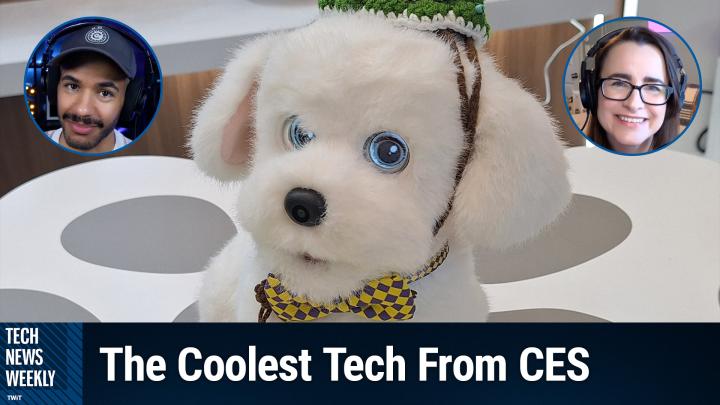
Tech News Weekly 420 Transcript
Please be advised this transcript is AI-generated and may not be word for word. Time codes refer to the approximate times in the ad-supported version of the show.
Mikah Sargent [00:00:00]:
Coming up on Tech News Weekly, Jennifer Pattison Tuohy of The Verge is here and we talk about all the great smart home tech she saw at CES. Then I have a warning for you about a way for hackers to access your Bluetooth audio and listen in on your conversations. Then Kerry Wan of ZDNet, stops by the show to talk about his experience with the Apple Vision pro and courtside NBA basketball game. All that coming up on Tech News Weekly.
Mikah Sargent [00:00:44]:
his is Tech News Weekly, episode 420 with Jennifer Pattison Tuohy and me, Mikah Sargent. Recorded Thursday, January 15, 2026. CES's Best Smart Home Tech, Hello and welcome to Tech News Weekly, the show where every week we talk to and about the people making and breaking that tech. I am one of your hosts. My name is Mikah Sargent and we are joined this week on Thursday, January 15, by the wonderful Jennifer Pattison Tuohy. Welcome back, Jen.
Jennifer Pattison Tuohy [00:01:17]:
Hello. Hello. Happy to be here.
Mikah Sargent [00:01:19]:
As always, always a pleasure to have you here with us. I was excited because I saw that you and many others were at CES this year, and that would mean that I'd have an opportunity to talk to you about smart stuff. The good, the bad, the ugly, and everything in between. What's great is when I have had these opportunities to kind of go, okay, you've gone to a place or there's some big thing that's going on, we just get to stretch out and spend the whole first half of the show talking about it. So, yeah, I mean, tell us kind of as you were walking around the show floor, people are always looking for themes, right? They're looking for patterns, they're looking for things that really stuck out to you. Do you feel like this year was a year of smart home tech being a big part of the show, or was it a typical year when it came to smart home tech as just sort of being one of many things at the show?
Jennifer Pattison Tuohy [00:02:26]:
So I think this was the year that the smart home kind of went from being a bit of a quirky oddity to being really quite mainstream in CES. I mean, it's been getting bigger and bigger as part of the show over the years. I think three or four years ago. So just before the pandemic was when, like the show, the seat, the smart home room, which is in the Venetian, became huge. And that was kind of like the smart home's blown up. Everyone's excited. This was right when Matter was launched. The originally as when it was Called choip Project chip over Internet.
Jennifer Pattison Tuohy [00:03:05]:
So something. Anyway, yeah, yeah, I remember that project chip, but I like to call it choice. Anyway, and this year it felt like kind of almost like a culmination of all of those, those previous years. Because what we were seeing was products that work, that were launching, that are coming to your home as opposed to sort of pie in the sky ideas. And people sort of throwing everything at the wall and seeing what sticks, which is what the smart home has sort of felt like for a while. Like people kind of come up with some crazy ideas, not necessarily practical things for your home. There was a little bit of that, but it also felt grounded in some kind of reality. Like this is stuff we can actually use in our home.
Jennifer Pattison Tuohy [00:03:48]:
Because what's changed is that people don't have to spend all their time and effort, people being like manufacturers and developers here, figuring out how to get their products to work in your smart home. Because now they can just use the standards. So like matter. So that that means that any product you make, if you work with matter, you work with all the platforms. So instead now I saw a lot of innovation people building on top of products that like smart locks, thermostats, bringing more innovation to these spaces. So fun stuff you can do in your smart home without them having to have spent lots of time trying to figure out if it's going to work with Apple home or Google Home or Amazon. So we're just seeing that. And that was kind of a promise of the standards.
Jennifer Pattison Tuohy [00:04:31]:
It's like once we have these standards, then we can start to build more value on top of the smart home. And I feel like this year that was kind of the first year where we really saw that foundation actually bearing some fruit. And this next year I think will be a real kind of touch point of how good is it?
Mikah Sargent [00:04:51]:
Right? Yeah, I think the other. So. So that is really cool to see that bear out. Especially because the, the refrain from sort of the non smart home techie people has always been sort of leading up to matter has always, oh yeah, this one's actually gonna work. This one, sure. And so to actually truly see the hope that I had play out in the way that it has is quite satisfying. Now the other kind of sort of drumbeat that I have seen over time when it comes to the modern smart home is more in the space of a home that kind of learns from your behavior. And so for a while we were seeing things, routines from Amazon and similar nudges, I think was another name for it somewhere.
Mikah Sargent [00:05:47]:
Hunches, hunches. That's it. Hunches. Thank you. And nanoleaf doing some of that stuff as well. Did we see any of that? Are companies still kind of focused on having a smart home that works for you as opposed to one that's just letting you address your stuff over WI fi?
Jennifer Pattison Tuohy [00:06:11]:
So I feel like that's going to be next year. I think for a lot of that to work you need the foundation and we are starting to see from both Amazon and Google and a little bit from Apple new features coming in that can kind of leverage more smart home devices in your home to towards better features. So for one example that was quite we saw a lot of at the show actually this year was Apple Home's new adaptive temperature feature. So this was announced a couple of maybe a year ago, very under the radar. It wasn't a big to do about it. But the idea is that so if anyone's familiar with ecobee thermostats, they kind of made their name with smart sensors that you could adjust different temperatures in your home based on little satellite temperature sensors and motion sensors around your home. So if your thermostats in the center of your home, that's in a hallway and that's not necessarily the room that you want to be the perfect temperature, you use these satellite motion and temperature sensors to be like I want this room to be the perfect temperature because this is where I am. And so that's a very popular feature.
Jennifer Pattison Tuohy [00:07:32]:
But you could only ever use ecobee sensors to feed into it. And what Apple Home adaptive, I'm not sure I'm saying the exact phrase for that. Adaptive heating and cooling I think is what they call it. What with Apple Home's new feature you can use any connected smart sensor, motion sensor, temperature sensor. And so we saw. Yeah so any. So like anything that works with Apple Home, which could be anything that works with matter. So sensors from Acara, sensors from any of the smart home sensor manufacturers, there are tons of them out.
Jennifer Pattison Tuohy [00:08:08]:
Then my. I'm blanking on some names right now, but anything that works with matter. Eve. There you go. That's another one. Because EVE released their very first smart thermostat for the smart for the US And Acara also released their very first smart thermostat for the US at CES. Both of which work with this new feature from Apple Home. And what, what this kind of is bringing together.
Jennifer Pattison Tuohy [00:08:30]:
And so to my earlier point is like now they have the foundation of connectivity that a solid foundation that Apple can be confident that if a sensor works with matter, it will be compatible with their system. Then they can layer this extra experience on top which is the adaptive heating and cooling so you can feed data in from around your home to your thermostat to your Apple home to adjust your comfort levels, hopefully maybe save you some energy. It also works with Apple Home's clean energy monitoring so you can adapt so like do more heating or cooling based on when you have cleaner, greener energy. And so yeah, these kind of, these kind of ambient layers on top of the smart home experience is what we'll start to see now that we have this foundation and another area we're seeing this happen. And this is where I think it's still going to be a little bit until we really can feel it in our homes. But there'll be pieces and parts like Apple's example, but is in the generative AI. Generative AI, Voice assistants. I think this sort of goal of Amazon and Google to some extent in the smart home has been this ambient intelligence like the home that knows you and knows what's happening and can respond and react.
Jennifer Pattison Tuohy [00:09:45]:
And as you mentioned, hunches is one example of something that Amazon had done in the past to try and emulate this, which is when it would have a hunch that say it's after 9pm and your door was unlocked and you'd actually might like it to be locked and it would say hey, would you like me to lock your door? You know, ultimately would get to the point where the home can just within parameters that you've set, take action on things like that and just do it for you without you having to interact. And I think we will start to see that more with the big platforms and some of the smaller ones. I mean we're seeing own sort of sensor intelligence where it uses all the sensors in your home to feed into the, into your smart homes and react to what you're doing. Those kind of features. I think we're going to see more and more of those come to fruition and actually be useful. I mean people have tried to do them in the past but they haven't been useful because not everything in your home works together. So yeah, that's definitely another, another trend, but I think it's still a little ways away until we're going to really be able to enjoy the benefits there.
Mikah Sargent [00:10:51]:
Understood. We do need to take a quick break while we do that. Jen, if you wouldn't mind ending the call and rejoining. There have been a couple of drops from you while we're talking and so I just wonder if that might help to kind of jog things and then if you have the opportunity to if you want to check if somebody's downloading a movie right now or something that could also be playing. So I'll take this ad break while you handle that, and then when we come back, we'll talk more about what Jen saw at CES. Let me tell you about Bitwarden bringing you this episode of Tech News Weekly. Bitwarden is the trusted leader in password, passkey and secrets management. Bitwarden is consistently ranked number one in user satisfaction by G2 and software reviews, with over 10 million users across 180 countries and more than 50,000 businesses. Whether you're protecting one account or thousands, Bitwarden keeps you secure all year long with a new Bitwarden Access Intelligence, organizations can detect weak, reused or exposed credentials and immediately guide remediation, replacing risky passwords with strong, unique ones.
Mikah Sargent [00:12:12]:
This closes a major security gap where credentials remain a top cause of breaches, but with access intelligence they become visible, prioritized and corrected before exploitation can occur. Also Introducing Bitwarden Lite. Bitwarden Lite delivers a lightweight self hosted password manager built for home labs, personal projects and environments that want quick setup with minimal overhead. Bitwarden is now enhanced with real time vault health alerts and password coaching features that help users identify weak, reused or exposed credentials and take immediate action to strengthen their security. Bitwarden now supports direct import from Chrome, Edge, Brave, Opera and Vivaldi browsers. Direct import copies or imports credentials from the browser into the encrypted vault without requiring a separate plain text export. You know those can be dangerous if you forget to remove the plain text export afterward. This simplifies migration helps reduce those exposures associated with manual export and deletion steps. G2 Winter 2025 reports show that Bitwarden continues to hold strong as number one in every enterprise category for six straight quarters.
Mikah Sargent [00:13:24]:
Bitwarden setup is easy, supports importing from most password management solutions, the Bitwarden open source code regularly audited by third party experts and Bitwarden meets SOC2 Type 2 GDPR, HIPAA, CCPA compliance and ISO 2700-12002 certification. Get started today with Bitwarden's free trial of a teams or enterprise plan or get started for free across all devices as an individual user at bitwarden.com/twit. That's bitwarden.com/twit. And we thank Bitwarden for sponsoring this week's episode of Tech News Weekly. All right, we are back from the break as I mentioned, joined this week by Jennifer Pattison Tuohy, who was at CES as the Smart Home Mama. We know that you know everything there is to know, Smart home tech, that maybe you should get some business cards. Anyway, I. I would love to hear now, kind of you. You've looked around, you've seen some things. Can you tell me, was there anything before we talk about the best of the cool stuff, the good stuff? Was there anything that made you cringe or.
Mikah Sargent [00:14:34]:
If it didn't make you cringe, it made you go, why? Or it may. Yeah. Like what stood out as kind of bizarre or just a bad idea or goofy, that kind of a thing?
Jennifer Pattison Tuohy [00:14:48]:
Oh, the robot pets, for sure. I don't know. I mean, it's like, I'm torn because some of them are really cute, but I'm also. I mean, robots. So robots were a huge theme. If anyone has been following the CES coverage, like, they were everywhere. And robots are always part of CES. But the.
Jennifer Pattison Tuohy [00:15:06]:
The new, you know, with the generative AI and LLMs, robot and robot, sort of what robots can do has really expanded. And I did a whole thing actually about robots in the smart homes, because we saw a lot of that. LG had its Cloyd and Switchbot had its one row that all promised to be able to do your laundry, which I don't think they can, but that's a. But there were also robots that are, like, meant to be your companions. Switchbot has had its little cutter, I think is what they call the line. There's two of them. They kind of look like teddy bears that kind of waddle around. And then Robo ecovax, a robot vacuum manufacturer, had one called Little Milo.
Jennifer Pattison Tuohy [00:15:52]:
And we actually were all quite captivated by Little Milo, which was a bit weird. I kind of felt like, this is weird, that I am interested and attracted in weird ways to this thing. Little Milo, it's so cute. But it's okay. A robot. And it's got really scary eyes, and it's just. It's got cameras and it's something that you're supposed to cuddle. And it's just like, this is weird, right? And when we were.
Jennifer Pattison Tuohy [00:16:24]:
We asked, you know, so what does it do? It doesn't really do anything.
Mikah Sargent [00:16:27]:
See, and that's annoying to me. I get a goldfish, then they both don't do anything. Yeah, there's somebody with goldfish right now who's screaming like, no, they're the best. Sorry. Sorry. If you look now, really quickly, though, I told in the chat that I need to ask you about a robot that almost fell on you.
Jennifer Pattison Tuohy [00:16:48]:
Yeah, no, did fall on me.
Mikah Sargent [00:16:50]:
Did fall. What happened?
Jennifer Pattison Tuohy [00:16:52]:
So this was the Jupiter robot from a new company called Xeroth. So they. This is a really interesting example of how fast development of these humanoid bots has been accelerating since the advent of generative AI and LLMs. This company launched a year ago and this. They came to CES with four fully working robots, one of which was a full humanoid called Jupiter. And it's designed to be a home robot. So the CEO was telling me, you know, this is going to be able to come into your home and do your laundry. And you know, it's very.
Jennifer Pattison Tuohy [00:17:28]:
It's similar to the Neo. Is it Neo, the. The robot that Joanna. Yeah, Joanna Stern of the Wall Street Journal did a piece on. And you know, it comes. It's designed to be in your home, but it will be teleoperated initially, but eventually we'll learn. Anyway, I got to meet Jupiter, who is 170 pounds.
Mikah Sargent [00:17:50]:
Okay.
Jennifer Pattison Tuohy [00:17:51]:
And I was standing there waiting to kind of start the interview, and apparently the person that was controlling it accidentally hit the off button and it just went straight onto me.
Mikah Sargent [00:18:02]:
Oh, my goodness. So it was turned off and it like lost its power. And that's how it. Now hold on. Now hold on for a second. That's already. That's already an issue. If this thing's running low on battery, then it falls.
Jennifer Pattison Tuohy [00:18:20]:
I know that my takeaway from CES robots was we do not need ones with legs other than. Other than robot vacuums that go up the stairs. But we do not need 175 pounds here, humanoid robots with legs, because that. The legs are. I mean, you have this, a full size human man, basically, that fell on me and I went, I went to stop it because, you know, you can. My instinct was to help and like, it kind of crashed onto my arm and I was like, oh, my goodness, that's a heavy thing. So I jumped back. But yes, it's.
Jennifer Pattison Tuohy [00:18:54]:
And the legs, you know, the point of legs is so that it can get around your entire home.
Mikah Sargent [00:18:58]:
But I. Yeah, sorry, I'm just laughing at the thought of you're an alien comes to the planet now. The point of legs is get around the home.
Jennifer Pattison Tuohy [00:19:06]:
Yeah, I know, it's like. But why do they really need them? So the other robots we saw that designed for the house were all on wheels or tracks. And other than the concept of stairs, that makes more sense and much less dangerous because again, when you're on legs, you're much more likely to Fall over. And we saw examples of robots falling over everywhere at CES. It was definitely a trend. So, yeah, Jupiter was. Yeah, that was a rough day for Jupiter, I think.
Mikah Sargent [00:19:36]:
I can't remember if it's physicists or if it's movement scientists or some group of scientists that study humans. And the way that we orchestrate, like, us walking is already considered. I think they call it a series of orchestrated falls. Like, we're already. It's already wild that we as human beings are able to lumber forward. Yeah. So the idea that we want to put that on some very heavy contraption that, again, if it runs out of power or gets turned off, just falls forward.
Jennifer Pattison Tuohy [00:20:09]:
Yeah, that is just.
Mikah Sargent [00:20:11]:
Oh, Lord have mercy.
Jennifer Pattison Tuohy [00:20:12]:
I should have been clued in by the fact that whenever they weren't directly interacting with it, they had it attached to, like, a giant frame by, like, carabiners to keep it.
Mikah Sargent [00:20:21]:
Oh, my goodness.
Jennifer Pattison Tuohy [00:20:22]:
So, yeah, it was. I mean, it was impressive what it could do, but, yeah, that's definitely something they need to work on.
Mikah Sargent [00:20:30]:
Yeah. Hopefully you taught them a lesson. Like, they went, oh, yeah, we should address that.
Jennifer Pattison Tuohy [00:20:34]:
Yeah.
Mikah Sargent [00:20:36]:
So then there's the wow and the wild. Tell us about what stuck out to you as the best tech from CES, the stuff that impressed the smart home mama so well.
Jennifer Pattison Tuohy [00:20:49]:
On the theme of robots, actually, that did have useful legs. I was quite impressed by Roborock's new robot vac vacuum called the Saros Rover that can climb stairs. And this is the most exciting part. Clean the stairs as it climbs them. Yes. That.
Mikah Sargent [00:21:08]:
That is everything. That is the dream. Oh, I'm thinking of my stairs right now and how the other day I was, like, hunched over with the. With the Dyson. Like, wouldn't it be so nice?
Jennifer Pattison Tuohy [00:21:18]:
I have robot vacuums all over my house. And my house is. Is spotless apart from my stairs, where all the dust bunnies go.
Mikah Sargent [00:21:26]:
Yeah.
Jennifer Pattison Tuohy [00:21:26]:
They go, yeah. And this is a concept robot. But they do say it. It is going to be a real product. I can imagine it'll be fairly expensive, but it did. We saw a demo and it climbed up the stairs and it did a good job and it wasn't terribly slow. And it vacuumed along. It pivoted on, like, one leg and vacuumed along and then.
Jennifer Pattison Tuohy [00:21:48]:
And climbed up. And it can hop over small things. So, like, transitions between rooms can be a real issue for robot vacuums. So that's the idea of the hop. So, yeah, that was. That was a really neat product to see. It's like, we've been seeing hints of Robots that can climb robot vacuums that can climb stairs and like with tracks and different things but none of them had actually targeted cleaning the stair itself. So I'm really excited to, excited to see if this product actually launches and can go up and down the stairs because they didn't demo it going down.
Mikah Sargent [00:22:22]:
Oh wait, that's like don't they say cows can only go upstairs?
Jennifer Pattison Tuohy [00:22:26]:
I think yeah, I've heard that one. So I saw a video of it going down but I didn't see a real live demo of it. So that's going to be interesting. But then in the realm of much more practical and definitely available products that really impress addressed me was Acara's new smart lock U400. And I will try and briefly summarize why this is exciting but it goes to my initial point about how standards are helping make the smart home easier to use because this is the first smart lock to work with Apple homes hands free unlocking home key feature. So it has a UWB antenna in that connects to your UWB radio in your Apple Watch or your iPhone and as you walk towards your door it unlocks. So it's hands free unlocking. Obviously you still have to open your door but there are some companies that are dealing with that problem too.
Jennifer Pattison Tuohy [00:23:20]:
But what's really interesting is that this is so it's the first one to work with this Apple home key feature but it's also olero ready and I think we've talked about Alero on the show before. This is a new standard for smart locks that will bring these home key features including tap to unlock and hands free unlock to across ecosystems. So to Android phones, pixels, Galaxy phones, smartwatches, any they have to have UWB or NFC but it will bring this cross ecosystem which again you know, standards for the win. Yes. And I tested this lock actually it was on, it was launched at the show but I got, I got my hands on it about a week before so I got it on my door and got to try it out and it's a really great experience. And no, it will not unlock. As you are walking from inside your house to the door, it knows direction. That's what's really good about uwp.
Jennifer Pattison Tuohy [00:24:14]:
So and yes, if you lose your phone, someone will be able to unlock your door but same thing if you lose your key. So.
Mikah Sargent [00:24:20]:
Right, exactly.
Jennifer Pattison Tuohy [00:24:21]:
Lose things.
Mikah Sargent [00:24:24]:
Yeah, don't lose it. It's funny as you're, as you were talking about this I thought to myself I'm one am I remembering that we talked about this whole thing on the show. And then I said, no. What happened was I read your article about it, but I must have read it in your voice. Like in my head. I was hearing you be the person who was like reading it to me. So that way it's like I feel like I've talked about. Because you talked about it being underneath pizzas or something like that.
Jennifer Pattison Tuohy [00:24:53]:
Right. So the one time it was a little slow because I was carrying the phone under a pizza box and it's still unlocked, but it just unlocked a hair later than like I was at the door and then it unlocked. But every other time I tried it unlocked as just before I got to the door. And the really neat thing is UWB and the sort of algorithms that they use knows velocity. So if I'm walking slowly, it will unlock at the sort of same moment as if I'm running. So like if you're. It's not going to, if you run to the door, it's not going to not unlock. Does that make sense? Yes, you're running, it'll unlock at the same moment as if you're walking slowly.
Jennifer Pattison Tuohy [00:25:33]:
It can, it can calculate your velocity. So it's a really smart tech and I'm really excited to see this come to a lot more locks. And I spoke to a number of lock manufacturers at the show and they're all like, yes, it's coming soon because Olero got announced at the show as launching this quarter. So yeah, it's coming. It seems very exciting.
Mikah Sargent [00:25:53]:
Yeah. For anyone who's used smart locks before and used the unlock as you approach tech, we all know that that's pretty much the same as self driving in a. What is it called in a Tesla? It doesn't work. And so, yeah, I remember. And it also eats your battery up pretty wild.
Jennifer Pattison Tuohy [00:26:18]:
You have to have the app running on your phone from the manufacturer of the lock. And that this second level of that. Yeah, it's just phone to lock or watch to lock or even in future something else to lock could be AirPods to lock. I mean, it's a really exciting tech and it's going to, I think make smart locks make so much more sense to everyone. Because the other really cool thing was I really struggle with both locks when I change them, getting my family back into using the new lock. Because, you know, maybe I have to download an app or sometimes it won't let me use the same numerical code because I have to use more numbers or less numbers. But this, the Apple home key just showed up on everyone's phone and nice they could. I did have to turn on Express mode.
Jennifer Pattison Tuohy [00:27:02]:
That was the only thing I had to do because that is what circumnavigates the facial ID and unlocking because if you want to do it hands free, you have to turn those off. But anyway it was easy and they were all able to just use it and I left them with the lock and went to Las Vegas for a week and no one complained.
Mikah Sargent [00:27:22]:
And that's when you know it's a success.
Jennifer Pattison Tuohy [00:27:27]:
So yeah, those were, those were my two sort of top picks. But there were. I mean it was, it's been a smart home show for many years now and it really was. There was some really great, great other products there. I know we don't have a ton more time but my. One of my favorites that I'm most excited to try out is the. Is LIFX's new smart mirror that I'm really excited.
Mikah Sargent [00:27:48]:
Really? Wait, a smart mirror? That's that. Tell me. I should be saying goodbye but now you've said smart mirror and I want to know what it, what is it? What does it do?
Jennifer Pattison Tuohy [00:27:59]:
So it's not like one of those ones that's gonna like read the news to you. It's more, it's more like like smart lighting. But it does have four little buttons and two, three of them can be programmable. And someone I picked this in one of my roundups and someone was like ha. But can it open your garage door for you? Haha. I'm like yes, it actually can because it's matter so you can program the buttons to do anything that connects with your matter home. And there is one currently one matter compatible garage door opener. So yeah, if you had like this in your entryway you could hit the button on your way out and it would open your garage garage door for you.
Mikah Sargent [00:28:36]:
That's quite handy.
Jennifer Pattison Tuohy [00:28:38]:
But the smart side is also it has. So it has smart lighting, really nice sort of ambient lighting on the rear so it reflects off the wall and then it has a makeup check mirror lighting. So different shades of white. So it goes from cool to warm white and it has a button and it'll cycle through all the different lights of the day so you can check how you look throughout the day before.
Mikah Sargent [00:29:00]:
That's cool.
Jennifer Pattison Tuohy [00:29:02]:
So it just, it has some really neat features and it's going to be under $200 and work with what I know.
Mikah Sargent [00:29:08]:
It's like okay, yeah, no, that sounds. That's pretty cool. That's pretty cool. Well, I want to thank you as always for being here with me this week. Always a pleasure to get to chat with you. If people would like to keep up to date with the stuff that you are working on, where are the places they should go to do so?
Jennifer Pattison Tuohy [00:29:28]:
Yeah. So lots of videos from CES this year on my on Instagram, The Verge's Instagram and TikTok and also so my handlemathomema and so you could check those out. Also, if you want to see the robot falling on me, go to The Verge's YouTube channel and see my piece on humanoid robots. Otherwise, yeah, TheVerge.com is where you can catch most of my work and I'm on the blue skies and the threads as well.
Mikah Sargent [00:29:53]:
Awesome. Thank you so much and we'll see you again soon.
Jennifer Pattison Tuohy [00:29:56]:
Thanks. Bye.
Mikah Sargent [00:29:58]:
All righty, folks. Up next, I've got a little story of the weekend, then an interview about Apple's next Vision Pro feature feature set. Well, we'll, we'll explain it when we get there. But let me go ahead and tell you about the story of the week that came across my desk and definitely caught my attention. It's a new report in Wired by Andy Greenberg and Lily Hay Newman reveals hundreds of millions of Bluetooth audio devices, earbuds, headphones, speakers from major brands like Sony, Google, JBL and Jabra are vulnerable to wireless hacking and tracking due to flaws in Google's Fast Pair protocol. Now researchers at Belgium's KU Leuven University have discovered that the very feature designed to make Bluetooth pairing seamless with a single tap has inadvertently left those devices open to attackers who can hijack audio streams, activate microphones for eavesdropping, and even track victims locations, all without the user's knowledge. The collection of vulnerabilities dubbed Whisper pair affects 17 audio accessories from 10 different companies. And while patches are being rolled out, researchers who worked on this say, look, most consumers are probably not going to install them.
Mikah Sargent [00:31:24]:
Yeah. So let's kind of break into the Whisper Pair attack. How it works, what it does. The security researchers found these vulnerabilities and then together again calling them Whisper Pair. And it allows anyone that's within Bluetooth range, so about 50ft or closer to they can silently pair with the audio device and take control of them. So what does that mean when it comes to taking control over them? Well, you can take over disrupt audio streams and phone conversations. You can play audio that you choose, the victim's earbuds or the speakers at any volume. You can also, this is pretty scary, undetectably activate microphones to listen to the victim's surroundings and track the victim's location using Google's Find Hub feature.
Mikah Sargent [00:32:13]:
That one is a big issue for sure. The the reason why this is going on is because of Google's Fast Pair protocol course, designed for convenience. We're always looking at sort of convenience versus security and trying to find a balance there. Which allows Bluetooth devices to connect with Android and Chrome OS devices just with one tap. But the protocol specification states that devices should not be able to pair with a new computer or phone while they're already paired to another. So the Fast Pair protocols spec says this is the case. Do not let it pair with another one. But the Researchers found that 17 devices ignored this requirement entirely, which gave anyone the ability to silently pair with a target device, even when it's already connected to someone else's.
Mikah Sargent [00:33:07]:
So to execute the attack, the hacker only needs to be within Bluetooth range and have what's called a model ID value that's specific to the target device model. So not to the target device, but the device model. So these IDs are easy to obtain. First, they can be obtained by purchasing the same model of device. They can also be obtained by attempting to pair with a device because some of them will broadcast their model id. And they can also be obtained by querying a publicly available Google API that contains model IDs for all fast Pair devices. The researchers tested their technique using a little Raspberry PI 4 and attempted to pair with 25 different already paired fast pair devices from these 16 vendors. And the majority of all of these devices were vulnerable.
Mikah Sargent [00:34:05]:
The takeovers took about 10 to 15 seconds, and they did it at 46ft away. So, you know, rounding up to 50 there, that, on its own, again, is troubling. But if it's just a matter of being able to play audio right over the headphones or cut off somebody's audio, that's sort of just silly little pranks. It's listening in on the microphone and the big one, which is the location thing. Whisper Pair involves Google's Find Hub feature. So the Google Pixel Buds Pro 2 and 5 models of Sony earbuds and headphones had this vulnerability. If the devices weren't previously linked to a Google account because they were maybe used with an iPhone, and so they, in that case don't have Google account linkage, then the hackers could use Whisper Pair to pair with the device and then link it to their own Google account. Then all they have to do is open up FindHub and they would be able to track the location of this device wherever it goes.
Mikah Sargent [00:35:24]:
So yeah, also not great. Here's where things stand in terms of the companies involved. Researchers identified vulnerable devices From Sony, Jabra, JBL, Marshall, Xiaomi, Nothing, OnePlus, Soundcore, Logitech, and Google itself. Now Google, for its part, acknowledged the findings and said it had worked with researchers to fix their vulnerabilities. This is what the Google spokesperson said, quote, we worked with these researchers to fix these vulnerabilities and we have not seen evidence of any exploitation outside of this report's lab settings. We are constantly evaluating and enhancing Fast Pair and Find Hub security. That said, within hours of Google informing the researchers about a patch to prevent FindHub tracking, the researchers told Wired that they had already found a bypass and were still able to carry out their tracking technique. So to be clear, the patch, according to the researchers, did not actually fix the problem.
Mikah Sargent [00:36:30]:
As far as other vendors, Xiaomi said it's working with suppliers to roll out over the air updates to its earbuds. JBL said that it actually received security patches from Google and then will update the software via JBL apps, quote over the next few weeks. This one kind of was like, okay. Logitech said it has integrated a firmware patch for upcoming production units. So what about the ones that are already out there? OnePlus said it's looking into the issue and then Marshall, nothing is in the company. And Sony did not respond to WIRED's request for comment. Now again, the patch that was rolled out was able to be circumvented. Google may then roll out another patch that better fixes the problem, but it's still a matter of getting the patches installed on these devices.
Mikah Sargent [00:37:32]:
As one of the security researchers says, if you don't have the app from Sony, then you'll never know that there's a software update for your Sony headphones. And then you'll still be vulnerable. Because most consumers are probably not thinking about updating their earbuds or their speakers or even know that that's part of it. And so it's one of these issues where this is a problem that's going to exist for who knows how long as long as people have these devices. I know for me, I love to get a new firmware update. So I'm always like, oh, let me go find whatever app is tied to these headphones and get that installed. But that's not the way that everybody is thinking about it. And as is the case with I never would have thought about having my audio connected to an iPhone.
Mikah Sargent [00:38:28]:
And because I didn't connect it to an Android device. I didn't know that it could be linked to a Google account, for example. So then because I'm using it over here, I am making myself vulnerable to something on the other platform that's pretty, pretty upsetting as far as this goes. We don't see a way to turn Fast Pair off. So because of that, unless you install the patches and Google continues to work on the patches to make them truly fixed, this is an ongoing issue that people will be dealing with. The researchers have created a website that has a list of devices affected by Whisper Pair. Head there, check to see if your devices are vulnerable and then look for an update. And if you don't have an update, reach out to the manufacturer and tell them that you want an update and you want it now so that people are not accessing your microphone and tracking your location or changing your music from something you want to listen to to something you don't want to listen to.
Mikah Sargent [00:39:49]:
That is the my story of the week this week. Let us move along next to this week's interview. Hey, so we're in the final stretch of the 2026 audience survey, and I don't know if you know this, but every time one of you fills out the survey, it gets a couple of degrees warmer here. We could use it if you haven't filled it out. This is the moment. The survey closes on January 31st. So head to twit.tv/survey26 because your feedback actually helps us improve every single one of our shows. Thanks so much for taking the time.
Mikah Sargent [00:40:27]:
Wait. Honestly, a few of you must have done it. It's getting a little warmer in here. Thank you. twit.tv/survey26. Apple's Vision Pro has, I think for some time been searching for its killer feature ever since its launch. And is it possible that Spectrum Front Row might just be it? The feature lets you sit courtside at an NBA game. No plane ticket, no nosebleed seats, just you and the best view inside of your house. At least ZDNet's Carry One recently strapped on the headset and watched a full Lakers game in VR to see if the experience lives up to the promise.
Mikah Sargent [00:41:04]:
Joining us today to talk about it is in fact ZDNet's Carrie 1. Welcome to the show. Hello.
Kerry Wan [00:41:12]:
Thanks for having me. I was wondering if I should come on the show what the Vision Pro on. I feel like that's probably someone everybody asks when they come on the show to talk about it, but absolutely it.
Mikah Sargent [00:41:21]:
Is something everyone asks. Yeah, I'm glad that you chose not to. It always is a little odd. So I'm glad that we get to see each other for real now. Arguably, Spectrum front row is a pretty unique feature that is billed at giving Vision Pro owners courtside seats right at an NBA game. Can you kind of walk us through what the overall experience is like when you load into one of these broadcasts? How does it, how does it work? How are you brought in? Are there any delicious treats that you're given in the experience?
Kerry Wan [00:41:59]:
I would say there are delicious treats if they served me like virtual popcorn or something, or like maybe a beer on the side, but. But that wasn't there when I was doing it. But really the best way for me to sort of explain the experience. I mean, we've heard the pitch of being in VR and being able to be in a front row of a sports stadium, whether it's basketball or soccer or even being at a concert. I think that pitch has been a thing for quite some time. But what really makes the Apple version, the sort of Spectrum front row experience, so unique is that that the actual quality of the content is probably at its highest in terms of virtual reality or I guess any sort of immersive experience. So things like the textures of the players jerseys, the sweat drippings, I guess, if that. There's no delicate way of describing that.
Kerry Wan [00:42:51]:
But you definitely feel yourself being more immersed in the experience. I mean, like you described, you're essentially in the front row of a basketball game. In this case, I'm pretty sure it's like the camera set up right above the scores table. So you're at the center court, you're able to watch 180 degrees, so you could see a player basically get a rebound on one side of the court, dribble all the way down, make a basket on the other side. It is as close to basically front row as you can get without spending upwards of $10,000, I believe, is what some of the average cost now is for these tickets without actually also having to physically be at the court. So it's. It's quite an exciting experience.
Mikah Sargent [00:43:35]:
Now, I. I'm kind of curious. Do you feel like this VR version is more captivating than catching a game on a traditional tv? And when I ask this question, I. I mean from like multiple perspectives, right? Because there is an aspect of watching games on a television with other people and the way that that works and this is a solo experience. So I'm kind of curious how you felt about that part of it. And then also how does it actually stack up against being At a game in person.
Kerry Wan [00:44:08]:
Yeah, I mean, that's, it's a good point because the biggest thing that I noticed, and this is usually the case for a lot of these isolated headset worn experiences, is that it does feel very isolating. You don't have a person sitting next to you that you could high five every time someone, someone makes a shot or you don't have other people cheering alongside of you. So sometimes when you are cheering, it can feel more awkward than anything for me personally, I mean, my wife doesn't watch basketball, so usually when I'm watching at home, it felt pretty similar to that where it's just myself looking at a screen and really just enjoying the action. The beauty of being able to do this with a headset and being so immersed in the experience, of course, is picking up some of those details that perhaps you might not catch on a traditional broadcast. So some of the things that I sort of noted in my story is that there are times when there is nothing in play and players are just hanging out and they're chatting and they're dabbing each other up and they're sort of giving each other words of encouragement. Those are like the moments where you would typically miss on a traditional podcast because you're probably watching an advertisement or a commercial. But for me, I mean, especially as, as a fan of the Lakers, being able to see the teammates work together, the sort of camaraderie that comes with it, that was sort of like the, the beautifying moment for me as I was experiencing everything. But yeah, beyond that, I mean, obviously just, just seeing like the life size of players versus just seeing them from far away from a traditional TV camera, I mean, that is the biggest difference for me.
Mikah Sargent [00:45:48]:
Now you watched the game with the M5 Vision Pro, the dual knit headband. I remember the original Vision Pro coming out, reviewed that product and I remember it was a very painful experience and I tried all the different fitments and did all the stuff and it just was not an enjoyable thing. I'm kind of curious, how did the hardware hold up for you over the course of the this full, longer than an hour broadcast? Did you have to make adjustments to things along the way? Did you need to stop for a breather? How was that for you?
Kerry Wan [00:46:22]:
Yeah, it's actually pretty interesting because before you actually do this experience, Apple almost advises you to take a break halfway through because they know the broadcast is going to take anywhere from two and a half hours to three hours. You're probably hoping at a certain point that the game isn't going to go to overtime so that you don't have the headset on for Longer, longer. But for me personally, like you mentioned, having that dual knit band is helpful because it essentially relieves the at least the front side of your head so that the headset is not as front heavy when you put it on. And I mean, for an experience like this, I am essentially sitting and relaxing on my sofa. I'm not standing up the whole time. I'm not jumping around like perhaps how I would in an actual game and stadium. And so I think that all made the experience a little bit more bearable. That said, I mean, maybe 30 minutes in or an hour in, there were certainly moments when I felt like I just needed to take the headset off, take a breather, get a sip of water or something.
Kerry Wan [00:47:25]:
So, I mean, especially what a basketball game, there are certainly moments when it's natural to do that, whether it's like a timeout or the end of a quarter or halftime. And so it felt pretty natural to me to just put that sit on when the game was starting and take it off when it wasn't. I will also note that the actual experience, I mean, it's viewable in two ways. So you could watch it live on broadcast. If you are based in a local area that supports Spectrum sportsnet, that's most of South California, parts of Nevada, Los Angeles, of course. But if you are outside of that area, so if you're in New York like me, you essentially have to wait, I believe, two days after the actual live game to watch the replay of it. So I was still traveling home from CES when the live replay was happening. Sorry, the live broadcast was happening.
Kerry Wan [00:48:16]:
So I actually caught the replay over the weekend. And when I did, I mean, the. The big thing with that is that you could basically control the timing of the broadcast, right? You could pause it whenever you want. You could skip forward if you like as well. And so if there ever came a time when I did feel any, I could always pause the replay and take my headset off.
Mikah Sargent [00:48:37]:
Understood. Now, you mentioned that the camera seems to be sort of placed where the scores are, but it's my understanding that Spectrum front row, it's not just a camera pointed at the court. Like, there's other stuff involved with angles and commentators. Does this happen automatically? Are you in control of it? How does that compare then to what you would see on a standard TV broadcast?
Kerry Wan [00:49:07]:
It is. The big similarity between the Vision Pro Experience and a traditional broadcast is that it is fully produced. So from the beginning, before Tip off. You'll basically have commentators talking to you about the game and some things to prep for. This was the first sort of NBA immersive experience for the Apple Vision Pro. So the commentators, which included a former Lakers player, was essentially introducing the experience and saying, like, hey, like, welcome to this Apple immersive experience here. You'll be able to do this and that and see different things. Like you mentioned too, there are actually different camera angles across the court.
Kerry Wan [00:49:47]:
So the main sort of setup, the primary setup, is that there's one on center court. So there's one at the scores table.
Jennifer Pattison Tuohy [00:49:53]:
Table.
Kerry Wan [00:49:54]:
And then there are two other ones, both behind the backboards of both sides of the court. So as a player is getting the ball from one side to the other, you essentially get this sequence where it goes from the back court camera of one side to the center court to the back court camera of the other side. This is all sort of controlled and programmed for you so you don't actually have to manually select which camera angle you want. I think some people might prefer that, and maybe that is a possibility in the future, but for the sake of this sort of like, starting point, I think being able to just sit back, relax and see everything play out is the best way to experience a thing.
Mikah Sargent [00:50:37]:
Definitely. Now, that's a nice look at sort of the. The positive experience of it. I'm curious, was there anything that you felt was kind of missing that that would maybe help make the experience better for you or how you would think that, you know, other people would want to experience anything that stuck out to you about that?
Kerry Wan [00:51:01]:
Yeah, I mean, I think even beyond basketball, I feel like we're. We're in this lifestyle now where everything we consume, we kind of need to see, like, what other people are thinking about it too. So usually when I'm watching basketball, what I'll do is, is during those commercial breaks or even after a big play, for example, I'll look at social media and see what people are saying about the play. I'll see what analysts are talking about, what their predictions are, look at injury reports if a player gets injured in the middle of the game. And those are all elements that were absent from the experience. Because after all, this is really just this immersive video player that you're. You're in. So everything is programmed again.
Kerry Wan [00:51:44]:
But all the side things that I think really do add up to making a sports viewing experience what it is today in real world were absent from it. That's not to say that Apple eventually can't sort of do Some sort of implementation here, whether it's looping in like X or threads feeds within the broadcast. But for just the sake of this first viewing, I did feel like there were some of those aspects that were missing, particularly in regards to social media.
Mikah Sargent [00:52:16]:
Now, at the end of the piece, you do talk about how you've always believed that Vision Pro is a content consumption device. After this experience, I'm kind of curious, where do you see immersive sports viewing heading? Is it going? Do you think that they're onto something with this? And do you think that this is that standout feature that AVP has been looking for since its launch?
Kerry Wan [00:52:45]:
Yeah, I think Apple hopefully is a little bit more ambitious than just the sports streaming experience as sort of like the flagship and the pinnacle thing to do with the Vision Pro. I'm sure there is still a lot more to do with like the business and enterprise side of things and some folks who just want the Vision Pro for productivity sakes, extending their MacBooks and things like that. But I mean, an experience like this, I think, is one of those things that for now, you only can experience through a Vision Pro. So, yes, like maybe the Meta Quest can have some sort of a media experience that takes you to a front court of an MBA game, but I think the level of production, the quality of the content and the visuals is sort of unmatched at the moment. That said, I mean, the headset itself, I think that the biggest sort of progress that Apple's made over the past two years, I would say almost since it launched, is the sort of rollout of these immersive experiences. The good thing is that they're free to consume for users. And so it's really a matter of time before more of this, you know, appears for the headset and hopefully for other competitor devices as well. But also, to answer your first question, I kind of went backwards there.
Kerry Wan [00:54:04]:
This sort of sports viewing experience I do think has a future. There are plenty of folks who might not even live in the US and can't watch these NBA games and sports games and concerts and all of that. And I think for them, being able to just virtually travel to these experiences is a pretty big deal. And so to be able to do this, yes, I think the headset is still too expensive. At $3,500, it's cheaper than that front row ticket, but still inaccessible for a lot of people. If that headset, the hardware itself gets any cheaper in the future and people can experience this, what those headsets, I think that's sort of like the end game for a lot of consumers.
Jennifer Pattison Tuohy [00:54:46]:
Cool.
Mikah Sargent [00:54:46]:
Well, Carrie 1, I want to thank you so much for taking the time to join us today on the show and telling us about your experience there. If people would like to stay up to date with the work that you're doing, where are the places they should go to do that?
Kerry Wan [00:54:59]:
They can find all my work on cdnet.com, but I'll even dedicate my plug for really all the co workers, all the writers, journalists and contributors who contribute to ZDNet. I mean just a bunch of quality content, not just about VR and Vision Pro, but everything else AI, business, tech in general.
Mikah Sargent [00:55:17]:
Awesome. Thank you so much. We appreciate it.
Kerry Wan [00:55:20]:
Thanks for having me.
Mikah Sargent [00:55:21]:
All righty folks, that brings us to the end of this episode of Tech News Weekly. The show publishes every Thursday. twit.tv/tnw is where you go to subscribe to the show and audio and video formats. And don't you dare forget about Club TWiT. twit.tv/clubtwit is where you can go to sign up for the club. $10 a month, $120 a year. When you do, you help support the work that we do here on the network. Joining the club gets you some pretty cool benefits.
Mikah Sargent [00:55:47]:
You get every single one of our shows ad free. Just the content. You also gain access to some special feeds, including a feed that's dedicated to bits and clips and behind the scenes moments, a feed that is dedicated to our live coverage of tech news events, and a feed that has all of our wonderful club shows like My Crafting Corner which is next week on Wednesday, as well as a D and D adventure I recently ran with some of the folks at that are, you know, part of Twit. And we've got coffee time, we've got photo time, we've got all sorts of great stuff and you, you can get that there as well. Lastly, but certainly not leastly, you gain access to our wonderful Club Twit Discord, a fun place to go to chat with your fellow Club Twit members and those of us here at TWiT, including the live chat where you can join along in conversation as we do the show. If that sounds good to you, head to twit.tv/clubtwit to check it out. If you'd like to follow me online, I'm ichasargent on many a social media network. Or you can head to chihuahua.coffee, that's C H I H U A H U A.coffee which has links to many of the places I am online.
Mikah Sargent [00:57:02]:
You can also check out my other shows, including iOS Today, Hands-On Apple, Hands-On Tech, all here on the TWiT Network. Thank you so much for tuning in this week. I'll be back again next week with another episode of Tech News Weekly. Goodbye everybody!!