iOS Today 828 transcript
Please be advised that this transcript is AI-generated and may not be word-for-word. Time codes refer to the approximate times in the ad-free version of the show.
Mikah Sargent [00:00:00]:
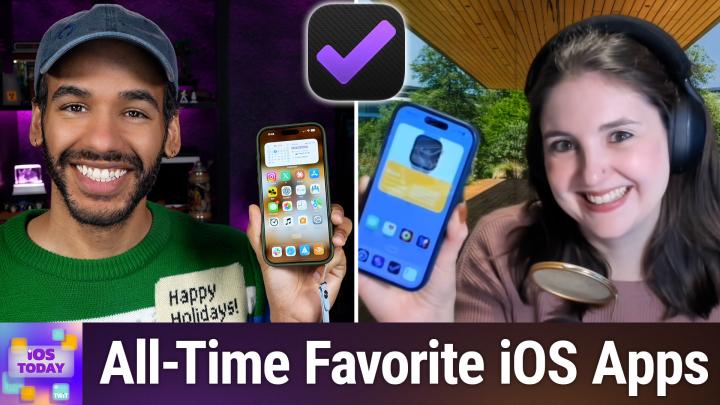
Coming up on iOS Today for our final episode of the show, Rosemary Orchard and I share our forever home screen. The apps that we have loved over the years that we continue to use as we say goodbye to this wonderful show together. Stay tuned.
TWiT.tv [00:00:25]:
Podcasts you love. From people you trust. This
Mikah Sargent [00:00:29]:
is TWIT. This is iOS Today with Rosemary Orchard and Micah Sargent. Episode 828, recorded Tuesday, November 3rd, 2026 for Thursday, November 12th, 2026. Our forever home screen. Hello and welcome to this, our final episode of iOS Today, the show where we talk all things iOS, iPadOS, watchOS, HomePodOS, and so much more. This is the show where we have helped you make the most of your devices by telling you about apps and gadgets and features and settings that you can use to improve your experience across your Apple gadgets. I am one of your hosts, Micah Sargent.
Rosemary Orchard [00:01:18]:
And I am Rosemary Orchard. And I have to say, Micah, it's quite fitting that the last episode is a palindrome episode because I think that we should end as we started, which is with all of our favorites.
Mikah Sargent [00:01:29]:
Oh, yes. So, I want to say, first and foremost, by now you will have likely seen a blog post, or perhaps the newsletter, explaining the end of this show. 828 episodes is nothing to, you know, to balk at. It's an incredible history. I feel lucky to have been part of some of its history. Of course, being iPad Today in the before times and becoming iOS Today. I remember back when I was a guest on the show with both Megan Maroney as host and Leo Laporte as host at different times, so filling in for both of them while either of them was out, and having just an absolute blast doing the AppCap segment and wearing hats or wigs or whatever. And honestly, just enjoying the experience of having people write in and ask questions and want help with different things.
Mikah Sargent [00:02:39]:
And it kind of showed me, in part, what a podcast that does more than just have 2 people chatting on it can be. And I think that's what's made the experience to start out magical for me. And, you know, there was a time where the show may have been sunset. And working with Rosemary meant that we were able to continue to do it and continue to bring you the show. And so, it's been a delight, Rose, getting to work with you on this show and having you bring your wonderful skills and knowledge to the table as well. And, yeah, I appreciate all of the hard work that you— Thank you. have done to make the show possible.
Rosemary Orchard [00:03:32]:
Well, thank you, Micah. I also appreciate all the hard work that you've done, and also all the hard work done by the wonderful folks behind the scenes, Kevin and Antony, of course, and everybody else at the Twit Network, because without them, this show literally would not be possible. They've literally been pulling all of the strings to make the puppets, which are Micah and myself, look like we know what we're doing, even though we do know what we're doing. They just— they make it look like that, and that is such a skill. So I'm really appreciative of everybody who has helped us out there.
Mikah Sargent [00:03:59]:
Absolutely. All right, let's continue on with the show to talk about apps that just are our all-time favorites. Rose, tell us about your first couple of picks.
Rosemary Orchard [00:04:12]:
Ah, well, that, Micah, is a challenge because I decided that the best way that I could do this, the fairest way to do this, was to do this with analytics. So I have written some scripts. Believe it or not, I've been working very, very hard to find out which apps I have personally mentioned the most most frequently. This has involved doing a huge amount of data processing. My poor Mac Studio here is just— there is going to collapse at the end of this episode because it's been going through all of the episodes of iOS Today that I've been on, the ones that I was on as a guest before I was a host and everything, trying to find the apps that I mentioned most frequently. And the first one is, believe it or not, Drafts, uh, because Drafts started out as the place where text starts. And then for me, it somewhat became a place where text lives, where, where it's an ephemeral piece of text. So for it's something that I'm not gonna keep in perpetuity.
Rosemary Orchard [00:05:05]:
It's not, you know, it's not something that I want to archive forever, but it's a packing list. It's relevant until the trip is over, at which point it's basically useless data. I might keep it so that I can look back at it, but I don't have to. Drafts started out as just an iPhone app. It then expanded to the iPad, the Apple Watch, and the Mac. And it's a really great app on all of those platforms. And one of the things that I have been using it for recently is because I've got a whole bunch of things coming up and going on in my life, as I always do. Mm-hmm.
Rosemary Orchard [00:05:33]:
It always seems to happen 20 things happen at once is I find it's really useful to have drafts open on my Apple Watch as I am driving so that I can then just keep adding to my previous draft, which is great if my brain is in that mode of, okay, well, I'm going to a wedding this weekend, so therefore I need to plan to be at the wedding, and therefore I need to have a packing list, and there are things I need to do. And so then I can just keep tapping it with my nose and then talking to my watch to add things to it while still retaining the, you know, Hey Apple lady functionality in my car and getting all the other great features out of there. And so I find that drafts It's just a great app. The actions, I mean, I'm a scripter, I write code, I am a software developer as my day job. So, this is easier for me than it might be for other people. But the fact that you can create custom actions, it means that you have the ability to do basically anything you want. And Greg Pearce, Mr. Agile Tortoise himself, has worked super hard at allowing users to create their own actions in a really easy way without scripting.
Rosemary Orchard [00:06:31]:
So, there are shortcuts like Lego blocks that you can use for a lot of things, including with a little bit of templating. So, you can do things like take the draft title, take the draft body, take the created at date, create— take the created at location if you want. And I just love the fact that that is, you know, such a great app and it's free. Yes, there is an optional subscription, but it is optional. And I, yeah, I just find that it's such a really great application and I'm really grateful to Greg Pearce because he is one of the people who sparked my interest in automation on iOS. And without him, I don't know where I would be today. So yeah, thank you, Greg, for the wonderful drafts that you have created.
Mikah Sargent [00:07:11]:
All right. And do you want to tell us about your second of the top picks for you?
Rosemary Orchard [00:07:17]:
Oh, so this is the app, Micah. This is the app that got me to buy a Mac, believe it or not. If I hadn't known about 43 Folders and Merlin Man and OmniFocus, I don't— I mean, I I might still be on Windows. I don't think I would. I think I would've ended up on the Apple side sooner rather than later anyway. But OmniFocus was one of those apps where I was like, I really want that. This looks like it works how my brain works. Um, and I'm very privileged.
Rosemary Orchard [00:07:47]:
I'm very, very lucky, uh, to have met, met Ken Case and made friends with a bunch of the people at Omni over the years. And I've got to test out their products and give feedback in early beta testing and say, hey, this doesn't feel like it works quite right for my brain. And seen their perspective, and they've taken my perspective into account when tweaking things. But this is the task manager that makes my life run. When do I need to renew my passport? I don't know, but OmniFocus does, and that information is in there. I can go looking for it, but other than that, it's not going to show until it needs to show up because of the defer dates. Uh, when I've got due dates, I can also have— hey, like for example, doing my makeup for iOS Today takes 10 minutes. Uh, I have got it down from a much longer period of time longer ago, and, uh, and so I put in the amount of time tasks take so I get notified with 10 minutes before the show, I actually set it to 15 because I like to round up and give myself a buffer.
Rosemary Orchard [00:08:38]:
So I get that notification 15 minutes before, like, hey, you need to go do your makeup now. Do it, do it now. You know, 5 hours before, I get the notification to make sure that all my show notes are in place. And so on. And there's just a bunch of features that you can choose to use to make it as complex and detailed and nerdy as your brain and your heart desire. Or you can keep it super simple and super lightweight and just put things in and put them on a due date and maybe use the star or flag feature. And that's it. And be done with it.
Rosemary Orchard [00:09:03]:
You get to go as nerdy as you want. I do love the fact that it has changed. Used to be a single purchase per platform, and then they merged the iPhone and the iPad, which made a lot of sense. And now they've just merged it. So you get one license for everything with the exception of web, which is a subscription. So, and you can try that out for free. So if you need it on Windows, then you can get OmniFocus for web, which, believe it or not, folks, runs on Mac Minis. It's so cute.
Rosemary Orchard [00:09:29]:
I absolutely love how they've done that. So yeah. That's OmniFocus. So yeah, those are probably my top 2 productivity apps ever, and I would not survive my life without them. I open them hundreds of times a day, probably. I haven't actually checked, but I do open them an awful lot.
Mikah Sargent [00:09:46]:
Yeah, I was going to say, I imagine that this is an app that people get tired of hearing me talk about, but I will never get tired of talking about it because it is the app that has made all of the difference for me. And it's the way that I can make sure that I know what's going on. And that, of course, is my Fantastical app. Fantastical is the app from FlexiBits that is the calendar that I've used for ages. Now, it first came to the Mac back in 2010, and that is kind of how it got its start. It was a couple of years later, 2012, when it made its way to the iPhone. And the thing that makes Fantastical great, for one, is its natural language processing that lets you, when you create an event, just say like, for example, lunch with Rose Tuesday at noon, and it can figure out what that means in terms of creating an event. And it did that before we had all the generative AI of today.
Mikah Sargent [00:10:57]:
Uh, it also has calendar sets. That's something else that I use regularly. So I have, that's where certain calendars appear based on the set that you choose. So I've got, for example, a main calendar set and then a calendar set that is specific to, um, uh, Twit. So it shows all of the Twit calendars on it and then switching between them. And you can also set those to change based on a focus mode if you wanted. So back whenever we would go into the office, I would have my work focus mode tied to the calendar set. For Twit, and I could just see all those calendars.
Mikah Sargent [00:11:32]:
It has openings and proposals for scheduling, so you can set it up where you get— Leo uses this feature. His calendar has, you know, an option to book events with him, and that's through Fantastical. It does weather built in, which is really nice, so you can see ahead of time what the, what the forecast looks like and plan accordingly. And then it also has a feature called Interesting Calendars, which is something that I take advantage of, like when in your area, certain events will be happening in space, you know, the, the, the meteor shower or something like that. The free tier, it will give you all of the basics of a calendar. I pay for and have for a long time paid for it. And it's, it's fantastic. iPhone Duo, of course, we talked in the last episode about it.
Mikah Sargent [00:12:28]:
And it continues to be really well rated. It's an Editor's Choice app, 4.2 stars, which is saying a lot when you've got 25,000 ratings. It is just a very clever and easy-to-use calendar that is so full-featured and is always adding new stuff when when it's needed. And, um, yeah, I, I like— it's the calendar I recommend to everyone who gets into calendaring. You know, if you're doing more than just occasionally popping in an event or something, this is such an upgrade. Uh, the other app that helps me get things done is— and of course people could probably guess what I'm about to say— Due. D-U-E. It is the app that has long been my means of, of making sure that the things I need to do actually get done.
Mikah Sargent [00:13:30]:
It's been on the App Store since 2010, and it will nag you. It has a feature with that, it's called Auto Snooze, and essentially every X amount of time that you set, it will keep buzzing you and let you know that you decided that you wanted to do this thing at this time. And if you don't do it, then you can just reschedule it. So just this morning I had several that popped up. One was that today— well, actually yesterday was when I was supposed to change my toothbrush head and I forgot to do that yesterday. So today it bugged me again. So after we're off of the show, I can remember that I need to go in and switch those out. There are reminders, I mean, for all sorts of stuff.
Mikah Sargent [00:14:22]:
And that way, if I am not able to do it right away, I can go ahead and get it done later. It also features natural language. So you could say, you know, an example would be— this isn't how I use it— but dentist, 3 PM Thursday. And then it would keep reminding you about that. It has custom snooze times. It's got countdown timers built in. I don't really use those. But one of the features I do love are its critical and prominent alerts.
Mikah Sargent [00:14:48]:
You can set it so that it'll break through your different focus modes. And then it's got platform support, Apple Watch, it's got widgets, it's got Control Center, it's got Shortcuts. You can use the sync through iCloud or through Dropbox, and it works offline as well. I just like that, you know, other apps have added these features over time. But Do has been doing it forever and it just doesn't let me forget to do a thing. And I think that's so important. So that's why it claims my sort of second of the 2 top spots on my phone. All right, Rose, tell us about your next 2.
Rosemary Orchard [00:15:30]:
Well, I have to say, Micah, I did originally have Fantastical in mind. And that was actually my second top app because Uh, yeah, but then I was like, no, I can't take that from Micah. Thank you. He's going to want— he's going to need to talk about it.
Mikah Sargent [00:15:46]:
I'm going to need it.
Rosemary Orchard [00:15:48]:
So I decided that I would let you have Fantastic Al, and instead I'm stealing Carrot because I love Carrot for weather. Now, one of the original reasons why I bought Carrot is I have a Netatmo weather station. So this is a weather station. There's a USB-plugged-in part that lives, uh, in the center of the house. I've actually currently got it in my living room. I may move it somewhere else, who knows. Um, and then there's an outdoor station. You can also get extra indoor modules if you want.
Rosemary Orchard [00:16:14]:
Uh, and, uh, the thing about this is Netatmo has an API that can link into a bunch of different weather apps. And I think I found out through Jason Snell over at the Six Colors blog that you could connect this to Carrot. And I was like, oh great, then this allows me to get actual weather data from outside my house, literally like 5 meters away from my house. Perfectly. And so I got the rain sensor, I got the wind sensor, I've got all the sensors, folks. I'm very nerdy. I do love my data, I do love my gadgetry, and I can pull that in. But the Carrot obviously does more than that.
Rosemary Orchard [00:16:49]:
It does snarkiness. If you want, you can make it professional and polite. I prefer to have it, uh, not quite the most overkill, but it's somewhere in the homicidal range, uh, because I think it's occasionally funny that it tells me to hide my Mogwai if it's raining outside. Because, you know, if Mogwai get But you know, they multiply and then you get the bad ones because, you know, it's always Christmas. You gotta watch Gremlins again, folks. But yeah, I do love Carrot. They've added so many cool features over time. I love the Carrot Quests in there with little challenges to go and find the different places and so on.
Rosemary Orchard [00:17:20]:
It's just a really good weather app. And Brian, maker of Carrot, is on the ball. So every year at WWDC, he's sitting there watching the videos as the vast majority of developers of these apps do. Actually, in fact, I think the developers of every single one of the apps that we're talking about today, does. And so they sit there and they watch it. But then Brian's there coming up with prototypes as soon as he can get his hands on the Xcode builds. So I love that. You know, there's, there's always stuff that's new and coming soon, and it's exciting to see.
Rosemary Orchard [00:17:51]:
You would think a weather app is pretty well defined as it tells you what the weather is going to be, but somehow Brian manages to make it better. And I've got umbrella reminders, I've got UV reminders, I've got all the things that help me get a kid out the door to school every morning with the appropriate clothing. And of course, make sure that the washing doesn't get wet when it's out on the line either.
Mikah Sargent [00:18:12]:
Lovely, lovely, lovely.
Rosemary Orchard [00:18:14]:
Yes.
Mikah Sargent [00:18:15]:
Uh, yeah, I— carrot. What can you— what can you not say, uh, about carrot? And this, your second pick here—
Rosemary Orchard [00:18:24]:
Be nice to carrot because otherwise it's gonna be cranky to you.
Mikah Sargent [00:18:27]:
Exactly. And your other pick on here is also another pick that I love, so I'm glad that, um, it's getting its time of day.
Rosemary Orchard [00:18:34]:
I'm, I'm sorry, Micah. I was hoping you might talk about Paprika, um, because I've stolen Crouton. Crouton is my recipe app of choice. It does a really great job of importing recipes from websites. Uh, you can do things like change the app icons. You can have multiple timers running in the app, which is so crucial for actually like complicated meals. You can do meal planning and generate a shopping list in it as well. Um, but one of the things I love is hands-free cooking mode.
Rosemary Orchard [00:19:00]:
So somebody was joking in our last episode that you don't wanna get flour and stuff all over your iPhone Duo whilst you're cooking. Well, actually, with Crouton, you don't need to because it has a hands-free mode, which is based on accessibility features, which I absolutely love. I think that this is a really great innovative use of it where you can do things like open your mouth and wink to show the ingredients list when you're in a particular step and go to the next step, go to the previous step, so on and so forth. And I feel like that's just a really cool way to to make it easier to cook without getting like weird gunk of whatever on your iPhone. Is it chicken juice? Is it flour? Is it an egg wash? Who knows? When I'm cooking, it could be carrot juice, you know, 'cause carrots end up everywhere in my food apparently at the moment. But I love the fact that Crouton will let me cook without touching my phone if I want to. They also have an Apple Vision Pro app as well. So you can cook and you can drag timers literally onto the thing that is cooking.
Rosemary Orchard [00:19:58]:
So when you walk back into the room, timers like on the pots and it'll show you've got 2 minutes left on your pasta, 10 minutes left on your chicken in the oven or whatever it is, and so on and so forth. And I find that that's— I love the fact that, yeah, this is a really great app. And I've had good chats with the developers over the years, as I have actually with every single app I'm talking about today, because they are just great apps and it's great developers behind them, which I feel makes a big difference when it comes to apps that you use every day. If you know it's actually people who care rather than a large faceless corporation, It makes it easier to say, hey, would you mind adding this feature? I would really love it if you could. Here's my use case. And then they'll come back to you and say, oh, we haven't thought of that. Or actually, we have something similar coming down the pipeline. You never know what's coming next.
Mikah Sargent [00:20:46]:
I, I love— yeah, I love when developers are, are responsive and, you know, really you can tell that they really care about what they're putting out there. The next app for me is Fastmail. Fastmail, of course, has been a sponsor of the network in the past, so you've probably heard about them. And if you haven't, it is an independent email host that's been around since 1999. They're based in Australia. And I love— I love Fastmail. I use Fastmail now all the time, mostly because of its integrations with my password manager so that I can create passwords or excuse me, emails that are tied to each individual account that I create. This masked email feature that they have, it's so fantastic.
Mikah Sargent [00:21:36]:
Fastmail does email, it does calendar, it does contacts, and it's all in this— in an ad-free app. It's got snooze features and scheduled features and undo send and all sorts of stuff that you can use. I don't use all of the features because I don't need them. I mostly use it as a sort of email handler that then goes to the places where I do check my email. But that Masked email feature is really big for me. And I'm going to talk in, if you can believe it, in Shortcuts Corner briefly about a shortcut that I made for it. And of course it has added iPhone Duo support as well. The one thing to be aware of is that FastMail does cost as an email provider.
Mikah Sargent [00:22:24]:
But the good thing about that is you are the customer and not the product. Mm-hmm. Whereas free email makes you the product, this means that you're paying for it and you are therefore the customer. The prices are very reasonable and the service has been exceptional. I quite like Fastmail, I have to say. The other one I wanted to mention—
Rosemary Orchard [00:22:50]:
Me too, Micah.
Mikah Sargent [00:22:52]:
Oh, yay. Good. Yes. Awesome. The other one that I wanted to mention, I have very much this year gotten into sort of out-of-home bridge. For people who aren't familiar, Homebridge was a tool, is a tool that you can use to make non-HomeKit devices available to your HomeKit setup. And for the longest time, I ran my home through the Home app with Homebridge as a means of connecting these devices that didn't work with it. This year I decided to set up, late in this year, I decided to set up Home Assistant for real.
Mikah Sargent [00:23:28]:
I had done it a couple of times in the past and didn't really get into it. And so I finally decided to set it up for real. And now it's everything. I just recently was able to fully retire my Homebridge and just do it all via Home Assistant. And it's been fantastic. Right now I have this one iPad that I don't use that just has this wonderful sort of readout on it that I can quickly see that all of my— all of the doors in the house that have little door sensors on them are closed. Right now it's showing me as on air because there is a smart plug that is connected to the dummy battery that's in the camera. And so when the camera is powered, then it considers that on air.
Mikah Sargent [00:24:22]:
So it's showing on air. When the camera goes off, then it sees it as off air. It also is tracking different projects that I work on. It has the weather. I mean, It has made it possible for me to do so much. Like all of the lighting now is tied into it. It's just great. So Home Assistant is available on the App Store as well.
Mikah Sargent [00:24:44]:
It obviously needs a home server, a Home Assistant server to do it. But what's cool about it is that when you're doing that, you can use the sensors in your phone as part of the— Oh, cool. the input for your smart home.
Rosemary Orchard [00:25:05]:
Mm-hmm.
Mikah Sargent [00:25:05]:
So I love that feature as well. I set up an automation that when I leave the house, it says, hey, looks like you are leaving. And, you know, these lights are on and these lights are on in case you wanted those to be turned off. And I also have it set to just, if I leave the house, turn off the lights in my office because I don't— certain lights in my office because it will have been that I accidentally left them on. So I know there's a lot you could say about Home Assistant for—
Rosemary Orchard [00:25:33]:
I'm just gonna say, folks, if you are thinking Home Assistant, HomeKit, you know, HomeKit can now do like, oh, this is what happened with like this security thing or whatever. Home Assistant has been doing that forever. And I was having a little issue recently. I added a smart light to my stepson's bedroom and it was supposed to go red at bedtime. It was not going red at bedtime. You know how I found out what was going on? I used a feature called a trace where you can see exactly what happened when the automation ran and it tells you exactly what the details were, every single step of the automation. I love it so much. Also, Bruno, the developer of the Home Assistant iOS app, genuinely absolutely lovely person.
Rosemary Orchard [00:26:13]:
I had a great chat with him a couple of months ago at the Open Home Foundation conference in Lisbon. And all of the people working at the Open Home Foundation are absolutely lovely. But Bruno in particular, I have chatted to him multiple times and I I may or may not have helped him a little bit get the audio sensor working, which means that you can use that as a hack to see whether or not your phone is connected to CarPlay. So yeah, I have to recommend Home Assistant. I am probably gonna be doing a lot more talking about Home Assistant and I'm just gonna be constantly bugging Micah about it. Now I know that he's definitely properly using it and is happy with it. I can go full nerd on him.
Mikah Sargent [00:26:50]:
Yes.
Rosemary Orchard [00:26:51]:
Which is good, 'cause you know, I don't do that to you enough, Micah.
Mikah Sargent [00:26:55]:
And Home Assistant's so wonderful Wonderful. Oh, I just love it. All right, Rose, tell us about your final 2 of your top apps.
Rosemary Orchard [00:27:05]:
All right. Well, we've got to go for one that's been on the App Store since day one. I believe it's day one. Certainly, it's been around for a very long time. And if you don't know that I'm talking about Peacock by James Thompson, then I hope you know that 42 is the answer to life, the universe, and everything. James actually did meet Douglas Adams and wrote applications that were on one of Douglas Adams' Macs that I saw at a computer museum. Yes, because James is that kind of nerd, and only that kind of nerd could take numbers and apps and give you this, Pcalc. So yeah, I love Pcalc.
Rosemary Orchard [00:27:40]:
I confess I don't use it as much on the Apple Watch as I probably should. I pull out my iPhone, but I have Pcalc in my Control Center to open because it makes it so much easier to just quickly open open calculator. And it's a calculator I love. I most often use it for unit conversions, because you can just tap A to B and say, hey, I would like to convert this from inches to centimetres, or cups to grams, so on and so forth, and things like that. And I just find this incredibly useful. He has accounted for things like US and UK gallons are different measurements. And so therefore, our miles per gallon are not American miles per gallon, and you can convert between them and all of that stuff. And I just find it absolutely amazing that there is an app that I can't believe I rely on as frequently as I do, because I don't think about it.
Rosemary Orchard [00:28:31]:
It's just there and it always works. I did once have an issue where I thought that something was going wrong in PCalc, and I was like, oh my God, I'm like, I've broken PCalc. What do I do? And so I sent James an email to the proper support email address. I know I can go directly to him, but I do things properly. And the very nice reply I got was, Rose, you've turned on reverse Polish notation. You might wanna turn that off and then things will work as you were expecting them to. So yes, James is absolutely fabulous and I'm very glad that PeaCalc exists for iPhone, iPad, Apple Vision Pro, and Apple Watch, as well as Mac. There's also Dice by PeaCalc, should you, I don't know, maybe play Dungeons and Dragons in full costume occasionally.
Rosemary Orchard [00:29:11]:
Yes. And you need digital dice. Dice for that for some reason. Uh, I don't know why, uh, anybody would ever do something like that because it sounds absolutely amazing and you should definitely do that more frequently. Costumes aren't required, they just, they, they add a flair.
Mikah Sargent [00:29:25]:
They add to it.
Rosemary Orchard [00:29:26]:
Um, yes, and I do love Dice by Peacock as well. I do love my clicky clacky math rocks, both virtual and physical. But yes, there's those ones. And then speaking of Dungeons and Dragons, uh, Dark Noise is a great app app for white noise, but of course gone dark. Um, so Dark Noise, uh, I often use it for things like playing rain sounds when I want to sleep but I'm struggling to sleep and things like that. But I've also been experimenting with it recently as background music for Dungeons and Dragons. So our, our game master says, okay, so you are currently climbing through a tunnel, and I find something that's like digging through earth or something like that. I don't know if that's actually what the sound's on there.
Rosemary Orchard [00:30:05]:
I can't remember what I used for that particular scenario in our last session. But I do know that I love the fact that Dark Noise has sneaky features in there, so you can choose if you want to, to enable combining it with regular audio, which can be really great if you're, for example, on a plane and there's like a noise somewhere that's bothering you, um, and you would like to drown it out, but you still want to listen to your music or your audiobook. I find this works better with audiobooks and podcasts where I need something in addition to it to drown it out, like the full range of music tends to do a pretty good job of drowning things out. But sometimes I just want to listen to a book or a podcast, but I need something to help black out the rest of the noise around it, to make it fade away into darkness, you might say. Mm-hmm. And so I like Dark Noise for that, creating custom sounds, the whole lot. It's great. So yeah, highly recommend Dark Noise by Charlie Chapman.
Rosemary Orchard [00:30:57]:
Fabulous app. And it's, yeah, one of the ones that I do I just love on my iPhone and I'm reaching for it without thinking about it. That is the thing with all of the apps I've talked about here today. They have just become part of my life. I don't consciously have to think, oh, I should play some white noise. I need to open, is it, what is the name of that app now? It's just, I open my phone and type dark noise and it's there right in front of me as I need.
Mikah Sargent [00:31:22]:
Lovely, lovely, lovely. There are obviously loads of other apps. We just simply do not have the time to be able to cover every app that I know We love, but we also like to hear from you. Even though this is the last episode, hey, we're still around. You can still reach out to us in the Club Twit Discord, for example, and we would love it if on this episode in the you know the the Discord you shared your favorite apps, and maybe if you want to, you can share your home screens as well. Moving along, the iOS 27. 3 beta just dropped. There are betas for all of the devices as well.
Mikah Sargent [00:32:04]:
I think I might be allergic to my candle. It's this morning, my allergies are really quite bad. Anyway, 27.3 developer beta just dropped. We're still, of course, trying to figure out what all is in it. But one thing I know for sure, Apple had promised a redesigned Health app and that had disappeared in earlier developer betas. It is restored in 27.3. 27.3. So that's interesting and should be around again soon.
Mikah Sargent [00:32:37]:
And I have, I had previously downloaded a beta that had it, used it, saw my horrible health age, and then Apple pulled it and now it's back. So we'll have to see kind of how that goes. But, you know, it's hard to know what all is there. On top of the 27.3 beta, we have the 27.3 Mac or iOS and iPadOS. Let's see what else. Oh, you also have the ability to schedule lab work through Quest Diagnostics through Apple's partnership there. But people are still digging in to find out what all is new with this, this version of iOS.
Rosemary Orchard [00:33:27]:
Yeah, one of the things it does look like is coming is an edge light feature so that when you're a video call, um, you'll be able to actually have like a halo of light around the screen of your phone. I imagine it will use up battery pretty fast relative to everything else that you could be doing, um, but it will mean that your face is actually lit up and not in the dark and not purely relying on what the camera sees, if that makes sense. Because at the moment, if I try and do a FaceTime call in the dark, then it's looking at my face, it's doing its best to sort of make my face bright, but I kind of look like a ghost. I am quite pale, I will admit. But a little bit of actual lighting would help with that. I am looking forward to trying that feature out on the iPhone Duo when I get that. But of course, yeah, I would like to try it out before then, if I may. And so hopefully I will get that beta installed later and be able to actually check it out.
Mikah Sargent [00:34:15]:
Yes, I'm looking forward to it as well. All right, moving along to our Focus segment. After episode 826, On focus modes, Jason writes in, you can tie home screen pages to a focus. His church focus shows a page with only church apps and hides the rest until he turns it off and asks, is there a Mac utility that shows when he last used each iPhone app and deletes many at once? A utility, not exactly. So Settings, Focus, Pick a Focus, Customize Screens, Home Screen, and then check the pages to show. Um, you don't actually need a special Mac app to do so. If you do Settings, General, iPhone Storage, it will list each app with its size and also its last used date. So you can see both.
Mikah Sargent [00:35:15]:
And then of course, we know that turning on Offload Unused Apps will go ahead for you, Jason, and clear the apps that you don't open while keeping their data. Of course, if you want to, on the Mac, there is an app that can do a lot of this. iMazing is the tool that we've talked about in the past, and it's a tool that I use to do full backups of my phones. iMazing has a Manage Apps view that can remove several at once. So that can be something that will help you make kind of bulk adjustments to your device if you'd like. So thank you, Jason, for writing in about your tip on focus modes. And hopefully that helps you figure out which apps you're using the most. I, Rosemary, I don't really use— I used to use offload unused apps, but then what would happen is it would come around to a time where I needed an app that was offloaded.
Mikah Sargent [00:36:14]:
And I didn't want to wait for it to re-download. And so even though it only needs to re-download the app and it keeps the data around, it was still enough where I was like, well, this is kind of annoying. And I have the space, so I just turned that off because—
Rosemary Orchard [00:36:30]:
Yeah, my problem with that was it inevitably had offloaded an app that I needed to use when I didn't have an— I had a really poor internet connection. So the UK has got something like 25 different applications to pay to park your car in different places. It varies by council, by who owns the site, all sorts of various local things. But you could guarantee the one app that you needed to use to pay for the parking would not be available, and the actual machine in the car park would be broken or would only take coins. And obviously you don't have coins because, you know, we don't have all that much cash, uh, in a lot of places. So yeah, I turned off offload unused apps because it just became a hazard for me.
Mikah Sargent [00:37:08]:
Alrighty, folks. I can hear the music. It's time for Shortcuts Corner. This is Shortcuts Corner, the last Shortcuts Corner on the show, the part of the show where you write in with your shortcuts requests and Rosemary Orchard, our shortcuts expert, provides a response. Before we get to Rose though, I'm gonna quickly mention, I sort of hinted at it, and I'll get this out of the way. I wanted to mention a shortcut that I created recently 'cause it ties into Fastmail from earlier in the show. And that is a shortcut I built that allows me to use, because I thought, so if my password manager can auto-generate masked email addresses, can I do it myself? And it turns out I can. Fastmail has what's called a JMAP API.
Mikah Sargent [00:38:09]:
And essentially it's a way to say, hey, I need something, and then it can give you that something that you need. That is a very, very, very, very simple definition of an API. And so I need masked emails that I can use with my account. So I tell you that I need this thing, you give it to me, and then I can use it. So the shortcut is, one that I can run kind of from anywhere. The reason I did it as a shortcut instead of a Safari extension is that, again, I can run it on any part of my phone. So if I'm in an app, for example, and it's not giving me the ability to create a masked email as part of the password login, this is the way that I can circumvent that. So what it does is it reaches out to the Fastmail API, And it, uh, asks for a masked email, and then Fastmail's system holds on to that masked email in what's called its pending state, which means that until a service sends something to that email, it isn't tied to anything.
Mikah Sargent [00:39:23]:
It's tied to my account, but it's not tied to where it comes from. It doesn't have that description of where it's supposed to come from. Um, and so then the moment that something emails it, then it locks in and it becomes that masked email. It's very handy to use, and it means that in places where I, again, am unable to get the password integration to work, it will work. Now, the funny thing is Fastmail's app used to have a masked email shortcut, And it basically did the same thing, except it was just built in. It just ran with, with Fastmail. At some point that was removed. Don't know when, don't know why, don't know if it's back at this point, but for the longest time it was gone and I still wanted it.
Mikah Sargent [00:40:14]:
And so I was able to set that up myself through this shortcut. All right. George from Yonkers has written in with the following. George asks, Can Shortcuts combine health graphs like a month of sleep score against the previous day's step count or active calories?
Rosemary Orchard [00:40:34]:
Well, this is a question because, uh, how, how do you combine a graph? Okay, because, I mean, I, I'm asking this as a genuine serious question because, uh, what is a sleep score numerically compared to a step count? Uh, does Does a 10 of a sleep score equal 100 or 1,000 of a step count? Does it equal a 10 or 100 active calories? And all of this is very dependent on you. But I think that one of the things that you should be looking at is a really great free app called Charti. There are in-app purchases for this so that you can, you know, unlock all the features. But I have used Charti a lot before. score. And this allows me to create all of my own charts and pull a bunch of data in and put it on there. However, I think one of the things that you possibly, George, need to sit down and think about is, um, how does the data compare? Because this is the question I had when I, when I was looking at it. And unfortunately, without that information, I'm not really able to actually give you an answer because sometimes your sleep score might be great because you got 10,000, 20,000 steps in yesterday.
Rosemary Orchard [00:41:48]:
Sometimes your sleep score might be great because you got 10 or 20 steps in yesterday because you were actually really ill and resting. And I don't know what scale to put those things on for comparison. Yeah. Are you looking for a line chart or a bar chart or a pie chart? And how do those things represent themselves? Yeah. So there's, there's a lot you can do. And I would highly recommend anybody who's looking to visualize any kind of data with Shortcuts look at Charty. It is genuinely an absolutely fantastic application. I really love it.
Rosemary Orchard [00:42:18]:
I use it a lot, and it's really, really good for things like this. If you find that you are needing to be able to manipulate your data more to create a chart, then I would suggest looking at Scriptable by Simon Stovering, because that will then let you take data and either pull it in directly in Scriptable itself, or Scriptable doesn't have access, you can pull it in through Shortcuts and pass it to Scriptable, and then you can create charts and any kind of visualization or transmission or representation of this as you want. But the downside slash caveat is you do need to know JavaScript, uh, for this. So I would— yeah, but I recommend both of those apps to help you transfigure, transform, modify your data, and then represent it and replicate it as you see fit. But yeah, I don't know, Michael, what would you expect on a chart?
Mikah Sargent [00:43:16]:
Yeah, that's— it is—
Rosemary Orchard [00:43:17]:
Sleep score and steps count and active calories. That's— it's one of those things where it's a really difficult question, isn't it?
Mikah Sargent [00:43:23]:
Yeah, I think I would just want to see— yeah, exactly. It's hard to graph or anything like that. I guess I would just want not graphs, but I would just want readouts of each. So on Tuesday, your sleep score was this. your step count was this, your active calories were— was— were this, and then on Wednesday this, and then on Thursday this, and then on Friday this. And I guess you yourself would try to make something of that. But you're so right that there are so many other variables involved that we can't control for, that those could also be having an impact. If you happened to that day eat, for example, dark cherries, and then you had like a cherry-based beverage before bed.
Mikah Sargent [00:44:13]:
Believe it or not, cherries actually have a lot of not just melatonin-surrounding compounds, but also other compounds in them that are relaxing. And so those could have impacted your sleep that day. Did you have on your chart that you had cherries that day? The next day you have Half a bar of dark chocolate right before bed. Well, did you know that chocolate, and especially dark chocolate, has a lot of caffeine in it? And so then that's actually what impacted your sleep and not the fact that you got fewer steps in that day. So yeah, those trends are hard to tie to any specific thing because so many things can be impacting your sleep. Maybe the next day you're worried about something at work and that impacts your sleep. And so it doesn't matter that you got your 50,000 steps in. So yeah, it is a difficult thing to answer for sure.
Rosemary Orchard [00:45:07]:
Yes. And of course, I would also counsel people to make sure that they're keeping track of their medications and interactions that might happen with things, because as I recently discovered on some medication to recover from this, that it interacts with licorice, and licorice is in one of the cough medicines that I was using. So I had to make sure I do not use that cough medicine. I've hidden it in the back of the cupboard and got a different one out to help me. But yes, make sure that you are keeping track of all those things. You don't have to input it into Health Data, but keep, keep on top of your health logs and feel free to put it into Health if it is going to help you feel better.
Mikah Sargent [00:45:42]:
Especially these days, there are a lot of different like nootropic beverages and stuff like that, and people ingesting like lion's mane mushrooms and all sorts of natural ingredients, but they can interact with your medications and you don't want to learn that after the fact. So be careful out there, everyone. All right, let's move along to our final segment here, our App Caps. And my App Cap this week, it's not one for your iPhone, really. It's one for your Mac. And you know what? It's the last show, so I can do what I want. Haha. That's because I'm choosing the Elgato Stream Deck XL.
Mikah Sargent [00:46:26]:
as my pick. It is so fun to be able to set up a bunch of buttons that do all sorts of things on my Mac and in my home. It's— the real tie-in here is that it works with my Home Assistant setup. So that's kind of my throwing
Rosemary Orchard [00:46:42]:
it
Mikah Sargent [00:46:42]:
back. Mm-hmm. Yeah. I'm able to, you know, adjust the lighting how I need to, but I use it for creating my shows. I've got an option on the main screen that helps me to change between time zones. So that when I'm sending out invites, I can do that. I've got an option here that brings up windows and moves them onto my prompter that I have here and resizes them properly. I've got buttons for all the different shows that I do.
Mikah Sargent [00:47:13]:
I mean, it's just really fun. And for those of you out there who have been, you know, folks who've watched the show for a long time, you gotta— I think you're gonna love it. You're tinkerers, so you're gonna love it. Oh
Rosemary Orchard [00:47:26]:
yeah. Yes, yes. I love my Stream Decks, Micah. I've got one of almost every one of them. Uh, I say almost because I don't have the Stream Deck modules, um, or module, uh, I should say. Uh, I, I want it. I just haven't yet had the ability to get it, but it leads me very neatly into my App Cap, uh, which I will say it's got a couple of scratches on it, but that's because this, I actually have used basically every single episode of iOS Today and any other podcast since I've had it. Got it.
Rosemary Orchard [00:47:56]:
And this is the Stream Deck Pedal. So this actually sits on the floor underneath my feet, and you press— there's only 3 buttons on here, but you press the pedals to make magic happen. And this has allowed me to do things like show my iPhone, show my iPad, switch back to my main view when recording audio podcasts, uh, just log a timestamp in a, uh, in a document so I can add my own note. And then I expanded that to log a timestamp and then pop up like the most common common problems that we were having that was causing me to log it, like crosstalk and things like that where 2 people speak at the same time. And I genuinely love this. What I love about this is it's only 3 buttons, so there's not too much for my brain to think about. I don't have to remember where things are. It's left, right, and center.
Rosemary Orchard [00:48:37]:
My brain can handle that even when I am busy working on all the other things I need to be doing. But this is genuinely one of those things where I don't think about it anymore. I mean, I've really struggled, uh, with recording today's episode because I've not had this plug-in Yeah. But this is one of those things that just makes it a lot easier for me to do things on my Mac. And even when I'm not podcasting, I use it for things because I have just found that it's really useful to be like, oh no, like I would like to switch to this view over here. I'm in this mode, therefore I'm going to do this. And that might be that sometimes I have Infuse running to play media from my Plex server that I've ripped from DVD. IDs.
Rosemary Orchard [00:49:19]:
And so I just will switch to that and control that, and it just jumps me and it makes that app active, and therefore all the keyboard controls go to the right place. Or sometimes it is that I am currently jumping between iTerm2, and I'm jumping between maybe VS Code or BBEdit, depending on what I'm doing, or, you know, some other application, and also GitHub, and having those 3 pages and being able to go this one, this one, this one, jump, jump, jump. Very, very simple, very, very easy. I am sad that this does not work on the iPad because that would be amazing. But also, I've got to admit, this is a little bit of a chunky beast. It is designed to be heavy. It's got a little bit of dog hair stuck to it because the dog likes to try and sit on it. Uh, he has occasionally managed to push buttons.
Rosemary Orchard [00:50:03]:
I would say if you've got a Border Collie, um, maybe try and keep them away from it, uh, because it does become slightly problematic when they can what your podcast is doing rather than you. But it is a really great piece of hardware. I like all the Stream Deck devices. I have used Stream Deck Mobile. I don't use it anymore just because I have enough Stream Decks. I am looking at the XLR dock because I do have a Stream Deck Plus and I've got XLR microphones and I'm considering, is that going to tidy up my setup here on my desk? desk, or maybe do I just need to 3D print some adapters to put everything back in its place, or rather make a place for everything and then tidy it up? We will see what happens. But it is one of those things where I bought this because I'm a podcaster, and then I found that it had so many other uses in my life, uh, because I am more than just a podcaster, as everybody is. Don't let one thing that you do define you, and find ways that you can make technology bend to your your whim and your will and make you feel like you are flying as you go through whatever productivity challenge you are currently facing.
Rosemary Orchard [00:51:11]:
Because that is one of the things that I found the Stream Deck in particular allows me to do. But in reality, all of the automations and productivity systems and setups that I have created over the last— oh gosh, I don't know how many years— have allowed me to get this far with. So yeah, Stream Deck definitely gets a big shout out from me. This is $90. Uh, for this one. Uh, so I, I recommend it as a very easy basic system. You can just start with just the 3 pedals, that's it, just 3, and then go from there. I do love the ones with the screens though, so consider what you might use it for.
Rosemary Orchard [00:51:45]:
And keep an eye out for Black Friday sales and Christmas sales and Cyber Monday sales and all those things that are coming up, because I'm sure there will be many opportunities out there to get these things at a big discount. And the other great thing about these guys is, uh, providing you're okay with the look of it, uh, you know, this has got a few scratches on it from claws and shoes and my feet. Don't worry, I did wipe it down with an antibacterial wipe before I started recording. Um, you know, you can also pick them up secondhand and they will work just great because they won't be bound to a user account. So you don't need to worry about that. So that is my app cap for episode 828 of iOS Today.
Mikah Sargent [00:52:22]:
All right. Well, if you can believe it, this is our final goodbye and thank you you all. Uh, again, you can still get in touch with us if you are a member of the club through the Discord. Rosemary Orchard, so that people can continue to keep up with the great work that you're doing, where should they go to do so?
Rosemary Orchard [00:52:43]:
Well, the best place is rosemaryorchard.com, but if you want to find me on social media, rosemaryorchard.com/socials has links to every single one of my social medias. Keep an eye out because there will be some interesting things coming down the pipeline, uh, in the hopefully not too distant And yeah, lots of smart home tech coming your way, folks. And of course, automation content. Micah, where can folks find you?
Mikah Sargent [00:53:05]:
If you're looking to find me online, I'm @micahsargent on many a social media network, or you can head to chihuahua.coffee. That's chihuahua.coffee, where I've got links to the places I'm most active online. Thank you all for your support over the years. Thank you so much for tuning in, and I will catch you on my other shows. on the network and off the network, uh, and we'll see you there. Bye-bye!