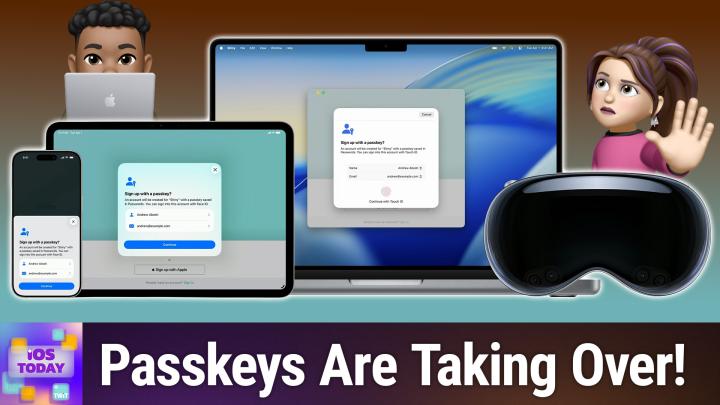
iOS Today 819 Transcript
Please be advised that this transcript is AI-generated and may not be word-for-word. Time codes refer to the approximate times in the ad-free version of the show.
Mikah Sargent [00:00:00]:
Coming up on iOS Today, Rosemary Orchard and I mourn— no, celebrate the death-ish of the password. Stay tuned. Podcasts you love.
Rosemary Orchard [00:00:13]:
From people you trust.
Mikah Sargent [00:00:16]:
This is TWiT. This is iOS Today, episode 819 with Rosemary Orchard and me, Micah Sargent, recorded Tuesday, September 1st, 2026 for Thursday, September 10th, 2026. Passwords are dead-ish. Hello and welcome to iOS Today, the show where we talk all things iOS, iPadOS, watchOS, and so much more. Uh, this is the show where we help you make the most of your devices, and I am but one of your hosts. My name is Micah Sargent.
Rosemary Orchard [00:00:53]:
And my name is Rosemary Orchard, and thank you, Micah. I now just have the Monty Python clip of I'm not dead yet stuck in my head, so we're off to a great start for today's episode.
Mikah Sargent [00:01:04]:
So let's kick things off by, well, sort of changing what the title says because no, passwords aren't fully dead. And that's why the ish is there. It's a little bit in the process of the death of the password. And in the process of killing off the password, we've seen significant improvements to lots of different means of managing passwords, including improvements to Apple's own Passwords app because it handles passwords, passwords, verification codes, Wi-Fi credentials. It does security warnings now, and it also offers sharing of credentials. So there's a lot that you can do with the built-in passwords manager. The app is free and built in. It comes, you know, installed on the device, and it will let you save all sorts of passwords to your phone.
Mikah Sargent [00:02:03]:
And so let me go ahead and open it up here. So as you can see, if you're watching, this is the Passwords app. On the main screen, we've got passkeys and codes and Wi-Fi and security and deleted. There's a little plus button at the bottom so that you can add new credentials. Most of the time, the system is going to do this for you. It's going to be a password management prompt that'll pop up. But let's say there's a website. Called ios today, and you are using your.
Mikah Sargent [00:02:38]:
You can send as much email folks as you want to this email address. It's fine. You are. Your username is your is your iCloud account. Your password in this case is this randomly generated password, and the website is ios today dot com, which of course does not exist. You can also pop in some notes. This site does not exist... yet.
Mikah Sargent [00:03:07]:
I mean, there could be a site there as far as I know. But now look, check this out. I have iOS Today set up. It's got my username, my password, the website, the last time I modified it, it's got the note in there. And then there's even some information down at the bottom showing that this password is a strong password. there was the option to use a QR code to create a 2-factor login, then we could set up the code there as well. In order to edit a credential, you can tap on one and hit the Edit button in the top right corner, and this lets you change the password, set up your codes however you need to. What's great about this is that there's a built-in password generator.
Mikah Sargent [00:03:54]:
So if I choose Change Password, Well, then it will go to that site and allow me to go through the process of changing the password. Really handy when it comes to that. So we'll close out of this. And here we can also tap the share sheet button to share it with someone else. Now, Apple requires that you use AirDrop for this because the credential sharing needs to happen in a very secure way, but it would allow someone else to open it up. So if you've got, you know, a shared login like your streaming services or something similar, then using that share sheet button is a great way to do so. You can see some of the other accounts that I have here that are part of this sort of fake system. I set this up so that I can show you all of this stuff.
Mikah Sargent [00:04:41]:
And so I've got those different options there. And then hitting the 3 dots, my favorite thing in the top right corner, is a way to export all of the information that you have here if you need to, and also to look at passwords that have been generated recently. So if you ended up generating a password and it didn't end up getting saved for some reason, that generated passwords button by hitting that more button in the top right corner will show you recent passwords that were generated. It's a really, I mean, almost full, fully packed means of being able to set up passwords. Security recommendations are great too because what they will do is tell you when things are not great. Now, you'll see that I don't have any security recommendations right now, but what it does is it monitors your passwords and says, hey, these seem to be like they could be guessed easily. As you'll note, I don't have anything here because all of these passwords were pseudo-randomly generated. But it'll also— thank you, thank you.
Mikah Sargent [00:05:43]:
It will also give you insights on if, you know, dark web results have happened that would reveal your passwords or your usernames and say, hey, it might be a good idea to change those. So it's always a great idea if you're using the Passwords app to pop in and check that— check out that security section. Mm-hmm. Give you the information that you're looking for. Then when you pop out of this and go to a site, you are able to just use the autofill passwords that are here. Now, Rosemary, I'm curious. I did feel like when this first— when Apple sort of leaned into being not just a Safari extension essentially, but to being its own password app, at first it was a little rough and the system especially didn't seem like it did a great job of handling But do you feel like it's improved?
Rosemary Orchard [00:06:38]:
I feel like it's improved a lot. Uh, so most of my family, for a variety of reasons like cross-platform support and so on, is still on 1Password. However, I have very explicitly moved my grandmother, uh, who is an iPad gran, uh, she, she's 90 and she's very happy with her iPad. So she's doing really well, uh, with that and she loves her technology. I've moved her over to the Passwords app. Because previously her solution, which was not my favorite, was a book, uh, it like a little notebook of, uh, usernames and passwords. And you had to sort of go through the, the whole book to find which is the current version of the password, which was less than ideal, especially because most websites for very good reason will lock you out if you have multiple failed attempts to, to sign into things. So I've migrated her over to that and it's allowed me to set her up with 2-factor authentication on certain services where I feel like that would be beneficial.
Rosemary Orchard [00:07:33]:
official, such as her email account and things like that. So, you know, there's significantly less of a possibility of somebody else getting into that. And nowadays, with the fact that you can do shared groups and Wi-Fi credentials can go in there and so on and so forth, this is much more of a system that I, I would be happy to switch to myself. As I said, I haven't because I, I unfortunately have to have the cross-platform support, uh, that's offered by 1Password and the fact that, you know, certain companies are using it and I have shared vaults into those companies and so on and so forth. It's one of those things where I'm probably stuck there for the foreseeable future. But if I weren't, then I would just be using passwords for everything. Uh, the only thing I'll say is no password manager that I have ever met will play nicely with any other password manager. They're all like, no, pick me, pick me, pick me when it comes to saving your login credentials.
Rosemary Orchard [00:08:27]:
Which is great in theory, uh, until something somewhere doesn't quite work because something else got there first and changed something. And it gets confusing. But I do really like Passwords, and I think that Passwords is fabulous as a system. And I have actually, with my grandmother's knowledge, just to be clear, I have put all of her passwords in a shared group and then shared them with my mum and myself and my aunt. So if she gets stuck getting into a system, then we can always log into the same system with the credentials she has saved in Passwords to figure out what's going on there. So yeah, that is definitely a worthwhile feature. And I, yeah, I really like it.
Mikah Sargent [00:09:09]:
Now, here's where I think the passwords are dead-ish part comes in. Over the course of the past year and a half, we'll say, companies and other others have really started to lean into passkeys as a means of management. It's taken a lot of time. And in the midst of all of this, we've seen a shift from actual sites and services handling logins to using emails to handle logins and sending quote unquote magic links or codes. And that's been frustrating for people. I've seen a lot of sort of blowback at this idea that I can't just log in, I've gotta wait and do this dance where I go and I log in via email. And then I click the link and then it opens it in a different browser. It's messy.
Mikah Sargent [00:10:09]:
But passkeys were supposed to solve that because what individual sites and services are realizing is that they don't want to be in charge of credential management. They don't want to have the potential liability that comes with managing usernames and passwords. And so that is part of why we've seen this shift to the magic link and magic code— I almost cursed just then— nonsense. And so that is part of why that shift has happened. But what we want to get to eventually are passkeys. Now, we're not going to go in depth on what passkeys are here. I've done episodes of, I believe, Hands-On Tech and Hands-On Apple that cover a little bit more about passkeys in particular. The point is, a passkey is a means of logging in that is somehow— it's very rare that this can happen— both more convenient and more secure than our traditional means of logging in.
Rosemary Orchard [00:11:17]:
Mm-hmm.
Mikah Sargent [00:11:18]:
And Apple has added the ability to generate passkeys. And if a site or service supports passkeys, as long as you have autofill turned on, you will get a prompt that says, hey, you can add passkey support. It's really nice. Because it resists phishing. There's no password that you can hand over to someone. If you go to— if you click a link and then it asks you to sign in, if that site is not the actual site, then your passkey is not going to be offered up in the first place. So it's less likely that you'll hand over a passkey. And that is what makes passkeys so cool.
Mikah Sargent [00:11:59]:
I, Rosemary, have I have basically wherever I can taken the option to have passkeys set up, but I was curious to hear if the same applies for you.
Rosemary Orchard [00:12:14]:
Yeah, so nowadays I have. When passkeys first came out, there was a little bit of difficulty with the, are they portable and can they be moved from one service to another service, or are they locked into the password manager they're saved into and things like that? So to start with, I was understandably a little cautious because I wanted to give myself the flexibility of using passwords password or any other password management app. But now I am switching to passkeys for the majority of things. And I also sat down with my grandmother and I went through every single service that supported a passkey that was highlighted in Passwords as supporting a passkey. And we went through and we updated everything. So she's got passkeys for everything. Uh, she still gets a little confused from time to time and tries to reset passwords that don't need to be reset because they're correct. But, you know, she's doing what she can.
Rosemary Orchard [00:12:58]:
She's 90. She's doing pretty well for somebody who learned how to type on a typewriter, and when she first got a computer, went through multiple keyboards in her first couple of months because she was a little too hard on them. So, you know, just one of those things where you do have to adjust to technology as technology moves on, but passkeys have been very easy for her to adjust to overall.
Mikah Sargent [00:13:19]:
Nice, nice. Moving along, one of the things that I always see as memes, there's like like, hey, whoever at Apple invented this, they deserve the world. And I agree, it's verification codes.
Rosemary Orchard [00:13:35]:
So— Mm-hmm.
Mikah Sargent [00:13:36]:
Many, many, many sites, as a means of making things more secure, have enabled 2-factor authentication, where the second factor of authentication is a verification code that gets sent to you. Um, it is not as secure as having a verification code that is automatically generated. Uh, it's a time-based system where it uses a secret to generate a code based on the time, and the system owned by the, the site or service is able to then compare it and say, yes, this is actually you. For sites and services that send you a code to your phone, we've talked before about how that can be a little less safe, but still more safe than not having one at all. In any case, it used to be the case that you would have to get the code on your phone, or in your email, and then you would go and you'd look and then you'd type it in. Lately, Apple has made it even better where that code, if it hits your phone via text, or if you use the Mail app and you have your account logged in and that email comes in, then it will automatically suggest for you right there the code that you have that was sent to you. And the best part is You can set it so that it deletes the code afterward.
Rosemary Orchard [00:15:01]:
Mm-hmm.
Mikah Sargent [00:15:02]:
I love that because I used to just have, you know, 5 or 6 texts in my text messages that were codes from random services. And now, as soon as the code gets popped in, it's gone and I don't have to worry about it anymore. I just— I— it's so thoughtful and handy and clever and it's very chef's kiss for me.
Rosemary Orchard [00:15:28]:
It is. I will say every so often I get a website, and this is the fault of the website, not Apple, where they have decided to make that 6-digit code into 6 boxes, and yet their, um, their, their validation on those boxes is not correct. So you tap to fill it in and it puts all 6 digits in the first box, and the digit 2 in second box, digit 3 in the third box, and so on and so forth. So you have to go back and edit digit Yeah. Um, or every so often you tap to fill it in and their website or app doesn't support autofilling it, but then Apple goes, well, you did the thing, so I've deleted the email or the text. And you do occasionally have to go into your deleted items to find that and retrieve it. But this happens, and this is from somebody who is a heavy user of services, unfortunately, that don't let me create my own authentication codes through the secure system. Uh, so I have to rely on the email or text message ones.
Rosemary Orchard [00:16:24]:
Uh, like, I, I get probably 10 of these a day. This happens to me maybe once a month. So it's not—
Mikah Sargent [00:16:32]:
Wow. Yeah.
Rosemary Orchard [00:16:32]:
So frequent, like, that I run into issues that it is, you know, unbearable. Definitely recommend it. It's such a good feature. It, it genuinely is great. And the fact that it works for messages and email, and it doesn't matter what your default email application is, folks. Uh, it works. I've even had it, uh, because certain services decide that they're going to send you a WhatsApp when you select text message. Uh, FYI, if you're developing one of these services, WhatsApp does not equal text message.
Rosemary Orchard [00:16:58]:
Please don't use it instead of when they are 2 separate options, because if I don't have internet, I don't have WhatsApp. Um, like, on, on my phone, what is what I mean. Like, I might have internet on another device. Um, but yeah, uh, like, it even fills from WhatsApp. the other day, which was very cool. So that was useful. So yeah, definitely recommend it.
Mikah Sargent [00:17:21]:
Lastly, I just wanted to mention shared groups and Wi-Fi credentials. So if you create a shared group, then everyone that's within a shared group in the Passwords app can add and view and delete credentials. And then of course, as you— as we talked about before, those Wi-Fi credentials as well. So last I want to mention, I know I said that was the last, but I forgot. The actual last thing I want to mention is that you may be— you may use a third-party password manager, and you may wonder, is the Passwords app enough? It depends on what you need. It also depends on what is sort of habit for you. And so I have always said this. I've long, long, long used 1Password as my password manager, and I'm used to it.
Mikah Sargent [00:18:13]:
And I've tried in the past to switch over to passwords just to see. And for me, I just really love my 1Password account. Apple Passwords, it's much more straightforward. Of course, it's free. And if you just need it for Apple and for, for Apple devices and for Windows devices, it's absolutely enough. But of course, 1Password has Android, 1Password has Linux support, it has better browser coverage. It also lets you save, and I wouldn't be surprised to see this come to to the Passwords app, but it also lets you save secure notes and documents, your cards, your identities. You can also set up multiple vaults, multiple permissions for those vaults.
Mikah Sargent [00:19:00]:
You can do a whole heck of a lot, plus a really nice recovery option if someone has— if you are— if you run a family, as I do, of, you know, password— 1Password accounts, then if someone forgets their master password and you're the one that's running it, you can help them get get back into their vault. So those kinds of features are really handy when it comes to a third-party password manager. I speak specifically about 1Password, but many of the third-party password managers, including sponsor of the network Bitwarden, are able and capable to do more than just password management. So you may look to that third-party place, or you may already be on the third-party place. Passwords has gotten a lot better. For me, it is just not quite there, and so I continue to use my, my third-party management system. Anything else that you'd like to say about passwords being dead-ish?
Rosemary Orchard [00:20:07]:
Well, yeah, please follow password suggestions if you are implementing a password system. Yeah, do not make your users reset their password every 30, 60, 90 days because everybody will eventually end up with the same password, which will be something like winter2026! because that fulfills all the requirements. But yeah, please try not to use winter2026! as your password. Your pet's name, your children's name, your mother's name, your first goldfish's name, all of those things. things, not great. Passphrases, correct horse battery staple, that sort of thing, are great. Uh, the actual meaning behind correct horse battery staple can be found on XKCD, but passphrases, a series of words with a capital and a special character between them, are fabulous if you need something that you can type on other systems that you don't have access to a password manager on. But yeah, please try to use randomly generated passwords because they are significantly more secure than, uh, Just words that you have thought up while staring out of the window going, huh, blue sky, sunshine.
Rosemary Orchard [00:21:15]:
There we go. That's my password for the day. So yeah.
Mikah Sargent [00:21:20]:
All righty. If you can believe it, it's time for our App Caps. These are the apps or gadgets we're using now or have been using for some time that we think are great and want to share with all of you. Mary, would you mind telling us about your AppCap first?
Rosemary Orchard [00:21:38]:
Sure, Micah. So I'm sure quite a few of you who have an iPad also have an Apple Pencil of some kind, and you've had that— it just slides. It's a little too slidey sometimes. Like, not all the time, but a lot of the time it just, it just like there's a little bit of slip to the Apple Pencil. Now overall, it's a great experience, um, and I personally don't permanently want a matte screen protector on my device. So I have, and I'm just applying it right now because it takes, uh, me a second, uh, a matte magnetic screen protector, folks. This is from ESR, so it magnetizes on. I'm not holding it in place, it's just there, and it's just made my screen matte.
Rosemary Orchard [00:22:22]:
Now I wouldn't want to sit and watch a movie like this, which is why I've gone with the magnetic option so I can just slide it off whenever I don't want it. But now I have a little bit of feedback when I write with my Apple Pencil, just a little bit. Like, it's not a huge amount, but these guys are really cheap. So this one is from ESR, and they do these for lots of devices, folks. So this is not just for the iPad Pro, which is what I'm holding in my hand, not just for the iPad Pro 11-inch either. They do it for the 13-inch, they do it for the iPad Air 13-inch, they do it for the iPad Air, they do it for the iPad Mini. You name it, they've got them. And they do both non-magnetic and magnetic ones.
Rosemary Orchard [00:23:01]:
So depending on how much time, uh, you, you spend using your Apple Pencil— are you an artist and you spend all day drawing on your device, in which case maybe you do actually want one that's just stuck on there, um, or maybe you want a magnetic one, or maybe you want a magnetic one and a regular screen protector underneath. They do bundles for, I think, $21.99 or something like like that. But this is a really nice little gadget. And on top of that, so it comes off super, super easily, like not by accident but on purpose. It comes with a sleeve. It comes with a sleeve, folks. So it's not gonna get broken. It comes with a sleeve.
Rosemary Orchard [00:23:40]:
So this, uh, I have a slipcase for my iPad Pro and I just keep this in here all the time. So then if I'm gonna go like somewhere with my iPad, I pop the iPad into the slipcase along with screen protector is already there. It does fit in there with my, uh, my, uh, Magic Keyboard as well. So then I have all of the things that I might want at once. It's great. I love it. 10 out of 10.
Mikah Sargent [00:24:07]:
I think it is awesome. And you always end up showing me things that I think, oh boy, now I've gotta get that.
Rosemary Orchard [00:24:14]:
Hey, at least this one is optional, Micah. You can, you can choose when to use.
Mikah Sargent [00:24:19]:
That is very true. That is very true. Um, I just wanted to mention, you know, sometimes it's nice to take a little break. But also, if you're anything like me, sometimes taking a break can feel a little bit like, oh, should I be doing this? I'm feeling a little bit— Look, take breaks. It's important to pause and recharge. But if you do have a little bit of guilt about it, and you want something that is a break, but is also, you know, helpful, then check out Spark. And I don't mean the email app, although I do use that. This Spark is the Daily Learning Puzzles app.
Mikah Sargent [00:24:54]:
And it is an editor's choice. Essentially, these are little learning games that you can play. And so you can go through and do these different kind of puzzles and games and, uh, challenge your brain but also have fun while you're doing it. So like, I love the, the, the themes that the app does. Um, recently there was a theme called Hot Potato, and it teaches you about how the potato affected the world and the sort of story of the, um, the, like, the food concept that is the potato. It's really fun. Um, they highlight the fact that this is a game, or this is— yeah, I mean, it is a game essentially, but that the content within it is developed by actual human experts. And so that's a really cool aspect of it too.
Mikah Sargent [00:25:50]:
Um, And there's just so much. Learn something new every day. That's sort of my whole thing. And so I love, love, love this app as a means of just, I don't know, stimulating the brain. Real fun. It's free with in-app purchases. So be sure to check it out. Spark Daily Learning Puzzles.
Mikah Sargent [00:26:12]:
And with that, we have reached the end of this episode of iOS Today. Rosemary Orchard, if people would like to follow you online and check out all the great work you're doing, where should they go to do so?
Rosemary Orchard [00:26:25]:
Well, the best place is rosemaryosha.com, which has got links to apps, books, and podcasts that I am or have been involved with. And of course, my social media, with the exception of Discord, because I'm hanging out in the Club Twitter Discord in the live show where we're talking about potatoes, obviously. And of course, there's also the iOS Today forum for after the show. Micah, where can folks find you?
Mikah Sargent [00:26:46]:
If you're looking to find me online, I'm @micahsargent on many a social media network, or you can head to chihuahua.coffee. That's chihuahua.coffee, I've got links to the places I'm most active online. Thank you so very much for being here today. We appreciate each and every one of you. If you have questions, comments, concerns, et cetera, be sure to reach out. iOSToday@twit.tv is how you get in touch. And, uh, we look forward to hearing from you. Thanks everyone.
Rosemary Orchard [00:27:14]:
Have a good one. Bye-bye. Bye.