iOS Today 805 Transcript
Please be advised that this transcript is AI-generated and may not be word-for-word. Time codes refer to the approximate times in the ad-free version of the show.
Mikah Sargent [00:00:00]:
Coming up on iOS today, WWDC is just around the corner. So Dan Moran joins me to talk about what you can expect at the big event. Stay tuned.
Dan Moren [00:00:13]:
Podcasts you love from people you Trust. This is TWIT.
Mikah Sargent [00:00:21]:
This is iOS Today, episode805 with Dan Moran and me, Micah Sargent. Recorded Tuesday, May 26, 2026 for Thursday, June 4, 2026. WWDC what to Expect. Hello and welcome to iOS Today, the show where we talk all things iOS, iPadOS, WatchOS, HomePod, OS and all the OSes Apple has on offer. I am your host, Micah Sargent. Rosemary Orchard is not with us this week, but I'm joined by the wonderful Dan Morin of Six Colors. Welcome back, Dan.
Dan Moren [00:01:02]:
Hello, Michael. Always good to be back. Talk about WWDC or as I like to call it, why would dogs cheat? You need a mnemonic is what I'm saying. You need somebody to remember.
Mikah Sargent [00:01:15]:
Why would they?
Dan Moren [00:01:16]:
Why would they? I mean, I mean, unless they're playing poker. I mean, you know, oh, you know,
Mikah Sargent [00:01:21]:
one of those dogs.
Dan Moren [00:01:22]:
One of those. At least one, maybe all of them.
Mikah Sargent [00:01:26]:
Now I'm trying to think about what dog breed do I feel is most likely.
Dan Moren [00:01:30]:
I feel that I've taken you off track now and I said dog to Micah and now, now Micah's brain is
Mikah Sargent [00:01:36]:
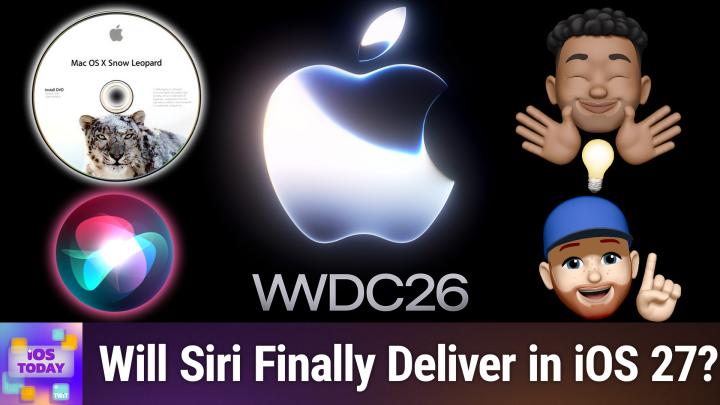
off and running dog is my squirrel. Think about that for a second. Anyway, let's get into it. This is the episode where we're going to talk about what we think we can expect at WWDC this year. Of course, Apple's worldwide developer conference where develop developers all around the world, believe it or not, join to watch Apple announce what's next for its various platforms. That means new features in iOS, new features in iPados, new features in WatchOS, occasionally some new hardware. But the big thing here is it seems an ongoing narrative that this is a quote unquote, Snow Leopard update. Can you tell me, can you tell us what that means?
Dan Moren [00:02:27]:
Cast your mind back, Micah, to a time many, many years ago. The year was 2009.
Mikah Sargent [00:02:36]:
Can you believe it?
Dan Moren [00:02:37]:
I'm crumbling into dust as I look that year up. Snow Leopard came on the heels of Mac OS X Leopard, appropriately enough. And the idea behind it was kind of billed as no new features. We're just gonna fix everything that's broken, we're going to make little tweaks and maintenance updates. All those problems you've had with macOS, we're going to make sure they work great. Now the no new features thing was of course a bit marketing speak because there certainly were some new features, but it lacked some of the marquee features, I think, because a lot of it was focused on under the hood improvements. And you will hear lots of people laud it as one of the last best releases of macOS because they didn't just cram new features in, they went and actually fixed stuff. So people feel very positively, in many cases about Snow Leopard.
Dan Moren [00:03:29]:
That said, you know, is that what we're expecting this year? It's unclear. I think there's a lot of talk obviously about this idea that they will fix a lot of problems in iOS 27 and that would be great if they did. I know we all certainly have our problems with various Apple platforms that we'd like to see get repaired, our little pet peeves and bugbears. But yeah, I expect there to still be some new features despite all of that, much as there were with Snow Leopard.
Mikah Sargent [00:04:01]:
Yeah. So with this, Siri is kind of the big, one of the big tent pole features. Right. We are supposed to be finally, finally, finally getting this smarter Siri. Now, we saw the company advertise a Siri that had more personal context, that had more understanding of what it was seeing on screen, that was able to interact with your, like your mail app and do more, but none of that has presented itself up to this point. The rumor is that it's something we should be seeing.
Dan Moren [00:04:49]:
What.
Mikah Sargent [00:04:51]:
What is this sort of personal context aspect of Siri that we've been promised for so long, but it has yet to be delivered?
Dan Moren [00:05:00]:
Cast your mind back once again. The year was 2024, the first of many attempts by Apple to say, no, no, no, no, no, we've got this AI thing figured out, we know what we're going to do. And they announced a bunch of features. Among them, as you said, Siri with personal idea behind personal context was Siri could look at an index on your device of all the things it knew about you from your mail and your calendar and all the like, you know, personal information that it could garner and securely on your device. It would then be able to use that information to help provide intelligent answers to you. So the classic example being, as Apple themselves showed off, what time does my mom's flight arrive at the airport? And for this it needs to know, well, who's your mom? First of all, can I look through your emails and your text messages and basically divine a relationship or have you somewhere maybe specified that, say, in context, where do I know about their flight? I can go through and look again at your email and your messages and see. Or your Calendar. Do you have something in there? Can I look up that flight information if necessary?
Mikah Sargent [00:06:16]:
Right.
Dan Moren [00:06:16]:
There's a bunch of steps in there and the idea being you ask a complex query, it gives you a simple answer. That feature which was I'm not going to say demoed but I'm going to say shown in Apple's pre produced WWC 2024 video was never demoed as far as I know to anybody outside of the company, including myself. I was in briefings that year. I never saw it and in is widely considered to basically never have worked. But that didn't stop them from advertising that very feature in ads that ran on network television talking about how great this was going to be which has gotten them in trouble including with a class action lawsuit. Now last year you may cast your mind back once again. 2025, you know, during its WWC it didn't spend time on these features necessarily but in conversations did say essentially those features are still coming and will arrive in the next year. A very vague phrasing that could have meant basically anything.
Dan Moren [00:07:19]:
They are now running out of time to deliver on their promise which is why essentially everybody expects that they will talk about it this year. The question is how much weight will they give it having spent two years basically showing off something that didn't exist and then not being able to deliver it. And remember this year meant to them the calendar year of 2026 which means even if they talk about them in June, those features could arrive basically any time before December 31st. So yeah, we'll see exactly how much of that gets delivered. But obviously in the meantime AI has continued to be a growing concern in the tech industry and something that a lot of people consider Apple to have kind of missed the boat on. And Apple's going to be working hard to correct that. What it considers misapprehension with its announcements that this year.
Mikah Sargent [00:08:07]:
Yeah, I mean this has been the thing that I've wanted for the longest. I, you know, having it announced and thinking about what it could be and being hopeful about it despite Siri sort of letting me down in the past. Funny I. Siri.
Dan Moren [00:08:25]:
Not Siri.
Mikah Sargent [00:08:26]:
Siri.
Dan Moren [00:08:27]:
Ah, very good, very good, thank you. Now I've triggered every single thing in my room right now. It's great. Nailed it.
Mikah Sargent [00:08:34]:
Because the, the thing that we haven't yet seen nailed by the third parties that are doing these LLM based systems is that deep integration that a first party could offer. And by that I mean I should say on the Apple side of things. So on macOS I Can download Gemini, I can download Claude, I can download the one from OpenAI and can you tell that's I don't use that one anymore and I can sort of through the use of special accessibility permissions and other automation permissions get us to do some stuff. But it doesn't. It also means that I have to log in to those services with, you know, oauth into those services with all of my. I don't.
Dan Moren [00:09:22]:
And, and you have to give those services access to your data and yes comfortable with them having that. And this was a big part of Apple's argument with this feature is we will do it on device so it's secure and if we need to go out to off device we have this private cloud compute mod. They spent a lot of time talking about that back in 2024 that essentially we have worked really hard to create a cloud system that is secure and private and that we can hand it to your data to your data will not be shared outside of that and you will get the results back. And that was purely their attempt to sort of stave off the idea like well, your device is only so powerful but if we can throw it to a bunch of computers in the cloud, obviously we can throw way more resources at it. Which was always going to be a challenge with the iPhone because as good as it is, you don't want it sitting there chewing through all this data because it will we out your battery, it will make your phone really hot, all this stuff.
Mikah Sargent [00:10:13]:
Yeah, yeah. With this on screen awareness I we've kind of seen a little bit of the on screen awareness. Right. I can take a screenshot and it can interact with that. But the Smack Rumors guide describes it says well let Siri see what's on your screen and complete actions involving whatever you're looking at. If someone texts you an address, you can tell Siri to add it to their contact card or if you're looking at a photo and want to want to send it to someone, you can ask Siri to do it for you. I mean I can already if I'm
Dan Moren [00:10:44]:
looking at a sort of sort of do that but not. I think there's some places where it kind of works. I think what this is supposed to be, you know, we, we actually you and I talked about this last week was it with the accessibility features that Apple showed and one of the things being being able to ask questions about say something in the Magnifier app. I think this is kind of an outgrowth of that which is this idea that whatever is on your screen it can essentially use some combination of visual intelligence and you know, the ability to do live text, write, read text from your screen and turn that into something potentially actionable. But it sort of goes hand in hand too with the third part of this, which is these, I can't remember now what they called it, but essentially the ability to take actions, right, like the ability for you to tell Siri to do something and for it to go to whatever app you're talking to and do the thing, whether it's mail or messages, you know, an Apple first party app or a third party app that uses this system called App Intents. And so that is sort of the third part of that equation which was the personal context, the on screen awareness and then the ability to go off and run, you know, do things in other apps, which is I think kind of similar to what we think of as this agentic AI. You know, I've got a task for you, go do it. You can use the apps that are on my system and then come back when you've done it.
Dan Moren [00:12:08]:
None of those things having shipped. But those are all things that they still in theory are saying will arrive this year.
Mikah Sargent [00:12:15]:
I really think, let me ask you, do you think that given the first party access that, that Apple will have to mail Messages, your Apple TV, your home accessories, etc. Is that, is all of that enough? Do you feel right now to make it compelling enough for people to want to shift their behavior if they are currently using the Chat GPT app or the Claude app or something else for doing a lot of their sort of queries and, and happenings? Do we think that it's going to, you're, it'll be kind of an aha moment. And the reason I also ask this is I just watched Google I O and you know the, the event previous to that where Google showed off some of the other features that it could offer an Android user, given all the access that Google would have to that. It's kind of amazing and it is exactly the sort of convenience factors that I would be looking for. Having knowledge of my email and being able to say, oh right, you're talking to this person now that you need to tell about this change in plans or whatever. So here's what you need to do that. I like that idea. Is it enough, do we think, has Apple in the past perhaps handled the necessary marketing since the company kind of comes to ideas perhaps a little bit later than others and tries to iterate on them in a way that's better than what's already there.
Dan Moren [00:14:18]:
So. Well, okay, the boring answer first. It depends how well it works. Yeah, right. I mean in the end of the day if it doesn't work well, then nobody will use it because. And we see this with the way the state of Siri right now. Right. Like people trust it with certain tasks but generally kind of low stakes things.
Dan Moren [00:14:39]:
Setting timers, playing music, occasionally sending a text message. Right. Most people are not using it. They're certainly not trying to do complex queries. And I think that's the first sort of hump for them to overcome is training people that it is more capable now than it used to be and encouraging them to try those things after years of situations where they shy away from that because it isn't. Now they have the benefit here of, you know, chat, GPT and, and Claude and, and other sort of agents have sort of softened people up to expect these kinds of interactions more. And if you're saying, well now Siri can do those things too, then perhaps there is a more compelling argument to it. I think at the end of the day there is something to be said about the fact that your phone particularly contains so much more information about you that it is so much more hardwired into your life than even your computer these days.
Dan Moren [00:15:35]:
Right. Like to have a platform that goes with you everywhere. That is the thing that most people use to do everything from banking to messaging to, you know, checking their stocks. I don't know, like all this stuff, it's in one place and it's a thing that goes with you and it's intensely personal and so saying, well we can deploy a, an artificial intelligence agent on that platform which already knows all these things about you and then leverage. That seems to make a lot of sense on the face of it. The problem has always been the implementation. And so we are left wondering do they have, you know, do they have the skills to pull this off? And we've already seen some questions around that because they've done things like gone to Google and said can we use your models? Which you know, certainly doesn't engender a lot of faith that the models and the stuff they've been developing in house is up to the task. So I find myself being extremely, I don't want to say cynical, but let's say wary of any announcement that Apple might make because so far their track record hasn't been great when it comes to these things actually working.
Dan Moren [00:16:42]:
It's a lot notable goal for them to shoot for especially because privacy is the thing that they've Kind of made a lot of their bones about like over the past several years this idea that unlike a lot of the other platforms you don't need to worry about your personal data being monetized or compromised. You know, they will keep that secure and you can use your phone without worrying about who is snooping on you. Some people have posted that as kind of being at odds with the idea of AI which is obviously incredibly data hungry and wants every piece of information you can feed it. Is this a fundamental tension that we're going to see with the fact that Apple needs to balance those two things? I don't know. I honestly don't. I mean I feel like it should be possible and Apple has talked about how much they've tried to work to make those two things work in harmony, but we don't yet know whether that's something that is feasible or whether they're going to have to make compromises in one direction or the other and which they will choose.
Mikah Sargent [00:17:39]:
Yeah, that was a great answer and frankly, yeah, we got to, we got to wait and see and I got to wait and see and sometimes I hate waiting. There are also some other features that I. We've heard that there may be a sort of built in Grammarly. I personally haven't used I the writing tools never really use those. I don't want them. And so it will be interesting to see
Dan Moren [00:18:18]:
how
Mikah Sargent [00:18:20]:
the AI grammar writing stuff is going to be integrated across the phone and where I'll be able to turn it off and how quickly I'll be able to turn it off. But I mean here's the thing. As much as I say that there are people who do benefit from those style of tools and that's fine. Good, good. And glad for you. I just. The thought of screen real estate being taken up by it is a little worrisome and I'm hopeful that because I think about sort of the, the. The suggested words, right that appear above when you're typing.
Dan Moren [00:18:58]:
Right.
Mikah Sargent [00:18:58]:
And what if that changes from what it is now to something that is more sort of AI modern AI driven and that is concerning. But I'm, you know, I'm inventing something before it's even happened. So it may be okay. It may be just fine. The photos app rumored to be getting features like extend which would let you sort of crop out a photo and have more of that enhance which is just a more AI AI forward way of doing the auto image adjustments and then reframe which is specifically for spatial photos letting you change the perspective of an image I'm reading though that Apple has had some issues getting these working perfectly, so we may not see them right away. But I wouldn't be surprised if part of that is the on device nature of it because I can do an extend in Photoshop very easily and very rarely do I have to make too many adjustments to it after the fact. Extend is one of those features that I use with some regularity because often there will be a photo that I'd love to have as a wallpaper on my phone, but the way that it was shot, there's not enough room at the top to get it how I want it. And so I just go in Photoshop and then it just puts some more, you know, trees in the background essentially, and that's fine.
Mikah Sargent [00:20:32]:
It doesn't bother me because my part of the photo is still there that I, that I want to see. Any of the photo sort of camera stuff seem interesting to you? I know the camera app is supposed to become more customizable in, in the next version of iOS. That kind of scares me a little
Dan Moren [00:20:53]:
bit because, yeah, I mean they did a big redesign last year. I don't know how much more they are going to tweak it there. But obviously the camera app is one of the most prominently used apps, probably the most prominent used app on the iPhone. So it's always a bold move whenever they start changing things there. I think those Apple intelligence related tools, it will be a shame if they can't pull them off in some ways because they kind of feel like table stakes at this point. I mean there's, like you said, there's tons of other, you know, software that kind of does this stuff and if they can't build it in, what does that really say? So I'm a little suspect of that. You know, of the things they've talked about, I'm very intrigued with this rumor that they're going to use shortcuts is going to add this natural language support potentially where you can have it describe a shortcut to it and it will build it. As somebody who spends a lot of time with shortcuts and knows all too well the shortcomings of shortcuts, I am curious to see whether this is able to avoid any of that by knowing basically what it's doing better than what I'm doing.
Dan Moren [00:21:52]:
But I'm not sure that it can overcome some of the problems that are just fundamental to shortcuts as a system. Yeah, it doesn't matter how well you build the shortcut. Some things don't work so that to me is kind of like a. Will they address those issues as well or will they just be concerned with how well does it build a shortcut? We don't care if the shortcut works at the end.
Mikah Sargent [00:22:15]:
There are supposed to be some design changes as well, making things a little bit more in line with what Liquid Glass has has provided. There are supposed to be a few new kind of animations that we'll see, but outside of that there's a few little kind of grab bag features. The wallet app is supposed to include a new Create a Pass feature so that it can Sherlock all of the third party pass generating apps. If you've got like a gem, a gym membership, you know, a ticket to a local, I don't know, Farmer's market event. Sure. And you need. It doesn't have an Apple Wallet thing. You can basically get the barcode or whatever and turn it into a pass.
Mikah Sargent [00:23:06]:
The weather app has some rumored updates and also supposed to be seeing some new satellite features. I think this is interesting. Apple maps via satellite, photos and messages via satellite and then other functionality for third party apps like using the Satellite API framework and connectivity without needing to be within view of the sky. So in theory, inside somewhere or I guess if it's a cloudy day. I don't know. Yeah, we'll see how all that shakes out. Anything that I didn't mention that you are waiting to hear, you know, from Apple?
Dan Moren [00:23:52]:
Well, you know, I think, look, it's going to be the year of AI again. I mean, you know, we talked about Siri, obviously. I think this idea that there is going to be a standalone chatbot app for Siri is an interesting one. Will that encourage people to try it out again who may have otherwise given up on it? I think that's a big question you're going to see. You're going to see, right? If they roll this out, you are going to see them like people posting online all the side by sides. I asked Siri this, but I asked Chat and I asked Chat GPT and I asked Claude and here's all the answers they give you, right. So like it's going to find itself stacked up against the competitors no matter what. So it better have done the work beforehand is what I'm saying.
Dan Moren [00:24:34]:
And that's where I remain very, very curious whether or not they're actually going to be able to do that. Because you know, if they're not sitting there in Cupertina right now running their own, you know, model up against all the models that are kind of the state of the art. Then what are we even doing here?
Mikah Sargent [00:24:51]:
Exactly. What are we even doing here? All right. We will of course be covering WWDC when it happens, so be sure to tune in for our live coverage if you're a member of the club. If not, join the club so that you can watch us cover it. And we'll talk more about it on Future episodes of iOS today as well. In the news, I wanted to mention that ahead of wwdc, Federico Viticci of Mac Stories has announced and launched a tool called Shortcuts Playground. Shortcuts Playground is a plugin available for Claude Code and Codex. And it is supposed to do kind of what Dan was talking about.
Mikah Sargent [00:25:46]:
Shortcuts is kind of complicated at times and of course there are so many different tools that are out there. And what it does is it lets you say, here's what I want you to make, and then it makes it. So an example was say, this is a good one. Save where I parked now, then later guide me back to my car, which made a parked car shortcut. And that parked car shortcut will. Excuse me, it's. How do I see it? There's the three dots. First it lets you.
Mikah Sargent [00:26:26]:
It pops up with a menu location, Save my location, Find my car or Clear location. It will save the location by getting the current location, putting all that information in, and then Find my car, will pull from that saved text file and then give you directly in Apple maps directions to the car. And then of course, Clear location essentially deletes that text file that was there, all just by typing in Save where I parked now, then later, guide me back to my car. There's also one Clean this URL and strip out tracking junk before I share it. As you can imagine, it goes in and does that as well. Very cool. And I have not had an opportunity to use this yet. MacStories.net shortcuts playground.
Mikah Sargent [00:27:13]:
But I am curious, Dan, have you had an opportunity to try this yet?
Dan Moren [00:27:16]:
I haven't, I don't. I don't subscribe to any of the AI tools necessary, so. And I remain somewhat wary of installing their apps on my Mac. Maybe that's fair enough. Being paranoid. It seems very clever. I've known Federico for a long time. He is single minded in his devotion to, you know, taking a project and just like following it through to its furthest possible, you know, eventuality.
Dan Moren [00:27:42]:
And this seems very much a him project and it's incredibly ambitious and clever. I expect nothing less from him.
Mikah Sargent [00:27:50]:
Absolutely. All right, that is the news this week. It is Time to move along to our app caps. These are the apps or gadgets we're using now or have been using for some time that we think are great and therefore want to share with all of you. Dan, tell us about your app cap pick.
Dan Moren [00:28:08]:
Yes. I recently was traveling overseas and I needed a new adapter to plug things in. I have like, you know, a bunch of those little plug adapters, but they're always so fiddly and I wanted one that kind of, you know, dealt with a lot of different common plug types. And so as I was looking around I stumbled upon the Anker Nano travel adapter. I love this thing. It's very small. That was kind of my biggest feeling was I saw ones that were advertised or like recommended in other places and they're these big huge blocks. But this one's actually pretty small and flat.
Dan Moren [00:28:43]:
It's not that much bigger than like power adapters were a couple years ago honestly. And it has several of the most common adapters including ones that I needed on my trip, which include like the European adapter and then the UK adapter. It has a plug pass through which is also nice. If you just have a standard two prong plug that you need to plug in, you can just do that. But it also, because it's Anker and they love everything USB and charging, it has a pair of USB C ports as well as a pair of USB A ports. So you can just use it directly like that. Like it's just a USB power adapter. So I use this to plug in my Apple watch and my iPhone overnight and charge them.
Dan Moren [00:29:23]:
I used it various times to charge other things like my kids baby monitor that we brought or an iPad that we brought. It's not the beefiest charger around. I think it only goes up to 20 watts, but you know, that's fine for charging my phone overnight and because it's so much smaller I could just throw it in the bag. And it was simple, it worked great. And all the little pins, it's very satisfying. They all retract. They have a little like a little slider on the side that pops out the right pins. I don't know, I just, it was very tactically satisfying as well.
Dan Moren [00:29:54]:
So. So you know, I really recommend this. I thought it was a huge improvement over the classic terrible like, like clunky power adapters that I'd used.
Mikah Sargent [00:30:07]:
Nice.
Dan Moren [00:30:07]:
It's cheap too. I will say it's like 20, 25 bucks or something. I mean like it's not, it's not crazy expensive and you're gonna spend that much buying all the different adapters from the different companies that you, you know, you need to do that.
Mikah Sargent [00:30:21]:
I, yeah, I love, love what Anchor offers and especially when it can be kind of that, that thinner. Yeah, they're just very clever. Their designs are very clever.
Dan Moren [00:30:32]:
They are.
Mikah Sargent [00:30:34]:
The app that I want to mention is called Cassette Home Video Player. I'm not going to demo it because it would require showing a bunch of like, personal videos of friends and family, but the, the app is a pretty clever little thing. It's cute. It basically organizes your entire library of videos by year and makes them like their little vhs. So you tap on a year and it takes that little year VHS out of the cassette sleeve, pops it into the cassette player at the top of the app, and then plays it back and you can hit shuffle so you can end up watching videos that you maybe haven't seen in a long time. It has a cute little filter that lets you add a VHS look to things. And so it's a little bit of nostalgia. But what I ended the reason why I ended up sharing it is because I have taken video over time at different points, some for good reasons, some as part of a review, some for no good reason.
Mikah Sargent [00:31:41]:
And being able to just hit that shuffle button and look back and go, oh, I forgot about that or what in the world. Why did I. Oh wow. And then have a la. Just. I was going between these different modes and it was really quite a delight. And so if you're looking for a way to kind of rediscover content, rediscover memories that you've had, then this is a great way to do it. Cassette Home Video Player Shout out to the creator of this app because I really quite liked it.
Mikah Sargent [00:32:16]:
Alrighty folks, if you have apps that you would like to tell us about, if you have gadgets that you would like to tell us about, or if you have thoughts, questions, et cetera, email us. Iostodaywit TV Dan Moran, thank you so much for being here this week. If people are looking to follow you online and check out all your great work, where should they go to do so?
Dan Moren [00:32:37]:
Well, you can find me on most social media as dmorin. Just give me a search. If you'd like to see everything I do and including the podcasts I do, including Clockwise with Micah every Wednesday over at Relay, you can go to my website dmorn.com you also find links to all of my novels, science fiction, fantasy. Go buy some pre order my next novel which comes out in November called Eternity's tomb. You can find all the links at my site, dmorin.com again.
Mikah Sargent [00:33:03]:
Beautiful. If you're looking to follow me online, you can find me at Micah Sergeant on many a social media network. Or you can add to Chihuahua Coffee, that's C h I H u a H u a Coffee, where I've got links to the places I'm most active online. Thank you so much for being here with us this week. We'll be back again next week for another episode, but until then, goodbye. Bye.