iOS Today 793 Transcript
Please be advised this transcript is AI-generated and may not be word for word. Time codes refer to the approximate times in the ad-supported version of the show.
Mikah Sargent [00:00:00]:
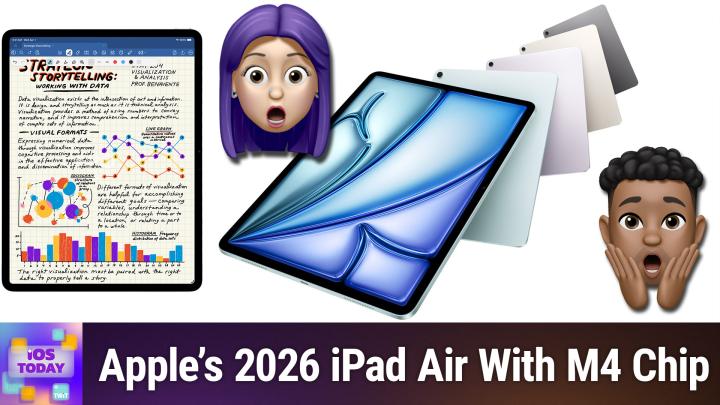
Coming up on iOS Today, Rosemary Orchard and I, Micah Sargent, talk about Apple's new iPad Air M4. Stay tuned.
Rosemary Orchard [00:00:11]:
Podcasts you love from people you trust.
Mikah Sargent [00:00:15]:
This is TWiT. This is iOS Today, episode 793 with Rosemary Orchard and me, Micah Sargent, recorded Tuesday, March 3rd, 2026 for Thursday, March 12th, 2026 iPad Air M4. Hello and welcome to iOS Today, the show where we talk all things iOS, iPadOS, watchOS, HomePodOS, and all the OSs that Apple has to offer. We love to talk about them here on the show and help you make the most of those devices you choose to purchase.
Rosemary Orchard [00:00:46]:
I am one of your hosts, my name is Micah Sargent, and my name is Rosemary Orchard, and I'm wondering if we can, uh, make 4 space I don't know how I was trying to make something happen there. Either way, let's get some air and talk about the new iPad.
Mikah Sargent [00:01:02]:
There we go. We've come up for air. Apple, yes, has peeled back the film on its latest products. That was weird. It has unboxed, unpackaged, and unveiled its latest products. We knew that Apple was going to be releasing new hardware and they kicked things off with the iPhone 17e and now the iPad Air M4. Go check out our last episode if you would like to learn more about the iPhone 17e, including our suggestions on who that device might be for. We plan to do the same thing here with this iPad Air.
Mikah Sargent [00:01:42]:
It's important to understand that the new iPad Air with the M4 chip is going to be pretty much the same in terms of, of cost. So, well, I mean, it is, uh, the starting prices are the same as before: $599 for the 11-inch, $799 for the 13-inch. 13-inch. Pre-orders will have started last week on March 4th, available March 11th. So the day before this episode goes out, you will have been able to— I love the tenses— you will have been able to purchase the new iPad Air with M4. Comes in blue, in purple, in Starlight, and Space Gray. Starts at 128 gigs of storage, up to 1 terabyte. And it is a step up from what has come before, as you might imagine.
Mikah Sargent [00:02:36]:
It's an 8-core GPU and, excuse me, an 8-core CPU, a 9-core GPU. That means 30% faster than just the last gen of iPad Air, 2.3 times faster than the M1 version. Um, it's looking like when it comes to this, 4 times faster, uh, kind of graphics stuff when it comes to the M1. And, uh, thanks to its built-in GPU, uh, supports hardware-accelerated mesh shading and ray tracing. So gaming folks might be interested in what this new iPad Air has to offer. Um, ultimately, you know, I've always found the iPad Air to be a complicated device in the tablet lineup and Apple's tablet lineup. It's like, where does this fit? And who is it for when we've got the standard iPad and we've got the iPad Pro? What is it that the Air does that sets it apart? And what gets defined as Air versus just, you know, no name, no tag and Pro. And yeah, I mean, that's, that's kind of been been my question for some time.
Mikah Sargent [00:03:58]:
Um, I, you know, do I go this way? Do I go that way? When it comes to the Mac, the MacBook Air makes a lot of sense. But yeah, uh, I'm curious to hear your initial thoughts. Of course, we've got, as I mentioned, the 13-inch iPad Air. It's not just the 11-inch. So for people who want that larger size, they can. Uh, but yeah.
Rosemary Orchard [00:04:15]:
Yeah, for me, it's one of these things where, uh, personally, and this is a personal opinion, uh, I feel like I've reached the, uh, maximum capacity capacity limits of my iPad Air in the sense, or my iPad Pro, in the sense of I'm not doing anything that feels like it's really taxing the machine at any point. Um, so therefore I feel like, because I have been considering a 13-inch iPad for a while, uh, you know, I didn't see a reason when I was looking at it last time to not get an iPad Air. Um, so I'm very much still looking at the iPad Air, and I think it's really only if you are looking at doing video editing, um, hardcore gaming and things like that Um, to which there is certainly an element of an argument. Oh, if you want hardcore gaming, then you probably want a dedicated console for it. Um, but, you know, assuming that you want to play the games that are available on iOS and iPadOS, um, then, you know, the iPad Air is probably more than good enough for the majority of people. Um, and, you know, it's got more RAM this time as well, so 12GB of RAM. Um, and apparently, um, it's 2.3 times faster than iPad Air with M1. Now it's interesting that they are explicitly comparing it with the M1 iPad Air, but it's not really targeted at the person who bought an iPad Air last year, uh, because, you know, these, these devices are, you know, they, they cost a certain amount of money.
Rosemary Orchard [00:05:46]:
It is a big investment to upgrade every single year. And as I mentioned, you know, I haven't reached a point where I've gone, oh yeah, no, I really needed more, you know, processing power on my iPad Pro. I don't remember when I upgraded my iPad Pro. I think it's an M1. I'm pretty certain I have M1 in my iPad Pro, my MacBook Pro, and my Mac Studio. And they're all just basically running the same hardware. And yeah, I personally, the only times where I changed to a different device is because the form factor suits what I am doing better. Not because the device isn't powerful enough to do it, um, though every so often it is just a case of, you know, this, this application doesn't exist on iPadOS, so I still need to turn to a Mac for it.
Rosemary Orchard [00:06:29]:
But most of the time, you know, I do— I think the iPad Air is an excellent option for the vast majority of people. You know, that's what I recommended for my mum when she was looking at upgrading, and that's what she got. And then she eventually switched to an iPad Mini and gave the iPad Air to my grandmother. But, you know, it was the right iPad for her. She did not need the Pro.
Mikah Sargent [00:06:50]:
So with this iPad, you know, we've talked a little bit about the performance jump. Of course, you know, Apple is continuing to tout its Apple intelligence. I just read a report recently, Rosemary, that suggested that some of Apple's private cloud servers are just simply going unused because of the fact that people, like the expectation for how much people would be using the device, um, or excuse me, using those features was greater than what is actually the case. And I found that fascinating. Of course, though, the company needs to continue to push for and, and, you know, be very, uh, very clear about its, its take on AI and what it wants, what it, you know, what it expects. So, uh, I found that really fascinating. Regardless, um, we see Apple adding its own wireless chip to all of its devices. Uh, if you get the cellular model, then we're seeing that C1X chip as well.
Mikah Sargent [00:08:00]:
Um, all of that really, I think at this point is a matter of, uh, of, of efficiency more than anything else. It is battery life and Apple, excuse me, is pretty well known for its battery life, for its battery life measurements being true to what you actually get in the end. And so I think that's very important for the company, uh, not just for, uh, you know, our expectations. Right. And so, yeah, I think that that's, that's an important aspect of this that we are seeing those, uh, those commitments continuing to be made to keep the battery life up.
Rosemary Orchard [00:08:46]:
Yes, exactly. You know, unlike when you buy a car and it says, hey, I get this many miles per gallon, and it's like exclusively going downhill when I'm in this gear and blah, blah, blah, blah, blah, there's no luggage in the boot, or there is luggage in the boot because you're going downhill, so therefore the added weight makes it go better. Um, you know, it— you do actually get what is put on the box here. Um, for me, where the iPad Air in particular is very interesting is when you, not when you compare it against the iPad Pro, but when you compare it against the iPad because the standard iPad is also an 11-inch Liquid Retina display. If you're looking at the 11-inch, obviously if we're looking at a 13-inch, then you're only looking at the Air and the Pro. But the screen actually has better color options and it's got that anti-reflective coating. And if you're trying to use the iPad outdoors or anywhere vaguely sunny, like for example on an airplane, The anti-reflective coating is surprisingly useful. Obviously it also has that better chip in it, but that also to me personally means that you are going to get a better life out of an iPad if you're looking to buy one.
Rosemary Orchard [00:09:53]:
Um, you know, if you buy the A16 chip, that's, you know, they're probably going to produce— I think they did already produce an A17. Um, but you know, there's a— still going to continue to exist, but the M series processors are so ridiculously powerful, um, that you know, it, it really does, you know, everything that you want. The other advantage of the iPad Air is it does support the Apple Pencil Pro. So for anybody who's potentially looking into getting into graphic design and drawing and things like that, being able to get the Apple Pencil Pro with the tilt sensitivity and all of those options, that's very nice. Um, but yeah, to me, the iPad Air is a great option, especially considering the fact that if you're looking at it now going like, you know, I've got got an iPad Mini and I wish I had a bigger screen, you can go on the Apple refurb store and you can buy the M3 version of the, the iPad Air, um, and you're still gonna get an excellent device. Um, the advantage of the iPad Air as well, storage. You can go up to a terabyte of storage. So if you are somebody who likes to travel a lot and you want all of your films and, and TV shows with you, you can download them and have them offline, you know, obviously through whatever services, um, you've set up., and fill up a terabyte of storage.
Rosemary Orchard [00:11:03]:
That's gonna be hours, probably weeks of viewing, uh, realistically. So yeah, I, I personally think that the iPad Air is generally, uh, genuinely a really nice option. And it does just, you know, it, it's obviously more expensive, but it does bump you up so much compared to the standard iPad. And I think that's really the comparison that people should be looking at to start with. Not should I get an iPad Air or 7 iPad Pro?, but should I get an iPad Air instead of a regular iPad? Because a regular iPad would probably be fine for many people, but the iPad Air, it's just so much better. And it is, I think it's an excellent, you know, entry point for the iPad, you know, start there and then look upwards rather than looking at the bottom one. 'Cause to me that doesn't seem like a great deal at the moment.
Mikah Sargent [00:11:49]:
Yeah, I agree. I think that that's a fair, you know, look at things now. Apple's entire, uh, iPad lineup being met with this, this new addition, um, you, depending on where you are and it kind of what, but by where you are, I mean where you are in life, right? Like if you are a student, if you are a parent, if you are, uh, perhaps retired and you're looking for something that is not incredibly complex, doesn't require a lot of, uh, of, of extra work to make it work. I think that's where iPadOS kind of really shines, especially as Apple continues to push toward a, an operating system that is more capable. And I think that's something that for me really stands out about the iPad is I feel good about if someone I know needs to have access to the internet without things getting super complicated., and needs to occasionally edit documents or what have you, this is the device that can do those things. And I think that's what makes it really, uh, really nice. It is, you know, uh, well, I hate to say no-brainer because it requires some brain, but it is, uh, it's not hard to decide, you know what, this is what I want to do. I think this is a good idea, um, for someone who needs to have access to this, uh,, you know, to, to the, again, to the internet and perhaps do occasionally some more with the apps.
Mikah Sargent [00:13:33]:
Um, it's, it's not hard to go with this. Now, this iPad, of course, works with the Apple Pencil Pro and, you know, you can get a Magic Keyboard to go along with it. Um, that brings it up into the pro territory, I think, and makes it so that you can, again, fully replace a computer if you need to. Uh, It's almost like you can go the Chromebook route or you can go the iPad route and both of them are great options.
Rosemary Orchard [00:14:03]:
Yeah, yeah, no, I agree with Micah. This is a great device for people who need internet access, which frankly in this day and age is a necessity for a lot of things, you know, booking hospital and doctor's appointments and so on. You can still do it by phone, but you know, you'll be waiting until they're open versus being able to go online and just select the slot. You know, as soon as you find out the information and being able to sit there and pull up your calendar and compare. And the fact that you can do both of them at the same— you know, you can compare your calendar to available information or, you know, two websites to each other on the iPad makes it, you know, a really good option, uh, to have, you know, at your disposal. And especially for people who are less technically savvy, uh, the iPad is a fabulous option. You know, I I would not give my grandmother a MacBook of any kind, no matter how much she begged for it. She has an iPad and it works perfectly for her and it helps just make her life easier.
Rosemary Orchard [00:14:59]:
She can download the banking apps and therefore she doesn't need to figure out, you know, how do I get onto the banking website and worry if it's where it asks about, are you sharing this computer with somebody else or does somebody else potentially have access to this computer? No, she doesn't need to worry about any of that because she's got the lovely combination of both apps and proper internet on a good-sized screen that she can read. Um, and yeah, I think for a lot of people, you know, the question with an iPad is really actually, do you need a proper computer? And what is the definition of that? Or is a tablet like an iPad Air the right choice for you?
Mikah Sargent [00:15:36]:
Good question. Um, all right, I think that is what you need to know about Apple's new iPad Air. Uh, we got just a one little news segment coming up. The news is next. Alrighty. Uh, when it comes to the news this week, there's one more product that we on Tuesday, March 3rd have seen Apple announce. You don't know what might happen between now and, uh, by the time this show gets published, but Apple has unveiled its two new Studio Display options. Very exciting.
Mikah Sargent [00:16:11]:
I have a Studio Display. I'm looking at it right now. Um, And so I've got that first generation version, uh, the, excuse me, new Studio Display. It's got Apple's Center Stage camera, 12 megapixels. Uh, it is better image quality. It also has a 3-microphone array. It's got a better sound system. And I think most importantly, now features Thunderbolt 5 connectivity, which means more daisy chaining if needed, more high-speed accessories, more power.
Mikah Sargent [00:16:44]:
Unlimited power, if you will. And then there's also the Studio Display XDR, which features 120Hz refresh rate, and it does that kind of responsive method where it can go to a lower refresh rate or a higher refresh rate as needed. Studio Display starts at $1,599, and the Studio Display XDR starts at $3,299. Uh, it was a little pricey, you know, but, um, very cool.
Rosemary Orchard [00:17:21]:
Yeah, I mean, the good thing about the Studio Display, and one of the things I do really love about it, is the fact that I can grab the cable from it that's currently plugged into my Mac Studio and I can plug it into an iPad, um, and use my iPad. And it also gets the benefit of the dock, and it's got the extra screen and all those things, and it works really, really well. It's great, I love it. I personally do not have a need to upgrade my Studio Display. I think if you own a first generation Studio Display, you're like going, oh gosh, do I need to upgrade? The answer is almost certainly going to be no, um, because you know the original one's working brilliantly. Hopefully you haven't had any issues with yours. Uh, it is, uh, nice that they still have the option of the nano texture glass, uh, which does cost an extra $300. But, uh, yeah, and also you can upgrade the stand, um, so you can do the, the extra fancy adjustable height adjustable stand for $400 extra.
Rosemary Orchard [00:18:15]:
I personally got the VESA mount edition of the Studio Display when I bought mine, however many years ago that was, um, which means it doesn't come with a stand at all and you have to buy like one that can clamp onto the edge of your desk or something like that, which is what I have, and that works so well for me. But it's It's, yeah, it's nice to see that they are adding, uh, more options to this. One thing I would caution people about if you're looking at buying one of these is the cable that it comes with. It's very important that you don't try to swap that out for another cable unless you also buy another Thunderbolt 5 cable. It's also important that you plug it into the correct port. I've had that before where it's— my Studio Display stopped working after I recabled my desk. I plugged it into the wrong port. That was entirely my fault, but Yeah, um, it's important that you make sure to use a Thunderbolt 5 cable, so you can't just swap it out with any other USB-C to USB-C cable.
Rosemary Orchard [00:19:09]:
Uh, but yeah, it has the 4 ports in the back, and it honestly, it's, it's a very nice docking station slash monitor. I really love mine. Um, but it's, uh, up to you folks as to if you need one at home. Uh, you can get a variety of, uh, nice other monitors. There's a BenQ monitor that's $999, that's 5K, 27 inches. Thank you very much, Scooter X in the chat, uh, who has linked to a 9to5Mac article, uh, where BenQ have just released that one. You know, if you want to save $600, there are plenty of options out there. So yes, consider your— consider your needs.
Rosemary Orchard [00:19:46]:
And it is a lovely display, but I would really say that you probably only need it if you're really using it for the graphics on it, um, and it—
Mikah Sargent [00:19:56]:
and the docking station combination. I agree that, you know, it can make those considerations. They are pretty pricey. They may not necessarily be something that you need. I think that, I mean, to be perfectly frank, I don't know that if my job did not buy this display, I don't know that I would have it. Like, I don't think I would make this purchase on my own. 'cause there are other great displays out there, uh, that don't require, or that, that, that are just fine. I don't necessarily need all the things that are in a Studio Display, but at the same time, having it, I think it's great.
Mikah Sargent [00:20:39]:
I love it. I love that it's tied into all of the stuff that Apple, you know, offers. It's tied into the operating system very well. So it's kind of a back and forth whenever it comes to that.
Rosemary Orchard [00:20:50]:
That makes me go. Yeah, maybe the first time I installed an update on my Studio Display was a somewhat scary moment though, because I was there going, what happens if I break my Studio Display? Do I have to take it to the Apple Store? Uh, that's never happened, to be clear. It's been absolutely fine. Um, but yeah, it was one of those moments where it's like, oh gosh, I'm installing an update on my screen. Uh, old man yells at cloud, what has this world come to? But also, it was, it was actually a good update, and it fixed the— there was a random issue of a flicker in one corner at some point. Um, only happened under very specific circumstances, and I noticed it once, and they got fixed with a firmware update a day later. So, you know, Apple are on it. Um, it's a lovely display.
Mikah Sargent [00:21:31]:
It's just a pricey display indeed. All right. Um, well, I believe now it is time for us to head into our App Caps. These are the apps, gadgets we're using now or have been using for some time that we think are great and want to share with all of you. And I am very excited about my App Cap this week because it Power Wash Simulator. Yes, now in Apple Arcade, you too can go around cleaning things with your power washer. Now, I want to, I want, I want to tell you all first and foremost, so the way that this works is you literally, you start by cleaning your own van. Um, you know, you're a power wash company and you offer your power washing services, right? And so you start by cleaning your van because if your van isn't clean, then people are going, um, are we Are you sure that this person even knows how to clean? But then afterward, you get hired for a job and you are meant to clean, power wash this person's backyard.
Mikah Sargent [00:22:36]:
It's, you have the option while you're playing it to switch nozzles. So for those of you with a power washer, you know how that works. You can change over time. You can, you get new tools that you're able to use. You could change your clothing if you want to. That's not as important. You can also change your stance. Be all the way down on the ground power washing.
Mikah Sargent [00:23:00]:
You can stand up, you can jump and move around and try to clean everything as you're going around. Now there are different sort of requirements, there are different achievements, and I really like achievements. And given that it is in Apple Arcade, that means that it is not one of those free-to-play mechanics. And so you can just power wash all day long without having to worry about getting a bunch of annoying annoying pop-ups saying, you know, here's an ad, here's this, here's that. I think this game is a delight. If you are looking for something that you can sort of just do mindlessly, then I think PowerWash Simulator might be a great choice for you. I certainly am loving it. Again, part of Apple Arcade in the App Store.
Mikah Sargent [00:23:52]:
Check it out. If you haven't made use of your Apple Arcade free trial,, now's the time to do so. All right, Rosemary, tell us about your— ooh, your next pick is a hack, a life hack, not— it's a life hack.
Rosemary Orchard [00:24:09]:
Go ahead, take it away. It's an oldie but a goodie. And speaking of cleaning, it's getting to spring. We're going to do some spring cleaning, folks. You're going to be going through, you're going to have a nerd's nest of cables. Yes, that is the technical term. And when you go through and you finally unpick that nerd's nest, you're going to have I have spare cables lying around. When you do, if you decide not to get rid of them, please invest in some plastic mesh zip bags.
Rosemary Orchard [00:24:31]:
Like, any of them will do. Um, a label— you can use masking tape and a Sharpie. I happen to have a nice label printer, and I've printed same label on both sides. That, that's a bonus hack for you. Um, but just stick things in a little thing labeled so that you've got all the same things together. I needed some USBs, or I needed a USB stick to set up a new machine with, uh, Ubuntu, um, the other day. And I was able to just open my box of cables and pull out this bag and be like, cool, now I have my USB sticks sitting out on my desk. As soon as I finish setting up that machine, I'm definitely happy with it.
Rosemary Orchard [00:25:05]:
Then the USB stick will go back in here. I drop it back in the cable box. Done. Happy, easy. Need a USB-C to USB-C cable? I've got one. Need short Ethernet cables because I've separated my long and my short Ethernet cables because my parents are getting a new router. Cool. I just grabbed the bag of short Ethernet cables, gave it to my mom, said, use what you like and bring the bag back, please.
Rosemary Orchard [00:25:28]:
And you know what? It works great. So little life hack for spring cleaning, folks. These plastic mesh zip bags, I'm not going to link to any particular brand, just find whatever is cheapest at your local office supply store, grocery store, whatever. I do recommend the ones with the, like, actual mesh woven into the plastic. It gives them a little bit more give and sturdiness. But yeah, you know, they're pretty cheap. You can get them in various sizes, and it's fabulous for organizing your cables because quite frankly, nobody wants to go and pull out a bin of cables and be like, okay, what is this? What is this? What is this? When you're looking for one thing in particular. And it does mean, for example, if you do buy a Studio Display and you decide to invest in a, I don't know, 2-meter Thunderbolt 5 cable, then you can grab one of these baggies You can write Thunderbolt 5 cable on the side of it and you can put the 1-meter one that came from Apple in there.
Rosemary Orchard [00:26:19]:
So then when you're looking through all of your USB-C cables, trying to find one that's Thunderbolt 5 compatible, you can see there's a little baggie labeled Thunderbolt 5 cable. And that will just, that will make your day so much better. I can absolutely guarantee it when you're looking for a particular kind of cable. So yes, definitely recommend zip mesh bags for cable organization. It's cheap, it's easy, but also how many Lightning cables do you really need?
Mikah Sargent [00:26:44]:
Please thin them out and take them to the electrics recycling if you don't need them anymore. Yeah. Um, everyone go do this. Trust me. I have now, thanks to Rosemary, have purchased like every once in a while. I might as well have a subscribe and save. Every once in a while I get a new set of them and I use them all the time for everything. They're the greatest thing ever.
Mikah Sargent [00:27:10]:
The only thing that could possibly make these just the slightest bit better is if they somehow figured out a way to make the mesh clear so that I could better see what was inside. That's the only thing that could make these better. I— yeah, of course I label them and that's fine. But I'll be honest that like sometimes I'm organizing stuff and I don't have my labeler nearby and so I just pop it in and then later I'm looking at the bag and I'm like, I can't quite tell what's in there. So if there was some way to make— listen, whoever makes these, make the mesh Fully clear. Oh, that would be next level.
Rosemary Orchard [00:27:47]:
But even still, they're great. Fishing line, like clear fishing line. I think that exists. Like that could be really good because that's super strong as well. Uh, Burke is recommending IKEA has larger versions in two different sizes and they're cheap and really good quality. I'm also going to throw in a bonus mention. IKEA have— it looks like it's a mat that folds out, but then you can like fold it up and clip it into a box, which is great when you've got a whole bunch of cables because you can make it a large flat box or a or like a taller thin box that would fit into a Kallax. Um, and I would highly recommend like something like that because then you can just be like, cool, I'm just gonna dump all this stuff out here and I'll pull it up into a box later.
Rosemary Orchard [00:28:22]:
Um, it's like, it's like the kitty like or dog toy things where you have like it, it folds out into a massive sheet and then at the end of the day there's a massive drawstring, you just go, but this turns into a box. So yeah, there are, there are some great options out there, folks. Uh, maybe spring clean your cables and take any bonuses that you don't need to the electrical recycling. And don't forget to recycle any batteries or devices containing batteries safely as well.
Mikah Sargent [00:28:46]:
There you go. Uh, that is going to bring us to the end of this episode of iOS Today, which means it is time to remind you, you can get in touch with us. iosToday@twit.tv is how you do so. Uh, we would love to hear from you with your questions, comments, concerns, etc. Uh, all right, Rosemary Orchard, if people would like to follow you online and check out all the great work you're doing, where should they go to do so?
Rosemary Orchard [00:29:08]:
Well, the best place is rosemaryortrid.com, which has got links to apps, books, podcasts, and more, including my social media sites, except for Discord, because over there you can find me in the Club Twit Discord, uh, hanging out during the show. Some people offer some great tips as we're talking about things, and also after the show.
Mikah Sargent [00:29:24]:
Micah, where can folks find you? If you're looking to find me online, I am @micahsargent, uh, but you can also head to chihuahua.coffee. That's chihuahua.coffee, where I have links to the places I'm most active on. Line. I look forward to hearing from you. So thank you so much. That brings us truly to the end of this episode. Until next time, we say goodbye.