iOS Today 788 Transcript
Please be advised this transcript is AI-generated and may not be word for word. Time codes refer to the approximate times in the ad-supported version of the show.
Rosemary Orchard [00:00:00]:
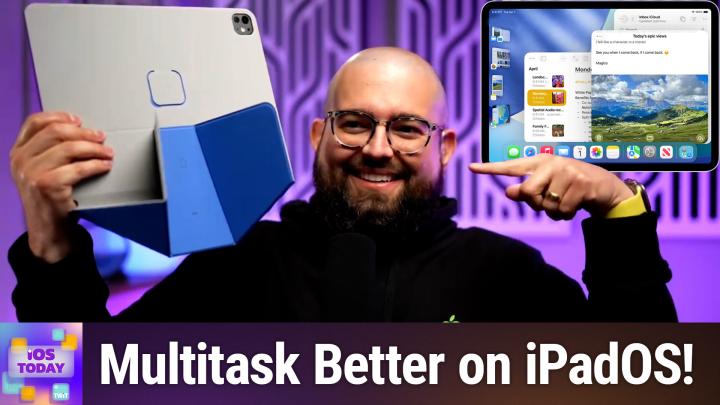
Coming up on iOS today, we're going to talk about iPad multitasking and some shortcuts magic sprinkled in with Stephen Robles.
Stephen Robles [00:00:09]:
Podcasts you love from people you trust. This is twit.
Rosemary Orchard [00:00:17]:
This is iOS today, episode 788, recorded January 27th for February 5th, 2026. IPad multitasking. Welcome to iOS today where we talk all things iPhone, iPad, HomePod app, Apple TV and all of the other Apple random things on offer, which keeps expanding with all of the new things like car key. Are we going to talk about cars next? I don't know. This is not the Accidental Tech podcast, but it is a great podcast and this week my co host is Steven Robles. Welcome back, Stephen.
Stephen Robles [00:00:51]:
Thanks again for having me a second time.
Rosemary Orchard [00:00:53]:
No problem. I'm very glad that we were able to get you back again so quickly from the previous episode, because I believe, and I don't know why, I just get this feeling you use the iPad a little bit just, you know, every once in a while maybe.
Stephen Robles [00:01:09]:
I use the iPad every day. It is my podcast editing machine. You know, I do a daily tech show plus a weekly show and I edit all of the audio versions on iPad exclusively and I've been doing it for years. I just love editing there with Apple pencil. But since going from an 11 inch to a 13 inch, I have been doing more multitasking and finally embraced stage manager and the windowing mode of IPADOS 26, which I was not about for a long time. I was split screen at the most for. For a while now. But I do, I multitask.
Stephen Robles [00:01:43]:
I've even gone so far now as when I'm building shortcuts, I will mirror my iPad into Vision Pro so I can make the screen even larger and then multitask on the iPad and Vision Pro while I can have some video or movie playing in the background. So, yeah, I'm kind of all in now. I do it.
Rosemary Orchard [00:02:01]:
All right, all right, well, my solution to this problem because I don't have a Vision Pro is I have an 11 inch iPad Pro and I've got an iPad mini and so I can watch something on the iPad mini, which is standing on this actually really lovely moft case, which is what? Their fancy origami case. It's like we planned this. We did not plan the matching app cases, folks, I have to say. But yeah, it's when stage manager came out and then I got another iPad mini, I went, huh, how, how do I multitask now? Because I'm very used to multitasking. And I get on pretty well with multitasking on the 11 inch iPad, I have to say. But the fact that I couldn't have stage manager on my iPad mini was breaking my brain. Now I have stage manager on the iPad mini and it's a little bit monkey's paw in that I got exactly what I asked for. And maybe I didn't ask for the right thing because of course the iPad mini screen is really tiny.
Rosemary Orchard [00:03:00]:
But you have a 13 inch iPad, so you know, you must be doing better with multitasking on that. You know, what sort of things do you end up putting on your iPad screen at the same time? And how do you lay out your apps?
Stephen Robles [00:03:11]:
Yeah, so I think I finally like on the Mac, I use spaces a ton. You know, I like having kind of final cut to full screen as an app. I'll have maybe like bare notes and some other things on another desktop space on my Mac and I switch between them two finger scroll on my magic mouse. And I finally started thinking of IPADOS 26 kind of in the same way and using stage manager to kind of create a like a space I would on the Mac, creating a stage on the iPad. And so social media is such a fragmented mess right now. You know, I checked a bunch of different social media apps. So like on my iPad Pro, I'll now have a stage that just has like threads, ivory and blue sky, just the three rows, one, you know, right next to each other or three columns and that'll be a stage. And I'll go back and forth to that and realizing I use it a lot with the magic keyboard, especially when I'm multitasking, that if I command tab to anything, three of those social media apps, that then it'll switch to that stage.
Stephen Robles [00:04:12]:
So I'll have kind of like my social media app stage. If I'm building shortcuts, I'll typically have the shortcuts app plus circle, which is where I have my shortcuts community. I'll have the circle app open and then maybe bare notes and those, those three apps kind of in a windowed way where shortcuts is the biggest. But I can still kind of see the bare notes peeking out from the back. So I can click it with the mouse with the magic keyboard or see the circle app and just kind of click and switch that way or use the command tab. There's still some like, weird things where if I'm in that space where I have Shortcuts bare and my circle app, if I wanted to bring up Safari for some reason because I want to look up something about an API. I would love to just be able to kind of click Safari in the dock and it just open a window in that space. But that behavior with Stage Manager is still a little wonky where if you have Safari in a stage already, it will kick you out of the stage you're in right now and bring it to the other one.
Stephen Robles [00:05:13]:
What you have to do is like what you just did in the video, which is drag it as a new window into the stage you're in and then you can stay there, stay put in your kind of workspace permanence, and then have the new Safari. So there's a lot of quirks. You have to get used to working on it with the iPad versus windowing on a Mac. But with the larger screen iPad specifically, I've, I've been getting used to it and I've, I've actually been enjoying it. I feel more productive when I can have at least three or four windows open and quickly switch between them. So that's how I do it.
Rosemary Orchard [00:05:44]:
Yeah, yeah. It sounds like for you in particular, the, the magic trackpad and the keyboard are a really important part. And I have to say I do find it a lot easier with Stage Manager on my iPad Pro. This is my iPad mini here, which I picked to try and show folks a slightly bigger vers of what actually is going on. Because if I have an 11 inch screen, especially if you're watching our phone, you're not going to see a huge amount. But as you mentioned, you know, I do happen to already have Safari open here, but if I want to open Safari again, then it, you know, in this case it showed me, hey, you already have Safari open, don't be a dum dum. But then I can drag and drop Safari in. One of the things that was recently updated with multitasking on iPadOS is actually the fact that when you tap in the top left corner, you get a close, a minimize and a maximize button which is the same as you get on Mac OS previously.
Rosemary Orchard [00:06:36]:
All of this was in sort of like a three dot thing in the middle of the top of the window, which for some people was intuitive because I watched WWDC and I learned how to use it there for other people like my mother. Oh my God. She did not know what was going on and she immediately asked me to, please can you turn this weird thing back off where there's dots and I don't understand what's going on. I just want my iPad apps in full screen. Thank you very much. And so I turned off Stage Magic for her and that was it.
Stephen Robles [00:07:05]:
And I keep Stage Manager the toggle in Control center because I actually do go back and forth turning it off and on. One of the reasons is the app that I use to edit podcasts, which is Ferrite. It's an incredible app. I've been using it for years. When I edit podcasts, I want to be full screen and I also do a lot of universal control from my Mac to my iPad when I'm doing a podcast because I'll add chapters and then for the chapter artwork, I'll literally drag an image from my Mac over to my iPad because of universal control and drop it in the Ferrite chapter. And it works great. But for some reason, Stage Manager with universal control, it gets really wonky. Like it'll like reshape Ferrite into a thin window.
Stephen Robles [00:07:47]:
It won't let me drag and drop. And so I do go back and forth. So when I'm editing a podcast, I'll just toggle Stage Manager off. No more windowing. Just give me full screen apps and I'm good to go. One of the things I still wish I was glad they brought it back with 26.1, I believe, but Split View and Slide over are now quote, unquote back. So if you do want to drag an app from the dock onto one side or the other of the screen and you get that 50, 50 split, you can do that now in IPADOS 26.2 and you can put an app and slide over and it stays persistent on top of other windows. You can slide it on and off.
Stephen Robles [00:08:22]:
All that is great. I'm still hoping for that one more step where I can not be in Stage manager or not be in windowed mode and still do Split View. Kind of how it was in IPADOS 18 and earlier, where you can either have full screen apps or split View. I kind of want like that flexibility. But I'm glad Split View and Slide over came back because I do do those a lot, like messages as a slide over window. It's great. I think you should. Yeah, I like it.
Rosemary Orchard [00:08:51]:
Yes. Yeah, that is definitely something that is useful. Now, one of the things I'm wondering, Steven, is you're a little bit of a shortcuts fan. Just a tiny bit. You know, you have Shortcuts University, you do a lot of shortcuts. Anybody who's looking for shortcut steps, you've got to check out Stephen's YouTube channel because he's got loads of great Videos on there and of course the shortcuts University. But I'm wondering, shortcuts automations. On iPad OS, there are automation triggers for connecting an external display and for stage manager.
Rosemary Orchard [00:09:24]:
Are you doing anything with these? Have you done things with these and are you still using them?
Stephen Robles [00:09:30]:
As much as I have loved windowing now on the larger iPad, I never ever connected to an external display, ever. I don't think I've even done it to like see what happens. Mostly because like universal control, like most of the time I'm here on my desk and like I have my Mac studio, my big old studio display and I have my iPad off to the side. Like why would I connect my iPad to the studio display? Like, I'm not going to do that. And I don't have another like workstation where I would do that if I was all in on iPad like Fernando Silva, 9to5Mac, he like edits in Final Cut on iPad. He uses an external display. Like totally get that. So because I don't connect to an external display, I don't have any automations for that.
Stephen Robles [00:10:11]:
And for the stage manager automations, maybe I need to. Can you. Because I could turn stage manager on and or off when an app is opened as an automation. Right.
Rosemary Orchard [00:10:22]:
Is that an accident? Yeah, I'm 99.9% certain it is. And now I'm just double checking because I don't want to accidentally live lie, live lie live on air. Gosh, that's really tricky to say.
Stephen Robles [00:10:35]:
It's hard to say. I'm going to set this up literally right here.
Rosemary Orchard [00:10:38]:
You can set stage manager as an action on an iPad. So this is very important to note for any folks who are looking at this on their iPhone going, why can't I see turn stage. Like turn stage manager on the action is called set stage manager. And also it's not there on iPhone because iPhones don't support stage manager. You know, even if you've got the iPhone Pro Max, it's. It's not an option. Not even in landscape mode. I do remember the whole landscape iPhone home display thing.
Rosemary Orchard [00:11:08]:
That was a thing. Yeah, yeah, that was a thing a long time ago. It's not a thing anymore. But yeah, you can have an action to turn stage manager on or off automatically. Which to me it sounds like would be actually a great candidate for automation for you. For ferrite, I just did it.
Stephen Robles [00:11:23]:
I just set up the automation. When I open ferrite stage manager will turn off. And so yeah, I should have done that months ago, but thank you Rosemary, that'll help me out.
Rosemary Orchard [00:11:34]:
Two automations this is what we call improving your life live on air. Because yes, everybody should have the option to do any of these that they want.
Mikah Sargent [00:11:42]:
This episode of iOS today is brought to you by Netsuite. Every business is asking the same question. How in the world do we make AI work? For us, the possibilities are endless. And guessing well, that's too risky. But sitting on the sidelines isn't an option because one thing is almost certain, your competitors are already making their move. No more waiting. With NetSuite by Oracle, you can put AI to work. Today, NetSuite is the number one AI Cloud ERP trusted by more than 43,000 businesses.
Mikah Sargent [00:12:12]:
It's a unified suite that brings your financials, inventory, commerce, HR and CRM into a single source of truth. That connected data is what makes your AI smarter. So it doesn't just guess, it knows it intelligently automates routine tasks, delivers actionable insights, helps you cut costs and make fast AI powered decisions with confidence. And this isn't another bolted on tool. It's AI built into the system that runs your business. Whether your company earns millions or even hundreds of millions, NetSuite helps you stay ahead of the pack. Right now get NetSuite's free business guide demystifying AI at netsuite.comios the guide is free to you at netsuite.comios that's netsuite.comios.
Stephen Robles [00:12:57]:
Two automations that I run on my iPad and also have these on my Mac as well is battery level notifications through push cut. So I have an automation on my iPad that when the Battery falls below 20% I have a get constants of URL to one action automation. It loads a push cut URL and I get a notification on my phone that the battery is under 20%. I have the same thing for my MacBook Air because while I use the devices because at least once a day I'm not using them often enough to know do I need to plug them in overnight, should I charge them? And so I like getting a notification when it's 20% or below battery and I'll just plug in my iPad overnight or whatever and then I have another notification for when the battery goes above 80% because then I can know I could just unplug it and you know, I don't have to charge it all night or whatever. And so those were two automations I had on my iPad already.
Rosemary Orchard [00:13:48]:
Ah well I have an idea. This is something I have not previously discussed with Stephen Fox so be Nice to him about this because I'm going to be sending us a challenge live on air because I'm 99.9% certain we're going to have about 15 emails into iOS today at TWIT TV saying hey, how did you do that and can I do that please? So what I want to do, I'm going to up the difficulty level because I want one shortcut that can be triggered by an automation on any device. Okay. So we're going to make this a little more complicated. So we should be able to with get device details, get the name of the device and the model. So I'm just going to duplicate that. And so yeah, get device details, get device name and get device model and then we will need a get contents of URL. And the thing with Push Cut automations is because they are through a URL I'm just quickly on my iPhone here going to create a notification and what I will do is we are going to override it and we're going to set custom title information.
Rosemary Orchard [00:15:11]:
So instead of having one push cut notification for an iPad and one push cut notification for a Mac for it's got this amount of battery. Because the other thing that we want to do, I'm just gonna clear that is if we duplicate this again, I believe it can tell us battery. No, it doesn't tell you battery level's not there.
Stephen Robles [00:15:39]:
Right.
Rosemary Orchard [00:15:41]:
And I don't know, there is something. There we go. Oh no, that's a different one.
Stephen Robles [00:15:44]:
That's a third party app. Yeah, yeah, that's you can get get battery status but that will. And it will tell you the level and it is charging charger. Yeah, there you go.
Rosemary Orchard [00:15:54]:
Yeah, exactly. Perfect. So then we can hopefully copy the. I'm going to do something a little bit crazy here and I'm just going to add a comment into this because I need to paste some information that I've just copied from my phone and then we will. I'll show folks how to decipher it. So I've copied something from URL from push cut called the curl information. So now we know. Okay, so it says post.
Rosemary Orchard [00:16:20]:
So we need to change the method here to post. And don't worry folks, this notification is going to be deleted after the show. So don't even try using it yourself.
Stephen Robles [00:16:29]:
I had that happen in a YouTube video. I left a push cut URL live and I started getting weird notifications. I was like, somebody watching this video, they're messing with me.
Rosemary Orchard [00:16:39]:
Yeah, exactly. Yeah, somebody's messing with you. But don't worry folks, this is going away. There's a reason why I got rid of this. But yeah, we just need to add a little bit more information here and yeah, if we add some information into the request body and I'm 99.9% certain and this is testing my memory that it is title. If we set the title.
Stephen Robles [00:17:03]:
This is blowing my mind. Now you would still need to set up an automation on each device, but.
Rosemary Orchard [00:17:09]:
Then you would just have that automation run the one. Yeah, but it runs the same shortcut every single time. So I'm going to finish this off and I'm going to put a link to it in the show notes. But don't worry folks, it's going to have no URL in there. It won't even have this URL because I'm not crazy enough to actually share a live Push Cut URL with you folks. And I'm going to delete that note.
Stephen Robles [00:17:28]:
That was me just to make sure I did that. I deleted it quickly after as you're working on that too. Have you ever connected Change Detector IO to Push Cut? Yeah, I just discovered that as like a thing and now that's blowing my mind. Which if Change Detector, it is a paid service. If you want to have multiple notifications, it's like $8 a month. But if you wanted to follow the price of a product or whether a product was in stock, I've been wanting to get the Unifi Travel router which came out and it keeps going in stock and then selling out almost immediately. And I want to get one. Well, changedetection IO is the actual website, but you can have it watch a product, you can have it watch a webpage for any kind of changes.
Stephen Robles [00:18:12]:
And then Push Cut works great with that. And so you can, you can give it your Push Cut URL and anytime a price or product changes, you'll get a notification on your device with Push cut that the change was made and you can have information kind of in the, in the notification. So that was a new discovery for me. I've been loving playing with that.
Rosemary Orchard [00:18:30]:
Yes. Yeah, that is definitely something that I'm, I'm sure a lot of people would like. Now we're going to derail the show just for a moment. So do you have a cellular iPad or do you have just a WI Fi iPad? Okay, so why are you looking at the Unified Travel Router or router? Like, you know, what is the purpose of this? If your devices are already cellular, why would you want the travel router? I'm curious.
Stephen Robles [00:18:55]:
One I, if and when I do travel, I'm most likely making videos while I'm doing it and uploading videos to YouTube. And so I am hoping that maybe I would have a better WI fi speed experience in a hotel room if I connect it to like the Ethernet port in the hot room rather than using the hotel WI fi specifically. And also just having not to deal with like the captive network screens every time I connect to the hotel WI fi, like when I leave the room, go to the conference center or vice versa. So I would like to maybe just have a better WI fi experience in the hotel room as a whole. Also, if I travel with my family, I do end up bringing like an Apple TV or something. Sometimes I'll bring a Chromecast whatever is like the easiest to travel with at the time. But then to be able to connect that to the WI fi easily and also do things like airplay if we wanted to basically have like all the nice WI fi consistent experience that we have at home, but have it in a hotel or when I'm traveling. And so that, and from what I understand, I'm not totally positive on this, but I thought because I have a unifi network at home, all my wifi is unifi.
Stephen Robles [00:19:59]:
I have my network attached storage stuff connected to it that with the travel router I might be able to like VPN and like be able to access some of the things on my home network when I'm traveling. So I want to be able to experiment with all that. Those, those are my reasons. I don't know if that makes sense or if it's just that.
Rosemary Orchard [00:20:16]:
But I mean, it's one of those things where I'm also one of those people and it is nice to just be able to go, oh hey, yeah, like I have one device and everything, already knows the network name and it connects to it. And you don't have to deal with the hotel WI fi randomly timing out right as you're trying to upload a really important file. Because some hotel WI fi will make you renew your connection every 24 hours and they'll try just block all the network activity. I'm sure people have had that. And yeah, I, I travel with a Google Chrome tv so it's like a Chrome dongle, but it's got a remote control because that makes it a little easier to connect to the TV and you've got a remote control, which is the thing that I always miss with like another kind of chromecasty thing. So yes, yeah, that, that.
Stephen Robles [00:21:02]:
And, and I was definitely, when I was at ce. Yeah, it's. I think it would be worth it. But when I was at CES I was trying to upload a video a day. Like I did a long form video every day of the and for some reason I mean the WI fi was terribly slow but I was. My iPad is on Verizon cellular, my phone is at and T and I did a speed test on both and my iPad was getting much faster speed. So I was like okay, well hotspot my Mac to my cellular iPad and I upload should be good to go. For some reason the upload was going to take three hours and I was like why is this happening? And I don't know if I hit the hotspot limit on the iPad cellular connection, but even hotspotting my Mac was uploading incredibly slow.
Stephen Robles [00:21:43]:
I would do a speed test and it would be like one megabit up. So what I ended up doing was literally airdropping the video like the final video file to my iPad and then uploading it on the iPad directly to the YouTube Studio app. Because for some reason the cellular connection just built into the iPad without hotspotting was way faster. And so it would upload in like 20 minutes and I'll be good to go. So that's the kind of rigmarole I'm going to try and avoid hopefully with the travel router.
Rosemary Orchard [00:22:08]:
Yeah, yeah, that makes a lot of sense to me. I do have yeah, a couple of different travel routers because I have various needs and at one point I needed one with multiple ethernet ports to try and sort out my parents weird networking issues in France. So I bought one for, for that which you know it worked. But yeah, either way.
Stephen Robles [00:22:28]:
Did you get the Pushkit shortcut working? Did that Pushkit?
Rosemary Orchard [00:22:30]:
I did and the link will be in the show notes. So yes, that is all sorted. So next up we actually have some feedback which I have a feeling you may have an opinion on here Steven. So this feedback comes in from Doug and it says hi Micah and Rosemary. Well hi Steven. Love the show and watch it on YouTube when I can. I'm excited for the Creator Studio model. I've avoided using Final Cut and Logic Pro due to the cost and learning curve.
Rosemary Orchard [00:22:57]:
I've become really proficient with GarageBand and iMovie but I want to learn more. Since my iPad is on its last legs I now know I can wait and get the 3 months free subscription to everything and find out if it will be cost effective for me to switch. What I really like about the subscription is that it Includes apps for both iPad and Mac, which basically means that one would only see a $30 a year increase in their subscription. I also use Freeform a lot for online presentations when working on projects. It works great for my maps. Keep up the great show. I've watched it since it started in the cottage Doug in Minneapolis. Currently it's -13 degrees Fahrenheit, -25 Celsius.
Rosemary Orchard [00:23:32]:
Okay, Doug, I hope you're wearing lots of warm and cozy layers. But Steven, I was wondering, what do you think about the Creative Studio model? Is this something you're interested in the subscription service or is this something that's, you know, you don't personally have a need for?
Stephen Robles [00:23:48]:
So I, I think it's a great option, especially for people who have kind of hit the limits on iMovie and GarageBand or maybe they perform working on iPad. And we're already paying for Final Cut and Logic on iPad. I do think it's a great deal for that, especially for students. At $3 a month or $30 a year, that's a crazy deal. And if you're going to share this within your icloud family, I think it's a great deal as well. You can have six people sharing the one subscription price of that $13 a month or $130 a year here in the US so I do think it's a good deal for some people. For me personally, I, I purchased Final Cut Pro years ago. I purchased Logic Pro years ago.
Stephen Robles [00:24:26]:
Pixelmator Pro. I have all the one time purchase apps on the Mac. I don't prefer to use those apps on the iPad. I work on the Mac best. That's where I work the fastest. So I think if you did the one time purchase, which is still going to be an option even after Creator Studio launches, if you wanted to use Final Cut on the Mac and that's the one app you want to use and you don't want to pay a subscription, you can do that. As of right now, you will still get all the same features of the Creator Studio subscription with the one time purchase Mac apps. Whether that's going to be continually true in the future remains to be seen.
Stephen Robles [00:25:00]:
But you can, you can still do that. So for me personally, I don't think I'll go to the subscription. Pixelmator Pro on the iPad is tempting because I use Pixelmator Pro on the Mac for all my thumbnail editing, for all my podcast episode artwork and I love pixelmator Pro. I think pixelmator Pro on the iPad is going to be Good. But again, I don't know how often I'll go to it specifically as opposed to just using on my Mac. But last thing I'll say college age me, which I was. I got my first Mac in 2005 and I started editing video and imovie and I loved it. It was great.
Stephen Robles [00:25:34]:
It was My first, my G4 12 inch PowerBook. I loved it. And then I eventually hit the limit and I wanted to upgrade Final Cut Studio, which is what it was called at the time, $1,300. It was $1300 for final cut Studio. Nowhere near my budget. I couldn't afford it. But what I could afford was Final Cut Express. And I bought final cut Express 4 for 200 bucks I think in my later years in college.
Stephen Robles [00:25:59]:
And that was a great kind of next step into video editing, figuring it all out. And so I think Creator Studio today is kind of like that equivalent. It was like what Final Cut Express was for me in college, who I couldn't afford Final Cut Studio, but I wanted more tools. I think Creator Studio is going to be a great option. And if you, you know, I wish there was a better photo editor, it would. This is a prime opportunity for Apple to bring Aperture back, but they didn't. And if you compare it to like the Adobe Creative Suite, you can get, I think a lot more bang for your buck if you don't need something like Lightroom and After Effects and all that kind of stuff. And so, so for someone like the reader writing in for the feedback, I think this is a great opportunity to try it.
Stephen Robles [00:26:40]:
You can try the three months free. You can also just do the trial or just pay for a month and then cancel the subscription. You know, even if you've passed the free trial stage, the fact that that's an option now with amazing apps like Final Cut and Logic, I think is great. So depending on your use case, depending on where you like to work, iPad versus Mac, I do think it can be a great deal for some. For me, me, I'm not in the iWork suite a ton, which is the other Creator Studio benefit. You get some of the Apple intelligence features. But if you're interested in those pro apps, never tried them before, you want to upgrade and you're in the iwork suite a lot. I think it might be a great deal, especially for families or sharing it.
Stephen Robles [00:27:17]:
And a student discount as well.
Rosemary Orchard [00:27:20]:
Yes, yeah, absolutely. I agree. And just for folks so they know it's $3 a month or $30 a year for students and educators and for Everybody else it's $12.99 a month, or $129 is a year, just to make sure everyone does know the full pricing of that. So I'm guessing Doug is in education, which is amazing. Congratulations on that.
Stephen Robles [00:27:40]:
That's a great deal. Yeah.
Rosemary Orchard [00:27:41]:
And now it's time for Shortcuts Corner. This is the part of the show where we answer a shortcuts question, or at least I answer a shortcuts question today. This one comes in from Mike. Hey, Rosemary.
Stephen Robles [00:28:03]:
Right.
Rosemary Orchard [00:28:03]:
I've followed you for a while on various podcasts, et cetera, and I'm hoping you can solve a problem for me or might have some good advice. Thank you for following me, Mike. I greatly appreciate that. I want to automate opening a existing reminders list in a new window. I tried shortcuts, Automator and AppleScript with no luck. Got any ideas for me? Thank you for all you do and sharing your workflows and experience with the Mac community. Well, this one is a little bit tricky because. Because AppleScript is my go to here for things like this, but the problem is opening a new window and reminders, particularly in the sense that it.
Rosemary Orchard [00:28:43]:
So reminders has existed for ages. Okay, Reminders is the same sort of thing. You can actually connect your reminders to Google Calendar in the background and so on, and you get like Google, you know, to do lists and things like that. But opening a new reminders window is something that's a little bit tricky because it. It does technically work with multiple windows, but it doesn't like opening multiple windows of it. And this is something I have massively struggled with because, yeah, it. It just doesn't want to open a new window in any sense. So I've looked at it on my Mac, I've tried, and I can do it on my iPad, but it involves just dragging Finder, dragging reminders out of the dock again or out of Spotlight into another place.
Rosemary Orchard [00:29:34]:
And so unfortunately, I actually don't necessarily have a solution for this, but I do know that something that a lot of folks want to do is be able to open a specific reminders list. So I'm gonna show folks how to do that here as well. So what you can do with reminders in shortcuts is if we search for reminders and yes, I have a lot of apps installed with shortcuts actions, but that's because the number of shortcuts actions or apps that offer shortcuts actions is increasing. Um, and then obviously there's actions here to create a list or edit a reminder, but there is also open Reminders list. So I've got a couple of different ones. So I could open for example, to Omnifocus or just my reminders list. But there is no option here to open this in a new window. And so the, the best solution that I've come up with is horrible.
Rosemary Orchard [00:30:26]:
So I'm not actually going to share a link to it because I really don't think people should be doing this. But Keyboard Maestro actually has the option to, you know, copy what your mouse does. You can also do this with automator. I found Automator's way of doing this is a bit janky, so and it, it was quite unreliable. I have filed feedback with Apple about that, but it's, it's not entirely easy. But essentially what I did was to have Keyboard Maestro record what I was doing with my mouse, which was dragging reminders out of the dock onto empty space on the desktop. This does require your Windows always being in the same layout, which I know is not always going to be the case because if Reminders is there, then it's not going to do anything. If you try and drag reminders onto reminders, it just goes and merges them together for you, which is not great.
Rosemary Orchard [00:31:14]:
But yeah, doing that and then running a shortcut action, this shortcut action to open a particular reminders list and then that uses the currently active window. Now technically you can program this same sort of thing of dragging, like clicking on the Doc icon and dragging it out through AppleScript. I have never found success with that. Unfortunately. It is something that is technically possible where you can click at particular positions on the screen. But if you ever have a different, different displays attached and things like that, it will get very, very janky. Where Keyboard Maestro at least has the ability to detect an image on screen and then click at the center of that image and then drag that to somewhere else. But yeah, this one is very, very tricky.
Rosemary Orchard [00:32:02]:
So if anybody listening to the show has an idea of how you can open a new window in Reminders programmatically or in fact just easily not dragging from the dock, that would be really, really useful to know because I got very stuck on this one, which was a real shame. So I would really love to be able to give Mike a slightly better answer than you can kind of hack it through Keyboard Maestro, which is a great application. And I would 100% recommend you look into Keyboard Maestro anyway for extending your automation on Mac os. But yeah, it's less than ideal solution, unfortunately.
Mikah Sargent [00:32:39]:
Have you heard us talk about Club Twit? It's our membership program. It takes the podcasts you already listened to and makes them better. No ads, more content and a direct connection with us and the community. Whether you listen for news security or Apple and Microsoft updates, it all comes included. Details are@Twit TV Clubtwit.
Rosemary Orchard [00:32:59]:
All right, that's all for this episode. Stephen, I know You've got a YouTube channel. Where can folks find you on the Internet, please?
Stephen Robles [00:33:05]:
If you go to Beard FM, I have links to everything, my podcast, my YouTube channel, Shortcuts, community and that's usually the easiest to remember. So Beard FM excellent.
Rosemary Orchard [00:33:16]:
And folks, you can find me over@rosemaryauto.com which has got links to apps, books, podcasts and of course various social media sites. But you can also find me over on the Club Twit Discord hanging out with Fox during the show for live recordings and after the show for feedback. And that's all for this week. Goodbye everyone.