iOS Today 787 transcript
Please be advised that this transcript is AI-generated and may not be word-for-word. Time codes refer to the approximate times in the ad-supported version of the show.
Rosemary Orchard [00:00:00]:
Coming up on iOS today, Stephen Robles joins us to talk about the recent revelations at CES 2026. Podcasts you love from people you trust.
Stephen Robles [00:00:12]:
This is Twit.
Rosemary Orchard [00:00:17]:
This is iOS Today, episode 787, recorded January 27th for January 29th, 2026, the latest in smart tech. Welcome to iOS Today, the show where we talk all things iOS, including iPhone, iPad, WatchOS, TVOS, HomePod, OS, and I'm pretty sure there's another OS in there, but SOS Micah's not here, so I've got the wonderful Stephen Robles joining me on the show. Hi, Steven. Welcome.
Stephen Robles [00:00:46]:
Thanks so much for having me, Rosemary. It's good to be here.
Rosemary Orchard [00:00:49]:
Well, thank you so much for joining us, because I know that you recently went to ces, so I'm sure you had a wonderful time. It is hosted in Vegas, isn't it? So there's, you know, lots of glitz and glamour and, yeah, hopefully lots of new tech as well.
Stephen Robles [00:01:06]:
There is. It was my first ces. I had never been there before, and so it was quite a whirlwind. I think over 140,000 people go. And while there's not, I mean, Apple is not there themselves or big names, there's obviously a lot of accessory makers out there. Smart home is a huge deal at ces, and even some of the devices I saw at CES actually have in hand now and actually made videos about them already. And so, yeah, we'd love to talk about all of that.
Rosemary Orchard [00:01:32]:
Wonderful. Well, I know you are a big HomeKit user and I mean, I'm personally on the home assistant bandwagon, but then I share everything back to HomeKit, so I get full control of everything through my HomePods and the wonderful Apple lady whose name I shall not say just in case I trigger everybody's homepods at home. So I know that there were quite a few things that were announced at Circle CES specifically for HomeKit users. And actually there's a really lovely website called HomeKit News, which just focuses on HomeKit smart home stuff. And they've got a couple of little roundups. And I know Switchbot have announced a few new things. Aqara have announced new things. Govee and roborock came out with a vacuum that can climb stairs.
Rosemary Orchard [00:02:17]:
I'm planning on moving this this year and I'll probably be moving from a flat which is an apartment in British, to a house which has stairs. And I was going to be going with the two robot vacuums to rule the floors. And now I'm. Now I'm wondering maybe I need a new robot vacuum. Maybe it's gonna be a roborock, But I don't know. What are you most excited about that you saw at ces?
Stephen Robles [00:02:40]:
Yeah. So the Akara stuff was probably the most exciting and it was the most first available. And so they showed off their U400 lock, which is the first smart lock to use the ultra wideband chip in the iPhone and Apple watch for unlocking. And I'm 100% HomeKit. I know home assistant is huge. Every time I post a smart home video, at least person talks about home assistant. I need to try it, but I just like doing everything natively. I've messed around with homebridge in the past and always ran into plugins not working or something.
Stephen Robles [00:03:10]:
And so, so I just do straight homekit and. But this U400 smart lock, it is now where it will unlock as you approach the door and you don't need to tap your phone or your watch. Now, as someone who might have a level lock, in the past there have been locks that uses Bluetooth to do that kind of proximity unlock, but it was done through the third party app. The party app had to have constant access to your Bluetooth connection. It was often unreliable and would do things maybe like unlock while you're on the inside of the house. So if you walk by your front door and you're inside, it will unlock inadvertently. Well, all of that's solved with the ultra wideband chip. And so I did a whole video on it already and it's super reliable.
Stephen Robles [00:03:52]:
It's great. It doesn't unlock when you're on the inside. You can even in the Apple home app directly. You don't even need the Akara app for this part. Tell it. Only unlock when I approach from the left or only unlock when I approach from the right and center. So you can really have granular control over that proximity unlock. And it works just with the Apple watch.
Stephen Robles [00:04:09]:
So if your iPhone is in the car or you forgot it somewhere and you just have your Apple watch, you can just approach the lock and it will automatically unlock. Even unlocks at a speed at which you're approaching. And so this is a fun example, but if you're being chased, you can run towards your door and it will actually unlock one while you're farther away and try to unlock faster, but basically by unlocking farther away, giving you better chance of getting inside. So people at the CES demo were like running at the lock to test how quickly it would unlock.
Rosemary Orchard [00:04:42]:
Okay, important question. Did they have people dressed as ninjas chasing them for comic relief. Because it feels like that's the sort of thing you'd expect at ces.
Stephen Robles [00:04:51]:
That would have been hilarious. But no, this was kind of one of these like, and I didn't realize this until I was at ces. You have the CES show floors which span multiple hotels and multiple. And the convention center. And then a lot of brands will set up like kind of semi private meetings with either a bunch of people or individuals and schedule meeting times. And so the Acara briefing was like in like a small room where there was maybe a couple dozen of us for the smart lock demonstration. So not enough room to be chased by a ninja. But they did test the.
Stephen Robles [00:05:24]:
They're running at it. And so it was really cool feature. And so the U400 is out now. I mean you can buy it at least here in the, in the U.S. i think the ultra wideband lock. Hopefully all the smart locks adopt this very soon and you can still do the tap tap to unlock home key if you prefer that you can still do fingerprint, pin code, all of that. Although fingerprint unlike or like the unlike the other features, you do need the Akara app specifically and pair it with the Acara app to program the fingerprint. And that's one of the things where I really hope Apple instills some of those features soon.
Stephen Robles [00:05:56]:
Like fingerprint for locks, like pan and tilt control for cameras, which is still not there. Upgrading HomeKit Secure Video from 1080p, which has been 1080p since the beginning and has never changed. So hopefully we see that stuff in the near future.
Rosemary Orchard [00:06:10]:
Yeah, I really hope so. It's one of these things where I have Yale locks because they're one of the ones that's actually certified and fine with my home insurance over here in the uk. And they had the option as well of being like, hey, so when you get close to it, the Bluetooth from your phone can unlock it. And I just found that that never worked. Basically the only thing that worked was actually connecting, putting a Z Wave module, putting it in home Assist Assistant and sharing it back to HomeKit and then I could unlock it. I've. I've pretended that my. So I have French doors which are my main entrance and I have faked those into HomeKit as a garage so that it then appears in CarPlay so that I can tap it for my car when I get home.
Rosemary Orchard [00:06:53]:
Which then means like, you know, I added a three second delay. Uh, so it's not ideal if I'm being chased by But I've got to say, I don't live in an area where I'm going to be chased and if I am, I'm not going in through that entrance, I'm going in through the main entrance so I can lock that door as well.
Stephen Robles [00:07:09]:
So that's, that's amazing. Now I want to hack more stuff to look like a garage door to see what I can get in there. But I think CarPlay only shows one garage, I assume.
Rosemary Orchard [00:07:18]:
Yeah, it does. And this is a little bit of a problem. We've had people write into the show before, like, hey, how can I make it so that when I'm in like this person's car it always shows this garage door and when I'm in my car it shows my garage door. And the other answer is HomeKit's not quite smart enough to understand that this car uses this garage door and this car uses this garage door. The solution is to renovate your garage and install a double wide door which is not like that. That's not a solution folks. So yeah, I wouldn't recommend that. But yeah, there's, there's a couple of things that you can do if you work with Home assistant to expand HomeKit, which is one of the things I like doing.
Rosemary Orchard [00:07:58]:
You know, the home Assistant was at CES as well and apparently they all had a whale of a time there. I'm very envious of. But I can't justify a January trip to Vegas because yeah, it's a little expensive coming from the uk to say the least.
Stephen Robles [00:08:14]:
I do wonder, now that you said that about the garage. I've not tested this, but with iOS I believe it was 18 and newer, you can invite guests to your home, like to your Apple home and give them access to entrances. So you can give them access to smart locks and you can give them access to garage doors. So technically you could be in like a secondary home as a guest with access to their garage door and your primary home. And I wonder if you are a guest if it will show the other that secondary garage when you're driving up in CarPlay to that house and if you would then see your primary garage in your house.
Rosemary Orchard [00:08:50]:
So that might, yeah, so is GEO fenced. So when I'm driving away it, it like it shows my garage door for a little bit and then as soon as I get like two or three minutes away then it just disappears from the, the home, the home, the home display. And then when I get to my parents house I have set up a few things which, you know, I, I I've snuck home assistant into their house. They are aware of this. They don't really know what it does, but they, they, they like the fact that they can talk to Siri and turn on the lights. And I like the fact that when I set it up, it was a lot cheaper than buying just HomeKit compatible things. Because the thing that I noticed at CES this year is a lot of smart home tech that was being released is not specifically labeled as HomeKit compatible. It's labeled as Matter compatible.
Rosemary Orchard [00:09:34]:
Like it's using the Matter standard. And you know, some things are using Thread, other things aren't using Thread. It doesn't really matter what they're using because their Aqara in particular released their first Matter certified camera. And a lot of things are just going, yeah, we're Matcha compatible. Which then of course translates to also HomeKit compatible. And I think that this is, you know, really nice that we've got this, the centralized standard it is.
Stephen Robles [00:09:58]:
And that's the future. I mean, everything matter. I think less and less you'll see HomeKit specifically on things. Some locks, like the Thor bolt locks right now that use Home key, they will say Apple Home only they don't use matter right now. But a vast majority of accessories are matter. And I think it's great. And I found matter devices work great in my Apple home. Like I just installed some Bring Knox Matter over Thread shades and those work great.
Stephen Robles [00:10:23]:
You know, they pair just as easily as HomeKit devices. But what is curious, one of the other devices that was released at CES from a car is their W200 thermostat. And so that's this right here. This is not available.
Rosemary Orchard [00:10:35]:
I've been looking for information on this. Tell us everything.
Stephen Robles [00:10:39]:
Yeah, so it's not available to buy just yet. It's coming soon. I'm going to install it very soon. But the cool thing is if you use the Akara doorbell camera, which is the G410 or 400 I believe, then you can hook this up in the Aqara app and if someone rings your video doorbell, you'll see that video feed on this thermostat. Ecobee Thermostat also has a similar feature. If you use the ecobee doorbell cam and the ecobee Thermostat so you can see the video well, and it's not a video feed, excuse me, it's just a still frame, which is unfortunate. It'd be nice if it was actually like a live video feed like you see on your Apple TV. If someone rings a HomeKit secure video doorbell.
Stephen Robles [00:11:15]:
But you get to see a freeze frame of who's at the door. And if you use the Akara U400 lock and the thermostat and the video doorbell, then when someone rings the doorbell, you see the image and there's one button to tap and it unlocks your door. And so it's kind of this cohesive ecosystem. That's one of the things where, and I saw this at CES amongst several brands, Govee Akara, they're kind of developing their own ecosystem within their devices and trying to make a device for every use case. And then that lets them do like kind of proprietary features like this. See the doorbell, camera, unlock the door. And that only works with the Akara stuff. Unfortunately, there's no HomeKit equivalent and they're not, it's not a standard that they can support.
Stephen Robles [00:12:00]:
Because matter 1.5 is still not out yet for Apple devices, a lot of the lock camera integrations are not built into Matter. And so it's really cool. And if you want to go all in on a Cara, you can get some of those unique features. But unfortunately it's not a standard where you can't have like my Logitech Circle view, which is HomeKit Secure Video. I can't have that show up on my Aqara thermostat or my ecobee thermostat on my Acara or my Akara video doorbell on my ecobee. So we're getting a little bit fragmentation now. And that's what I saw at CES is like the brands are trying to be the ecosystem. They're still supporting matter in a lot of their stuff, but they're building features that are specifically for their close platform.
Stephen Robles [00:12:40]:
And part of it is because Apple's not adopting stuff super quick. They kind of have to like, they're making 2K cameras that it support HomeKit Secure Video, but you only get 1080p there. So if you want the 2K or the 4K, you have to go to the Akara app. So I'm hoping we finally this year hear from Apple about advances in smart home. I think the last time Apple even mentioned smart home in a keynote was like they mentioned matter at Dub Dub like two or three years ago. And that was kind of it. And I don't know, I'm hoping this year is the home pod with a screen year and that we hear more about smart home at wwdc.
Rosemary Orchard [00:13:15]:
Yeah, that would be great. Because the problem that Apple has with a lot of the HomeKit stuff now is because they said, hey, we're going to go with the matter route for everything is then you actually have to wait for the master specification to exist for that thing. So matter cameras have only recently hit the market because there wasn't a matter specification for until recently, like, you know, matter compatible, you know, robot vacuums and things like that. That's relatively recent in, in terms of smart home stuff at any rate. So it is, it's a little tricky there.
Stephen Robles [00:13:47]:
And then Apple has to build the matter support into iOS and so there's kind of like a two step, you have to wait for it, which is creating some of that fragmentation. But the last thing I'll mention for Akara too, they have lots of different sensors coming out like the FP400, which is going to be an occupancy sensor plus light plus everything. And I love those kind of sensors. I actually have the Aqara FP300 here in my studio, which is occupancy light, temperature, humidity, like it senses all the things. And if you've never used an occupancy sensor, if you've ever tried to set up an automation where the lights turn off when it stops detecting motion, you immediately realize the failure of that kind of automation because if you're just sitting there still, the lights are going to turn off on you. Whereas an occupancy sensor, you can be completely still reading a book or just reading something on your computer and the lights will stay on because it detects your occupancy. There you go. Yeah, you got one right there.
Rosemary Orchard [00:14:40]:
Yeah, yeah. I'm literally holding an Akara occupancy sensor in my hand. Now this was their first generation model. It was a little flawed, it wasn't perfect, it was a little tricky to set up. But once I figured out how to set it up and I got it working, what I particularly like is the base is magnetic. So I have one of these in my main room that's magnetized onto just a little cabinet that I have there that happens to be made of metal. And it's now in the perfect position. It can see everything in the room.
Rosemary Orchard [00:15:07]:
It knows if I'm coming into the room. And one of the nerd things that I did with this, because this is the show where I need to tell people the nerd thing that I did is that if I get up while the television is playing, specifically the Apple tv, it hits pause and then when I come back it hits play for me. Now wait, wait, wait, wait.
Stephen Robles [00:15:24]:
Can that be a built in homekit automation or did you do it with the Home Assistant?
Rosemary Orchard [00:15:28]:
I did that with Home Assistant. One of the things I struggled with with HomeKit automations and I'm really hoping Apple do make better and so maybe they'll announce that WWDC this year is a debugging. Like what actually happened? When was this triggered? What what happened? At what point did it fall over and fail? And one of the things I do love with Home Assistant is you can see, you can see the last five runs of an automation, you can change how many of those, you can see going back in time and you can see exactly what happened, where did it branch? Because branching is a thing, you can see all of the things that applied or didn't work. And yeah, it's, it's really useful.
Stephen Robles [00:16:05]:
That is the first HomeKit assistant use case that now has me tempted to try it. But I'm going to see if I can build it in HomeKit first because I know you can.
Rosemary Orchard [00:16:12]:
I mean you should try and build it in HomeKit for sure. But I think I may be bringing you to the light side as I'm going to refer to it, of Home Assistant and HomeKit because it's a lovely combination. It does require a little bit of setup. But that is kind of the beauty of Home Assistant of once it's set up it just, it does just run and you don't have to run. I have updated my TV and now my lights don't turn on anymore.
Stephen Robles [00:16:42]:
Wow. But Home Assistant does have to be like running, right? Constantly, like on a server or a Mac or something.
Rosemary Orchard [00:16:49]:
Yeah, yeah. It does need to be running on an always on machine, but it could run on something as small as a Raspberry PI. It doesn't need to be anything particularly power intensive. So.
Stephen Robles [00:16:57]:
Yeah, well, now that you mentioned the automation, the last thing, the Akara thermostat also has an occupancy sensor built in. So this has an MM wave occupancy. So and this would go in my family room where we watch tv. And so now I want to set up that automation. If occupancy is not detected, pause the Apple tv. So we'll see if I can set that up. A couple of the cool things I saw Lutron showed off their automated wood shades or wood blinds. And so those are cool.
Stephen Robles [00:17:24]:
I have Lutron switches all over my house. They're the most reliable. You know, Lutron literally has their own radio frequency that they like own and that's one of the reasons why they're so solid. But their wood blinds, you know you can they automatically tilt based on the sun position, so you can tell the Lutron app how much sun you want throughout the day. And the blinds will change their angle automatically. And of course, if you have the Lutron hub, you can pair it with the home app. Now unfortunately, Lutron, they're the best as far as like reliability, but their devices don't support matter or things like that. And so this is specifically you need the Lutron hub to do it.
Stephen Robles [00:18:04]:
So they're cool. You know, if you really love wood blind and you don't want roller shades, that's an option for you. And they also had this like smart dumb humidifier switch. And what I mean by that is it's a switch that detects humidity built into the switch. Like, the switch literally has these like perforated holes that will detect humidity in a room. And if you connect it to your exhaust fan in a bathroom, it will automatically turn the fan on when it detects humidity and turn it off when it stops detecting humidity. And in my mind I was like, this is brilliant. Now I'll have a humidity sensor in HomeKit.
Stephen Robles [00:18:36]:
And they're like, well, no, it actually doesn't connect to the Caseta wireless ecosystem. It doesn't connect to HomeKit. It is literally a self contained little system. And so it becomes a dumb switch. So I don't have access to it in the Homekit app, but it operates itself via humidity detection. So it was like the most love hate relationship with a switch because I did install it and it does work pretty well, but now I can't control it in HomeKit. So if that's something you want that's out there, it exists.
Rosemary Orchard [00:19:06]:
Yeah, yeah, that is something that could be. Yeah, I see why a lot of these things aren't yet supported in HomeKit. You know, because the matter support for that exact combination of features doesn't exist yet. And so they go, oh, we'll just hold off. And in Lutron's case they, yeah, I hope they support matter at some point they could update their hub. Hugh recently updated their hub. I've not. I did spot something earlier today actually on the Hue subreddit.
Rosemary Orchard [00:19:32]:
So for any folks who are there going, hey, my Hue stuff has stopped like appearing slash working in HomeKit. There is actually a known issue with the Hue Pro Bridge in HomeKit as of earlier today. So yeah, this is one of the reasons why people are worried about bridges. I personally am more worried about throwing everything on my wi fi because, yeah, where's it talking to? Where's all that Data going? I don't know. And also if the Internet goes down, can I still turn my lights on? Eh, hopefully. But yeah, there is a one issue with that, but hopefully that will be fixed soon. They are going to be working on an update for that.
Mikah Sargent [00:20:11]:
This episode of iOS Today is brought to you by Shopify. Look, if you've shopped online, then chances are you probably bought from a business powered by Shopify. You know that little purple shop pay button that you see at checkout, the one that makes buying so incredibly easy?
Stephen Robles [00:20:24]:
Yeah.
Mikah Sargent [00:20:24]:
That's Shopify. And there's a reason so many businesses sell with it. Because Shopify doesn't just make amazing buying experiences for customers, they're also the experts in helping small businesses grow big. Honestly, I celebrate as a, as a shopper, as a customer every time I see Shopify as part of the experience because I love the shop app and I love what Shopify brings to the table. I know it's going to be simple. Most importantly, I know that I'm going to be able to track my package every step of the way. And that is Chef's kiss. Shopify's point of sale system, for those of you who are selling, is a unified command center for your retail business.
Mikah Sargent [00:21:01]:
It brings together in store and online operations across up to 1,000 locations. So imagine being able to guarantee that shopping is always convenient. Endless aisle, ship to customer, buy online, pick up in store. It's all made simpler so customers can shop how they want and staff have the tools to close the sale every time, stop seeing carts going abandoned and turn those sales into Sign up for your $1 per month trial and start selling today at shopify.comios go to shopify.comios shopify.comios.
Stephen Robles [00:21:40]:
Well, and let me ask you too, one of the other things I saw there was the MUI board. I don't know if you've seen the MUI wooden control board.
Rosemary Orchard [00:21:47]:
Yes, yes, I have seen that.
Stephen Robles [00:21:49]:
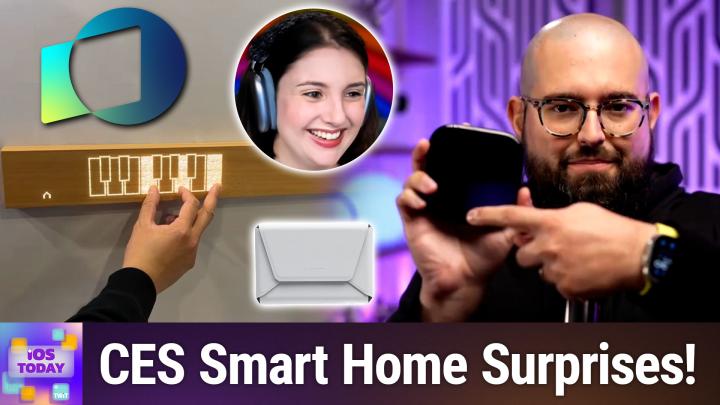
The mui. So it's basically a piece of wood with perforated lights and the lights shine through and it can change what's on the board and you can use them as matter controllers, so you can turn on or off lights. You can even have a piano appear on the board and play a piano chord and have that control your smart home. And so in my video I played like a D minor chord and the curtains opened, which is hilarious. And you can feel like Batman because you're, you know, playing a piano chord. But I was curious for you, being in Home assistant and using HomeKit stuff as well. If you use like buttons or controllers versus just shouting to your home pods or do you phone like how do you more often control your smart home and do you want more control like physical controllers like this.
Rosemary Orchard [00:22:36]:
So I have a mixture of physical controls and I do occasionally shout at a home pod or a phone but most of the time the way that I interact with stuff is just by doing the thing that I need to do. So I walk into a room and it goes, it's dark, the lights are going to turn on or even if it's not dark, if the curtains are drawn or the blind is down, I'm going to turn on the light because the curtain's drawn so you can't see. And yeah, so I, I honestly, I don't really actually manually interact with stuff all that often. The only time that I really do is it usually a prompt that hey, that means that the batteries in motion detector or something are running low so probably need to replace them. Um, so yeah, most of the time honestly it just works which is something that they always wanted to say about Apple stuff. It does just work. Uh, it's not something I've ever quite personally 100% been able to say about HomeKit. It's almost there but there was always one little thing somewhere or other that it kind of failed to do for me.
Rosemary Orchard [00:23:42]:
So yeah, I've, I've ended up switching to home assistant to solve most of those problems.
Stephen Robles [00:23:48]:
Well maybe I'll try more occupancy automations because I've always avoided that like well walk in a room and lights turn on because if you're using motion specifically it's going to fail at some point either turning off when someone's still in the room or not automating properly. But with occupancy maybe that'll be different. So I'll install this, a car one and I'll let you know, see if I get more occupancy sensors going. But, but it was cool. I'm excited for the next wave of smart home stuff again. Really hoping the home pod with the screen comes out this year because I actually do like controls of the smart home that are kind of visible and tactile. Also because I have three kids and a wife and they're not going to remember all the incantations or you know, automations can sometimes be off putting if like things are just happening and you don't know why like lights turning on or turning off without you doing something specific. So I would love a screen that has some scenes or has the ability to like control, control some of the lights.
Stephen Robles [00:24:41]:
And you know, that's why I usually go with smart light switches versus smart bulbs, because then anybody can just go up and just click off or click on and then you're good to go. So that's been my methodology.
Rosemary Orchard [00:24:52]:
Yeah, yeah, no, I definitely agree with that. So for anybody who's looking to get into smart home stuff, think of the way that everybody else in your house usually interacts with things and make sure that that still works. So, yeah, that is the best place to start.
Stephen Robles [00:25:10]:
Right? Aside from smart home stuff, I saw some cool accessories at ces. Moft is a brand that I really like and I've worked with before and they released their Find My MagSafe wallet. It's actually available Wednesday, January 28th directly from the Apple Store, but it has built in Find My. It can make sounds and I really like it because it's super thin, it holds two cards. Then you can use it to like prop up your phone and stuff. And I've always been torn of like using a MagSafe wallet that has a slot for an AirTag versus using a MagSafe wallet with find My built in because most Find My products that are, well, pretty much all Find My products that aren't an airtag, they don't have precision. Find My meaning the arrow shows up on screen and like tells you the direction the device is, is. And so I've been rocking a MagSafe wallet with an Airtag in it, but that gets a little bulky because the airtag is so thick and doesn't change.
Stephen Robles [00:26:10]:
And so. And AirTag 2 was actually just released yesterday as we're recording, which is kind of pretty cool. So I don't know, what is your methodology on find my versus AirTag and maybe AirTag 2. What do you think?
Rosemary Orchard [00:26:22]:
Yeah, I mean, I have a mixture. I have Find My. I have Apple AirTags on anything that actually is compatible with an AirTech. So like a bunch of keys, I can stick an airtag on it. It's not going to take up a huge amount more space. But when it comes to my wallet, I've got the Nomad MagSafe. Yeah, MagSafe rechargeable card that fits into my wallet. It's about the thickness of two cards.
Rosemary Orchard [00:26:46]:
But of course, as you said, it doesn't have that tracking of, you know, being able to point your phone around and it actually, you know, goes, say says go left, go right, you know, 20ft ahead, etc, which is a shame. But yeah, I do love Mo stuff personally. And I do have quite a few of their things already, including their tripod stand. Yeah, I tend to just keep this in, like, a pocket or something so that then when people are like, oh, we want a group picture, I can be like, cool, I'm gonna do this. I'm gonna do the remote control of the camera for my Apple watch so that I can press the button while we're all standing in the right place, because, you know, we can just about see the screen. But more importantly, I can also see it on my watch and I can press the button and everyone's very happy. And, you know, it always makes you, like, a genius and you've got this tiny little thing in your pocket that takes up no space. But, yeah, I'm excited to see the new MOFT things.
Rosemary Orchard [00:27:38]:
I may have to buy one of the wallets for my dad because he keeps complaining that his wallet is too big. And he does have an airtag in there at the moment. So this. This could be the solution for him.
Stephen Robles [00:27:48]:
And it is wirelessly rechargeable, like the Nomad card, the MOFT wallet. You can just throw it on a MagSafe charger and that will do. And they're going. They said they're going to make the tripod wallet with Find My Soon. So that's coming in a couple months. But if you just want to get the wallet itself right now, and I think I'm gonna switch to it. I think it's thin enough and I really don't carry many cards around. I don't think I need to anymore.
Stephen Robles [00:28:10]:
And so, yeah, I think. I think I'm gonna go with that.
Rosemary Orchard [00:28:12]:
But, yeah, yeah, I think most of the time I can get away with just one card and my driver's license. We don't have digital driver's licenses over here in the UK yet. Maybe we will soon. Maybe this will come out this year with Apple and they'll finally partner with the DVLA over here to give us those. Because I know that digital idea is massively expanding with Apple Wallet in the US So hopefully we'll get that elsewhere soon.
Stephen Robles [00:28:35]:
Still not where I am, unfortunately. I'm in Florida and no digital id, so not. But you do. We do have the passport now. You can add your passport and that could be used supposedly for some domestic flights. It depends if the airport supports it, but yeah, yeah, we'll see.
Rosemary Orchard [00:28:52]:
Well, as it is, I believe it's actually time to move on to the new segment of the show because as you mentioned, Stephen, Apple announced new airtags this week as we record and also as this episode releases because we're a very timely show. And yeah, there's, there's some new stuff with the Apple airtag. Apparently the volume is significantly louder, which is great. Yeah, it's 50% louder and you can hear it from twice as far away as before, which is great. They talked about again, they made it sound like it's a new feature. But being able to share your airtag is not a new feature. It is an existing feature, I have to say. But it, it did not come out with the original airtag.
Rosemary Orchard [00:29:35]:
So I mean I'm, I guess that's why they're calling this out again. But yeah, it's the same size as before. It is a little bit heavier.
Stephen Robles [00:29:43]:
Heavier.
Rosemary Orchard [00:29:45]:
So apparently it's 7% heavier. I've never personally thought, oh no, this airtag is making my bag too heavy. I'm gonna take that out. I still don't think I'm gonna be saying that the, the most of the weight comes from the battery in there. Um, but yeah, it, it's, it seems like it's just gonna have a louder speaker, better range. Yeah.
Stephen Robles [00:30:08]:
Has upgraded blue, upgraded Bluetooth which supposedly betters the security. And they actually have an update 26.2.1 I think it is. But for Apple Watch Ultra 2 and some older iPhones, you'll be able to do precision find my like from your Ultra 2 or Series 9 watch now directly on the watch, which is pretty cool. And yeah, I mean I got a four pack just because. But I was. I also put my air tags. I don't know if you know about the like the. I think it's elevation, the 10 year AirTag thing.
Stephen Robles [00:30:40]:
It's the Elevation lab and it's basically this like rectangular black plastic thing and you put two double A batteries in it and it fools the airtag into thinking it has a coin battery in it. And then it supposedly lets an airtag last 10 years. And so I don't do this with all of my airtags but the ones that I put in like my backpacks and my suitcases and luggage, I'll do that like 10 year AirTag case and I'll do that. So I'll replace some of those with the airtag too.
Rosemary Orchard [00:31:07]:
I am definitely intrigued by this. I've seen it a few times but honestly, I don't end up replacing the batteries in my airtags all that often personally.
Stephen Robles [00:31:16]:
So I've just had a few of mine give me the low battery warning from like when I Originally got them whenever they came out like two or three years ago. So they do last a very long time. But the idea of like quote unquote, never have anything about the battery. I tried it on a few of them, but yeah, you know, for someone to upgrade all the air tags, maybe, maybe not worth it. I actually want to test it to see do you get precision find my actually 50% farther away with AirTags 1 over 2. But if you're buying new airtags, nice to have the better range, better features now.
Rosemary Orchard [00:31:49]:
Yes, yeah, exactly. And it's one of these things where, you know, my parents messaged me because they actually saw that Apple announced new AirTags. I don't know how they saw this. I'm guessing my dad turned on his laptop and open Safari because he has it open, open to the Apple Store every time. Even though that's the default page. It's. It's adorkable. And yes, that was an intentional portmanteau.
Rosemary Orchard [00:32:11]:
But yeah, it, it, it's one of these things where I'm guessing he saw it and he was like, oh, do we need to upgrade our air tags? And I was like, no, no, you do not. Your air tags are just fine. You know, like they, they have air tags because once my dad accidentally threw away the outside key for the shed where he keeps a bunch of his gardening tools and had to go through the garden clipping all the grass clippings and everything in the bin to find it again. I actually solved that problem back in the day before there were airtags by giving him a giant purple lanyard. So now it's really, really obvious where, where the keys are. But he's added an AirTag to that and a whole bunch of other keys. Yeah, I, I personally don't think if you don't need new AirTags for something else that it's worth upgrading right now. But yeah, if you were going to be buying some airtags, then you can get the old ones at a discount on Amazon and in other places.
Rosemary Orchard [00:32:59]:
And you could, or you could just buy the new ones, whichever you want. But I wouldn't necessarily throw out your old airtags, Just buy new ones and.
Stephen Robles [00:33:08]:
I get some engraved. You know, I don't typically do Apple engraving, but I feel like AirTags is one of the few products where, especially if you can have it on a keychain or something, it's kind of fun to have something on there to look at rather than just like the white abyss of an airtag.
Rosemary Orchard [00:33:19]:
So, yeah, Though it depends on what holder you're using because you might even not even see, see the sides. You know, in my suitcase, I don't even see the airtag. I've got like the stick on and then it's got a screw lid on it inside the lining. So that. Yeah, I don't actually, never actually see the airtag in my suitcase. It's just stuck in there.
Stephen Robles [00:33:38]:
Yeah. Yeah.
Rosemary Orchard [00:33:39]:
So there is another piece of news from Apple. It's actually from a couple of weeks ago, but I did not have this on my bingo card. Civilization is coming to Apple Arcade on February 5th. It's Civilization 7, but there is a special arcade edition and now you can play on iPhone, iPad and Mac as part of your Apple Arcade subscription. Not something I had on a bingo card at all, but it's. It's exciting. I have played Arc Civilization on my iPad before and I very much enjoyed it. It's a game I own on multiple platforms.
Rosemary Orchard [00:34:10]:
I own multiple versions of this game. But yeah, it's. It's very exciting. They announced a couple of other new games as well. Retrocade, Felicity's Door, and I love Hue 2, which I'm guessing is not something related to Philips Hue, but, you know, that's.
Stephen Robles [00:34:28]:
No, it's not. But the retrocade. I'm actually curious. I mean, I have an Apple Vision Pro and I don't do a ton with it, but this retrocade is for Vision Pro and it's to make it feel like you have Space Invaders or Pac man, like the full arcade game in the room with you and you can walk up. I'm curious how the controls are going to work. You know, I don't know if it's going to be like you have to like pretend you're holding a joystick and pushing buttons. A lot of times, like, if I'm typing, I don't like doing the touch typing on Vision Pro because I never know like, how far away the keyboard is and the touch input doesn't seem super great. And so I'm curious how it will work with these arcade games, but I'm excited to try it.
Stephen Robles [00:35:05]:
Another reason to strap on Vision Pro and see what it's like.
Rosemary Orchard [00:35:08]:
Yes, yes. If I had a Vision Pro, I'd definitely be up for that. Sadly, I don't, but maybe I can dig out my quest 2 and see if there's some sort of of version of retrocade or a similar game for that and how that works because obviously that has hand control. So that might feel a little more natural, especially because they have the wrist straps to hold it on, which I suppose you could attach a leash to your keyboard so that, you know, like, if it taught. Okay, so the keyboard is the wrist strap distance away. Seems a little over the top to me.
Stephen Robles [00:35:38]:
Yeah.
Mikah Sargent [00:35:39]:
Ahoy there, Micah. Here, if you haven't done so yet, now is your last chance to take the 2026 TWIT audience survey. We, of course, appreciate the feedback we've received. Thus, if you haven't yet done it, well, you still have time. Now's the time. Head to TWiT TV Survey 26 today. It closes January 31st. So run, don't walk.
Mikah Sargent [00:36:01]:
Thanks so much.
Rosemary Orchard [00:36:02]:
And next up, it's time for Shortcuts Corner.
Stephen Robles [00:36:15]:
Wow, I did not know you had a whole jingle for it.
Rosemary Orchard [00:36:18]:
Oh, we've got a whole jingle. It's incredible. Yeah. And the good news is, Stephen, you recently launched Shortcuts University. So I have help answering this question, which is good because it's a little bit of a doozy. And it comes from Rob, who has written in, and he says, hello, Rosemary and Micah. Well, Rosemary and Steven, because obviously Micah's not here today. There is a shortcut.
Rosemary Orchard [00:36:42]:
I've been trying to figure out how to make if it's possible for some time. Hi. I work at a university hospital and we have grand rounds educational conference. Once a week, attendance at this conference is eligible for all continuing medic medical education credits. For us to claim these credits, we call a certain phone number and after a brief instructional recording, enter a conference code to state that we attended and would like to see credit and then hang up. The conference code is formulaic. A very simple formula. I was thinking it'd be great to have a shortcut to either have a button on the screen and or a series shortcut.
Rosemary Orchard [00:37:12]:
Claim the credit with one student step. It would involve the following Workflow. Calculate the conference code using a formula. Conference code is day of year plus department code. For example, today is the 232nd day of the year and the anesthesiology's department code is 010. I'm hoping I pronounce anesthesiology correct. There, that's. That's a big word.
Rosemary Orchard [00:37:34]:
There's a reason why I'm not in the sciences. Therefore, today's conference code would be in pseudocode. Conf equals concatenate day of year comma department code. So 232010. And then open the phone app and call the phone number. Three, delay one to two seconds to wait for the instructions to pass. Optional. And then four, send the codes and five hang up or just wait for the system to auto disconnect in a few seconds.
Rosemary Orchard [00:38:01]:
So it would need to calculate the conference code, dial the number, and then, you know, put in the. The conference code and then wait for everything to go after it's made the phone call. As a bonus, it would be nice to put in an optional menu that changes the department. For instance is where we attend joint surgery, grand rounds, etc. But that times out and uses the default after a short period of time. Hope what I'm asking for is clear. I think this would be a great gift to my colleagues. They say necessity is the mother of invention.
Rosemary Orchard [00:38:30]:
I say that laziness is. Thanks from Rob. So this is. Yeah, this is a little complicated, but there is something that is a feature of the phone app which is if you dial a number and you press and hold asterisk and then you put. You get the option to get a comma and then you type an extension number, then it will dial the phone number and then it'll pause for a little bit and then it'll input the extension number for you. And I'm pretty certain this is the same thing that we need to do here. We just need to calculate the conference code first and then we concatenate. So then we'll have the phone number, comma, conference code, and then you just phone it and then that's it.
Rosemary Orchard [00:39:15]:
I think. I hope.
Stephen Robles [00:39:16]:
I think that's it. And so he said the current date had to be formatted day of the year, like the 0 through, like 1 through 365 or the day of the month.
Rosemary Orchard [00:39:25]:
Yeah, 1 through 365. Because it was the 232nd day of the year is the example that he gave us, which is a really good example because there is no month that contains 232 days.
Stephen Robles [00:39:35]:
Yeah, yeah, yeah, that was helpful. So I'm curious. Well, now maybe you'll know this more than mine. I know formatting the date using the format date action, the format string. If you did two Ds, that just gives you the number of the month. So today it's giving us 27. Is it a Unicode or. I forget what it's actually called, but is there a way to do the actual daily.
Stephen Robles [00:40:03]:
We can call Apple Intelligence, but then I feel like if you introduce AI into it, you're going to get a bit little.
Rosemary Orchard [00:40:08]:
So there is a really handy little trick which is if you tap on the calendar icon of the format date action, then it shows you the Unicode link to actually get the date Format patterns. So I can then just call this up, fortunately on another screen. I'm not going to bore everyone with that because that is a lot. It is, I have to say, not the nicest format to decipher this website, but there is day and there is day of the year numeric as 1 capital D. And that's just it. So if you use a capital D in the custom date format. So I'm just gonna go with the current date. I'm assuming that you're always going to call on the same day that you had the thing and then you just do custom.
Stephen Robles [00:40:58]:
Yeah.
Rosemary Orchard [00:40:59]:
Then if you select all here and just put in 1D then that should. It says 27. It's the 27th of January as we record. So yeah, there we go. Off to a good start here. Okay, so we've got our day and now we need to get the department code right.
Stephen Robles [00:41:18]:
0, 1, 0. Right.
Rosemary Orchard [00:41:19]:
Well, so there's no dash in here. It's just. So we've got this. Now the one thing that was not mentioned here is if we always have to have a three digit day of the year. I'm hoping not a leading zero because if we. Yeah, the leading zero would make things a little more complicated. So the one thing that Rob asked for here, which is not possible, is a timeout to automatically select the department code. Right.
Rosemary Orchard [00:41:48]:
That's not something that you can do. But what we can do. Okay, so now there was something that was mentioned here. Anesthesiology is 010 that has a leading zero. Now if when I add something to a dictionary, I choose number and I type 010, I'm just gonna pop this in and I'm just gonna call it A. Because typing is kind of fun. Right. And then I do a choose from list option.
Rosemary Orchard [00:42:19]:
So I'm gonna do this and I. It was supposed to give me the title. It didn't do that, it just gives me a 10. So what we're going to need to do is do this as text and then we're going to say Anna the. No, the. Oh, it won't auto suggest it for me. This is so naughty. Oh, come on.
Stephen Robles [00:42:42]:
IOS yeah, there's another E in there somewhere. But it's close enough.
Rosemary Orchard [00:42:45]:
Yeah, it's close enough for the demo. Right, Right. Okay. So now what I'm going to do is I'm actually going to say in my choose from list, if I tap on it, it gives me the dictionary. But then I can actually choose from the keys. And so then I can say anesthesiology and then I can get dictionary value. And then I can get the value in the dictionary from the selected item. And then we can go anesthesiology.
Rosemary Orchard [00:43:14]:
And then you would just add whatever else here, the chair kids. To make sure to do it as text. I think so banana could be.042, I don't know. But then we just need to do a text action here. And I'm gonna do it as text to make sure that we get everything that we want. And then we're also going to get our dictionary value. And then what we need to do is just type in the phone number here, which I'm just gonna type as phone number because I don't want to actually call somebody here. That would not be great.
Rosemary Orchard [00:43:50]:
And then we can use the phone act Phone phone app, please. It's now not doing the thing that it did earlier when I was checking this before the show. Of course it's not.
Stephen Robles [00:44:02]:
I think if you just select the call, then you can change the variable.
Rosemary Orchard [00:44:06]:
Yeah, I think he must be able to. I just don't want to show off anybody's phone number because it does occasionally pop them in. In.
Stephen Robles [00:44:14]:
Actually, if you just add that call action after the text block, it just takes the text block as the call. Something at least on my side.
Rosemary Orchard [00:44:22]:
Oh, it does it perfect. Yeah, that is much better.
Stephen Robles [00:44:26]:
That'd be it. And then when you do it, it'll have the little extension in the bottom during the call. I don't think you can automate that. Like you would have to physically tap the extension.
Rosemary Orchard [00:44:37]:
I fortunately was able to actually call my mom at work yesterday. She has an extension number and I tested this.
Stephen Robles [00:44:45]:
Oh, ok.
Rosemary Orchard [00:44:46]:
Uh, but yes, you were indeed correct. If you just pop in a regular call action, then it can actually take the text and then it will just do that. And yeah, it should either input. So it depends on the phone tree system that you're calling. Either it will correctly input the what would be an extension number in this case, or if it can't do that because it doesn't hear the right point in which to input that, it will then pop up and ask you to confirm it. So it's not completely automated, but it does save calculating which day of the year this is and whatever department code it is. So, you know, if banana is 00:42, I would like a bonus point, please, from Rob, because I'm sure there's a BANANA department in their hospital for continuing medical education. That's definitely a thing.
Stephen Robles [00:45:32]:
That's great, though. Kudos. Building this live. That's awesome. Very fun.
Rosemary Orchard [00:45:37]:
Yeah, well, I mean, it's always fun when it works in, you know, testing in advance and then it doesn't quite work that way in production. But at least we managed to come up with a solution. And I will share a link to that shortcut in the show.
Stephen Robles [00:45:49]:
Notes.
Rosemary Orchard [00:45:49]:
Notes as well. All right, well, that is it for this episode of iOS today. Don't worry, folks, if you love Stephen, he's back for the next episode. And I know that you love Stephen, so I'm very glad to hear that.
Mikah Sargent [00:46:01]:
If you love Twit, can I invite you to join the premium Twit experience? It's Club Twit, which delivers everything we do just better. Every show completely ad free, bonus content you can't get anywhere else. Plus direct access to a community where tech enthusiasts and us hosts connect daily. It's your VIP pass to support or Twit while getting more of what you love. Join today at TWiT TV ClubTWiT.
Rosemary Orchard [00:46:26]:
All right, Stephen, so obviously you're going to be back for the next episode of iOS today, because we've not had enough of you yet. But where else on the Internet can people find you, please?
Stephen Robles [00:46:35]:
I'm on YouTube. That's my main place. You can find my shortcuts community at Shortcut Bot. And you can also go to Beard fm, where all the stuff is if you just want links to everything.
Rosemary Orchard [00:46:46]:
Amazing. Wonderful. And for folks looking to find me, as well as in the club to it discord, you can also find me@rosemaryosha.com which has got links to books, apps, podcasts, and of course, social media in various forms. So that's me. And we will be back next week for another episode of iOS today.