iOS Today 772 Transcript
Please be advised this transcript is AI-generated and may not be word for word. Time codes refer to the approximate times in the ad-supported version of the show.
Mikah Sargent [00:00:00]:
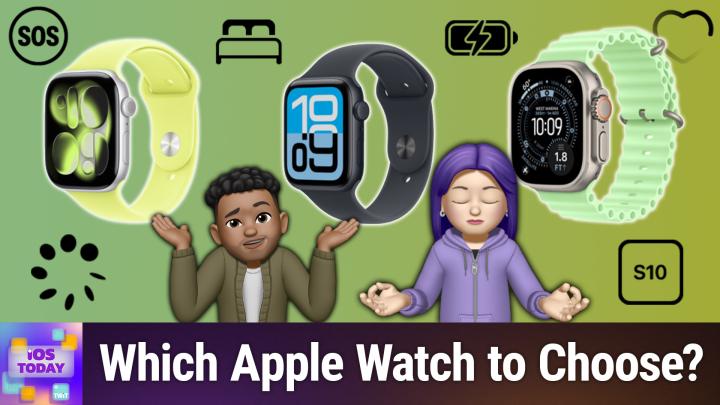
Coming up on iOS today, you asked for it, so we answered. Rosemary Orchard and I, Micah Sargent, talk about Apple's latest Apple Watches and help you determine which one is right for you. Stay tuned for iOS today.
TWiT.tv [00:00:17]:
Podcasts you.
Rosemary Orchard [00:00:18]:
Love from people you trust.
Mikah Sargent [00:00:22]:
This is twit. This is iOS Today episode 772 with Rosemary Orchard and me, Micah Sargent. Recorded Tuesday, September 23rd, 2025 for Thursday, October 2nd, 2025. Choosing a new Apple Watch. Hello and welcome to iOS Today. This is the show where we Talk all things iOS, WatchOS, HomePod, OS, iPad, OS, TV OS, all the operating systems and all the software and hardware that Apple provides. This is the show that aims to help you make the most of those devices. I am one of your hosts.
Mikah Sargent [00:01:06]:
My name is Micah Sargent.
Rosemary Orchard [00:01:09]:
And my name is Rosemary Orchard. And I hope we give you all an ultra experience with this episode.
Mikah Sargent [00:01:17]:
Zing. Yes, this is our episode where we talk about Apple's new watches. Apple recently at its all dropping event announced a whole slew of new devices and with that came a great lineup of Apple watches. And it perhaps is more complex than ever when it comes to what Apple provides. And so after doing an episode where we talked all about the various iPhone models and helped you make a choice that way, we heard from folks who said, hey, would you be able to give us some thoughts on which Apple watch would be right for you or right for, you know, whatever person? We said, yes, yes, yes, we will. So that's what we're going to do. Today Apple announced the Apple Watch SE3, which is the new, least expensive model, the Apple Watch Series 11, which is its standard model, and the Apple Watch Ultra 3, which is that sort of sport watch, very complex model that it has. And so let's talk first and foremost about the series 11 before we kind of go up and down from there.
Mikah Sargent [00:02:39]:
The Apple Watch Series 11 comes in four aluminum colors and three titanium colors and I guess cases is the best way to put it. So you do have amongst the watches the most choices available to you, given that that comes in rose gold, in silver, in space gray and in jet black as well as I mentioned, those titanium cases which include slate, which is sort of the blacker color, gold and natural. I' always really liked the natural titanium options. It is for the cellular version of the Apple Watch it starts at 499and the non cellular version of the Apple watch starts at 399. It comes in two case sizes as well, 46 millimeters and 42 millimeters. So you do have that smaller and larger option. And that's important because if you have owned an Apple Watch up to then you have probably purchased at least more than one Apple Watch band. And so the case size that you've had up to this point will sort of inform which of the Apple watches you get in order to get the band that will fit your Apple Watch.
Mikah Sargent [00:03:59]:
So you can kind of think of them as the smaller one or the larger one. If you've always had the larger Apple Watch, then you'll have the larger Apple Watch bands. And so you need to get the larger case. If you've always had had the smaller one, then you'll want the smaller one again because your Apple Watch bands will be made to fit the smaller case. Each of the models that we'll be talking about today, all, I should say all of the models have an always on Retina display. So that's really great that no matter what you get, you're always going to be able to glance down at your watch and quickly kind of tell the time. You are getting a pretty good brightness. With the Apple Watch Series 11 at up to 2,000 nits, that's going to compare to the SE that only gets 1,000.
Mikah Sargent [00:04:51]:
But everything else, as far as the display goes, is relatively the same. Between them, there are some features that are specific to the Apple Watch Series 11 and the Ultra that you won't get with the SE3. So if hypertension notifications are important to you, that's exclusive to these models as well as the ECG electrocardiogram measurements that's exclusive to the Ultra and the Series 11. It is not part of the SE3. And then on the Series 11 and the Ultra 3, you can use the blood oxygen app to have your iPhone if you're in the U.S. tell you what your blood oxygen levels are. They all offer sleep tracking, sleep apnea notifications and sleep score, so you're not missing out on anything there. They all offer respiratory rate, heart rate, wrist temperature and sleep duration tracking.
Mikah Sargent [00:05:52]:
They all offer cycle tracking and they all offer emergency sos. The Ultra is the only one that offers it via satellite, so you're getting quite a good experience regardless. Again, of the different phones that are available, or excuse me, the different watches that are available. And that means that you can also count on water resistance of up to 50 meters and some of the other things like being able to swim with with the watch, each of them allows technically for swimming, so that's something that you will be able to do. They all have the S10 chip in them. That's the big thing to keep in mind is that you are, you know, not having to deal with a different system on a chip depending on which one you get. But it is important to note and understand that Only the Series 11 and the Ultra 3 offer what's called precision finding. And what that is is it has an Ultra wideband chip inside that lets you sort of narrow in on whatever is missing.
Mikah Sargent [00:07:02]:
So if that's an. If you're trying to find your iPhone and you just have your watch on your wrist, then the Series 11 and the Ultra 3 are going to do a better job of that. Battery life is going to be different, of course, between the Series 11, the Ultra and the SE3. Huge battery life on Ultra 3 at up to 42 hours. The Series 11 is meant to last a day, 24 hours. The ESEE 3 has the smallest amount at 18 hours. But again, something that's really great this year, I feel, Rosemary, is that we have for once a really close comparison between the various models of Apple Watch. I think some of the, the coolest features and the most important features are all there on the Apple Watch.
Mikah Sargent [00:08:03]:
And that I think is pretty exciting because it makes it easier to perhaps say, you know, I don't think that you need the Series version. I think the SE version is fine for you. And that's something certainly that has been part of my advice when I've had a couple of people reach out about which watch they wanted to get or should get, I said, you know, I don't think you need more than the SE3. So, yeah, that's kind of an initial look and we'll, we'll break things down from there.
Rosemary Orchard [00:08:36]:
Yes. Yeah. I think, you know, one of the, the other things to remember is if you're looking at upgrading, how old is your current watch, is it supported? Because on WatchOS 26, if you have an iPhone, an Apple Watch, sorry, SE2 or 3, or an Apple Watch Series 6 or newer that includes all of the Apple Watch Ultras, then you can get WatchOS 26, which at least software wise, is going to give you all the new features and the new faces and so on. But personally, for me, coming from an I, From a Apple Watch 10, you know, the big difference would be potentially 5G. I don't purchase a cellular Apple Watch, so that doesn't make a difference. And then battery life is the other big one. Now, I'm not saying that battery life is not a worthy reason to upgrade. It is absolutely a great reason to upgrade, but due to the way that I charge my watch.
Rosemary Orchard [00:09:29]:
I don't really have an issue with the battery life on my Apple Watch anyway, so it honestly just works out pretty well for me that I've decided this year is not a year that I'm upgrading. However, next year will almost certainly be an upgrade year because it will just be a little bit closer to or a little bit more of an upgrade at that point and then I can pass it down to my parents as well and they will also enjoy a bigger jump with the the new watches. But it is worth considering and comparing. You know, Apple has a great comparison site where you can see, you know, all the way back to Apple Watch Series 1. What is the difference? Well, you know, if you had an Apple Watch series one and that's the watch you're currently rocking, well your display is only 450nits and now it can go up to 2000nits and you've got wide angle OLED, ECG, hypertension notifications and all of those things. So it's well worth actually the comparison feature on the Apple Watch website to see what what differences might you be getting between your devices? Because yes, that's that for me meant that I went through and I looked at the series 10 versus series 11 and I played up to spot the difference. And you know there are differences but for me, not enough to say I'm definitely upgrading this year.
Mikah Sargent [00:10:51]:
I love that Apple has quantified by the way, what all day battery life looks like. So with the here's Apple's definition. All day battery life is based on the following use 300 time checks, 90 notifications, 15 minutes of app use and a 60 minute workout with music playback from Apple Watch via Bluetooth over the course of 18 hours. Apple Watch SE3 the GPS usage includes connection to iPhone via Bluetooth during the entire 18 hour test. Apple Watch SE3 with GPS and cellular includes a total of 4 hours of cellular connection and 14 hours of connection to iPhone via Bluetooth over the course of the 18 hours. Battery life in low power mode including sleep tracking is based on the following use. This is far more 430 time checks, 130 notifications, 20 minutes of app use, a 60 minute workout which is the same with music playback from Apple Watch via bluetooth and that six hours of sleep tracking over the course of 32 hours. Only six hours.
Mikah Sargent [00:12:08]:
That's not enough sleep. Again, I really like that this is done this way. Testing was conducted by Apple in July and August of 2025 using pre production Apple Watch 3 and Apple Watch SE3 GPS plus cellular, of course that is for that version of the phone or excuse me, I keep saying phone of the watch. It is also defined for the Apple Watch Series 11 and for the Ultra for the Ultra 600 time checks, 180 notifications, 30 minutes of app use. So I like that it's kind of broken down into what Apple defines as all day use as opposed to it just being like oh yeah, I kind of touched it throughout the day, looked at it a couple of times and you know, did this, did that. It's nice to see and hear what exactly that is defined as. So let's now kind of talk about the watches. Oh and I wanted to mention too Kevin in our discord brings up a good point says I've been obsessed regarding the differences between the two watches battery life.
Mikah Sargent [00:13:17]:
The 46ml millimeter is about 10% larger battery than the 42 millimeter which gives about an hour longer juice. So bear that in mind as well that the Obviously if you're getting a bigger case, a bigger case means it can have more battery inside and more battery means more battery life. So let's kind of start at the Apple Watch SE3. So you decide you want a new Apple Watch and the SE3 which is a mere 299 for the GPS and cellular or 249 for just the GPS is where we begin. You have two choices in a darker color which they call Midnight and it's aluminum or Starlight which is the lighter color of aluminum and it comes in two sizes. So that's going to be the same. It's got that always on retina display, it's got heart rate notifications, irregular rhythm notifications, low cardio fitness notific and it's got sleep tracking. So you're getting so much of what an Apple Watch can provide.
Mikah Sargent [00:14:30]:
What would take you out of the SE3 and bump you up to the Series 11 if you want, if you have, if your family has a history of high blood pressure or you have a history of high blood pressure or you just want to know what the, what the watch can tell you about hypertension, that could be a reason to upgrade to the series 11 over the SE3. If you'd like to do ECG measurements which are for looking for arrhythmias of different types, then you would need to upgrade. It does not provide ECG and if you want to keep track of your blood oxygen then this is also another reason to upgrade from the SE3 to the Series 11. Outside of that, if you want to if you're someone who dives or snorkels, then you would want to at least go to the series 11 because the series 11 has a depth gauge to 6 meters and also that built in water temperature sensor so that you can kind of keep track of that. And as we mentioned before, if you like the idea of being able to precisely find your iPhone or other Ultra wideband items, like anything that an airtag is attached to, then the SE3 does not have that. So you would want to upgrade as well. I don't think it's enough to say that you are wanting to upgrade simply because the color is not available to you, but maybe that is the case. So if you want more than either the dark one or the light one, you would want to at least upgrade to the series 11.
Mikah Sargent [00:16:25]:
And the last thing that would be of importance to you, a reason why you would want to go up from the SE3 is that the SE3 has a nylon composite and sapphire crystal back. So because of the material that's on the back of the SE3, it's going to be more prone to scratches than what you would get from the case of the Apple Watch Series 11 and the Apple Watch Ultra 3. It is not as strong as those other models. So if you see yourself using this as more of an action watch, or if you tend to be kind of, I don't know, clumsy, then that's another reason why the SE3 might not be a good choice for you.
Rosemary Orchard [00:17:19]:
But again, the screen is also not quite as bright. It can only do up to 1,000 nits of brightness. And it has a minimum of two nits of brightness versus the Series 11, which goes up to 2,000 nits of brightness. That's twice as bright. And it can go down to one. It is the minimum brightness. So if you're somebody that does, I don't know, work in a darkened theater and need to check the time on your watch, you know that it's probably not going to make a huge difference. But if you're working in bright sunlight, that extra brightness could be really useful.
Mikah Sargent [00:17:50]:
Absolutely. And that's pretty much it when it comes to the differences between them. More importantly, why you would want to go up to the series 11 over the SE3. You do get a little bit more battery life on the S, or, excuse me, on the series and of course on the Ultra, which we'll talk about just momentarily. But 18 hours versus 24 hours if you're charging it every night or you're charging it, you know, when you wake Up. Let's say you do want to use it for sleep tracking. So when you get up in the morning and you do your morning routine, you pop it on the charger, then you're probably going to be okay when you, you know, you need to pop it on again as you're getting ready for bed. Right? 18 hour versus 24 hour, not a huge difference unless you're kind of going, I'd say with a smaller case size, in which case the Series 11 might be a better bet for you.
Mikah Sargent [00:18:49]:
I guess I would say if sleep tracking is the main reason you're thinking about getting the Apple watch, that might be another reason that I would say just go ahead and. Or if you can go for the series 11 instead. So I've said all the reasons why you might want to get the Series 11 instead of the SE3. Assuming that the ESEE 3 is kind of where you go in and you need to go up from there, why would you want to get the Ultra 3 over the Series 11? Well, first and foremost, much bigger screen, 49 millimeter case instead of the 46 millimeter case. And, and the display is also far brighter. So a, if you just want the biggest possible watch screen on your wrist, well, that's going to be the Ultra. Pair that with if you are outside a lot or if you find that the Apple watches you've had up to this point are difficult to read in bright light or even in, you know, semi bright light. Then again, the Ultra 3 has a far brighter screen.
Mikah Sargent [00:19:57]:
It can go up to 3,000 nits of brightness. That's a whole more thousand nits over the Series 11. It has the same hypertension notifications and ECG app and blood oxygen app as the Series 11. So that's not going to make a difference. If you find yourself in places that do not have cellular connectivity and you are wanting to have emergency connectivity, then that could also be a reason that you go with your Apple watch. Particularly if you're going places without your phone there and so you don't have satellite connectivity. Otherwise the Ultra is the only watch that has that functionality. It's also the only watch that has a built in siren.
Mikah Sargent [00:20:45]:
So this is really helpful if you are lost and you know people are trying to find you. The siren that's inside of it is specifically designed and has specific frequencies made to sound to, to, to be able to be heard over longer distances. So it's sort of designed to do that. Exactly. If you are a scuba diver, if you like to snorkel, if you do Other like water sports. This is the other reason to go with the Apple Watch Ultra 3 because it is water resistant up to 100 meters. That's, that's double the water resistance of the SE3 and the Series 11. And again Scuba, that's because it has a depth gauge to 40 meters and that built in water temperature sensor.
Mikah Sargent [00:21:36]:
So 6 meters for the series 11, 40 meters for the ultra 3. It also has dual frequency GPS. And so that means that the GPS is just a little bit more precise. By having kind of two frequencies it can narrow in on a location better than the standard GPS you get. Otherwise the gestures are the same across the devices. The other big thing, 42 hours of battery life. If there's one thing I can say about my Apple Watch Ultra, it's that I don't ever really worry about battery life on it. There have been a couple of times where, because I don't, I don't, I have an OURA ring and so I don't use my Apple Watch for sleep tracking.
Mikah Sargent [00:22:22]:
But there have been a couple of times where I've gone to sleep and for some reason that night something was off about my routine. And so I didn't put my Apple Watch on the charger, unlike normal, which I usually do. And so I wake up the next day and go the whole day without needing to charge it. And so yes, the battery life on this thing is quite impressive. It also has a ceramic and sapphire crystal back over the SE3 and the Series 11, which feature metal and sapphire for the Series 11. And again we mentioned nylon for the SE3. So bigger screen, much better battery life, brighter screen, the diving and, and sort of location tracking when you're out and about and then I don't think this is important, but perhaps there are some people out there who do. The Apple Watch Ultra 3 does feature dual speakers.
Mikah Sargent [00:23:25]:
So if you plan to rock out from your Apple Watch or I think more likely take calls from your Apple Watch like Inspector Gadget, then you are able to do so with a little bit better sound from, from your Ultra 3.
Rosemary Orchard [00:23:42]:
Or you could just pair some AirPods to it because that's going to get better sound for you and not annoy.
Mikah Sargent [00:23:48]:
Everybody and not annoy everyone else. Exactly. Please don't do it.
Rosemary Orchard [00:23:53]:
Yeah. The one thing I will say that I hate about the Ultra and I'm really sad about that is it's too big. Okay, this is an Apple Watch Ultra. This is the first Apple Watch Ultra because I bought one because it has that magic action button. You can program it with Shortcuts to do different things, which seems amazing. It was quite slow. I'm sure it's faster in modern versions. Okay, here is my Apple Watch.
Rosemary Orchard [00:24:18]:
And this is the small Apple Watch Series 10. Okay. I'm saying small because it started out as 38 millimeters, is now 40, 42. It doesn't really matter. Okay. And this is the Ultra on my wrist. Okay. If I try and just hold it in front, it's a little bit difficult to see.
Rosemary Orchard [00:24:33]:
It is the size of my wrist. If I put this directly on my wrist, it overhangs on either side. I can't use Apples provided straps, even in the smallest version, because they literally go around and like stick up and there's a tail. So if you have small wrists, for whatever reason, maybe you just have small wrists like I do. Maybe you're looking at getting this for a child who's forgetful about charging things. You need to bear that in mind. Because the other thing I found is third party straps also don't fit because they assume that if you're using an Ultra, and therefore it's a big watch, you are a big person. I am not a big person.
Rosemary Orchard [00:25:12]:
I am a regular sized human being, thank you very much. And I will admit that I am on the slimmer side, but I'm 5 7, so, you know, I'm not exactly short that, you know, I have bones. I exist as a person and you can see me from all angles. It's just if you stick the Ultra on my wrist, then it's like I have a second wrist stuck to my wrist because it's just hanging off the sides. Like, I genuinely. If I put that on my wrist, flat on my wrist, I can cannot see my wrist behind it. You know, it depends on the angle, obviously, but it's. It's humongous.
Rosemary Orchard [00:25:44]:
And that is the one thing I hate about the Ultra. And I really wish that they would do a small version of it because I would love a small version. I love the flat screen so that there's that little bumper around it that's made of metal so you're less likely to catch it and scratch it and break it. But yeah, it's just humongous. It's thick, it's bulky, and I. I wish it was smaller. I wish they offered an Ultra Mini, an Ultra Micro, an Ultra Nano, that would be awesome. But sadly, they do not.
Mikah Sargent [00:26:13]:
Oh, darn it, darn it, darn it. I'm still rocking my Apple Watch Ultra 2 and very happy with it. If you've got the ultra or the Ultra 2. Don't really feel like you need to Upgrade to the Ultra 3 if you are planning on getting the Series 11. Like you're definitely locked into the series watch and you have a series 10 probably not necessary. Series 9 or before it's starting to look a lot more interesting just because as I mentioned, they've really tried to kind of fill out the rest of the lineup with everything that the other watches have. If you're rocking an seat of second or first generation, upgrading to the SE3 is still going to be quite an upgrade because that's especially the watch that got a lot of attention this year with feature parody across the line. So really great stuff on the Apple Watch lineup and thank you to our listener who asked us to cover the latest from Apple in terms of watches and which Apple watch you should get.
Mikah Sargent [00:27:31]:
All righty. With that, it is time to move along to our feedback. Dale has written in and has this to say hi Rosemary and Micah. I take battery life. This is. This is very impressive. I take battery life very seriously. And when Dale says this, Dale means it.
Mikah Sargent [00:27:53]:
Recently I was able to get my iPhone 15 Pro Max to last for four days, but it was touch and go recording videos of my son's taekwondo test with the last 10% of charge. Some of the things I do to get that much time on a charge are 1. Always stay in low power mode 2. Keep a short auto lock 3. When home make calls using Google Voice on my imac or Surface Pro instead of on the phone Cell tower pings eat a day of battery. It is true cellular looking for cells Cell towers does eat a lot of battery 4. Implemented rosemary inspired shortcuts that put my phone in airplane mode when I arrive home and take me out of airplane mode when I leave home. 5.
Mikah Sargent [00:28:41]:
Almost never use speakerphone 6. Minimize notifications as much as possible, but there are work and family ones that I almost always want to receive. Now before I continue with the rest of this, I just Dale, can you please write in to tell us why, what how come you're you are. I'm not saying it's a wrong thing. This is not me saying why are you doing this? It's wrong. I'm saying I'm just genuinely I would love to hear what sounds like you're doing a lot of work and I'm putting a lot of thoughts into making your battery last a really long time. And for me, for example, I would want to charge to 100% before my son's taekwondo test to not even have the stress of will this last on the last 10% of charge? Is it a sort of mini game that you play? Is there a reason behind it? I'm just so curious. I'd love to hear more because this is a lot that you're doing to make your battery last as long as it can.
Mikah Sargent [00:29:52]:
And I'm curious, what is the reason behind it, assuming that you have a way to charge your phone, you know, around you somewhere? Because for some people, it's just like, oh, I want to just see how long I can make it last. And that's fine. I just am so curious to hear the reason behind why you. You go so long between charges and you know, why you're trying to make it last for as. As long as you can before you charge again. Okay, here we go. Dale says it's that last item. I'll read that last item again.
Mikah Sargent [00:30:24]:
Number six, minimize notifications as much as possible, but there are work and family ones that I almost always want to receive. So Dale says it's that last item that prompted me to write you. Today I have a very chatty imessages thread of Android and iPhone users that is set to hide alerts, but that only occasionally applies correctly. Suddenly my phone starts blowing up and it isn't family or work, it's that chat that isn't supposed to ever notify me. My solution to shutting down the chat notifications is to go into a focus mode, but since I get these messages that I shouldn't, I don't trust that I will get the important notifications from family or work if I do that. Do you have any idea why my phone would sometimes notify me about these messages when the thread is set to hide alerts? Dale. And then Dale says, in case it's relevant. Other devices that have access to imessage include an iMac 2017, an iPad Pro, a MacBook Pro M3 Max, and two Apple watches.
Mikah Sargent [00:31:26]:
I use them like the headphones, swapping when out of charge. So Dale goes between a single Series 4 and Series 6 Apple Watch. And Dale says, it seems like maybe I get these notifications more often when I'm wearing one watch versus the other. But that may be my imagination. And so Dale is saying. Dale has also included the versions of the operating systems that these things are running. So a shout out, Dale, for providing a lot of feedback.
Rosemary Orchard [00:31:58]:
Yes. Yeah. And there was a bunch of other information in this message as well, which I. I just trimmed out. Thank you, Dale, for saying that we could do that just to try and keep it to the relevant stuff. I have a feeling, Dale, that your watch, Apple Watch Series 4 and your iMac 2017 are part of the problem here. I'm not saying that they're all of the problem, but I think that they may be part of it. So WatchOS 26 only supports series 6 and higher on the Apple Watch, which means the previous iteration of WatchOS didn't support watch the Apple Watch Series 4.
Rosemary Orchard [00:32:33]:
And you are about four years out of date on the imac. And I know that there can be funky things going on with imessage syncing between devices. If anybody has ever had one device like an iPad or a Mac run out of battery and they've left it for a day or two and they've been busy sending and receiving messages on their phone and other devices in the meantime and then they plug that device back in. Everybody I know has had this experience where it goes and it brings in all the messages and it alerts you about all of them and you have to go in and mark them as read, even if you've already read them. And I have a feeling that something is going on with these devices. Now naturally an imac is not going to be running out of Battery. The Series 4 and Series 6, it sounds like you're just hot swapping them. So you know, one's on the charger, you pick it up with the charger, you put it on your wrist, you put the other one on the charger and off you go.
Rosemary Orchard [00:33:28]:
But the fact that both of those devices are out of date, it just popped up a little flag in my head that said do these devices and do the operating system versions on these devices support the, the same settings and options properly as everything else? Because for example RCS messages, which are now a thing on iPhone and Android, I don't think they were around so much in, in right in Mac OS 11, which was four years ago, four years ago RCS messages were a thing but iOS and macros weren't supporting them. So I wonder if, and I, I, I hate to say this because I don't want to say that these devices devices are defunct or deprecated or that you should get rid of them, but I wonder if temporarily taking them out of the imessage loop just to test it. Yeah, a good idea like just for a week, don't use the Apple Watch Series 4, turn off iMessages on the imac and just leave everything as it is and just remove those and see if that message thread stays off of alerts because if it does, still off of alerts then one of those two is your problem and you can turn them back on one at a time. Turn on the imac, give it a, give it a day or two to catch up and then start testing and then, you know, bring. Bring the Apple Watch Series 4 back into play and see if that causes the problem. It may also just be that temporarily removing those devices and then bringing them back into the loop fixes it because something was wrong on them and then then they get the correct settings pushed to them. But yeah, something just in the back of my mind popped up when I saw Mac OS 11 and an Apple Watch Series 4. It just made me go, there might be something there.
Mikah Sargent [00:35:18]:
Particularly because of the message forwarding and notification forwarding settings that are tied to Apple Watch. I've noticed in the past that it can get a little confusing and complex between for example your phone forwarding text messages. Those would be SMS and RCS messages to your Mac. But then pair that with the new features like your Mac being able to. This wouldn't apply as much to you because to this person with their imac, but certainly with their MacBook Pro M3 Max, which is that the Mac can now display notifications from the phone by way of the iPhone mirroring. And that could kick back into then displaying a message on the phone that kind of came from the Mac. And the same thing then applies with the Apple Watch, not with, not with text message forwarding but instead with message notification mirroring which is a feature within a setting rather within the Watch app that you have to adjust independently. The other thing, Dale, that I wanted to mention something that was actually at the root of one of my issues before where I kept getting.
Mikah Sargent [00:36:37]:
It wasn't regularly, but it was intermittently I would be getting notifications from a group chat that I had absolutely said hide alerts. And it was because on macOS and then later added to the rest of Apple's platforms there is a feature called Mentions. It started again on macOS where you didn't even have to do this little like at sign beforehand you could just put someone's name or put my name and then if I got a message that had my name in it, I would get a notification for it. So just double check in your messages settings. Well, we have a link to the. The support page that talks about making adjustments for Mentions. They it tells you where to go on your iPhone to turn that off. And then you can do the same thing on your Mac.
Mikah Sargent [00:37:28]:
If you have the Messages app open on your ma, you click on Messages in the Menu bar, you choose settings and under General you'll see an option that says notify me when my name is mentioned. So you could disable that to see if maybe it is that you didn't pick up on. Anytime someone mentions you or says your name, then the Mac is sending you a notification that then gets popped over to your phone. And then here's the other kind of annoying thing. If people are replying to the message that has your name in it, then that can also cause boop, boop, boop over and over and over again because it's technically mentioning you again every time, particularly if we're going between Android and iOS. And then another thing to bear in mind, although, Dale, I have a feeling this isn't a problem for you, but I just wanted to to mention it. Double check your priority notifications settings as that could potentially be part of the problem where it's the AI is deciding that some of the messages are more important than the others. So we have at the very least given you a bunch of troubleshooting ideas between those older devices and how they could be at the heart of this or, or perhaps some of these other features that have quirks in them that make them a little bit more complicated to use.
Mikah Sargent [00:39:02]:
So definitely check all of that out as well, Dale, and thank you for writing in and I again especially thank you for the detail. It is very helpful when it comes to us being able to troubleshoot. It is simply because you mentioned the older versions of Apple Watch that you didn't just leave it as. I have a couple of Apple Watches that Rosemary was able to go, oh, this is an older imac and this is an older Apple Watch and that could be one of the problems here. So everyone who's writing in, look at what Dale has done and follow the lead there in terms of providing that detail to us. Thank you. All right, it is time for us to just about wrap up here, which means app caps. And these are apps or gadgets that we have now or have at some time used that we think are great.
Mikah Sargent [00:39:56]:
Want to share with all of you my app cap. I'm not going to be able to show it to you on screen because it would result in me showing a bunch of video that I don't have permission to share because it's family and friends and stuff. But I will talk about this app. I think it's an app everybody should check out. It's from Devin Davies. It's available in the Mac App Store, it's available on iPhone, on iPad, and and this App basically lets you nostalgically look back at your videos that you've had before. If you are pretty much like Rosemary and my age or older in particular, then you will have at least had the experience of going home to family and having them pull out an old VHS tape, pop that in and you're watching videos of you as a kid or your family members. I've got so much of like my grandparents visiting us when we lived near the beach and loads of fun video.
Mikah Sargent [00:41:01]:
And that nostalgia of like popping in a VHS and watching this stuff that someone recorded with this horribly shaky VHS recorder is. There's something unique about that. And so Cassette Home Video Player aims to provide that experience. You can look through your videos in. They're kind of organized by year. And so then I can see all of the videos that I did that I took in 2015 and you can play them back just one after the other as if it's just this whole stream of the year. So it just goes into your photo library. It groups the video by year and also by album so that you can just see your old videos.
Mikah Sargent [00:41:50]:
You can also use Airplay to show it up on like a big screen if you want to. And I found this to be quite delightful. It's just a moment of nostalgia and resulted in me seeing videos that I hadn't seen in a really long time and thought, oh yeah, I remember when I did the Ice Bucket Challenge and had all of my co workers do the Ice Bucket Challenge. That's so fun. And then seeing videos of Henry when he was but a wee lad. Also very cool. Yeah. So that's Devin Davies who's made this really cute retro VHS app called Cassette Home Video Player.
Mikah Sargent [00:42:32]:
It's available for free in the App Store. It has some tip options, so if you want to provide a tip in the app, you can do so. And then there are some extra features called Color plus that you can get 99 cents a month, $5.99 a year or a 7.99 one time purchase. So check out Cassette Home Video player. Rosemary, we good to go?
Rosemary Orchard [00:43:03]:
Yes, we are.
Mikah Sargent [00:43:04]:
All right, that is going to bring us to the end of this episode of iOS today. I want to remind you out there, if you're watching this episode with ads, well, there's a way for you to get this show. No ads, just the content. And that is by joining Club Twit at Twit TV Club Twit. When you join the club, you will gain access to some awesome benefits. I just mentioned one of them. Ad free content, just the videos, just the audios. You get your own special feed for each of our shows and it even has your name in it.
Mikah Sargent [00:43:36]:
I think it's kind of cool. And so you'll get that. You'll subscribe that way and that will pass along a completely ad free version of the show. You also gain access to our awesome feeds that are part of our club. The exclusive feeds there. So that's going to include our coverage of tech news events, the live commentary that we do so Leo Laporte and I cover made by Google as well as the recent Apple all dropping event, Leo covered the meta event. All of that is only available to you as a member of the club. You also get our behind the scenes, before the show, after the show, the special kind of clips and bits.
Mikah Sargent [00:44:21]:
And we also have a feed that has all of our club exclusive shows like Stacey Higginbotham's Book Club, My Crafting Corner and so much more. So when you join you're going to get this like back catalog, this library of content that's only available to you as a member of the club. Last like you get to join our club Twit Discord. A fun place to go to chat with your fellow Club Twitt members and those of us here at TWiT. All of that for just $10 a month, $120 a year. Plus that warm fuzzy feeling knowing you're helping support what we do here on the network. And there's no reason to not join because we kick things off with a two week free trial. That's right.
Mikah Sargent [00:45:03]:
You get to try it out for two weeks and we hope you stick around. I think you, I think you'll end up sticking around. I think you'll love it. We love to have you there. So if that sounds good to you. Twit TV Club Twit Rosemary Orchard. If people would like to follow you online and check all, check out all the great work you're doing. Where should they go to do so?
Rosemary Orchard [00:45:22]:
Well, the best place is rosemary orchard.com which has got links to apps, books, podcasts and all the social media sites where you can find me. With the exception of that club Twit Discord, where we get to hang out and chat to folks during the show and after the show in our lovely special iOS today area. Maika, where can folks find you?
Mikah Sargent [00:45:40]:
If you're looking to follow me online, I'm ikasargent on many a social media network. Or you can head to Chihuahua Coffee. That's C H I H U a h u a coffee where I've got links to the places I'm most active online. Be sure to also check out my other shows on the network, including Hands On Tech, Hands On Apple, and Tech News Weekly. And we'll be back next week