iOS Today 769 Transcript
Please be advised this transcript is AI-generated and may not be word for word. Time codes refer to the approximate times in the ad-supported version of the show.
Rosemary Orchard [00:00:00]:
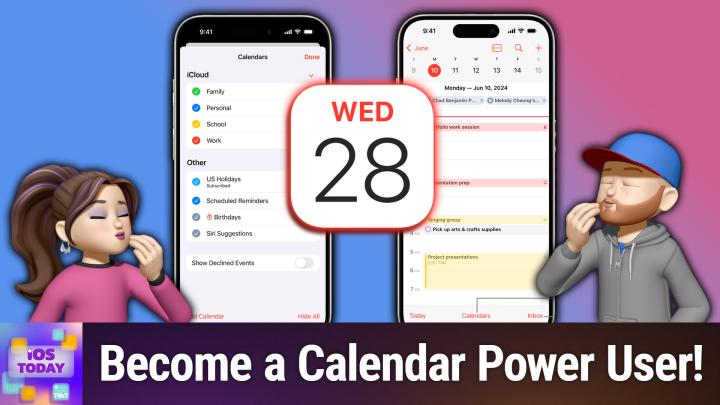
Coming up on iOS today, I'm joined by Dan Martin to talk about all things calendars on iOS.
Rosemary Orchard [00:00:16]:
This is iOS Today, episode 769, recorded Tuesday, September 2nd for Thursday, September 11th, 2025: Chronology with calendars. Welcome to iOS Today, the show where we talk all things iOS, iPados, TVOs, WatchOS, HomePod OS, HomeKit OS. Ah, we just start making up Apple OSs that aren't Mac OS at this point on this show. But that's fun because we do love to talk about them all and learn how to use them. My name is Rosemary Orchard and I'm joined by the fabulous Dan Moran. Hi, Dan. Welcome back.
Dan Moren [00:00:49]:
Hi, Rosemary. Great to be here again. I'm looking forward to when Apple combines all of its OSS into a meta OSS os.
Rosemary Orchard [00:00:56]:
Oh, gosh, that sounds like it could be an SOS.
Dan Moren [00:01:00]:
SOS. That's right. There you go. You picked up what I was putting down.
Rosemary Orchard [00:01:04]:
Yes. Yeah, there we go. But that's okay, we have time for that because we booked some time in our calendars for this episode and yeah, I thought it would be a pretty good idea to talk about calendars on iOS because over the last few iterations of iOS, and that includes iOS 26, which will have been out hopefully for a few days by the time that you folks, folks all get to watch this episode at home. We have a new UI in iOS for calendars. And how do you feel about that, Dan? Are you engaging with your calendar more? Less? Has nothing changed because you hate calendars and their existence?
Dan Moren [00:01:43]:
Look, I don't hate calendars. That's been widely misreport. No, I am a calendar user. I do find that in general, you know, I have enough stuff now where I need to keep track of what's going on, you know, in so far as how. How has the UI changed it? Not much. I mean, though the fact that the UI has changed is not insignificant. I think by and large, things are pretty consistent with the way they've been for a long time. I mean, there's.
Dan Moren [00:02:10]:
It's a calendar, for heaven's sake. How much. How much can you change? You still need. The months are still laid out the way they are, the weeks are still laid out the way they are. I generally find it to work pretty well, but I do like some of the things that have changed over time, including the ability to see, like, more than one day at a time. We've all got these giant phones these days, right? Like, I want to be Able to see multiple days. I get. Sometimes I need to know not just what's happening today, but what's happening tomorrow.
Dan Moren [00:02:35]:
I like that. So, yeah, I do use Calendar predominantly on, on iOS and iPad OS. And so, yeah, I have a few, I have a few quibbles with it, which is why on like the Mac side I use fantastical, but on iOS side it generally works pretty well.
Rosemary Orchard [00:02:51]:
Yes. Yeah, I found for me, because I'm paying for Fantastical anyway, I do predominantly use Fantastical, but I say predominantly for a reason. One of the major advantages for me personal with Calendar is that it integrates with shortcuts, which means I can get all of my data out of Calendar in a shortcut and send myself little summaries and so on as I need to. But the, the way that calendar works on iOS is, you know, it's pretty simple. There is a plus button where you can add events and now you can also add reminders. And this is something that came about with iOS 18 because we didn't do 19, we went straight to 26. These numbers are breaking my brain, but it's okay. Yes, with iOS 18, reminders came to calendar.
Rosemary Orchard [00:03:35]:
Can now see your reminders in your calendar as well as your events, which is great. When you're trying to get like an overview of your day and you're there going, that day looks really light. And then you turn on reminders and you go, oh, this is why that day has basically no appointments in it. Because I have all these things I need to do on that day and that can be really useful when you are creating events. One of the things that I have recently, finally, after years of trying, trained my dad about is travel time. So we no longer. All right. I personally no longer get lunch invitations which start at 11am and end at 4pm due to the fact that he's just booked a bunch of travel time in there.
Rosemary Orchard [00:04:15]:
He. We have now, you know, settled on the fact that lunch, if lunch is booked at 1, that's the event that goes in the calendar.
Dan Moren [00:04:22]:
And then it depends how many martinis you're having at lunch. Rosemary, you might need a little.
Rosemary Orchard [00:04:27]:
Having that many martinis, you can't drive well. Yeah, that's right.
Dan Moren [00:04:30]:
That's why it's a four hour block. You got, you got to block it out.
Rosemary Orchard [00:04:34]:
Yes, this is true. But yeah, you can add travel time, which is great. If you're just like, I just, I, I need 30 minutes or I need an hour. And you can also, and this is something that's really important to note if you are somebody like me who has events that are in other time zones, like, I don't know, recording a podcast, then when you tap on the time to select a time, there is also a time zone option that appears underneath. So I can then type in, for example, San Francisco. If I can spell San Francisco and specify that it is at a particular time and then event gets out added to my calendar, then it will just automatically translate to the correct time for me. So it shows the time in my local time zone. And as we creep up on that time of year where the clocks start changing and the UK and the US do not change the clocks at the same time, that is more important than ever for me not to just assume that something is at 5pm because it might not be at 5pm it's critical.
Dan Moren [00:05:28]:
For me as someone who sometimes travels to conferences for work and ends up booking a lot of events in that, at that conference ahead of time. It's like, all right, I'm having lunch with someone in breakfast, conference with someone, and you know, I'm not there yet, but I'm flying across the country where it's three hours different and I want to make sure that I know what time lunch is or what time I'm on a panel at a conference. So yeah, having that time zone thing is, is absolutely clutch for those kinds of evidence because then when you switch time zones and you're out there, everything is already in the right time, which is great.
Rosemary Orchard [00:05:57]:
Yes, exactly. And that is really good. It also means that if, for example, your dentist calls you while you're in the other time zone and says, hey, we just like to remind you about your ATM appointment on Thursday and it's Monday, flying home on Wednesday, and you look at your, your calendar and you go, ah, yes, that is indeed at 8am and you don't change it and then miss your 10am that disappointment because it was at 8. So. Yes, yes, but there we go. You can also specify repeating, including custom, which is just really useful. You can put things on different calendars. Now, I don't know how you feel about multiple calendars, Dan.
Rosemary Orchard [00:06:31]:
Multiple calendars are my jam. This is how I work. It allows me to color code things. I can share particular calendars, like for example, my trav calendar with my parents, but my parents don't need to know about like all of my day to day work meetings, so I don't share that one with them.
Dan Moren [00:06:47]:
Yeah, yeah, is, is absolutely critical. Like my wife and I have a shared calendar for things that we need to do. You Know, oftentimes our kids got swim lessons or gymnastics or what have you, and you know, we gotta, gotta both know when that is, you know, and then I have stuff that I need for work or stuff that I need for personal, you know, stuff or even some shared stuff with my parents. And so not necessarily getting all of your, you know, being able to filter out. Like, okay, all my parents stuff is on a different calendar. So if I don't need to know that they've got a battery of medical tests coming up, I can hide that calendar for the moment. But yeah, I'm with you. Multiple calendars are the way to be.
Dan Moren [00:07:21]:
Don't, don't stuff everything on one calendar. Trust me, you'll thank us.
Rosemary Orchard [00:07:26]:
Yes. Yeah, it's really great. Like, I have a specific calendar for iOS today, which just has everything iOS today on it. And so I can turn that on, turn that off at any time that I want. But most importantly, it means that when we need to change things, I just, just know that I'm looking at orange. Orange is iOS today. Don't ask me how I end up as orange. I have a lot of purple and blue in my calendar already and that's why.
Rosemary Orchard [00:07:48]:
But yes, other things that you can do, of course are adding locations where if you add a particular location, so I'll just add this pub, which I go to frequently, then you can actually base your travel time on that rather than just saying, hey, I need an hour for travel or whatever. Uh, you can add invitees. So that means sharing that individual calendar event with a person or multiple people. And because it's an invitation, they can then accept or decline, which can be really useful to get a whole bunch of information to people. So I had a friend recently who had a little party at his house with his wife and they invited a whole bunch of us. And he used a calendar invitation to invite everybody, which was great because we had the exact address. He added a URL with a little website that he thrown together with a bunch of information on including like Google Maps, links and things like that for this is where you need to park because there is not enough parking right in front of my house and there are 40 people coming, which probably means about 30 cars. So please can everyone park in this field around the back and all those things.
Rosemary Orchard [00:08:52]:
You can also add attachments, which I think is great. So you can add an attachment of like, for example, a PDF document you've received about this. You can input a URL which will then allow you to tap on it and, and notes so you can just type all of whatever it is that you need in there. And it. Yeah, that is just a calendar event and it is so easy to. To do this. And what I really love here. There we go.
Rosemary Orchard [00:09:16]:
I put in one hour travel time and you'll see this is showing at 2am that's because I put it in Pacific time, West coast us, and that is of course seven hours behind me at the moment. So, yeah, that, that is the basic calendar events. Now, something else that you can do, and this is something I have is I have calendar subscriptions. So this is where, for example, I'll just turn this calendar off again. In my case, the UK government has a whole bunch of shared calendars which are really useful things like bank holidays or when time zones change, because going between summer and winter time is a thing and I need to be aware of that. And so I have subscribed to those. Now, These are often URLs with ICS. Now if you just tap on them, then it will usually download a file and then you can import that to your calendar.
Rosemary Orchard [00:10:05]:
But what you can do instead is under calendars, you can actually, if you scroll down, you can add a calendar and add a calendar subscription. And so if you tap and hold on a URL that ends with ics, then you can add a calendar subscription and just paste that right here. And then your phone will repeatedly go and check for updates on this calendar, which could be really useful. For example, if you've got a kid in school, there's a school calendar published on the website. Well, now you can get that and pull that into your phone as well, hopefully if they've done it correctly and get all of those updates so you have everything in one place without having to remember. Okay, so I've checked my calendar. Now I need to open Outlook and check my work calendar. Now I need to open this school website and check this and that school website and check that.
Rosemary Orchard [00:10:51]:
And then, you know, in some, some of our friends cases of. I was talking to one of our fellow podcasters earlier today and he has three kids at three schools. That is a lot of calendar stuff that you need to keep track of. Yeah, exactly. So one.
Dan Moren [00:11:08]:
One is enough.
Rosemary Orchard [00:11:08]:
Really great.
Dan Moren [00:11:10]:
I can't imagine dealing with three, you know, kids at the same time. It's a lot.
Rosemary Orchard [00:11:14]:
I mean, at some point you just start juggling them, right?
Dan Moren [00:11:16]:
Yeah, that's right.
Rosemary Orchard [00:11:17]:
Keep.
Dan Moren [00:11:17]:
As long as they never hit the ground. You keep them in the air. It's all good.
Rosemary Orchard [00:11:21]:
Yes, well, so some other things that calendar does. It does birthdays so if you add birthdays to contacts, then it will show you their birthdays. If you put the year in their birthday, then it will even show you on that day how old they are, which is really lovely. It also has the option to add a calendar and you can add a holiday calendar. And Apple provides holiday calendars for people, so you can actually search. So if I wanted to, I could, oops, type in United States and I can look for United States in English or in Spanish and I can add this to my holiday calendar. So I can now see, you know, what things are coming up. I can choose which account to put these in.
Rosemary Orchard [00:12:03]:
So that means that I can have the same subscriptions everywhere, such as iCloud or if I have signed into my work account, then I could also have that here. I can change the color of my calendar. So I tend to put all of the official like subscriptions in gray actually personally, which is a custom color for me. So I will just select a gray there because I will be deleting this at the end of the episode. And one thing that I personally do for calendar subscriptions is I turn off event alerts. I do not want to be alerted when this thing is happening on this calendar. And also, you know, when, for example, with shared calendars, my dad goes through phases where about once every three weeks he will sit down and he will add add all of the events to the calendar, including because he likes to use events for actual tasks he plans to do because he time blocks. So he adds events that say, are two hours for doing this and four hours for doing that.
Rosemary Orchard [00:13:00]:
And he'll just add all of those to his calendar in massive blocks. And so if I don't have these alerts turned off, then I just see like 527 as a badge on my calendar, which is a lot. And I don't need that information. So yes, you can add your holiday calendar here and you can also see things like declined events. So for example, if Dan sent me an invitation to our party and I said, I'm really sorry, Dan, but I live in another country and it's a bit of a commute, so I don't think I can make. I know, I'm really sorry, I'm not coming to your party that you haven't invited me to, but that's okay. Then I can turn on declined events so I can still be aware of them and still see them in my calendar even though I've said I'm not going. And also similarly, reminders, once you've checked it Off.
Rosemary Orchard [00:13:49]:
You can still see it in your calendar if you want to. If you don't want to, you can turn these off. It's up to you. It depends on how you use the calendar and that is the beauty of calendars. It really does depend on how you use it and why you use it as to what works best for you. Personally, I have these turned off. I also have Siri suggestions turned off because it does helpful things like tell me like hey there is this thing happening on Tuesday the, you know, 2nd of September at 4:30pm which is an email that was spam where somebody was sending me information about a conference I have no intention of going to because it's in Pakistan and I didn't like, I never signed up for that anyway. I don't want to go to a conference about plastics molding.
Rosemary Orchard [00:14:33]:
That's, that's not my thing, I'm afraid. Do you find the series suggestions calendar useful, dad?
Dan Moren [00:14:38]:
Yeah, you know, I'm trying. I, I do have it on. I don't find that I get too notifications from it but yeah, I do occasionally get those pop ups like hey, we found this in your mail. Would you, do you want to go to this event? And it's, it's okay. Sometimes again as, as Siri often is a little too eager to please and too eager to help with things that I'm, I'm not actually going to. One thing I do find very helpful, which I think Siri does pretty well, is flights. You know, if you've got a, if you buy a ticket, you know, I'm buying, I'm flying out to California or whatever, it will pop up a little suggestion. Be like, hey, do you want us to add this flight to your calendar? And I'm like, oh yeah, that'd be, that'd be better than me adding it for sure because I'm going to be in there like what's my flight number? What time does it leave? What time zone is that? And so for that kind of thing I do find it pretty, pretty useful.
Dan Moren [00:15:30]:
But it is again a little bit hit or miss as things with Siri often are.
Rosemary Orchard [00:15:35]:
Yes. Yeah. Personally I have solved that problem a long time ago by using the service called TripIt, which is part of Concur, which is a travel expenses company or an expenses company that's often used by large corporations. And I just forward all of my travel things to plans@tripit.com and it goes. And I suspect that they are using AI because it's really good at pattern matching and going like oh, hey, this is a thing from this company and they format their things like this. So I'm just going to go, tada. And I have a calendar subscription for that in my calendar, which then shows me my flights, my hotel bookings, my events and so on. So when I went to Glasgow last week, I visited friend of the show, James Thompson, who creator Peacock and Dice by Peacock and about by Peacock.
Rosemary Orchard [00:16:21]:
There might be a theme there. Peacock. Excellent calculator and unit converter if you need it. But yeah, I forwarded all of my travel information to that and that was great because then I could just see it all in my calendar and I knew exactly where I was going and when, which, I mean, I kind of already knew where I was going, but it was really good to have that information put in there, including like airport parking and so on. So if you want to share a whole calendar with somebody, we've already covered inviting people to individual events. But if you have an entire calendar and you go, you know, Dan really needs to see, for example, when my deadlines are. That could be something that could be really useful. If, for example, Dan was my editor, then he would definitely want to know when, you know, like what my deadlines were for writing things.
Rosemary Orchard [00:17:04]:
Or maybe it would be the other way around. Actually, if I was Dan's, I just like, oh no, here are the deadlines.
Dan Moren [00:17:08]:
No one needs to know. No, I don't need that. Nobody needs that. It's okay. Everything, I'll just. It's all up here. It's all up here.
Rosemary Orchard [00:17:13]:
Yeah, everything's fine. But sometimes you do want or need to share a calendar with a person and that is where if you are in the calendars list. So iOS 26, in the bottom right hand corner you've got the inbox, which is, you know, updates to events, events that have been found in mail by Siri and you know, invitations. Next to that there's a calendars icon and then from there you can then tap on the info button next to a calendar. Now I'm just gonna briefly turn off sharing my iPhone screen because I don't want to share everybody's email address when I do this because it pops up a whole bunch of people and it does pop up Micah as an option. So I will tap on that and now I can go back and I can show folks. So I've. I've selected under add person, I selected Micah.
Rosemary Orchard [00:17:59]:
He's not here today, but that's okay. I'm going to terrify him by inviting him to my deadlines calendar.
Dan Moren [00:18:07]:
He's just camping. Be nice.
Rosemary Orchard [00:18:09]:
Oh, I know, it's fine. I'll message him later and let him know there's nothing to worry about. But here I can see the view and edit are the. The access that he has. And if I want to then fortunately this is Micah's Twitter email address. So he's not going to be mad at me for sharing that. But I can actually turn off editing and this could be great when you just want to share a calendar for information with another person, but especially for example if you're sharing it with an a parent who is less tech savvy and they are liable or to just sort of click and drag things in calendar because they're used to navigating on an iPad where they can just swipe and they've recently been given a MacBook and then they click and they drag your calendar event and they move it to another day and then you miss your appointment. That's never happened to me.
Rosemary Orchard [00:18:49]:
Definitely not. No. No experience with that. Then you can turn off editing for them, which can be really useful if that is what you need. You can also delet person. So I've just deleted that. I've deleted that. I've deleted Micah from the deadlines calendar because he doesn't need the deadlines calendar from me because that is got very few things in it and certainly nothing relevant to Micah.
Rosemary Orchard [00:19:10]:
But that can be really great way of sharing all the information. Especially if one person in particular tends to do most of the managing of one particular household calendar in. In your home. But then the other person still needs things. Or it just means that, for example, you know, two parents who are dealing with a small child and wrangling them to various activities and schools and so on. You know, you have one calendar where both of you can see it. So you don't forget that Timmy's soccer lesson is at 7pm on Tuesdays or whatever it is that you are trying to do.
Dan Moren [00:19:41]:
Critical, critical stuff. Let me tell you.
Rosemary Orchard [00:19:45]:
Yes, absolutely. Something else you can do. And I don't know if you've ever used this, Dan, because I know you're not a huge calendar person. Have you ever filtered your calendars by your focus mode at all? And is that something that you think is useful?
Dan Moren [00:19:59]:
I'm intrigued by it, but I can't. I've never quite figured out if it would be useful for me because I do use focus mode sometimes and I do have a lot of different calendars. But yeah, I don't know. Tell me, tell me more. Convert me to your ways.
Rosemary Orchard [00:20:12]:
Well, this is, this is something I struggle with personally because I have used and do use calendar filters for, for my focus my modes. But my problem is I found that it kind of works and kind of doesn't work because, for example, when I'm podcasting, I can go into my podcasting focus mode, set settings, focus, and then I select whatever the focus mode is that I'm looking for, and then I can add a filter and so I can go here to calendar and I can filter my calendars and then I can just select, for example, I've got iOS today remote, and then somewhere else is iOS today. These calendars are not in the same order they are in the calendars app and I do not know why that is feedback that I must submit to Apple. If anybody knows why, please can you tell me and maybe also drop Apple some feedback so that they can figure out why they've done this and fix it. Um, but now I can see, say, hey, these are the two calendars I want to see when I'm in this focus mode. Great, Wonderful. My problem is that sometimes in some focus modes, primarily what I want to see are these calendars. But what I sometimes also need to see because somebody will send me a message, for example, while I'm working and be like, but, hey, are you free on Thursday to have dinner? I then need to switch to my other calendars and this is where for me, Fantastical and the calendar sets becomes much more helpful.
Rosemary Orchard [00:21:31]:
And I don't know. Dan, do you use calendar sets in Fantastical to help you up with this?
Dan Moren [00:21:36]:
I don't. I feel like maybe I just don't have enough calendars that I need to really filter through it. Like, it seems like a lot of calendar management for something where I don't. I mean, I have, you know, maybe, maybe I'm trying to see how many calendars I have, like, I don't know, eight, something like that. Seven or eight. I just don't find myself swapping as much. But I, I can see now that you mentioned, I can see places where it could be useful if I needed Wanted to see nothing from work, for example, unless I was in a specific focus mode that might be useful.
Rosemary Orchard [00:22:06]:
Yeah, yeah. The one place where I really desperately want this is my driving focus mode because I don't want a whole bunch of other things showing up in the series suggestions on the CarPlay Dashbo board. And that is the one place where I cannot actually add a filter.
Dan Moren [00:22:23]:
Yeah, yeah, that. Of course not. Of course not.
Rosemary Orchard [00:22:26]:
So, so annoying. So, yeah, it's It's. It's really good that you can do this. And I'm sure for some people it works really, really well. For me personally, unfortunately, that feature is not the most helpful, which is a real shame. But yeah, at the same time, it's good to know it exists. Right? Right.
Dan Moren [00:22:45]:
That's true for sure.
Rosemary Orchard [00:22:47]:
There we go. Have you got any calendar tips that you would like to share with people, Dan? Aside from don't let your editor put a deadlines calendar in your phone.
Dan Moren [00:22:54]:
Don't ever let anybody put deadlines in your. In your phone for you. One tip I do like, so I already mentioned up above that, like, if you want to be able to see multiple days, you can do that now. But one feature I do like that you might not know about. I'll just do it from a distance here because no one can read my calendar, is if you have your phone and you turn it sideways, you get a week view of your calendar. I find that incredibly helpful because I often want to look at my week. Someone will be like, oh, you know, hey, can we have lunch? And I'm like, I gotta see what my, like, my whole week looks like. I don't want to be like swiping through multiple days trying to.
Dan Moren [00:23:27]:
Okay, wait, hold on. It looks like Thursday is available. Was Monday better? And so being able to see your entire week at a glance and just sort of scroll through that, that is super handy. I really appreciate that. And then I was trying to think if I had another good one, I was gonna say, I'll say. One of my favorite features that. That Fantastical has the calendar needs is absolutely the ability to merge the same event. I have sometimes have the same event in multiple calendars, and I end up with this a lot where I have like three separate events on my iOS calendar.
Dan Moren [00:23:56]:
And I'm like, just show it as one block. It's all the same. You can tell.
Rosemary Orchard [00:23:59]:
Yeah.
Dan Moren [00:23:59]:
So that's my one wish list. Thing that I've been. I've been harping on for years is just if I have the same event on multiple calendars, just show me one event, I don't need to know that I've scheduled it twice.
Rosemary Orchard [00:24:10]:
Yes, exactly. And this, this happens more commonly when you share calendars with somebody and they've shared calendars back with you, and they put it on one thing and you put it on another thing. I hate to say it, folks, the answer to this actually could be more calendars having one calendar where you input the same event for both of you. And then, yeah, it just gets Merged or it is the same event but you know, whatever floats your boat. And at least now, now you have options with your calendars. The other thing I should mention, calendar has widgets, as do all great calendaring apps. So it can be worth having a play with that. In particular, lock screen calendar widgets.
Rosemary Orchard [00:24:48]:
Being able to see at a glance on your lock screen when your next calendar event is, it'll say something like in 30 minutes or in Dan's case, in seven minutes.
Dan Moren [00:24:56]:
In fact, it does, I'm looking at right now, it does say that I do have that widget on my lock screen.
Rosemary Orchard [00:25:01]:
It's like I'm a mind reader. I don't know, maybe, maybe I could just do this. But with that being said, I think we are going to move on and we are going to save shortcuts corner for next time we record when Micah is back and we are going to go straight to the app cap section. So Dan, would you like to take it away with your app cap for today?
Dan Moren [00:25:23]:
Certainly. I think as I mentioned, I was traveling recently and I spent a lot of time in the car.
Rosemary Orchard [00:25:28]:
Car.
Dan Moren [00:25:29]:
And one of the things that I find very useful is to have a place to put my phone. For years I was the put it in the cup holder person and I. It was not great, but I would plug it in, you know, maybe or have Bluetooth speakers or whatever. But like I didn't have a place to put the phone. But with the advent of Mag Safe, the, the idea that I can put it anywhere, it's very useful. So I have the Belkin MagSafe car vent mount, which is a pretty simple little gadget. It. What I like about it is that it attaches to the car.
Dan Moren [00:25:57]:
The vents in like your, your, you know, H vac system. I don't like the ones that stick on my windshield. I don't want anything on my windshield. I don't want to adhere anything to my dashboard. I just want something that's super easy. And what I like about it is that it's just the right height for me to like glance over if something comes up on my phone. I mean, mainly it's. It's connected with a USB cable to CarPlay, but you can also do it in landscape or portrait mode, which is really handy.
Dan Moren [00:26:21]:
And I just like that I don't have to fiddle with things. I take my phone out and I just slap it up there because I don't use a case. Obviously if you use a case, you want to make sure you got one that has MagSafe built into it as well. But it's. It's just a really simple thing. But it honestly just improves my life for making sure that I've always got a place to put my phone when I get into the car.
Rosemary Orchard [00:26:42]:
Yes, I have a similar thing. I have the ESR Halo lock MagSafe charger for my car and the ESR. One particular in particular is a cooling magsafe charger, which, especially coming up as the weather is turning here in the uk, I don't want the heat coming out of the vent to then like be heating up my phone, which is already heating up because of wireless charging.
Dan Moren [00:27:03]:
Yeah, you're not wrong. You're not wrong. Also just the light coming through the windshield. It does get pretty. Pretty toasty up there. So you're in a little greenhouse.
Rosemary Orchard [00:27:10]:
Definitely can do. Yeah. So. So that is what I have. But the. The Belkin ones are supposed to be very good. I've never tried one of their docks, so maybe I should keep an eye out for when my dad inevitably requests. Requests that he gets something along those lines because at the moment he's just got a magsafe puck in his car to charge his phone on because we.
Rosemary Orchard [00:27:27]:
We both have wireless carplay, which is quite lucky. So, that being said, my pick is this is going to look very weird because I'm just going to pull out a little pile of silicon multicolored whatsit thingies. What are these? These are cable ties. So I picked up a black one here and cable ties are one of those things where I feel like everybody should just have. Have a little baggie of these somewhere. And I literally have like. I've got like some spare ones in my car. I have one I keep.
Rosemary Orchard [00:27:59]:
I throw them in my handbag at times, especially if I'm going to go visit my grandparents or my parents, because they will inevitably be a cable that they will be trying to tidy up with something like zip ties or similar, and they will be putting too much pressure on the cable. And I don't know how many cables you have seen, Dan, that have had too much pressure, pressure put on them and then magically stop working.
Dan Moren [00:28:19]:
A lot. A lot.
Rosemary Orchard [00:28:21]:
Yeah, yeah. But cable ties. So these particular ones are silicone. You can buy like 30 of them for about $6 or something off of Amazon if you wanted to. So these have a little button at the end and then there's a little hole next to it, so you can just wrap it around the cable. I'm gonna try and do this on my finger and then you. You just thread the Button through and that will stay on the cable or on my finger. In this case, it's gonna slide off because my fingernail is pointed, but then it will stay on the cable and then you up your cable.
Rosemary Orchard [00:28:49]:
Remember, gentle coils, like figures of eight are great. Don't make them too tight. And then you can just wrap this around and like thread it over and that's it. And this, these work great for all sorts of things. They can work great for like rope. If you are going camping and you have guy ropes and you don't know how to tie a knot. Even though Micah did mention a knot tying app in a previous episode as his app cap, which I have downloaded in preparation of my camping trip this weekend. But yes, silicon cable ties are great.
Rosemary Orchard [00:29:19]:
I like these in my kitchen in particular because when inevitably I splash sauce on them, then I can just peel them off, wash them, dry them, put them back. Velcro ones are also excellent. However, depending on what material or clothing bags etc are made from, they can be quite abrasive, those hook and loop fasteners, so you want to be a little careful about those. But those can also be really great. Another option is bongo ties, which are just like elasticated cord with a plastic toggle at the end, which you can wrap around things. But can you? Yes. Cable ties are definitely a person's best friend when it comes to wrangling cables, including those that might just be a little bit too long or those you take on the go with you regularly. That being said, that is the end of this episode of iOS today.
Rosemary Orchard [00:30:06]:
You can get in touch with us at iostoday@twit.tv. In the meantime, Dan, you are a person and you exist on the Internet. Where can people find you?
Dan Moren [00:30:16]:
Existing on the Internet may have been a mistake, but there I am. You can find everything I do@dmorn.com including my podcasts, my writing, a link to my writing over@6colors.com and all of my many books which you should go buy, buy, buy immediately.
Rosemary Orchard [00:30:31]:
dmoren.com yes, and I have to say, personal recommendation, those books are great. So go do go download them and enjoy them. And in the meantime, you can also find me over@rosemaryorchard.com which has got links to apps, books, podcasts and much more, including social media sites. But you can also find me in the Club Twit Discord, where I keep an eye on the live chat while we're recording, which could be really useful, especially when people have got great tips for us. And in the meantime, that is all and you can join us again next week for another episode of iOS Day. Goodbye folks.
Dan Moren [00:31:05]:
Bye.
TWiT.tv [00:31:07]:
Hey, thanks for tuning in to TWiT, your tech hub for intelligent, thoughtful conversations. If you want to take your experience to the next level and support what we do here at TWiT, say goodbye to ads and say hello to Club Twit. With Club Twit, you unlock all our shows ad free. You also get exclusive members Only content. We do a lot of great programming just for the club members. You also get behind the scenes access with our Twit plus bonus feed and live video streams while we're recording. And don't forget the fantastic Members Only discord. It's where passionate tech fans like you and me hang out, swap ideas and connect directly with all of our hosts.
TWiT.tv [00:31:46]:
It's my favorite social network. I think you'll like it too. Club Twit. It's not just a subscription, it's how you support what we do and become part of the Twit family. Your membership directly supports the network, helping us stay independent and keep making the shows you love. If you're ready to upgrade your tech podcast experience, head to twit.tv/clubtwit and join us today. Thanks for being here and I'll see you in the club.