iOS Today 768 Transcript
Please be advised this transcript is AI-generated and may not be word for word. Time codes refer to the approximate times in the ad-supported version of the show.
Rosemary Orchard [00:00:00]:
Coming up on iOS today, I'm joined by Dan Moran to talk about all things coming in:iOS 26.
TWiT.tv [00:00:09]:
Podcasts you love.
Rosemary Orchard [00:00:10]:
From people you trust.
TWiT.tv [00:00:13]:
This is Twit.
Rosemary Orchard [00:00:18]:
This is iOS Today, episode 768 recorded Tuesday, September 2nd for Thursday, September 4th, 2025. IOS 26 overview. Hello and welcome to iOS Today, the show where we all things iOS, iPados, TVOS, WatchOS, HomePod, OS, some of those made up OSes including HomeKit and much more. My name is Rosemary Orchard. Micah Sargent has gone camping today, so I am joined by Dan Moran from Six Colors and many other places to talk about all things in iOS 26. Welcome back to the show, Dan.
Dan Moren [00:00:53]:
Pleasure to be here, Rosemary. Thanks for having me. I promise you that I will not go camping on you. That's I guarantee I can give you right now.
Rosemary Orchard [00:01:01]:
Well, that's okay because I'll be abandoning Micah this weekend though. We don't work at the weekends, but I'll be going camping myself. So yes, it's, it's all fine. Mike is just missing out on one of the most fun shows of the year. So we are recording this the week before Apple has their fancy event where they're going to unveil the new iPhone. But that means that it's a great opportunity to have a look at some of the highlights in iOS 26. Some of the things that Dan, you and I maybe have found slightly problematic, how to turn those off, how to turn some of the cool new things on. And yeah, I thought I would start with Liquid Glass.
Rosemary Orchard [00:01:38]:
How are you feeling about Liquid Glass right now, Dan?
Dan Moren [00:01:41]:
Boy, a little up and down. I mean, Liquid Glass has gone through a lot of changes during the beta process this summer. It's gone, it's gotten more transparent, less transparent, more dynamic, less dynamic. It's kind of all over the place. I just installed only this morning, the most recent of the developer betas and have yet to see whether or not things have changed there care. But overall I guess my feeling is it takes some getting used to. It's obviously a departure from what we've been using for the last many years. I think there are still some issues at places with things like legibility and things like.
Dan Moren [00:02:14]:
I think it's a little bit ostentatious in some places. It likes to have this very animated, dynamic style where things jump around and widgets move and transform into other widgets, which is cool. But sometimes perhaps more when you want the buttons to fade into the background as opposed to be like, hey, hey, look at this button that just changed up here. So I think it has some places where it works very well, some places where it doesn't work so well. It'll be really interesting to see how third party developers adopt it. Or don't. I think that's a big question.
Rosemary Orchard [00:02:44]:
Yeah, yeah. I have found as we've been going through the beta process that as apps update I have lost my ability to navigate by just gut instinct. And it, it's just one of those things where, you know, when an app changes their layout a bit, for whatever reason, the developers have decided that there's a better way to do things or Apple has come along and gone, hey, new shinies. It does make things quite different and it, it does just take a bit of getting used to. One of the things that I have found a little bit difficult is on some backgrounds like the, the search is kind of hidden and the tapping on the dock though to open Siri in a type to Siri. That is great. And I am loving the whole rainbow effect around the outside of the phone when you open that. As you mentioned, legibility has been a little hit and miss.
Rosemary Orchard [00:03:37]:
Now my home screen and therefore, sorry, my lock screen, therefore Control center to an extent are in dark mode in my podcasting focus mode. So this is perhaps bumped up a little bit in the contrast and so on to make it a little easier to read. But the Control center has gone through a few iterations of change changes. The first iteration was very see through and I think they've, they've added a bit more of the frosted glass in there just to make it a little easier for us to read.
Dan Moren [00:04:07]:
Yeah, I agree. I, I do think Control Center I'm just looking at now on my phone as well and this most recent revision feels a little bit better. You know, it's not like a totally huge departure. Right. If you've used Control center in the past, then you're going to recognize it. It's just going to look very different. But it does have those like little, you know, reflection sort of things and if your phones around, like the reflections kind of move on the edges of those bubbles, which is kind of wild. I don't know.
Dan Moren [00:04:36]:
I'm, I'm always interested to see how the, you know, less tech savvy, more general user will respond to these things because I use my wife often as a proxy for that because she is not into this at all. And her gut react reaction usually to seeing new things is that's stupid. Why did they change? So we'll see how she hasn't really used liquid Glass yet I'm very curious to see how she responds to it.
Rosemary Orchard [00:04:59]:
Yes, well, it's one of those things where as we've gone through and we've been looking at things, I mentioned that it was a little difficult to use some applications when they've changed all of their ui. One of those is Safari. I don't know how you felt about new Safari, Dan, but this default Safari has messed with me. So this is what Safari defaults to in the UI of the iOS 26. So it's got a three dot button in the bottom, right, where there's new tabs and bookmarks. And all of those things include the Share button, which is the button I use most frequently in safari. 99% of the time I feel I'm sharing something. There is a back button, which in this case, you know, takes me back to DuckDuckGo.
Rosemary Orchard [00:05:41]:
But what I have found is in Settings. So previously all of the UI for Safari was at the top and then they moved it down to the bottom and then you could choose to split it back. I found if I go into the Safari settings, inside of iOS settings apps, Safari, then I, if I change tabs to the bottom, this just makes the entire Safari UI significantly easier for me to use. And I'm really hoping that more apps will be adopting alternative interface options, for want of a better way to put it. So I have got my share, I've got my Share button back, I've got my Tabs button back, I've got my forward and backward and then of course I can see the, the URL and everything and get to all of my Safari extensions. But this was, was definitely one of those things where for a little while, for about a week after I first installed the beta, I, I felt like my phone is broken whenever I open Safari. And thanks to. I don't remember who it was.
Rosemary Orchard [00:06:38]:
It may have been Rahim Mandelo or somebody, somebody posted on Macedon and said, you know, try changing this and then Safari will be usable again. And I personally agree. I feel I need to go back and give it a fair shake though, because, yeah, it does take a bit of getting used to with all these new UI changes and the controls being under your thumb is generally a positive thing. I would say it's just a little bit confusing to start with.
Dan Moren [00:07:02]:
Yeah, I've been trying to live with this new sort of compact view as they style it since the beta started coming out, just to kind of give it, give it that fair shake, see if I could get used to it. I think it's funny that you mentioned the share button. This is still true as of the most recent beta. Not only is there a share button under that three dot button, but if you press and hold on the URL bar in that compact mode, there is also a share button under there. Why it's in both places, I don't know. It's very weird. But it is a little weird for me getting adjusted to that. Because if you've been used to having access to those buttons on the toolbar, it's hard to remember sometimes which of these various things, because pressing and holding on that dot button versus pressing and holding on the URL button versus pressing and holding on the back button can all yield additional options, which has often been the case.
Dan Moren [00:07:50]:
But with so few options up front, you kind of have to dig a little bit more. And it can be hard to remember which buttons are where. Like, you have to make a new tab, you go to one button, but to close it, you go to another button. And sometimes I can find that very difficult, and I end up hitting both. Okay, was it under this button or under that button? I don't mind the idea that it gives you more room for your browsing, you know, just in terms of not providing as much, you know, thickness of the bottom for that toolbar. But I agree, that's a certainly a trade off versus being able to quickly get to whatever button you need.
Rosemary Orchard [00:08:20]:
Yes. And speaking of not being able to get to whatever button you need, camera has had a little bit of a makeover, which generally I favor of. It's a little nicer and easier to use, but the one thing that I open camera for and go to frequently is portrait mode. And the one thing that is not displayed in this new wonderful UI is portrait mode by default. And I keep swiping in the wrong direction to get to portrait mode. I try to, like, swipe to the right where it is instead of swiping to the left to drag the right option in, which is a little confusing for me. And I. I'm just working on trying to get used to that.
Rosemary Orchard [00:08:56]:
But overall, I feel like it is a more intuitive ui. The vast majority of people I know, you know, when I've observed my parents and my grandparents, my friends using their phones, they just want photo or video. So for them, 99 of this is so much better. And also tapping on the word photo at the bottom brings up the options for things like your flash, live photo, timers, exposure styles and aspect, which is really great to have as fast access options, which were perhaps A little hidden before, but yeah, it definitely messed with me a little bit. So I'm trying to remember and I just did it wrong again. There we go. Pull from right to left to get to portrait mode and at some point I'll learn it or maybe I'll figure out how to program or just program my action button to open the camera in portrait mode. Because, you know, we still have the action button at the moment.
Rosemary Orchard [00:09:46]:
I don't know what they're going to do to us next week, but we'll find out next week, I'm sure.
Dan Moren [00:09:50]:
Yeah. I agree with you that the camera simplification is nice because most people, and I include myself on that, want to do mostly video or photos. It'd be nice if they let you pin maybe another mode or two if you're like, hey, I do use portrait all the time or I really want to take panoramas or whatever. And I agree with you. Like I was on vacation last week and I was trying to take a panorama from the dock at the lake I was on. I'm like, my God, where is it? You know, like flipping through a whole long dial of things. So I appreciate though that for the most part all the things that I don't tend to use because like most people probably with an iPhone camera, I'm just taking a picture. I'm not messing with exposure, I'm not changing the flat.
Dan Moren [00:10:27]:
You know, the flash should always be off in my feeling. And I appreciate that it's, that it's less complicated. I think most people will be pretty happy with it. And if you're not, there's a lot of great third party alternatives. Which is, which is a nice thing that Apple does sometimes is we're going to slim it down a little bit and if people want more, they, they have lots of great options in the app store.
Rosemary Orchard [00:10:47]:
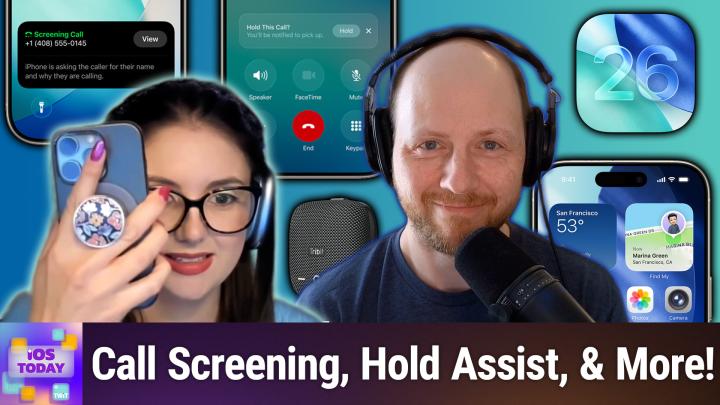
Yeah. And speaking of wanting more, phone phone has had some upgrades including call screening and hold and I have been using call screening because I do get quite a few spam calls. But also my doctor's surgery likes to call me from unknown number and that's what it shows up as. So I can't just blindly turn off block phone calls from unknown contacts because otherwise my doctor surgery will never get through to me. But I don't want spam calls and call screening. I don't know if you've had much of an opportunity to try this. Dan and also hold assist have genuinely been really useful for me. I've been really enjoying them throughout the beta process.
Dan Moren [00:11:26]:
I was curious about your experiences with hold assist. Because when I tried using it early on, one of the problems I ran into is I'm on one of those. I'm on hold and I have one of those lines where every 30 seconds to a minute, you know, a voice comes on and says, your call is important to us. Please continue to hold. And it would tell me that somebody was back and I would grab the phone and hit it, just only to find a robot talking to me. Apple claims that they can dynamically figure out whether it's a person or not. I've yet to see that actually true in my testing. I love the idea.
Dan Moren [00:11:56]:
It's a great idea. Nobody wants to sit there on hold, but it's got to work, otherwise people will just get frustrated. Never use it. The call screening one, I think it's interesting. I always feel a little guilty about it just to have like my, you know, pizza delivery person has to explain to some robot why they're calling me when they just want to leave me a pizza. So I have it on and I've seen it a couple times. I think what happens more than anything else, though, is people just get that weird, you know, get that recorded message. A lot of them hang up.
Dan Moren [00:12:26]:
Which maybe isn't a bad result if it's not a call that you want and it is just a spammer or something. And I'm sure again, when this comes into sort of more broad usage, we'll see how people actually adapt to it. But I love the idea of saving me time and I do find more often than not, my phone generally does not ring anymore with calls I don't want, which is a real plus.
Rosemary Orchard [00:12:46]:
Yes. Yeah. I find it quite entertaining when it tricks the robot callers call screening to start doing their spiel.
Dan Moren [00:12:53]:
Oh, yeah.
Rosemary Orchard [00:12:54]:
Because the, the beauty of this is while your phone is ringing, you can actually explicitly say, like, you know, I want to send this to. To call screening and things like that. So I, I have been doing that, like, actively doing that. Of like, it's. It started raising causes because I don't recognize this number. And bam, the robot spiel starts and I can see the transcript coming in on screen and be like, yeah, nope, Santa spam, we're done.
Dan Moren [00:13:18]:
Bye, robot.
Rosemary Orchard [00:13:19]:
Which, yeah, yeah, bye, bye, robots. I, I don't want car insurance, thank you very much. And I, I don't need insurance for my car because that was something somebody tried to sell me earlier this week, which was ridiculous and not great. But Hold Assist I found works really well on hold on call with Apple support because I had this yesterday. Unfortunately, my Mac Studio has currently in need of some, some tlc. I need to take it to the Genius Bar. So I tried calling Apple support to see if there was anything to help me with. And at one point the guy said, let me put you on hold for a couple of minutes and I'm going to go away and figure out if there's anything else we can do.
Rosemary Orchard [00:13:54]:
And so. And I said, you said, let me.
Dan Moren [00:13:56]:
Put you on hold.
Rosemary Orchard [00:13:57]:
I'm going to try hold assistance in iOS 26, because I need to talk about it on a podcast tomorrow. And he said, you try that and I'll take your phone number just in case something goes wrong. It did not go wrong. It worked perfectly. And I'm really pleased to report that it does work. But yeah, because it's a beta and testing, I was like, I'm just gonna let him know first that I'm gonna do this. But also, it's Apple support, they're pretty nice about these things. And yeah, we did some good troubleshooting and unfortunately it just still won't turn on.
Rosemary Orchard [00:14:28]:
So that's, that's a problem for another time with the Genius Bar. But you know, if I need to get a new Mac Studio shipped to me, well, in this case I'd probably be ordering it directly from Apple, so it would automatically import the package into Apple Wallet anyway. But you can now scan mail for packages and have them also imported into Apple Wallets for package tracking, which I don't know about you, Dan. I've had pretty success with this with the asterisk of it seems to be taking a lot longer to update than Parcel, my favorite parcel tracking app of choice does, but I say a lot longer. We're talking like maybe an hour in some cases for things, maybe five minutes in others. It seems to vary, I'm guessing, possibly based on the rate that my email updates.
Dan Moren [00:15:19]:
Yeah, that's a good point. And you could. It's worth noting you can also do it manually in mail. If you're in mail, it'll. And it finds a message that looks like a shipping notification, there will be a little banner at the top that says like, you want to track this in Apple Wallet, you can tap a button, it'll take you there. Yeah, I found this interesting. I don't. I haven't ended up using it as much as I thought.
Dan Moren [00:15:40]:
I just went to look at it and it's very funny what things it has in there. For example, I ordered like a cake for my kid's birthday back in July and it has it in there as like a delivery. It does say, I will give them credit. It says ready for pickup at the top, even though then it says ship to below. They did not ship me a cake. That would have probably gone badly. But, you know, it did pick that up there. I have definitely, I ordered a new shoulder bag and like, that immediately got like put in and it showed me the order there and everything.
Dan Moren [00:16:09]:
And, you know, it does note in a lot of cases this is also a beta. I assume they're still sort of refining it and trying to figure out how to make it work that, you know, as best as it can. It is a little strange also, there's one here where like I, I updated, I put money on a sub like a transit card and it registered in there because it was a transaction. So it's like, yeah, yeah, you ordered $10 on that transit card. It's like, it's just, it's just good money going to the wallet. It's not going to change anything. So, you know, it's perhaps a little aggressive in some places, but I think that's probably better than the alternative. And I certainly appreciate in cases where it does integrate better.
Dan Moren [00:16:47]:
You know, we've seen examples of in the past with third parties like Shop, where it can actually integrate and show you tracking information and stuff like that. So I, you know, I'm intrigued to see more and more of this. And I certainly like the idea of a centralized location for handling all of this. And the fact that it plugs directly into your mail without you having to do anything is a plus.
Rosemary Orchard [00:17:04]:
Yes, definitely. And also I think it's better than trying to wait for all of the service providers that do these things like WooCommerce and so on, for people who've integrated shops into WordPress sites to update to support Apple Wallet, because that. I don't think that's going to happen, at least not anytime soon. They've had years and the only people that have done it have been Shopify, which, you know, has bonuses and negatives, especially because the Shopify app also is a parcel tracker. The whole thing's a little bit cyclical and confusing. Yes. One thing I have had difficulties with Dan, and I would be interested to hear whether or not this has been working for you is auto mix in music. So for folks who aren't familiar, auto mix is.
Rosemary Orchard [00:17:49]:
It's more than a crossfade. So when you play music, if you just stick a CD and a CD player, if you put a record on a record player, then it would get to the one end of one track and then it would start playing the next track. A crossfade is where sort of the last maybe 10 or 15 seconds of one track is faded out. And so the volume on that one goes down and the volume of the next track comes in and they sort of overlap a little bit. Not a lot, but a little bit. Auto Mix is supposed to be like having a DJ going. That's. That's my DJ impression.
Rosemary Orchard [00:18:20]:
I'm really good.
Dan Moren [00:18:20]:
Very good.
Rosemary Orchard [00:18:21]:
I liked it and, you know, actually sort of blending the tracks together. My problem with this, I don't know if it's because I'm used to crossfade or just not having anything enabled, is I found I was losing up to 60 or even one case, 90 seconds of a track. If a track's only three minutes and I lose 90 seconds at the beginning and 60 seconds at the end, I get 30 seconds of a track that was not working for me. And my. My biggest problem with this is, like, I noticed this because I mostly listen to music in the car when driving. Guess what one setting you cannot change in CarPlay's music. Well, I mean, there's a lot of settings you can't change, but that one, I really wanted that off to the point where I pulled over to the side of the road safely. There was a place to pull over and found, like, found the setting on my phone and was like, this needs to go off, like now, because this is driving me crazy.
Rosemary Orchard [00:19:13]:
Like, have you had a better experience with this than I have?
Dan Moren [00:19:17]:
No. It's weird. It's. It's a weird feature. And I think you're. To your point. It's overly aggressive at times, and I think it's. It's a little strange for me as someone who tends to be very much a.
Dan Moren [00:19:31]:
Like, I recognize songs and I have expectations for. It's like, I don't love going to live music a lot of times because, like, that's not how they play the song. Like, I know the recording, right. And so I struggle sometimes because what it's actually doing here is to mix these songs. I think in some cases it's like, it's like changing tempo a little bit. Like, it's like.
Rosemary Orchard [00:19:49]:
Yeah, it changes the pitch of the speech.
Dan Moren [00:19:51]:
Exactly. And I kept catching that when. And. And the other thing is I have a super weird, eclectic musical taste. And so it will have these jumps between two songs. You're like, oh, my God, who is. Who would ever mix these two songs together? I'm trying to remember I had like, the End of a James Brown song. Going into like, I don't know, Ghostbusters or something, and I'm like, oh, my God, please don't do this.
Rosemary Orchard [00:20:13]:
I had K Pop Demon Hunters. A lot of the tracks from K Pop Demon Hunters blended into Bohemian Rhapsody.
Dan Moren [00:20:20]:
And Freddie Mercury is rolling over in his grave.
Rosemary Orchard [00:20:24]:
Well, honestly, I think the. Freddy would have been open to the idea. He was creative with the music, but at the same time it. It just broke my brain.
Dan Moren [00:20:32]:
It's weird.
Rosemary Orchard [00:20:33]:
Like to the point. Weird to pull over the car.
Dan Moren [00:20:35]:
Yeah.
Rosemary Orchard [00:20:36]:
So, yeah.
Dan Moren [00:20:37]:
And to your point? Yeah, I definitely ran into that a couple times where the song is, especially on a song that's like on a fade out or something and it would go a little early and like. And then you get the beat maybe of like another song that's coming in if there's like an opening few bars with just like a rhythm or something and you're like, like, what is happening? Am I losing my mind? What is happening to this song? So it's an interesting idea. I think they need to. That DJ needs to be told to settle down a bit, you know, like getting a little too avant garde here.
Rosemary Orchard [00:21:08]:
Yeah. Burke in the chat said that it is only. It's. It's the. The strength of the feature is that it works when your music is a similar genre or if it's like dance music, edm. That makes a lot of sense to me. I would like to be able to turn this on and off per playlist rather than overall because I have some playlists which are like. Yep, these are all like a very similar.
Rosemary Orchard [00:21:28]:
You know, this is 80s electric or something like that. That could work really well. But my random favorite, shuffling, which includes everything from like acoustic piano and the Hans Zimmer version of Pompeii, which is fabulous if you've not heard it to like Bohemia Rhapsody and Bad out of Hell. K Pop Demon Hunters. Like it's. There's.
Dan Moren [00:21:49]:
I've got too much going on playlist for my kid that has everything from like kid songs to like Queen and like classic rock songs or Crazy Train.
Rosemary Orchard [00:21:59]:
You know, I love it.
Dan Moren [00:22:01]:
Yep. No, of course, of course you gotta start well, but it is whiplash at times to go from some of these to the others. And I'm used to that already. From a different style of genres, but like trying to mix them together is perhaps a bridge too far.
Rosemary Orchard [00:22:15]:
Yes. Yeah, yeah, it is a little bit too much. But hey, you never know what you're gonna get next. So, yeah, if you are somebody who listens to an eclectic range of music. And you discover Once you've installed iOS 26, which you will probably be able to do from around about the end of next week, so the day after this or the. A day and a week after this episode releases, then you will be able to turn that off in settings music. And then it's. It's called Song Transitions because that's it.
Rosemary Orchard [00:22:49]:
It's also not called like crossfade or auto fade or anything like that, or auto mix, which is the name of the feature. It's called Song Transitions. But there we go. So that is that. And now it is time for the news on the show. So in news. Well, after we recorded the previous episode, Apple set an event date for September 9th. And I don't know about you, Dan, I think we're gonna get new iPhones.
Rosemary Orchard [00:23:17]:
Does that seem plausible?
Dan Moren [00:23:19]:
I don't know if you want to go on a limb with that prediction. It's a little. Yeah, no, I think we're gonna get some new iPhones. We've been hearing about them for months. If you follow the rumor mills, etc, I think there's a lot of expectation obviously that this is when we'll have a big rollout. The question for you, Rosemary's, how many iPhones will we see?
Rosemary Orchard [00:23:41]:
So I don't think we're seeing the E. I would like to see the E. I personally think that I can't remember what the E stands for, but in my head it's like the economy version.
Dan Moren [00:23:50]:
Efficiency, Excellency. Who knows?
Rosemary Orchard [00:23:53]:
Yeah, whatever. Whatever it is. The, the lower tier phone, I would love to see that come out with the other ones every year. But unfortunately that doesn't seem to be an option that Apple are pursuing. I get that. Logistics wise, it's difficult enough trying to ship for iPhones or for models of iPhone around the world because I suspect that is what we'll be getting. We'll be getting the regular and the plus of the iPhone and then the pro and pro max versions again. But yeah, I'm not sure.
Rosemary Orchard [00:24:24]:
What color do you think we might be getting, Dan, and how many iPhones do you think we'll be getting?
Dan Moren [00:24:29]:
I have heard some rumors of an orange iPhone and I'm intrigued. You know, I'm often. I'm on the upgrade program. I get a new phone phone every year because I spent a lot of time writing about it. I've been on the base level pro for many years now and the pro has had a. A mixed and varied assortment of colors or non colors in many cases available. So if there's an option for something with a little more pop, a little more zing, I'm here for that. You know, obviously, in addition to the pro, I think it's likely we'll see the larger pro max.
Dan Moren [00:25:02]:
Seems likely we'll see the basic iPhone 17. And then the real question is this new thinner model, the supposed iPhone 17 Air. I am intrigued. I mean, I like the idea of a lighter phone in my pocket for sure, but I don't the trade offs, that's always my question is like, what am I sacrificing from the pro to get that lighter, thinner phone? Like, am I sacrificing a camera? Am I sacrificing battery life? Like, I don't know. I'm curious to see how Apple's going to spin it.
Rosemary Orchard [00:25:32]:
Yes. Yeah, it's one of these things where I could get on board with only having two cameras on my phone. If I had zoom, I, I bas basically never use my ultra wide. Ultra wide is a really rare thing for me, but zoom, I use it all the time. So it's really nice having that zoom lens and I, I don't want to drop a lens. I wouldn't mind having a smaller phone. You know, this, this is the pro phone and in my hand, like, it's okay, it's comfortable enough, but I had a mini for a while and I, I miss it. So I don't know, maybe we will see the air.
Rosemary Orchard [00:26:04]:
I feel like having six iPhones in a line would be a lot.
Dan Moren [00:26:08]:
They're never gonna stop. Well, it's gonna be a. Oops. All iPhones. Yeah, I think they'll keep making them until morale improves.
Rosemary Orchard [00:26:16]:
Yes. I mean, I'd love a folding iPhone. If they can give me a folding iPhone that I can turn into like an iPad mini in my pocket, that would be great.
Dan Moren [00:26:22]:
Give me that next year, man. Next year. Keep your eyes peeled next year.
Rosemary Orchard [00:26:27]:
Yes, yes. Well, we shall have to do that. But there we go. That, that's that. I think there's also some other things rumored. Dan, you have probably been a little closer to the room mill than I've heard about. Air tags two.
Dan Moren [00:26:40]:
Air tags two. That's one rumor that we've seen out there. You know, everybody wants to know, well, the air tags, like what would they do with new air tags? There's some discussion that maybe the ultra wide band would be taken up a notch which might provide better range or more precision. You know, it's possible they might be able to enhance the battery in some life. I, you know, unclear. I'VE also heard rumors about improving the speaker just to help prevent with some of those anti stalking measures that they've put in place. But you know, a lot of prefer the Air tags kind of do what they need to do and I think that's, that's one place that, you know, there's maybe not as much room for updates, but it will be intriguing to see what Apple can do there in generally when we see new iPhones in the fall, we see them paired with Apple Watches, so there's likely to be some improvement on the Apple Watch front. Again, the rumors there have been a little sparser in terms of what we might see this year.
Dan Moren [00:27:35]:
I don't think that there's going to be any sort of major, you know, redesign to the Apple Watch this year. That doesn't seem to be in the cards. The I think we'll probably see a Series 11 and an Ultra 3 has been the rumor. You know, again the Ultra to Ultra two jump was not particularly huge and then they sort of took the year off and made a, a black one and that was it. So maybe they've got some stuff in mind for that.
Rosemary Orchard [00:28:01]:
Air tags in black.
Dan Moren [00:28:03]:
Yeah. Oh, there you go. That could power colors. How about a bra? Broad variety of rainbow colored air tags, man. People buy them.
Rosemary Orchard [00:28:10]:
Yes, rainbow, like the AirPods Max. These are blue by the way. For the people at home who are watching the video. They are not silver. They look silver. They are blue. I promise. Just squint, squint and maybe put on some blue colored glasses first.
Dan Moren [00:28:25]:
And then the other thing I think that we expect to possibly see are AirPods Pro 3. As far as what we might see there, there have been some rumors of health sensors. We've heard for a while that they might incorporate either cameras or some form of temperature sensor for, you know, like tracking that information maybe during workouts or what have you. The other thing that's been rumored, and I just saw a rumor today that this may have been delayed, but I will be surprised if it's, you know, maybe it's in beta or something is the live translation feature, which obviously we saw a bunch about in iOS 26, iPadOS, 26, etc. But that essentially you would be able to put in your AirPods and get a live, you know, talk to somebody in a foreign language and get a live translation of what they were saying, which is really cool. I mean a lot of other competitors have done features like this in the past, including Google. It seems kind of on par with a lot of the stuff Apple's doing elsewhere. So the technology certainly seems to be there.
Dan Moren [00:29:19]:
It's just a question of whether or not it's to the point where they feel ready to ship it. So we'll have to see how that pans out. But certainly AirPods Pro 3. It's been a long time since those AirPods Pro 2 came out. I think it's been two and a half, three years. So those are great sellers and it's, you know, no surprise that they want to revise them again. Again.
Rosemary Orchard [00:29:40]:
No, it is no surprise at all. And I have to say my dad got some for I want to say it was Christmas last year and he has been using them with as the hearing aid feature because despite having had tests. So my mother and I both are very aware that my dad can't hear things very well. My dad has tinnitus. My dad went for a hearing test expecting to be told that he needed hearing aids and they went, your hearing is fine. To which everybody else went. Really?
Dan Moren [00:30:10]:
Are you sure about that?
Rosemary Orchard [00:30:12]:
Yeah, exactly. So my dad's been using the AirPods Pro as the hearing aid feature or with the hearing aid feature and has been really enjoying it. So it, yeah, a new model of something like that which both has accessibility features for folks as well as, you know, all of the other great things the AirPods Pro do. Like I flew to Glasgow back last week and I didn't bother to take big over ear noise canceling headphones with me. I was going carry on only and AirPods Pro in my pocket and for the hourong flight that was perfectly fine, you know, eight hour flight. Yeah, I'm, I'm going to take my big over ears but an hour long flight. AirPods Pro.
Dan Moren [00:30:47]:
I've worn them routinely on cross country flights here in the US and I love them. The other night I was in a hotel on the way back from vacation with a air conditioner that sounded like there was a chopper flying overhead and I put my AirPods Pro in and turned on some white noise and slept much better.
Rosemary Orchard [00:31:09]:
Yeah, yeah. It's amazing what a little bit of noise canceling can do to make your life so much more comfortable.
Dan Moren [00:31:14]:
Indeed.
Rosemary Orchard [00:31:15]:
Yes, I'm, I'm glad to see that those will be coming. But anyway, moving on from there, I believe, I believe I hear the music. It is time for Shortcuts Corner. Well, it is time for Shortcuts Corner, the part of the show where I answer a shortcuts question and tell you how to solve a problem with shortcuts. However, today I decided that it would Be much better to look at the shortcuts AI model actions which are inside of shortcuts coming with iOS 26, because I know Dan has opinions on AI and using AI to replace his job because it's so great at creative writing, isn't it? But it is also potentially a really useful tool that you have. And Shortcuts now has three actions which allows you to use a model to solve a problem that you sent to it. Obviously, as with all these things, if you ask for you know the world and it gives you the answer 42, then you know you have to kind of just deal with that and figure out how to ask it a better question, like what is the meaning of life? But the models that are available to you inside of Shortcuts are an on device model which is entirely local, customized to your device. So it's not sending any data anywhere except around inside of your phone.
Rosemary Orchard [00:32:38]:
There is the Apple cloud model and then there's the ChatGPT model. And the way that these can be used is actually modeled quite nicely. If you go into the gallery in iOS 26, then there's an Apple intelligence section and there are some short there to show you how to use these. So there's one that shows you how to get started with models. There's one that'll do a morning summary for you. So you feed it a bunch of data and then say, hey, now using this data, give me a summary of my day. And then there's one with a haiku where you can get a haiku action items from meeting notes, figuring out a recipe from your leftovers, summarizing a PDF and reviewing a document. And I was wondering, Dan, have you been using AI like ChatGPT things and has it been working for you? Is it beneficial and would you actually use shortcuts maybe to solve a problem if you could?
Dan Moren [00:33:31]:
Well, I'll answer the last part first because I think it's the most interesting. I have used shortcuts use model feature to actually solve a problem I had, which is to say I had for years. I was trying to build a shortcut to do a specific tasks for task for me where I keep track, I'm self employed, I keep track of all my expenses and I have a spreadsheet where I can, you know, put in like, okay, here's the date, here's the expense, here's how much it was, et cetera. And one of the things that always annoyed me about this was like I want to sort of streamline it, like what if I'm on The go or whatever. And I don't want to spend my time in my little number spreadsheet tapping out my phone. Is there a way I could have this information just sort of automated? And so I struggled for a long time because it was very difficult to find a sort of pattern matching way to do this. It's like, because a receipt could look like anything, it could be something I scan, it could be an email. You don't know where all this information is within the receipt, where's the price, where's the date, et cetera.
Dan Moren [00:34:27]:
There's no good way to deal with that. But this actually is a problem that a LLM model is pretty good at dealing with. So I built a rather long and complex shortcut that can take a PDF and essentially give a large prompt to the. I ended up using the private cloud compute model because the on device model is faster, but, but you know, it's much less capable than the private cloud compute option. And so I could scrape all the text out of like a PDF I dropped in a folder and it would upload that along with the query like, hey, this is a receipt. Find me this information. How much did it cost? Who was the vendor? What was the date? Return it to me in this format and then use a, an action to add a line in numbers with that data. And I've spent some time over the last month or two debugging it and sort of figuring out where it gets stuff right and where it gets stuff wrong.
Dan Moren [00:35:20]:
And like, can I clarify the prompt? Or can I sort of, you know, put in more controls to clarify or you know, normalize the data it's getting fed? And I've actually got it working pretty well now. So it's because of the fact that you can take a huge unspecified blob of text that could look like anything and be like, hey, you good at pattern matching model? Like, find these information within it. And so that's been awesome. Like, and that's the kind of thing I really like. Like the, the idea of the LM as a tool for is this case where it's like you have sort of freeform information that you need to get out of it. I've used other LM tools for programming, largely not so much for other types of tasks. I find it best to keep it kind of bound within a solvable problem. And I find that for things like I'm hacking away on a Python project or I need to figure out how to translate this project I did from Arduino into micropython, like that was really good.
Dan Moren [00:36:12]:
It did a really good job of that. I'm not writing code that I'm deploying for people, people in a giant organization or things like that. I'm just writing hobbyist stuff for that great tool. But it's not coming for my job.
Rosemary Orchard [00:36:24]:
Yeah, yeah, absolutely. I, I, I suspect it's not going to be writing your next book for you. That seems slightly problematic though I'm sure as many authors have experienced that somebody has unfortunately fed it a copy of at least one of your books in ebook form. But hey, at least maybe it can then answer people's questions and point out, point out little Easter eggs that they might missed. Yes. Yeah. So yeah, AI models, yeah, as you mentioned, they're really good at pattern matching and going ah, like there is a thing that says total slash, sum slash, you know, grand total total, whatever it is, followed by a currency symbol and then numbers, possibly with a decimal point. That is probably the number that you are looking for in things like this.
Rosemary Orchard [00:37:10]:
I have found it is pretty good at things like that. It's slow, less great at things like creating text for you. I don't understand how apparently all these college kids are using it to write papers for them because I asked it to create a funny haiku about podcasting and bearing in mind we are podcasting right now and I know for a fact there are people listening live because they're talking in the chat and I know there are listeners that download this and enjoy it and I'm pretty certain that only a very small subset of those user is listeners even will actually listen to iOS to fall asleep. But the haiku it gave me is mike in hand. I talk echoes of my random thoughts. Listeners yawn nap.
Dan Moren [00:37:52]:
Wow.
Rosemary Orchard [00:37:52]:
Feels a little depressing. I mean maybe, maybe I should ask it to create a limerick for me next time.
Dan Moren [00:38:00]:
There you go. Limericks are more upbeat. Everybody knows that.
Rosemary Orchard [00:38:03]:
Exactly. This is very true. But yeah, I think it is, is, you know, it is really nice to have the option of using these models. And in particular if you do have for example a series of reminders and you've got a bunch of notes and stuff in those, being able to feed all of that in and then say, hey, tell me all of the, you know, things that I, I need to do this morning before it rains this afternoon and like one of the things in there is laundry because then afterwards you have have line dry laundry outside and it's going to rain this afternoon then you know, that could be useful. But it, it needs contextual awareness provided to it for all of that. And yes, as with any AI things, it's all about what give it. Because you. You get what you give to an extent.
Rosemary Orchard [00:38:53]:
At any rate. There we go. So that is what is new with shortcuts AI models in iOS 26. It is now time, time for the final segment of the show where Dan and I are going to talk about our app caps. So these are just picks of the week that we are using to round out the show. Dan, would you like to go first?
Dan Moren [00:39:12]:
Absolutely. As I mentioned, I was traveling recently and so one of the things that I thought to throw into my bag this time was a little Bluetooth speaker. I was down at a lake house that I go to every year and you know, sometimes like to listen to some music while I'm cooking or, you know, we watch some. My wife and I watch some TV after our kids gone to sleep or my kid wants to listen to music, etc. And so my recommendation here is the Tribit Stormbox Micro 2, which is a great little Bluetooth speaker. I bought it a few years ago, I think, when we went to Disney World just to play. Honestly, just to attach to his stroller and play white noise to try and get him to nap. We already discussed the virtues of white noise.
Dan Moren [00:39:52]:
Well, Napoleon Mapping. And I was really pleased with it. It has great battery life. It has surprisingly great sound for something that's probably. I should have grabbed it, I realized. But it's over on that table over there. That's something. You know, it's only about this yay big.
Dan Moren [00:40:06]:
Right? And so it has a surprising amount of bass. I. I actually have like a nice. I have the Sonos Roam, I think the portable speaker. And I find this actually is comparable in sound. And the Sonos one is very good. And this one, oh yeah. I was surprised that it was.
Dan Moren [00:40:21]:
Was this good. And its battery life is also much better than the Roams. One of the other things I really like about it is that they really splurged here. It's a Bluetooth speaker that can be power, power paired to more than one device at once, which is. Oh, great. That is a beautiful feature because I get so annoyed whenever I have an iPad and an iPhone and it's like, oh, you're kidding. I got to go like discon, you know, unpair it from the iPad so I can go pair it to the iPhone. And I believe it's also water, like water resistant up to a certain amount.
Dan Moren [00:40:57]:
It says it can be submerged in up to three feet of water. I have not tried that, but it's perfectly good as like an outdoor speaker if you're carrying it around like strapped to a stroller or you're outside and it starts to rain. Like it's pretty resistant. So yeah. And it's a charges with usbc which is also great. So I, I highly recommend it. I, I've really been impressed with it. Just a great little Bluetooth speaker, not too expensive.
Dan Moren [00:41:21]:
I think it. You can, it's like 70 bucks retail, but I bet you could find it for 50 or cheaper on Amazon or something like that. So yeah, if you're looking for just a handy Bluetooth speaker to throw in a bag and carry around with you, it's a good, it's a good choice.
Rosemary Orchard [00:41:35]:
Excellent. Well, I will be keeping an eye out for those. So I have a Sonos Roam 2. So I feel like I should probably not buy more Bluetooth speakers. I feel like I probably haven't enough. But if anyone needs one for, you know, we have holiday seasons coming up where people may be entitled to presents. Entitled to sounds weird. But yes, I'll.
Rosemary Orchard [00:41:54]:
I'll keep it on the list of things that I could potentially get people. So my pick this week is. It's this little gadget. This is the Foimo D30 label maker. Now I have talked about labeling things in the past. Labels are great. There is a label on the back of my label maker which tells me what this label maker is and which app it uses. Because yes, I use an app to purchase label maker.
Rosemary Orchard [00:42:20]:
It's not one of the ones with like a keyboard or a wheel that you need to turn or anything like that. This is really great. And it comes with a variety or it has a variety of label options. So by default it just prints like black text on a white label. But you can also get like shiny silvery chrome esque holographic labels. You can get pretty like I've got some pinks and purples and blues and all sorts of labels. And with it being September as we record this, a lot of people will be back at school or college or you know, looking at getting things, trying, trying to tidy things away for the end of the year. And a label maker is honestly genuinely one of those things that makes life a lot better.
Rosemary Orchard [00:43:05]:
I am going on a camping trip this weekend and then another one the next weekend and that's going to be it for the rest of the year. So this weekend when I go camping, I know it sounds nerdy. I'm taking my label maker with me because anything that is in my camping kit I'm just gonna like write a little label, stick it on the outside of the box and then I will know for next year. Oh that is this stuff. Okay, cool. So I won't have to open the boxes and go through everything to figure out what's what. And yeah, label makers are great. The standard label size that comes with the, this is 12mm by I believe 40mm and that fits perfectly onto the side onto the front of a UK plug which is amazing.
Rosemary Orchard [00:43:43]:
They also do smaller labels and yeah, I, I love it for labeling plugs. You know, with the holidays coming up especially you know, end of November or end of October rather, it's creeping closer. I know some folks put up decorations for Halloween. Don't forget label your plugs folks. Label your plugs because that way there is no more mystery. What is this thing plugged into the wall? And it turns out it's the inflatable skeleton. So also a fire breathing dragon that's outside and somebody unplugged it and now it's just sitting there in the dark all set. So yes, labels, label makers are great.
Dan Moren [00:44:15]:
I really thought you, you were going to say that you were going to label everything you found on your camp. Stick, rock, raccoon.
Rosemary Orchard [00:44:21]:
You know, I mean I there I, I'm going camping with a friend not this weekend but next weekend and said friend has a four year old, a dog that will be coming with us. I think I could take my label maker with me then an extra labels and let the kid label anything they want.
Dan Moren [00:44:36]:
Identify some leaves.
Rosemary Orchard [00:44:37]:
Yeah, badger, yes, that'll be fine. Anyway, that is it for this episode of iOS today. You can catch us every Thursday here on the Twit Network if you would like to join us live. We do record live on Tuesdays at 9am Pacific and that is another time eastern. But I can tell you that is 5pm UK time until we get to the time change a little bit later in the year. With that being said, Dan, if folks would like to follow you online, where should they go to do so?
Dan Moren [00:45:08]:
I am in many, many places. You can generally find me using the username dmorin. But for sort of my Central Landing plays go to dmorin.com where you'll find a link to all the podcasts. I do the six colors where I do all my writing and all of my many books, science fiction and fantasy and all that stuff. So yeah, deor.com best place to find out who I am, where I am and follow me.
Rosemary Orchard [00:45:30]:
Yes, wonderful. And I can be found over at rosemary orchard.com which has links to apps, books, podcasts and many more things including social media. But you can also find me in the club Twitch Chat which is a great place to hang out. That's all for this episode folks, and we will see you again next week. Goodbye. Bye.
TWiT.tv [00:45:51]:
Hey, thanks for tuning in to TWiT, your tech hub for intelligent, thoughtful conversations. If you want to take your experience to the next level and support what we do here at TWiT, say goodbye to ads and say hello to Club Twit. With Club Twit, you unlock all our shows ad free. You also get exclusive members only content. We do a lot of great programming just for the club members. You also get behind the scenes access with our Twit plus bonus feed and live video streams while we're recording. And don't forget the fantastic members Only discord. It's where passionate tech fans like you and me hang out, swap ideas and connect directly with all of our hosts.
TWiT.tv [00:46:30]:
It's my favorite social network. I think you'll like it too. Club Twit. It's not just a subscription, it's how you support what we do and become part of the Twit family. Your membership directly supports the network, helping us stay independent and keep making the shows you love. If you're ready to upgrade your tech podcast experience, head to TWiT TV club TWiT and join us today. Thanks for being here and I'll see you in the club.