iOS Today 765 Transcript
Please be advised this transcript is AI-generated and may not be word for word. Time codes refer to the approximate times in the ad-supported version of the show.
00:00 - Mikah Sargent (Host)
Coming up on iOS Today. Grab your backpacks. It's time to go back to school.
00:08 - Leo Laporte (Announcement)
Podcasts you love From people you trust. This is Twit.
00:17 - Mikah Sargent (Host)
This is iOS Today, episode 765, with Rosemary Orchard and me, micah Sargent, recorded Tuesday August 5th 2025 for Thursday August 14th 2025. Back to school. Hello and welcome to iOS Today. This is the show where we talk about the platforms from Apple, that's iOS, ipados, watchos, homepodos although I always say HomePodOS and that's not a real OS. It's just sort of a secret, hidden OS. But there are lots of operating systems that Apple provides for its various devices and our job is to help you understand how all these things work and how you can use them even better. I am one of your hosts. My name is Micah Sargent.
01:07 - Rosemary Orchard (Host)
And I am your other host, Rosemary Orchard. I'm very happy to be here to help everybody educate themselves.
01:14 - Mikah Sargent (Host)
Indeed, so we are gearing up for a return to school. Yes, it's right around the corner, if not already underway, for people in the US, and I think elsewhere, to either return to school yourself hello those of you or, if you are going to be helping your kids, or whomever you're taking care of, return to school as well. So, without further ado, let's start with an app that I think is notable for its helpfulness.
02:11 - Rosemary Orchard (Host)
Yeah, yeah, I mean, there are a few apps, including and I'm not going to spend a huge amount of time talking about today Apple Notes. Apple Notes has got significantly better for note-taking over time, as these apps are one to do, and, in particular, the addition of the shortcuts. Apps are really shortcuts. Actions, sorry, are really great, but what I used through three degree programs okay, so this should tell you how much I loved it. I used it for two bachelor's and a master's degree. Uh, notability.
02:45
Now, one of the things I love about notability is the fact that it has an infinite scroll. So when you get to the bottom of a page, if you think about when you're writing on an actual physical page, you're trying to write at the bottom, like your hands like awkwardly on the edge of the page, and it makes it difficult to write. So you leave the last couple of lines blank, which is fine, but it's kind of a waste of paper, um, and notability doesn't have that. Because what happens when you get to the bottom of the page? You just partly scroll up and then you keep writing, um, and then you know you can go on to the next page, leave a little bit of space and, uh, off you go. I also found that the way that the notebooks and everything work in Notability works much better with my brain. So Notability has just had a little bit of a hiccup because I've been having a few difficulties with my iCloud setup on the current iOS beta, but it is now up and running so I can actually show folks and what I love. I usually use notability on my iPhone, but I have notability on my iPad too. So even if I don't have my Apple Pencil on my iPad and everything with me, I still have everything else. So I can start by creating a new note and I can see that infinite scroll here and you can also, using the triple dot button, you can change your paper template. So currently it's using a blank page, but I could change to a rule and I could change the spacing of that so I can make that a very narrow or very wide rule. There's a grid, there's dots, and then there's other options as well, like a hexagonal grid, cornell notes, where you have that space to the top and the left and the bottom for writing different kinds of notes. There's a college rule, there's manuscript, there's three columns and two columns, isometric engineering paper, all sorts, and as you scroll down you'll see there's things like storyboarding, there's planning, so you can use this as an analog-ish planner, which is just really great. There's music staves, there's all sorts.
04:45
You can get things from the gallery, um, and you can change things as well. So I usually have mine set to a4 paper, because if I want to print, uh, we use standardized iso paper sizing, uh, over here in the uk and in fact pretty much everywhere else in the world well done usa, um. And so I'd like to be able to print it and have it take up the whole page. So I use a4 for creating my notes, um, but also a little bonus you can change the color of the paper. So if you are somebody that's found like hey, writing in black or white paper, my brain, my brain says no, no, likey, that's okay. You can write in orange on blue paper, um, or you could write on purple paper or green paper or whatever it is you like. That makes your brain happy and helps you to take notes. So I'm just going to apply this with the rule, and now I can see that, so it's easy to add things.
05:34
One of the things that I found which I really loved was as a professor would write something or draw something on the board, I could just snap a photo and drop it in um. If you, your professor or your teacher creates slides in advance, you can import those and annotate them and then you can add pages in between as well, so you have the actual digital slides as well. Um, there are audio recording options. There's highlighting you can add, like laser pointers and zooming and all that stuff. Honestly, notability I have got such good value for money out of it.
06:07
I bought this years ago and I want to say when I bought it it was like 5.99 um. It's now free to download um and then you can unlock notability plus for about 20 dollars. Uh, inside um, depending on a couple of different things that are going on. But yeah, most of the templates are free as well and I just find this to be such a great app. It's on the iPhone, it's on the iPad and it's on the Mac and I particularly love the way that the audio transcription, as you play it back, all of your notes are there.
06:39
They're just kind of grayed out and then they become like their full, vibrant version of themselves as the audio progresses, which means that you can tap the note or the audio and jump to a particular point in time and be like, okay, I I don't get what was going on when they were explaining how to use I don't know matrices. Um, so I'm just gonna tap on this matrix and it jumps the audio there and it plays it. Notes can do this as well now, but I just I love Notability so much it has genuinely got me through multiple degree programs that I they have an undying fan. So I will give it 10 points out of 10.
07:19 - Mikah Sargent (Host)
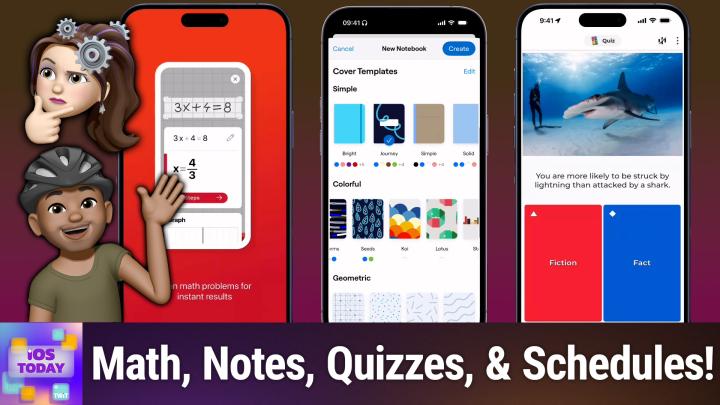
I love that, I love that for you and just that like that, because I hear a lot about that app. But hearing you know it's a great app that actually works, for you to have those results is really nice. The first app that I want to talk about is an app that's rather popular called Kahoot, and Kahoot is a way to learn stuff through quizzes. You can create Kahoots yourself A Kahoot is just a quiz or you can use the quizzes that already exist. So here's a look at Kahoot, and I'll start by just showing you a quiz that already exists. It's available to download for free. There are absolutely in-app purchases for a subscription to get different versions of Kahoot, but let's go with Animal Fact or Fiction. It's a 26-question quiz and the cool thing is Kahoot does a great job of having lots of group features, so you can invite your friends to also partake in the quiz at the same time. Group features, so you can invite your friends to also partake in the quiz at the same time. So in this case, I would type, I would tap host and I would be able to invite other people to participate in the quiz. I want to do it just by myself, so I'm going to choose, play solo, and we will choose a classic as the way to play. So let's give this quiz a go, of this quiz a go.
08:49
All bats feed on blood. That is fiction, aka false. I am correct and therefore get some points. Have you ever seen a fruit bat? They're amazing. Then we'll tap continue. Out of about 1,200 species of bats in the world, only three are vampire bats and feed off other animals' blood. Now we've got a quiz question. Only female bees can sting. I think that's not true. Oh, I thought the male drones could even sting, but I guess not. So now I've dropped down. Stingers on bees are a modified version of an insect ovipositor or egg laying structure, so only females can sting. Okay, that's interesting. I didn't know that. That's really cool. You are more likely to be struck by lightning than Kevin. Are you more likely to be struck by lightning than attacked by a shark?
09:42 - Rosemary Orchard (Host)
I feel like that's true, I would answer true, say true, that is true.
09:48 - Mikah Sargent (Host)
yay, there are more lightning strikes, probably, than there are sharks. I'm not sure about the statistics in 2025. Millions of sharks are killed by people every year, but only a handful of human deaths are shark related. Shark Shark attacks are extremely rare. Oh yeah, have you ever seen Jaws? It happens all the time. Tiger's roar is the loudest animal sound on Earth. I feel like that's not true. Yeah, I think that's definitely a fiction. I wonder what is the loudest animal sound on Earth?
10:18 - Rosemary Orchard (Host)
The mantis shrimp, we'll find out.
10:23 - Mikah Sargent (Host)
Oh, the song of a blue whale. That makes sense because they can well A. They reach 188 decibels, but they can be heard for hundreds of miles.
10:31 - Rosemary Orchard (Host)
Massive distances.
10:33 - Mikah Sargent (Host)
Yeah, which is super cool. So not only was that fun, but you can imagine doing a math version of that. Oh and the whole. I got really into it. Let me leave this quiz, because what I wanted to show you was you can create your own quizzes so that you can test yourself.
10:51
And so at some point I created a little Chihuahua quiz that I was working on. The first question was Chihuahuas are believed to be descendants of what ancient dog breed? The answer is Te Chichi, and then Chihuahuas have one of the longest lifespans of all dog breeds, true or false? That, of course, is true, but you can add more questions and they can be for free. You can do a quiz question which is A, b, c or D or true or false question, if you want to use the others. That's where you have to pay for the different versions of the app.
11:29
Uh, the bronze version, I believe, is let's see, uh, bronze is $3.99 a month. Uh, silver is $7.99 a month and gold is $13 a month. Bronze lets you create those quizzes, which I think is the most important part, that you can actually do the flashcards and stuff. But even with the basic, you saw that I was able to create those basic games and, of course, play them as well. Great app for studying, particularly when it comes to memory-based stuff, just trying to remember what it is, so that is something to bear in mind. All right, rosemary, what's next on your list?
12:14 - Rosemary Orchard (Host)
Well, next on my list is an alternative to Notability, because Notability doesn't necessarily work for everybody's brains. I'm really lucky, it worked really well for me, but some people find that they just need another app that works better for them, and good notes is one of those extremely popular ones. Uh, somebody in the chat just now was mentioning that. Uh, so geeking tom. Uh was mentioning that a journal app doesn't include lined journal entries. Uh, the iPad, and that's definitely an oversight, I have to agree there. So they journal in GoodNotes and then share those entries to day one, which is brilliant, and I love the fact that you can use these apps for purposes a little outside of the box. But what you can do when you create a new thing in GoodNotes, because everything is a kind of note. But do you want a notebook? Do you want a study set? You can have folders. You can also do quick notes and quick records and then import things as well, which I think is really cool. I'm going to start by just creating a notebook for now, because that's what we're talking about mostly today, and so, first of all, you've got cover options, so, just like a composition notebook, you can, you know, choose different styles, um, and they've got like colorful ones I really like the koi one actually, with all the different color circles, um. And then they've got geometric and so on, and you can also buy notebooks, uh, from good notes, which is kind of cool, and then paper, uh, so you can choose. You want like blank, dotted, squared, ruled, narrow, ruled, narrow, ruled, wide, cornell, legal columns, to-do pages, music pages, guitar scores, etc. You can also change the color, so you can have like white pages, or you can customize it, and so I'm going to just tweak that and make that a sort of cream and I just want slightly no, no, I do actually need lighter uh grids there, um, so there we go, that's my custom color and then, uh, yes, maybe I'll use that on. I'll just leave that as squared for the time being.
14:15
You can also turn the cover off if you don't want a cover on your notebook, um, and you can choose the size as well. So it defaults to good, note, standard, um. But then it's got, you know, various iso paper sizes, because those are a thing where everything's just double. Cdp gray has a great video on paper sizes, um, and then it's got like letter, tabloid and custom as well, um, and you can also choose portrait or landscape as well, to work with, whatever works best for you. Um, and uh, yeah, and then you know we've got our custom one and then I'll just create that and then you can change your scrolling direction as well. So, at the moment, as I fill out one of these pages, then I can add more and you've got.
15:02
Yeah, I have too many notebooks now as it's started sinking Because, of course, my iCloud is being a little bit hiccupy. This week I think I may need to restore my phone, which is not great. But, yes, so you can favorite a notebook. You can change your scrolling direction from horizontal to vertical, which then works the way that Notability does. If it's in vertical, you can have a sidebar and all sorts of things. So if I just go back and I'm just going to save this one, then I can see that I have some of my old planners here and then I have options to get rid of those.
15:41
And, yeah, I just find that this is really it's got a lot of great options. Um, it works a little differently, uh to uh notability and that works better for some people. Um, so maybe if I get rid of that one, uh, there we go and then I should be able to. It's no, it's, it's having a hiccupy moment, uh, but that is entirely my fault uh rather than uh good notes, so nobody should uh be upset with good notes. But it has recording and playback and it's got study sets and everything in there as well, which can be nice. If you want to do like your own kind of cootie type thing, but digitally, uh with um like or index card uh stuff, then you've got that and I just love that. It has so many options and it's a really great app as well.
16:29
So, yeah, that is GoodNotes. A lot of people really love it. Unfortunately, it's not the one that worked brilliantly for my brain, but it works brilliantly for a lot of other people's brains, and it's $11.99 a year for GoodNotes6 or $35.99 as a one-time payment if that would work better for you. So something worth bearing in mind that there are options with GoodNotes. I should mention, by the way, goodnotes and Notability are quite hefty downloads. They're about three quarters of a gigabyte, so it's not something that you can download on your way into a lecture and be like, yes, I'm going to use this and then expect to open it up and immediately be going at it. You do want to download these a little bit beforehand just to make sure it is fully downloaded, because otherwise everybody's going to be trying to download the same app at the same time. It's going to take forever unless your college has got their network set up really well just got their network set up really well.
17:28 - Mikah Sargent (Host)
The next app that I want to talk about is one that I think, frankly, anyone and everyone might find use for. It is an app called Photomath, and with Photomath, you can scan math problems and get help on how to complete those math problems. You are able to. Whenever it recognizes that you have a, a problem from a textbook, it can give you information about that as well, and so it will also provide information regarding you know your standard, your standard math problem, but ones that are based in a textbook that multiple schools will have and provide you answers online. The app is very simple you have a math problem in front of you, you take a photo of it and then it will help walk you through how to complete that math problem. It also has a calendar built in, or calendar, a calculator built in that has kind of advanced stuff.
18:41
So if you need to do some of the graphing calculator functionality, you're able to do that as well, and I wish that I had had something like this back when I was uh, you know working through not just algebra, but probably more than like in the pre-calc range. It would have been nice to have something like this to to help me figure out what I was trying to do. Uh, because those things get complicated very quickly. Um, it is available for free. The in-app purchase gives you access to animated tutorials, so it kind of helps you visualize each step and then provides even more explanations for how you solve a problem, as opposed to just showing you boop boop, boop boop. Here's how the problem is solved, so it can be very helpful for the learning part of things, which I think is important. So check out PhotoMath for help with your math problems. What's next on your list, rosemary?
19:51 - Rosemary Orchard (Host)
Well, next on my list is timetables. So, yes, you can use calendar for this, and you could have a different calendar for each subject if you wanted to, so that you've got different colors, because personally, I find associating a particular color with a particular class to be very useful for me. However, timetables are just one of those things where there's weirdness and oddities to them, and so a dedicated app for this is usually the best way to go, and Smart Timetable is my recommendation for this. I did some research. Unfortunately, the app that I used to love and use no longer exists, so I did some research and played around and found this seemed to be the best of the lot. So this app is available on your apple watch, your iphone, your ipad, your mac, um, everything basically, and it syncs, um, and you can even have multiple schedules. So you start by configuring it and you say, hey, over how many weeks does my, my timetable run? So, is it the same thing every single week? Is it the same thing every other week? Is it I have three weeks of blocks? Is it that I have three weeks of blocks? Is it that I have four weeks of blocks? Or is there like shift scheduling in there, which could be really crazy. I'm just going to go with a bi-weekly, so that's two weeks, and then those two weeks repeat and then you can name them. So you can call it week two, week one and week two, if you like, or you could call it week A and week B, or you could give them emoji names or whatever. And then you say what is your current week? So am I currently in week A or week B in this particular case, and what day does my week start on? So, does your week start on Sundays? Does your week start on Mondays? I'm in Europe and I like Monday starts, so I'm going to choose that.
21:29
Some of you might prefer Sunday starts, and then you can give yourself a schedule and you can say whether or not to show the weekend and you can say when your weekends are. So sometimes, if you're at college, you may have three-day weekends, or you may have Wednesdays off or something like that, and you can also say rounded times. In some colleges this would be really useful and so you can be like yes, yes, everything starts at like 10s or 15s or whatever. Sometimes you have weird schedules where your classes start at 9 27 in the morning, because reasons that I still do not understand. Despite having worked on the timetabling system at that university, I still don't get why it started at 9 27, not 9 30, but, um, there we go. And so now, uh, not 9.30, but there we go. And so now comes the premium option and then you can create your subjects.
22:20
So I am going to create a brand new subject and it's going to be called maths, because it's part of mathematics. And now I have event types, so I have different kinds of events, so I can have lectures, um, for example, and I could have seminar, um, and I can also have a group work, uh, and so I'm gonna say, hey, I have a math seminar, um, and then you can choose what building and room and teacher you can put in links, um, and then you can repeat based on a day of the week or an interval, um, and so this is saying hey, tuesday, uh, and then you can, uh, have periods, uh, so these are like slots, uh, in uh, your calendar, select semesters or terms, um, and uh. Then, yeah, you've got times, so you can add your times in here as well, and so are there multiple times, et cetera. So I'm just going to put this in for 8.30 to 9.15. That seems reasonable. It's a little early for a maths class.
23:25
Do I want a reminder for it? That's one of the premium features, and then you can choose a color. So we have that, and then I can even copy this um to you know. Make a make more of these. What I really love about this is you've also got tasks, so you can add a task um in here and you can link it to a particular subject, uh, which is really nice, um, and then you can even add your subtasks and everything. It has widgets, it's got shortcut support, it's got all of the things that you might want. Or you can just deal with the fact that you have a schedule, um, and, and that's how it works, um, the premium features give you things like your, your reminders, um, and repeating tasks, um, and sync across all of your devices with backup and all of that stuff, um. Or you can just use it for free, but it's 99 cents a month or, uh, I believe it's 7.99, even dollars as well, to unlock everything forever. So, yeah, definitely recommend smart timetable everything forever.
24:27 - Mikah Sargent (Host)
Uh, very, very cool. The uh, it's time. It's time, if you can believe, for the news. The news is up next, although I do want to remind's time, if you can believe, for the news, the news is up next. Although I do want to remind you all that if you have apps that you really like to use whenever it comes to back to school, stuff that we may have missed, we always love to hear about it. So be sure to email us, iostoday at twittv to say, hey, don't forget about this, because if we did forget about it, we don't know about it and we'd like to know about it.
25:02
All right, in the news segment this week, I wanted to mention that Mark Gurman of Bloomberg has reported on an all-hands meeting a pep talk, if you will that took place at Apple, apple talking about, reportedly, ai. So, according to Bloomberg and Mark Gurman, the CEO, tim Cook, brought everybody together to say that it's time to really lock into this. He said quote Apple must do this, apple will do this. This is sort of ours to grab. We will make the investment to do it. Now, on top of talking about Apple's foray into AI and perhaps you know in some ways what it's done thus far what it could be doing in comparison to what we've seen from other companies missing the mark, particularly whenever it comes to where we see Siri in its current iteration. That is not a surprise to hear Tim Cook kind of say we can do this, we can grab it. But Tim Cook also mentioned to the employees that this is, in particular, an interesting year for the product lineup of the company and that, I think, is fascinating. So Cook seems to be super excited about what's going on and also Federighi said quote the work we've done on this end.
26:35
Toto-end revamp of Siri has given us the results we needed. This has put us in a position to not just deliver what we announced, but to deliver a much bigger upgrade than we envisioned. There is no project people are taking more seriously. So could we get an even more powerful Siri than what was promised? The Siri that was aware of all of our kind of goings on and could remind us about the time that we had a meeting with this person six months ago? Perhaps that's what the executives at Apple seem to be suggesting. As always the case, this is a wait and see sort of situation, and I've been waiting to see Siri and its new iteration for quite some time now, and we'll continue to do so, yeah, so that's a little bit of news, not a huge thing, but interesting nonetheless. And I'm curious whether the iPhone event will result in us seeing anything more with AI, or if that's all still going to be kind of a next year thing, as Apple is, of course, still working on rolling out the well, working on getting ready to roll out the next version of all of its operating systems. We're currently in the beta part of all of that.
28:05
All right, let us move on to feedback. We've got one bit of feedback this week that comes in from Dr McIntosh, dr McIntosh. Dr McIntosh writes I use a Mac Pro keyboard from the Power Mac G3, g4, g5 that has USB ports on the side of the keyboard on a Mac Mini M4 Pro and Mac Mini late 2012 with the Intel Core i5 chip. If I connect the cable USB-A to a USB-C dongle, usb-a to a USB-C dongle, will it work on an iPad Pro M4? So, essentially, can I use my old keyboard that has sort of a built-in dock, essentially USB dock on the side of it, on an iPad Pro M4? Of it on an iPad Pro M4 by going USB-C into the iPad, out to USB-A and then plugging it in via USB-A. I assume that you don't currently have an iPad Pro M4 and that's why you're asking this, because you might get one and then want to use it with the keyboard. I don't see why it wouldn't work, right, yeah.
29:14 - Rosemary Orchard (Host)
USB keyboards do work, like I tried. I have a couple of like random USB keyboards floating around, like I've got a Raspberry Pi one, I've got a Cherry one and I've got some Logitech ones as well, and I just plugged a bunch of those in via USB-A to USB-C cables or like whatever cable it was that needed to plug into the keyboard if it didn't already have one, and then an adapter into the iPad and it all seemed to work fine. However, I am going to say you are going to need to make sure that the adapter is a decent one, and I would recommend not just buying a straight USB-A to USB-C adapter but maybe getting something from Anker that has like a couple of ports and so on on it, because a keyboard that has USB ports on it itself is going to draw more power. So you're probably going to want an adapter with power pass-through just to make sure that everything has enough power, because otherwise it could potentially drain the battery of the iPad quite rapidly. So the other thing I'll say is using the keyboard as a USB adapter probably not supported.
30:28
It might work if somebody has tried it and it does work, or if you get an adapter in the iPad and try, try it and it does work. That would be amazing. Please do let us know um, but I would assume that it won't work. Um, and for it to work you're going to need a powered usb adapter. Uh for this um, because otherwise it is just going to get a little bit flaky uh, or maybe just stop working um, but yes, I suspect it should work. Um tech gator in the chat has just said I have a Ugreen USB-C to USB-A. It works very well. I have quite a few Ugreen accessories and I do really like them. I have a little Ethernet adapter right here on my desk. So, yeah, you'll need to just make sure that you get the right kind of adapter. I definitely recommend one with power pass-through so that you can power everything up as well.
31:16 - Mikah Sargent (Host)
There you go. Yeah, I see no reason why it wouldn't work, but do let us know. If you decide to try it out and for some reason it doesn't work, we might be able to provide some more advice on how to get it working. But yeah, it's a USB keyboard. You're not trying to plug in an old school keyboard with the serial port, so it should be okay.
31:35
Alrighty, we're just about to the end of this episode, which means it's time for our app caps. These are the apps or gadgets we're using that we think are great and want to share with all of you, so I'm going to start with an app. Well, actually, I shouldn't say I'm going to start an app. Well, actually, I shouldn't say I'm going to start and the thing that I'm going to start with is an app that helps you keep track of prices on items, because prices may change over time and you want to know when those prices drop, and that is where an app like Reprice can be very helpful. I'm trying to find a link real quick to a product, so I'll talk a little bit about Reprice as I'm doing it. But it definitely works with Amazon. The thing is, amazon also has its own built-in, or rather not a built-in, but it has another app that I like to use for being able to track prices, and that service is Camel Camel Camel. So Reprice does work with Amazon and you can track those prices. But the thing that I think sets it apart is that it also you can track those prices. But the thing that I think sets it apart is that it also lets you track other products. So here is the Reprice app, and I found something on Etsy and so I will go to that site and find that item. And here we have this Etsy item and I will hit plus and it's going to kind of figure out and there's the price, and so it taps it, it looks at the price, it checks the value and then it is going to keep track of this over time and look for a change and should that change, it will alert you. So notify me when it drops below your desired price. So I want to know when it drops to $4.75, for example, for example. Now what I will be able to do is keep track of this, and as long as I have the notifications enabled, then I am able to turn all of these on, and now I am able to keep track of this in the background and what it's going to do essentially and this is what sets it apart. This is what I think is great is what sets it apart. This is what I think is great.
34:30
It a lot of times these um tracking services need to. They try to do it via like um, via a web grab, and a lot of websites will prevent that from happening, and so you need to kind of create a little browser almost in the background that has the web page load and look at that element and then see if that element changes, and that's what this can do. So this reprice app is able to, based on what you set it up to do, look at that web page every X amount of time and see if that price changes and then notify you when it does. Now it's free to download, free to use, with checks every 12 hours. So every 12 hours it will look for this item and see if that item price has dropped to the $4.75 that I want. If you want to have it check more often, then you need to pay for the premium version, which will let you check every two hours instead of every 12 hours. So there is a subscription available to kind of up your checking, but I think every 12 hours is plenty for being able to keep track of Amazon If you want to do it all in one app, and then Amazon and elsewhere if you are looking for stuff from other places. I also like that Reprice has its own little deals from users page and so you can look through and see some of the stuff that other people are tracking and kind of look for popular items and see how those prices have dropped over time.
36:09
Oh look, it's the Ninja Creamy. I just learned about this because somebody was making sorbet the other day with it. So very exciting stuff and currently 15% off stuff. And currently 15% off. Ooh, 98% off. Some dumbbells that for some reason had a price of $848. I don't think they were actually that much. That's probably a mistake, but that is the app reprice price tracker in the app store. Rosemary Orchard, what have you got for us?
36:46 - Rosemary Orchard (Host)
in the app store. Rosemary Orchard, what have you got for us? Oh wait, is it my turn? Micah? Sorry, I was a little distracted because I was reading and I've got a handy little stand on my Kobo here, which I also use on my iPad mini, and it's way too easy to get distracted when you've got a book on your desk. But, yeah, this is the moft snap tablet stand, so it magnetizes onto the back.
37:08
In this particular case, I've got it on my kobo libra, um, and this is the ipad mini one. I should say. It comes in two sizes. So it comes in a full size one like you could use on like an 11 or a 13 inch ipad um or something like a kobo ellipsa kindle scribe, that sort of size gadget. Or the smaller one, like this one, which is for the ipad mini and smaller tablets and also works on my kobo libra, um, and so we'll work on the kobo libra color because it's the same price. So it comes with a sticker, um which you stick onto the back of whatever the device is, um, and when I purchased this, I purchased a bunch of extra stickers because, uh, I was like I've got an ipad mini and I've got a Kobo and I've got some other things, and so I stuck it in all of the places and then you have your stand.
37:53
And this stand. It folds completely flat, which is great for being able to like shove it in your bag. But the way that this works is it has magnets in it, so it magnetizes to that. But then also you can choose how you're going to fold it. So to start with, it just has like a standard angle, um, but then you can fold that top part in half, um, and give it a a smaller angle, and then it also has this is the really nifty part you can like push in part of the side it's, it's like origami, and then you can uh do those same different folds as well, giving you a bunch of different angles. And what I really love about this, okay, is so this is the stand and it's currently sort of origamied up, um, so I could stick this on and I'm gonna grab my kobo here I can stick this on in portrait or I can stick this on in landscape, and so I have all of the stand options for my ipad or my kobo or whatever it is that I've magnetized this to, uh, and it's. It's really easy and one of the things I found about this. Okay, this sticker on the back is super strong, so sometimes I'll be like, oh, yeah, but I kind of need like the stand up here in this corner so it's only using maybe a quarter of the sticker. That's there. Like it came off then because I was really shaking it, but, like, most of the time, this will just like stick. So if I just kind of like, if I want like a weird angle because I want it like mostly flat on my desk, um, then I can stick the sticker to the top and, despite the fact that the button for the kobo is there, um, like it's, it's stuck on the sticker and it's not going anywhere. So, yeah, I really love this.
39:34
Um, it's uh, quite affordable. They, as I said, it comes in two different sizes. So depending on the size, uh, the price does vary slightly. Uh, but the uh smaller one is 27 pounds and the larger one is 31 pounds. Um, and uh, if you're in the us, then you see the prices in dollars, but it automatically changes the price to whatever your locale is uh for you. So, uh, yes, I, I believe it's uh 39.99 in the us for the large one. Um, and then the yeah, yeah, there's different colors as well.
40:06
I should also mention these are all vegan leather and so it's $34.99 for the smaller one. Yeah, vegan leather, I have to say, really great quality. I have not had an issue with these like falling apart or getting damaged or anything, and I've had these in bags. They've been getting beat up and scratched or like things have been like rubbing against them no scratches, no signs of it being beaten up at all. Yeah, I really love Mofft stuff. They also have some MagSafe wallets and stands for your phone, which I really love, the tripod one in particular for the phone. So good 10 out of 10, very small size of a couple of cards. So, yeah, magnetic accessories for your devices from Mofft.
40:53 - Mikah Sargent (Host)
Love Mofft Mofft. You make some really cool. It's not just good, it's fun, which I think is great. All right, that is the end of this episode of iOS Today.
41:08
I want to remind you all out there to join our club at twittv slash club twit. When you join our club, first of all, you get a 14-day free trial to check it out. Afterwards, $10 a month, $120 a year. Joining the club gets you some awesome benefits Every single one of our shows, ad-free. You also gain access to the TwitPlus bonus feed that has extra stuff you won't find anywhere else behind the scenes before the show, after the show special Club Twit events Our news events all get published there.
41:36
And also access to the members-only Discord, a fun place to go to chat with your fellow Club Twit members and those of us here at Twit. It is a great time. We've always got stuff going on in the club and we'd love to have you there. I look forward to welcoming you in very soon. Remember 14-day free trial to kick things off, so you can see if it's for you. I think you'll find it is. We have a great time. Thank you so much for considering it. Twittv slash club twit Rosemary Orchard. If people would like to follow you online and check out all the great work you're doing. Where should they go to do so?
42:09 - Rosemary Orchard (Host)
The best place is rosemaryorchardcom, which has got links to apps, books, podcasts and social media websites as well. The only social media site not linked there is Discord, because you can find me on the Club Twit Discord, where, you know, we have a live chat and we chat during the show. Sometimes people give us some really great tips and hints and, yeah, there's also a great area where you can give us feedback after every show. Micah, where can folks find you?
42:33 - Mikah Sargent (Host)
If you're looking to find me online, I am at Micah Sargent on many a social media network, or you can add to chihuahuacoffee. That's C-H-I-H-U-A-H-U-Acoffee, where I've got links to the places I'm most active online, so be sure to check that out, as well as my other shows. Tech News, weekly Hands on Tech, hands on Apple all here on the TWIT network. Thank you so much for tuning in this week. We appreciate it. We look forward to seeing you again next week for another episode of IOS Today.
43:19 - Leo Laporte (Announcement)
Bye-bye. Breaking tech stories in under an hour. Now for deeper dives. I hope you'll join me, leo Laporte and a great panel of tech industry experts. That's every Sunday with this Week in Tech. We'll break down everything from AI breakthroughs to privacy concerns to cybersecurity alerts in the tech world's longest running and most trusted tech news roundtable. So efficient or in-depth, the choice is yours. Subscribe to both shows wherever you get your podcasts, and head on over to our website, twittv, for even more independent tech journalism.