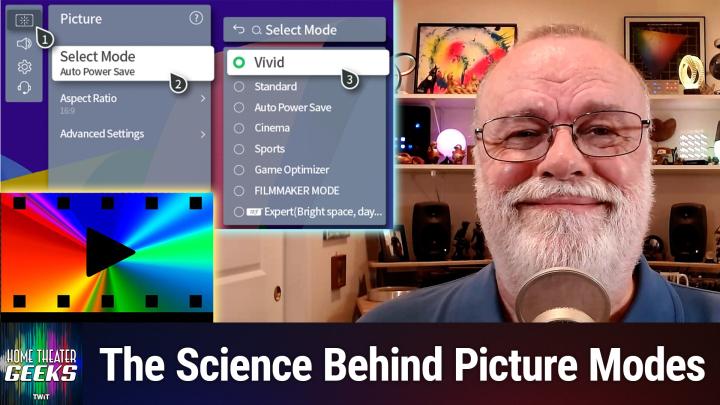
Home Theater Geeks 496 Transcript
Please be advised this transcript is AI-generated and may not be word for word. Time codes refer to the approximate times in the ad-supported version of the show.
00:00 - Scott Wilkinson (Host)
In this episode of Home Theater Geeks, I answer a question from Michael who asks about TV picture modes. So stick around.
00:12 - Leo Laporte (Announcement)
Podcasts you love From people you trust. This is TWIT.
00:28 - Scott Wilkinson (Host)
Hey there, scott Wilkinson. Here the home theater geek. In this episode I answer a question from Michael, who actually sent in an audio file, so check it out.
00:43 - Michael (Caller)
Hey Scott, this is Michael calling from Long Beach, california, spoke to you before in the past and question for you about TV modes you know you've spoken oftentimes about. You know there's different. There's film mode, there's movie mode, there's vivid, there's game, and one of the things that I have seen that I actually do like very much is kind of like a warm film mode and invariably it almost seems kind of like a sepia tone, if that makes sense, a brownish to it, as opposed to like a bright, vivid color. And you know you often say that. You know filmmakers are creating these works, whether it's films or tv, with a certain and I'm just curious, like what, what is behind that? Because it has a very distinct look to it. It is so different than like a vibrant mode where, like, blues and blues pop out. Uh, just curious what your um information is on that and I think it'd be interesting for people to hear. Thank you sir.
01:46 - Scott Wilkinson (Host)
Hey, thanks, mike. Great question. Yeah, this is. You've recognized something really important. I think You're exactly right. Film mode, filmmaker mode, cinema mode movie mode the modes that I recommend from the preset picture modes do appear to have a warmth to them, a slightly reddish or sepia tone, especially when compared to vivid or game mode, and this is mostly due to where something called the white point is located in the CIE diagram. It shifts around in the various picture modes.
02:33
If we take a look at a CIE chart, which is this familiar horseshoe shape, and it has all the different regions of different colors within it. There are three. Basically everything you can combine red, green and blue fills into this chart. Actually, this chart is what, everything the human eye can see, and when you combine red, green and blue you get a triangle within the chart. But that's not what I'm talking about today. What I want you to focus on today is this curved line in the center of the chart, a little bit lower than dead center, called the black body.
03:16
Locus Great name line indicates the color that a particular theoretical object called a black body, the color that it will radiate as it's heated to higher and higher temperatures. Now, in reality, there's no such thing as a perfect black body, but you can pretend there's one for physics and take a look at how it behaves as you heat it up. And as you heat it up, as you might imagine, as you heat something up, it starts to glow. And it might start to glow orange and then get a little yellow and then get whiter, and whiter, and whiter and eventually blue. So that's where the name black body locust comes from, and what it means in this chart is where is white? Where is the point that defines what the TV will reproduce as white? And you can see some of them are lettered A, b, c, d, e and so on. Now, in the vivid or game modes, the white point is near the end, near the left end of this black body locus. It's past the point labeled C and, as you can see, if you take a look there, it's actually into the blue area. Now the white point is basically the canvas on which the TV paints its picture. Then everything that it tries to reproduce, every image it tries to reproduce, is going to have a blue tone to it, or a blue tinge, if you will.
05:23
Now, cinema mode or movie mode or filmmaker mode, is the mode closer to what content creators use when they're making their content, and the white point they use is the one here labeled D. It's called D65. It corresponds to what's called a color temperature of 6500K or kelvins, which corresponds to the temperature that you would need to heat an ideal black body to get that color of white when it glows. The white point of vivid mode is more like 9,000k or more and the black body is starting to glow blue a little bit. But what the content creators use is this D65 point and I always recommend that that's the white point you want your TV to reproduce, so that what you see on the TV or a projector, your video display, TV or a projector, your video display, looks very close, or as close as possible, to what the content creators were looking at when they made the content. Now, as you rightly point out, if you were to compare, if you take an image and you look at it in vivid mode and then you look at it in cinema mode, yes, cinema mode will start to look a little reddish, possibly, or warm. I would prefer to use the term warm, certainly warmer than vivid mode, which looks very cool because it has more of a blue component in it D65 is actually quite neutral, but by comparison it can indeed look slightly reddish.
07:25
Now why do we even have a vivid mode? To our visual system? To the human visual system, anything with a higher color temperature white point appears to be brighter. So if it's bluer it looks brighter, even if the measured brightness is no different than the other modes. This is why TVs in retail stores are usually set to vivid mode. They are placed next to a bunch of other TVs on a big TV wall right, and they're all competing for your eyeballs attention, and so they all want to be as bright as possible. And one way to enhance that is for them to be bluer, to be in vivid mode, to have that white point over into the blue.
08:18
If you put a TV in cinema mode next to a TV in vivid mode and you compare them, the TV in cinema mode will not look as punchy, it will not look as bright, even if they measure the same. It even will look perhaps a bit on the reddish side or sepia side, and that's an unfortunate side effect of retail. All the TVs want to compete with each other, so they all go into vivid mode. In fact, when you first buy a TV, it may very well ask you, the first time you turn it on, is this going to be a store demo or is this going to be in the home? And if you click on store demo, boom, it's going to be in vivid mode because the manufacturer knows they want it to be in vivid mode on the showroom floor. So of course you wouldn't select that when you first buy a TV and bring it home. You would buy using it in the home. Even then it will probably be in what's maybe called the standard picture mode or something like that, and that's still going to be too blue. It's going to be to the left of D65 on that chart and you want it to be as close to D65 as possible to be accurate.
09:40
Now, most people get used to it after a while. Once you pick cinema mode, you might at first say, oh, that's dim and it's red and I don't like it. Some people even keep their TVs in vivid mode because they prefer it. Okay, I'm not going to argue with that. If that's what you like, then go for it, go forth and be happy.
10:01
But I recommend watching the TV, watching the content as the creators intended, and that means cinema mode, which means that means cinema mode, which means less bright and punchy and wowie zowie and more authentic. It's also easier on the eyes. I mean there's been a lot of news lately about, you know, people watching screens especially late at night and having a lot of blue in the image makes it harder to sleep. It also causes more eye strain. So I still recommend people select cinema, movie or filmmaker mode and after a little while not very long at all you will get used to it. You won't see it as sepia or red, you'll see it as accurate and that's why I recommend it.
10:59
So thanks for the question. Now, if you have a question for me, send it right along to htg at twittv and I'll answer as many as I can here on the show. And, as you know, twit has all of its programs available on YouTube for free, but with ads. If you want to go ad-free, join the club, go to twittv. Slash club twit and join today. Until next time, geek out.
11:33 - Leo Laporte (Announcement)
Hey, thanks for tuning in to Twit, your tech hub for intelligent, thoughtful conversations. If you want to take your experience to the next level and support what we do here at TWIT, say goodbye to ads and say hello to Club TWIT. With Club TWIT, you unlock all our shows ad-free. You also get exclusive members-only content. We do a lot of great programming just for the club members. You also get behind-the-scenes access with our TWIT Plus bonus feed and live video streams while we're recording. And don't forget the fantastic members-only Discord. It's where passionate tech fans like you and me hang out, swap ideas and connect directly with all of our hosts. It's my favorite social network. I think you'll like it too. Club Twit, it's not just a subscription. It's how you support what we do and become part of the Twit family. Your membership directly supports the network, helping us stay independent and keep making the shows you love. If you're ready to upgrade your tech podcast experience, head to twittv, slash club twit and join us today. Thanks for being here and I'll see you in the club.
12:49 - Scott Wilkinson (Host)
Oh hey, here we go. Keith's 512. Surely the color changes depending on what color light bulbs you have in your room. So 2700K looks very yellow, that's true If you're watching TV with a light on. Is 5,000K a good choice? That's a great question. I'm sorry I didn't see that before the end of the episode. It's not really related, but I mean it is kind of. But in any event, yes, I in fact the light bulbs in my theater room are D65 white Because, exactly as you say, if you put a normal light bulb in there which is a 2700K or something, that's going to impact, that's going to bias your lights and the color you see on the screen, even if your screen is in filmmaker mode or cinema mode. So in fact, when my lights are on in my theater room they're D65 white. So that's a good question.