Hands-On Tech 248 Transcript
Mikah Sargent [00:00:00]:
Coming up on Hands-On Tech. We're back at it and we kick things off by talking about what you can do to replace a home theater PC. Stay tuned. Hello and welcome to Hands-On Tech, the show where I, Mikah Sargent, take your tech questions and do my doggone best to answer them. Today we are taking a look at a question that comes in from any Andrew who has written in with a following. Andrew asks, would you be so kind as you always are. First of all, that's very sweet of you.
Mikah Sargent [00:00:38]:
What's to recommend in place of an HTPC? For those who don't know, HTPC stands for Home Theater PC. Sometimes my wife and kids want to watch our old home movies, which I have ripped from my DVDs I recorded to ISO file. I don't want to buy or build a PC, but would like some small device that connects directly to my TV or possibly my game console. So first and foremost, really good question. There are a lot of people who have, you know, taken the time to make their media available to them in digital form while also maintaining sort of a physical library. And I think that's an important way of hanging on to the stuff that we should be able to hang on to. Whereas the streaming media of it all sometimes goes, sorry, that's no longer available to you. So totally get the reason to do this.
Mikah Sargent [00:01:30]:
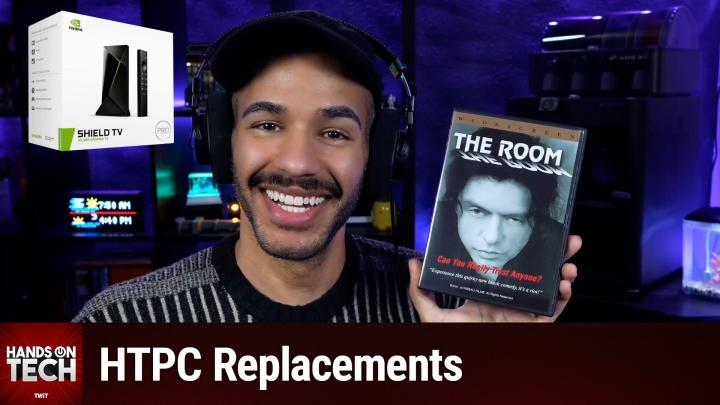
And so when it comes to this, you know, if you're trying to do something instead of having a full on home theater PC, which by the way, I mean, Andrew, I will say the investment that you have put into sort of having a home theater experience in terms of these files means that A, you know what you're doing and B, it may very well be worth it to you in the end to kind of continue down the home theater PC route assuming that you're a Windows person, given that you have not specifically mentioned. There are options available to you there without needing to completely rebuild or build an entire new device. There are many inexpensive options. As far as the on the Mac OS side of things, of course there are many person, many, yes, there are many people who will go and get a Mac Mini and use that as a home theater PC. But let's answer your question. As it is stated, there are quite a few options that you can have whenever it comes to building or buying a full PC. So one thing to understand is that there's a sort of kind of in between option of what would be considered a home theater PC and what would be considered a streaming Media set top box. And it is very popular for the people like you, Andrew, the people who are looking for a device for streaming their media. That's the Nvidia Shield TV Pro.
Mikah Sargent [00:03:15]:
So kind of looking at the specs here, it's a compact Android TV device and what it does is it will work with ISO files specifically and uses an app like Kodi or vlc. Okay. So whenever you plug this in, you can get the Kodi app, you can get the VLC app and then point it to where you have these ISOs and access them. That way you can also have it be part of the device itself. It handles DVD ISOs beautifully. Like it's kind of meant to be this exact thing. So in looking at, I saw the menus, the DVD menus are there. It's literally like a DVD player replacement for your digital media files.
Mikah Sargent [00:04:07]:
Now understand that when it comes to the set top box sort of streaming media area, it is the case that it is pretty pricey. Okay? I mean it depends on kind of where you're, where you're looking. Many of the digital streaming devices that are out there are much more budget friendly. Budget conscious. It's around $200 for the Nvidia Shield TV Pro. That said, it's going to do all the things that you want and in effect is sort of like having an HTPC without needing to kind of build one. If you're looking for something more budget friendly, there are some options available to you. That way you are able to use an Amazon Fire TV Stick, specifically the Amazon Fire TV Stick 4K Max, which, yes, that is the full name of it.
Mikah Sargent [00:05:01]:
Ridiculous. There's also the Amazon Fire TV Cube. These can run Kodi and vlc. Now, VLC runs pretty easily. You're not going to get as good of performance as you would with the Nvidia Shield TV Pro. And I'm seeing some folks in the chat who have said I have used a shield for a long time and really love it. But when we're looking at DVD quality video, not Blu Ray quality video, but DVD quality video, it should do okay. Important to understand that you will need to side load Kodi if you want to use that on the Fire tv.
Mikah Sargent [00:05:41]:
So I've included a link when we'll include a link in the show notes that shows you the process for sideloading Kodi onto the Fire TV specifically. Let's take a quick break so I can tell you about our sponsor. This episode of Hands-On Tech brought to you by NetSuite. Every business out there, all asking the same question how do we actually make AI work for us? And the possibilities are endless. But guessing well, it's too risky. Sitting on the sidelines, however, is also not an option. Because one thing is almost certain, your competitors are already making their move. So no more waiting.
Mikah Sargent [00:06:16]:
With NetSuite by Oracle, you can put AI to work today, NetSuite is the number one AI Cloud ERP. It's trusted by more than 43,000 businesses. It's a unified suite. It's going to bring together your financials, your inventory, your commerce, your hr, your CRM into a single source of truth. That connected data is what makes your AI smarter. So it doesn't just guess, it knows. It intelligently automates routine tasks. It delivers actionable insights.
Mikah Sargent [00:06:45]:
It helps you cut costs and make fast AI powered decisions with confidence. This isn't another bolted on tool. No, it's AI built into the system that runs your business. Whether your company earns millions or even hundreds of millions, NetSuite helps you stay ahead of the pack. Right now, get NetSuite's free business guide: Demystifying AI at netsuite.com/hot. The guide is free to you at netsuite.com/hot. netsuite.com/hot. And we thank NetSuite for sponsoring this week's episode of Hands-On Tech. So again first, these options of a streaming media set top box situation that will provide the necessary components to be able to play back your DVDs. Now you did mention game consoles, you didn't mention which ones, but good news is I can answer for both of them. The Xbox and the PlayStation both do not natively support ISO playback and unfortunately the built in media player options are also limited.
Mikah Sargent [00:07:52]:
So being able to kind of stream media that way is a little bit limited. That said, if you have network attached storage or that older HTPC lying around, you could run a Plex or a jellyfin server on those devices and I'll explain a little bit more about that in a moment and then use that to be able to show your content on the Xbox or the PlayStation, because it can point to that server and be able to access that stuff. But with Plex and Jellyfin you are setting up basically a local server that has your DVD files on it and it will automatically or depending on how you set it up, you know, manually transcode the content that you have, your DVD isos and then use that to serve up the content to your PlayStation. So it's almost if I think that you're probably, you know, somewhat sophisticated given the question that you're asking. But for people who might be listening to this episode and wondering a little bit more, it's almost like having a local Netflix. Okay, so you are able to browse through your different videos and be able to click and watch them as you want to. So you can do it with gaming consoles. It's a little more complicated and does require still some sort of HTPC slash network attached storage option.
Mikah Sargent [00:09:23]:
Of course, if you've got network attached storage, where those ISOs are actually being stored right now, if they're not just being stored on a local machine, that's not working as network attached storage, get Kodi running on that thing because it will be able to then let you access those ISOs and browse through and look at those as well. Somebody also mentioned in the chat this is a potential idea. If you go ahead and transcode those files, you can put them on a little flash drive, a USB flash drive, plug it in the back of the TV and then watch things that way. It's important to understand that of course then it's not networked, you won't have access to it across everything. But that is one way of doing it. Ultimately, when it comes to what I would suggest for you specifically, Andrew, everyone who exists in this space that you're talking about, the space of like I am building a home theater library and I want to make sure that I can access everything and that it looks good and that it plays well. The Nvidia Shield TV Pro seems to be the option. Kodi works wonderfully with it.
Mikah Sargent [00:10:48]:
It's basically an HTPC without needing to have one because it's kind of small. It connects to your TV via hdmi. So very easy to do there. And then specifically, the thing that kind of stood out to me is the way that it handles DVD menus. I mean, it is meant to do this specifically. That's, that's, that's what this was built for. So I think that that's going to be your best bet. It is a little bit of an investment.
Mikah Sargent [00:11:18]:
I'm sad to be answering this question after the start of the new year. So, you know, those wonderful little end of the year discounts are over, but perhaps, you know, you'll find it on some sort of sale if you aren't wanting to pick it up at full price. But I think that that is going to be the best thing that you can do if you are. If you're looking for a replacement for an HTPC. Andrew, thank you so much for writing in with your question. If you out there tuning in have questions for me, you can reach out. I'd love to hear from you. hot@twit.tv is how you get in touch.
Mikah Sargent [00:11:57]:
It's always great to not only hear from folks who have questions, but folks who are following up with other episodes and have answers to things. If you are ever listening and you go, oh I know exactly what this person needs to do, always feel free to write in love to pop those into future episodes when the opportunity presents itself. So be sure to get in touch there. I also want to mention as we kick off this new year and continue into 2026, you know it's very important that we continue to bring you the shows that we love to bring to you and the shows that we hope you enjoy seeing yourself. And the way that we're able to do that and is through the help of Club Twit, twit.tv/clubtwit. That's where you go to sign up. When you join the club, you will gain access to some pretty awesome benefits. All of our shows are ad free.
Mikah Sargent [00:12:50]:
There you also gain access to our members only Discord Server, a fun place to go to chat with your fellow Club Twit members and those of us here at TWiT. As well as access to many special feeds. There's a feed for kind of behind the scenes stuff before the show, after the show there's also a feed for our live coverage of tech news events and a feed that has our special Club Twit shows like My Crafting Corner, the recent D and D campaign adventure that I ran, and so much more. So be sure to check it out. twit.tv/clubtwit. I also want to mention as we are coming up at the start of the year, it's time for our survey. Yes, that's right. If you have yet to fill it out, hop on board and fill out the survey: twit.tv/survey26.
Mikah Sargent [00:13:44]:
We'd love to hear from you there as well. Thank you so much for tuning into this week's episode of Hands-On Tech. I'll catch you again next week for another episode. Bye bye.