Hands-On Tech 242 Transcript
Please be advised this transcript is AI-generated and may not be word for word. Time codes refer to the approximate times in the ad-supported version of the show.
Mikah Sargent [00:00:00]:
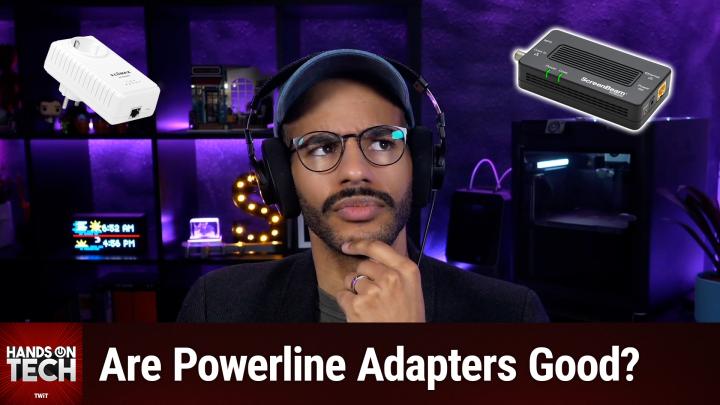
Coming up on Hands-On Tech. Let's do it. Let's talk about the pros and cons of powerline networking. Stay tuned. Hello and welcome to Hands-On Tech, the show where I, Mikah Sargent, take your tech questions and answer them. What a novel idea. I am here today to talk to you about something near and so not dear to my heart.
Mikah Sargent [00:00:31]:
It's all about power line networking. This question comes in from Lance, who writes what are the pros and cons of using Powerline Ethernet adapters? So let's first talk about Powerline Ethernet adapters. If you haven't heard of them. When someone is looking at different ways to kind of extend their Internet connection in their home, their network within their home, many people who have wireless routers, right, will turn to a router extender or router repeater. And these are devices that you'll be familiar with as something that you plug into the wall somewhere and it'll have one or two antenna on it. And it essentially is taking the WI FI signal that you, that your router is putting out, grabbing it and then extending it to another part of the house. It can do that wirelessly. Some of them have a little ethernet cord on the side, a little port on the side, and so you can run your main WI FI router.
Mikah Sargent [00:01:39]:
The router itself, you can run from the back of it or the front of it, wherever your ports are, a cord to that extender and then that can serve as a, a further kind of WI FI access point in the home. It's equivalent to an access point, right? Some people aren't able to do that for different reasons. And so they need to turn to a different technology for being able to extend the networking in their home. And something that's been around for a while is Powerline network adapters. This interestingly, and I think cleverly uses the existing wiring in your home, the actual power wiring, the, the, you know, Romex or whatever it happens to be your primary cabling in your home to send a signal from one area to another. Very clever, right? That you can take what almost every home, probably everyone I'm talking to, can take from one room and put to another room because you've got a plug in your wall and you've got a plug in your wall in the other room, right? So pretty clever idea that I plug in this little thing into a standard US plug, I plug in my Ethernet and then it plugs, sends it through my, my in wall electric cabling to that other adapter and then sends A signal through to that room. But here's the problem. Here is why I do everything in my power ha to recommend against and to sway people from using power line networking.
Mikah Sargent [00:03:40]:
While the technology has improved over time, I feel that it is. It's okay. I'm trying to think of what is almost a snake, but not a snake. It's worm oil salesman. It's not quite a snake oil salesman, but it's definitely a worm oil salesman. Meaning that while it does work, it works so much less reliably than what one would want or so much less powerfully or capably than one would want that I don't think it's worth the investment. First and foremost from my own research and then also anecdotally and then also from. Well, I guess it's also anecdotal to, to see reviews.
Mikah Sargent [00:04:30]:
We're looking at 20 to 40% less speed than the advertised rates of speed in all of these. So the device will tell you it can do, you know, x amount of speed. And then you come to find out, oh, no, not in my home. And then there are all these stipulations. Well, yes, of course not in your home because your home has this problem and this problem and this problem. So that's one of the things I have a lot more negatives to say though. And so I want to start with some of the pros of this technology because you did ask about pros and cons and we'll start out a little bit more positive before I get into all of the negatives that I have about it. First and foremost, plug and play, right? You connect your adapters to the outlets and you connect your Internet to the adapters.
Mikah Sargent [00:05:21]:
And ostensibly then you have connection that's much easier than some other technologies that may require you to sort of like walk around the house, make sure you're putting it in the right place, make sure it's not up against the wall, make sure it's not that. Not having to do a bunch of configuration, not having to set up routing tables and all sorts of stuff. It's just in almost every case, just auto pairing, auto taking care of all of that, right? No drilling holes or running cables through walls. That's nice. If you live in a rental, that's especially great. And then in almost every case, it's going to work with your router or your modem, whatever it happens to be, because it's just like extending the ca. It's like plugging in a new cable. It's not adding extra, extra smarts onto the Network or anything like that.
Mikah Sargent [00:06:12]:
It also means that it can reach areas that WI fi can't. If you have a basement that is very much concreted in and you can't get wifi signal into it, this can take care of that. If you have a garage that's pretty far from the home, but you have electric running from the home to the garage, it can help with that. That's great as well. You don't have then signal degradation because you're not working with WI fi in that case. And it does mean that the connection is going to be consistent even if it's. Well that's not even true though. The connections consistency will not be affected by the building materials.
Mikah Sargent [00:06:56]:
So it's not as if, oh, if I put this wifi extender in this room, everything works fine. But if I put it in this room that was part of the original build of the house, it doesn't work work fine because it's got plaster walls with chicken wire inside. And also because of how far electrical cabling can go. It also means that you're going to get that level of connectivity between two points, right? It also in some cases has lower latency than you will get from WI fi as it is a direct connection between two points. You don't have to worry about sharing bandwidth and other frequency interruptions because again, it's wired in theory. This is where I was talking before says that AV2, which is like a very new form of power line networking, is able to in theory achieve speeds of 1 to 2 gigabits per second. And again, if you're living in an apartment or somewhere else where there lots of other WI fi routers in the area, this can be a great way to kind of avoid the interference that you would get from there. And then of course when it comes to security, you can know that it would require like direct access to these cables or the adapters as opposed to if you're setting up different wireless signals that then could be intercepted.
Mikah Sargent [00:08:32]:
And you can tell I'm like digging at the bottom of the barrel to try to find pros, right? Are you ready to grow in 2026? Let me tell you why advertising on Twit is the way to make that happen.
I'm Mikah Sargent, I'm the host of Tech News Weekly and several other shows on the network. And if you've ever listened to our shows, then you know what makes what we do different. It's trust. When we introduce a new partner on the show, the audience knows we believe in what they offer because we're only taking on partners that will actually benefit our audience. And they know that when I'm waxing ecstatic about your product or service, I'm doing so with authenticity. Some other reasons why you should join the network? It's all about the numbers. 88%.
Mikah Sargent [00:09:13]:
That's the number of listeners who've made a purchase based on a twit ad. 90%. Those are the people who are involved in their company's tech and IT decisions. Oh, and by the way, 99% is the number of people who listen to most or all of the episode. Every host read ad we offer is authentic. It's unique, it's embedded permanently. So that means that your brand is going to get exposure even after your campaign concludes. Because yes, our nerds, our listeners, our viewers, they go back and check out the stuff we've done in the past.
Mikah Sargent [00:09:47]:
Every ad is simulcast across our social platforms. It's always available in both audio and video formats. So if you want your brand woven into conversations with tech experts and the world's most tech savvy audience, I mean, where else are you going to turn except right here at TWIT? So let's make 2026 your most substantial reach yet. Get in touch with us, email partner@twit.tv or visit twit.tv/advertise.
But here are the cons. Let me just stretch to get ready for this. So first and foremost, something that I think they don't do enough to tell you because you know on the the outside of the package they're trying to say, hey, this is going to be great for your home. It's gonna be awesome.
Mikah Sargent [00:10:33]:
You gotta make sure that the two places that you're connecting are on the same electrical panel. So if they're not, then you're not gonna get a good connection. If they're not on the same circuit, it's gonna be, you're going to have issues with the the connection as well. Circuit breakers themselves, certain GFCI or afci. So ground fault circuit interrupting outlets can block the signal in some cases can degrade the signal. So you can imagine that you're in the home and for some reason your GFCI outlet gets triggered and it breaks the circuit. And what was once working is now not working. And that wouldn't have been an issue if you weren't using power line networking.
Mikah Sargent [00:11:19]:
It also is going to depend on the quality of the wiring in your home and the age of the wiring in your home. The older or more poorly wired or incorrectly wired, the more chances there are for that Signal and that performance to be bad. And then something else to bear in mind is that you can't obviously. So some people don't have a whole lot of plugs in their home. I remember growing up, we did not in my room there was one plug and so we had to plug in a really long surge protector so that I could have, you know, power for the different things that I used. A lot of people don't have a lot of plugs in their home. So then they want to use like a surge protector or a power outlet of some sort. And the problem with that is they don't work across surge protectors and UPS units.
Mikah Sargent [00:12:12]:
They're in many cases going to block the signal. You have to plug it directly, directly into the wall. Then there are all of these limitations as well. Again, 20 to 40% difference from what I've seen of the advertised rates. So that 1 to 2 gigabits per second incredibly theoretical. Also, electrical noise will degrade performance. So if you have any sorts of motors that are connected to power, so you're running a vacuum cleaner on the circuit and then that's causing issues dimmers. So if you've got some lights in your ceiling or fans, overhead fans on the circuit, anything like that, degrading the signal immediately.
Mikah Sargent [00:12:58]:
Also chargers can degrade the signal depending on the voltage and everything else. I'm not voltage, current or this and that, that can, can have an impact on it as well. And also, even though it does mean that you can get signal across a longer span of electrical wiring, the farther away the other outlet, the more the speed is decreased. So it does affect the capability of the networking between those two points, depending on how long one outlet is from another. And then of course depending on how many adapters you have running on your power line adapters you have running in your home, that's also going to impact the ability, the bandwidth in particular. Also a lot of people have to remember because again, surge protector in the way suddenly you're not getting signal, it's going to occupy a wall outlet. And if you're sure, you might be the techie person in the home, but I certainly know as someone who lives with a person who's not incredibly techy, I have a wall wart on the wall and they're going, why is that there? Why can't I plug this in? What's going on? How come that has to be there? Et cetera, et cetera, et cetera, that's not great. And there are some that do have pass through plugs.
Mikah Sargent [00:14:26]:
But again If I pass, if I have a pass through plug and the person needs to run the vacuum cleaner, so they're plugging in the vacuum to that spot and then that's sending disruptions to this. Oh, also it is, it's often the case that these are more expensive than just getting WI FI extenders. So a lot of times they're more pricey than that. They can overheat over time, more so than other electronic components. And of course, when it comes to this, you have to, depending on how you have it set up, it's not going to provide what a WI FI extender could do, which is providing networking throughout the home. Right. You are specifically, you know, plugging something into it. I should also mention that there is some question of compatibility.
Mikah Sargent [00:15:17]:
From what I was reading, depending on whether you're using the home plug power line standard, the AV power line standard or the AV2 power line standard, that can cause some issues with interoperability. So you'd want to go all in on one of them. It is also the case that if your home uses, which I don't know, I'm not sure about the concern involved with this, but I don't know all of the building codes across all of the United States and certainly not across the entire world, which is aluminum wiring and other forms of wiring outside of copper wiring, will have an issue when it comes to properly being able to send signal over and then if so a lot of times when it comes to apartments and condos, there are fire code requirements for certain types of isolation, electrical isolation that you wouldn't get in a sort of standalone family home. And that can also be an issue. So really I think that when you're buying a Powerline network adapter, in the back of the package there should be this sort of bible sized book that has all of the caveats that come with Powerline adapter. And if they want to, they could call me and I could just record a video that's included with every single one. Just send them this and then you don't have to worry about it. Then you've got it all covered.
Mikah Sargent [00:16:53]:
There's just a lot there when it comes to Powerline adapting adapter technology. That said, if it's the one way that you're able to achieve what you're after, by all means use it. You know, it's better than not having the connectivity in that room in many cases. Some people would argue that the frustration that they might have and therefore the cortisol levels that are in their body that therefore take you know, minutes off of your life start to add up over time. And so you're actually just taking hours off of your life by having power line adapter technology in your home because it's so frustrating and doesn't work exactly as you expect. So it's always, you know, it's a give and a take for sure. So be my guest and use it if you'd like. I will recommend again, coming from the privileged position of always living in homes that had this as an option, which was Mocha, which is essentially an adapter technology that uses the existing cabling in your home.
Mikah Sargent [00:17:56]:
So many homes throughout the US Would have at some point had. Would have had cable installed. And so there's coaxial cable throughout their home. And you'd have like a coaxial cable in the living room or coaxial port in the living room that runs to a different room. When I lived in, in California, I had a network or a coaxial cable that came in for cable that led to every single one of the rooms. Of the house. House, yeah, of the house, of the apartment. And that was great because I was able to take that and use it with Mocha.
Mikah Sargent [00:18:39]:
And so what Mocha does is that it has a way to turn that coaxial connection into a means of connecting Ethernet from one place to another. Okay, so if you have coaxial cable in your home, you may not know it as coaxial. It's that silver screw on your wall, right, that has a little hole in the middle and it plugs in and screws on. It's your cable, cable that can be used to provide Ethernet connectivity throughout the home. And by the nature of coaxial cable, which is really well insulated, is meant to send signal over long distances, is. Is sending like really clean signal in many cases, and most importantly, can be amplified within the home if you need to. So by its very nature, it is so much better than Powerline, then it is a great option for you. And Mocha has many of the benefits that I talked about with Powerline as well, talking about, you know, lower latency, being able to reach different areas that you may not otherwise.
Mikah Sargent [00:19:57]:
I was able to use that in my home. And a lot of people I know in the club, Twit, Discord, make use of that as well. And yes, many cable box will use Mocha as part of its own setup. And so you may need to get a mocha filter depending on what kind of situation you have going. Because for me, in a townhome, technically, the way that the cabling worked. It can connect to multiple homes and so you want to make sure that it's only specific to you. So it kind of like cuts the mocha signal coming in from outside of the home and then from there you can set up your mocha within the home. So yes, again, perhaps I have, I have been privileged to have lived in places where the homes that I was living in renting were set up for cable.
Mikah Sargent [00:20:49]:
And so MOCA was a possibility for me or the homes were newer enough that they did not have chicken wire in the walls or what have you. And so then the WI fi was enough. If you're living in a place where those technologies are not possible, that's the only time where I'm going to suggest power line networking. In every other case I just recommend against it. I have, I would love to be convinced otherwise. I have yet to be convinced otherwise that this is a technology worth investing in at this point. Again, except as a last resort. So that is my answer to you, Lance, who sent a very simple question with with a really long answer.
Mikah Sargent [00:21:40]:
Now we'll take a quick break so I can tell you about Club Twit and then we'll come back with some follow up.
Let's take a moment here so I can tell you about Club Twit at twit.tv/clubtwit. When you head to Twit TV Club Twit, you out there can join our club. It is $10 a month, $120 a year. When you join the club, you gain access to some pretty awesome benefits ad, free content. It's just the shows, none of the ads, because you in effect are the support of the show. So we give you special custom feeds that are just yours and yours alone that you are able to listen to all of our shows with no ads. You also gain access to our special club feeds.
Mikah Sargent [00:22:23]:
So these feeds include bits and clips. These are behind the scenes, before the show, after the show, bits that are, you know, exciting, interesting, hilarious, what have you. There's also a feed for our coverage of tech news events. So Leo and myself covering Apple's recent event, we have live commentary of all sorts of stuff as it comes up the Made by Google event and many more throughout the year. And then you also gain access to another special feed that has our Club Twit shows like Mikah's Crafting Corner, that's my crafting show as well as Stacy's Book Club, the D&D adventure that we kicked off last month, mid last month, late last month, and so much more. So when you join the club, you're going to get access to a huge back catalog of great stuff that you have not seen yet. So that's always a fun time. And then you also gain access to our Discord server, a fun place to go to chat with your fellow Club Twit members and those of us here at twit.
Mikah Sargent [00:23:28]:
So if all of that sounds good to you, well, join the Club: twit.tv/clubtwit is where you go. We kick things off with a two week free trial. We've got some promos running right now as well. So now's the time to head to twit.tv/clubtwit and check it out. And we would love to have you as a member. So thank you very much.
All right, we are back from the break and we've got follow up from Charles who is writing in about an episode that I recorded, I believe last month.
Mikah Sargent [00:23:56]:
It doesn't matter. It was an episode talking about recycling E waste and in it I gave some suggestions for how people can get rid of their E waste or in some cases undo the waste tag on it and keep it, keep using it. So this is what Charles had to say. 1. Before you and Lee, there are three, three different things that Charles said. One, before you and Leo steered me in the right direction for using Linux, I hired Shreddit, which is a service to bring a truck to my house to shred some drives whose waste they responsibly recycle. This option is pricey but well worth the peace of mind. So they basically come to you and show you, look, we're shredding this.
Mikah Sargent [00:24:35]:
It's these drives are being destroyed and you don't have to worry about it because we'll also take it away afterward. Like you mentioned on the show, this option goes along with the do it yourself option for destroying the drive with the added benefits of the responsible electronics disposal option. Second point, looking for local recycling options is key. I mentioned that in the episode in many smaller localities, electronic recycling options may be limited, if they even exist at all. In my case, this is Charles's case. Being in a larger locality helps me out. That has certainly been my experience Here in Portland there are five or six different electronics recycling options and three or four of them are completely free. I remember there when we moved, I had a television that we moved with and I put it back in the I always with TVs always save the original box.
Mikah Sargent [00:25:25]:
I always say the original box. Put it if I have the space. Again, coming from a privileged position of having the space somewhere to put it. If you have the space, save your TV box because it's a great way to move your tv. Or at least I thought because when we pulled it out of the box and plugged it in, TV broken, the screen just ruined. So had to get a new TV to replace that TV and wanted to get rid of the old TV and do so responsibly. And I remember driving up and saying, oh you know, I've got this. And they just took it and I was like, okay, what do I owe? No, nothing.
Mikah Sargent [00:26:01]:
So sometimes you'll be surprised that where I thought I had done the research that suggested that I would need to pay some sort of disposal fee didn't need to so let me go back to Charles. Charles says in my case, being in larger locality helps me out. Fortunately, the landfill for the city of Virginia beach free for residents with unlimited access during normal business hours. That's awesome. Was not the case for me in different places I've lived has a healthy hazardous waste recycling section that takes in electronics and when Charles wrote this email, Charles said I was there today for that reason. Then number three, if the computer is still usable, install Linux. I think I just talked about that a couple of episodes ago. My Toshiba satellite was grinding under Windows 10, yet works well with Linux.
Mikah Sargent [00:26:44]:
Now with the push that you and Leo gave me, the satellite has a second life. I wish I had known how easy it was to install Linux when we still had the 2011 iMac which we took to an Apple store for recycling. Of course, I have the benefit today of the AI chatbots which is a lifesaver for installing Linux. So thank you Charles for your follow up. Really appreciate it. I also want to read something from Wizardling, who writes regarding the upcoming E Waste question, which is follow up from Charles. Wizardling says Linux is indeed a great way to make old computers useful again. But I caution against anyone thinking they'll get a good web browser experience with very old hardware.
Mikah Sargent [00:27:22]:
No matter the os, a slow CPU is still a slow cpu. A tiny amount of RAM by today's standards is still a tiny amount of ram. Remember my little well, I guess that was the last episode of the show, but if you listen to the last episode, you would have heard my whole thing about having Safari on an Apple TV and how browsers are far more powerful than people realize. Again, the browser experience can be pretty crummy on devices that aren't capable of rendering all the stuff that needs to be rendered and loaded and thought about. But Wizardling goes on to say, but I do love the idea of putting Linux Mint or Zorin OS or the like on an old computer no longer supported by Windows and saving it from ending up as e waste. You just gotta be realistic about what the hardware can handle. Well put, Wizardling. I agree.
Mikah Sargent [00:28:12]:
In any case, I want to thank you all so much for tuning in to this week's episode of Hands on Tech. I appreciate you for being here, appreciate you for checking out the show, appreciate you for sharing the show with other people, and of course, for coming back next week where I'll have another episode for you. Don't forget, email me hot@twit.tv. Bye Bye.