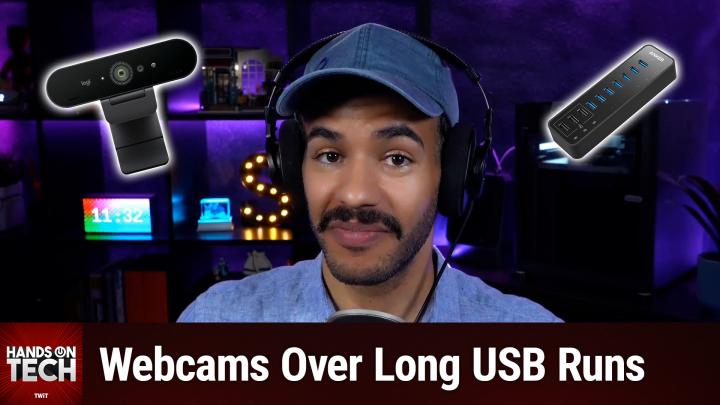
Hands-On Tech 233 Transcript
Please be advised this transcript is AI-generated and may not be word for word. Time codes refer to the approximate times in the ad-supported version of the show.
Mikah Sargent [00:00:00]:
Coming up on Hands On Tech, let's take a look at how we can use a webcam when our computer is rather far away. Stay tuned. Hello and welcome to Hands On Tech. I am Mikah Sargent and today I am answering your tech questions. Yes, it is time to look through the grab bag, the mail bag, whatever you want to call it, the virtual bag and find a question. I'm reaching in and this week I've pulled out. Oh my goodness, it's a scroll from Rich.
Mikah Sargent [00:00:40]:
Rich has written in with the following I have a webcam problem that I'm hoping you can help me with. I'm an audiobook narrator and I have a recording booth set up in a room in my house that also serves as my office. About six months ago I replaced my 2018 Mac mini with a 2025 model. My magic trackpad is connected via Bluetooth. My Logitech wireless keyboard is connected via USB dongle, though previously directly into the 2018 Mini. Now using a USB to Thunderbolt Adapter since the 2025 has no USB A ports and an HDMI splitter that drives both the monitor on my desk as well as the monitor in my booth via a long HDMI extension cable. When I want to move from my desk to the booth, I just grab my keyboard and trackpad and I'm good to go. I also have a Logitech 720p USB webcam.
Mikah Sargent [00:01:29]:
Because of layout of the room, the Mini is more than 15ft as the cable runs from the monitor in the booth, so I have a powered USB cable. When I'd use the webcam on my desk, I'd plug it directly into the Mini and when I use it in the booth I'd plug it into the extension cable. I've used the webcam on my desk, plugged directly into the new Mini using a USB to Thunderbolt adapter, and it's worked fine. I recently tried using the webcam in the booth for the first time since upgrading to the Mini, and because the 2025 Mini has no USB A port, I plugged the powered USB cable into a USB to Thunderbolt adapter, but the webcam didn't work. I also got a notification stating USB Accessories disabled Unplug the accessory using too much power to re enable USB devices. After some basic googling, it seems like the maximum run for a Thunderbolt cable is even less than for a USB cable. But the only thing I can find that's comparable to a powered USB cable for longer runs is a fiber optic Thunderbolt cable, which is outrageously expensive, far more than I want to pay for something that's very useful, but only rarely. So what are my options here? Is there some specific type of powered USB extension that would work here? Is it possible to run 15ft to 20ft of Thunderbolt cable without using fiber optic? Is there some other way to get a webcam in the booth? Thanks for any insight you can provide.
Mikah Sargent [00:02:52]:
Love this question, Rich. We're going to start before we get into some of the suggestions I have with a little bit of an understanding. The term Thunderbolt, it appears, has confused people over time because when they see Thunderbolt, they think that it means one must use a Thunderbolt cable in order to make use of the port. Thunderbolt is sort of added magic on top of usb. Okay? And so given that that's the case, one should not assume that one must use a Thunderbolt cable in a Thunderbolt port, because you can actually use a standard USB C cable in a Thunderbolt port. In fact, I have. It's not nearby because I was just using it the other day, a really long cable that I bought from Apple. Beautiful braided and not incredibly expensive because it was just USB C.
Mikah Sargent [00:03:59]:
And I plug that into Thunderbolt ports all day, every day. It is regularly used in that spot. So when you are looking for a cable, Rich, and you are limiting yourself to just Thunderbolt cables because you feel that that's the only thing that can plug into the ports on the mini. That is a misconception. USB C, which is, which refers to the shape of the cable or excuse me, of the port. And the plug is possible in something that is termed as a Thunderbolt port. Okay? Now you of course won't get all of the power that Thunderbolt provides if you're using a USB C cable that's non Thunderbolt there, you can think of it as like lowest common denominator. It will support everything down here, but you need more if you want to do more.
Mikah Sargent [00:04:59]:
But it's still going to support everything down here. And so oftentimes the cool thing is too that the cables themselves are able to be used in systems where it's USB C. So I regularly have. I've got one right here, a Belkin Thunderbolt cable that I use. This is a Thunderbolt 3 cable and this sits on my desk because I use it as a USB C cable all the time. The reason why is because I know that given that it's Thunderbolt 3 and it's from Belkin, I know that it supports up to 100 watts of power delivery. So that means I can charge almost anything. Any kind of bigger device that I have, for example, went on a recent camping trip and had this Anker power bank.
Mikah Sargent [00:05:52]:
And plugging this in with my Thunderbolt 3 cable into a device that I have that charges stuff, I was able to get the quickest charge possible. So all of these can kind of be used, you know, back and forth without so much concern over the fact that it's Thunderbolt. The only thing is, if you're expecting Thunderbolt magic, then of course you need to be using a Thunderbolt cable. So now that we've got that out of the way, let's talk about this a little bit more. Here's what I think you should do. And I think this is going to be the solution that's going to take care of everything. You should get a powered USB3 hub. That much like.
Mikah Sargent [00:06:38]:
Remember if you tune into my last episode I talked about KVM and Heath had mentioned using a powered USB hub. This is actually the thing that you need to do too. What you'll do is in your booth, the booth that's 15ft away or whatever, you're going to get a powered USB hub. What does that mean? Again? A powered USB hub is one that plugs into the wall. So I've linked this one from TP Link. It's under $30 and it has multiple USB A ports, many of them USB 3. So it's faster speeds and it's powered. So what you can do is plug this into the wall, plug your Logitech into it, and then run that cable that you got from your Mac all the way through to the booth.
Mikah Sargent [00:07:37]:
And so then it doesn't need to be powered on the other end because the power is being provided right there next to your webcam. Now here's the other thing. I found this interesting and I am curious. I noticed that you say in your question that you use a. Now using a USB to Thunderbolt Adapter. Since the 2025 has no USB ports, meaning USB A ports. Then you say it again somewhere. Oh, I plugged the powered USB cable into a USB to Thunderbolt adapter.
Mikah Sargent [00:08:17]:
I am curious what brand of USB to Thunderbolt adapter you're using. Is it the one from Apple or is it a third party version? Because depending on the adapter, that can also make a difference. Some of them are able to pass along power and some of them are not. So you were plugging in a. You were trying to plug in a powered cable. And when it's trying to pull that power. There may be some confusion that's going on there. Depending on what you're using.
Mikah Sargent [00:08:57]:
You call it a USB to Thunderbolt adapter, but I don't know that that's actually what it is. I would imagine it's probably a USB C to USB adapter, which is technically USB C to USB A. And so you having USB C which is shaped like the Thunderbolt, because again, Thunderbolt's just a special magical flavor of USB C. You plug that in. On the other side is your standard USB A port, the sort of rectangular one, and you're plugging in your powered cable. And then that powered cable is trying to pull juice, but it can't pull juice properly from the Mac Mini. And then it's trying to pass that along to the camera that is also trying to pull, and it's not able to do that. So that could be one of the issues that you're experiencing here.
Mikah Sargent [00:09:49]:
Which again is why I think that the powered USB hub is going to be your best bet. You have that powered USB hub that doesn't need to pull power from your Mac Mini. It's just sending data back and forth and that should take care of it. There are no power delivery issues because the webcam is powered right there next to you. And again, that USB extension cable that you're going to use, make sure it's a high quality one. I recommend Cable Matters products. Again, it does not need to be active, it can be passive. I did link to an active option because there is a possibility that the I don't know what powered cable you're using, some of them have different power delivery options and that can make a difference when it comes to what it's sending along.
Mikah Sargent [00:10:38]:
I know that this Cable Matters version absolutely is an active cable specifically for webcams. So anytime I love an opportunity to help people, help me help them. Anytime you're writing in with a question, always great to include when you're talking about specific things that you're using, what they are, if you can. If you can tell me what kind of cable it is, what the brand is, any little bit of information that can be very helpful to be able to kind of narrow in on your problem. I really do think that the powered USB hub is going to be the answer that you need. However, I will say if you want something more powerful but pricey, you could get a Thunderbolt 4 dock that is kind of going as part of the experience. What you can do is then run Thunderbolt 4 to your from from where your machine is to the closet. And it doesn't need to be a fiber optic version because in this case it's.
Mikah Sargent [00:11:53]:
It's going to be able to power it that way. So if you want to go all in on Thunderbolt, that's an option. I really think option one, just try a powered USB hub. That's great too, because if you needed to, you could plug in. For example, maybe you want a little desk light, a little USB powered desk light as you're reading the book, right? Or I don't know, if you're viewing it on a screen or whatever, or if you are viewing it on a screen and you want to have your notes there and you take your notes on an iPad, then you can keep your iPad plugged in. Any of these options are available to you when you've got USB right there that you can plug into. So USB hub again is going to be my main option. The last thing I would mention is you could consider.
Mikah Sargent [00:12:36]:
That's funny, Dustin. This is my last suggestion. Dustin in the chat has mentioned my option 4, which is continuity camera. So continuity camera is if you've got an iPhone, is a newer option available to people who are well within the Apple ecosystem, an iPhone and a Mac, in which case you are able to use your iPhone as the webcam for your Mac. Now here is what I recommend to you. Take your iPhone and we'll link in the show notes how the whole setup process. I'm not going to go into the whole setup process here, but take your iPhone, go up to your Mac, get it set up there, and then because this works wirelessly, so it's like a wifi system, take your phone and walk all the way to where you want to have it in your little studio booth and see if it works. Because you are required to be within a certain distance of your Mac in order to make use of this functionality.
Mikah Sargent [00:13:43]:
All signs point to that being 30ft or closer. But it can sometimes be finicky based on whether it's able to maintain a Bluetooth connection and a direct WI fi connection. So that can sometimes mess things up. So just give it a shot and don't try to connect your phone as a webcam with it in the booth and your Mac where it is, do it when they're next to each other and then take your phone and walk away with it and see if that works for you. So if the powered USB hub is not the solution, then secondarily is why I recommend going with continuity camera. And then the solution after that would be making sure that the powered USB cable that you have is truly an active USB cable and a good brand. Again, I get almost all of my cables from Cable Matters, save for Thunderbolt cables, which I always get from Belkin or Apple. But those are some suggestions for you.
Mikah Sargent [00:14:53]:
Love this question, Rich. I'd love if you wrote back with a couple of books that you have voiced. It's something I've always wanted to do, so I always think it's super cool when I hear about people who've done audiobooks. Just such a neat thing and an opportunity to use voices or something. I think that'd be fun too. All right, we'll be back to the show in just a moment, but I want to remind you about Club Twit at twit.tv/clubtwit. When you join the club, it is a great experience because for just $10 a month, $120 a year, you can be part of the fun. First and foremost, you get every single one of our shows ad free.
Mikah Sargent [00:15:33]:
Just the content. Something that I think super cool, maybe it's a little cheesy, but I think it's neat is when you subscribe to those ad free feeds you will see that each of them is labeled just for you. It literally says your name right there in the feed so you know it's yours and also you know so you don't share it with anyone else, which you wouldn't do, right? You also gain access. On top of all of that ad free content, you get access to our feeds, the special Twit plus feeds that are only available to you as a member. You can check out our news events. That's where you'll see commentary. Live commentary from hosts that includes our recent coverage or once coverage of the Made by Google event with Leo Laporte and yours truly. We've also covered the Apple event.
Mikah Sargent [00:16:19]:
We do every Apple event that comes around. All of that is just for club members for many reasons, but one of those is so you can get catch that later on and access to the third feed that has our Twit stuff. Those are behind the scenes moments before the show, after the show and our wonderful club exclusive shows like the Wonderful those events that take place like book club. We've also got Mikah's crafting corner, we've got occasional coffee time, photo time with Chris Marquardt and I am working on a Dungeons and Dragons campaign which is very very exciting as well. If all that sounds good to you, you should join the club if you would like to hang out with us as well. You as a member of Club Twit will get a key to the Club Twit Discord. That's a fun place to go to chat with your fellow Club Twit members and those of us here at TWiT. It's a wonderful fun time where we've got people posting GIFs all the time, sharing what's going on with them.
Mikah Sargent [00:17:23]:
There's a 3D printing channel where I've hung out to talk about what's going on with my 3D printer and stuff that I've been working on. All so much fun. All available to you as a member of Club Twit. And if all that sounds good, I should mention it starts with a two week free trial. So head to twit.tv/clubtwit to sign up. I look forward to seeing you in the welcome section of the Discord when you join. We've got lots of wonderful people joining all the time, scrolling through going, ooh, hey look, there's a new person. Oh wait, 15 new people joined.
Mikah Sargent [00:17:56]:
Oh, that's awesome. So I can't wait to see your wonderful faces there in the Discord and we'll see you soon. Twit tv Club Twit. Let's head back to the show. So thank you Rich, for writing in. And to those of you out there who have questions yourself, you can always reach me. hot@twit.v. That is where you go to get in touch.
Mikah Sargent [00:18:21]:
And I will be back next week with another episode of Hands On Tech. Until then, goodbye.
TWiT.tv [00:18:29]:
Get tech news at your pace with twit.tv's perfect pair of shows for quick, focused insights. Tech News Weekly brings you essential interviews with the journalists breaking today's biggest stories. But maybe you need more. That's why I'm here. Dive deep with me on this Week in Tech. Your first podcast of the week and the last word in tech industry insiders dissect everything from AI to to privacy to cybersecurity in tech's most influential and longest running roundtable discussion. Short or long, streamlined or comprehensive, twit.tv keeps you well informed. Subscribe to both shows wherever you get your podcasts and head over to our website tw.tv for even more independent tech journalism.