Hands-On Tech 227 Transcript
Please be advised this transcript is AI-generated and may not be word for word. Time codes refer to the approximate times in the ad-supported version of the show.
0:00:00 - Mikah Sargent
Coming up on Hands-On Tech. Let's take a look at how we can run old software on a new machine, especially when we're going from Windows to Mac. Stay tuned.
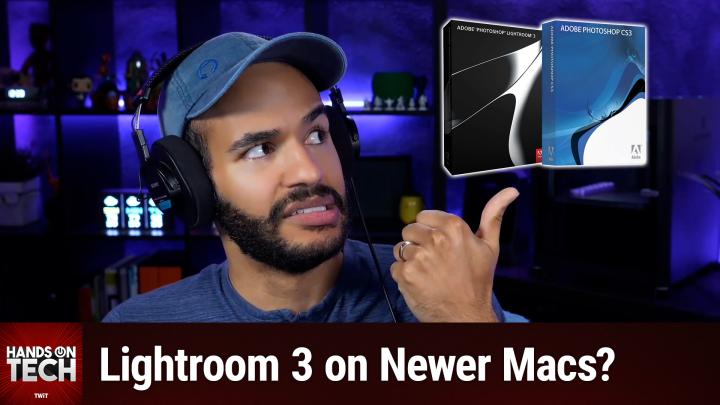
Hello and welcome to Hands-On Tech. I am Mikah Sargent and today, as we tend to do here on the show, I am taking your tech questions and answering them. Could you believe? This week's question comes in from Joe, who writes I just bought a new MacBook Air M4. I have a Lenovo laptop running Windows and have a legitimate copy I paid for of Lightroom 3 and Photoshop CS3 installed on the Lenovo. I know these programs are old, but they're still part of my digital workflow for photography. Is there any way I can install Lightroom and Photoshop the Windows version on my MacBook Air M4? So, joe, this is a great question and I understand wanting to be able to, you know, use the software that you've purchased, that you own, that you paid for.
And, unfortunately, making the switch between one major operating system to another and the hardware changes that come with it makes for a kind of complicated situation, because you can't directly install, of course, the Windows versions of Lightroom 3 and Photoshop CS3 on this MacBook Air. But even more so, there are some other issues. We know that because it's Windows only, you can't run them natively on macOS. But even with virtualization, cs3 and Lightroom 3 are rather old, from like 2007 or 2008, and therefore don't have the compatibility for the software you're trying to install. Or vice versa, that the software you're trying to install doesn't have the necessary sort of things in place to make it so that it can run with some virtualization software. Plus, your M4 chip uses the ARM architecture and these older programs designed for x86 processors, so a little bit difficult when it comes to using these more aged apps. But let's talk about it. Let's talk about it just in case.
Maybe, maybe virtualization would work, maybe you could try running Windows in a virtual machine. There are a couple of options available to you Parallels Desktop, which is pretty popular, well-known, and VMware Fusion. VMware Fusion we'll include links in the show notes to both. The VMware company has a bunch of different software and so it can be kind of hard to find exactly what you're looking for. But VMware Fusion for Mac is what you would eventually end up wanting to try.
I would recommend trying these if you want to go ahead and go forth. Of course, you do need a Windows license in order to install Windows on the virtualized portion on your Mac, windows on the virtualized portion on your Mac. And you would, of course, need to be aware that the performance of these applications is going to be reduced because you are virtualizing the experience and, as I mentioned before, the compatibility issues are likely going to be the thing that stops you from being able to do this, because even if you were running Windows on ARM, you would still probably have issues trying to run this older software. And then, last but not least, graphic acceleration that the M4 has probably not going to work with this old software either. So you would have not just the impact of virtualizing but then, further, the impact of that lack of graphics acceleration that, even if you could get them working, would make for such a slow experience that it probably would not be worth it in the end, something that I considered maybe doing potentially I'm not sure with software that's this old, you could see if Adobe would let you use the Mac versions of these programs. If you were able to access the Mac versions of these programs from Adobe, you could maybe possibly use your license with the Mac versions. Again, I don't know that that's going to be the case. But it's worth checking and asking Adobe support if you must, and so being able to find the Mac versions of these. But the caveat there is under no circumstances should you go to a random website that says it's got, you know, lightroom and Photoshop CS3 and download them from there. Don't do that. But yes, potentially talk to Adobe about transferring your license to the Mac version. Will that work? I don't know, but I'd love to know, you know, if that's, if that ends up working for you.
Now here's the real deal. Given the age of your software, could I interest you in upgrading to the Creative Cloud subscription? I know subscriptions they're so annoying, we have so many of them. But the subscription to Adobe Creative Cloud means what happens every time new versions of Photoshop and Lightroom come out, you get the new versions of Photoshop and Lightroom, so you don't have to worry about having this older, out-of-date version that only works on an old Lenovo. You could also, if you're just not feeling it and I know this is hard too, because it's a change in workflow and that makes it less likely that you'd want to go this route but there are one-time purchase applications Luminar Neo, Capture One, Affinity Photo. You could purchase those and not have to keep purchasing them, and those will work on your Mac. And then there's also the free option of GIMP G-I-M-P, which you could use as well. So those would give you the ability to use your Mac for modern photo editing without needing to figure out what to do about Photoshop, without needing to figure out what to do about Photoshop.
So here's my suggestion for you Keep the Lenovo around, keep using it for these specific programs and then dip your toe into some of these modern programs. A lot of them have free trials so you can see if any of them kind of translate easily for you and your workflow. If you are just absolutely not down with the idea of using Creative Cloud and paying that Creative Cloud subscription, if you are okay with that, if you've come to the part where you're like, okay, I get it, I just need to make that update, then great, I have a Creative Cloud subscription and it's one of my longest subscriptions that I have. And I have yet to regret having my Creative Cloud subscription, and that's coming from an owner of CS5 licenses for a lot of products. I still moved over to Creative Cloud and haven't looked back of CS5 licenses for a lot of products. I still moved over to Creative Cloud and haven't looked back. It's great to have all the latest stuff and, depending on which version of Creative Cloud you get, you get access to some other great things as well Adobe's fonts and other tools that you wouldn't have otherwise. So ultimately, I think, joe, your best bet is moving on up. But I understand you've sunk money into these programs and time and knowledge and know-how and it's hard to make the change from that. So I don't think you are going to be able to get the exact experience that you want of just installing these and having them work on a modern Mac. But again, you may consider doing the reach out to support suggestion and trying to see if they would give you the Mac version of your software at the time.
Hey, I would love, love, love if you joined us in a special place. The special place is Club Twit, twit.tv/clubtwit is where you go to sign up. When you join our club we've got monthly and yearly plans available to you. Again, at that special link, twit.tv/clubtwit you can join for $10 per month or $120 per year and when you do you get a lot of great stuff. You get every single one of our shows, including this one, ad-free. It's just the content, none of the ads. In fact, you get your special little.
These feeds are unique to you. They say your name in them, even, and so when you go and you get these free or these feeds that are ad-free, you are able to get them right there in your podcast player as soon as they're available. You also gain access to our members-only video feeds. So that means our Club TWiT shows like Hands-On Apple, the other show that I do, Hands-On Tech, which is this show,Hands-On Windows, Home Theater Geeks, iOS Today, This Week in Space, and the Untitled Linux Show, plus access to our Twit+ bonus feeds, which include behind-the-scenes stuff. Feeds which include behind the scenes stuff, my crafting corner, Stacey's book club, the AI user group and access to the members-only discord server, which is a fun place to go to chat with your fellow club members and also those of us here at TWiT. Lots of conversation today in the club to it discord, which we love, and I'm going to be running a D&D campaigns or an adventure I shouldn't say campaign, an adventure soon for uh, with, with, with contributors and hosts for our club members. So, if you like Dungeons and Dragons, you gotta join the club. It would be great to have you there and, by the way, it does start with a 14-day free trial so you can check it out, see if it's for you. I think you'll end up sticking around twit.tv/clubtwit. That's how you get into the club and I am looking forward to saying hello to you there.
Joe, thank you so much for writing in. I do appreciate it and we love to have your questions. You can email me hot@twit.tv with your questions and, uh, Joe, be sure to follow up if you come up with a solution that works for you, or if, yeah, you reach out to Adobe and they say, oh sure, here you go. That'd be great to hear too, because that's a pretty exciting thing that happens. So thank you, joe, for that, and thank you all for tuning in to this week's episode of Hands-On Tech. If you have older software that you're trying to run on a modern system, then considering virtualization might work for you, even though it likely won't work for Joe in this instance. I'll be back next week with another episode, so be sure to tune in then. Bye-bye.
0:12:04 - Leo Laporte
Get tech news at your pace with twit.tv's perfect pair of shows For quick, focused insights. Tech News Weekly brings you essential interviews with the journalists breaking today's biggest stories. But maybe you need more. That's why I'm here. Dive deep with me on this Week in Tech, your first podcast of the week and the last word in tech. Industry insiders dissect everything from AI to privacy to cybersecurity in tech's most influential and longest-running roundtable discussion. Short or long, streamlined or comprehensive, twit.tv keeps you well-informed. Subscribe to both shows wherever you get your podcasts, and head over to our website, twit.tv, for even more independent tech journalism.