What's Included in Apple Creator Studio—and How Does It Compare to Buying Apps Outright?
AI-generated, human-reviewed.
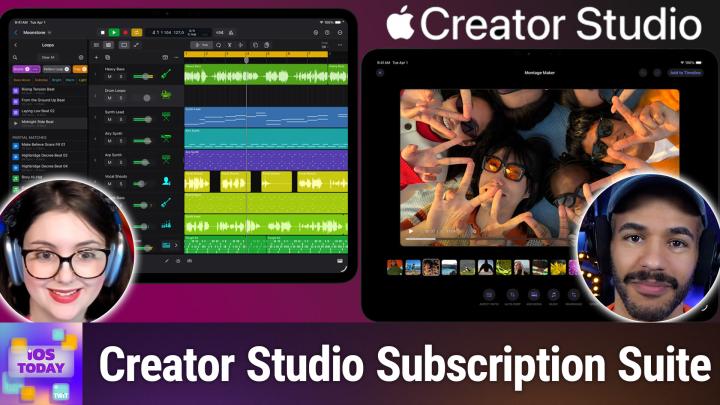
Apple recently launched the Apple Creator Studio subscription, bundling its top creative apps for one monthly (or yearly) fee. On iOS Today, Mikah Sargent and Rosemary Orchard gave a practical overview of the new offering, explaining who benefits most, what’s included, and whether a subscription beats buying apps individually.
What Is Apple Creator Studio?
Apple Creator Studio is a subscription service (similar to Adobe’s Creative Suite) providing access to several of Apple’s pro and productivity apps, plus new features exclusive to subscribers. The subscription costs $12.99/month ($129/year) for general users, while students and educators pay just $2.99/month ($30/year).
Included Apps:
- Final Cut Pro (video editing)
- Logic Pro (audio production)
- Pixelmator Pro (image editing)
- Keynote, Pages, Numbers (productivity suite)
- Freeform (collaborative whiteboard)
- Motion, Compressor, MainStage (Mac only)
Importantly, existing free versions of Keynote, Pages, Numbers, and Freeform stay available, but new advanced features will be exclusive to subscribers.
Pros & Cons of the Subscription
Pros:
- Lower upfront cost: Creators no longer need to spend hundreds upfront; subscriptions are affordable, especially for students.
- Cross-device access: Most apps work on both Mac and iPad, streamlining your workflow.
- Family Sharing: One subscription supports up to five family members.
- Access to premium templates & AI features: Enhanced templates, generative AI, and better collaborative tools are planned.
Cons:
- No loyalty discount: Past app buyers don’t get a break on the subscription cost.
- Ongoing cost: Subscriptions may add up over years compared to paying once for lifetime access.
Who Should Consider Apple Creator Studio?
Students and educators stand to benefit the most, thanks to deeply discounted pricing. Those starting out who need pro apps without huge upfront costs get a great value, especially if you need more than one app.
For creative professionals who rely on Final Cut Pro, Logic Pro, or Pixelmator, the subscription makes sense if you want the newest features and plan to use multiple apps. If you’ve already bought individual apps and don’t care about upcoming subscriber-only extras, you may not need to switch.
What’s New in the Apps?
On iOS Today, Mikah Sargent and Rosemary Orchard highlighted some upcoming changes:
- Final Cut Pro: Transcript search, object-based search in videos, Beat Detection, and an AI-powered Montage Maker for easy video creation.
- Logic Pro: Synth player via AI Session Players, Chord ID to instantly transcribe MIDI/audio, improved search with "Music Understanding."
- Keynote: Ability to auto-generate first drafts of presentations from outlines.
- Pages/Numbers: Premium templates, graphics, and a content hub.
- Freeform: Promised AI features—though these may arrive later.
What This Means For Creatives
- Features behind a paywall: New advanced features for classic apps (Keynote, Pages, etc.) will be subscriber-only, but baseline apps remain free.
- Great for learning and experimenting: Students can access expensive pro tools for much less, increasing accessibility for creative studies.
- Still possible to buy outright: If you prefer owning your apps, one-time purchases are available (Final Cut Pro: $299, Logic Pro: $200, Pixelmator Pro: $50, Motion: $50, Compressor: $50, MainStage: $30).
Apple Creator Studio is an appealing option for anyone looking to use multiple Apple creative apps without a major upfront investment, particularly students, educators, and creative professionals who want the latest features. However, one-time purchases remain a good choice if you don’t need all apps or want to avoid long-term subscription costs. Family sharing and discounted education pricing make this bundle especially attractive. Curious how these new features work in practice? iOS Today will keep covering updates as the suite rolls out.
Subscribe for more Apple software news and practical tech advice:
https://twit.tv/shows/ios-today/episodes/786