What Are "Native Apps" in Windows 11? Understanding Microsoft's Push for More Modern Software
Microsoft recently committed to developing more "native apps" for Windows 11, sparking confusion about what this term actually means for users and how it affects daily computing. On Hands-On Windows, Paul Thurrott clarified the different types of Windows apps, their technical roots, and why this new promise is both more complex and less straightforward than it sounds.
What Does "Native App" Really Mean on Windows?
The term native app generally refers to software designed to run directly on an operating system using its preferred frameworks and APIs (application programming interfaces). On Windows, this historically meant apps written in technologies like Win32 using languages like C or C++.
However, Windows has evolved. Now, apps can be:
- Legacy native apps: Classic programs built for Windows' original APIs (e.g., Notepad, Paint)
- Hybrid apps: Old native codebases given new interfaces using WinUI 3 or the Windows App SDK
- Modern native apps: Built from scratch with current Microsoft frameworks but without web technologies (e.g., Photos app, Media Player)
- Web apps (PWAs): Browser-based apps wrapped for Windows, like Copilot or Clipchamp
Microsoft’s recent push uses "native" to distinguish modern, performance-focused apps from web-based ones, but the definition remains fuzzy. As Paul Thurrott observed, this can be more about branding than a true technical distinction.
Why the Native App Discussion Matters in 2024
Many user frustrations with Windows 11 come from sluggishness, inconsistent interfaces, or missing features—often due to how an app was built. For instance, web-based apps like the new Outlook or Clipchamp sometimes feel less responsive than traditional software.
Microsoft now aims to make more Windows 11 apps "native", meaning:
- Better performance and startup times
- Improved integration with Windows features (dark mode, system dialogs)
- More consistent, modern UIs
However, Paul Thurrott notes that Microsoft often uses "native" to refer to hybrid apps—classic Win32 programs modernized with a WinUI frontend—which may still inherit some sluggishness from their old codebases.
Real-World Examples: Apps Every Windows 11 User Knows
On the episode, Paul Thurrott demonstrated how different core Windows 11 apps fit into this landscape:
- Notepad and Paint: Both started as pure native apps. Today, they use modern interfaces over old Win32 cores (hybrid). They look new, but some performance quirks can remain.
- Photos and Media Player: True modern apps built on WinUI 3, relying fully on current frameworks. These offer enhanced features and smoother integration, representing Microsoft's template for "native" apps going forward.
- Copilot, Clipchamp, and new Outlook: 100% web apps. They work across devices but can feel detached from the Windows experience and sometimes slower.
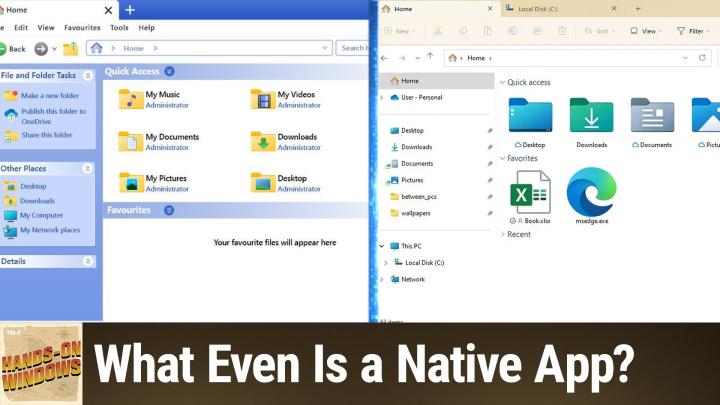
- File Explorer: A notorious hybrid. Its mix of Win32 underpinnings and new WinUI elements brings modern visuals, but also lingering issues, like sluggish folder loading and inconsistent dark mode support.
Key Takeaways for Windows Users
- "Native" is not always straightforward: Just because Microsoft calls an app native doesn't mean it's built entirely in the newest ways. Most are hybrids mixing legacy and modern code.
- You may notice performance or UI inconsistencies: Apps with heavy web components or complex hybrid interfaces (like File Explorer) can feel slow or awkward compared to "classic" apps.
- Microsoft's direction is modern, but not always pure: Expect a blend of technologies as Microsoft updates and modernizes built-in Windows apps.
- Settings app shows the shift: The new Settings is a modern app, replacing much of the old Control Panel but still missing some advanced features.
What This Means for You
If you want faster, more integrated, and better-looking Windows apps, Microsoft's shift to more "native" (modern) apps is generally good news. However, expect continued experimentation with hybrid approaches, and occasional quirks as legacy code gets modernized. Classic versions of some apps still lurk in Windows if you prefer them, while more features and speed improvements are promised in coming updates.
The Bottom Line
Microsoft’s promise to create more native apps in Windows 11 points toward greater speed, smoother updates, and a unified look and feel—but the transition is ongoing. For now, know that many built-in apps remain hybrids, and "native" is a moving target. Keeping Windows updated will ensure you benefit from these ongoing app refreshes as they arrive.
For more insights on staying ahead with Windows 11, subscribe to Hands-On Windows:
https://twit.tv/shows/hands-on-windows/episodes/188