Should You Upgrade to Apple's Latest OS? Here Are Pros and Cons
AI-generated, human-reviewed.
Apple’s annual operating system updates are here, with macOS 26 ("Tahoe"), iOS 26, iPadOS 20, WatchOS, and more rolling out to millions of users. On this week’s MacBreak Weekly, hosts Leo Laporte, Shelly Brisbane, Andy Ihnatko, and Alex Lindsay offer a practical, insider-driven analysis: Is now the right time to upgrade, and what real-world impact does Apple’s "Liquid Glass" design and new accessibility changes have on everyday users?
Whether you’re a tech enthusiast or just want your devices to stay safe and functional, here’s what you need to know before clicking “Update.”
What’s New in Apple’s Latest OS Releases? Key Features Highlighted
On MacBreak Weekly, the hosts outlined the major features and changes now available across Apple devices:
- Liquid Glass Design: Apple has introduced a striking new look for Mac and iPad, emphasizing transparency, translucence, and blurred color effects in menus and windows.
- Spotlight Improved: The Mac’s search tool is now significantly more powerful, making it easier to find apps, files, and settings.
- Updated Multitasking (iPadOS 20): iPads see improvements that bring them closer than ever to being true laptop replacements, with enhanced productivity features and refined multitasking.
- Accessibility Changes: The new Liquid Glass aesthetic affects readability for everyone, but especially for users with low vision or accessibility requirements.
- Security and Support: Apple continues strong security patching for older devices, but new OS versions come with important protections.
- Find My Enhancements: New hardware like AirPods Pro 3 and the extended “Find My” features make it easier to locate lost devices and accessories.
Liquid Glass Design: Is It a Step Forward or Frustrating for Real Users?
According to Shelly Brisbane, the new Liquid Glass aesthetic is polarizing. Many users—including those with visual impairments—are finding the increased transparency makes certain screens and menus harder to read.
For those with accessibility needs, Apple has added options to reduce transparency and improve contrast, but these require manual adjustment—and in some cases, users must hunt through settings to regain usability. As Shelly points out, design shouldn’t force users to "fix" their system just to make it legible, and many regular users (without diagnosed accessibility needs) may also encounter challenges in daily use.
Andy Ihnatko added that while the visual polish is impressive, tangible improvements—like Spotlight—stand out more for productivity than aesthetic changes. Alex Lindsay noted that OS 26’s complexity may make macOS less beginner-friendly than in years past, and the upgrade could feel jarring for long-time users.
Should You Upgrade Right Away, or Wait?
The MacBreak Weekly crew agreed on a measured approach:
- For most consumers (“civilians”), the latest OS versions are stable and largely safe to install. If you’re eager to try new features and aren’t relying on niche production tools, it’s fine to upgrade when convenient.
- For anyone using their device for work or with complex apps, especially in audio, video, or creative fields, it’s best to wait several months. Some third-party software and hardware (like Pro Tools or certain audio interfaces) may still face compatibility issues.
- Production machines should stay on the previous stable release for 3-6 months, or until core apps confirm support.
- Accessibility users may need to spend extra time tweaking settings to maintain readability or preferred workflows.
What Else Did Apple Announce? iPhone Air, AirPods, and More
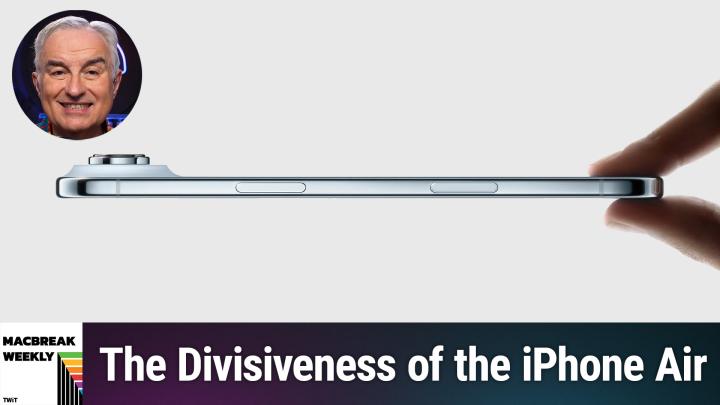
- iPhone Air: Apple introduced the iPhone Air, a thin new model with high-end looks but some compromises—such as battery life and camera features—at a premium price ($999). The panel was unconvinced it’s the best option for most, especially with the base iPhone 17 offering strong value.
- AirPods Pro 3: New AirPods with better Find My features, but key software enhancements will be available to previous generations via software.
- Apple Watch: New models launched, but most software features will also come to older watches, including health tracking updates and blood pressure notifications (with some limitations).
- Security Updates: Keeping your device current is still the best way to protect against security vulnerabilities, but Apple continues to provide patches for a reasonable time on older systems.
Key Takeaways
- Liquid Glass design may look sleek, but it could create usability issues, especially for vision-impaired users.
- Spotlight and iPad multitasking get meaningful upgrades; most other changes are incremental.
- Hold off on updating production machines or mission-critical systems. Most “regular” users are safe to update, but schedule time to adjust settings if needed.
- Review accessibility options immediately after updating to ensure readability and comfort.
- New hardware (iPhone Air, AirPods Pro 3) offers incremental improvements, but are not must-buys for every user.
- Security features remain a reason to keep devices up-to-date, but Apple continues to support older versions for security patches.
The Bottom Line
Apple’s latest operating system upgrades bring exciting refinements but also new challenges—especially with the bold (and sometimes problematic) Liquid Glass design. For most people, updating is safe, but those who rely on their Macs for professional work or require accessibility features should proceed with care, planning to spend time customizing settings for the best experience.
Stay informed, make a backup, and read up on app compatibility before diving in.
Subscribe for more practical Apple news and analysis:
https://twit.tv/shows/macbreak-weekly/episodes/990