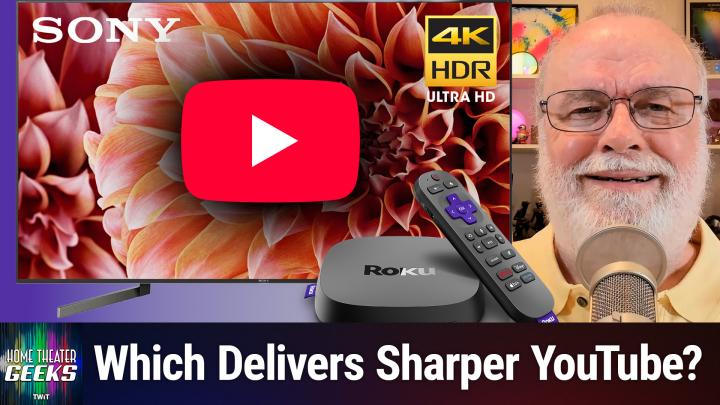
Should You Let Your TV or Streaming Device Upscale YouTube Videos to 4K?
AI-generated, human-reviewed.
Choosing the right device to upscale your YouTube videos—your 4K TV or streaming player—can have a major impact on your picture quality. On Home Theater Geeks, the question centers on whether a premium TV’s internal processor (like Sony’s X900F) or a popular streaming box (like Roku Ultra 2024) produces better results when playing non-native 4K content from YouTube.
Understanding Upscaling: Why It Matters for Streaming
Streaming platforms like YouTube offer a mix of resolutions, with some videos available in full 4K (2160p) and others in lower formats like 1080p or even 480p. Upscaling refers to the process of converting lower-resolution video to display on a higher-resolution screen—essential for owners of 4K TVs who watch older or lower-res uploads. The upscaling quality depends heavily on the processing power and algorithms of either your TV or your streaming device.
How YouTube and Your Devices Handle Video Resolution
The discussion explored how YouTube serves multiple resolutions for many videos, but only certain uploads are truly native 4K. Many older shows or documentaries are upscaled by creators (or by YouTube) to 1080p before you ever select a setting. When you use a Roku Ultra with a TV like the Sony X900F, both devices are capable of upscaling:
- YouTube provides options to stream at Auto, 1080p, or 2160p, but the resolution shown depends on the original video file and possibly YouTube’s transcoding.
- Roku Ultra lets you pick a playback resolution; if set to 2160p, it will upscale lower-res videos before sending them to your TV.
- Sony X900F TV is known for its strong upscaling processor, so if the Roku sends a 1080p signal, the TV itself can handle upscaling to 4K.
Key Differences: TV vs. Roku Ultra Upscaling
Several points were raised, including how both devices can technically perform upscaling, but the quality of the processor matters:
- The Sony X900F likely has a more advanced video processor than the Roku Ultra, thanks to its premium positioning and higher cost. This often translates to more sophisticated upscaling algorithms, sharper edges, and fewer artifacts.
- Roku Ultra performs upscaling if you set output to 2160p in its settings, but this may not match the finesse of the Sony’s internal scaling.
- User interface differences mean checking the actual streamed resolution can take a few steps, like examining YouTube’s options via the remote to see what’s really being delivered.
How to Get the Best YouTube Picture on Your Sony X900F + Roku Ultra Setup
One concept discussed was a side-by-side viewing test to determine which upscaling looks best in your room:
- Set YouTube playback to 1080p on your Roku Ultra. The TV, in this case, will handle upscaling to 4K.
- Set Roku Ultra to output 2160p/4K so it upscales 1080p content before sending it to the TV.
- Compare both images using the same video, paying close attention to sharpness, noise, and clarity—especially in detailed scenes or text.
- Stick with whichever looks better to your eyes, as the ideal result could be subjective.
Choosing where upscaling happens can lead to a noticeably better streaming experience, especially with a high-end TV like the Sony X900F. If your TV has advanced processing, let it handle the scaling by feeding it the native YouTube resolution. If using a basic TV, your streaming device’s upscaling might be preferable.
The Bottom Line
The conversation focused on the practical question: Should you trust your Roku Ultra or your Sony X900F to upscale YouTube content? The recommendation from Home Theater Geeks is to experiment with both methods using the same videos—most users with a television like the Sony X900F will find the TV’s upscaling is superior, thanks to advanced video processing. However, results may vary, so always judge by what looks best in your own setup. Try both settings and settle on the image you find most pleasing, as your eyes are the final judge.
Subscribe for more expert home theater advice: https://twit.tv/shows/home-theater-geeks/episodes/545