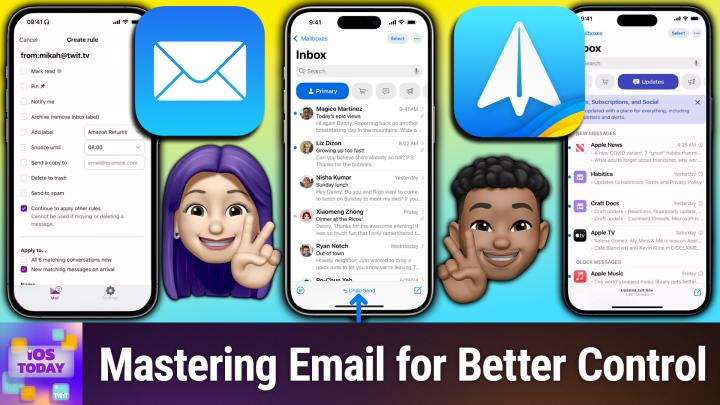
Mastering Email Organization on iPhone
AI-generated, human-reviewed.
Getting on top of your email is more achievable than ever with improvements to Apple’s Mail app and powerful third-party options like Spark and Fastmail. On iOS Today, hosts Mikah Sargent and Rosemary Orchard explored practical solutions, time-saving features, and actionable advice so that anyone, from casual users to productivity enthusiasts, can manage their inbox with less stress.
Email clutter is a common frustration, but modern iOS apps now offer advanced features to help separate what matters from what doesn’t. Whether you stick with the default Mail app or switch to specialized clients, there are strategies and settings to streamline your email workflow, cut noise, and never lose critical messages.
Making the Most of Apple Mail on iOS
Apple Mail remains a robust, built-in solution for iPhone and iPad users. Recent updates introduced features like:
- Categories: Automatically sorts emails into Primary, Transactions, Updates, and Promotions, inspired by Gmail but integrated directly into iOS.
- Filters: Instantly show only unread messages, flagged emails, or messages with attachments—just tap the filter icon.
- VIP Feature: Mark contacts as VIP to spotlight their messages, helping you focus on emails from important people.
- Unsubscribe Option: Directly from the Mail app, unsubscribe from newsletters with a single tap.
- Undo Send: Enable a send delay (e.g., 10 seconds) so you can retract a message if needed—perfect for catching last-minute errors.
- Privacy Protections: Block remote content loading and hide your IP to prevent email trackers from collecting data about you.
Settings Tip: Changing swipe gestures and the number of lines previewed lets you personalize how email appears and feels.
Advanced Automation with Fastmail’s Rules
Fastmail stands out for its robust automation, ideal for users wanting granular control over incoming mail. Rosemary explained how Fastmail’s server-side rules can:
- Sort, pin, or archive emails based on sender, subject, or even specific headers.
- Automatically mark newsletters as read or delete unwanted bulk messages.
- Apply rules BEFORE emails reach your inbox, making sure all devices reflect the same organization.
- Set up notifications or pinning for messages that matter most, and snooze emails to act on them later.
Fastmail works well across devices, and while it was a sponsor for the network, both hosts praised it for practicality and flexibility. Fastmail accounts do incur a subscription cost but are suited for users who want automation without the clutter or privacy concerns of free providers.
Spark: A Feature-Rich, Cross-Device Email Experience
Spark emerged as Mikah’s top pick for those wanting more advanced features for little setup effort:
- Unified inbox across devices: Just log in and all your accounts, filters, and settings are ready to go.
- Server-side processing: Enables smart features like snoozing, delayed sending, and seamless sync, even between iOS and macOS.
- Teamwork Built-In: Share and comment on emails with colleagues, assign conversations, or generate shareable links to specific email threads.
- Integrated calendar and the ability to easily unsubscribe or manage subscriptions.
While some privacy-conscious users may prefer local-only processing, Spark prioritizes streamlined workflow out of the box.
Practical Steps to Take Control of Your Inbox
- Decide the scope: If you want simple sorting and built-in tools, start with Mail. If automation and customization are key, try Fastmail or Spark.
- Set up filters and rules: Use categories, VIP lists, or robust rules to sort important messages and reduce inbox overload.
- Turn on Undo Send: Give yourself a buffer for mistakes.
- Leverage privacy settings: Block remote loading, hide your IP, and unsubscribe from junk.
- Try powerful alternatives: Don’t hesitate to test apps like Spark or Fastmail; stick with any new system for a few weeks before switching again.
Key Takeaways
- Apple Mail is more powerful than many realize! Start with its built-in organization tools and privacy settings.
- Fastmail and Spark offer automation and sync not possible with Mail, but may require more initial setup.
- Rules and filters save time and reduce stress: Automate everything you can, from flagging key senders to archiving updates you don’t want to see.
- Opt-in to privacy: Enable Mail’s privacy features to limit unwanted tracking.
There’s no excuse to drown in email. Whether you stick with Apple Mail, upgrade to a client like Spark, or automate with Fastmail, iOS users now have powerful tools to tame their inbox. Experiment with features and find the workflow that suits you best. Email management should serve you, not the other way around.
Subscribe to iOS Today for more actionable Apple tips!