Kobo vs. Kindle vs. Apple Books vs. Libby: Which Book App Is Best for You?
AI-generated, human-reviewed.
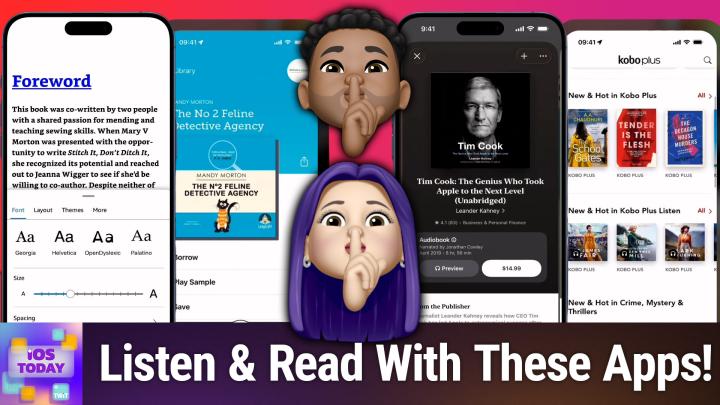
The latest iOS Today episode takes a deep dive into the best apps for reading and listening to books on your Apple devices. From paid options like Apple Books, Kobo, Kindle, and Audible to the free library app Libby, co-hosts Rosemary Orchard and Mikah Sargent reveal which book and audiobook apps offer the most value, and help you decide which platform fits your lifestyle.
Why Now Is the Perfect Time to Revamp Your Book Apps
With new devices, software updates, and expanding app features, it's easier than ever to carry an entire library in your pocket. Whether you're upgrading to the latest iPhone or just want more flexibility in how and where you read, using the right apps can save you money, unlock new features, and help manage your reading lists across phones, tablets, and even dedicated e-readers.
On iOS Today, Rosemary Orchard and Mikah Sargent examined popular reading and listening apps to help you decide what's worth installing.
Key Differences Between the Top Book & Audiobook Apps
Apple Books
Apple Books is pre-installed on all iPhones and iPads. It supports both ebooks and audiobooks, lets you customize fonts and display settings, and accepts PDFs and EPUBs in addition to purchased content. You can sync your reading across devices, and audiobooks are integrated within the same app.
- Pros: Built-in, supports third-party files, highly customizable, easy sync between devices
- Cons: Books often cost more on some platforms, limited to Apple ecosystem
Kobo
Kobo Books works for users with dedicated Kobo e-readers as well as iOS users, syncing progress and purchases between devices. Unlike Amazon's split between Kindle and Audible, Kobo offers ebooks and audiobooks in a single app and lets you subscribe to Kobo Plus for a library-style approach.
- Pros: Both books and audiobooks together, supports syncing with Kobo devices, offers subscription via Kobo Plus
- Cons: Some books are exclusive to Kobo, not as integrated with other Apple services
Kindle & Audible
Kindle is Amazon's ebook platform, well-known for its wide selection and features like custom fonts (including the accessibility-focused Open Dyslexic). Audible is Amazon's audiobook service, offering a credit system for monthly book downloads, regular sales, and even podcasts.
- Pros: Huge selection, seamless sync across devices, accessibility features, subscription (Kindle Unlimited, Audible credits)
- Cons: Books and audiobooks in separate apps, locked into Amazon's ecosystem, Audible credits expire if subscription lapses
Libby
Libby is the free library-connected app for borrowing ebooks, audiobooks, and magazines. All you need is a library card from a participating public library. Books and audiobooks are curated by actual librarians, and content syncs across devices.
- Pros: Completely free, supports audiobooks and ebooks, curated recommendations, works on iOS (and Kobo in some regions)
- Cons: May have waitlists, selection depends on local library funding and catalog
Who Should Use Each App?
- Apple Books: Best for Apple loyalists who want a built-in option and flexibility for uploading PDFs and third-party content.
- Kobo: Ideal for Kobo device owners and those who want a subscription model for unlimited reading and listening.
- Kindle/Audible: Recommended for readers already in Amazon's ecosystem, or those who value accessibility fonts and a huge book selection. Don't forget: use your Audible credits before canceling!
- Libby: Perfect for readers on a budget who want free access to ebooks and audiobooks, provided their library participates.
Surprising Tips and Unique Features
- Audible: You can save money by canceling and re-activating your Audible subscription! Amazon often offers discounts and free months if you leave.
- Libby: In some regions, Libby only supports Kobo e-readers for physical device sync, not Kindle.
- Accessibility: Kindle offers Open Dyslexic and other custom fonts to support readers with dyslexia.
- DIY Library: Save your device manuals and important PDFs in Apple Books for easy access and zooming.
Choosing the right app can affect not only your reading experience but also how much you spend and which features you get. Subscription options like Kindle Unlimited, Kobo Plus, or your local library via Libby let you read far more for less. Accessibility features and sync options make reading easier anywhere.
Most readers will benefit from having at least two apps: a paid option (Apple Books, Kindle, or Kobo) for new releases and bestsellers, and Libby for free library access. Try the free versions first to see what's available in your area, and don't hesitate to experiment since syncing across devices is now smoother than ever.
Want more tips, reviews, and expert recommendations for your Apple devices? Subscribe to iOS Today and catch every episode: https://twit.tv/shows/ios-today/episodes/774