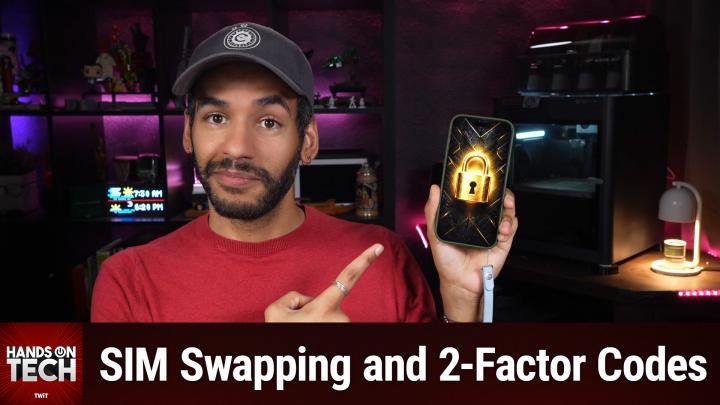
How to Protect Your Accounts from SIM Swapping Attacks
AI-generated, human-reviewed.
Using text message codes to secure your bank or financial accounts with multi-factor authentication (MFA) is much better than relying on a password alone—but it’s not as secure as many people think. On Hands-On Tech, Mikah Sargent explains the hidden risks of SMS-based codes, highlights how criminals exploit them, and shares practical steps you can take now to protect your accounts more effectively.
Quick Summary
While text message 2FA blocks many basic hacking attempts, it sits at the bottom of the security ladder. Threats like SIM swapping and port-out fraud enable attackers to hijack your phone number—and receive security codes intended for you. For stronger protection, Mikah Sargent recommends using app-based authentication or hardware security keys when available and setting carrier-level protections.
Why SMS Codes Aren’t the "Gold Standard"
SMS-based two-factor authentication works by sending a temporary code to your phone number, but it protects your number, not the actual phone. Carriers, not end users, control phone number routing. This opens the door for:
- SIM Swapping: Attackers persuade your carrier to move your number to a new SIM card, gaining access to your calls and texts—including one-time codes.
- Port-Out Fraud: Your number gets transferred to another carrier without your consent, leaving you locked out.
- Phishing Scams: Fraudsters may trick you into revealing the code during social engineering calls pretending to be from your bank.
Even with eSIM (embedded SIM) technology reducing the risk of physical SIM theft, digital attacks on number portability remain a concern.
How to Make Your Accounts More Secure
1. Opt for Better Authentication if Available
- Authenticator Apps: Banks that support codes via apps like Google Authenticator or Microsoft Authenticator offer a more secure option than SMS. These apps generate codes on your device, not through your carrier.
- Hardware Security Keys & Passkeys: If your bank supports physical security keys or passkeys (using fingerprint, Face ID, or PIN), these options are at the top of the security hierarchy and resistant to phishing.
2. Add Carrier-Level Protection
Most major US carriers now allow you to lock your account to prevent unauthorized SIM or port-out changes. Here’s how:
- Verizon: Use the My Verizon app > Edit Profile and Settings > SIM Protection and Number Lock.
- T-Mobile: In the T-Life app, go to security settings and enable SIM Protection.
- AT&T: Use the Wireless Account Lock via the app to prevent unauthorized changes.
- If you’re with a smaller or prepaid carrier, call customer support and request SIM protection, port-out protection, and an account PIN.
3. Know the Rules with Security Codes
- Never read a security code to someone who contacts you unexpectedly. If you didn’t initiate the call, don’t share the number.
- Use codes only within your bank’s official app or website—not with third parties.
4. Enable Account Change Alerts
Turn on email or app notifications for any account changes, such as password resets or new devices being added.
Key Takeaways
- Any multi-factor authentication (MFA) is better than none. SMS codes are an improvement over passwords alone, but they’re the weakest available method.
- Stronger MFA methods like authenticator apps, passkeys, or hardware keys are significantly better. Check your bank’s security settings for these features.
- Carrier-level protections can stop many SIM swap or port-out fraud attempts. Take advantage of these free features now required by the FCC.
- If your phone suddenly loses service or you receive an unexpected carrier change notification, act immediately: contact your carrier and your banks.
What This Means for You
Personal finance and sensitive data deserve more than the minimum security. SMS-based authentication stops casual hackers but can be bypassed by determined attackers targeting your phone number. Upgrading your MFA method and locking down your carrier account are straightforward steps that dramatically improve your safety with little sacrifice in convenience.
The Bottom Line
Text message authentication is still better than nothing—but don't stop there. Ask your bank for app-based codes or passkey support and turn on every carrier protection you can. For most people, these extra steps will close the loopholes criminals use to bypass text-based verification.
Want smarter security tips every week? Subscribe to Hands-On Tech for more advice:
https://twit.tv/shows/hands-on-tech/episodes/290