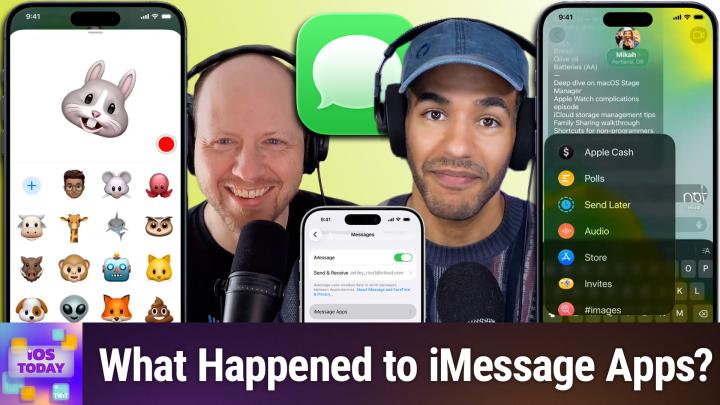
How to Get the Most Out of iMessage Apps/Features on iPhone
AI-generated, human-reviewed.
On this episode of iOS Today, the team took an in-depth look at the value of iMessage apps and features, both built-in and third-party. They found that, while iMessage once promoted a thriving mini App Store, today’s best messaging experience relies heavily on Apple's default tools, with third-party apps having a much smaller role. Here’s what you need to know to streamline your iMessage use and get the most practical benefits.
iMessage Apps vs. Features: What’s the Difference?
When you tap the plus (+) button in Messages on iOS, you access a mix of “apps” and core features. Apps can be add-ons like sticker packs, games, or utilities, while features are built-in functions integrated directly by Apple.
- Camera: A quick way to snap and send photos, but slower and less reliable than using the regular Camera app, especially on older devices.
- Photos: Browse and share from your device’s photo library.
- Stickers: Animated or static art packs, including custom stickers or ones you create yourself.
- Apple Cash: Send or receive money securely with other Apple users.
- Polls: Vote on options in group messages, which is useful for making social plans.
- Send Later: Schedule a text to send at a specific time, which is server-based and works even if your phone is off.
- Audio: Send quick voice memos or use dictation.
Third-party iMessage apps—from GIF managers to small games—can enhance your experience, but Dan Moren found that most users stick to Apple’s tools. Third-party options are less popular now, partly because developing and maintaining them is more complex and fewer people use them regularly.
What’s Still Useful in the iMessage App Store?
While the early days of iMessage apps saw a flood of games, sticker packs, and widgets, their usage has dropped off. According to Dan Moren, built-in games like GamePigeon still see occasional use, but it's rare for most users to look for or add new iMessage apps today.
A notable new entrant is Gnome, a GIF manager by Lex Friedman, which lets you access both web-based and personal GIFs directly within iMessage. However, for most users, Apple’s built-in “Images” feature for GIFs and memes is sufficient and even more accurate in searches than many third-party options.
Tips for Streamlining Your iMessage Workflow
- Quick Photo Sending: Long-press the plus (+) icon to jump directly to your photo library, saving you extra taps.
- Organize Your Apps: Rearrange or remove iMessage apps by tapping and holding their icons in the app drawer.
- Feature vs. App: Recognize that many “apps” are just shortcuts to features, like Send Later or Polls.
- Check In: Use this feature to temporarily share your location and route with friends or family for safety—ideal for trips or late-night returns.
Are Sticker Packs and Memoji Still Relevant?
Sticker packs and animated emojis (Memojis/Animojis) are available as both built-in and downloadable packs. Dan Moren noted their use has declined, with custom-created stickers now being the most likely to get shared, especially among younger users. Memoji and Animoji remain novelty features, occasionally useful for creative communication or kids’ video calls, but aren’t viewed as essential.
Understanding the iMessage
- Most core messaging needs are now satisfied by Apple’s built-in iMessage features.
- Third-party app support for iMessage has waned, and fewer quality, innovative apps are on offer.
- The built-in Send Later feature is reliable and server-based—a rare advantage if you want scheduled texts.
- Quick actions (like long-pressing the plus icon) can really speed up workflow.
- Essential features like location sharing, payments, and polls are seamlessly integrated.
If you want a fast, efficient messaging experience, stick with the default iMessage features. Third-party apps might serve niche needs, like advanced GIF management with something like Gnome, but most users get everything they need from Apple’s options. The iMessage App Store is no longer necessary for the vast majority of users.
Apple’s focus on refining the built-in features of iMessage has made third-party apps less relevant for everyday users. Invest a few minutes in learning the default toolset, organize your app drawer, and use tricks like quick photo access or scheduled sending. These will cover nearly all messaging scenarios with less clutter and confusion.
Stay informed and get more practical iOS tips:
Subscribe to iOS Today: https://twit.tv/shows/ios-today/episodes/804