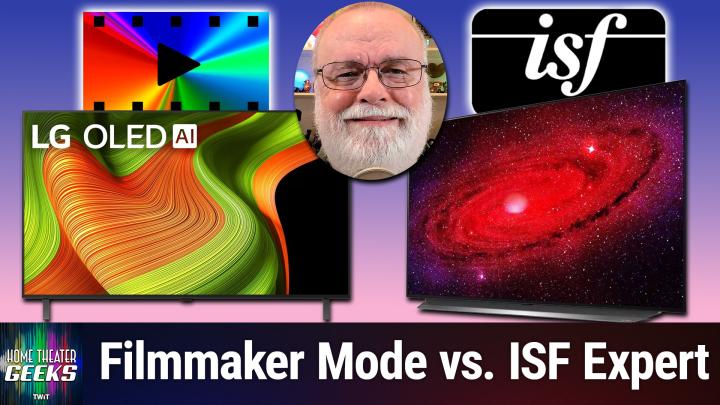
Filmmaker Mode vs ISF Dark: What’s the Best Picture Setting for Dark Rooms?
AI-generated, human-reviewed.
Choosing the correct picture setting on your TV can dramatically improve your movie nights, especially if you have a dark room. Scott Wilkinson on Home Theater Geeks explains the differences between Filmmaker Mode, ISF Expert, and other recommended settings for LG OLEDs, so you can enjoy content the way it was intended.
Why Picture Modes Matter
Modern TVs, especially OLEDs like the LG B5, offer several picture modes designed to match industry standards. These settings—such as Filmmaker Mode and ISF Dark Mode—aim to reproduce film and TV content as the creators envisioned, by maintaining accurate colors, brightness, and disabling unnecessary processing.
Key Differences: Filmmaker Mode vs ISF Dark Mode
Both Filmmaker Mode and ISF Dark Mode are optimized for dark viewing environments and focus on accuracy:
- White Point Standard: Both adhere to the D65 white point, standard for professional content creation.
- Color Gamut: Each targets the BT.709 color space for standard dynamic range (SDR) content, ensuring lifelike color.
- Peak Brightness: These modes aim for around 100 nits peak brightness, matching how movies are mastered for home viewing.
- Processing: Both turn off motion smoothing, frame interpolation, and most post-processing to prevent artificial enhancement.
- Ambient Light: ISF Bright Mode is available for rooms with more ambient light, increasing brightness while keeping other parameters consistent.
Scott Wilkinson notes that, in practice, the difference between Filmmaker Mode and ISF Dark is negligible on well-calibrated LG OLEDs, and both deliver similar measurements and accuracy..
When to Use Cinema or Cinema Home Modes
Another option is Cinema Mode (or Cinema Home). Some users prefer this for HDR content or when Filmmaker Mode feels too dim or introduces visible judder in motion scenes. Cinema Mode typically:
- Offers slightly higher brightness
- May keep some features like black frame insertion active, which can help smooth out motion without majorly impacting accuracy
Best Choice For Different Viewing Conditions
- Dark Rooms & Movie Purists: Filmmaker Mode or ISF Dark Mode are top picks, as they both closely match content creators’ intentions.
- Variable Ambient Light: ISF Bright or Cinema Mode may be preferable during brighter times of day.
- Motion Sensitivity: If you notice judder (shaky or uneven motion), Cinema Mode with black frame insertion might provide smoother motion.
Testing and Picking Your Favorite
Scott Wilkinson encourages trying each mode with the same content, streaming or on disc, to judge what looks best to you. Room lighting can change throughout the day, so it’s worth switching picture modes accordingly..
Key Takeaways
- Filmmaker Mode and ISF Dark are both excellent for dark-room, accurate movie viewing.
- Differences are mostly negligible: Calibration measurements typically match.
- Cinema/Cinema Home Mode may be slightly brighter or offer smoother motion, at the cost of strict accuracy.
- Personal preference and room conditions are important—experiment and choose what’s most pleasing.
A Clear Picture
If you want your movies to look true to the director's vision—and you’re watching in a dark room—either Filmmaker Mode or ISF Dark Mode will deliver great results. For daytime or mixed lighting, consider ISF Bright or Cinema Mode for added brightness and motion handling. For LG OLED owners (and most modern TVs), using Filmmaker Mode or ISF Dark Mode is the simplest way to enjoy authentic, creator-intended visuals in a dark environment. Switch between modes if your room lighting changes, and don’t hesitate to experiment with Cinema Mode to find your personal sweet spot.
For more expert insights on optimizing your home theater, subscribe to Home Theater Geeks:
https://twit.tv/shows/home-theater-geeks/episodes/519